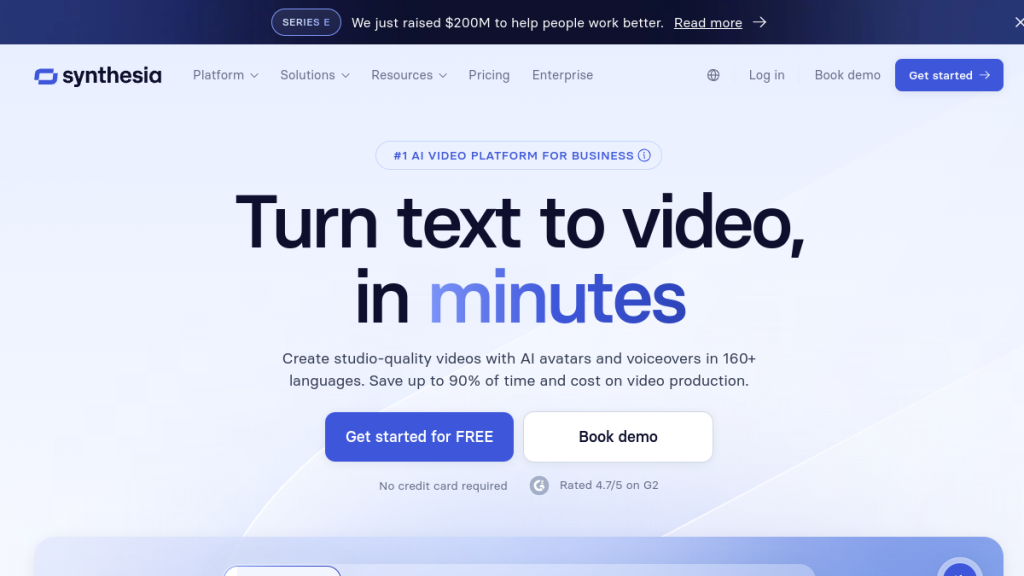
You spent 8 hours editing a 3-minute product demo last week, and it still looks amateur compared to your competitors who somehow pump out polished videos daily. While you’re wrestling with complex editing software that costs + per month, they’re using AI tools to create professional-looking content in under an hour. Here’s how to join them and start producing videos that actually convert viewers into customers.
Want to create professional videos without filming, editing skills, or expensive equipment? AI video generators have completely transformed content creation in 2026. Whether you need marketing videos, tutorials, social content, or cinematic clips — AI can help you produce them in minutes.
This guide walks you through everything you need to know as a complete beginner: the best tools, step-by-step workflows, and pro tips to create stunning AI videos today.
Quick Summary
| What You’ll Learn | Details |
|---|---|
| Time to First Video | 10-30 minutes |
| Skills Required | None — just write prompts |
| Best Free Tool | InVideo AI, Canva AI |
| Best Paid Tool | Synthesia, HeyGen |
| Best for Cinematic | Sora 2, Veo 3.1, Runway |
| Cost Range | Free — $100+/month |
Table of Contents
- What is AI Video Creation?
- Types of AI Video Tools
- Best AI Video Generators for Beginners
- How to Create Your First AI Video (Step-by-Step)
- Creating Different Video Types
- Tips for Better AI Videos
- Common Mistakes to Avoid
- AI Video Creation Costs
- FAQs
- What’s Next?
What is AI Video Creation?
AI video creation uses artificial intelligence to generate, edit, or enhance video content with minimal human effort. Instead of filming footage, hiring actors, or spending hours editing — you describe what you want and the AI produces it.
The Three Main Approaches
1. Text-to-Video (Generative AI)
You write a prompt like “A golden retriever running through a sunflower field at sunset” and the AI generates entirely new video footage that never existed before.
Best for: Creative content, social media clips, cinematic scenes
Tools: Sora 2, Veo 3.1, Runway Gen-3, Pika Labs
2. AI Avatar Videos
You type a script and an AI-generated human avatar speaks it naturally, complete with lip-sync, expressions, and gestures.
Best for: Training videos, marketing, explainers, presentations
Tools: Synthesia, HeyGen, D-ID, DeepBrain AI
3. AI-Assisted Video Editing
You provide raw footage or text content, and AI handles editing — adding clips, transitions, captions, music, and effects automatically.
Best for: Repurposing content, YouTube videos, social clips
Tools: Descript, Pictory, InVideo AI, Opus Clip
Why AI Video Creation Matters in 2026
- Speed: Create videos in minutes, not days
- Cost: No camera equipment, studios, or actors needed
- Scale: Produce dozens of videos with consistent quality
- Accessibility: Anyone can create professional videos without technical skills
- Personalization: Generate customized videos for different audiences
The global AI video market is projected to exceed $2.4 billion by 2027, and for good reason — it’s democratizing video production for businesses and creators of all sizes.
Types of AI Video Tools
Before diving in, understand the different categories of AI video tools and what each does best.
Text-to-Video Generators
These create entirely new video footage from text descriptions.
| Tool | Best For | Starting Price |
|---|---|---|
| Sora 2 | Cinematic narratives, long sequences | $20/mo (via ChatGPT Plus) |
| Veo 3.1 | Photorealistic, short cinematic clips | Free via Synthesia |
| Runway Gen-3 | Creative effects, fast generation | $12/mo |
| Pika Labs | Stylized, artistic videos | Free tier available |
| Kling AI | High-quality, longer videos | Free tier available |
| Midjourney Video | Animating Midjourney images | $10/mo |
AI Avatar Platforms
These generate realistic human presenters that speak your script.
| Tool | Best For | Starting Price |
|---|---|---|
| Synthesia | Enterprise training, professional quality | $18/mo |
| HeyGen | Marketing videos, quick creation | $24/mo |
| D-ID | Simple talking heads | Free tier available |
| DeepBrain AI | Multilingual, dubbing | $24/mo |
| Colossyan | Learning & development | $21/mo |
AI Video Editors
These help edit and repurpose existing content using AI.
| Tool | Best For | Starting Price |
|---|---|---|
| Descript | Podcast/video editing via text | Free tier available |
| Pictory | Blog-to-video conversion | $19/mo |
| InVideo AI | Complete video from prompt | Free tier available |
| Opus Clip | Short-form clips from long videos | Free tier available |
| Kapwing | All-in-one AI editing | Free tier available |
Best AI Video Generators for Beginners
If you’re just starting out, these tools offer the best balance of ease-of-use, quality, and value.
🥇 Best Overall for Beginners: InVideo AI
Why it’s #1 for beginners: You literally type what video you want, and it creates the entire thing — script, footage, voiceover, music, transitions, everything.
Example prompt: “Create a 60-second video about the benefits of meditation for busy professionals”
InVideo AI will:
- Write a compelling script
- Select relevant stock footage
- Add professional voiceover
- Include background music
- Apply smooth transitions
- Add text overlays and captions
Pricing: Free tier with watermarks, $25/mo for full access
Best for: Social media videos, marketing content, YouTube videos
🥈 Best for Professional Business Videos: Synthesia
Why it’s great: Synthesia’s AI avatars look incredibly realistic. Perfect for training, onboarding, product demos, and corporate communications.
Key features:
- 230+ AI avatars (diverse ethnicities, ages, styles)
- 140+ languages and accents
- Create custom avatars from your own footage
- Built-in screen recording
- Template library for quick starts
- Access to Veo 3.1 and Sora 2 generators
Pricing: $18/month (Personal), $59/month (Business)
Best for: Training videos, explainers, internal communications
🥉 Best Free Option: Canva AI Video
Why it’s great: If you already use Canva, their AI video features are surprisingly powerful and completely free.
Key features:
- AI-powered video templates
- Text-to-video generation
- AI voiceover and translation
- Massive stock footage library
- Easy drag-and-drop editing
Pricing: Free (paid plans from $10/mo unlock more features)
Best for: Social media content, presentations, marketing materials
Best for Cinematic/Creative: Runway Gen-3
Why it’s great: Runway produces some of the most impressive AI-generated footage available. Great for filmmakers, advertisers, and creative projects.
Key features:
- High-quality video generation
- Motion brush for precise control
- Image-to-video animation
- Consistent character generation
- Fast generation times
Pricing: $12/month (Standard), $28/month (Pro)
Best for: Film projects, ads, artistic content
How to Create Your First AI Video (Step-by-Step)
Let’s create an actual video. I’ll walk you through the process using different approaches.
Method 1: Complete Video from Text Prompt (InVideo AI)
Time required: 10-15 minutes
Step 1: Sign up for InVideo AI
Go to invideo.io and create a free account.
Step 2: Describe your video
Click “Create with AI” and type a detailed prompt:
Create a 90-second video about the top 5 productivity apps for remote workers in 2026.

Use an energetic, professional tone. Include smooth transitions and upbeat background music.

Format for YouTube.
Step 3: Review and customize
InVideo generates:
- A complete script
- Matching stock footage for each section
- AI voiceover
- Background music
- Text overlays
Review each scene. You can:
- Swap any stock footage
- Edit the script
- Change the voice
- Adjust music
- Modify text/fonts
Step 4: Export
Click Export and choose your resolution (1080p recommended). Download or publish directly to YouTube/social media.
Pro tip: The more specific your prompt, the better the result. Include tone, length, format, and key points to cover.
Method 2: AI Avatar Presentation (Synthesia)
Time required: 15-20 minutes
Step 1: Create a Synthesia account
Go to synthesia.io and sign up (free trial available).
Step 2: Choose a template or start blank
Select from templates like:
- Training video
- Product demo
- Sales pitch
- Company update
Step 3: Select your avatar
Browse 230+ AI avatars. Consider:
- Professional appearance for business content
- Casual look for social content
- Match your target audience demographics
Step 4: Write your script
Type what you want the avatar to say. Tips:
- Write conversationally (not formal)
- Keep sentences under 20 words
- Add pauses with “…” for natural rhythm
- Break content into multiple scenes
Step 5: Add visuals
Enhance with:
- Screen recordings (great for tutorials)
- B-roll footage
- Images and graphics
- Text overlays
- Background changes
Step 6: Preview and generate
Preview each scene, then generate the full video. Processing takes 5-15 minutes depending on length.
Method 3: Cinematic Text-to-Video (Runway)
Time required: 5-10 minutes per clip
Step 1: Access Runway
Go to runwayml.com and create an account.
Step 2: Select Gen-3 Alpha
Choose the text-to-video generation tool.
Step 3: Write a cinematic prompt
Be specific about visual details:
A lone astronaut stands on Mars, looking at Earth in the distance.

Golden hour lighting, cinematic wide shot, slow dolly movement.

Red dust particles floating in the air. Photorealistic, 8K detail.
Key prompt elements:
- Subject: What’s in the frame
- Setting: Where and when
- Camera: Shot type, movement
- Lighting: Time of day, mood
- Style: Photorealistic, cinematic, animated
Step 4: Generate and iterate
Generation takes 30-90 seconds. If the result isn’t perfect:
- Refine your prompt
- Try different angles
- Adjust style keywords
Step 5: Extend or combine
Use Runway’s tools to:
- Extend clips with consistent style
- Combine multiple generations
- Add effects and transitions
Creating Different Video Types
Different content requires different approaches. Here’s how to tackle common video types.
YouTube Videos
Best approach: InVideo AI or Pictory + Descript
Workflow:
- Write or AI-generate your script
- Use InVideo AI to create the base video
- Edit in Descript for fine-tuning
- Add your own voiceover (or use AI)
- Include pattern interrupts every 30-60 seconds
Key tips:
- Hook viewers in the first 5 seconds
- Use dynamic visuals (avoid static screens)
- Add captions (85% watch without sound initially)
- Include clear CTA at the end
Social Media (TikTok, Reels, Shorts)
Best approach: Opus Clip or Kapwing
Workflow:
- Start with longer content (blog, podcast, YouTube)
- Use Opus Clip to extract best moments
- AI identifies the most engaging segments
- Auto-formats for vertical video
- Adds captions and effects
Key tips:
- Keep under 60 seconds (ideally 15-30)
- Start with movement or action
- Use trending sounds/music
- Big, readable captions
- Vertical format (9:16)
Training & Tutorial Videos
Best approach: Synthesia + Screen recording
Workflow:
- Outline your training content
- Record screen demos for software portions
- Use Synthesia avatar for explanations
- Combine screen recordings with avatar scenes
- Add quizzes for engagement (Synthesia feature)
Key tips:
- Break into short modules (3-5 minutes)
- Use consistent avatar throughout
- Include knowledge checks
- Provide downloadable resources
Marketing & Sales Videos
Best approach: HeyGen or Synthesia
Workflow:
- Script your value proposition
- Choose professional-looking avatar
- Add product screenshots/demos
- Include social proof (testimonial clips)
- Strong CTA at the end
Key tips:
- Lead with the problem you solve
- Show, don’t just tell
- Keep under 2 minutes
- Personalize when possible (HeyGen allows name insertion)
Product Demos
Best approach: Synthesia + screen recordings
Workflow:
- Script the feature walkthrough
- Record your product screens
- Avatar introduces and explains
- Highlight key features with callouts
- End with next steps/pricing
Tips for Better AI Videos
Prompting Tips for Text-to-Video
Be specific about:
- Camera movement: “slow dolly in,” “static wide shot,” “tracking shot”
- Lighting: “golden hour,” “dramatic rim lighting,” “soft diffused light”
- Style: “photorealistic,” “cinematic,” “documentary style”
- Motion: “subtle movement,” “fast-paced action,” “slow-motion”
Example weak prompt:
“A dog running”
Example strong prompt:
“Golden retriever running through autumn leaves in a forest, slow-motion, backlit by warm sunset light, shallow depth of field, cinematic 2.35:1 aspect ratio, slight camera tracking”
Avatar Video Tips
Script writing:
- Write how people talk, not how they write
- Use contractions (“you’re” not “you are”)
- Keep sentences short
- Add natural pauses: “…” or [pause]
- Avoid jargon unless explaining it
Visual engagement:
- Change scenes every 20-30 seconds
- Add B-roll between talking head sections
- Use text overlays for key points
- Include visual examples
General Quality Tips
- Audio is 50% of video quality — Use AI voices or record in quiet spaces
- Captions are mandatory — Most social viewers watch muted
- Consistency matters — Same avatar, colors, music style
- Hook immediately — First 3 seconds determine if people watch
- CTA every video — Always tell viewers what to do next
Common Mistakes to Avoid
❌ Using AI-generated video where authenticity matters
Testimonials, founder stories, and personal messages still work better with real humans. Use AI for scale, not for moments requiring genuine connection.
❌ Over-relying on generic stock footage
AI-selected stock footage can feel generic. Replace key visuals with:
- Screen recordings of your actual product
- Custom graphics
- AI-generated footage (Runway, Sora)
❌ Ignoring the uncanny valley
Some AI avatars look slightly “off.” Choose natural-looking options and avoid:
- Excessive hand gestures
- Overly dramatic expressions
- Unnatural lighting on avatar
❌ Creating videos that are too long
Attention spans are short:
- Social: 15-60 seconds
- YouTube: 8-12 minutes ideal
- Training: 3-5 minute modules
- Sales: Under 2 minutes
❌ Skipping the human review
Always watch your AI video before publishing. Check for:
- Weird AI artifacts
- Incorrect information
- Awkward transitions
- Audio sync issues
AI Video Creation Costs
Free Options
| Tool | What You Get Free |
|---|---|
| InVideo AI | 10 min/week, watermarked |
| Canva | Basic AI video features |
| Pika Labs | 250 credits/month |
| D-ID | 5 min/month |
| Opus Clip | 60 min upload/month |
| Descript | 1 hour transcription/month |
Budget-Friendly ($10-30/month)
| Tool | Price | Best For |
|---|---|---|
| Runway Standard | $12/mo | Creative/cinematic |
| Synthesia Personal | $18/mo | Business videos |
| Pictory Starter | $19/mo | Blog-to-video |
| HeyGen Creator | $24/mo | Marketing videos |
| InVideo Plus | $25/mo | Full video creation |
Professional ($50-100+/month)
| Tool | Price | Best For |
|---|---|---|
| Synthesia Business | $59/mo | Teams, enterprise |
| HeyGen Business | $72/mo | Scale + customization |
| Runway Pro | $28/mo | Heavy creative use |
| Descript Pro | $24/mo | Podcast/video editing |
Cost-Saving Tips
- Start with free tiers — Most tools offer enough to learn
- Use annual billing — Save 20-40% vs monthly
- Combine tools — Free Canva + paid Synthesia for avatars
- Batch content — Create multiple videos during subscription
- Repurpose content — Turn one video into many formats
FAQs
Is AI-generated video content good for SEO?
Yes, when done right. Google indexes video content, and YouTube is the second-largest search engine. AI videos can:
- Increase time on page (engagement signal)
- Earn featured snippets
- Rank in YouTube search
- Drive backlinks if content is valuable
The key is providing genuine value — AI is the production method, not the strategy.
Can people tell if a video is AI-generated?
It depends on the quality and type:
- Text-to-video: Often has telltale artifacts (Sora 2 and Veo 3.1 are getting very convincing)
- AI avatars: High-quality ones (Synthesia, HeyGen) are hard to distinguish
- AI-edited: Usually indistinguishable since it uses real footage
Disclosure is recommended for transparency, and required in some jurisdictions.
Do I need expensive equipment to create AI videos?
No. All you need is:
- A computer or tablet
- Internet connection
- Browser (most tools are web-based)
That’s it. No camera, microphone, lighting, or editing software required.
How long does it take to create an AI video?
- Simple social clip: 5-10 minutes
- Marketing video: 15-30 minutes
- Training module: 30-60 minutes
- Full YouTube video: 1-2 hours
Compare this to traditional video production (days to weeks).
Can I monetize AI-generated videos?
Yes, but review platform policies:
- YouTube: Allows AI content but requires disclosure for realistic synthetic media
- TikTok: Allows AI content, requires labeling for realistic AI
- Instagram: Labeling required for AI-generated realistic content
Focus on providing value — platforms care about viewer experience, not production method.
What’s the best AI video tool for beginners?
InVideo AI for complete automation — just describe what you want.
Canva AI if you want more control with easy editing.
Synthesia if you need professional talking-head videos.
Are there copyright issues with AI-generated videos?
Current landscape (2026):
- AI-generated footage: Generally owned by creator (check tool’s TOS)
- Stock footage: Licensed through the platform
- Music: Use platform-provided or royalty-free
- Avatars: Licensed for use, can’t be resold
Always check your specific tool’s terms of service.
What’s Next?
You now have everything you need to create your first AI video. Here’s your action plan:
This Week
- Sign up for InVideo AI (free) and create your first video
- Experiment with prompts — try different styles and lengths
- Create one piece of content for your business or social media
This Month
- Try an avatar platform (Synthesia or HeyGen free trial)
- Create a video series — batch production is more efficient
- Set up a repurposing workflow — turn one video into multiple formats
Going Forward
- Build templates — create reusable formats for consistency
- Track performance — see what resonates with your audience
- Scale production — use AI to create more content than competitors
Related Resources
- Best AI Video Generators 2026 — Full comparison
- Synthesia Review 2026 — Deep dive
- HeyGen Review 2026 — Complete analysis
- Descript Review 2026 — Editing tool breakdown
- Pictory vs InVideo — Which is better?
Final Thoughts
🏆 Our Verdict
AI video creation in 2026 is accessible, affordable, and shockingly good. The tools covered in this guide can help you:
- Create professional videos without filming
- Scale content production dramatically
- Save thousands on video production costs
- Compete with bigger teams and budgets
The barrier to entry for video content has never been lower. The question isn’t whether you can create videos — it’s whether you’ll start today or let competitors get ahead.
Pick a tool, write a prompt, and create your first AI video. You’ll be amazed at what’s possible.
Have questions about AI video creation? Found a tool we should cover? Contact us — we read every message.


