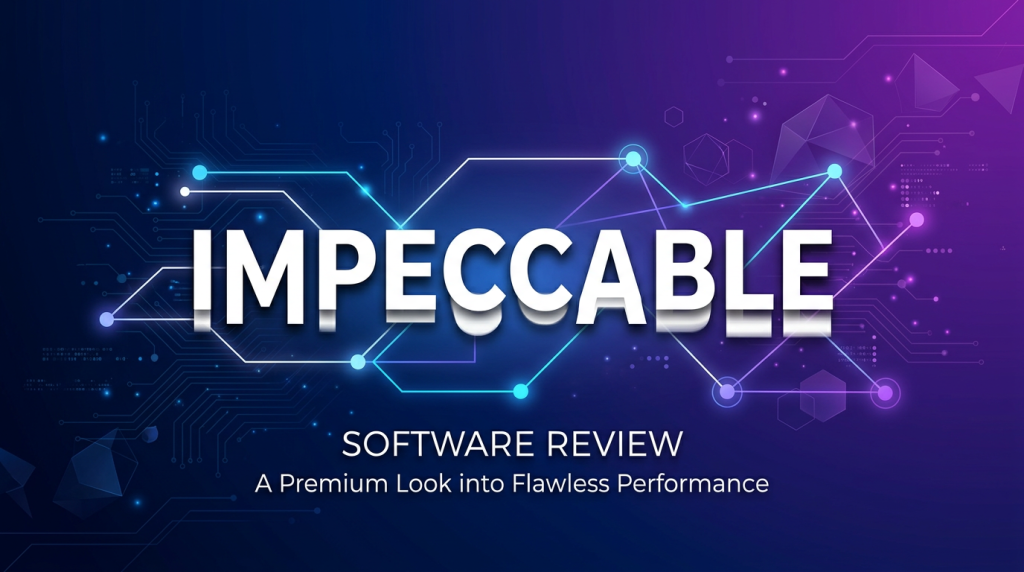
Every developer who has used an AI coding agent to build a frontend has seen the same result: technically functional, visually embarrassing. Impeccable is the first tool that directly attacks this problem – a structured design language that plugs into your AI agent and rewires how it thinks about visual design. It’s a new product category, it went #1 trending on GitHub within days of launch, and it’s completely free.
If you’re using Claude Code, Codex, Gemini CLI, or Cursor to build frontends and you’re tired of manually fixing every margin, color, and font choice your agent makes, this review breaks down exactly what Impeccable is, what it actually does, and whether it’s worth the token overhead.
Best-in-class for AI-assisted frontend design. Minor deductions for token overhead and opinionated defaults. No real competition in this category yet.
What Is Impeccable?
Impeccable is a design language skill system for AI coding agents, created by Paul Bakaus – the developer who created jQuery UI and led developer relations at Google, where he worked on AMP and Google for Creators. He later built Spotter Studio, an AI workflow tool for YouTubers. Released in March 2026, Impeccable is technically an extension of Anthropic’s original frontend-design skill, but that description severely undersells it.
If you’re already running Claude Sonnet 4.6 or OpenAI Codex for your coding work, Impeccable slots directly into your existing workflow – no new tools, no new subscriptions.
Where Anthropic’s original skill was a lightweight prompt nudge, Impeccable is a full design system translated into AI-readable instructions. It ships with 7 domain-specific reference files covering typography, color and contrast, spatial design, motion, interaction design, responsive design, and UX writing – plus 17 slash commands that give you fine-grained control over every stage of the design process.
The core install is a single command: npx skills add pbakaus/impeccable. It auto-detects your AI harness and drops the right files in the right directories. No config, no API key, no subscription. It works with Claude Code, Codex CLI, Gemini CLI, Cursor, VS Code Copilot, Kiro, OpenCode, Pi, and Google Antigravity.
At the time of writing, Impeccable has over 1,666 GitHub stars and was growing at approximately 640 stars per day – numbers that put it in rare company for a developer tooling release in 2026.
The Story: Why This Category Exists Now
Here’s the uncomfortable truth about AI-generated frontends that nobody in the coding agent space wants to talk about: they all look the same, and they all look bad.
Inter font. Purple gradient hero section. Cards nested inside cards. Gray text on a blue background. Bounce easing animations. Every LLM trained on the open web absorbed the same generic frontend patterns from the same generic templates. The result is a kind of visual averaging – code that compiles, renders, and looks like it was designed by a committee that had never looked at a good website.
This isn’t a hallucination problem or a logic problem. It’s a training data bias problem. The web is full of mediocre design, and that mediocrity is baked into every frontier model’s weights. No amount of prompting “make it look clean and modern” overcomes it – because the model’s definition of clean and modern is derived from millions of average websites, not from the handful of excellent ones.
Bakaus understood this at a systems level. His background spans browser-level web performance (AMP), creator tooling (Spotter Studio), and a decade of watching developers fight their own tools. His insight: the fix isn’t better prompting, it’s structured knowledge injection. If you can encode real design expertise into a form the agent reads as context, you can shift its baseline from “average web” to “actual design principles.”
That’s exactly what Impeccable does. It doesn’t tell the agent to “be more creative.” It tells it precisely what to do: use OKLCH for color systems, build spatial hierarchies on 8px grids, never use pure black or pure gray (always tint), don’t wrap everything in cards, use proper easing curves instead of bounce animations. These are specific, actionable design rules that separate professional work from amateur work – and now your agent knows them.
The timing matters too. March 2026 is a specific moment in the AI coding agent maturity curve. Claude Code is mainstream. Codex is mainstream. Cursor has tens of thousands of active daily users building real products. The category of “AI agent output quality” is becoming a legitimate engineering concern, not just a novelty question. Impeccable arrived exactly when the market was ready to care about this problem.
Performance: Without vs. With Impeccable
Without Impeccable (Baseline Agent Behavior)
When you ask a standard Claude Code, Cursor, or Codex session to build a dashboard, landing page, or component library, the typical output exhibits a predictable set of visual problems:
- Font choice: System default or Inter, applied uniformly with no size hierarchy beyond h1-h3
- Color: Pure grays (#333, #666, #999), generic brand blues (#3b82f6 or similar), no tinting, no OKLCH
- Spacing: Inconsistent – some components use 8px padding, others 12px or 24px, no underlying grid system
- Cards: Everything is a card. Sections are cards. Cards contain cards. Tables are sometimes cards.
- Animation: Either none, or
ease-in-outapplied uniformly, occasionally bounce animations on modals - Contrast: Often failing WCAG AA on secondary text, especially on colored backgrounds
- Empty states: Missing or placeholder text (“No data available”)
The result is technically functional code that looks like a 2018 Bootstrap template. It works. It’s ugly. Every developer knows the experience: you spend as much time fixing the visual layer as the AI saved you on the logic layer.
With Impeccable (After Installation)
Post-installation, agents working with Impeccable’s skill context demonstrate measurably different behavior:
- Typography: Modular type scales, deliberate font pairing choices, OpenType features considered
- Color: OKLCH-based palettes, tinted neutrals, proper dark mode implementations, contrast checks built into the workflow
- Spacing: Consistent 8px-grid spatial systems, visual hierarchy through whitespace rather than borders
- Layout: Actual composition thinking – not everything is a card, components have appropriate visual weight
- Motion: Purposeful easing curves, stagger animations, reduced motion support
- UX Copy: Button labels, error messages, and empty states that sound like they were written by a human
Community reports on GitHub and X (as of the first week post-launch) describe the improvement as “going from Bootstrap 3 to a real design system” in terms of output quality. The before/after case studies on impeccable.style demonstrate the delta clearly – the same components generated with and without the skill show dramatically different visual sophistication.
It’s worth noting that Impeccable doesn’t magically make the agent a better designer. It makes the agent apply your expertise’s encoded equivalent more consistently. If you give it better input context via /teach-impeccable (the setup command that gathers your project’s design context), results improve further.
Pricing: Free, But Read the Fine Print
Impeccable is 100% free and open source under the Apache 2.0 license. There is no subscription, no freemium tier, no API key, no account required. You run one command, files land in your project directory, and that’s it.
But “free” deserves a footnote here: you’re paying in tokens.
Impeccable’s skill file loads into your agent’s context window on every session. The main SKILL.md plus the 7 reference files add a meaningful amount of context – likely in the 8,000-15,000 token range depending on which references the agent loads. If you’re running Claude Code against claude-opus-4 or claude-sonnet-4-6 at $3-$15 per million tokens, and you’re doing long sessions, this overhead is real.
For a typical coding session of 100K tokens, the skill overhead might represent 10-15% of your total token spend. For most developers, this is a reasonable tradeoff. For power users running multi-hour autonomous agent sessions, it’s worth benchmarking your actual token usage before and after installation.
The skill also loads 7 domain-specific reference files – typography, color, spatial design, motion, interaction, responsive, and UX writing. Depending on your agent’s context management, all or some of these may be loaded per session. The architecture is transparent (it’s all markdown files you can inspect), so you can always trim reference files you don’t need for a given project.
Bottom line on pricing: $0 out of pocket. Small but real token cost. Worth it for almost every use case where you’re building anything with a visual layer.
Key Features
1. The Expanded Frontend-Design Skill (7 Reference Files)
The core of Impeccable is an expanded version of Anthropic’s frontend-design skill, split into 7 specialized reference files. Each file encodes deep expertise in its domain:
- typography.md: Type systems, font pairing logic, modular scales, OpenType features – agents stop defaulting to Inter at one size
- color-and-contrast.md: OKLCH color space, tinted neutrals, dark mode implementation, WCAG accessibility compliance
- spatial-design.md: 8px grid systems, spacing hierarchies, visual weight distribution
- motion-design.md: Easing curves, stagger animations, reduced motion support – the stuff that separates polished apps from amateur ones
- interaction-design.md: Form states, focus management, loading patterns, error handling
- responsive-design.md: Mobile-first methodology, fluid design, container queries
- ux-writing.md: Button copy, error messages, empty states, microcopy – agents actually write like humans instead of database field names
2. 17 Design Commands
Impeccable ships with 17 slash commands that give you surgical control over the design process. Key ones:
- /polish: Final cleanup pass before you ship – catches visual inconsistencies and rough edges
- /audit: Technical quality checks covering accessibility, performance, and responsive behavior
- /critique: UX design review focused on hierarchy, clarity, and emotional resonance
- /normalize: Aligns components with design system standards – good for codebases with accumulated inconsistency
- /bolder: Amplifies timid, boring designs – agents tend to play it safe, this pushes them toward impact
- /distill: Strips unnecessary complexity – useful when the agent over-designs or adds decoration without purpose
- /animate: Adds purposeful motion rather than gratuitous CSS transitions
- /teach-impeccable: One-time project setup that captures your design context and saves it to config
Commands accept optional arguments to scope them: /audit header, /polish checkout-form. Codex CLI users get the same functionality via /prompts:audit syntax.
3. Explicit Anti-Patterns
This is underrated. Impeccable doesn’t just tell agents what to do – it explicitly lists what not to do. The anti-pattern list directly targets the most common AI-generated design failures:
- Don’t use Arial, Inter, or system defaults as the only font choice
- Don’t use gray text on colored backgrounds (contrast failure)
- Don’t use pure black or pure gray – always apply a tint
- Don’t wrap everything in cards or nest cards inside cards
- Don’t use bounce or elastic easing (feels dated and cheap)
These are the exact things that make AI-generated UIs look AI-generated. Having them explicitly forbidden in context is surprisingly effective – the agent treats them as hard constraints, not suggestions.
4. Universal Provider Support
At launch (v1.0), Impeccable supported Cursor, Claude Code, Gemini CLI, and Codex. By v1.1, it added Kiro, VS Code Copilot, Google Antigravity, OpenCode, and Pi. The npx skills add command auto-detects your environment. The universal ZIP fallback installs all 5+ provider directories simultaneously if you work across tools.
This cross-tool consistency is a significant architectural decision. Your design language travels with your project, not your IDE. Switch from Cursor to Claude Code mid-project – same skill, same design constraints.
5. Project-Level Version Control
Installation at the project level (rather than globally) means your Impeccable skill configuration lives in your repo. Teams get consistent design behavior across environments. You can pin specific skill versions, override reference files for project-specific design systems, and audit exactly what design instructions your agent is receiving. This is the right default for any serious project.
Who It’s For – and Who Should Look Elsewhere
Impeccable Is For You If:
- You use Claude Code, Codex, Cursor, or Gemini CLI daily for frontend work
- You’re a developer who can build but isn’t a trained designer
- You’ve been manually cleaning up AI-generated CSS for months and are exhausted by it
- You’re building a product and don’t have a designer on the team yet
- You want your agent to produce consistent output across a growing codebase
- You care about accessibility (WCAG) and want it baked into agent behavior
Look Elsewhere If:
- You have a professional designer on your team – they should be specifying the design system, not letting an agent infer it
- You’re working on backend-only or CLI projects with no visual layer
- You’re running extremely token-constrained sessions and can’t afford context overhead
- You have a strong, custom design system that conflicts with Impeccable’s opinionated defaults (though you can override individual reference files)
- You’re a beginner with AI coding agents – the Impeccable docs themselves say to learn the basics before adding skills
Comparison: Impeccable vs. Alternatives
| Approach | Quality | Consistency | Setup Time | Token Cost | Design Control |
|---|---|---|---|---|---|
| Impeccable | High | High | 2 min | Medium (8-15K tokens) | High (17 commands) |
| Manual CSS / Custom Design System | Highest | Highest | Days-weeks | None | Total |
| Tailwind CSS alone | Medium | Medium | Hours | None | Medium (utility-first, no design logic) |
| Just prompting the agent | Low-Medium | Low | None | None | Low (inconsistent, session-dependent) |
| Anthropic’s original frontend-design skill | Medium | Medium | 5 min | Low (1-2K tokens) | Low (no commands, fewer references) |
| shadcn/ui + agent | High | High | 30-60 min | Low | Medium (component library, no design language) |
The honest read: Impeccable isn’t a replacement for a real design system, but it’s the best available bridge between “raw AI output” and “something that looks intentional.” If you’re building something serious, Impeccable + shadcn/ui + a real brand guide is a stronger combination than any of these alone. For a deeper look at how these agents compare overall, our Cursor vs. Windsurf vs. GitHub Copilot breakdown puts the full AI coding agent landscape in context.
Controversy: What They Don’t Advertise
The Token Tax Is Real
The marketing is all about the free, open-source angle – and that’s accurate. But no one is talking loudly about the token overhead. Loading 7 reference files per session on a $15/million token model adds up. Run the math on a 10-hour coding session with 500K tokens: a 15% skill overhead is 75K tokens, which at claude-sonnet-4-6 pricing is a real dollar amount. It’s not a dealbreaker, but it should be in the README more prominently.
The Style Opinions Are Baked In
Impeccable is opinionated, and that’s mostly a feature – but it’s worth acknowledging. The skill has strong preferences about OKLCH over hex, 8px grids, specific anti-patterns around cards and fonts. If your project already has a distinct visual identity that doesn’t align with these conventions, the skill can push the agent in directions that conflict with your existing codebase. You can override individual reference files, but that requires understanding the file structure and doing it deliberately.
Early Stage in a New Category
Impeccable is a v1.1 release in a product category that didn’t exist 30 days ago. The commands work, the skill files are solid, but some edge cases aren’t fully documented. The /teach-impeccable setup flow is still finding its form. The community is growing fast (1,666+ stars in days) but the ecosystem of project-specific overrides, team workflows, and advanced configurations is still being invented. You are adopting something early.
The Anthropic Dependency
Impeccable builds on Anthropic’s frontend-design skill as its foundation. It attributes this in NOTICE.md and is fully compliant with the license. But it means Impeccable’s core architecture is tied to Anthropic’s skill system paradigm. Other agent providers (Codex, Gemini) support the commands but may handle context loading differently, leading to variable results across platforms.
Pros and Cons
Pros
- Genuinely fixes the core problem: AI-generated frontends actually look better. This is not subtle – the before/after delta is real.
- Zero friction setup: One
npxcommand, auto-detects your agent, installs correctly. No config files, no account, no API key. - Cross-agent portability: Works with 9+ AI harnesses. Your design language travels with your project, not your IDE.
- 17 precise commands: Surgical control at every stage.
/auditvs/critiquevs/polishcovers meaningfully different concerns. - Anti-pattern library: Explicitly forbidding known AI design failure modes is more effective than purely positive instructions.
- Free and open source: Apache 2.0, inspect every line, fork and modify for your use case, version control in your repo.
- Built by someone who actually knows design at a platform level: Bakaus isn’t a developer who reads design blogs – he worked on browser animation specs. The expertise is legitimate.
Cons
- Token overhead is real: 8-15K tokens of context per session adds costs in long coding sessions, especially on premium models.
- Opinionated defaults can conflict: Strong style opinions (OKLCH, 8px grid, anti-card bias) may clash with existing project design systems.
- Early stage: v1.1 in a brand new product category. Some rough edges, workflows still being figured out by the community.
- Not a design system replacement: Significantly better than raw agents, but still not what a professional design system with tokens, components, and documentation provides.
- Variable results across platforms: Works best with Claude Code. Codex and Gemini CLI support is good but the experience varies.
- Limited visual feedback: The skill improves agent instructions, but you still need to visually review output – there’s no automated visual regression testing.
Getting Started
Universal Install (Recommended)
npx skills add pbakaus/impeccableThis auto-detects your AI harness and installs to the correct location. No additional configuration required.
Claude Code – Manual Install
# Project-level (recommended - version controls with your repo)
cp -r dist/claude-code/.claude your-project/

# Global (applies to all Claude Code projects)
cp -r dist/claude-code/.claude/* ~/.claude/
Or use the Claude Code plugin marketplace:
/plugin marketplace add pbakaus/impeccableThen open /plugin and install from the Discover tab.
Codex CLI – Manual Install
cp -r dist/codex/.codex/* ~/.codex/Note: Codex uses a different command syntax – /prompts:audit, /prompts:polish, etc. instead of /audit, /polish.
Cursor – Manual Install
cp -r dist/cursor/.cursor your-project/Requires two additional steps: Switch to the Nightly channel in Cursor Settings ? Beta, and enable Agent Skills in Cursor Settings ? Rules.
First Run
After installation, run /teach-impeccable in your agent session. This is the setup command that gathers context about your project’s design system (brand colors, font preferences, any existing conventions) and saves it to your config. This one-time step significantly improves subsequent output quality because the agent’s design decisions are grounded in your specific project, not generic patterns.
After setup, keep the command cheatsheet open. The 17 commands map to specific moments in your workflow: /audit when something looks wrong, /polish before you ship a component, /bolder when the design feels timid, /normalize when you’ve accumulated visual debt across a sprint.
Frequently Asked Questions
What is Impeccable and what does it do?
Impeccable is a design language skill system for AI coding agents. It teaches agents like Claude Code, Codex, Gemini CLI, and Cursor to produce better-looking frontends by providing structured design expertise: typography rules, OKLCH color systems, spatial design on 8px grids, motion design, interaction patterns, responsive design, and UX writing. It ships with 17 slash commands for design auditing, polishing, and refinement.
Is Impeccable free?
Yes. Completely free and open source under Apache 2.0. No subscription, no API key, no account. The only cost is the token overhead from loading skill context into your agent sessions – typically 8-15K tokens per session.
How do I install Impeccable?
Run npx skills add pbakaus/impeccable – it auto-detects your AI harness and installs to the correct location. Alternatively, download the universal ZIP from impeccable.style and extract to your project root. Manual install paths are available for each supported tool.
Which AI coding agents does Impeccable support?
Claude Code, Cursor, Codex CLI, Gemini CLI, VS Code Copilot, Kiro, OpenCode, Pi, and Google Antigravity. Best results are consistently reported with Claude Code.
Does Impeccable replace Tailwind or shadcn/ui?
No. Impeccable is a design language for AI agents, not a component library or CSS framework. It works best as a complement to component libraries. Impeccable improves how your agent makes design decisions; shadcn/ui or Tailwind provide the building blocks. Using both together is the recommended setup.
What are the most useful commands?
The workhorse commands: /audit for technical quality checks (a11y, performance, responsive), /polish before you ship, /critique for UX design review, /normalize when you’ve accumulated visual inconsistency, and /bolder when the design feels too safe. Start with /teach-impeccable to set up your project context.
How much does it add to my token usage?
Approximately 8,000-15,000 tokens of context per session – roughly 10-15% overhead on a typical coding session. Worthwhile tradeoff for most frontend work. If you’re running budget-constrained sessions, you can trim unused reference files from the skill directory.
Who built this?
Paul Bakaus, ex-Google. He led developer experience work on the Web Animations API spec, AMP, and YouTube developer tooling. Not a random developer who got into design – someone who worked on the platform layer of web animation. The expertise in the reference files reflects that background.
Can I use it with my existing design system?
Yes. Run /teach-impeccable to capture your project’s design context. If Impeccable’s defaults conflict with your existing conventions, the reference files are plain markdown – edit or replace them directly. The system is designed to be customizable at the project level.
Is it worth using in 2026?
Yes, for almost any developer using AI agents for frontend work. The quality improvement is genuine. The setup is 2 minutes. It’s free. It’s early-stage v1.1, so expect some rough edges – but the core functionality works, and it’s only going to improve as the community grows around it.
Final Verdict
Impeccable solves a real problem that every AI coding agent user has encountered and few have had a systematic fix for. AI-generated frontends look generic because the models trained on generic frontends. You can’t prompt your way out of that bias – you need structured design expertise injected into the agent’s context. That’s exactly what Impeccable provides.
The implementation is clean: 7 deep reference files, 17 surgical commands, explicit anti-patterns, zero-friction install, and cross-agent portability. The creator knows what he’s doing – this isn’t a prompt wrapper, it’s applied design systems thinking translated into agent-readable form.
The caveats are real but manageable. Token overhead exists and costs money on premium models. The style opinions are opinionated and may conflict with existing projects. It’s v1.1 in a brand new category – rough edges are expected. And it’s not a replacement for a real design system when you’re building something serious.
But here’s the thing: there is no competition in this category right now. Impeccable is the only structured design language system for AI coding agents that exists at this maturity level. It has 1,666+ stars in its first week. Paul Bakaus clearly has more coming. Getting familiar with this pattern now – before every coding agent ships their own competing version – is a legitimate competitive advantage.
For developers building frontends with AI agents: install it. The 2-minute setup pays for itself the first time you ship a component that doesn’t look like a Bootstrap template.
Impeccable – Final Score
| Category | Score |
|---|---|
| Design Output Quality | 9.0 / 10 |
| Ease of Setup | 9.5 / 10 |
| Value (Free / OSS) | 9.5 / 10 |
| Command Utility | 8.5 / 10 |
| Maturity / Stability | 7.0 / 10 |
| Token Efficiency | 7.0 / 10 |
| Overall | 8.4 / 10 |
Verdict: A genuinely useful tool in a new product category with no competition. Get in early. Install Impeccable ?