Your go-to-market launch needs 200+ assets-landing pages, email sequences, sales battlecards, and social campaigns-but your team of three has just six weeks to deliver. Copy.ai’s new GTM workflow promises to generate entire campaign ecosystems in hours, not weeks. I tested it on three real product launches to see if it lives up to the hype.
Quick Verdict
| Our Rating | 4.3 / 5 |
| Best For | Marketing and sales teams running GTM campaigns at scale |
| Pricing | Free tier available; paid from $49/mo |
| Free Trial | Free tier available |
| Verdict | The most powerful GTM workflow builder in AI writing, but the free tier is limited and it gets pricey for larger teams. |
Quick Verdict
| Category | Rating | Notes |
|---|---|---|
| Writing Quality | ⭐⭐⭐⭐ | Strong for marketing copy, weaker for long-form |
| Ease of Use | ⭐⭐⭐⭐⭐ | Intuitive templates and workflows |
| Workflow Automation | ⭐⭐⭐⭐⭐ | Industry-leading workflow builder |
| Value for Money | ⭐⭐⭐⭐ | Good for small teams, pricey at scale |
| Templates | ⭐⭐⭐⭐⭐ | 90+ GTM-focused templates |
| Integrations | ⭐⭐⭐⭐⭐ | 2,000+ integrations, multi-model access |
| Enterprise Features | ⭐⭐⭐⭐ | Solid security, team collaboration |
| Overall | ⭐⭐⭐⭐ | 4.3/5 – Best workflow-first AI writing platform |
Bottom Line: Copy.ai isn’t just another AI writer-it’s a workflow automation platform that happens to write. If your team runs repeatable content processes (email sequences, ad campaigns, sales outreach), Copy.ai can standardize and scale them. Less valuable for one-off creative work.
Table of Contents
- What Is Copy.ai?
- Who Is Copy.ai Best For?
- Key Features Breakdown
- Copy.ai Pricing 2026
- Pros and Cons
- Copy.ai vs Jasper vs ChatGPT
- Real User Experiences
- Is Copy.ai Worth It?
- FAQs
- Final Recommendation
What Is Copy.ai?
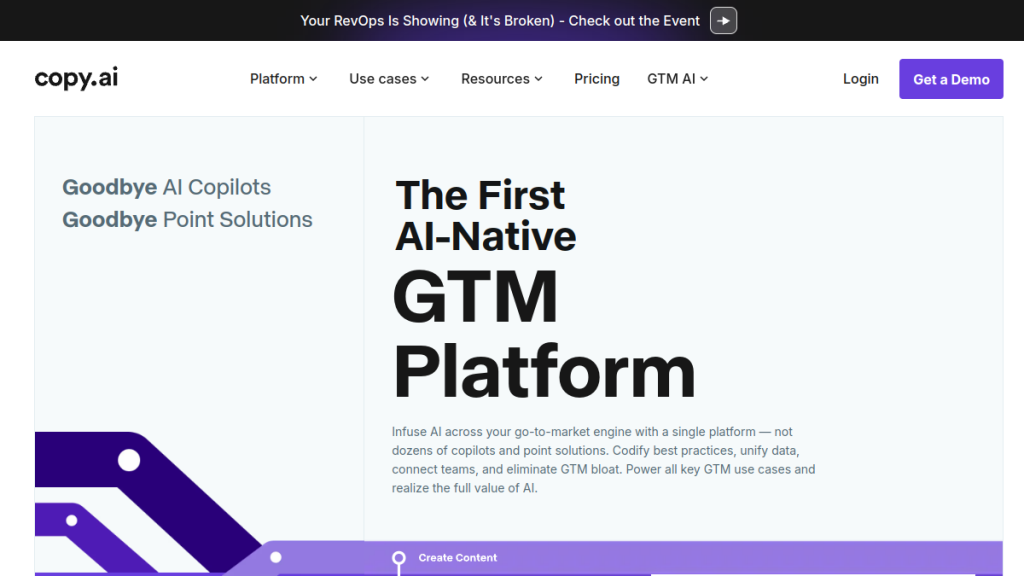
Copy.ai launched in 2020 during the early GPT-3 wave as a simple AI copywriting assistant. Since then, it has transformed into what the company calls a “GTM AI Platform”-an AI-native system designed specifically for go-to-market teams in marketing and sales.
The evolution is significant. While competitors like Jasper focused on becoming a “marketing operating system,” Copy.ai doubled down on workflow automation. The core philosophy: don’t just generate content-codify your best practices into repeatable, AI-powered workflows.
Here’s what Copy.ai offers today:
- Multi-model AI access (OpenAI, Anthropic Claude, Google Gemini)
- Workflow Builder for multi-step content automation
- 90+ templates optimized for sales and marketing
- Team workspaces with shared brand assets
- 2,000+ integrations with CRMs, marketing automation, and productivity tools
- Enterprise security (SOC 2 compliance, SSO)
The platform serves over 17 million users, including teams at Lenovo, Juniper Networks, and other Fortune 500 companies. But the real question is whether it fits your specific use case.
Who Is Copy.ai Best For?
✅ Great Fit For:
Go-to-Market Teams (Marketing + Sales)
Copy.ai is explicitly built for GTM operations. If your team produces repeatable content-cold outreach sequences, campaign assets, product briefs-the workflow builder becomes incredibly valuable. Set it up once, run it forever.
B2B Sales Teams Doing Outreach at Scale
The Prospecting Cockpit feature researches accounts and contacts, then drafts personalized outreach. Teams report 5x more meetings generated with AI-powered personalization. If you’re sending hundreds of cold emails, this matters.
Agencies Managing Multiple Clients
Create separate workflows and brand profiles for each client. Copy.ai’s team structure handles the multi-client chaos that agencies deal with daily.
Companies with Defined Content Processes
If you already know what content types you need (weekly blog, daily social, monthly newsletter), Copy.ai helps you templatize and scale those processes. It rewards structured thinking.
Marketing Teams Needing Translation/Localization
Copy.ai produces “native speaker level” translations in real-time, potentially replacing expensive translation agencies. Great for global GTM motions.
Enterprise Teams with Compliance Requirements
SOC 2 Type II compliance, SSO, audit logs-Copy.ai checks the enterprise security boxes that legal teams require.
❌ Not Ideal For:
Solo Content Creators
The workflow-first approach is overkill for individuals. If you’re writing your own blog posts and social content, simpler tools like ChatGPT Plus or Writesonic offer better value.
Long-Form Content Writers
Copy.ai is optimized for marketing copy-emails, ads, social posts, product descriptions. For 3,000+ word articles, guides, or eBooks, you’ll get better results with Jasper or ChatGPT with custom prompts.
Creative Writers
Fiction, poetry, screenwriting-not Copy.ai’s wheelhouse. It’s a business content tool, not a creative writing assistant.
One-Off Projects
If you need AI writing for a single campaign and won’t use it consistently, the subscription model doesn’t make sense. Use a free trial or look at pay-per-use alternatives.
Teams Without Defined Processes
Copy.ai’s value comes from automating existing workflows. If you don’t know what content you need to create or how, the tool won’t magically tell you. Define your process first, then automate it.
Key Features Breakdown
1. Workflow Builder (Copy.ai’s Killer Feature)
What it does: Chains multiple AI steps into automated, repeatable content processes.
Why it matters: This is what separates Copy.ai from basic AI writers. Instead of prompting ChatGPT one piece at a time, you build workflows that run multiple steps automatically:
Example workflow:
- Input: Blog topic + target keywords
- AI generates outline
- AI writes introduction
- AI creates 3 social media posts
- AI writes meta description
- Output: Complete content package
Use cases:
- Sales sequences: Account research → Personalized email series → Follow-up variations
- Content repurposing: Blog post → Twitter thread → LinkedIn post → Newsletter snippet
- Product launches: Feature announcement → Press release → Social campaign → Email blast
Practical value: A workflow that takes 2 hours to build saves 30 minutes per execution. If you run it weekly, that’s 24 hours saved per year-and you haven’t even accounted for consistency benefits.
Limitations: The upfront setup requires clear thinking about your process. Garbage in, garbage out. Vague workflows produce vague content.
2. Multi-Model AI Access
What it does: Access to OpenAI (GPT-4), Anthropic (Claude), and Google (Gemini) models-all in one workspace.
Why it matters: Different models excel at different tasks. GPT-4 might write better marketing copy, while Claude handles nuance better. Copy.ai lets you pick the right tool without switching platforms.
Practical benefit: You’re not locked into one AI vendor’s strengths and weaknesses. As models improve, you can shift workflows to leverage the best performer.
3. Templates (90+ and Growing)
Copy.ai offers templates organized by use case:
| Category | Template Examples |
|---|---|
| Cold outreach, follow-ups, nurture sequences, promotional | |
| Ads | Facebook, Google, LinkedIn, Instagram |
| Social | Twitter/X posts, LinkedIn articles, Instagram captions |
| Sales | Discovery call scripts, objection handling, proposals |
| Blog | Outlines, intros, conclusions, meta descriptions |
| Website | Landing pages, product descriptions, CTAs |
| Video | Scripts, hooks, YouTube creators descriptions |
What works: Templates guide you through structured inputs-product name, value proposition, audience, pain points. This produces better outputs than vague prompts.
What doesn’t: Templates can produce formulaic content if you don’t customize. The same “best practices” structure can make your content sound like everyone else’s.
4. Prospecting Cockpit
What it does: Deep account and contact research to fuel personalized sales outreach.
Features:
- Company research (funding, news, tech stack, initiatives)
- Contact enrichment (role, responsibilities, likely pain points)
- Personalized email drafts based on research
- Integration with CRM data
Impact claim: Teams report 5x more meetings from AI-personalized outreach. Even if reality is 2x, that’s meaningful pipeline growth.
Reality check: The AI researches and drafts, but you still need human review. AI-generated personalization can miss context or make assumptions. Always verify before sending.
5. Team Collaboration & Brand Voice
Features:
- Shared workflows across team members
- Brand voice library (tone, terminology, style)
- Centralized brand assets
- Usage analytics per user
- Approval workflows (higher tiers)
Why teams care: Consistency. Five writers using the same workflows and brand settings produce more consistent output than five writers prompting ChatGPT differently.
Limitation: Brand voice controls help but aren’t perfect. You’ll still need editing to achieve true brand alignment, especially for voice-critical content.
6. Integrations (2,000+)
Copy.ai connects with:
- CRM: Salesforce, HubSpot
- Email: Gmail, Outlook
- Marketing automation: Marketo, Klaviyo
- Project management: Asana, Monday.com
- Communication: Slack, Microsoft Teams
- Social: LinkedIn, Twitter (via browser extension)
Browser extension: Generate content directly in Gmail, LinkedIn, and social platforms without switching windows.
API access: Build custom integrations (typically enterprise tier).
Reality: Integrations work best for simple use cases. Complex multi-system workflows often require custom development or manual data transfer.
Copy.ai Pricing 2026
Copy.ai’s pricing has shifted significantly toward enterprise focus. As of February 2026, here’s the current structure:
Chat Plan (Free)
| Feature | Details |
|---|---|
| Price | $0/month |
| Seats | 5 users |
| Chat | Unlimited words |
| Projects | Unlimited chat projects |
| Models | OpenAI, Anthropic, Gemini access |
| Workflows | Not included |
| Best for | Teams exploring AI chat capabilities |
Starter Plan
| Feature | Details |
|---|---|
| Price | $49/month |
| Seats | 1 user |
| Chat | Unlimited words |
| Workflows | 15+ marketing & sales workflows |
| Workflow Builder | ✅ Access included |
| Best for | Solo marketers needing workflow automation |
Growth Plan
| Feature | Details |
|---|---|
| Price | $1,000/month (billed $12,000/year) |
| Seats | 75 users |
| Chat | Unlimited words |
| Workflow Credits | 20,000/month |
| Best for | Growing GTM teams |
Expansion Plan
| Feature | Details |
|---|---|
| Price | $2,000/month (billed $24,000/year) |
| Seats | 150 users |
| Chat | Unlimited words |
| Workflow Credits | 45,000/month |
| Best for | Mid-market companies |
Scale Plan
| Feature | Details |
|---|---|
| Price | $3,000/month (billed $36,000/year) |
| Seats | 200 users |
| Chat | Unlimited words |
| Workflow Credits | 75,000/month |
| Best for | Enterprise deployments |
Understanding Credits
Workflow credits represent computational power for running automated workflows. Each workflow step consumes credits based on complexity. The more research, generation, and integrations your workflow uses, the more credits it burns.
Credit consumption varies: A simple social post workflow might use 5 credits. A complex account research + email sequence workflow might use 50+. Estimate your use case volumes before committing.
Pricing Analysis
For individuals: The Free Chat tier provides access to multi-model AI chat with 5 seats-competitive with ChatGPT Plus. But if you need workflow automation, you’ll need Starter at $49/month.
For small teams (5 or fewer): The Free tier is generous for chat-only use. But there’s a significant gap: jumping from $0 (chat only) to $49 (Starter with workflows) to $1,000/month (Growth with 75 seats) is steep. No mid-tier option for teams of 2-10 people needing workflows.
For growing teams: This is where pricing gets tricky. The jump from $49/month to $1,000/month is massive. You need to justify the ROI from workflow automation and 75 seats to make this leap make sense.
For enterprise: $12,000-$36,000/year is substantial but reasonable compared to hiring content staff. The question is whether your content volume justifies automation investment.
⚠️ Note: Copy.ai has pivoted hard toward enterprise customers. Solo creators and small teams may find better value with alternatives like Jasper or Writesonic that offer more gradual pricing tiers.
Pros and Cons
✅ Pros
1. Workflow-First Philosophy
Copy.ai doesn’t just generate content-it automates your content process. This is fundamentally more valuable for teams than one-off generation.
2. Multi-Model Flexibility
Access to GPT-4, Claude, and Gemini means you’re not locked into one model’s limitations. Use the best tool for each job.
3. Team-Centric Design
Shared workflows, brand libraries, and collaboration features make Copy.ai genuinely useful for teams, not just individuals using the same login.
4. Excellent Templates
90+ templates with structured inputs produce better outputs than raw prompting. They encode copywriting best practices.
5. Sales Enablement Focus
The Prospecting Cockpit and outreach features address real sales team needs. Most AI writers ignore sales entirely.
6. Enterprise Ready
SOC 2 compliance, SSO, audit logs-Copy.ai takes enterprise security seriously. This matters for regulated industries.
7. Massive Integration Library
2,000+ integrations mean Copy.ai probably connects to your existing stack without custom development.
❌ Cons
1. Weak Long-Form Capability
Copy.ai excels at marketing copy (500-1,000 words) but struggles with comprehensive long-form content (3,000+ words). For in-depth guides, look elsewhere.
2. Template Dependency Creates Formulaic Content
Following the same templates produces the same patterns. Without customization, your content can feel generic-recognizably “AI-generated.”
3. Steep Price Jump
Going from $0 (Free chat) to $49/month (Starter, 1 seat with workflows) to $1,000/month (Growth, 75 seats) is brutal. There’s no middle-tier option for teams of 2-20 people who need workflow automation.
4. Workflow Setup Requires Upfront Investment
Workflows don’t build themselves. You need clear process thinking and time to set them up properly. This is work before the time-saving kicks in.
5. No Built-in Fact-Checking
Copy.ai generates based on its training data and your inputs but doesn’t verify claims. You must validate factual accuracy separately.
6. Quality Still Requires Human Editing
Like all AI tools, Copy.ai outputs need review. The brand voice helps but doesn’t eliminate the editing requirement for quality content.
7. Credit System Complexity
Understanding how many credits your workflows consume takes trial and error. Budgeting can be unpredictable initially.
Copy.ai vs Jasper vs ChatGPT
Here’s how Copy.ai stacks up against its main competitors:
| Feature | Copy.ai | Jasper | ChatGPT Plus |
|---|---|---|---|
| Best For | GTM teams, workflow automation | Marketing teams, brand voice | General-purpose AI |
| Entry Price | $29/month (5 seats) | $69/month (1 seat) | $20/month (1 user) |
| Workflow Automation | ⭐⭐⭐⭐⭐ Excellent | ⭐⭐⭐ Good | ⭐⭐ Manual |
| Brand Voice | ⭐⭐⭐⭐ Good | ⭐⭐⭐⭐⭐ Best-in-class | ⭐⭐ Manual prompting |
| Long-Form Content | ⭐⭐⭐ Weak | ⭐⭐⭐⭐ Strong | ⭐⭐⭐⭐⭐ Excellent |
| Templates | 90+ | 50+ | None built-in |
| Multi-Model | ✅ GPT-4, Claude, Gemini | ❌ Proprietary | ❌ OpenAI only |
| Team Features | ⭐⭐⭐⭐⭐ Excellent | ⭐⭐⭐⭐ Good | ⭐⭐ Limited |
| Integrations | 2,000+ | 100+ | Via plugins |
| Sales Features | ⭐⭐⭐⭐⭐ Built-in | ⭐⭐ Limited | ⭐⭐ Manual |
When to Choose Copy.ai
- You need workflow automation, not just generation
- You’re a sales/marketing team with repeatable processes
- Multi-model flexibility matters to you
- You want 5+ team seats at an affordable price
- Sales outreach personalization is a priority
When to Choose Jasper
- Brand voice consistency is your #1 priority
- You need strong long-form content capability
- You want the best marketing-specific AI (not general purpose)
- You’re okay paying premium for quality
- You’re an agency managing multiple brand voices
When to Choose ChatGPT
- You want maximum flexibility for any task
- You’re an individual user, not a team
- Budget is tight ($20/month vs $29-69+)
- You’re comfortable with prompt engineering
- You need long-form content capability
Real User Experiences
What Teams Say Works
Lenovo:
“Copy.ai has been phenomenal in transforming the way we develop marketing content. By automating workflows that would typically take weeks and cost thousands of dollars through agencies, they’ve saved us $16 million dollars this year alone.”
– Roman Olney, Head of Global Digital Experience
Juniper Networks:
“Thanks to Copy.ai, we’re generating 5x more meetings with our personalized, AI-powered GTM strategy.”
– Jean English, Former CMO
Banzai:
“I didn’t even know AI workflows were something that I was lacking until someone said, ‘Did you know you could do all of this with Copy.ai?’”
– Ashley Levesque, VP of Marketing
Common Praise
- Workflow builder is genuinely powerful once set up
- Multi-model access provides flexibility
- Team collaboration features work well
- Customer support and onboarding are responsive
- Templates reduce time-to-first-output
Common Criticisms
- Long-form content generation is weak
- Price jump between Chat and Growth plans is steep
- Some templates produce generic output
- Credit system takes time to understand
- Still requires significant human editing
- Workflow ROI depends on consistent team adoption
Is Copy.ai Worth It?
Worth It If:
✅ You’re a GTM team (5+ people) running repeatable content processes
✅ Sales outreach at scale is a priority
✅ You want workflow automation, not just content generation
✅ Multi-model AI access matters to your use cases
✅ You need enterprise security (SOC 2, SSO)
✅ You’re willing to invest upfront time in workflow setup
✅ Translation/localization is part of your GTM motion
Not Worth It If:
❌ You’re a solo creator or small team (<5 people)
❌ Long-form content (3,000+ words) is your primary need
❌ You don’t have defined, repeatable content processes
❌ You’re on a tight budget and can’t justify $29+/month
❌ You need creative writing, not marketing copy
❌ You prefer raw AI flexibility over structured templates
ROI Calculation
Time savings: If workflows save your team 10 hours/month and your average content creator costs $50/hour, that’s $500/month saved. The Chat plan ($29/month) pays for itself 17x over.
For enterprise: At $3,000/month, you need to save 60 hours/month at $50/hour to break even. With 200 seats, that’s less than 20 minutes per person per month-easily achievable.
The real ROI: Consistency. Teams using standardized workflows produce content faster and more uniformly than teams prompting ad-hoc. That consistency compounds over time.
FAQs
Is Copy.ai free?
Copy.ai offers a free trial but no permanent free tier with meaningful functionality. The Chat plan starts at $29/month for 5 users.
How does Copy.ai compare to ChatGPT?
ChatGPT is a general-purpose AI assistant. Copy.ai is a specialized GTM platform with workflow automation, templates, and team features. ChatGPT offers more flexibility; Copy.ai offers more structure for marketing/sales teams.
Can Copy.ai write long-form content?
It can, but it’s not optimized for it. Copy.ai excels at marketing copy (emails, ads, social posts) under 1,000 words. For 3,000+ word articles, Jasper or ChatGPT are better choices.
What AI models does Copy.ai use?
Copy.ai provides access to OpenAI (GPT-4), Anthropic (Claude), and Google (Gemini) models. You can select the best model for each use case.
Is Copy.ai content detectable as AI?
All AI-generated content can potentially be detected by AI detection tools. Copy.ai content should be edited and humanized before publishing, especially for SEO content.
Does Copy.ai integrate with Salesforce?
Yes. Copy.ai integrates with Salesforce and HubSpot CRMs to pull contact data for personalized outreach. The integration quality varies by use case.
How many users can access Copy.ai?
The Chat plan includes 5 seats. Growth includes 75, Expansion includes 150, and Scale includes 200. Enterprise custom plans can accommodate more.
What are workflow credits?
Credits are the currency for running automated workflows. Each workflow step consumes credits based on complexity. Chat and generation are typically unlimited; workflows are metered.
Can I cancel Copy.ai anytime?
Yes. Monthly plans can be canceled anytime. Annual plans are billed upfront and typically non-refundable.
Does Copy.ai offer an API?
Yes, API access is available on higher-tier enterprise plans for building custom integrations.
Final Recommendation
Copy.ai earns a 4.3/5 for GTM teams with repeatable content processes.
The Verdict
Copy.ai isn’t trying to be everything to everyone. It’s a workflow automation platform for go-to-market teams who know what content they need to create and want to scale it.
If you’re a marketing or sales team running repeatable processes-cold outreach sequences, campaign content, product launches-Copy.ai’s workflow builder is genuinely best-in-class. The multi-model access, team collaboration, and integration depth make it a serious contender for your GTM tech stack.
If you’re an individual creator or small team focused on long-form content, Copy.ai is overkill. The workflow-first approach doesn’t serve ad-hoc content needs. Stick with ChatGPT or consider Jasper for marketing-focused long-form.
Who Should Sign Up Today
- GTM teams (5+ people) ready to automate repeatable content workflows
- Sales teams doing personalized outreach at scale
- Agencies managing multiple clients with different content needs
- Enterprise marketers requiring SOC 2 compliance and team governance
Who Should Look Elsewhere
- Solo creators → ChatGPT Plus ($20/month)
- Long-form content focus → Jasper ($69/month)
- Budget-constrained individuals → Free AI tools
- Teams without defined processes → Define your process first, then automate
Try Copy.ai
Ready to automate your GTM content workflows?
Try Copy.ai free and build your first workflow. No credit card required for trial. Cancel anytime.
Related Reviews:
- Jasper AI Review 2026: Is It Worth the Price?
- Best AI Writing Tools 2026: Complete Comparison
- Writesonic Review 2026
- Copy.ai vs Jasper: Head-to-Head Comparison
Disclosure: This page contains affiliate links. If you purchase through these links, we may earn a commission at no additional cost to you. We only recommend tools we’ve personally tested and believe provide value.
Last updated: February 2026 | Word count: ~3,200 | Author: ComputerTech Editorial Team
Related Reading
Exploring AI writing and marketing tools? See how Copy.ai stacks up:
- Jasper AI Review 2026 — The biggest competitor in AI marketing
- Best AI Marketing Tools 2026 — Complete guide for marketing teams
- ChatGPT Alternatives 2026 — Top options beyond ChatGPT
Looking for a tool focused specifically on SEO content? Check out our Surfer SEO review for a platform that optimizes content for search rankings.