Canva democratized design, but your needs have outgrown drag-and-drop templates-you need advanced data visualization, better video editing, or design features that don’t exist in their ecosystem. Fortunately, a new crop of AI-powered design tools is pushing creative boundaries far beyond what Canva offers.
Looking for a Canva alternative? While Canva has transformed accessible design with its AI-powered Magic Studio features, it’s not the perfect fit for everyone. Maybe you need more advanced data visualization, better video editing, cheaper pricing, or specific features Canva lacks.
After testing dozens of design tools, I’ve identified the 11 best Canva AI alternatives for 2026-ranging from free options to enterprise-grade solutions.
Quick Summary: Top Canva Alternatives
| Tool | Best For | Starting Price | G2 Rating |
|---|---|---|---|
| Visme | Data visualization & business | $12.25/mo | 4.5/5 |
| Adobe Express | Creative professionals | $9.99/mo | 4.5/5 |
| Simplified | All-in-one AI Content | $18/mo | 4.6/5 |
| VistaCreate | Social media managers | $10/mo | 4.5/5 |
| Fotor | Photo editing focus | $3.33/mo | 4.2/5 |
| Pixlr | Budget-conscious users | $1.49/mo | 4.4/5 |
| Snappa | Quick social graphics | $10/mo | 4.6/5 |
| Piktochart | Infographics & reports | $14/mo | 4.4/5 |
| PicMonkey | Photo editing + design | $7.99/mo | 4.4/5 |
| Stencil | Bloggers & content creators | $9/mo | 4.5/5 |
| Easil | Teams & brand management | $6.25/mo | 4.0/5 |
Why Look for Canva Alternatives?
Canva is excellent for beginners and general-purpose design, but users often seek alternatives because:
- Pricing concerns: Canva Pro costs $12.99/month (or $119.99/year), which adds up for small businesses
- Limited data visualization: Canva’s charts and graphs are basic compared to specialized tools
- Video editing limitations: While Magic Studio adds AI video features, dedicated tools offer more control
- Brand management needs: Enterprise teams may need more advanced collaboration and approval workflows
- Specific use cases: Infographics, presentations, or photo editing may need specialized tools
- AI feature gaps: Some alternatives offer more advanced or different AI capabilities
Let’s dive into each alternative and see which fits your needs.
1. Visme – Best for Data Visualization & Business Content
⭐ Rating: 4.5/5 | Starting Price: $12.25/month
Visme excels where Canva struggles most: data visualization and business-focused content creation. If you regularly create infographics, reports, dashboards, or data-driven presentations, Visme is worth serious consideration.
Key Features
- 40+ chart and graph types with advanced customization
- 3D animated data widgets (progress bars, gauges, timers)
- Interactive elements (popups, hover effects, clickable areas)
- Brand Wizard that auto-extracts colors, fonts, and logos from your website
- 10+ AI tools including AI Writer, AI Image Generator, and AI Designer
- Infinite canvas for whiteboarding and brainstorming
- Analytics to track viewer engagement
Visme vs Canva: Key Differences
| Feature | Visme | Canva |
|---|---|---|
| Data widgets | 30+ interactive types | Basic charts only |
| Infographic templates | 500+ business-focused | General templates |
| Animation depth | Advanced 3D + interactions | Basic animations |
| Brand management | Auto-extract from URL | Manual setup |
| Analytics | Built-in viewer tracking | Requires third-party |
Pricing
| Plan | Price | Features |
|---|---|---|
| Basic | Free | 5 projects, limited templates |
| Starter | $12.25/mo | Unlimited projects, 250MB storage |
| Pro | $24.75/mo | Unlimited everything, brand kit |
| Team | $79/mo | Collaboration, analytics |
✅ Pros
- Unmatched data visualization capabilities
- Professional business templates
- Interactive content creation
- Excellent for presentations and reports
❌ Cons
- Steeper learning curve than Canva
- Free plan is quite limited
- Overkill for simple social media graphics
Best For: Marketing teams, business professionals, anyone creating data-driven content or presentations.
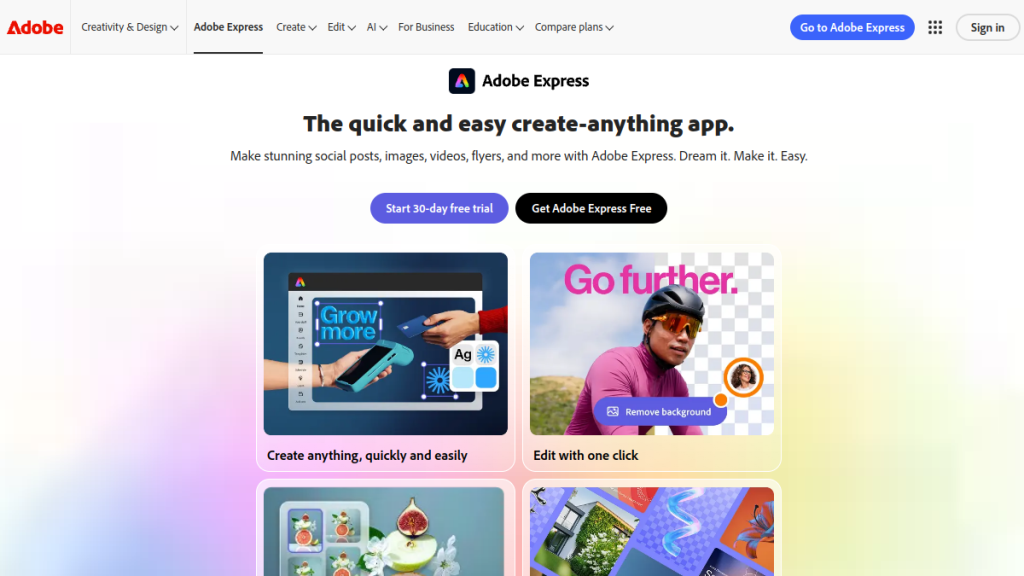
2. Adobe Express – Best for Creative Professionals
⭐ Rating: 4.5/5 | Starting Price: $9.99/month
Adobe Express (formerly Adobe Spark) brings Adobe’s creative legacy to a Canva-style interface. It’s particularly powerful if you’re already in the Adobe ecosystem or need commercial-safe AI-generated assets.
Key Features
- Adobe Firefly integration for AI image generation (commercially safe)
- Premium Adobe fonts and stock assets
- Quick Actions for instant background removal, resizing, and format conversion
- Sync with Creative Cloud (Photoshop, Illustrator, etc.)
- Brand templates for consistent team output
- Generative AI features including text-to-image and AI effects
Adobe Express vs Canva: Key Differences
| Feature | Adobe Express | Canva |
|---|---|---|
| AI images | Adobe Firefly (commercial-safe) | Magic Media |
| Stock library | Adobe Stock access | Canva library |
| Professional tools | Connects to CC apps | Standalone |
| Font library | Adobe Fonts (20,000+) | Good, but smaller |
| Video editing | Basic | Better with Magic Studio |
Pricing
| Plan | Price | Features |
|---|---|---|
| Free | $0 | Limited templates, basic AI |
| Premium | $9.99/mo | Full Adobe Stock, unlimited AI |
| Teams | $12.99/user/mo | Collaboration, admin controls |
✅ Pros
- Commercially-safe AI image generation
- Adobe ecosystem integration
- Professional-grade fonts and assets
- Strong for brand-conscious businesses
❌ Cons
- Not as intuitive as Canva
- Video editing is basic
- Premium pricing for full features
- Learning curve for non-Adobe users
Best For: Designers already using Adobe products, businesses needing commercial-safe AI assets, brand-focused teams.
3. Simplified – Best All-in-One AI Content Platform
⭐ Rating: 4.6/5 | Starting Price: $18/month
Simplified positions itself as more than a Canva alternative-it’s an all-in-one content creation platform combining graphic design, AI writing, video editing, and social media management.
Key Features
- AI Writer with 90+ templates for copywriting
- AI Image Generator (text-to-image)
- One-click background remover
- Video editor with auto-captions
- Social media scheduler built-in
- Brand kits for consistent designs
- Real-time collaboration
Simplified vs Canva: Key Differences
| Feature | Simplified | Canva |
|---|---|---|
| AI copywriting | Built-in (extensive) | Limited (Magic Write) |
| Social scheduling | Included | Requires Canva Pro + separate tool |
| Video editing | Included | Basic in free, better in Pro |
| All-in-one approach | Design + copy + video + social | Primarily design |
| Storyblocks access | Premium assets included | Separate partnerships |
Pricing
| Plan | Price | Features |
|---|---|---|
| Free Forever | $0 | 1 workspace, basic features |
| Pro | $18/mo | Unlimited workspaces, AI features |
| Business | $30/mo | Team features, priority support |
| Enterprise | Custom | Custom solutions |
✅ Pros
- True all-in-one platform
- Excellent AI writing tools
- Social media scheduling included
- Competitive pricing for features offered
❌ Cons
- Design tools not as refined as Canva
- Smaller template library
- Can feel overwhelming with so many features
- Newer platform, still evolving
Best For: Content creators who want design + copywriting + social scheduling in one tool.
4. VistaCreate (formerly Crello) – Best for Social Media Managers
⭐ Rating: 4.5/5 | Starting Price: $10/month
VistaCreate is the closest competitor to Canva in terms of interface and use case. If you want something that feels like Canva but with a different template library, VistaCreate delivers.
Key Features
- 70,000+ templates across all formats
- Animated designs and video templates
- AI Background Remover
- Brand kit for consistent visuals
- Resize designs for multiple platforms instantly
- 50 million+ stock assets
VistaCreate vs Canva: Key Differences
| Feature | VistaCreate | Canva |
|---|---|---|
| Template variety | Strong social focus | Broader range |
| Animation library | Excellent | Good |
| Free tier limits | 5 downloads/month | More generous |
| Team collaboration | Pro plan only (10 users max) | Free tier available |
| Interface | Very similar | Original |
Pricing
| Plan | Price | Features |
|---|---|---|
| Starter | Free | 5 downloads/month, limited assets |
| Pro | $10/mo | Unlimited, brand kit, team (10 users) |
✅ Pros
- Familiar interface for Canva users
- Excellent animation templates
- Competitive Pro pricing
- Strong social media template selection
❌ Cons
- Free plan is restrictive (5 downloads)
- Smaller user community
- Less third-party integrations
- Team features limited to 10 users
Best For: Social media managers wanting a Canva-like experience with different templates.
5. Fotor – Best Budget Photo Editor with Design
⭐ Rating: 4.2/5 | Starting Price: $3.33/month
Fotor started as a photo editor and evolved into a design tool. It’s the most affordable option on this list while still offering solid AI features.
Key Features
- AI Photo Enhancer (auto-fix, upscale)
- AI Image Generator (text-to-image)
- AI Background Remover
- AI Headshot Generator
- Batch editing for multiple photos
- Design templates for social media, ads, and more
- Collage maker
Fotor vs Canva: Key Differences
| Feature | Fotor | Canva |
|---|---|---|
| Photo editing depth | Superior | Basic |
| AI photo tools | More extensive | Growing |
| Pricing | Cheaper | More expensive |
| Design templates | Fewer | More |
| Video editing | Minimal | Available |
Pricing
| Plan | Price | Features |
|---|---|---|
| Basic | Free | Limited features, watermarks |
| Fotor Pro | $3.33/mo (billed annually) | Remove watermarks, all AI |
| Fotor Pro+ | $7.49/mo | Premium assets, priority support |
✅ Pros
- Most affordable paid option
- Excellent photo editing tools
- Strong AI enhancement features
- Good for photographers who need design
❌ Cons
- Weaker design template library
- Video editing is limited
- Less collaboration features
- Not as intuitive for design-first users
Best For: Budget-conscious users who prioritize photo editing over graphic design.
6. Pixlr – Best for Budget AI Photo Editing
⭐ Rating: 4.4/5 | Starting Price: $1.49/month
Pixlr offers the cheapest premium option with surprisingly robust AI features. It’s split into multiple tools: Pixlr Editor (advanced), Pixlr Express (quick edits), and Pixlr Designer (templates).
Key Features
- AI-powered photo editor
- Background removal
- AI Image Generator
- One-click enhancements
- Layered editing (Photoshop-style)
- Design templates
- Batch editing
Pixlr vs Canva: Key Differences
| Feature | Pixlr | Canva |
|---|---|---|
| Photo editing | Professional-grade layers | Basic |
| Pricing | Much cheaper | More expensive |
| Design templates | Fewer | Extensive |
| Learning curve | Steeper for Editor | Easier |
| Mobile experience | Good | Better |
Pricing
| Plan | Price | Features |
|---|---|---|
| Free | $0 | Basic features, ads |
| Plus | $1.49/mo | Ad-free, most AI features |
| Premium | $7.99/mo | All features, premium assets |
| Team | $12.99/user/mo | Collaboration |
✅ Pros
- Incredibly affordable
- Professional photo editing tools
- Layered editing like Photoshop
- Good AI features for the price
❌ Cons
- Design capabilities lag behind Canva
- Multiple apps can be confusing
- Smaller template library
- Less intuitive interface
Best For: Users who need photo editing power at a minimal cost.
7. Snappa – Best for Quick Social Graphics
⭐ Rating: 4.6/5 | Starting Price: $10/month
Snappa focuses on speed. It’s designed for creating social media graphics, blog headers, and ads as quickly as possible. No bloat, no complexity.
Key Features
- Pre-sized templates for all social platforms
- 3 million+ royalty-free photos
- Custom font uploads
- Direct social media publishing
- Fast resizing for multiple platforms
- Buffer integration for scheduling
Snappa vs Canva: Key Differences
| Feature | Snappa | Canva |
|---|---|---|
| Speed/simplicity | Faster | More features (more complex) |
| Free tier | 5 downloads/month | More generous |
| Social publishing | Built-in | Requires Pro |
| Video editing | None | Available |
| Template variety | Focused | Broader |
Pricing
| Plan | Price | Features |
|---|---|---|
| Starter | Free | 5 downloads/month |
| Pro | $10/mo | Unlimited, social publishing |
| Team | $20/mo | 5 users, collaboration |
✅ Pros
- Extremely fast workflow
- Direct social publishing
- Clean, simple interface
- No overwhelming feature bloat
❌ Cons
- No video editing
- Limited template variety
- Free tier very restrictive
- Fewer advanced design options
Best For: Marketers and small business owners who need social graphics fast.
8. Piktochart – Best for Infographics & Reports
⭐ Rating: 4.4/5 | Starting Price: $14/month
Piktochart specializes in infographics, reports, and presentations. If your primary need is visualizing data and creating professional documents, it outperforms Canva.
Key Features
- Infographic-specific templates
- Charts and maps with data import
- AI Infographic Generator
- Report templates for business
- Presentation creator
- Video editor for social clips
- Printable poster templates
Piktochart vs Canva: Key Differences
| Feature | Piktochart | Canva |
|---|---|---|
| Infographics | Superior | Good |
| Data import | Excel, Google Sheets | Limited |
| Report templates | Extensive | General |
| Social templates | Fewer | More |
| Video | Basic | Better |
Pricing
| Plan | Price | Features |
|---|---|---|
| Free | $0 | Limited templates, watermarks |
| Pro | $14/mo | Full templates, no watermarks |
| Business | $24/mo | Brand kit, team features |
✅ Pros
- Best infographic creation tool
- Excellent data visualization
- Professional report templates
- Good for business documentation
❌ Cons
- Higher price than some alternatives
- Weaker for social media content
- Video editing is basic
- Smaller overall template library
Best For: Marketers and business professionals who create infographics and reports regularly.
9. PicMonkey – Best for Photo Editing + Design Hybrid
⭐ Rating: 4.4/5 | Starting Price: $7.99/month
PicMonkey bridges photo editing and graphic design. Originally a photo editor, it’s grown into a capable design tool while maintaining strong editing capabilities.
Key Features
- Advanced photo editing (layers, masks, touch-up)
- Design templates for social and print
- Collage maker
- Background remover
- Touch-up tools for portraits
- Brand assets management
PicMonkey vs Canva: Key Differences
| Feature | PicMonkey | Canva |
|---|---|---|
| Photo editing | Superior | Basic |
| Portrait touch-up | Excellent | Limited |
| Design templates | Fewer | More |
| Free tier | 7-day trial only | Available |
| Video | None | Available |
Pricing
| Plan | Price | Features |
|---|---|---|
| Basic | $7.99/mo | Core editing, limited storage |
| Pro | $12.99/mo | All editing, 1GB storage |
| Business | $23/mo | Team features, brand kit |
✅ Pros
- Excellent photo editing tools
- Great portrait touch-up features
- Good balance of editing + design
- Intuitive interface
❌ Cons
- No video editing
- No free tier (just trial)
- Smaller template library
- Not ideal for design-only work
Best For: Photographers and content creators who need strong photo editing alongside design.
10. Stencil – Best for Bloggers & Content Creators
⭐ Rating: 4.5/5 | Starting Price: $9/month
Stencil is built for speed and simplicity. It’s designed specifically for bloggers and social media managers who need to create graphics quickly without fuss.
Key Features
- 2 million+ royalty-free photos
- Quick text overlay tools
- Preset dimensions for all platforms
- Icon library
- Quote templates
- WordPress plugin
Stencil vs Canva: Key Differences
| Feature | Stencil | Canva |
|---|---|---|
| Speed | Faster | More features |
| Simplicity | Very simple | More complex |
| Templates | Basic | Extensive |
| WordPress | Plugin available | Indirect |
| Video | None | Available |
Pricing
| Plan | Price | Features |
|---|---|---|
| Free | $0 | 10 images/month, limited assets |
| Pro | $9/mo | 50 images/month |
| Unlimited | $12/mo | Unlimited everything |
✅ Pros
- Extremely fast workflow
- Great for blog graphics
- WordPress integration
- Simple, focused interface
❌ Cons
- Very basic design options
- No video capabilities
- Limited templates
- Not for complex designs
Best For: Bloggers who need quick featured images and social graphics.
11. Easil – Best for Team Brand Management
⭐ Rating: 4.0/5 | Starting Price: $6.25/month
Easil focuses on teams and brand consistency. It offers locked templates where designers set boundaries and non-designers can safely edit without breaking brand guidelines.
Key Features
- Locked templates (prevent brand violations)
- Brand kit management
- GIF creator
- Social media templates
- Print-ready exports
- Team collaboration
- Exclusive stock photos
Easil vs Canva: Key Differences
| Feature | Easil | Canva |
|---|---|---|
| Template locking | Advanced | Basic |
| Brand control | Superior | Good |
| Pricing | Cheaper | More expensive |
| Template variety | Focused | Broader |
| Video | GIF only | Full video |
Pricing
| Plan | Price | Features |
|---|---|---|
| Basic | Free | Limited templates |
| Plus | $6.25/mo | Full features |
| Edge | $59/mo | Team, advanced brand |
✅ Pros
- Excellent brand control
- Affordable team pricing
- Good template locking
- Nice GIF creation tools
❌ Cons
- Smaller template library
- Interface can be slow
- Limited video capabilities
- Less known/smaller community
Best For: Teams that need strict brand control and template governance.
Canva AI vs Alternatives: Feature Comparison
| Feature | Canva | Visme | Adobe Express | Simplified | VistaCreate |
|---|---|---|---|---|---|
| AI Image Generation | ✅ Magic Media | ✅ AI Designer | ✅ Firefly | ✅ | Limited |
| AI Writing | ✅ Magic Write | ✅ AI Writer | Limited | ✅ Extensive | ❌ |
| AI Background Removal | ✅ | ✅ | ✅ | ✅ | ✅ |
| Video Editing | ✅ | Basic | Basic | ✅ | ✅ |
| Data Visualization | Basic | ✅ Advanced | Basic | Basic | Basic |
| Social Scheduling | Separate | ❌ | ❌ | ✅ Built-in | ❌ |
| Free Tier | Generous | Limited | Limited | Limited | Very limited |
| Starting Price | $12.99/mo | $12.25/mo | $9.99/mo | $18/mo | $10/mo |
How to Choose the Right Canva Alternative
Choose Visme if:
- You create data-heavy infographics and presentations
- You need advanced interactivity in designs
- Your work is business/corporate focused
Choose Adobe Express if:
- You’re already in the Adobe ecosystem
- You need commercially-safe AI images
- You want premium Adobe fonts and assets
Choose Simplified if:
- You want design + copywriting + social in one tool
- You’re a solo content creator
- AI writing is as important as design
Choose VistaCreate if:
- You want a Canva-like experience with fresh templates
- Animation is important to your content
- You’re primarily creating social media content
Choose Fotor or Pixlr if:
- Budget is your primary concern
- Photo editing is more important than design
- You need AI enhancement tools
Choose Snappa if:
- Speed is your top priority
- You create mostly social media graphics
- You want a no-frills, fast tool
Choose Piktochart if:
- Infographics are your main output
- You need to import data from spreadsheets
- You create business reports regularly
FAQs
Is there a completely free Canva alternative?
Yes, several tools offer free tiers. Pixlr has a free plan with basic features, Visme offers 5 free projects, and Simplified has a free forever plan. However, most free tiers have limitations like watermarks, download limits, or reduced features. For truly free design, Photopea (a Photoshop clone) is worth exploring, though it’s more technical.
Which Canva alternative has the best AI features?
Simplified leads in AI with extensive writing tools beyond just design. Adobe Express offers commercially-safe AI images through Firefly. Visme has 10+ AI tools including an AI Designer. Each excels in different AI areas-Simplified for copy, Adobe for safe images, Visme for layouts.
What’s the cheapest Canva alternative with good features?
Pixlr Plus at $1.49/month offers excellent value for photo editing and basic design. Fotor Pro at $3.33/month (annual billing) is great for photo-focused work. For full design capabilities, Easil Plus at $6.25/month or VistaCreate Pro at $10/month provide the best value.
Can I switch from Canva without losing my designs?
Most alternatives don’t directly import Canva files. However, you can export your Canva designs as PNG/PDF and use them as references or backgrounds in new tools. Tip: Export at the highest resolution before switching to preserve quality.
Which alternative is best for teams?
Visme and Easil excel at team features. Visme offers detailed analytics and collaboration. Easil’s locked templates prevent brand violations. Adobe Express Teams integrates with Creative Cloud for designer-marketer workflows. For all-in-one team content, Simplified combines design with shared scheduling.
Is Adobe Express better than Canva?
It depends on your needs. Adobe Express offers commercially-safe AI (Firefly), premium fonts (Adobe Fonts), and Creative Cloud integration. Canva has a more intuitive interface, larger template library, and better video editing. Choose Adobe Express for professional/commercial work or if you use other Adobe tools. Choose Canva for ease of use and versatility.
Do any alternatives offer better video editing?
Canva’s video editing is actually quite strong among drag-and-drop design tools. Simplified offers comparable video editing with auto-captions. For more advanced video, you’d need dedicated tools like CapCut or Descript rather than design-focused alternatives.
Final Verdict: Best Canva Alternatives by Use Case
| Use Case | Best Alternative | Why |
|---|---|---|
| Data visualization | Visme | 40+ chart types, 3D widgets |
| Adobe users | Adobe Express | Ecosystem integration, Firefly |
| All-in-one content | Simplified | Design + copy + social |
| Budget photo editing | Pixlr | $1.49/mo, professional tools |
| Quick social graphics | Snappa | Speed-focused, direct publishing |
| Infographics | Piktochart | Specialized templates, data import |
| Team brand control | Easil | Locked templates, brand governance |
| Canva-like experience | VistaCreate | Similar interface, fresh templates |
Our Top Pick: For most users wanting a true Canva alternative with enhanced capabilities, Visme offers the best balance of professional features, AI tools, and business focus-especially if you create presentations and data-driven content.
For budget-conscious users, Pixlr Plus ($1.49/mo) or Fotor Pro ($3.33/mo) deliver remarkable value.
For all-in-one content creation, Simplified ($18/mo) combines design, writing, and social scheduling in a way Canva doesn’t match.