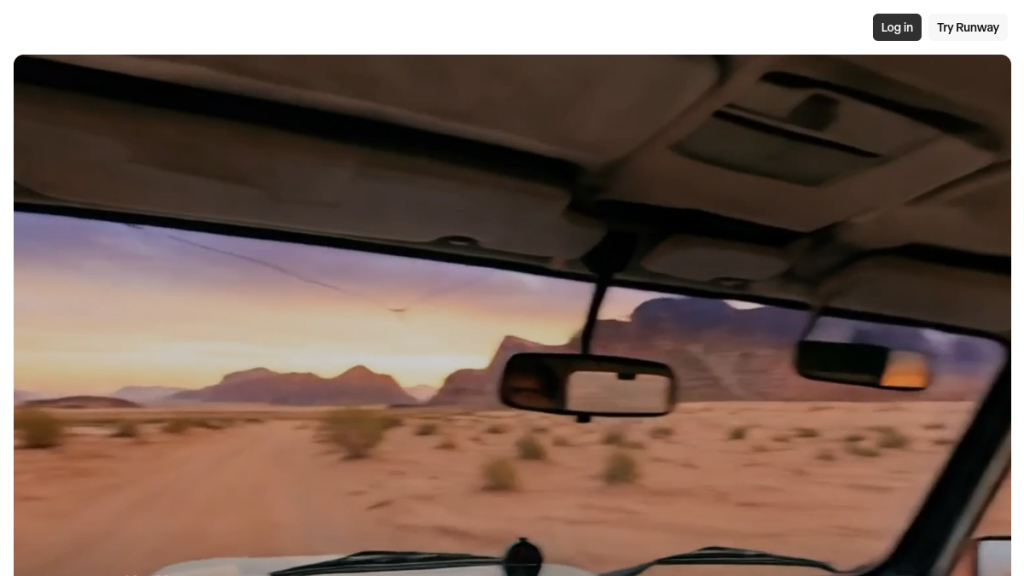
A single text description like “astronaut riding horse on Mars” now generates Hollywood-quality 60-second videos in 3 minutes, threatening the $136 billion video production industry while creating opportunities for creators who adapt quickly. Text-to-video AI has evolved beyond choppy animations—it produces footage indistinguishable from professional cinematography at 1/100th the cost and time. Social media creators using these tools are gaining millions of followers while traditional video teams struggle with week-long production cycles.
Quick Overview
| Aspect | Details |
|---|---|
| Definition | AI that generates video from text descriptions |
| Core Technology | Diffusion models, transformers, neural networks |
| Best For | Short clips, prototyping, social content, marketing |
| Limitations | Length constraints, consistency issues, high compute needs |
| Leading Tools | Sora, Runway Gen-3, Veo 3, Kling, Dream Machine |
| Cost Range | Free tiers to $100+/month for professional use |
Table of Contents
- What is Text-to-Video AI?
- How Does Text-to-Video AI Work?
- Key Technologies Behind Text-to-Video
- Leading Text-to-Video AI Tools in 2026
- What Can Text-to-Video AI Create?
- Current Limitations
- Text-to-Video vs Other AI Video Tools
- Use Cases and Applications
- The Future of Text-to-Video AI
- FAQs
What is Text-to-Video AI?
Text-to-video AI is a form of generative artificial intelligence that takes a natural language description as input and produces a video relevant to that text. You write a prompt like “a golden retriever running through a field of sunflowers at sunset,” and the AI generates an actual video clip of that scene.
This differs from traditional video production in a fundamental way: instead of filming footage or manually animating frames, the AI synthesizes entirely new visual content based purely on your written instructions.
The Evolution of Text-to-Video
The technology evolved rapidly through the 2020s:
- 2022: CogVideo became the first major text-to-video model with 9.4 billion parameters. Meta released “Make-A-Video” and Google introduced Imagen Video.
- 2023: Runway released Gen-1 and Gen-2, becoming among the first commercially available text-to-video tools accessible to the public.
- 2024: OpenAI announced Sora, Google developed Lumiere, and Luma Labs launched Dream Machine. Chinese companies like Kuaishou (Kling) and ByteDance entered the market.
- 2025: Google launched Veo 3 with impressive audio generation. Lightricks released LTX-2 capable of 60-second clips with built-in audio.
- 2026: The technology has matured significantly, with models understanding objects, lighting, and continuity at much deeper levels.
How It Differs From AI Avatar Tools
Text-to-video AI generates entirely new footage from scratch. This is different from:
- AI Avatar Tools (like Synthesia, HeyGen): Use pre-existing digital avatars with lip-synced speech
- Video Editing AI (like Descript): Enhance or modify existing footage
- Image-to-Video AI: Animate static images into motion
True text-to-video creates novel visual content that never existed before.
How Does Text-to-Video AI Work?
Understanding how text-to-video AI works helps you write better prompts and set realistic expectations. Here’s the simplified process:
Step 1: Text Understanding
The AI first processes your text prompt using a language model (often based on transformer architecture). It breaks down your description into:
- Objects: What entities should appear (dog, car, person)
- Actions: What movement or events should occur
- Setting: Environment, lighting, time of day
- Style: Artistic treatment, camera angles, mood
Step 2: Latent Space Encoding
Your text prompt gets converted into a numerical representation (embedding) that exists in a mathematical “latent space.” This space contains learned representations of how visual concepts relate to each other.
Step 3: Video Generation (Diffusion Process)
Most modern text-to-video models use diffusion-based generation:
- Start with noise: The model begins with random static
- Iterative refinement: Over many steps, the model gradually “denoises” the image, guided by your text prompt
- Frame coherence: The model maintains consistency across frames so motion appears smooth
- Temporal modeling: Ensures objects move realistically through time
Step 4: Output Rendering
The final video is rendered at the specified resolution, frame rate, and duration. Current models typically output:
- Duration: 4-60 seconds
- Resolution: 720p to 4K
- Frame rate: 24-30 fps
Why Quality Degrades Over Time
One key limitation: video quality tends to decline as clip length increases. This happens because:
- Maintaining object consistency across hundreds of frames is computationally intensive
- Small errors compound over time
- The model must predict increasingly distant future states
- Hardware resource limitations cap how much context the model can consider
This is why most tools excel at short clips (5-15 seconds) but struggle with longer content.
Key Technologies Behind Text-to-Video
Several AI architectures power modern text-to-video systems:
Diffusion Models
The dominant approach in 2026. Diffusion models learn to reverse a gradual noising process, starting from pure static and progressively refining toward a coherent image/video.
Advantages:
- High-quality outputs
- Good at following detailed prompts
- Stable training process
Examples: Sora, Stable Video Diffusion, LTX Video
Transformers
Originally designed for text, transformers handle sequences—making them natural for video (which is a sequence of frames). They excel at understanding context and maintaining consistency.
Used for:
- Text encoding (understanding prompts)
- Temporal coherence (keeping videos consistent)
- Long-range dependencies
Generative Adversarial Networks (GANs)
While less common in pure text-to-video now, GANs remain relevant for specific components like face generation or style transfer. They work by having two networks compete: one generates content, the other discriminates real from fake.
Variational Autoencoders (VAEs)
Used primarily for compression and encoding. VAEs help models work in efficient “latent space” rather than directly on pixel values, dramatically reducing computational requirements.
3D Neural Rendering
Emerging techniques use neural networks to synthesize video from 2D and 3D representations of shape, appearance, and motion. This enables more controllable video synthesis, particularly for human avatars.
Training Data
Models learn from massive datasets including:
- WebVid-10M: 10 million video-text pairs
- HD-VILA-100M: 100 million high-definition clips
- Panda-70M: 70 million videos with detailed captions
The quality and diversity of training data directly impacts what the model can generate.
Leading Text-to-Video AI Tools in 2026
Here’s how the major players compare:
OpenAI Sora 2
The most discussed text-to-video model, Sora 2 brought this technology mainstream with remarkable clarity and detail.
- Strengths: Photorealistic output, understands physics, long clips
- Limitations: Availability constraints, high cost
- Best for: Professional productions, high-end marketing
Google Veo 3
Google’s answer to Sora, notable for its audio generation capabilities (previously a weakness for text-to-video).
- Strengths: Integrated audio, YouTube Shorts integration, Google ecosystem
- Limitations: Still improving consistency
- Best for: YouTube creators, Google Workspace users
Runway Gen-3 Alpha
Pioneer in commercial text-to-video, Runway offers the most mature user experience.
- Strengths: User-friendly interface, consistent updates, video-to-video features
- Limitations: Shorter clips than competitors
- Best for: Creatives, filmmakers, agencies
Kling AI (Kuaishou)
Chinese model that’s gained international users with impressive quality.
- Strengths: High-quality motion, good prompt adherence
- Limitations: Some language barriers
- Best for: Social media content, experiments
Luma Dream Machine
Accessible tool that balances quality with ease of use.
- Strengths: Fast generation, free tier, image-to-video
- Limitations: Shorter duration limits
- Best for: Quick prototypes, social content
LTX Video (Lightricks)
Open-source model capable of 60-second clips with audio.
- Strengths: Open source, long clips, audio built-in, runs on RTX GPUs
- Limitations: Requires technical setup for local use
- Best for: Developers, technical users, local deployment
Pika Labs
Known for stylized, artistic outputs rather than photorealism.
- Strengths: Unique aesthetic, good for animation styles
- Limitations: Less photorealistic
- Best for: Artistic projects, stylized content
What Can Text-to-Video AI Create?
What Works Well
Text-to-video excels at:
- Nature scenes: Landscapes, animals, weather phenomena
- Stylized content: Animation styles, artistic interpretations
- Abstract visuals: Patterns, transitions, mood pieces
- Product showcases: Simple product shots and rotations
- Establishing shots: Scene-setting footage for larger projects
- Social media clips: Short, attention-grabbing content
What’s Still Challenging
Current limitations include:
- Hands and fingers: Still often generate incorrectly
- Text in videos: Readable text remains problematic
- Consistent characters: Same person across multiple clips
- Complex physics: Liquids, cloth, hair physics
- Specific people: Generating recognizable individuals
- Long narratives: Multi-scene stories with continuity
The “Will Smith Eating Spaghetti” Test
This benchmark demonstrates model quality—early AI struggled comically with this scenario. Modern models handle it better, but it remains a useful test of physical realism and human rendering.
Current Limitations
Being realistic about what text-to-video can’t do (yet) is important:
Computational Requirements
Text-to-video models are extremely resource-intensive:
- Require massive GPU clusters for training
- Even inference (generating videos) needs significant compute
- Limits length and resolution of outputs
- Makes real-time generation impossible currently
Duration Constraints
Most tools cap output at 4-60 seconds. While 60 seconds was a milestone (achieved by LTX Video in July 2025), generating longer content requires stitching clips together—which introduces consistency challenges.
Quality-Length Tradeoff
As video length increases:
- Object consistency degrades
- Motion becomes less natural
- Details get lost
- Errors compound
Prompt Specificity
Getting exactly what you envision requires:
- Precise, detailed prompts
- Often multiple attempts
- Understanding of what the model can/can’t do
- Iterative refinement
Training Data Biases
Models reflect their training data:
- May underrepresent certain demographics
- Cultural biases in what’s considered “default”
- Limited coverage of niche subjects
Text-to-Video vs Other AI Video Tools
Understanding where text-to-video fits in the AI video landscape:
| Tool Type | What It Does | Best For | Examples |
|---|---|---|---|
| Text-to-Video | Creates new footage from descriptions | Entirely new content | Sora, Runway, Veo |
| AI Avatars | Digital humans reading scripts | Talking head videos | Synthesia, HeyGen |
| Video Editing AI | Enhances/modifies existing video | Improving existing content | Descript, Runway |
| Image-to-Video | Animates static images | Adding motion to photos | Runway, Pika |
| AI Voice + Lip Sync | Adds/changes speech in videos | Dubbing, voiceovers | ElevenLabs, Murf |
Many workflows combine these: generate a clip with text-to-video, enhance with editing AI, add voiceover with AI voice tools.
Use Cases and Applications
Marketing and Advertising
- Quick social media content
- Ad concept testing
- Product visualization
- Personalized video ads
Film and Entertainment
- Storyboarding and previsualization
- Background footage generation
- Concept pitches
- VFX prototyping
Education and Training
- Explainer video illustrations
- Historical recreations
- Scientific visualizations
- Language learning content
E-commerce
- Product demonstrations
- Lifestyle imagery
- Dynamic catalog content
- Virtual try-on experiences
Content Creation
- YouTube B-roll
- Podcast visualizations
- Blog post videos
- Social media stories
Enterprise
- Internal communications
- Training materials
- Presentation visuals
- Documentation videos
The Future of Text-to-Video AI
Based on current trajectories, here’s what to expect:
Near-Term (2026-2027)
- Longer clips: 2-5 minute coherent videos
- Better consistency: Same character across scenes
- Real-time generation: Live video creation for some use cases
- Improved physics: Realistic cloth, water, hair
- Local deployment: Running on consumer hardware
Medium-Term (2028-2030)
- Full scene understanding: AI directing complex multi-character scenes
- Interactive video: Games and experiences generated on-the-fly
- Photorealistic humans: Indistinguishable from real footage
- Integrated workflows: Seamless with editing software
Long-Term Implications
- Democratized video production
- New creative possibilities
- Challenges for authenticity and trust
- Transformation of film/video industries
- Regulatory and ethical considerations
FAQs
Is text-to-video AI free to use?
Many tools offer free tiers with limitations (shorter clips, watermarks, fewer generations). Professional use typically requires paid subscriptions ranging from $15-100+/month. Open-source options like LTX Video are free but require your own hardware.
Can text-to-video AI create realistic human videos?
Quality has improved dramatically but limitations remain. Full-body humans in motion are now achievable, but hands, detailed faces, and consistent characters across clips still challenge most models. For reliable human content, AI avatar tools may be better.
How long can text-to-video clips be?
As of 2026, most tools generate 5-60 second clips. LTX Video achieved 60-second clips in 2025, and lengths continue to extend. For longer content, you’ll need to stitch multiple clips together.
What makes a good text-to-video prompt?
Effective prompts include: specific visual details, camera movement instructions, lighting/mood descriptions, style references, and action sequences. Vague prompts produce unpredictable results. Being specific about what you want—and don’t want—improves outcomes.
Can I use text-to-video content commercially?
Terms vary by platform. Most paid tiers grant commercial usage rights, but check each tool’s terms of service. Be cautious about generating content resembling real people or copyrighted material.
Is text-to-video better than hiring a videographer?
They solve different problems. Text-to-video excels at quick concepts, impossible scenarios, and cost-effective volume content. Professional videographers deliver authentic footage, specific locations, real people, and nuanced direction. Many workflows combine both.
How does text-to-video handle audio?
Historically a weakness, but improving. Google’s Veo 3 and Lightricks’ LTX-2 (October 2025) include built-in audio generation. Most workflows still add audio separately using AI voice tools like ElevenLabs or Murf AI.
Getting Started with Text-to-Video AI
Ready to experiment? Here’s a practical starting path:
- Try free tiers: Runway, Luma Dream Machine, and Pika all offer free access
- Learn prompting: Study what descriptions produce best results
- Start short: Master 5-10 second clips before attempting longer content
- Combine tools: Use text-to-video for footage, other AI for audio/editing
- Set expectations: Know current limitations to avoid frustration
Related Resources
Looking to dive deeper? Check out our comprehensive reviews:
- Best AI Video Generators 2026 — Full comparison of top tools
- Synthesia Review 2026 — Leading AI avatar platform
- HeyGen Review 2026 — Top Synthesia alternative
- ElevenLabs Review 2026 — Add AI voices to your videos
- Pictory-vs-InVideo-ai-2026/”>Pictory vs InVideo — Video editing tools compared
Bottom Line
Text-to-video AI has evolved from a novelty into a practical creative tool. While it still has limitations with complex scenes and consistency, the best platforms now produce genuinely usable content for marketing, social media, and creative projects.
Summary
Text-to-video AI transforms written descriptions into video content using sophisticated neural networks, primarily diffusion models. While impressive advances have brought photorealistic quality and longer clips, limitations around consistency, duration, and specific use cases remain.
The technology is best suited for short-form content, prototyping, and creative experimentation rather than replacing traditional video production entirely. As models continue improving and compute costs decrease, expect text-to-video to become an increasingly essential part of video workflows across industries.
For most users in 2026, the practical approach is combining text-to-video with other AI tools—avatars for talking heads, voice AI for audio, editing AI for refinement—to create complete videos.
ByteDance has entered the space with Seedance 2.0, an AI video generator worth watching in 2026.


