Your computer just became smarter than your entire team. Claude Cowork doesn’t just automate tasks — it runs your business while you sleep, and the results are so good it crashed software company stocks by 12%. After weeks of testing Anthropic’s autonomous work agent, here’s how it turns any computer into a staffed office.
What Is Claude Cowork?
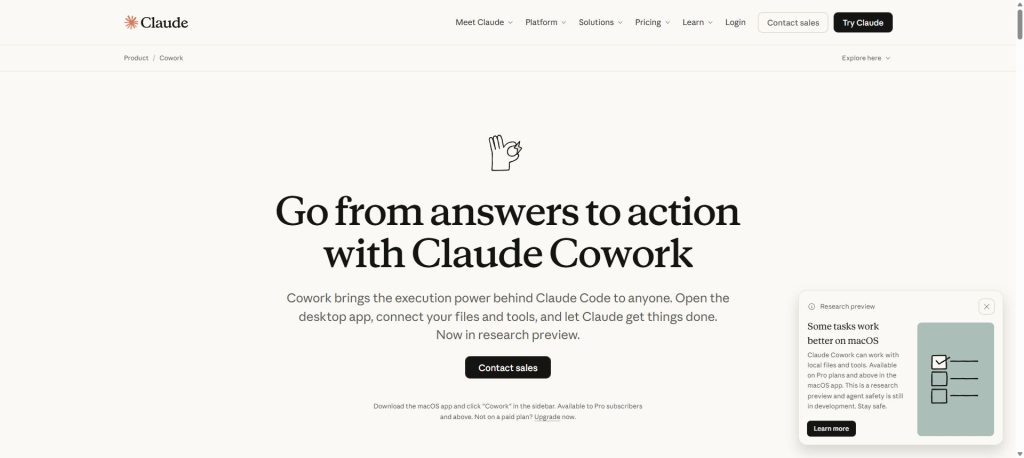
Claude Cowork is a new feature inside Anthropic’s Claude desktop app (macOS, with Windows coming soon) that gives Claude autonomous access to a folder on your computer. Think of it as upgrading from texting an assistant to actually giving them a desk in your office.
In a normal Claude conversation, you copy-paste text, upload files, and wait for responses. In Cowork, you point Claude at a folder and say something like “organize these expense receipts into a spreadsheet” or “draft a quarterly report from my notes.” Claude then:
- Makes a plan for how to complete the task
- Reads, creates, and edits files in your designated folder
- Works autonomously through the steps, checking in with you along the way
- Asks permission before taking significant or potentially destructive actions
The experience is fundamentally different from a chat. You queue up tasks, Claude works through them—sometimes in parallel—and you check the results when you’re ready. Anthropic describes it as “leaving messages for a coworker,” and that’s honestly the most accurate framing we’ve seen for any AI productivity tool.
Built on Claude Code’s Foundation
Here’s what makes Cowork interesting from a technical standpoint: it’s built on the same agentic framework as Claude Code, Anthropic’s developer-focused coding agent. Claude Code has been quietly dominating the agentic coding space—developers started using it for everything from debugging to writing documentation to managing entire codebases.
Anthropic noticed that people were using Claude Code for non-coding tasks too, and Cowork was born. It takes that same agentic architecture—planning, tool use, file access, iterative execution—and wraps it in a more approachable interface for knowledge workers who don’t write code.
Claude Opus 4.6: The Brain Behind Cowork
You can’t talk about Cowork without talking about the model powering it. Claude Opus 4.6, released on February 5, 2026, is Anthropic’s most intelligent model to date, and the benchmarks aren’t even close.
Key Opus 4.6 Specs
- Context window: 1 million tokens (beta)—a first for Opus-class models
- API pricing: $5 per million input tokens / $25 per million output tokens
- Benchmark highlights:
- #1 on Terminal-Bench 2.0 (agentic coding)
- #1 on Humanity’s Last Exam (multidisciplinary reasoning)
- #1 on BrowseComp (hard-to-find online information retrieval)
- #1 on GDPval-AA (economically valuable knowledge work)—beating GPT-5.2 by ~144 Elo points
- 90.2% on BigLaw Bench (legal reasoning)
- 76% on MRCR v2 8-needle 1M (long-context retrieval) vs. 18.5% for Sonnet 4.5
What the Benchmarks Actually Mean
Numbers are nice. Here’s what matters in practice:
Long-context performance is transformative. The “context rot” problem—where AI models lose the plot as conversations get longer—has been a persistent frustration. Opus 4.6 scores 76% on the toughest needle-in-a-haystack tests where its predecessor scored under 20%. In real use, this means you can hand it a 500-page document set and it will actually find and reason about the details buried on page 347.
Agentic planning is genuinely better. Early Access partners reported that Opus 4.6 “breaks complex tasks into independent subtasks, runs tools and subagents in parallel, and identifies blockers with real precision.” One company had it autonomously close 13 GitHub issues and assign 12 more to the right team members in a single day across 6 repositories.
It knows when to think harder. Opus 4.6 features “adaptive thinking”—it can sense when a problem needs deep reasoning and when it doesn’t, allocating its compute budget accordingly. You can also manually control this with effort settings (high, medium, low).
Key Features of Claude Cowork
1. Autonomous File Management
Point Cowork at any folder and it can read, create, edit, rename, and organize files. We tested it on a Downloads folder with 200+ unsorted files—PDFs, screenshots, spreadsheets, random docs. In about four minutes, Claude had categorized everything into labeled subfolders, renamed files with descriptive names, and generated a summary index.
2. Document Creation and Editing
Cowork doesn’t just chat about documents—it creates them. Need a slide deck from your meeting notes? A formatted report from raw data? A project proposal from a Slack thread? Cowork writes directly to your file system in the formats you need. Anthropic has added dedicated “skills” for creating documents, presentations, and spreadsheets.
3. Multi-Task Parallel Execution
This is the killer feature. You can queue up multiple tasks and Cowork handles them in parallel. Ask it to “research competitors, organize my expense folder, and draft next week’s team update” and it works on all three simultaneously. You can add new tasks while it’s running without interrupting existing work.
4. Connector Integration
Cowork plugs into Claude’s existing connector ecosystem. If you’ve connected Slack, Google Workspace, or other services to Claude, Cowork can pull context from those sources while working. Combined with Claude in Chrome (browser extension), Cowork can also handle tasks that require web access.
5. Enterprise Search (Team/Enterprise Plans)
For business users, Cowork integrates with enterprise search across your organization. Connect Microsoft 365, Slack, and other platforms, and Claude can search across your company’s knowledge base while executing tasks.
6. Safety Controls
Anthropic clearly thought about the “giving an AI agent access to your files” concern. Cowork includes:
- Folder-level permissions: Claude can only access folders you explicitly grant
- Action confirmation: Claude asks before taking significant actions (especially deletions)
- Prompt injection defenses: Built-in protections against malicious content in files or web pages trying to hijack Claude’s behavior
- Full audit trail: You can see everything Claude did and why
Pricing: What Does Claude Cowork Cost?
Here’s the pricing breakdown as of February 2026. Cowork’s availability varies by plan:
| Plan | Monthly Price | Cowork Access | Usage Level | Key Features |
|---|---|---|---|---|
| Free | $0 | ❌ No | Basic | Web chat, basic features |
| Pro | $20/mo ($17/mo annual) | ❌ No (waitlist) | Standard | Claude Code, Projects, Research, MCP connectors, Memory |
| Max | From $100/mo | ✅ Yes | 5x or 20x Pro usage | Early access features, priority access |
| Team | $25/seat/mo ($20 annual) | ✅ Yes | Team-level | Enterprise search, SSO, admin controls, Claude Code included |
| Enterprise | Custom | ✅ Yes | Custom | Enhanced context window, HIPAA-ready, audit logs, SCIM |
Important notes:
- Cowork originally launched for Max subscribers only (December 2025), then expanded to Pro subscribers on January 16, 2026, and Team/Enterprise plans on January 23, 2026
- Pro users are on a waitlist—Max and Team/Enterprise have full access now
- Currently macOS only; Windows support is planned
- Usage limits apply—heavier Cowork tasks consume more of your plan’s allocation
API Pricing for Developers
If you’re building with the Opus 4.6 model directly:
| Model | Input (≤200K) | Input (>200K) | Output (≤200K) | Output (>200K) |
|---|---|---|---|---|
| Opus 4.6 | $5/MTok | $10/MTok | $25/MTok | $37.50/MTok |
| Sonnet 4.5 | $3/MTok | $6/MTok | $15/MTok | $22.50/MTok |
| Haiku 4.5 | $1/MTok | — | $5/MTok | — |
Notably, Opus 4.6 maintains the same pricing as its predecessor Opus 4.5, despite the significant capability improvements. Batch processing gets a 50% discount.
Claude Cowork vs ChatGPT vs Microsoft Copilot: Head-to-Head Comparison
The AI work assistant market is now a three-horse race. Here’s how the top contenders compare:
| Feature | Claude Cowork | ChatGPT (GPT-5.2) | Microsoft Copilot |
|---|---|---|---|
| Autonomous Agent Mode | ✅ Full autonomous execution | ✅ GPTs + custom agents | ⚠️ Limited to Office suite |
| Local File Access | ✅ Direct folder access | ❌ Upload only | ⚠️ Via OneDrive/SharePoint |
| Multi-Task Parallel | ✅ Queue multiple tasks | ❌ Sequential only | ❌ Single-task |
| Context Window | 1M tokens (beta) | 128K tokens | 128K tokens |
| Code Execution | ✅ Via Claude Code integration | ✅ Code Interpreter | ⚠️ Limited |
| Office Integration | Excel + PowerPoint (preview) | Limited | ✅ Full Office 365 suite |
| Browser Integration | ✅ Claude in Chrome | ✅ Built-in browsing | ✅ Edge integration |
| Enterprise Search | ✅ Multi-platform | ✅ Enterprise tier | ✅ Microsoft Graph |
| Agentic Coding | ✅ Best-in-class (Terminal-Bench #1) | ✅ Strong | ⚠️ GitHub Copilot separate |
| Safety/Alignment | ✅ Industry-leading (system card) | ✅ Strong | ✅ Strong |
| Starting Price | $100/mo (Max) | $20/mo (Plus) | $30/user/mo (M365 Copilot) |
| Platform | macOS (Windows coming) | Web, iOS, Android, Desktop | Windows, Web, Mobile |
The Verdict on Each
Choose Claude Cowork if: You want the most capable autonomous agent, need to handle complex multi-step work tasks, value long-context performance, or do serious coding work. The 1M token context window and agentic planning are unmatched.
Choose ChatGPT if: You want the widest platform availability, a massive plugin/GPT ecosystem, or you need broad general-purpose AI at a lower entry price. GPT-5.2 is a strong model, but Opus 4.6 outperforms it on most knowledge-work benchmarks.
Choose Microsoft Copilot if: Your organization is deeply invested in the Microsoft 365 ecosystem and you want AI embedded directly in Word, Excel, PowerPoint, Outlook, and Teams. It’s less autonomous but more tightly integrated with the tools you already use.
Real-World Use Cases: Where Cowork Shines
After weeks of testing, here are the scenarios where Claude Cowork genuinely delivers:
Financial Analysis
Feed Cowork a folder of financial statements, earnings reports, or expense records. It will organize the data, create analysis spreadsheets, identify trends, and generate summary reports. Anthropic specifically highlighted finance as a strength, and GDPval-AA results back this up—Opus 4.6 beats every other model on economically valuable knowledge work.
Research and Report Writing
This is Cowork’s sweet spot. Give it a pile of source documents—PDFs, notes, web articles—and ask for a structured report. It reads everything, extracts key information, and writes coherent long-form content. The 1M token context window means it can ingest enormous source sets without losing detail.
Project Organization
Messy folders, scattered notes, disorganized file structures—Cowork handles all of it. We pointed it at a chaotic project folder with 6 months of accumulated files and it reorganized everything into a logical structure in minutes, complete with a README explaining the organization scheme.
Code Review and Debugging
With Claude Code integration, Cowork bridges the gap between business tasks and technical work. It can review pull requests, identify bugs, suggest fixes, and even execute code changes. In cybersecurity evaluations, Opus 4.6 produced better results than all competitors in 38 out of 40 blind investigations.
Legal Document Analysis
With a 90.2% score on BigLaw Bench, Opus 4.6 is remarkably capable at legal reasoning. Cowork can analyze contracts, identify risks, compare terms across documents, and generate summaries—all autonomously from your file system.
What Could Be Better
No review is complete without the downsides. Here’s where Cowork falls short:
1. macOS Only (For Now)
This is the biggest limitation. If you’re on Windows or Linux, you’re locked out entirely. Anthropic says Windows support is coming, but there’s no firm timeline. For a tool aimed at knowledge workers—many of whom use Windows in corporate environments—this is a significant gap.
2. Price Barrier
At $100/month minimum for Max (the cheapest plan with guaranteed Cowork access), this isn’t an impulse purchase. Pro users ($20/month) are on a waitlist. Compare this to ChatGPT Plus at $20/month or even Microsoft Copilot at $30/user/month, and the cost difference is substantial. You need to be getting serious value from the autonomous agent features to justify it.
3. Occasional Overthinking
Opus 4.6 sometimes spends more time reasoning through a simple task than necessary. Anthropic acknowledges this and recommends adjusting the effort parameter, but it adds friction. A task that should take 30 seconds occasionally takes 2 minutes because the model decided to think deeply about your file naming conventions.
4. Research Preview Caveats
Cowork is explicitly labeled a “research preview.” That means bugs, rough edges, and features that might change. We encountered occasional file access hiccups and a few instances where Claude’s plan didn’t match what it actually executed. Nothing catastrophic, but you wouldn’t hand it production-critical work unsupervised just yet.
5. Prompt Injection Risk
To their credit, Anthropic is transparent about this. When Claude processes files from untrusted sources or browses the web, there’s a risk that malicious content could influence its behavior. Anthropic has built defenses, but they acknowledge that “agent safety is still an active area of development.” Worth keeping in mind if you’re processing files from external sources.
New Features Launched Alongside Cowork
The Opus 4.6 release came with several other updates worth knowing about:
Agent Teams (Claude Code)
Developers can now assemble teams of Claude agents that work on tasks together—a coordinator delegates subtasks to specialized sub-agents. This is the enterprise version of Cowork’s multi-task capabilities.
Compaction (API)
Claude can now summarize its own context to keep working on longer-running tasks without hitting token limits. This is a subtle but important feature for building production agents.
Adaptive Thinking
Instead of a binary on/off toggle for extended thinking, Opus 4.6 can pick up contextual clues about how much reasoning a problem needs. Developers also get manual effort controls (high/medium/low) for fine-tuning.
Claude in Excel (Upgraded) and PowerPoint (New)
Claude now works inside Microsoft Excel with substantially improved capabilities, and a new PowerPoint integration is available in research preview. This narrows the gap with Microsoft Copilot’s native Office integration.
Who Is Claude Cowork Best For?
Based on our testing, here’s who gets the most value:
- Knowledge workers drowning in documents, reports, and unstructured data
- Developers and technical leads who need both coding and business task automation
- Researchers working with large document sets who need synthesis and analysis
- Small teams that want an AI teammate without enterprise-scale budgets (Team plan at $25/seat)
- Power users who already use Claude and want to unlock its full autonomous potential
- Financial analysts who need AI that can reason about complex economic data
And who should probably wait:
- Windows users (until Windows support launches)
- Casual users who are happy with basic AI chat ($100/month is steep for light use)
- Enterprises with strict compliance needs (research preview = not production-hardened yet)
Frequently Asked Questions
What is Claude Cowork and how does it differ from regular Claude?
Claude Cowork is an autonomous agent mode within the Claude desktop app that gives Claude direct access to folders on your computer. Unlike regular Claude conversations where you manually copy-paste content and receive text responses, Cowork can independently read, create, edit, and organize files on your machine. It plans tasks, executes them step-by-step, and works on multiple tasks in parallel—more like delegating to a coworker than chatting with a bot.
Is Claude Cowork available on Windows?
Not yet. As of February 2026, Claude Cowork is available exclusively on macOS through the Claude desktop app. Anthropic has confirmed that Windows support is planned but hasn’t announced a specific launch date. If you’re on Windows, you can join the waitlist to be notified when it becomes available.
How much does Claude Cowork cost?
Claude Cowork requires at minimum a Claude Max plan at $100/month. Pro plan subscribers ($20/month) can join a waitlist for access. Team plans ($25/seat/month) and Enterprise plans (custom pricing) include Cowork access. There’s no way to access Cowork on the free tier.
Is Claude Opus 4.6 better than GPT-5.2?
On most benchmarks, yes. Claude Opus 4.6 outperforms GPT-5.2 on GDPval-AA (knowledge work) by approximately 144 Elo points, leads on Terminal-Bench 2.0 (agentic coding), Humanity’s Last Exam (reasoning), and BrowseComp (information retrieval). Opus 4.6 also features a 1M token context window versus GPT-5.2’s 128K. However, GPT-5.2 remains competitive in certain areas and has broader platform availability. The “best” model depends on your specific use case.
Is Claude Cowork safe to use with sensitive files?
Anthropic has implemented several safety measures including folder-level permissions (Claude only accesses folders you grant), action confirmation prompts before destructive operations, prompt injection defenses, and comprehensive audit trails. However, Cowork is still in research preview, and Anthropic acknowledges that agent safety is an evolving field. We’d recommend starting with non-sensitive files to get comfortable with how it works before trusting it with critical data.
Final Verdict: Should You Get Claude Cowork?
🏆 Our Verdict
Rating: 8.5/10
Claude Cowork is the most impressive AI work agent we’ve tested. The combination of Opus 4.6’s benchmark-crushing intelligence with Cowork’s autonomous file access and multi-task execution creates something that genuinely feels like having an AI teammate rather than an AI chatbox.
The 1M token context window alone changes what’s possible—you can hand Claude a quarter-million words of source material and it actually retains the details. The agentic planning is best-in-class. The safety architecture is thoughtfully designed. And the pricing, while steep for individuals, is competitive for teams getting real productivity gains.
The caveats are real: macOS-only limits the audience, the $100/month minimum is a barrier, and “research preview” means rough edges. But for knowledge workers, developers, researchers, and teams who deal with complex, multi-step work every day, Cowork isn’t just worth watching—it’s worth using right now.
Anthropic set out to build an AI that works alongside you, not just for you. With Cowork and Opus 4.6, they’re closer to that vision than anyone else in the industry.
What we love:
- Autonomous file management that actually works
- 1M token context window (industry-leading)
- Multi-task parallel execution
- Best-in-class agentic planning and reasoning
- Thoughtful safety controls
- Same API pricing as predecessor despite massive improvements
What needs work:
- macOS only (Windows coming)
- $100/month minimum for guaranteed access
- Occasional overthinking on simple tasks
- Research preview = expect some bugs
- Prompt injection risk with untrusted content
Interested in exploring more AI tools? Check out our best AI marketing tools for our favorite AI marketing tools, or check out the best AI coding tools to see how Claude Code stacks up against the competition.
You might also like: Cursor Review 2026 | OpenAI Codex App Review | Best AI Coding Assistants | Windsurf Review
Frequently Asked Questions
What exactly is Claude Cowork?
Claude Cowork is a feature within Anthropic’s Claude desktop app that allows the AI to autonomously manage tasks on your computer. It enables users to point the AI at a folder and request specific actions, like organizing files or drafting reports, making it feel like you have a coworker helping you.
How does Claude Cowork differ from traditional AI assistants?
Unlike traditional AI assistants that require constant interaction, Claude Cowork operates more autonomously. You can assign tasks, and Claude will work through them independently, checking in with you as needed, which streamlines productivity significantly.
What platforms is Claude Cowork available on?
Currently, Claude Cowork is available on macOS, with plans for a Windows version to be released soon. This makes it accessible to a wide range of users, although Windows users will have to wait a bit longer.
Can Claude Cowork handle complex tasks?
Yes, Claude Cowork is designed to manage complex tasks by making plans, reading and editing files, and executing steps autonomously. It can handle tasks like organizing receipts or drafting reports, making it a versatile tool for knowledge workers.
What impact has Claude Cowork had on the software market?
Claude Cowork has had a significant impact on the software market, reportedly causing a 12% drop in software company stocks. This indicates its disruptive potential and the high level of interest it has generated among businesses seeking AI solutions.
Is Claude Cowork suitable for non-technical users?
Absolutely! Claude Cowork is designed with a user-friendly interface that makes it accessible for non-technical users. It wraps complex functionalities in a straightforward approach, allowing anyone to leverage its capabilities without needing coding skills.
How does Claude Cowork ensure task accuracy?
Claude Cowork checks in with users throughout the task execution process and asks for permission before taking significant actions. This iterative approach helps ensure that tasks are completed accurately and aligns with user expectations.