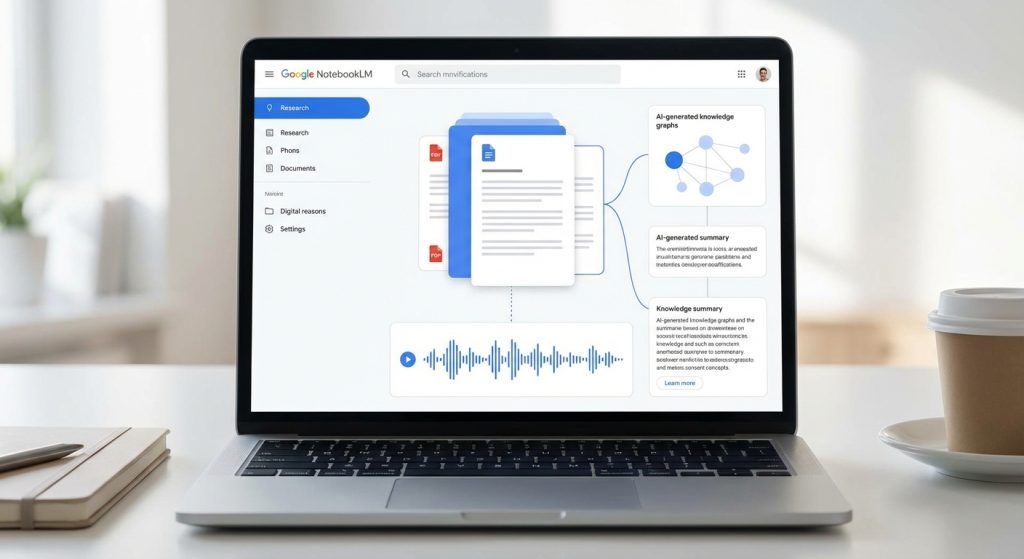
Most AI tools have a hallucination problem. You ask a question, they pull from their training data, mix in some confidence, and hand you something that’s partially wrong. Google’s NotebookLM is built around the exact opposite premise – and that single design decision makes it genuinely different from everything else on the market. This NotebookLM review covers what it actually does, what it doesn’t do, and whether the new $249.99/month Ultra tier makes any sense.
What Is NotebookLM?
NotebookLM is a source-grounded AI research assistant built by Google and powered by Gemini. The concept is simple: you upload your own documents, and the AI only answers based on what’s in those documents. It won’t pull from its training data to fill gaps. It won’t make things up. If the answer isn’t in your sources, it tells you.
That architecture – called Retrieval Augmented Generation, or RAG – isn’t unique to NotebookLM, but Google has built an unusually clean product around it. You create “notebooks,” upload sources (PDFs, Google Docs, web URLs, YouTube videos, audio files, even images), and then query them like you’re talking to a researcher who’s actually read everything you gave them.
Originally launched in 2023 as Project Tailwind, NotebookLM went mainstream in 2024 when its Audio Overviews feature – which generates podcast-style two-host discussions of your documents – went viral. By early 2026, the platform has evolved significantly: Gemini 3 integration, a 1 million token context window, Deep Research mode, Video Overviews, and a new enterprise-tier pricing tier that raised some eyebrows.
The core value proposition hasn’t changed though: upload your stuff, ask questions, get answers you can actually trust.
Key Features: What NotebookLM Can Do in 2026
Audio Overviews – The Feature That Made It Famous
Audio Overviews generate a two-host, podcast-style discussion based on your uploaded sources. It sounds gimmicky. It isn’t. For dense research papers, long reports, or technical documentation, an Audio Overview turns 80 pages of reading into a 15-minute conversation you can listen to while doing something else.
The quality is surprisingly good – the AI hosts don’t just read the document aloud, they discuss it, ask each other questions, highlight key tensions, and occasionally push back on claims. You can customize them: specify the audience, the focus areas, the tone, or the depth level. Free users get 3 per day. Ultra users get 200.
Video Overviews – The Newer Addition
Launched in mid-2025, Video Overviews are essentially narrated slide presentations built from your sources. If you’re translating research outputs into design and code prototypes, the OpenAI Figma integration bridges a related design-meets-content gap. Think of them as a visual version of Audio Overviews. The AI creates visuals to illustrate points, pulls in relevant images and data from your documents, and walks through concepts with narration.
They’re particularly useful for explaining processes, visualizing data relationships, or when you need to share findings with a team that won’t sit down and read 12 PDFs. Currently available in English, with more languages coming. Free users get 3 per day; Ultra bumps that to 200.
Deep Research Mode
Deep Research is NotebookLM’s answer to the “I need to analyze this thoroughly” use case. Instead of a quick Q&A exchange, Deep Research runs a multi-step analysis across all your sources, identifies connections, surfaces contradictions, and produces a structured research report. Think of it as asking a research analyst to spend three hours on a question rather than three minutes. For a different take on AI-powered research that doesn’t require uploading your own sources first, see our Perplexity Computer review.
It’s slower than regular chat – expect to wait a few minutes for complex queries – but the output quality is meaningfully better for synthesis tasks. Free users get 10 Deep Research sessions per month. That’s tight for heavy users. Pro tier gets 20 per day; Ultra gets 200.
1 Million Token Context Window
A million tokens means roughly 750,000 words – the equivalent of several novels’ worth of text that the model can hold in context simultaneously. In practical terms, you can upload 50 sources on the free tier (up to 500,000 words each, 200MB per file), and the model can reason across all of them at once.
This is where NotebookLM separates itself from tools like ChatGPT for research use cases. You’re not pasting sections in and hoping for coherence. The model sees everything at once and synthesizes across sources, not just within them.
Studio Panel – Mind Maps, Flashcards, Slide Decks, Infographics
Beyond Audio and Video Overviews, NotebookLM’s Studio panel lets you generate Mind Maps for visual relationship mapping, Flashcards for studying, Quizzes for testing comprehension, Slide Decks for presentations, Infographics for visual summaries, and Data Tables for structured extraction.
The Slide Decks and Infographics features are newer, and they come with NotebookLM’s branding watermarked by default. Ultra subscribers can remove the watermark – one of the few genuinely useful perks that justifies the premium over the Pro tier.
Source Support
NotebookLM accepts a wide range of input types: PDFs, Google Docs, Google Slides, Google Sheets, Microsoft Word documents, plain text files, Markdown files, web URLs, YouTube videos (via transcript), audio files (MP3, WAV, M4A), images (JPG, PNG, GIF), and CSV files. The breadth here is real – most research workflows are covered without needing to convert anything.
NotebookLM Review: Pricing – Free vs Plus vs Ultra
Free Tier ($0)
The free tier is more capable than you’d expect. You get 100 notebooks, 50 sources per notebook, 50 chat queries per day, 3 Audio/Video Overviews per day, and 10 Deep Research sessions per month. For someone exploring the tool or running a modest research project, it’s genuinely usable. The 50 chat query limit is the first wall most people hit – it sounds like a lot until you’re in the middle of a research session asking follow-up questions.
Google AI Plus ($7.99/month)
The Plus tier (via Google AI Plus subscription) bumps sources per notebook to 100, daily chat queries to 100, notebooks to 500, and Audio/Video Overviews to approximately 6 per day. It’s included in the broader Google AI Plus plan, which also covers Gemini Advanced and other Google AI features. As a standalone NotebookLM upgrade it’s reasonable, but as a pricing tier, it’s a bit of an awkward middle ground.
Google AI Pro ($19.99/month)
Pro is where NotebookLM becomes a professional tool. Sources per notebook jumps to 300 (6x free), chat queries to 500 per day (10x free), Audio/Video Overviews to 20 per day, and Deep Research to 20 sessions per day. You also get access to Gemini Advanced and custom response styles. At $19.99/month, this is the tier most serious users should be evaluating. The 300-source limit covers most real-world research projects, and 500 daily queries is enough headroom to work without watching a counter.
It’s also worth noting that Google AI Pro is bundled with 2TB of Google One storage – so if you’re already paying for cloud storage, the effective price of the NotebookLM upgrade is lower than it appears.
Google AI Ultra ($249.99/month)
The Ultra tier is genuinely expensive. At $249.99/month, you’re getting: 600 sources per notebook, 1,000+ notebooks, 5,000 chat queries per day, 200 Audio Overviews per day, 200 Video Overviews per day, 200 Deep Research sessions per day, 1,000 Flashcard/Quiz/Report outputs per day, watermark-free Slide Decks and Infographics, and priority access to the highest Gemini model tier (Gemini Ultra). You also get access to Google Flow, Whisk, and other Google AI tools at their highest access levels.
Who actually needs this? Organizations running NotebookLM at scale – research teams processing hundreds of documents daily, media companies producing multiple audio/video outputs per week, legal firms doing document review across large case files. For an individual, the math is hard to justify. Pro handles 99% of personal use cases at 8% of the price.
The watermark-free outputs are a genuine differentiator for anyone creating client-facing materials. If you’re regularly generating Slide Decks or Infographics and can’t have Google’s branding on them, Ultra becomes relevant. Otherwise, it’s not.
What NotebookLM Is Actually Good At
Research Synthesis Across Multiple Sources
This is the killer use case. Upload 20 research papers on a topic, ask “what are the main disagreements between researchers?” and get a synthesized answer with citations pointing to specific passages. No hallucination, no blending of outside knowledge – just an analysis of what you actually gave it. For literature reviews, competitive research, or any task requiring cross-document synthesis, NotebookLM is the best tool available.
Podcast Production and Content Research
Content creators use NotebookLM to prep for episodes. Upload source material – industry reports, interviews, articles – ask for key talking points, generate an Audio Overview to hear how the AI frames the topic, then use that as a skeleton for your own episode. It cuts research time significantly and surfaces angles you might miss when reading linearly.
Legal Document Review and Contract Analysis
Upload a contract or set of legal documents, ask specific questions about clauses, compare provisions across multiple documents, identify inconsistencies. The source-grounded nature is particularly valuable here – you can trust the citations rather than wondering if the AI is drawing from some tangential training data. Law firms and paralegals use it as a first-pass review tool before billable attorney time kicks in.
Academic Research and Literature Review
Students and researchers get significant value from the free tier. Upload your source papers, ask questions, generate a study guide, create flashcards, quiz yourself on the material. The 10 Deep Research sessions per month on free is a real constraint for academic work, but Plus and Pro remove that friction. The source citation feature means every AI response links back to the specific passage in your uploaded papers – critical for academic integrity.
Onboarding to Complex Domains
New to a technical domain? Upload a foundational textbook, some explainer articles, a few key papers. NotebookLM becomes a personalized tutor that only teaches you from your curated reading list. Combine it with an Audio Overview for a high-level orientation, then drill into specifics via chat. It’s a much faster way to develop working knowledge in an unfamiliar field than reading everything linearly.
Where NotebookLM Falls Short
It Won’t Think Beyond Your Sources
The source-grounding is the strength and the limitation. If the answer isn’t in what you uploaded, NotebookLM won’t help you. You can’t ask it to brainstorm ideas outside your documents, write creative content, or draw on general knowledge to fill gaps. This is by design – but it means you need a different tool for open-ended thinking.
Free Tier Limits Hit Fast
50 chat queries per day sounds reasonable until you’re doing deep research and burning through 30 follow-up questions in a session. The 10 Deep Research sessions per month is particularly tight – one serious project can use them up quickly. The free tier is great for evaluation, but any regular use case pushes you toward Plus or Pro within a week.
No Real Collaboration Features
NotebookLM has basic sharing (you can share notebooks publicly or with specific people), but it’s not built for real-time team collaboration. There’s no co-editing, no comment threads, no version history in the way Google Docs users would expect. For team research workflows, this is a meaningful gap.
Quality Degrades With Low-Quality Sources
Garbage in, garbage out – and NotebookLM is honest about this. Upload a poorly scanned PDF, a paywalled article with missing content, or a YouTube video with broken auto-captions, and your results will reflect that. The tool can only work with what you give it. Building a good source library is part of the workflow, not something the tool automates for you.
The Ultra Tier Pricing Is Hard to Justify Solo
$249.99/month for one person using NotebookLM is a stretch. The jump from Pro ($19.99) to Ultra ($249.99) is 12.5x the price for limits that only enterprise-scale operations will ever hit. Unless you specifically need watermark-free outputs or the highest Gemini model tier, there’s no individual use case that requires 5,000 chat queries and 200 Deep Research sessions per day. Enterprises evaluating AI at that scale should also look at how Anthropic has structured organization-wide deployment – our Claude Enterprise Agents review covers the plugin and governance architecture built specifically for large organizations.
Mobile App Is Limited
The iOS and Android apps exist and they work, but they’re not feature-complete compared to the web experience. Power users will spend most of their time on desktop. For on-the-go audio consumption – listening to Audio Overviews during a commute – the mobile experience is fine. For active research work, less so.
NotebookLM vs Alternatives
NotebookLM vs ChatGPT
ChatGPT is a general-purpose AI assistant. NotebookLM is a source-grounded research tool. They solve different problems. ChatGPT is better for brainstorming, creative writing, coding assistance, and open-ended conversations where you want the model to draw on its full training. NotebookLM is better when you need answers grounded in specific documents and citations you can verify.
If you feed ChatGPT your documents via file upload, you get a similar source-grounding behavior – but it’s less consistent, the citation trail is weaker, and you hit context limits faster on standard plans. For pure research synthesis, NotebookLM is more reliable. For everything else, ChatGPT has the edge. Most power users end up using both.
NotebookLM vs Notion AI
Notion AI is embedded in your note-taking and project management workflow. It’s good at summarizing meeting notes, generating content from your existing Notion pages, and helping you think through ideas in the context of your existing workspace. NotebookLM is better at processing diverse external sources – PDFs, research papers, YouTube videos – and synthesizing across them.
Notion AI doesn’t really compete on the research synthesis front. If your use case is “help me work with my own notes and documents in a structured workspace,” Notion AI is solid. If your use case is “I have 30 external research papers and need to extract knowledge from them,” NotebookLM wins clearly.
NotebookLM vs Obsidian + Plugins
Obsidian is a local-first, privacy-respecting knowledge management tool with a rich plugin ecosystem. With plugins like Smart Connections or various LLM integrations, you can get source-grounded AI chat over your local vault. The privacy argument is real – your notes never leave your machine. The plugin setup is complex and fragile by comparison, and the AI quality lags NotebookLM’s Gemini-powered backend.
For researchers with strong privacy requirements or those who want offline capability, the Obsidian route is worth exploring. For everyone else who wants source-grounded AI that works out of the box without configuration overhead, NotebookLM is significantly easier to use and more capable. The choice basically comes down to: are you willing to trade setup complexity for data sovereignty?
Who Should Use NotebookLM?
Researchers and academics – Both students and professionals. The citation-grounded responses and Deep Research mode are purpose-built for research workflows. Free tier covers casual use; Pro handles serious academic work.
Journalists and content creators – Research synthesis, interview prep, podcast episode planning, turning source material into multiple output formats. The Audio and Video Overview features are uniquely useful for content production pipelines.
Legal and compliance professionals – Contract analysis, document comparison, policy review. The source-grounding means citations back to specific clauses rather than AI-generated summaries you can’t verify.
Business analysts and consultants – Market research synthesis, competitive analysis, report generation. Particularly powerful when dealing with large volumes of industry reports or client documents.
Anyone who works with PDFs for a living – If your daily work involves reading, analyzing, or extracting information from long documents, NotebookLM is one of the most directly useful AI tools you’ll find.
Not for: General AI chat. Creative writing. Coding. Open-ended brainstorming that isn’t document-grounded. If you need an AI that draws on its full training knowledge, use ChatGPT or Claude. NotebookLM’s intentional blindness to outside knowledge is its strength for research – and its limitation for everything else.
NotebookLM Review: Final Verdict
NotebookLM is the best source-grounded AI research tool available in 2026. The core concept is executed cleanly: upload your sources, ask questions, get cited answers you can trust. The Audio and Video Overviews are legitimately useful, not just novelties. The Deep Research mode handles complex synthesis tasks that would take hours manually. And the 1 million token context window means you’re not constantly managing what the AI can see.
The free tier is more useful than most free tiers of comparable tools. The Pro tier at $19.99/month is well-priced for serious professional use. The Ultra tier at $249.99/month is priced for organizations, not individuals – unless watermark-free outputs or the highest Gemini tier is specifically what you need.
The honest limitations: it won’t think beyond your sources, free tier limits hit fast for heavy use, and it’s not a collaboration tool. If you need one AI to do everything, this isn’t it. (Tools like Manus AI are built for that fully autonomous, end-to-end use case.) But if document-grounded research is a core part of your workflow, you should be using this.
Verdict
Rating: 8.5/10
Best for: Researchers, students, journalists, and anyone drowning in PDFs
Not for: General AI chat, creative writing, or anyone who wants one AI to do everything
Bottom line: NotebookLM is the best source-grounded AI research tool available. Free tier is genuinely useful. Ultra at $249/mo is for power users only – most people are fine with Plus.
Frequently Asked Questions
What exactly is NotebookLM and how does it work?
NotebookLM is an AI research assistant developed by Google that allows users to upload their own documents for the AI to reference. It operates on a Retrieval Augmented Generation (RAG) architecture, meaning it only provides answers based on the uploaded content without making assumptions or pulling from external data.
What are Audio Overviews and why are they popular?
Audio Overviews are a feature of NotebookLM that generates podcast-style discussions based on your uploaded documents. They gained popularity because they condense complex information into engaging conversations, making it easier for users to digest lengthy research papers or reports while multitasking.
Can I use NotebookLM for different types of documents?
Yes, NotebookLM supports various document types including PDFs, Google Docs, web URLs, YouTube videos, audio files, and images. This versatility allows users to upload a wide range of sources for comprehensive research assistance.
What is the significance of the new Ultra tier in NotebookLM?
The Ultra tier, priced at $249.99/month, offers enhanced features such as increased access to Audio Overviews and additional capabilities like Deep Research mode. This tier is designed for users who require more extensive research support and higher output limits.
How does NotebookLM ensure the accuracy of its responses?
NotebookLM ensures accuracy by strictly answering questions based on the content of the uploaded documents. If the information isn’t available in the provided sources, it will inform the user rather than attempt to fabricate an answer.
What are Video Overviews and how do they differ from Audio Overviews?
Video Overviews are a feature that creates narrated slide presentations from your uploaded documents, adding a visual element to the content. Unlike Audio Overviews, which focus on audio discussions, Video Overviews combine visuals and narration to enhance understanding of complex topics.
Is NotebookLM suitable for enterprise use?
Yes, NotebookLM has introduced an enterprise-tier pricing option that caters to businesses needing advanced research capabilities. This tier includes features that facilitate collaboration and extensive document handling, making it a robust tool for enterprise environments.


