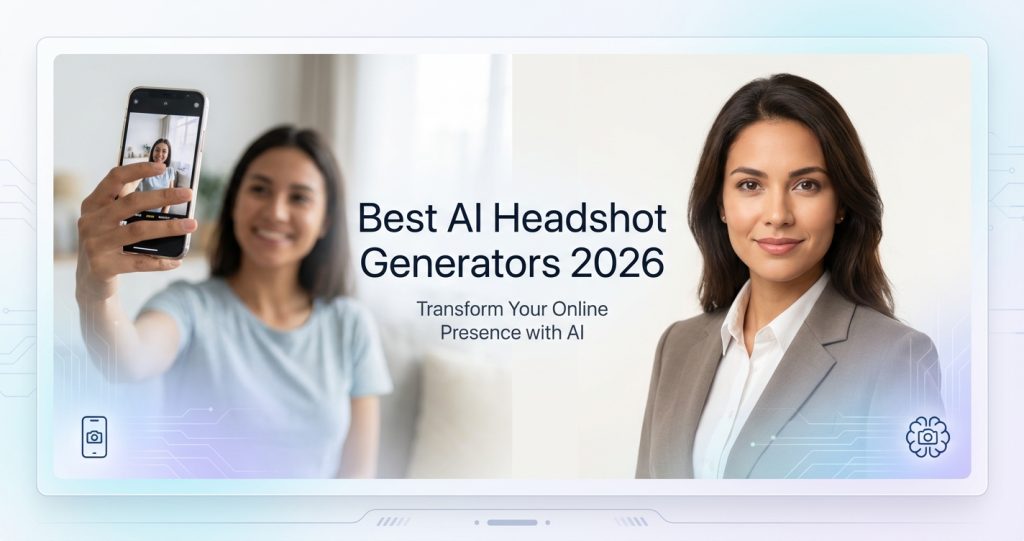
You need a new LinkedIn headshot. Your options: book a photographer for $250, wait 2 weeks, and wear the same blazer you’ve had since 2018 — or upload a few selfies and get 50+ professional photos back in under an hour for less than $40.
That’s not a sales pitch. That’s just where AI headshot generators are right now. The question isn’t whether they work (most do, genuinely). The question is which one produces results that don’t look like your face was pasted onto someone else’s body.
Based on our research into the leading AI headshot tools — including verified pricing pages, Trustpilot review summaries, and user discussions across professional communities — here’s the honest breakdown of the best AI headshot generators in 2026.
What Is an AI Headshot Generator?
An AI headshot generator uses machine learning — specifically diffusion models fine-tuned on portrait photography — to transform your existing photos into polished, studio-quality headshots. You upload 10–25 selfies or casual photos, the AI trains a model on your face, and then generates dozens of new photos showing you in professional settings, different outfits, and various backgrounds.
Think of it like giving an AI your face as a reference, then having it direct a virtual photoshoot. The results aren’t edited versions of your originals — they’re entirely new images generated from scratch, with your features baked in.
The technology has improved dramatically. Two years ago, AI headshots had a tell: slightly uncanny eyes, weird lighting, hands that looked like they’d been through a blender. In 2026, the best tools consistently produce results that pass the “I showed this to my colleagues” test.
How We Evaluated These Tools
We researched each tool’s publicly available information, including official pricing pages, stated feature sets, Trustpilot review summaries, and user feedback from professional communities. We do not claim to have personally tested or purchased these services. Where we cite review scores or customer counts, we link to the source.
Our evaluation criteria:
- Output quality: Do the sample headshots look like real studio photos, or obvious AI?
- Likeness accuracy: Does the result look like you, or a generic person who vaguely shares your features?
- Pricing transparency: Clear, honest pricing — no hidden upsells buried in the checkout flow
- Privacy practices: What happens to your photos after processing?
- Turnaround time: How long from upload to delivery?
- User satisfaction: Verified review patterns from Trustpilot and similar platforms
Best AI Headshot Generators in 2026: Quick Comparison
| Tool | Starting Price | Headshots Delivered | Turnaround | Trustpilot | Best For |
|---|---|---|---|---|---|
| Aragon AI | $35 | 40–100 | 30–45 min | 4.9/5 (6,085 reviews) | Best overall quality |
| HeadshotPro | From $29 | 50+ | 10–30 min | 4.8/5 (3,216 reviews) | Teams & enterprise |
| Secta Labs | N/A (check site) | Hundreds | Under 2 hours | N/A | Volume + customization |
| Try it on AI | Check pricing page | 100+ | Under 1 hour | N/A | Corporate teams |
| ProfilePicture.AI | Check site | Varies | Varies | 4.8/5 (3,989 reviews) | Casual + fun styles |
| Fotor AI Headshots | Free tier available | Varies | Fast | N/A | Budget/free option |
The Best AI Headshot Generators Reviewed
1. Aragon AI — Best Overall Quality
Aragon AI has built what might be the strongest reputation in the space. According to Trustpilot, they hold a 4.9/5 rating across 6,085 reviews — that’s not a small sample size, and it’s the highest score we found in this category.
According to Aragon’s website, the Basic plan starts at $35 (with a limited-time 20% discount at the time of research), delivering 40 headshots with one attire and one background choice. Higher tiers unlock more outfits, backgrounds, and headshot counts up to 100.
The Trustpilot review summary highlights a few consistent themes: the AI captures individual features accurately across different ethnic backgrounds (something users specifically call out), the interface is straightforward, and the time savings versus a traditional photoshoot are dramatic. A professional photographer in the US costs around $250 per session and delivers 3–10 usable photos, per HeadshotPro’s research across 751 photographer websites. Aragon delivers up to 100 at a fraction of that cost.
Aragon also positions itself beyond just headshots — they describe their mission as “the next era of photography,” offering photo packs for different occasions beyond corporate portraits. Whether that’s a feature or feature bloat depends on what you need.
Honest take: The 4.9 rating across 6,000+ reviews is hard to argue with. For individual professionals who need a LinkedIn-ready headshot fast, Aragon is the strongest starting point based on available evidence.
Pros:
- Highest verified review rating in the category (4.9/5 on Trustpilot)
- Fast turnaround — results in 30–45 minutes per their site
- Outfit and background customization
- Privacy-focused (photos stay private per their policy)
- Team/corporate headshot option available
Cons:
- No free tier to test quality before purchasing
- Base plan limited to one outfit and background
- Pricing jumps significantly for higher-tier packages
2. HeadshotPro — Best for Teams and Enterprise
HeadshotPro claims to have generated 18 million headshots for over 196,987 customers, according to their website. They hold a 4.8/5 rating on Trustpilot across 3,216 reviews.
Packages start from $29, making it one of the more accessible entry points in this category. Their site emphasizes a full professional branding suite alongside the headshots — email signature creation, profile picture formatting for different platforms, LinkedIn preview functionality, and the ability to tweak clothing and backgrounds post-generation.
Where HeadshotPro differentiates is the business-facing infrastructure. They explicitly target Fortune 500 companies and enterprise teams, with privacy protections baked in: input photos deleted after 7 days, all AI headshots deleted after 30 days, and users can trigger immediate deletion from their account settings.
The Trustpilot review summary for HeadshotPro calls out the customization options and the quantity of usable headshots from simple selfies as top strengths. Reviewers frequently mention value for money — getting 50+ professional-quality photos for under $50 versus a traditional shoot that costs $250 and returns fewer than 10 usable shots.
HeadshotPro also announced what they call a “10x quality improvement” in recent updates. We can’t independently verify that claim, but the timing aligns with the current wave of diffusion model improvements hitting the broader AI image space.
Honest take: If you’re managing headshots for a remote team or company, HeadshotPro’s enterprise infrastructure and privacy practices make it a strong choice. For individuals, it’s competitive on price with Aragon, though Aragon edges it out on review volume and rating.
Pros:
- Starts from $29 — accessible entry price
- Strong privacy practices (auto-deletion timeline)
- Full branding suite included
- Team and enterprise-ready
- 18M headshots of track record
Cons:
- No free trial
- Pricing page didn’t display specific tier breakdowns during our research
- Enterprise sales process may add friction for small teams
3. Secta Labs — Best for Volume and Customization
Secta Labs positions itself as the “best AI headshot generator for professionals” and claims 196,212 happy customers. Their differentiator is post-generation editing: they offer over 12 AI-powered editing tools to change clothing, expression, background, and even experiment with different hair styles after your headshots are generated.
According to their website, Secta delivers “hundreds of authentic high-quality headshots” in under an hour across 130+ style options. That’s a substantially larger volume than most competitors, which is useful if you want options for different contexts — LinkedIn profile, company website, conference speaker bio, social media.
Secta also emphasizes live chat support (24/7 per their site) and a refund guarantee if you’re not satisfied. Pricing wasn’t available on a publicly accessible pricing page at the time of research — they seem to quote based on package selection — so confirm directly before committing.
Honest take: If you care about post-generation flexibility — being able to swap your shirt color or change the background after the fact — Secta’s editing tools are a genuine competitive advantage. Most other tools give you a batch of photos and that’s it.
Pros:
- 130+ style options — the largest selection we found
- Post-generation AI editing (outfit, expression, background, hair)
- Hundreds of headshots delivered per session
- 24/7 live chat support
- Refund guarantee
Cons:
- Pricing not transparently displayed on website
- Fewer verified public reviews than Aragon or HeadshotPro
- Higher volume may mean more sorting through results to find keepers
4. Try it on AI — Best for Corporate Photography
Try it on AI was one of the first services to productize AI headshots, launching in 2022 and now serving over 800,000 professionals and enterprise clients globally, according to their website. The company was founded by MIT AI engineers, and they have a strong focus on corporate and team use cases.
Every plan includes 2K high-resolution output, unlimited downloads, AI edits for outfit and background changes, and access to over 100 portrait styles ranging from business formal to fashion. They also offer human editor review to “perfect any headshot” — a hybrid approach that could appeal to buyers skeptical of fully automated results.
Their LinkedIn presence shows client testimonials from advertising directors, bank VPs, real estate CEOs, and product engineers at major tech companies. The corporate credibility positioning is a deliberate strategy — they’re going after business buyers who might be skittish about AI but want the cost savings.
Honest take: If your company needs consistent, on-brand headshots for a distributed team — and you want the credibility of a tool with a clear enterprise track record — Try it on AI is worth evaluating. For individuals, it’s competitive but not differentiated enough from Aragon to be an obvious first choice.
Pros:
- 8 years in market (2022 launch) — established player
- 800k+ professionals served
- Human editor option for final polish
- 100+ portrait styles
- Corporate team plan with consistent branding options
Cons:
- Pricing requires visiting their studio app to see full breakdown
- Less known outside enterprise/corporate context
5. ProfilePicture.AI — Best for Casual and Creative Styles
ProfilePicture.AI (pfp.ai) takes a slightly different angle: rather than pure professional headshots, they offer a “gallery of unique styles” for transforming your photos across a broader range of looks. According to their website, they hold a 4.8/5 rating from 3,989 reviews with a 98% satisfaction rate.
Their positioning leans toward versatility — professional headshots yes, but also creative profile pictures for Instagram, Facebook, and other social platforms. If you need one photo for LinkedIn and another for a Discord community where a corporate headshot would look absurd, this kind of style range is useful.
It’s worth noting that ProfilePicture.AI promotes HeadshotPro on their site for pure professional headshot needs — suggesting they see themselves as a complementary product to the more business-focused tools, not a direct competitor.
Honest take: If you want professional headshots and some creative profile pictures for non-professional use, ProfilePicture.AI is worth looking at. If you only need LinkedIn-ready professional portraits, the dedicated headshot tools above have stronger track records in that specific use case.
Pros:
- 4.8/5 rating from nearly 4,000 reviews
- Broad style range beyond just professional
- Studio photo option for corporate use
- 98% satisfaction rate (per their site)
Cons:
- Smaller customer base than top competitors
- Less focused on pure professional headshots
- Pricing structure not prominently displayed
6. Fotor AI Headshot Generator — Best Free Option
Fotor is a long-established AI photo editing platform that includes a headshot generator feature. The key differentiator: a free tier exists. If you want to test AI headshot quality before spending money, Fotor lets you do that — with limits, naturally, but a real free option is something no other tool on this list offers.
Fotor’s headshot generator supports professional, casual, studio, outdoor, and indoor backgrounds, and is specifically marketed for LinkedIn profile optimization. It also integrates with their broader editing toolkit, so if you need to make adjustments beyond the AI generation, the tools are already there.
The trade-off is that Fotor isn’t a specialized headshot service — it’s a general photo editing platform with a headshot feature added. The output quality is generally considered solid for the price, but user feedback suggests the specialized tools (Aragon, HeadshotPro) produce better likeness accuracy for professional use cases.
Honest take: Use Fotor to understand what AI headshots can do before paying $35–50 for a specialized service. It’s the best “try before you buy” option in the category. Just don’t use it as your final product if you’re putting the headshot on a professional profile that actually matters to your career.
Pros:
- Free tier available — test the concept before buying
- Multiple style categories (professional, casual, studio, etc.)
- Integrated with full photo editing toolkit
- Fast generation
Cons:
- General tool, not headshot-specialized
- Lower likeness accuracy vs. dedicated services (per user feedback)
- Free tier has output limitations
AI Headshots vs. Traditional Photography: The Real Comparison
According to HeadshotPro’s research — which involved analyzing 751 photographer websites across all 50 US states — the median cost of a professional headshot session in the United States is $250. That session typically returns 3–10 usable photos. 34% of photoshoots return just 1 final headshot.
Let that sink in. You could pay $250, drive to a studio, pose for an hour, and walk away with one photo you’re satisfied with.
AI headshot generators flip that equation entirely. For $29–$50, you get 40–100+ photos delivered in under an hour, from your couch, in whatever clothes you’re already wearing (they’ll digitally dress you professionally anyway).
The honest caveat: traditional photography still has the edge in specific scenarios — acting headshots, high-end executive portraits where authenticity is scrutinized, or situations where you need the “real photo” verification (some platforms check). AI headshots also require decent source photos to work from. If your only selfies were taken in a car with bad lighting, the output will reflect that.
But for LinkedIn profiles, company websites, conference bios, and most professional use cases? The AI tools have largely closed the quality gap.
What Makes AI Headshots Look Bad (And How to Avoid It)
AI headshots fail in predictable ways. Knowing the failure modes helps you get better output:
Upload quality matters more than quantity
Most tools ask for 10–25 photos. The instinct is to upload as many as possible. Don’t. Upload 10–15 high-quality photos taken in good lighting, showing your face clearly from slightly different angles. Blurry, dark, or heavily filtered photos teach the AI the wrong things about your face.
Variety in source photos = variety in outputs
If all your source photos are taken from the same angle in the same room, your headshots will be samey. Include a few different settings, lighting conditions, and slight angle variations for the best range of output options.
The uncanny valley is mostly in the hands
AI image models still struggle with hands. For headshots (which are cropped to face and shoulders), this usually isn’t a problem — but if you choose a style that shows your arms or hands, inspect those outputs carefully before using them.
What to do when the likeness is off
If the output looks like a generic person rather than you, the source photos were probably too similar to each other or too low-quality. Most tools offer a regeneration option. Some (like Secta) let you edit after the fact. Aragon and HeadshotPro both have satisfaction guarantees — use them if needed.
Who Should Use AI Headshot Generators?
AI headshot generators are a clear win for:
- Job seekers — A professional headshot increases LinkedIn profile views significantly. You don’t need to spend $250 to get one.
- Remote workers — When you never meet clients in person, your profile photo does more work. An AI headshot is a quick, low-cost upgrade.
- Freelancers and consultants — Your personal brand is your business. A polished headshot signals professionalism before you’ve said a word. (See our guide to the best AI tools for freelancers for more ways to punch above your weight.)
- Small business owners — Company websites, Google Business profiles, social media — you need a professional photo and probably haven’t had one taken since your last company did it for you.
- Remote teams — Getting a distributed team of 20 people to a photo studio is logistically painful and expensive. AI headshots solve this cleanly.
- People who hate photoshoots — If the idea of posing for a photographer makes you want to reschedule indefinitely, AI headshots remove the social anxiety from the equation entirely.
AI headshots are probably not the right choice if you need them for acting, modeling, or any context where authenticity and “real photograph” credibility is scrutinized. They’re also not ideal if you have very specific requirements (particular location, props, exact styling) that the AI can’t approximate.
Privacy Considerations
You’re uploading photos of your face to a third-party service. That’s worth thinking about before you click “submit.”
The reputable services in this category handle this reasonably well:
- HeadshotPro deletes input photos after 7 days and all AI headshots after 30 days. Users can trigger immediate deletion.
- Aragon AI states photos stay private and are not shared.
- Secta Labs explicitly states users own all generated images and have data privacy protections.
Standard advice applies: read the privacy policy before uploading, especially if you’re putting a client or employee through the process. Check whether the company trains its general model on your uploaded images or only uses them for your specific generation session. The distinction matters.
The AI Headshot Generator Landscape: What’s Coming
AI image generation is improving faster than almost any other AI category. The tools available in mid-2026 are substantially better than what existed 18 months ago. A few trends worth watching:
Video headshots: Tools are starting to offer short looping video headshots — a LinkedIn profile photo that subtly animates. Adoption is still early, but worth tracking. (Our Best AI Video Generators guide covers the underlying technology.)
Real-time generation: The gap between “upload and wait” and “upload and see instantly” is closing. Some tools already deliver in under 30 minutes; instant generation is likely within 12 months.
Style personalization: Expect more tools to allow fine-grained control over lighting, expression, and aesthetic — moving from “pick from presets” toward true creative direction.
For anyone interested in the AI image generation space more broadly, our guide to the best AI image generators covers the underlying technology in depth. And if you’re curious about the specific tools powering creative professionals — our Midjourney Review and Leonardo AI Review go deep on the leading image generation models.
Our Verdict: Which AI Headshot Generator Should You Choose?
Here’s the honest shortcut:
- For most people (individual professional use): Start with Aragon AI. The 4.9/5 Trustpilot rating from 6,000+ reviews is the strongest signal we have, and $35 is a low-stakes test.
- For teams and enterprise: HeadshotPro has the infrastructure, privacy controls, and branding tools that make it the better choice at scale. Starting from $29 per person for team packages.
- For maximum style variety and post-generation editing: Secta Labs gives you the most control after the fact, with 130+ style options and AI editing tools for outfit and background changes.
- For testing before committing: Fotor’s free tier lets you see what the technology can do without spending anything. Use it to calibrate expectations, then decide if the specialized tools are worth paying for.
What you probably don’t need: to spend $250 booking a photographer, drive 30 minutes to a studio, and wait two weeks for results. The AI options have genuinely caught up for most professional use cases.
One last honest note: AI headshots are a starting point, not a guarantee. The output quality still depends heavily on the photos you upload. Give the tool good material to work from, and you’ll get good material back.
Related Resources
- Best AI Image Generators 2026: Complete Guide
- Midjourney Review 2026: The AI Art King (Honest Assessment)
- Leonardo AI Review 2026: 18M Users Can’t Be Wrong (Or Can They?)
- Best AI Tools for Freelancers 2026
- Best AI Tools for Small Business 2026
- Remove.bg Review 2026: Still the King of Background Removal?
- Topaz Labs Review 2026: Professional AI Enhancement Worth It?
Frequently Asked Questions
Do AI headshot generators actually look professional?
In 2026, the leading tools — Aragon AI, HeadshotPro, Secta Labs — consistently produce results that pass as professional photography in most contexts. That said, quality depends heavily on the source photos you upload. Good lighting, clear facial visibility, and a variety of angles in your input photos translate directly to better output.
Are AI headshots allowed on LinkedIn?
LinkedIn does not explicitly prohibit AI-generated photos, and as of 2026, there’s no technical detection mechanism that flags them. Many professionals use AI headshots on LinkedIn without issue. The relevant question is whether the result looks professional and represents you accurately — which the better tools achieve.
What’s the best free AI headshot generator?
Fotor offers the most accessible free option for AI headshots, allowing you to test the technology before committing to a paid service. The quality is noticeably lower than dedicated services like Aragon or HeadshotPro, but it’s a good way to calibrate expectations before spending money.
How many source photos do I need to upload?
Most tools recommend 10–25 source photos. More important than quantity is quality: well-lit, clear photos taken from slightly different angles produce better results than dozens of similar dark or blurry selfies. Aim for 10–15 high-quality images.
Are my photos safe with AI headshot generators?
The major services have explicit privacy policies covering photo deletion timelines. HeadshotPro deletes input photos after 7 days and all headshots after 30 days. Aragon states photos stay private. Always read the privacy policy before uploading, particularly regarding whether your images are used to train the service’s broader AI model.
How much do AI headshots cost compared to traditional photography?
Traditional professional headshot sessions in the US cost a median of $250 per session and return 3–10 usable photos, according to HeadshotPro’s research across 751 photographer websites. AI headshot services typically cost $29–$75 and deliver 40–200+ photos in under two hours. The cost-per-usable-photo comparison is dramatically in AI’s favor.
Can AI headshot generators handle diverse skin tones and ethnic backgrounds?
User reviews for Aragon AI specifically cite accurate results across multiracial backgrounds as a positive. That said, AI image models have historically struggled with consistent quality across all skin tones — worth checking the sample galleries of any tool before purchasing to see representative output for your specific features.