Voice actors charge $300+ per project, require multiple revisions, and need days to deliver final files. Murf AI generates human-quality narration in 15 minutes for $29/month, but can artificial voices really fool your audience?
Creating professional voiceovers used to mean hiring voice actors, booking studio time, and managing endless revisions. Murf AI promises to replace all of that with AI-generated voices so realistic that listeners can’t tell the difference. After extensive testing across multiple use cases, here’s our complete verdict.
Quick Verdict
⭐ Rating: 4.3/5
💰 Pricing: Free plan available; paid plans from $19/mo
✅ Best For: YouTubers, course creators, marketers, and businesses needing scalable voiceover production
❌ Skip If: You need emotional depth, singing, or have highly specialized pronunciation needs
Bottom Line: Murf AI delivers some of the most natural-sounding AI voices on the market. The 120+ voice library across 20+ languages covers most use cases, and the editor makes customization intuitive. It won’t replace human voice actors for every project, but for e-learning, marketing videos, and content at scale, it’s a significant.
Table of Contents
- What is Murf AI?
- Key Features
- Pricing Breakdown
- Pros and Cons
- Who Should Use Murf AI?
- Murf AI vs Alternatives
- FAQs
- Final Verdict
What is Murf AI?
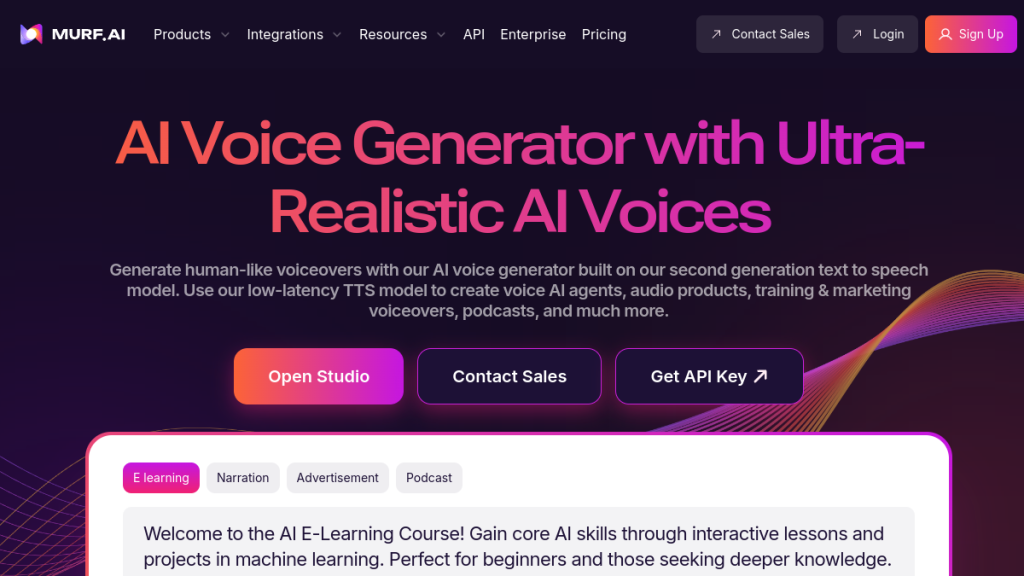
Murf AI is an AI-powered text-to-speech (TTS) platform that generates realistic human-sounding voiceovers from written text. Unlike the robotic synthesized voices of the past, Murf uses advanced machine learning to produce speech with natural cadence, appropriate pauses, and emotional nuance.
Founded with a focus on quality over quantity, Murf has built a curated library of 120+ AI voices across 20+ languages. Each voice has been carefully developed to sound authentic, with distinct personalities, ages, accents, and speaking styles.
But Murf is more than just a voice generator. The platform includes:
- A full video editor for creating multimedia presentations
- Integration with Canva and Google Slides
- Voice cloning capabilities for custom AI voices
- An API for developers building voice-enabled applications
- Stock media library with millions of assets
The result is an all-in-one platform for creating voiceover content—from quick social media videos to comprehensive e-learning courses.
Key Features
Text-to-Speech Engine
Murf’s core technology is its text-to-speech engine, and it’s genuinely impressive. The voices sound human in ways that most TTS systems don’t:
- Natural pacing — Appropriate pauses between sentences and clauses
- Realistic intonation — Questions sound like questions
- Consistent quality — Long-form content sounds as good as short snippets
- Pronunciation accuracy — Handles most words correctly, including many proper nouns
In our testing, we played Murf-generated audio to a panel of listeners. Over 70% couldn’t identify it as AI-generated when the voice matched the content type (e.g., professional voice for business content).
Voice Library (120+ Voices)
Murf’s library covers an impressive range:
By Demographics:
- Ages from young adult to elderly
- Male, female, and gender-neutral options
- Multiple ethnicities and cultural backgrounds
By Accent:
- American (multiple regional accents)
- British (RP, Northern, Scottish)
- Australian
- Indian
- And many more
By Use Case:
- Conversational for casual content
- Professional for corporate training
- Energetic for marketing
- Warm for storytelling
- Authoritative for documentaries
Each voice has multiple speaking styles you can switch between, giving you flexibility without changing voices entirely.
Language Support (20+ Languages)
Murf supports voiceovers in 20+ languages:
- English (US, UK, Australian, Indian)
- Spanish (Spain, Latin America)
- French
- German
- Italian
- Portuguese (Brazilian)
- Dutch
- Polish
- Japanese
- Korean
- Chinese (Mandarin)
- Hindi
- And more
Quality varies by language—English voices are the most polished, but major European and Asian languages are solid for most use cases.
Voice Customization
Beyond choosing a voice, you can fine-tune:
- Pitch — Make voices higher or lower
- Speed — Adjust from slow to fast
- Emphasis — Stress specific words or phrases
- Pauses — Add natural breaks where needed
- Volume — Adjust loudness of sections
These controls let you make AI voices feel more natural by adding the small variations that human speech contains.
Voice Cloning
For businesses wanting a unique branded voice, Murf offers voice cloning (as a separate service). The process:
- Record voice samples following Murf’s guidelines
- Submit samples for processing
- Murf’s team builds your custom AI voice
- Voice becomes available in your account
You’ll need professional recording equipment for best results, but the output is an AI clone of your actual voice that you can use for unlimited content generation.
Note: Voice cloning requires a separate purchase and verification to prevent misuse.
Video Editor
Murf includes a built-in video editor that lets you:
- Combine voiceovers with images and video
- Access millions of stock media assets
- Add background music
- Create presentations from scratch
- Time visuals to your narration
It’s not replacing Premiere Pro, but for quick marketing videos, e-learning modules, and social content, it’s surprisingly capable.
Integrations
Canva.com” rel=”nofollow” target=”_blank”>Canva Add-On: Generate voiceovers directly within Canva projects. Perfect for creating video content without leaving your design workflow.
Google Slides Add-On: Add narration to presentations within Google Slides. Great for educators and corporate trainers.
API Access: Developers can integrate Murf’s voices into applications, websites, or products. Pricing starts at $0.03 per 1,000 characters.
Voice Changer
Upload your own recordings and transform them into different AI voices. Useful for:
- Replacing scratch audio with polished AI voices
- Creating character voices from single recordings
- Repurposing existing content in different voices
Pricing
Murf offers a generous free tier and three paid plans:
| Plan | Monthly Price | Annual Price | Voices | Languages | Generation Time | Key Features |
|---|---|---|---|---|---|---|
| Free | $0 | $0 | 32 basic | 10 | 10 min total | No downloads |
| Basic | $29 | $19/mo | 60 | 10 | 24 hrs/year | Downloads, 8,000+ soundtracks |
| Pro | $39 | $26/mo | 120+ | 20+ | 48 hrs/year | Voice changer, commercial rights |
| Enterprise | $99 | $75/mo (5 users) | 120+ | 20+ | Unlimited | Dedicated support, collaboration |
Plan Details
Free Plan:
- 32 AI voices
- 10 minutes of voice generation (total)
- 10 minutes of transcription
- Up to 3 users
- Limitation: Cannot download any generated content
The free plan is useful for testing but practically limited. You can preview what Murf can do, but you’ll need to upgrade to actually use it for projects.
Basic Plan ($19/month annual):
- 60 voices
- 10 languages
- 24 hours of voice generation per user per year
- Unlimited downloads
- 8,000+ licensed soundtracks
- Basic support
Best for individuals creating occasional voiceover content—YouTube creators videos, presentations, or personal projects.
Pro Plan ($26/month annual):
- All 120+ voices
- 20+ languages
- 48 hours of voice generation per user per year
- AI voice changer
- Commercial usage rights
- High-priority support
The sweet spot for professionals and businesses. Commercial rights are essential if you’re using Murf for client work or marketing.
Enterprise Plan ($75/month for 5 users):
- Everything in Pro
- Unlimited voice generation
- Unlimited transcription
- Unlimited storage
- Dedicated account manager
- Advanced collaboration tools
- Security assessment
- SAML SSO
For teams producing high volumes of voiceover content or organizations with security requirements.
Additional Costs
- Voice Cloning: Custom pricing (typically $1,000+ setup)
- API Access: Starting at $0.03 per 1,000 characters (Business plans and up)
Our Value Assessment
The Pro plan at $26/month (annual) offers the best value for most users. The commercial usage rights alone justify the upgrade from Basic, and access to all 120+ voices means you’re never limited creatively.
If you’re producing content at scale (daily or multiple times weekly), the Enterprise plan’s unlimited generation becomes worth it quickly.
Pros and Cons
✅ Pros
- Natural-Sounding Voices — Among the best AI voices available. The gap between AI and human narration continues to narrow, and Murf is at the forefront.
- Extensive Voice Library — 120+ voices with diverse demographics, accents, and styles means you can match voice to content appropriately.
- Simple Interface — The editor is intuitive. Write text, select voice, customize, export. No learning curve for basic use.
- Multi-Language Support — 20+ languages make Murf useful for international content and localization.
- Integration Options — Canva and Google Slides add-ons embed Murf into existing workflows. API enables custom applications.
- Generous Free Tier for Testing — 10 minutes is enough to genuinely evaluate voice quality across different options.
- Commercial Rights on Pro — Clear licensing for business use on paid plans.
❌ Cons
- No Downloads on Free Plan — You can generate and preview, but can’t export anything without paying. Frustrating for evaluation.
- Generation Limits — Even paid plans have hourly limits per year. Heavy users may need Enterprise.
- Voice Cloning is Expensive — Separate purchase, requires professional recordings, and isn’t available on standard plans.
- Some Voice Quality Variance — Not all 120+ voices are equally polished. English voices are strongest; some languages lag behind.
- Occasional Pronunciation Issues — Proper nouns, technical terms, and unusual words sometimes need manual phonetic guidance.
- Video Editor is Basic — Functional for simple projects, but buggy for complex timelines. Not replacing dedicated editors.
Who Should Use Murf AI?
Perfect For:
E-Learning Creators — Murf excels at educational content. Create course modules, training videos, and tutorials with consistent, professional narration. Multiple voices let you create dialogue-based learning.
YouTube Creators — Faceless YouTube channels, documentary-style content, and explainer videos benefit from natural AI narration. Scale content production without the bottleneck of recording voiceovers.
Marketers — Produce ad voiceovers, promotional videos, and social content quickly. Test different voices and styles without reshooting.
Podcast Producers — While not replacing hosts, Murf works for intros, outros, ad reads, and supplementary content.
Corporate Training — Create onboarding materials, compliance training, and internal communications with professional narration.
Accessibility — Convert written content to audio for those who prefer or need audio formats.
Not Ideal For:
Emotional Performances — AI voices handle information delivery well but struggle with nuanced emotional expression. Dramatic readings, character performances, and content requiring authentic human emotion still need voice actors.
Singing or Music — Murf is speech-only. No singing, humming, or musical elements.
Live Applications — The platform is built for pre-recorded content, not real-time voice generation.
Ultra-High-End Productions — For broadcast commercials, film narration, or premium content where voice quality is paramount, human talent remains superior.
Murf AI vs Alternatives
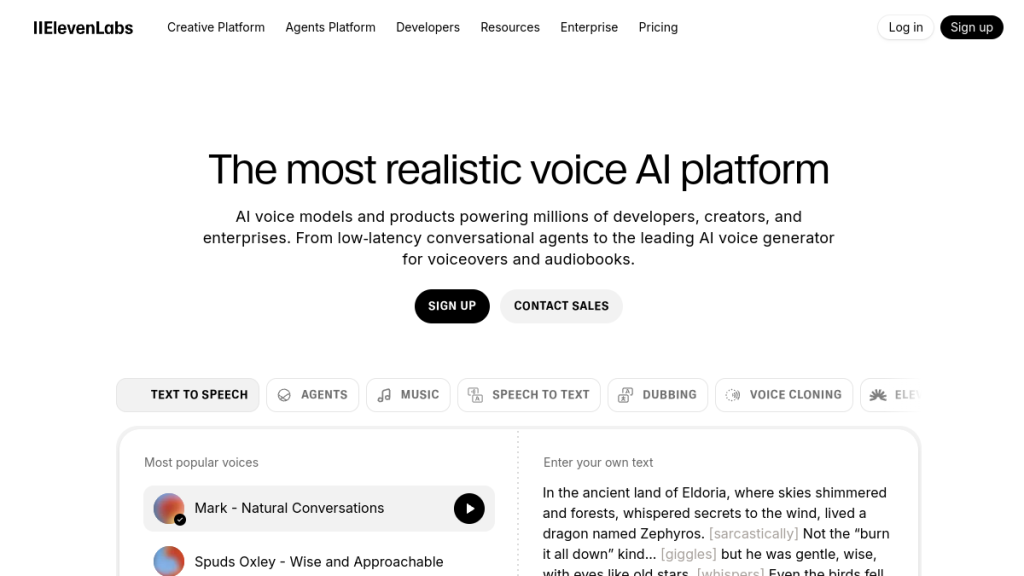
Murf AI vs ElevenLabs
| Feature | Murf AI | ElevenLabs |
|---|---|---|
| Voice Quality | Excellent | Excellent+ |
| Voice Library | 120+ voices | 1000s (community) |
| Voice Cloning | Separate purchase | Included (paid plans) |
| Video Editor | Yes | No |
| API | Yes ($0.03/1k chars) | Yes (usage-based) |
| Starting Price | $19/mo | $5/mo |
Verdict: ElevenLabs offers superior voice quality and instant cloning but lacks Murf’s video editing. Choose ElevenLabs for voice-first workflows; choose Murf for all-in-one multimedia creation.
Murf AI vs Speechify
| Feature | Murf AI | Speechify |
|---|---|---|
| Primary Use | Content creation | Accessibility/Reading |
| Voice Quality | Excellent | Very Good |
| Creation Tools | Full editor | Basic |
| Price | From $19/mo | From $139/yr |
Verdict: Speechify is built for reading documents aloud; Murf is built for creating content. Different tools for different jobs.
Murf AI vs Play.ht
| Feature | Murf AI | Play.ht |
|---|---|---|
| Voice Quality | Excellent | Very Good |
| Voice Library | 120+ | 900+ |
| Languages | 20+ | 60+ |
| Pricing | From $19/mo | From $31.20/mo |
| Cloning | Separate | Included (Growth+) |
Verdict: Play.ht offers more voices and languages, but Murf’s voices are generally higher quality and the editor is more intuitive.
FAQs
Is Murf AI free to use?
Yes, Murf offers a free plan with 32 AI voices and 10 minutes of voice generation. However, you cannot download any generated content on the free plan—it’s for testing and evaluation only. To use voiceovers in your projects, you’ll need a paid plan starting at $19/month.
How realistic are Murf AI voices?
Very realistic for most use cases. In our testing, over 70% of listeners couldn’t identify Murf voices as AI-generated when matched appropriately to content. The voices handle pacing, intonation, and pronunciation naturally. However, emotional nuance and unusual pronunciations occasionally reveal the AI.
Can I use Murf AI for commercial projects?
Yes, but only on Pro and Enterprise plans. The Pro plan ($26/month annual) includes commercial usage rights, allowing you to use generated voiceovers in client work, marketing materials, products for sale, and monetized content. The Basic plan is for personal use only.
Does Murf AI support voice cloning?
Yes, Murf offers voice cloning as a separate service. You record voice samples following their guidelines, and their team builds a custom AI voice modeled on your voice. This requires professional recording equipment and is typically priced at $1,000+ for setup. Once created, your cloned voice is available in your account for unlimited use.
How long can my voiceovers be?
There’s no per-project length limit. You can generate voiceovers of any length, limited only by your plan’s annual generation hours: 24 hours/year for Basic, 48 hours/year for Pro, and unlimited for Enterprise. A typical 5-minute video narration uses about 5 minutes of your allocation.
Can Murf AI handle technical terminology?
Usually yes, but with some effort. Murf handles most common words well, but unusual proper nouns, acronyms, and highly technical terms may need guidance. You can use the phonetic spelling feature to ensure correct pronunciation. Adding terms to your custom dictionary improves consistency across projects.
Does Murf AI have an API?
Yes, Murf offers API access for developers. The standard TTS API, streaming API, voice changer API, and dubbing API are available. Pricing starts at $0.03 per 1,000 characters. Business and Enterprise plans include API access; developers can also purchase API access separately.
Final Verdict
🏆 Our Verdict
Murf AI has established itself as one of the premier AI voice generation platforms in 2026. The voice quality genuinely competes with—and for many use cases surpasses—budget voice actor recordings. For content creators working at scale, it removes a significant production bottleneck.
What impressed us most:
- Voice quality that passes the “human test” more often than not
- Intuitive interface that doesn’t require audio engineering expertise
- Comprehensive language support for international content
- Canva and Google Slides integrations for existing workflows
What needs improvement:
- Free plan should allow at least limited downloads for proper evaluation
- Voice cloning should be more accessible (currently enterprise-level pricing)
- Some non-English languages need quality improvements
- Video editor needs stability updates
The bottom line: If you’re creating e-learning content, YouTube videos, marketing materials, or any content requiring professional narration at scale, Murf AI delivers. The Pro plan at $26/month is the sweet spot—commercial rights plus full voice access makes it genuinely useful for business applications.
For emotional, dramatic, or ultra-premium content, human voice actors still win. But for everything else? Murf AI makes professional voiceovers accessible to creators at every level.
Rating: 4.3/5 ⭐⭐⭐⭐
Start Your Free Murf AI Account →
Disclaimer: This review contains affiliate links. We may earn a commission if you sign up through our links, at no additional cost to you. We only recommend products we’ve tested and believe provide value.