You want to consume more books and articles but reading 300 words per minute feels painfully slow when you could be listening at 2x speed while multitasking. Speechify promises to turn any text into natural-sounding speech, but at $139/year, it’s competing against free alternatives like your phone’s built-in TTS. Here’s whether Speechify’s premium voices and features justify the cost, or if you’re better off with free options.
Quick Verdict
| Aspect | Details |
|---|---|
| ⭐ Rating | 3.8/5 |
| 💰 Pricing | Free / $139/year ($11.58/mo) or $29/month |
| ✅ Best For | Students, people with dyslexia, audiobook lovers, busy professionals |
| ❌ Skip If | You need content creation tools, have budget constraints, or primarily want an API |
The Bottom Line: Speechify delivers excellent voice quality and a polished user experience for consuming written content. However, the $139/year price tag is steep, the advertised 5x speed is practically unusable, and there are cheaper (or free) alternatives that cover most use cases. Great for accessibility needs; overkill for casual users.
Table of Contents
- What is Speechify?
- Key Features
- Pricing Breakdown
- Pros and Cons
- Who Should Use Speechify?
- Speechify vs Alternatives
-
Related: If you need AI for meetings and transcription rather than text-to-speech, check out our Otter.ai Review for the leading AI meeting assistant.
- Final Verdict
What is Speechify?
Speechify is a text-to-speech (TTS) application that converts written content into natural-sounding audio. Founded in 2017, the platform has grown to serve millions of users across iOS, Android, Chrome extension, and desktop applications.
The core promise is simple: instead of reading articles, documents, PDFs, or ebooks with your eyes, you listen to them. This turns dead time (commuting, exercising, doing chores) into productive learning time.
Speechify uses neural text-to-speech technology, which produces more natural-sounding voices compared to the robotic TTS found in older applications. The platform also includes OCR (Optical Character Recognition), meaning you can point your phone camera at a physical page and have it read aloud.
Who Made Speechify?
Speechify was co-founded by Cliff Weitzman, who is dyslexic and built the app initially to help himself get through college reading materials. This origin story is reflected in the product’s strengths—it’s genuinely useful for people with reading difficulties.
The company has since expanded beyond basic TTS to include:
- Speechify Studio — For creating voiceovers and content
- Speechify Audiobooks — A separate audiobook subscription
- Speechify Dubbing — AI-powered video dubbing
This review focuses on the core Speechify TTS app, which remains their flagship product.
Key Features
1. Natural-Sounding AI Voices
Speechify Premium offers 200+ high-quality voices across 60+ languages. Unlike the robotic voices you might remember from early TTS software, Speechify’s premium voices have natural inflection, appropriate pauses, and emotional range.
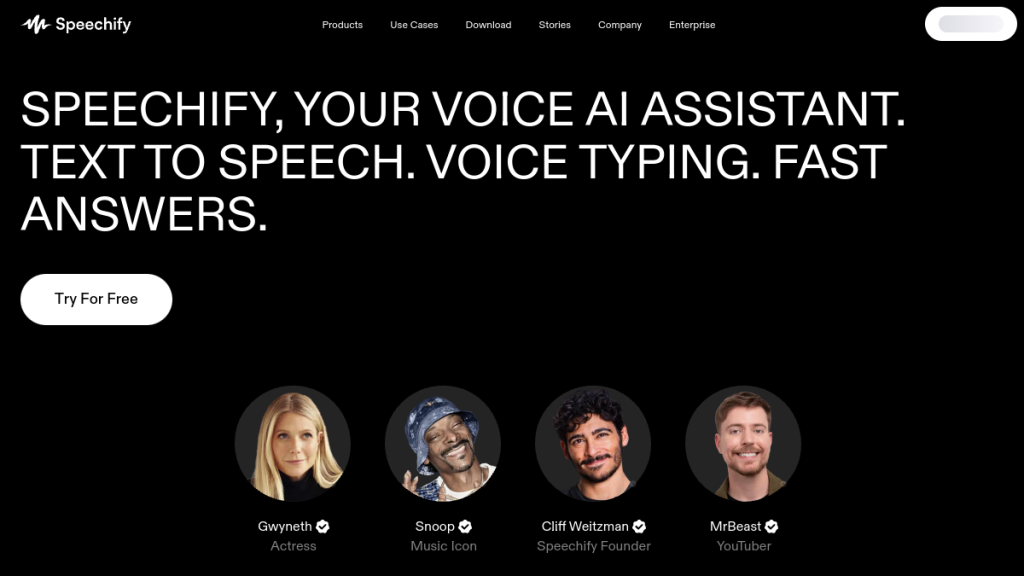
Standout voices include celebrity partnerships:
- Snoop Dogg
- Gwyneth Paltrow
- And other recognizable voices
The free version includes only 10 basic voices, which sound noticeably more robotic.
2. Variable Speed Playback
The app lets you adjust reading speed from normal up to 5x (approximately 900 words per minute).
Reality Check: While Speechify markets 5x speed heavily, our testing found anything above 400-500 WPM becomes incomprehensible. At 600+ WPM, it sounds like chipmunks on fast-forward. At 900 WPM, it’s pure gibberish.
The practical sweet spot is 1.5x to 2.5x for most users, which matches what competitors offer for free.
3. Cross-Platform Syncing
Speechify syncs your library, reading position, and preferences across:
- iOS app
- Android app
- Chrome extension
- Safari extension
- Edge extension
- Mac app
- Web app
Start listening on your phone during your commute, continue on your laptop at work. This is genuinely convenient.
4. OCR Text Scanning
Point your phone camera at any physical document, book, or sign, and Speechify will scan and read it aloud. The OCR works well for:
- Clean printed text
- Modern books and magazines
- High-contrast documents
It struggles with:
- Curved pages near book spines
- Handwritten text (fails completely)
- Complex multi-column layouts
- Low-contrast or faded documents
5. Multi-Format Support
Speechify can read content from:
- Websites (via browser extension)
- PDFs
- Word documents
- Google Docs
- Emails
- Images (via OCR)
- Ebooks (most formats)
- Cloud storage (Dropbox, Google Drive, OneDrive)
6. AI Summaries & Chat
Premium includes AI-powered features to summarize long documents and a chatbot to answer questions about your content. Useful for quickly getting the gist of lengthy reports.
7. Voice Typing
Dictate text 5x faster than typing. Useful for drafting emails, notes, or documents when you can’t type.
8. Offline Listening
Download audio files as MP3s to listen without an internet connection. Essential for flights or areas with poor connectivity.
Pricing
Speechify uses a freemium model with a significant gap between free and paid tiers.
Pricing Plans Comparison
| Feature | Free | Premium |
|---|---|---|
| Price | $0 | $139/year or $29/month |
| Voices | 10 robotic voices | 200+ natural voices |
| Languages | Limited | 60+ |
| Speed | Up to 1.5x | Up to 5x |
| Offline Listening | ❌ | ✅ |
| OCR Scanning | Limited | Unlimited |
| AI Summaries | ❌ | ✅ |
| Cloud Sync | Basic | Full |
| Voice Typing | ❌ | ✅ |
Regional Pricing Variations
Speechify’s pricing varies slightly by region:
- United States: $139/year
- Europe: €129/year (~$138 USD)
- India: ₹10,999/year (~$132 USD)
- Brazil: R$699/year (~$140 USD)
The minimal variation suggests Speechify hasn’t implemented purchasing-power-based pricing, making it relatively expensive in emerging markets.
Hidden Costs to Know
- 150,000 word monthly limit — Premium voices revert to robotic after you exceed this limit
- Annual commitment — Monthly billing is $29/mo (effectively $348/year), making the annual plan feel forced
- Separate products — Speechify Audiobooks ($9.99/mo) and Speechify Studio are billed separately
Free Trial Warning ⚠️
Speechify offers a 3-day free trial, but multiple users report billing issues:
- Some users were charged the full $139 immediately upon starting the trial
- MasterCard users seem particularly affected
- Refund experiences vary significantly
Our Recommendation: Use the free tier to test before entering any payment information. If you do start a trial, set a calendar reminder for day 2 to cancel if you’re not impressed.
Pros and Cons
Pros ✅
| Advantage | Why It Matters |
|---|---|
| Excellent voice quality | Premium voices sound genuinely natural, reducing listening fatigue |
| True cross-platform sync | Seamless experience across all devices and browsers |
| Great for accessibility | Genuinely helpful for dyslexia, visual impairments, and learning disabilities |
| Responsive customer support | 24/7 support with fast, helpful responses |
| Celebrity voices | Fun novelty that makes listening more engaging |
| Wide language support | 60+ languages with native speaker quality |
| OCR functionality | Turn physical books into audio on the go |
| Active development | Regular updates and new features |
Cons ❌
| Disadvantage | Why It Matters |
|---|---|
| High annual price | $139/year is steep compared to free OS alternatives |
| Misleading speed claims | 5x/900 WPM is unusable; real productivity gains are modest |
| Billing concerns | Multiple reports of trial charges and refund difficulties |
| 150K word limit | Heavy users may hit the ceiling |
| Annual lock-in | Monthly pricing ($29) is prohibitively expensive |
| Not for content creation | If you need voiceovers for videos, look elsewhere |
| OCR limitations | Fails on handwriting and complex layouts |
| No API access | Developers can’t integrate Speechify into their apps |
Who Should Use Speechify?
Ideal Users ✅
Students (especially with learning disabilities)
If you’re dyslexic or have ADHD, Speechify can be transformative. Listening to course materials while following along visually improves comprehension and retention for many neurodivergent learners. The $139/year may be worth it for academic success.
Busy Professionals
If your job requires consuming large amounts of text (reports, articles, research) and you have significant commute or workout time, converting that dead time to reading time creates genuine value.
Avid Readers with Eye Strain
If you love consuming content but screens hurt your eyes after long workdays, listening instead of reading gives your eyes a break while staying informed.
Visually Impaired Users
For users with visual impairments, Speechify offers a polished, reliable TTS experience that integrates well with existing workflows.
Who Should Skip Speechify ❌
Casual Users
If you occasionally want a webpage read aloud, your browser’s built-in TTS or free extensions do this adequately. $139/year is overkill.
Content Creators
If you need AI voices for YouTube videos, podcasts, or marketing content, Speechify’s core product isn’t designed for this. Look at ElevenLabs, Murf AI, or Play.ht instead.
Budget-Conscious Users
Free alternatives (NaturalReader, built-in OS features, browser TTS) cover 80% of Speechify’s functionality at no cost.
Developers
Speechify doesn’t offer API access. If you need TTS integration, consider Amazon Polly, Google Cloud TTS, or ElevenLabs API.
Speechify vs Alternatives
Quick Comparison Table
| Tool | Best For | Price | Our Rating |
|---|---|---|---|
| Speechify | Consuming written content | $139/year | 3.8/5 |
| NaturalReader | Budget-friendly TTS | Free / $99/year | 3.9/5 |
| ElevenLabs | Content creation | $5-$330/mo | 4.6/5 |
| Murf AI | Professional voiceovers | $29-$99/mo | 4.4/5 |
| Play.ht | Ultra-realistic voices | $39-$99/mo | 4.3/5 |
| Built-in OS TTS | Basic listening | Free | 3.0/5 |
Speechify vs NaturalReader
NaturalReader is Speechify’s closest direct competitor for content consumption:
| Feature | Speechify | NaturalReader |
|---|---|---|
| Price | $139/year | $99/year (Pro) |
| Premium Voices | 200+ | 200+ |
| Celebrity Voices | ✅ | ❌ |
| OCR Scanning | ✅ | ✅ |
| Browser Extension | ✅ | ✅ |
| API Access | ❌ | ✅ (higher tiers) |
Verdict: NaturalReader offers similar functionality at a lower price. Choose Speechify for celebrity voices and slightly better mobile apps; choose NaturalReader to save $40/year.
Speechify vs ElevenLabs
ElevenLabs targets a different use case—creating audio content rather than consuming it:
| Feature | Speechify | ElevenLabs |
|---|---|---|
| Primary Use | Listening | Creating |
| Voice Cloning | ❌ | ✅ |
| API Access | ❌ | ✅ |
| Emotional Control | Limited | Extensive |
| Price | $139/year | $5-$330/month |
Verdict: Completely different tools. Use Speechify to listen to your email; use ElevenLabs to create podcast intros or voiceovers.
Speechify vs Free Alternatives
Before paying $139/year, try these free options:
- Built-in Browser TTS — Chrome and Safari can read selected text aloud
- Microsoft Immersive Reader — Free in Edge browser with decent voices
- Apple’s Spoken Content — iOS/Mac built-in TTS is surprisingly good
- Google Read Aloud — Free Chrome extension
These free options lack Speechify’s polish and premium voices but handle basic TTS needs adequately.
FAQs
Is Speechify free?
Speechify has a free tier with 10 basic voices and speeds up to 1.5x. The premium tier ($139/year) unlocks 200+ natural voices, faster speeds, and additional features like offline listening and AI summaries.
Is Speechify worth the money?
For students with learning disabilities, heavy readers, or professionals who can convert significant commute time to “reading” time, yes. For casual users who occasionally want a webpage read aloud, no—free alternatives suffice.
Can you actually understand speech at 900 WPM?
No. While Speechify advertises 5x speed (900 WPM), our testing and user reports confirm anything above 400-500 WPM becomes incomprehensible. The practical range is 1.5x to 2.5x for most listeners.
What’s the difference between Speechify and Speechify Studio?
Core Speechify is for consuming content (listening to articles, books, documents). Speechify Studio is a separate product for creating voiceovers and audio content. They’re billed separately.
Does Speechify work offline?
Yes, Premium users can download audio files as MP3s for offline listening. Free users cannot access offline mode.
Can Speechify read handwritten text?
No. The OCR feature only works with printed text. It fails completely on handwriting and struggles with unusual fonts or complex layouts.
Is there a Speechify family plan?
No family plan is currently available. Each user needs their own subscription.
How do I cancel Speechify?
Cancel through the app store where you subscribed (App Store, Google Play) or through speechify.com if you signed up directly. Multiple users report difficulty canceling and unexpected charges, so document your cancellation.
Final Verdict
Rating: 3.8/5 ⭐⭐⭐⭐
Speechify is a polished, well-designed text-to-speech application that delivers on its core promise: turning written content into listenable audio. The premium voices sound genuinely natural, cross-platform sync works flawlessly, and the OCR feature is useful for digitizing physical materials.
However, the $139/year price tag is hard to justify for most users when:
- The advertised 5x speed is practically unusable
- Free alternatives handle basic TTS adequately
- The value proposition relies heavily on premium voices
Our Recommendation
| If You Are… | Our Advice |
|---|---|
| Dyslexic or have learning disabilities | Strongly Consider — Speechify can genuinely improve your life |
| A student consuming heavy reading loads | Consider — Calculate if time saved justifies $139/year |
| A professional with long commutes | Consider — Converting drive time to reading time has real value |
| A casual user wanting occasional TTS | Skip — Use free browser extensions instead |
| A content creator needing voiceovers | Skip — Use ElevenLabs or Murf AI instead |
Try Before You Buy
Use the free tier extensively before committing $139. Don’t enter payment information until you’re certain Speechify provides value beyond free alternatives.
If you do try the paid trial, set a calendar reminder to cancel before day 3 if you’re not impressed—the billing issues reported by multiple users are a legitimate concern.
Related Reviews:
- ElevenLabs Review 2026 — Best for voice creation
- Murf AI Review 2026 — Professional voiceovers
- Play.ht Review 2026 — Ultra-realistic TTS
- Best AI Voice Generators 2026
Frequently Asked Questions
What exactly is Speechify and how does it work?
Speechify is a text-to-speech (TTS) application that converts written content into natural-sounding audio. It allows users to listen to articles, documents, PDFs, and ebooks instead of reading them, making it easier to consume content while multitasking.
Is Speechify worth the $139 yearly subscription?
While Speechify offers excellent voice quality and a polished user experience, the $139/year price tag may be steep for some. It’s particularly beneficial for students and individuals with dyslexia, but casual users might find free alternatives sufficient.
Can I use Speechify on different devices?
Yes, Speechify is available on multiple platforms including iOS, Android, as a Chrome extension, and desktop applications. This flexibility allows users to access the app wherever they prefer to consume content.
What are some key features of Speechify?
Key features of Speechify include neural text-to-speech technology for natural-sounding voices, OCR (Optical Character Recognition) for reading physical pages, and the ability to adjust playback speed. These features enhance the overall user experience and accessibility.
Who should consider using Speechify?
Speechify is ideal for students, individuals with dyslexia, audiobook lovers, and busy professionals who want to maximize their time. However, those with budget constraints or who primarily need content creation tools might want to explore other options.
How does Speechify compare to free TTS alternatives?
While Speechify offers premium features and high-quality voices, there are free TTS alternatives available that may meet basic needs. Users should evaluate their specific requirements and whether the additional features justify the cost of Speechify.
What are the pros and cons of using Speechify?
Pros of Speechify include excellent voice quality and a user-friendly interface, while cons include its high annual subscription cost and the limited practicality of its advertised 5x speed. It’s great for accessibility but may be overkill for casual users.