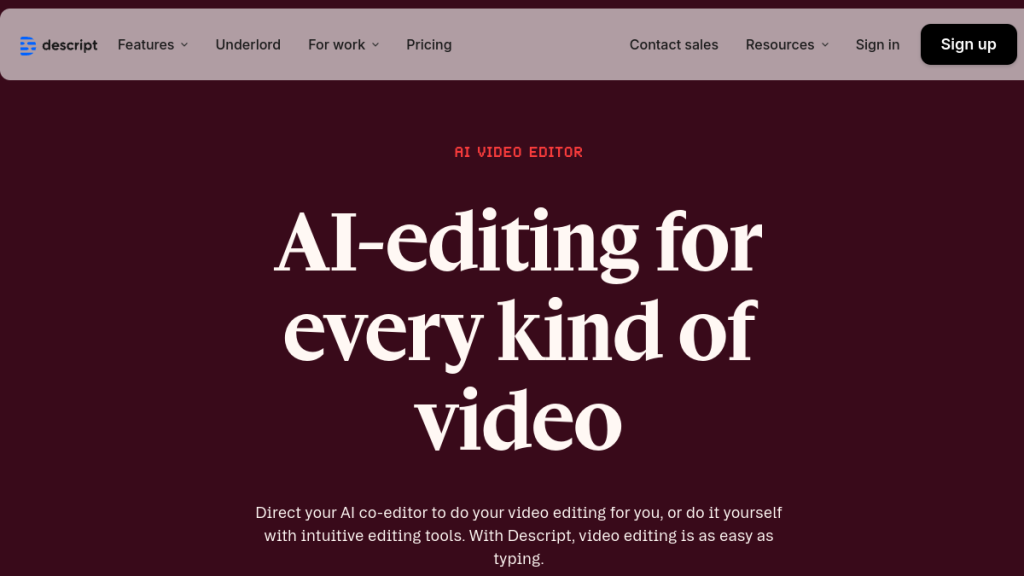
Video editing means wrestling with complex timelines, sync issues, and steep learning curves that turn simple projects into weekend ordeals. Descript flips the script—literally—letting you edit video by editing text, like working in Google Docs.
Descript has transform how creators edit video and audio content. Instead of wrestling with complex timelines, you edit your media by editing text—like working in a Google Doc. But is it worth the investment in 2026? After extensive testing, we break down everything you need to know.
Quick Verdict
If you need AI-generated background music for your projects, Suno AI can create complete songs from a simple text prompt.
⭐ Rating: 4.5/5
💰 Pricing: Free plan available; paid plans from $12/mo (annual)
✅ Best For: Podcasters, YouTubers, content creators, and teams needing fast turnaround
❌ Skip If: You need professional color grading, VFX, or cinema-quality editing
Bottom Line: Descript is the fastest way to edit video and audio content if your workflow is script-heavy. The AI features (Studio Sound, Eye Contact, Underlord) genuinely save hours. It won’t replace Premiere Pro for filmmakers, but for content creators focused on speed and efficiency, it’s exceptional.
Table of Contents
- What is Descript?
- Key Features
- Pricing Breakdown
- Pros and Cons
- Who Should Use Descript?
- Descript vs Alternatives
- FAQs
- Final Verdict
What is Descript?
Descript is an all-in-one audio and video editing platform that uses AI and automatic transcription to let you edit media by editing text. Founded in 2017 by Andrew Mason (yes, the Groupon founder), Descript has grown to serve over 6 million creators worldwide.
The core concept is brilliantly simple: upload your video or audio, Descript transcribes it automatically, and then you edit the transcription like a text document. Delete a word? The corresponding audio/video is removed. Rearrange paragraphs? Your media follows along.
But Descript has evolved far beyond simple text-based editing. In 2026, it’s packed with AI-powered features that can:
- Remove background noise and enhance audio quality instantly (Studio Sound)
- Make you look like you’re maintaining eye contact with the camera (Eye Contact)
- Remove backgrounds without a green screen (AI Green Screen)
- Clone your voice for text-to-speech corrections (Overdub)
- Auto-edit your content with AI assistance (Underlord)
- Generate images and videos from text prompts
The September 2025 pricing overhaul introduced a new system based on “Media Minutes” (for uploads/recordings) and “AI Credits” (for AI features), making it clearer what you’re paying for.
Key Features
Text-Based Editing
Descript’s flagship feature remains its most transformative. Instead of scrubbing through hours of footage, you read the transcript and edit text. This is significant for:
- Removing filler words — Highlight “um” and “uh” and delete them all at once
- Cutting sections — Delete paragraphs of rambling like you’re editing a doc
- Rearranging content — Move sections around with copy/paste
- Finding moments — Use Ctrl+F to search your video like a document
The transcription accuracy has improved significantly in 2026, now supporting 25 languages including Dutch, Hindi, Japanese, Korean, and Turkish. Speaker detection automatically identifies up to 8+ different speakers in your recording.
Studio Sound
Perhaps Descript’s most impressive AI feature, Studio Sound transforms amateur recordings into professional-quality audio with one click. It:
- Removes background noise (air conditioning, traffic, keyboard clicks)
- Reduces room echo and reverb
- Enhances speech clarity
- Normalizes volume levels
In our testing, Studio Sound took a recording made in a noisy coffee shop and made it sound like a treated studio. It’s not magic—you still need decent source audio—but it’s remarkably effective.
Eye Contact
Ever recorded a video while reading from a script or second monitor? Eye Contact uses AI to subtly adjust your gaze so it appears you’re looking directly into the camera. The results are subtle but effective—viewers feel more connected without noticing anything artificial.
AI Green Screen
Remove video backgrounds without a physical green screen. The AI detection is impressive, handling most well-lit scenarios without the telltale edge artifacts common in other tools. Perfect for creators who don’t have dedicated studio space.
Underlord AI Assistant
Descript’s 2025 introduction of Underlord brought powerful AI assistance:
- Edit for Clarity — Automatically removes filler words, tangents, and obvious cuts
- Remove Retakes — Keeps only your best takes
- Add Chapters — Auto-generates chapter markers based on content
- Create Clips — Identifies viral-worthy moments for social media
- Write Assistance — Brainstorm, rewrite, and draft scripts
- Social Publishing — Generates posts, descriptions, and show notes
Underlord can even generate images and videos from text prompts (on paid plans), though quality varies.
Overdub (Voice Cloning)
Train an AI voice model on your own voice, then use it to generate speech from text. This is incredibly useful for:
- Fixing flubbed words without re-recording
- Adding corrections to finished content
- Creating entirely AI-narrated content
The voice clone quality is impressive—most listeners can’t tell the difference in context.
Remote Recording (Rooms)
Built-in remote recording captures high-quality separate tracks from each participant—similar to Riverside or Squadcast but integrated into your editing platform. Each plan includes recording hours (2-25 hours monthly depending on tier).
Dynamic Captions
Automatically generate animated captions for your videos. Choose from stock styles or customize fonts, colors, word highlighting, and positioning. Essential for social media where most videos are watched without sound.
Collaboration Features
Multiple team members can work on the same project simultaneously. Comments sync with timestamps, and the Business tier includes priority support with SLAs. Enterprise gets dedicated account management.
Pricing
Descript overhauled its pricing in September 2025, introducing Media Minutes and AI Credits. Here’s the current breakdown:
| Plan | Monthly Price | Annual Price | Media Minutes | AI Credits | Storage | Export Quality |
|---|---|---|---|---|---|---|
| Free | $0 | $0 | 60 min/mo | 100 (one-time) | 5GB | 720p (watermark) |
| Hobbyist | $24 | $12/mo | 600 min/mo (10 hrs) | 400/mo | 100GB | 1080p |
| Creator | $39 | $24/mo | 1,800 min/mo (30 hrs) | 800/mo | 1TB | 4K |
| Business | $70 | $55/mo | 2,400 min/mo (40 hrs) | 1,500/mo | 2TB | 4K |
| Enterprise | Custom | Custom | Custom | Custom | Custom | 4K+ |
Understanding the Credit System
Media Minutes: Every minute of audio/video you upload or record counts against your monthly allocation. If you upload a 30-minute video, that’s 30 media minutes used.
AI Credits: Using AI features like Studio Sound, Eye Contact, or Underlord consumes credits. Basic AI features are “Limited” on the Free plan (5 lifetime uses for most), while paid plans get monthly allocations.
Special Pricing
- Students/Educators: 50% off with valid school email
- Non-profits: Special $5/month plan
- Additional Transcription: $2/hour when you need more
Our Take on Value
The Creator plan at $24/month (annual) offers the best value for serious content creators. You get 30 hours of media minutes, unlimited advanced AI features, 4K exports, and 1TB of storage. That’s enough for most weekly video podcasts or YouTube channels.
The Free plan is generous enough to genuinely test the platform—not just a demo. And unlike some competitors, there’s no credit card required to start.
Pros and Cons
✅ Pros
- innovative Editing Paradigm — Text-based editing genuinely changes how you work with media. For talking-head content, it’s 3-5x faster than traditional timeline editing.
- AI Features That Actually Work — Studio Sound, Eye Contact, and filler word removal aren’t gimmicks. They solve real problems and save real time.
- All-in-One Platform — Recording, transcription, editing, collaboration, and publishing in one tool. No juggling multiple apps.
- Generous Free Plan — 60 minutes of media monthly without watermarks on audio exports. Enough to genuinely evaluate the platform.
- Excellent Transcription — 25-language support with high accuracy. Speaker detection works well for multi-person content.
- Cross-Platform — Works on Mac, Windows, and has a web editor for quick access.
- Active Development — Descript ships new features regularly. Underlord, improved voices, and better AI are recent additions.
❌ Cons
- Not for Traditional Video Production — Limited color grading, no VFX, basic motion graphics. Not replacing Premiere or DaVinci Resolve for filmmakers.
- Credit System Complexity — Media Minutes and AI Credits can be confusing. You need to track usage across two different buckets.
- Subscription Required for Full Value — The free plan is generous but limited AI uses mean you’ll need to upgrade for serious work.
- Voice Clone Limitations — Overdub requires training samples and isn’t perfect for every use case.
- Learning Curve for Advanced Features — While basic editing is intuitive, mastering Underlord, multitrack, and advanced features takes time.
- Internet Required — Cloud-based transcription and AI means you need reliable internet.
Who Should Use Descript?
Perfect For:
Podcasters — Descript was built for podcast editing. Text-based editing, automatic transcription, multitrack support, filler word removal, and Studio Sound make it the ideal podcasting tool.
YouTube Creators — If you make talking-head content, tutorials, or educational videos, the speed gains are enormous. Edit a 30-minute video in under an hour.
Content Agencies — Teams cranking out client content benefit from collaboration features, templates, and the ability to quickly produce polished deliverables.
Course Creators — Educational content with lots of explaining benefits from text-based editing and the ability to search/navigate long recordings.
Marketing Teams — Quick social clips, repurposing content, and automated social posts via Underlord streamline content marketing.
Not Ideal For:
Filmmakers — If you need advanced color grading, visual effects, or cinema-level control, stick with DaVinci Resolve or Premiere Pro.
Music Producers — Descript handles speech well but isn’t designed for music production.
Heavy Graphics Work — Limited motion graphics capabilities. Bring designs in from After Effects or Canva.com” rel=”nofollow” target=”_blank”>Canva.
Descript vs Alternatives
Descript vs Adobe Premiere Pro
| Feature | Descript | Premiere Pro |
|---|---|---|
| Best For | Fast content creation | Professional filmmaking |
| Editing Style | Text-based | Timeline-based |
| Price | From $12/mo | $22.99/mo |
| AI Features | Extensive | Growing (via Adobe AI) |
| Learning Curve | Low-Medium | High |
| Color Grading | Basic | Professional |
Verdict: Choose Descript for speed and talking-head content. Choose Premiere for professional film/commercial production.
Descript vs Riverside
| Feature | Descript | Riverside |
|---|---|---|
| Best For | Editing + Recording | Recording-focused |
| Recording | Good (built-in) | Excellent |
| Editing | Excellent | Basic |
| Price | From $12/mo | From $15/mo |
| Transcription | Included | Included |
Verdict: If you primarily need recording with light editing, consider Riverside. If editing is your focus, Descript wins.
Descript vs CapCut
| Feature | Descript | CapCut |
|---|---|---|
| Best For | Long-form content | Short-form social |
| Price | From $12/mo | Free (Pro from $7.99/mo) |
| AI Features | Advanced | Good for social |
| Text Editing | Core feature | Not available |
Verdict: CapCut is better for quick TikTok/Reels editing. Descript is superior for podcasts and YouTube.
FAQs
Is Descript good for beginners?
Yes, Descript is one of the most beginner-friendly video editors available. The text-based editing paradigm is intuitive for anyone who can use a word processor. You don’t need to learn complex timeline manipulation to start creating. That said, mastering advanced features like Underlord and multitrack editing takes practice.
Can I use Descript offline?
Partially. You can work on projects offline, but transcription and AI features require an internet connection. Media processing happens in the cloud, so you need connectivity for uploading and exporting.
How accurate is Descript’s transcription?
Very accurate for clear speech in supported languages—typically 95%+ accuracy. Multiple speakers, heavy accents, or poor audio quality reduce accuracy. The transcription improves when you train it with a custom glossary of names and terms you frequently use.
Is Overdub (voice cloning) ethical to use?
Descript has clear ethical guidelines: you can only clone your own voice, and there’s verification to prevent misuse. Using Overdub to impersonate others without consent violates terms of service. For correcting your own recordings or creating AI narration with your voice, it’s both legal and useful.
Does Descript work for video podcasts?
Absolutely—it’s one of the best tools for video podcasts. The combination of text-based editing, multitrack support, automatic speaker detection, and remote recording (Rooms) makes it ideal. Many top podcasters have switched to Descript specifically for video podcast production.
Can I cancel my Descript subscription anytime?
Yes, you can cancel anytime without penalties. Cancellation takes effect at the end of your current billing period—there’s no prorating. Refunds are available within 48 hours of purchase for annual plans.
What file formats does Descript support?
Descript supports most common formats:
- Video: MP4, MOV, MKV, WebM, and more
- Audio: MP3, WAV, M4A, FLAC, and more
- Export: MP4, MOV, MP3, WAV, and AAC
The Business and Enterprise plans support advanced formats like Apple ProRes.
Final Verdict
🏆 Our Verdict
Descript has matured from an interesting experiment into an essential tool for modern content creators. The text-based editing paradigm isn’t just a gimmick—it fundamentally changes how quickly you can produce polished content.
The AI features are the real differentiator in 2026. Studio Sound, Eye Contact, and Underlord save hours that would otherwise go to manual editing or outsourcing. When these features work (and they usually do), the ROI is immediate.
The September 2025 pricing changes made the cost structure clearer, though the Media Minutes + AI Credits system takes getting used to. The Creator plan at $24/month (annual) hits the sweet spot for most serious creators.
Who we recommend Descript for:
- Weekly podcasters and YouTubers who need speed
- Content teams producing high volumes of talking-head content
- Solo creators who can’t afford editors but want professional results
- Anyone who thinks in words more than timelines
Who should look elsewhere:
- Filmmakers needing color grading and VFX
- Those with poor internet connectivity
- Heavy graphics-focused content creators
For everyone else? Give the free plan a genuine test. Upload a real project, try the AI features, and see if the speed gains change your workflow. For most content creators, they will.
Rating: 4.5/5 ⭐⭐⭐⭐½
Start Your Free Descript Account →
Disclaimer: This review contains affiliate links. We may earn a commission if you sign up through our links, at no additional cost to you. We only recommend products we’ve tested and believe provide value.