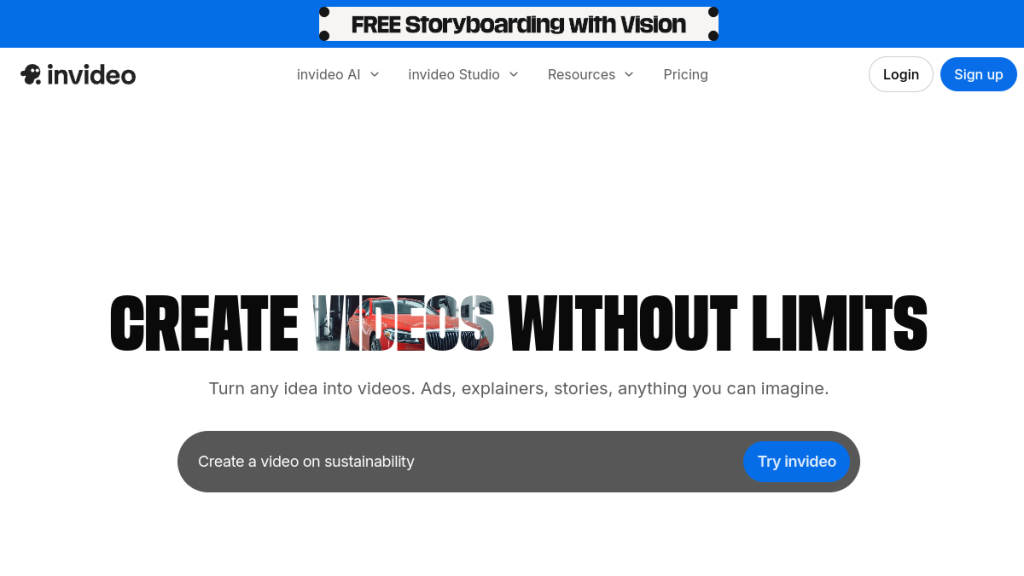
Video content drives 3x more engagement than text, but creating videos takes 4x longer than writing articles. InVideo AI promises to flip that equation—turn any script or blog post into polished video content in minutes, not hours.
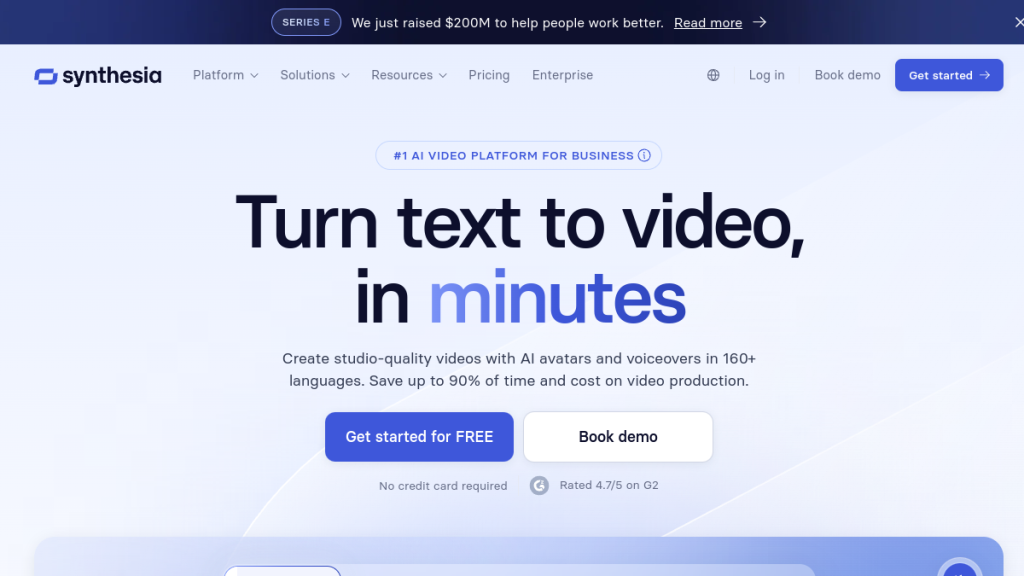
InVideo AI has emerged as one of the most accessible text-to-video platforms in 2026, promising to turn any idea into a polished video within minutes. But with competitors like Pictory, Synthesia, and HeyGen all vying for your attention (and budget), is InVideo AI actually worth the investment?
After testing the platform extensively, I’ll break down exactly what InVideo AI offers, what it costs, and whether it deserves a spot in your content creation toolkit.
Quick Verdict
⭐ Rating: 4.2/5
💰 Pricing: Free plan available; paid plans from $28/month
✅ Best For: Content creators, marketers, and small businesses who need fast video production without editing skills
❌ Skip If: You need granular timeline control, produce cinematic content, or require advanced visual effects
Table of Contents
- What is InVideo AI?
- Key Features
- Pricing Plans
- Pros and Cons
- Who Should Use InVideo AI?
- InVideo AI vs Alternatives
- FAQs
- Final Verdict
What is InVideo AI?
InVideo AI is a cloud-based video creation platform that uses artificial intelligence to transform text prompts, scripts, or articles into complete videos. Think of it as your personal video production assistant that handles scriptwriting, media sourcing, voiceovers, and editing—all based on simple text instructions.
Unlike traditional video editors that require you to manually drag clips onto timelines, InVideo AI takes a conversational approach. You describe what you want, and the AI assembles everything: script, visuals, voiceover, music, and subtitles. Need changes? Just type your edit request into what InVideo calls the “Magic Box.”
The platform launched its AI-powered capabilities as a separate product from InVideo Studio (their traditional editor), and it’s specifically designed for people who need videos fast without the learning curve of professional editing software.
How It Works
- Input your idea: Type a text prompt describing your video (e.g., “Create a 2-minute explainer video about cryptocurrency for beginners”)
- AI generates a draft: InVideo AI creates a complete video with script, stock footage, voiceover, and music
- Refine with text commands: Use the Magic Box to request changes (“make the intro more energetic” or “replace the background music with something upbeat”)
- Export and share: Download in your preferred resolution or share directly to social platforms
Key Features
AI-Powered Idea-to-Video Generation
The core feature of InVideo AI is its ability to turn any text prompt into a complete video. Describe your topic, target audience, and desired tone—the AI handles the rest. It’s remarkably effective for:
- YouTube videos
- Social media content (TikTok, Instagram Reels, YouTube Shorts)
- Marketing and promotional videos
- Educational content
- Product explainers
The AI doesn’t just slap random footage together. It analyzes your prompt, generates a coherent script, and selects visuals that actually match your content. The results are surprisingly watchable right out of the box.
Intelligent Script Generation
Don’t have a script? No problem. InVideo AI generates engaging, structured scripts based on your topic and target audience. The scripts include proper pacing, hook-driven intros, and clear calls-to-action.
You can also paste your own script or even an entire article, and the AI will transform it into a video script with appropriate visual cues.
Massive Stock Media Library
InVideo AI integrates with a library of over 16 million royalty-free assets, including:
- Stock video footage
- Images and photos
- Background music tracks
- Sound effects
On paid plans, you also get access to premium iStock content—80 to 320 assets per month depending on your tier. This alone can save hundreds of dollars compared to licensing stock footage separately.
Text-Based Editing (Magic Box)
This is where InVideo AI genuinely shines. Instead of wrestling with timeline editors, you make changes by typing commands:
- “Change the voiceover to a British accent”
- “Make the video 30 seconds shorter”
- “Add captions in Spanish”
- “Replace the third scene with footage of a modern office”
- “Add an upbeat intro with the company logo”
The AI interprets your request and applies the changes. It’s not perfect—sometimes it takes 2-3 attempts to get exactly what you want—but it’s dramatically faster than traditional editing.
Realistic AI Voiceovers
Choose from dozens of AI voices across multiple languages and accents. The voices are remarkably natural-sounding—a significant improvement over the robotic text-to-speech of a few years ago.
Supported languages include English (multiple accents), Spanish, French, German, Portuguese, Hindi, and many more. This makes InVideo AI particularly valuable for creating content that reaches international audiences.
Voice Cloning
On Plus plans and above, InVideo AI offers voice cloning. Record a short sample of your own voice, and the AI can generate voiceovers that sound like you—no more recording sessions or expensive voice actors.
You get 2 voice clones on the Plus plan, scaling up to 5 on Max and Generative tiers.
Multilingual Dubbing
Create a video once, then automatically dub it into 50+ languages. This feature alone can transform a single piece of content into a global marketing asset without hiring translators or voice actors.
Brand Kit
Maintain consistency across all your videos by saving:
- Company logos
- Brand colors
- Custom fonts
- Intro/outro templates
Once configured, your brand elements automatically apply to new videos, ensuring professional consistency without manual setup each time.
Automated Subtitles
InVideo AI automatically generates timed subtitles for every video. Given that 85% of Facebook videos are watched without sound, this isn’t a nice-to-have—it’s essential for engagement.
Generative AI Visuals
On the Generative plan ($96/month), InVideo AI can create unique images and video clips that don’t exist in stock libraries. Describe what you need, and the AI generates custom visuals specifically for your video.
This is useful when stock footage doesn’t quite fit your vision or when you need something unique that competitors can’t replicate.
Pricing
InVideo AI offers four pricing tiers, all available on monthly or yearly billing (save ~20% annually):
| Plan | Monthly Price | AI Minutes | iStock Assets | Storage | Voice Clones | Watermark |
|---|---|---|---|---|---|---|
| Free | $0 | 10 min/week | None | 10 GB | 0 | Yes |
| Plus | $28/mo | 50 min/mo | 80/month | 100 GB | 2 | No |
| Max | $48/mo | 200 min/mo | 320/month | 400 GB | 5 | No |
| Generative | $96/mo | 200 min/mo + Generative | 320/month | 400 GB | 5 | No |
Prices shown for annual billing. Monthly billing is ~25% higher.
Free Plan
- 10 minutes of AI video generation per week
- 4 exports per week (with InVideo watermark)
- Access to 2.5M+ standard stock media
- 10 GB storage
- No iStock access
- No generative features
Verdict: Good for testing, but the watermark makes it impractical for professional use.
Plus Plan ($28/month annually)
- 50 minutes of AI generation monthly
- Unlimited watermark-free exports
- 80 iStock assets per month
- 100 GB storage
- 2 voice clones
Verdict: Best value for solo creators and small businesses producing 4-8 videos per month.
Max Plan ($48/month annually)
- 200 minutes of AI generation monthly
- 320 iStock assets per month
- 400 GB storage
- 5 voice clones
Verdict: For content teams or prolific creators who need significant volume.
Generative Plan ($96/month annually)
- Everything in Max
- 15 minutes of generative AI credits monthly
- Custom AI-generated visuals
Verdict: Only worth it if stock footage consistently fails to meet your needs.
Enterprise
Custom pricing for organizations needing advanced security, flexible limits, and dedicated support.
Pros and Cons
Pros ✅
1. Dramatically Faster Video Creation
What used to take hours—scripting, sourcing footage, editing, adding voiceover—now takes minutes. For content creators under deadline pressure, this time savings is transformative.
2. Zero Learning Curve
If you can type, you can use InVideo AI. There’s no timeline to learn, no keyframes to understand, no export settings to configure. You just describe what you want.
3. Text-Based Editing is Genuinely Innovative
The Magic Box system for making edits through natural language is a significant. It’s not just a gimmick—it actually works and makes refinements surprisingly intuitive.
4. Excellent Stock Library
Access to 16M+ assets plus iStock integration means you rarely hit “I can’t find the right footage” problems. The AI is also smart about selecting relevant clips.
5. Affordable Entry Point
At $28/month for the Plus plan (with annual billing), InVideo AI undercuts most competitors while offering generous limits. The free plan also lets you test extensively before committing.
6. Quality AI Voiceovers
The voices sound natural—not robotic. Multiple languages and accents make international content production accessible without hiring voice talent.
7. Continuous Improvement
InVideo regularly ships updates. New AI models, additional voices, and feature improvements roll out frequently.
Cons ❌
1. Limited Granular Control
If you need frame-by-frame precision, custom animations, or specific visual effects, InVideo AI isn’t the tool. The AI makes decisions that sometimes aren’t quite right, and overriding them requires workarounds.
2. AI Output Requires Review
The first draft is rarely perfect. Expect to spend 10-20 minutes refining each video through Magic Box commands. It’s still fast, but “one-click perfect videos” isn’t reality.
3. Stock Media Dependency
Unless you’re on the Generative plan, you’re limited to what exists in stock libraries. This means your videos may look similar to others using the same platform.
4. Free Plan Watermark
The watermark on free exports makes the tier essentially a demo. You’ll need to upgrade for any professional use.
5. Generation Limits Can Feel Restrictive
50 minutes per month (Plus) sounds like a lot until you realize a 3-minute video might take 5-10 minutes of generation during the refinement process. Heavy users will hit limits.
6. No Offline Capability
Everything happens in the cloud. No internet connection means no video production.
Who Should Use InVideo AI?
Perfect For:
Content Creators & YouTubers
If you’re producing regular videos for YouTube, TikTok, or Instagram, InVideo AI can compress your production time from hours to minutes. It’s especially valuable for faceless channels or content that doesn’t require on-camera presence.
Marketers & Small Businesses
Need quick promotional videos, social media ads, or explainer content? InVideo AI lets you produce professional-looking marketing videos without hiring a video team or agency.
Educators & Trainers
Transform lesson plans, articles, or training materials into engaging video content. The AI handles visual selection, making educational content more digestible.
Bloggers & Writers
Repurpose written content into video format to reach audiences who prefer watching over reading. Paste your article, and InVideo AI creates a video version.
Agencies (High Volume)
For agencies producing multiple videos per client, InVideo AI can significantly increase output capacity without proportionally increasing costs.
Not Ideal For:
- Professional videographers who need precise creative control
- Cinematic productions requiring custom visuals and effects
- Brand-sensitive content where every frame must be perfect
- Complex narratives with specific visual storytelling requirements
InVideo AI vs Alternatives
InVideo AI vs Pictory
| Feature | InVideo AI | Pictory |
|---|---|---|
| Starting Price | $28/mo | $19/mo |
| AI Generation | Yes | Yes |
| Voice Cloning | Yes | No |
| Stock Library | 16M+ | Limited |
| Text-Based Editing | Yes (Magic Box) | No |
Verdict: InVideo AI offers more AI features and better stock access; Pictory is cheaper but more limited.
InVideo AI vs Synthesia
| Feature | InVideo AI | Synthesia |
|---|---|---|
| Starting Price | $28/mo | $18/mo |
| AI Avatars | No | Yes (125+) |
| Text-to-Video | Yes | Yes |
| Stock Media | Extensive | Limited |
| Best For | General content | Talking head videos |
Verdict: Choose Synthesia for AI avatar-driven content; choose InVideo AI for versatile video types with rich stock footage.
InVideo AI vs HeyGen
| Feature | InVideo AI | HeyGen |
|---|---|---|
| AI Avatars | No | Yes |
| Voice Cloning | Yes | Yes |
| Text-Based Editing | Yes | Limited |
| Video Translation | Yes | Yes (superior) |
Verdict: HeyGen excels at avatar-based videos and translation; InVideo AI is better for general content production.
FAQs
Is InVideo AI free to use?
Yes, InVideo AI offers a free plan with 10 minutes of AI generation per week and 4 exports. However, free exports include a watermark. For professional use, you’ll need a paid plan starting at $28/month.
Can InVideo AI create YouTube videos?
Absolutely. InVideo AI is well-suited for YouTube content, including tutorials, explainers, list videos, and commentary. It automatically selects appropriate aspect ratios and can generate YouTube-optimized thumbnails and titles.
Is InVideo AI content copyright-free?
Videos created with InVideo AI using their stock library are cleared for commercial use. However, you should review the licensing terms for iStock assets on premium plans, as some may have restrictions on specific commercial applications.
How long can InVideo AI videos be?
There’s no strict length limit, but longer videos consume more generation minutes from your monthly allowance. Most users create videos between 1-10 minutes. For longer content, you may need to generate in segments.
Can I use my own footage in InVideo AI?
Yes. You can upload your own video clips, images, and audio to incorporate alongside AI-generated content. This is useful for adding branded elements or specific footage the AI can’t source.
Does InVideo AI work for eCommerce product videos?
Yes. InVideo AI can create product showcases, promotional ads, and explainer videos for eCommerce. You’ll want to upload your own product images/footage for best results, then let the AI handle scripting and assembly.
What languages does InVideo AI support?
InVideo AI supports voiceovers and subtitles in 50+ languages, including English, Spanish, French, German, Portuguese, Hindi, Arabic, Chinese, Japanese, Korean, and many more. The dubbing feature can translate existing videos automatically.
Final Verdict
🏆 Our Verdict
InVideo AI delivers on its core promise: making video creation accessible to anyone who can type. The text-based editing system genuinely works, the AI output is impressively coherent, and the stock library eliminates most sourcing headaches.
At $28/month for the Plus plan, it’s reasonably priced for the value delivered—especially considering that a single freelance video editor might charge that much for one video.
However, it’s not magic. You’ll still spend time refining outputs, and the AI occasionally makes choices that require correction. For creators who need precise visual control, InVideo AI will feel constraining.
The Bottom Line
Recommended for: Content creators, marketers, small businesses, and anyone who needs videos fast without the editing learning curve.
Skip if: You’re a professional editor who needs frame-level control, or you’re producing high-end cinematic content.
Rating Breakdown
| Category | Score |
|---|---|
| Ease of Use | 4.8/5 |
| AI Quality | 4.0/5 |
| Features | 4.2/5 |
| Value for Money | 4.3/5 |
| Stock Library | 4.5/5 |
| Overall | 4.2/5 |
Try InVideo AI
Ready to see if InVideo AI fits your workflow? Start with the free plan to test the AI generation capabilities before committing to a paid tier.
This review is based on testing conducted in January-February 2026. Features and pricing are subject to change.