Midjourney creates stunning artwork, but you’re tired of juggling Discord commands, waiting in busy channels, and paying $10/month for a tool you use sporadically. The AI image generation space has exploded with alternatives that offer web interfaces, different pricing models, and sometimes even better results.
Midjourney has been the gold standard for AI image generation since 2022, producing stunning artistic images that feel almost magical. But with no free trial, Discord-only access, and plans starting at $10/month, you might be looking for alternatives that better fit your workflow or budget.
Whether you want a free option, better text rendering, more photorealistic results, or simply prefer a web interface over Discord, there’s a Midjourney alternative for you.
I’ve tested over 20 AI image generators to find the best Midjourney alternatives in 2026.
Quick Comparison: Best Midjourney Alternatives
| Tool | Best For | Free Option | Starting Price | Standout Feature |
|---|---|---|---|---|
| DALL-E 3 | ChatGPT users | Limited | $20/mo (ChatGPT Plus) | Seamless ChatGPT integration |
| Leonardo AI | Creative control | ✅ 150 tokens/day | $10/mo | Custom models + AI Canvas |
| Ideogram | Text in images | ✅ 10 credits/week | $7/mo | Best typography accuracy |
| Adobe Firefly | Adobe users | ✅ Limited | $4.99/mo | Commercial-safe training |
| Stable Diffusion | Power users | ✅ Open source | Free (hardware costs) | Full customization |
| Flux | Quality + speed | Via platforms | Varies | State-of-the-art quality |
| NightCafe | Beginners | ✅ 5 credits/day | $5.99/mo | Multiple AI models |
| Canva AI | Non-designers | ✅ Limited | $12.99/mo | Design suite integration |
| Playground AI | High volume | ✅ 100/day | $15/mo | Generous free tier |
| Bing Image Creator | Free users | ✅ Unlimited | Free | Powered by DALL-E 3 |
Why Look for Midjourney Alternatives?
Before diving into alternatives, let’s understand why you might want to switch:
Midjourney’s Limitations
- No Free Trial – Unlike most competitors, Midjourney requires a paid subscription to even try it
- Discord-Only – You must use Discord to generate images (no web app for core features)
- Learning Curve – Discord commands and parameters take time to master
- No API Access – Can’t integrate into your own apps or workflows easily
- Public by Default – All images are visible unless you pay $60+/month for Stealth Mode
- Queue Times – Popular times mean waiting for generations, even on paid plans
Midjourney Pricing Recap
For context, here’s what Midjourney costs in 2026:
| Plan | Monthly | Annual (20% off) | Fast GPU Hours | Stealth Mode |
|---|---|---|---|---|
| Basic | $10 | $8/mo | 3.3 hrs | ❌ |
| Standard | $30 | $24/mo | 15 hrs | ❌ |
| Pro | $60 | $48/mo | 30 hrs | ✅ |
| Mega | $120 | $96/mo | 60 hrs | ✅ |
Now let’s explore your options.
1. DALL-E 3 (via ChatGPT Plus)
Best for: ChatGPT users who want seamless AI image generation
Overview
DALL-E 3 is OpenAI‘s latest image generation model, and it’s remarkably good at understanding complex prompts. What makes it special is the integration with ChatGPT – you can have a conversation to refine your images, making it incredibly beginner-friendly.
Key Features
- Conversational Generation – Describe what you want in natural language, refine with follow-ups
- Excellent Prompt Understanding – Handles complex, multi-part prompts better than most
- Automatic Prompt Enhancement – ChatGPT improves your prompts behind the scenes
- Multiple Styles – Photorealistic, artistic, cartoon, and more
- In-painting – Edit specific parts of generated images
Pricing
| Access Method | Price | Generations |
|---|---|---|
| ChatGPT Plus | $20/mo | ~50 images/3 hours |
| ChatGPT Pro | $200/mo | Unlimited |
| API | $0.04-$0.12/image | Pay per use |
| Bing Image Creator | Free | Unlimited (slower) |
✅ Pros
- Natural language interface (no command learning)
- Excellent at understanding complex scenes
- ChatGPT helps refine prompts
- Free option via Bing Image Creator
- Good text rendering (improved significantly)
❌ Cons
- Limited generations on ChatGPT Plus
- Less artistic/stylized than Midjourney
- Can refuse certain prompts (Content policy)
- No custom model training
- Slower than dedicated platforms
Who Should Use DALL-E 3?
Choose DALL-E 3 if you’re already a ChatGPT user and want the convenience of generating images in the same interface. It’s also excellent for beginners who don’t want to learn prompt engineering.
2. Leonardo AI
Best for: Creatives who want control over their generations with custom models
Overview
Leonardo AI has evolved from a gaming asset generator into a full creative suite. It offers fine-tuned models for different styles, an interactive AI Canva.com” rel=”nofollow” target=”_blank”>Canvas for editing, and even video generation. The free tier is generous enough to actually use.
Key Features
- Multiple Specialized Models – Anime, photorealism, concept art, and more
- AI Canvas – Interactive editor for inpainting, outpainting, and refinement
- Custom Model Training – Train your own models on specific styles
- 3D Texture Generation – Apply AI textures to 3D models
- Video Generation – Create short videos from images or text (including Veo 3 integration)
- Image Guidance – Upload reference images to guide generations
Pricing
| Plan | Monthly | Annual | Fast Tokens/mo |
|---|---|---|---|
| Free | $0 | $0 | 150/day |
| Apprentice | $12 | $10/mo | 8,500 |
| Artisan | $30 | $24/mo | 25,000 |
| Maestro | $60 | $48/mo | 60,000 |
✅ Pros
- Generous free tier (150 tokens daily)
- Multiple fine-tuned models included
- Excellent AI Canvas for editing
- Video generation available
- Custom model training
- Web-based (no Discord needed)
❌ Cons
- Token system can be confusing
- Premium video features burn tokens fast (Veo 3 = 2,500 tokens for 8 seconds)
- “Unlimited relaxed” excludes best models
- Quality varies by model choice
- Interface has learning curve
Who Should Use Leonardo AI?
Leonardo AI is perfect for artists, game developers, and content creators who want more control over their generations. The ability to train custom models and use the AI Canvas for precise editing makes it a powerful Midjourney alternative.
3. Ideogram
Best for: Anyone who needs accurate text in their AI images
Overview
Ideogram’s claim to fame is something that has plagued AI image generators for years: text rendering. While Midjourney and others often produce gibberish text, Ideogram consistently generates clear, accurate typography. This makes it invaluable for logos, posters, memes, and social media graphics.
Key Features
- Industry-Leading Text Accuracy – Generates readable text inside images
- Multiple Style Presets – Realistic, anime, 3D, design, general
- Image Upload/Reference – Guide generations with your own images
- Character Consistency – Create the same character across multiple images
- Batch Generation – Generate hundreds of images from a spreadsheet (Pro)
- Magic Prompt – AI-enhanced prompt suggestions
Pricing
| Plan | Monthly | Annual | Priority Credits | Slow Credits |
|---|---|---|---|---|
| Free | $0 | $0 | 0 | 10/week |
| Basic | $8 | $7/mo | 400/mo | 100/day |
| Plus | $20 | $15/mo | 1,000/mo | Unlimited |
| Pro | $60 | $42/mo | 3,500/mo | Unlimited |
✅ Pros
- Best-in-class text rendering
- Usable free tier
- Clean web interface
- Character consistency feature
- Private generation on Plus+
- Batch generation for scale
❌ Cons
- Overall image quality below Midjourney for some styles
- Free tier very limited (10/week)
- Credit costs vary by settings
- Fewer artistic styles than competitors
- Newer platform, smaller community
Who Should Use Ideogram?
If you create content that includes text – logos, social media graphics, posters, merchandise designs, memes – Ideogram is your best choice. No other AI image generator comes close to its typography accuracy.
4. Adobe Firefly
Best for: Creative professionals who need commercially-safe images
Overview
Adobe Firefly is trained exclusively on licensed Adobe Stock images and public domain content, meaning everything you generate is safe for commercial use without copyright concerns. It’s integrated into Photoshop, Illustrator, and other Creative Cloud apps.
Key Features
- Commercially Safe – Trained only on licensed/public domain content
- Creative Cloud Integration – Built into Photoshop, Illustrator, Express
- Generative Fill – Add or remove elements in existing images
- Text Effects – Apply AI-generated styles to typography
- Vector Generation – Create scalable graphics (Illustrator)
- Structure Reference – Match the composition of reference images
Pricing
| Plan | Price | Credits | Key Features |
|---|---|---|---|
| Free | $0 | 25/mo | Basic generation |
| Firefly Pro | $4.99/mo | 100/mo | More credits, priority |
| Firefly Premium | $9.99/mo | 500/mo | Even more credits |
| Creative Cloud All Apps | $59.99/mo | 1,000/mo | Full Adobe suite |
Note: From January-March 2026, Adobe is offering unlimited generations on paid plans as a promotional period.
✅ Pros
- 100% commercially safe (no copyright concerns)
- Deep Adobe suite integration
- Generative Fill is incredibly useful
- Professional, polished output
- Vector generation (unique feature)
- Content Credentials for transparency
❌ Cons
- Less artistic/creative than Midjourney
- Lower output variety
- Requires Creative Cloud for full features
- More conservative/safe output (by design)
- Credit limits can feel restrictive
Who Should Use Adobe Firefly?
Adobe Firefly is the safest choice for commercial projects where copyright is a concern. If you’re already in the Adobe ecosystem, the integration alone makes it worth using alongside your other tools.
5. Stable Diffusion
Best for: Power users who want full control and unlimited free generations
Overview
Stable Diffusion is the open-source champion of AI image generation. You can run it locally on your own hardware, giving you unlimited free generations with complete privacy. The trade-off is technical complexity and hardware requirements.
Key Features
- Completely Free – Download and run locally at no cost
- Open Source – Full transparency, active community
- Unlimited Generations – Only limited by your hardware
- Complete Privacy – Nothing uploaded to external servers
- Massive Model Ecosystem – Thousands of community fine-tuned models
- Full Customization – ControlNet, LoRA, custom training
Pricing
| Option | Cost | Requirements |
|---|---|---|
| Local Install | Free | GPU with 8GB+ VRAM |
| Cloud Services | $0.01-0.10/image | None |
| Managed Platforms | Varies | None |
✅ Pros
- Completely free (if you have hardware)
- Unlimited generations
- Total privacy
- Thousands of community models
- Full customization control
- No content restrictions
❌ Cons
- Requires technical knowledge
- Needs capable GPU ($500+ investment)
- Setup can be challenging
- No official support
- Quality depends on model choice
- Learning curve is steep
Who Should Use Stable Diffusion?
Stable Diffusion is ideal for technical users who want maximum control, unlimited generations, and complete privacy. If you’re comfortable with command lines and have a decent GPU, it’s the most powerful option available.
6. Flux (by Black Forest Labs)
Best for: Users seeking the latest in image quality
Overview
Flux is the new kid on the block that’s already making waves. Created by former Stability AI researchers, it produces images that rival or exceed Midjourney in quality while being available through various platforms and APIs.
Key Features
- State-of-the-Art Quality – Comparable to Midjourney V6
- Multiple Variants – Pro (highest quality), Dev (good balance), Schnell (fastest)
- Excellent Prompt Adherence – Handles complex prompts accurately
- Fast Generation – Schnell model generates in seconds
- Available Everywhere – Integrated into Leonardo, NightCafe, Replicate, and more
Pricing
Flux is available through various platforms:
| Platform | Flux Access | Starting Price |
|---|---|---|
| Replicate API | All variants | $0.003-0.055/image |
| Leonardo AI | Included | $10/mo |
| NightCafe | Included | $5.99/mo |
| Local (Dev/Schnell) | Free | GPU required |
✅ Pros
- Exceptional image quality
- Excellent prompt understanding
- Available across many platforms
- Fast generation (Schnell)
- Open weights available (Dev, Schnell)
- Active development
❌ Cons
- Pro version only via API/platforms
- Relatively new (smaller community)
- Documentation still developing
- Best results require good prompting
- Platform availability varies
Who Should Use Flux?
If image quality is your top priority and you’re comfortable with API access or using it through platforms like Leonardo AI, Flux delivers results that can match Midjourney.
7. NightCafe
Best for: Beginners who want to try multiple AI models
Overview
NightCafe is a user-friendly platform that aggregates multiple AI image models in one place. You can use Stable Diffusion, DALL-E, and other models without managing separate subscriptions, making it great for experimentation.
Key Features
- Multiple AI Models – Stable Diffusion, DALL-E 2, and more in one platform
- Credit System – Buy credits and use across all models
- Daily Free Credits – 5 free credits every day
- Community Features – Share, like, and get inspired by others
- Style Transfer – Apply artistic styles to existing images
- Print-on-Demand – Order prints of your creations
Pricing
| Plan | Price | Credits/mo | Features |
|---|---|---|---|
| Free | $0 | ~150 (5/day) | All models, community |
| Hobbyist | $5.99/mo | 200 | More credits |
| Enthusiast | $9.99/mo | 500 | Even more credits |
| Artist | $19.99/mo | 1,400 | Priority processing |
| Professional | $49.99/mo | 4,000 | Maximum credits |
✅ Pros
- Try multiple AI models in one place
- Daily free credits
- Very beginner-friendly
- Active community
- Print-on-demand integration
- Regular new model additions
❌ Cons
- Credit costs vary significantly by model
- Interface can feel cluttered
- Quality depends on chosen model
- Advanced features limited
- Not ideal for high-volume use
Who Should Use NightCafe?
NightCafe is perfect for beginners who want to experiment with different AI models before committing to one platform. The free daily credits and friendly interface make it low-risk to try.
8. Canva AI (Magic Media)
Best for: Non-designers who need quick graphics
Overview
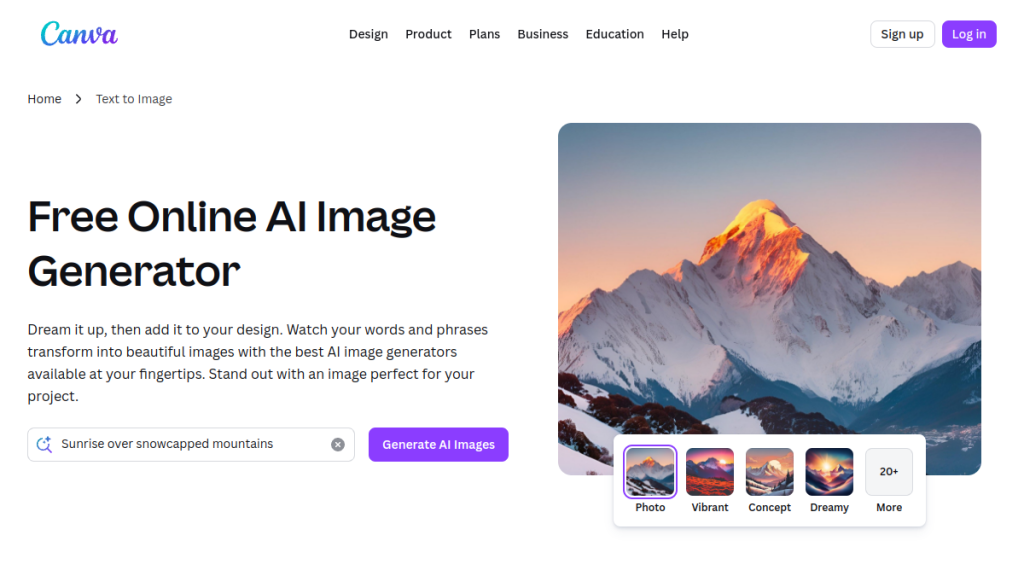
Canva’s Magic Media brings AI image generation directly into the world’s most popular design tool. If you already use Canva for social media graphics, presentations, or marketing materials, you can generate custom images without leaving the platform.
Key Features
- Integrated Design Tool – Generate images directly in Canva projects
- Template Integration – Use AI images in thousands of templates
- Text-to-Image – Generate from prompts
- Style Presets – Quick style selection for consistent output
- Brand Kit Integration – Match generated images to your brand
- One-Click Editing – Immediate access to Canva’s editing tools
Pricing
| Plan | Price | AI Features |
|---|---|---|
| Free | $0 | 50 Magic Media uses |
| Pro | $12.99/mo | 500 uses/mo |
| Teams | $14.99/user/mo | 500 uses/mo |
| Enterprise | Custom | Custom limits |
✅ Pros
- Seamless design workflow
- No learning curve for Canva users
- Instant template integration
- Good for quick social graphics
- Collaborative features
- Mobile-friendly
❌ Cons
- Image quality below Midjourney
- Limited customization
- Uses burn quickly
- Not for professional art
- Styles somewhat generic
- Requires Canva ecosystem
Who Should Use Canva AI?
If you’re already a Canva user creating social media content, marketing materials, or presentations, Magic Media lets you generate custom images without disrupting your workflow.
9. Playground AI
Best for: High-volume creators who want generous free access
Overview
Playground AI offers one of the most generous free tiers in the industry – 100 images per day at no cost. For hobbyists and creators who need volume without paying, it’s an excellent Midjourney alternative.
Key Features
- Generous Free Tier – 100 images per day free
- Mixed Image Editing – Combine AI generation with traditional editing
- Multiple Models – Access to various Stable Diffusion models
- Canvas Mode – Infinite canvas for complex compositions
- Community Feed – Explore and remix others’ creations
- Prompt Library – Save and organize your best prompts
Pricing
| Plan | Price | Daily Images | Features |
|---|---|---|---|
| Free | $0 | 100 | Standard models, slower queue |
| Pro | $15/mo | 2,000 | Priority, all models |
| Turbo | $45/mo | 5,000 | Fastest, highest priority |
✅ Pros
- Extremely generous free tier
- Good quality output
- Mixed editing capabilities
- Clean, modern interface
- Active community
- No Discord required
❌ Cons
- Quality below Midjourney
- Free tier has queue times
- Limited advanced features
- Model selection smaller than competitors
- Less suitable for professional work
Who Should Use Playground AI?
If you need to generate lots of images without paying, Playground AI’s 100 free images per day is unmatched. It’s great for practice, experimentation, and personal projects.
10. Bing Image Creator (Microsoft Designer)
Best for: Users who want DALL-E 3 quality for free
Overview
Microsoft’s Bing Image Creator uses DALL-E 3 under the hood and is completely free to use. While there are limitations compared to ChatGPT Plus, it’s the easiest way to access high-quality AI image generation without paying anything.
Key Features
- DALL-E 3 Powered – Same quality as ChatGPT’s image generation
- Completely Free – No subscription required
- Microsoft Account Only – Just need a free Microsoft account
- Boosts for Speed – Daily boosts for faster generation
- Designer Integration – Use in Microsoft Designer for templates
- Simple Interface – Just type and generate
Pricing
| Tier | Cost | Features |
|---|---|---|
| Free | $0 | Unlimited images, daily boosts |
✅ Pros
- Completely free
- DALL-E 3 quality
- No technical knowledge needed
- Simple, clean interface
- Daily boosts for speed
- Unlimited generations (slower without boosts)
❌ Cons
- Slower without boosts
- Limited customization
- No advanced features
- Stricter content policy
- No API access
- Can’t use for commercial purposes easily
Who Should Use Bing Image Creator?
Bing Image Creator is the best free option available. If you want DALL-E 3 quality without paying anything and don’t need commercial use rights, it’s a no-brainer.
How to Choose the Right Midjourney Alternative
Choose Based on Your Primary Need
| Your Need | Best Choice | Why |
|---|---|---|
| Free option | Bing Image Creator | DALL-E 3 quality, zero cost |
| Text in images | Ideogram | Best typography accuracy |
| ChatGPT user | DALL-E 3 | Seamless integration |
| Commercial safety | Adobe Firefly | Licensed training data |
| Full control | Stable Diffusion | Open source, unlimited |
| Maximum quality | Flux | State-of-the-art results |
| Design workflow | Canva AI | Template integration |
| Experimentation | NightCafe | Multiple models |
| High volume | Playground AI | 100 free/day |
| Creative control | Leonardo AI | Custom models + Canvas |
Decision Framework
Budget Conscious?
→ Start with Bing Image Creator (free DALL-E 3) or Playground AI (100/day free)
Need Text in Images?
→ Ideogram is the only reliable choice for accurate typography
Already Using Other Tools?
→ DALL-E 3 if ChatGPT, Firefly if Adobe, Canva AI if Canva
Want Maximum Control?
→ Stable Diffusion (technical) or Leonardo AI (user-friendly)
Prioritize Quality Above All?
→ Flux or Leonardo AI with premium models
FAQs
Is there a free alternative to Midjourney?
Yes, several! Bing Image Creator offers unlimited DALL-E 3 generations for free. Playground AI gives you 100 free images per day. Leonardo AI provides 150 free tokens daily. For completely unlimited free generations, you can run Stable Diffusion locally if you have compatible hardware.
Which Midjourney alternative has the best image quality?
Flux and DALL-E 3 both produce results comparable to Midjourney V6 in many styles. For artistic and creative images, Leonardo AI with the right model can also match Midjourney’s aesthetic quality. Midjourney still leads in certain artistic styles, but the gap has narrowed significantly.
What’s the best alternative for generating text in images?
Ideogram is the clear winner for text rendering. While DALL-E 3 has improved its text generation, Ideogram remains more consistent and accurate, especially for logos, posters, and designs with prominent typography.
Can I use AI-generated images commercially?
It depends on the tool. Adobe Firefly is the safest for commercial use as it’s trained only on licensed content. Most paid plans on other platforms include commercial licenses, but always check the specific terms. Stable Diffusion running locally gives you full control over usage rights.
Which alternative is best for beginners?
DALL-E 3 via ChatGPT is the most beginner-friendly since you can describe what you want in natural language and have a conversation to refine results. Bing Image Creator is similarly easy if you want free access. Canva AI is excellent if you’re already using Canva for design work.
Is Midjourney still worth it in 2026?
Yes, if you prioritize artistic quality and don’t mind the Discord interface. Midjourney still produces distinctive, artistic images with a unique aesthetic that alternatives haven’t fully replicated. However, for specific needs (text generation, commercial safety, integration with other tools), alternatives may serve you better.
Can any alternative match Midjourney’s artistic style?
While alternatives have caught up in technical quality, Midjourney’s specific artistic aesthetic – that “Midjourney look” – remains unique. However, Leonardo AI with community-trained models and Stable Diffusion with specific fine-tunes can achieve similar vibes in many cases.
Final Verdict: The Best Midjourney Alternative in 2026
🏆 Our Verdict
There’s no single “best” alternative – it depends on what you need:
🏆 Best Overall Value: Leonardo AI
Generous free tier, excellent creative control, custom models, AI Canvas for editing, and video generation. It’s the most complete package at a competitive price.
🆓 Best Free Option: Bing Image Creator
DALL-E 3 quality at zero cost. If you just want good images without paying, start here.
✍️ Best for Text: Ideogram
Nothing else comes close for accurate typography in AI images.
🔒 Best for Commercial Safety: Adobe Firefly
Sleep well knowing your images won’t cause copyright issues.
⚡ Best for Power Users: Stable Diffusion
Unlimited, free, private, and infinitely customizable – if you’re willing to learn.
Have you tried any of these Midjourney alternatives? Share your experience in the comments below!