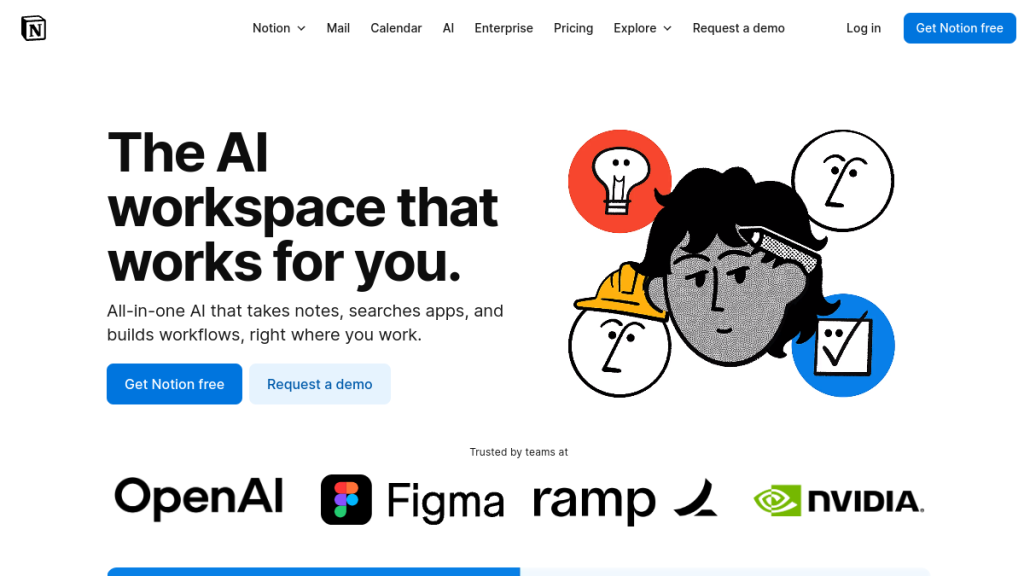
You’ve built your entire workflow around Notion, but now you’re hitting walls-slow AI responses, limited offline access, or features that just don’t quite fit your team’s needs. The good news? A new generation of productivity tools is emerging that might solve exactly what’s frustrating you about Notion AI.
Whether you’re frustrated with Notion’s pricing, need better offline support, want more powerful AI features, or simply prefer a different approach to knowledge management—you’re in the right place.
I’ve tested over 100 productivity tools to find the best Notion AI alternatives in 2026. This guide covers everything from AI-native platforms to privacy-focused options, with honest assessments of what each tool does better (and worse) than Notion.
Quick Comparison: Best Notion AI Alternatives
| Tool | Best For | Starting Price | AI Features | Offline Mode |
|---|---|---|---|---|
| Coda | Powerful databases & formulas | Free / $10/mo | ✅ Excellent | ❌ No |
| ClickUp | All-in-one project management | Free / $7/mo | ✅ Good | ✅ Yes |
| Mem | AI-native personal knowledge | Free / $12/mo | ✅ Excellent | ❌ Limited |
| Obsidian | Privacy & local-first | Free / $5/mo | ⚡ Plugins | ✅ Yes |
| Tana | Daily notes & supertags | Free / $10/mo | ✅ Good | ❌ No |
| Anytype | Privacy & data ownership | Free / $5/mo | ⚡ Basic | ✅ Yes |
| Microsoft Loop | Microsoft 365 users | $12.50/user/mo | ✅ Copilot | ✅ Yes |
| Slite | Team knowledge bases | $10/user/mo | ✅ Excellent | ❌ No |
| Xtiles | Visual note-taking | Free / $8/mo | ⚡ Coming | ✅ Yes |
| Taskade | AI workflow automation | Free / $8/mo | ✅ Excellent | ✅ Yes |
| AppFlowy | Open-source Notion clone | Free | ⚡ Basic | ✅ Yes |
| Craft | Beautiful Apple-native docs | Free / $8/mo | ✅ Good | ✅ Yes |
Why Look for Notion AI Alternatives?
Notion is powerful, but it’s not perfect. Here’s why people switch:
Pricing concerns:
- Notion AI costs $10/member/month on top of your plan
- Team plans start at $12/user/month
- Costs add up fast for growing teams
Missing features:
- No true offline mode (server-sync issues)
- Limited automation capabilities
- Database performance slows with large datasets
- No native desktop app (Electron wrapper)
AI limitations:
- AI features require additional subscription
- Less sophisticated than AI-native alternatives
- Limited to Notion’s ecosystem
Privacy concerns:
- Cloud-only storage
- Data stored on Notion’s servers
- No self-hosting option
Let’s explore the best alternatives for each use case.
1. Coda – Best Overall Notion Alternative
Best for: Teams who need powerful databases, formulas, and automation
What is Coda?
Coda combines documents, spreadsheets, and databases into a flexible workspace. Think of it as Notion meets Excel with a visual app builder. It’s the closest direct competitor to Notion in terms of features.
Key Features
- Advanced formulas: More powerful than Notion’s formulas, closer to Excel functionality
- Coda Packs: Native integrations that bring external data into your docs (Google Calendar, Slack, Figma, etc.)
- Automation builder: Built-in automation with triggers, conditions, and actions
- Cross-doc sync: Link data between documents seamlessly
- AI assistant: Summarize, translate, generate content, and create tables from prompts
- Publishing: Turn docs into public websites or internal tools
Coda AI Features
- AI-powered columns that auto-fill based on row content
- Chat with your documents
- AI content blocks that update dynamically
- AI reviewer that leaves improvement suggestions
- Generate personalized content at scale
Pricing
| Plan | Price | Best For |
|---|---|---|
| Free | $0 | Individuals, small projects |
| Pro | $10/maker/mo | Power users, freelancers |
| Team | $30/maker/mo | Small teams |
| Enterprise | $60/maker/mo | Large organizations |
Note: Viewers and editors are free-you only pay for “makers” who build docs.
✅ Pros
- More powerful database features than Notion
- Native automation (no Zapier needed for basics)
- Coda Packs bring external data in-app
- AI integrated into database columns
- Free viewers/editors model is cost-effective
❌ Cons
- Steeper learning curve
- No offline mode
- Less intuitive for simple note-taking
- Enterprise plan is expensive
Who Should Use Coda?
Choose Coda if you want more powerful databases and automation than Notion offers. It’s ideal for teams building internal tools, CRMs, or complex workflows.
→ Try Coda Free
2. ClickUp – Best for Project Management
Best for: Teams who need robust project management with AI assistance
What is ClickUp?
ClickUp started as a project management tool and evolved into an all-in-one workspace. It has more built-in features than Notion for task tracking, time management, and team collaboration.
Key Features
- Multiple views: List, Board, Calendar, Gantt, Timeline, Workload, Table, Map, Mind Map
- Goals & OKRs: Built-in goal tracking with progress metrics
- Time tracking: Native time tracker (no integrations needed)
- Whiteboards: Visual collaboration and brainstorming
- Docs: Rich document editor with nested pages
- Dashboards: Custom reporting with 50+ widgets
- Automations: 100+ pre-built automation templates
ClickUp AI Features
- Summarize tasks, docs, and comments
- Generate content, emails, and project updates
- Create subtasks from descriptions
- Translate content
- Improve writing quality
- AI-powered standups and status reports
Pricing
| Plan | Price | Best For |
|---|---|---|
| Free | $0 | Personal use |
| Unlimited | $7/user/mo | Small teams |
| Business | $12/user/mo | Mid-size teams |
| Enterprise | Custom | Large organizations |
ClickUp AI add-on: $7/member/month
✅ Pros
- More project management features than Notion
- Native time tracking and goals
- Better for structured workflows
- Whiteboards included
- Strong offline mode
❌ Cons
- Can feel overwhelming (feature bloat)
- Slower performance with large workspaces
- Mobile app less refined than desktop
- AI costs extra ($7/member)
Who Should Use ClickUp?
Choose ClickUp if you need serious project management alongside knowledge management. It’s overkill for simple note-taking but excellent for teams managing complex projects.
→ Try ClickUp Free
3. Mem – Best AI-Native Personal Knowledge Management
Best for: Individuals who want AI to organize their knowledge automatically
What is Mem?
Mem is an AI-native knowledge platform designed from the ground up for personal productivity. Unlike Notion where you organize manually, Mem uses AI to tag, connect, and surface your notes automatically.
Key Features
- AI auto-organization: Notes are automatically tagged and categorized
- Voice notes: Speak and let AI transcribe and organize
- Smart search: Find anything by meaning, not just keywords
- Related notes: AI surfaces connected information as you write
- Collections: AI-powered groupings of related content
- Transformations: Convert notes to proposals, emails, or other formats
Mem AI Features
- Self-organizing workspace (minimal manual filing)
- Time-aware AI (“What did I write last week?”)
- Voice-to-structured-note conversion
- Side-by-side AI suggestions while writing
- Chat with your entire knowledge base
Pricing
| Plan | Price | Best For |
|---|---|---|
| Free | $0 | Basic note-taking |
| Plus | $12/mo | Full AI features |
| Business | Custom | Teams |
✅ Pros
- AI-native-designed for AI from the start
- Zero-effort organization
- Voice input with AI structuring
- Related notes surfaced automatically
- Clean, focused interface
❌ Cons
- Not for teams (very personal-focused)
- Limited database/table features
- Newer platform (less mature)
- No offline mode
- Weaker project management
Who Should Use Mem?
Choose Mem if you’re tired of manually organizing notes and want AI to do the heavy lifting. Perfect for knowledge workers who capture lots of information but hate filing.
→ Try Mem Free
4. Obsidian – Best for Privacy & Local-First
Best for: Power users who want complete data ownership and offline access
What is Obsidian?
Obsidian is a local-first markdown editor that stores everything as plain text files on your computer. No cloud sync required (though available). It has a massive plugin ecosystem for customization.
Key Features
- Local storage: Your notes are just markdown files you own
- Graph view: Visual map of how your notes connect
- Backlinks: Automatic connections between related notes
- Plugin ecosystem: 1,500+ community plugins
- Customizable: Themes, CSS snippets, and layout options
- Canvas: Infinite whiteboard for visual thinking
Obsidian AI Features (via plugins)
- Copilot plugin: ChatGPT-powered assistant
- Smart Connections: AI-powered related notes
- Text Generator: AI writing assistance
- Ollama integration: Local AI models (no cloud)
- Community plugins for various AI models
Pricing
| Plan | Price | Best For |
|---|---|---|
| Personal | Free | Individuals |
| Commercial | $50/user/year | Business use |
| Sync | $5/mo | Cross-device sync |
| Publish | $10/mo | Public websites |
✅ Pros
- Complete data ownership
- Works offline forever
- Incredible plugin ecosystem
- Markdown files = future-proof
- No subscription for core features
- Self-host AI with Ollama
❌ Cons
- Steeper learning curve
- No real-time collaboration
- Mobile apps less polished
- No native database features
- Setup required for AI features
Who Should Use Obsidian?
Choose Obsidian if data privacy and ownership matter most. Ideal for researchers, developers, and anyone who wants their notes as portable, plain-text files.
→ Download Obsidian Free
5. Tana – Best for Networked Thinking
Best for: Power users who want structured daily notes with powerful tagging
What is Tana?
Tana is a newer entrant that combines outlining, databases, and note-taking into a unique “supertag” system. Everything is a node, and nodes can have types, fields, and behaviors.
Key Features
- Supertags: Tags that carry structure (fields, views, behaviors)
- Live searches: Queries that update in real-time
- Day pages: Daily notes as the primary entry point
- Nodes not pages: Everything is a reusable, linkable node
- Command nodes: Automations and calculations inline
- Templates: Supertag templates for consistent structure
Tana AI Features
- AI field types that auto-populate
- Semantic search across your graph
- AI-powered suggestions
- Generate content within any node
- AI commands for transformations
Pricing
| Plan | Price | Best For |
|---|---|---|
| Free | $0 | Core features |
| Plus | $10/mo | AI + advanced features |
| Pro | $25/mo | Teams + priority support |
✅ Pros
- Unique supertag system is powerful
- Great for daily notes → knowledge base
- Live searches are dynamic
- Node-based approach is flexible
- Active, passionate community
❌ Cons
- Significant learning curve
- No offline mode yet
- Newer = less stable/documented
- No mobile app (yet)
- Different paradigm takes adjustment
Who Should Use Tana?
Choose Tana if you want a different approach to knowledge management-where daily notes naturally evolve into a structured, queryable database. Great for PKM enthusiasts.
→ Try Tana Free
6. Anytype – Best for Privacy Advocates
Best for: Users who want Notion-like features with complete privacy
What is Anytype?
Anytype is an open-source, local-first workspace that encrypts everything end-to-end. It offers Notion-like features (pages, databases, relations) with no cloud dependency.
Key Features
- Local-first: Data stored on your device, synced peer-to-peer
- End-to-end encryption: Even Anytype can’t read your data
- Types & relations: Notion-like databases with connections
- Sets & collections: Dynamic views of your data
- Graph view: Visualize object relationships
- Templates: Reusable structures for consistent capture
Anytype AI Features
- Currently limited
- AI features in development
- Focus is on privacy, not AI
Pricing
| Plan | Price | Best For |
|---|---|---|
| Local | Free | Individual, offline |
| Network | $5/mo | Sync across devices |
| Builder | $10/mo | Extended storage |
✅ Pros
- True data ownership
- End-to-end encryption
- Works completely offline
- Open-source and transparent
- Notion-like UX without cloud
- Very affordable
❌ Cons
- AI features lacking
- Smaller ecosystem
- Sync can be slower than cloud
- Fewer integrations
- Still maturing
Who Should Use Anytype?
Choose Anytype if you want Notion’s flexibility with zero cloud dependency. Perfect for privacy-conscious users who refuse to store data on corporate servers.
→ Download Anytype Free
7. Microsoft Loop – Best for Microsoft 365 Users
Best for: Teams already using Microsoft 365 who want Notion-like collaboration
What is Microsoft Loop?
Microsoft Loop is Microsoft’s answer to Notion-a flexible workspace with pages, components, and collaboration features. It integrates deeply with Teams, Outlook, and other M365 apps.
Key Features
- Loop components: Live content blocks that sync across M365 apps
- Workspaces: Collaborative spaces for teams
- Pages: Notion-like flexible documents
- Tables: Database-like structured data
- Integration: Native with Teams, Outlook, Word, PowerPoint
- Real-time collaboration: Multiple users editing simultaneously
Microsoft Loop AI Features (Copilot)
- Generate content from prompts
- Summarize pages and discussions
- Create tables from descriptions
- Draft emails and messages
- Analyze data and suggest insights
- Integrated with Microsoft Copilot ecosystem
Pricing
| Plan | Price | Best For |
|---|---|---|
| M365 Personal | $7/mo | Individuals |
| M365 Business Basic | $6/user/mo | Basic business |
| M365 Business Standard | $12.50/user/mo | Full features |
| M365 Business Premium | $22/user/mo | Advanced security |
Copilot add-on: $30/user/month for M365 Copilot
✅ Pros
- Deep M365 integration
- Loop components work in Teams/Outlook
- Familiar Microsoft UX
- Strong collaboration features
- Enterprise-grade security
- Part of existing M365 subscription
❌ Cons
- Requires M365 subscription
- Less flexible than Notion
- Copilot is expensive ($30/user)
- Newer, fewer features than Notion
- Microsoft lock-in
Who Should Use Microsoft Loop?
Choose Microsoft Loop if your team is already invested in Microsoft 365. The cross-app component sync is powerful if you live in Teams and Outlook.
→ Try Microsoft Loop
8. Slite – Best for Team Knowledge Bases
Best for: Teams who need a simple, AI-powered internal wiki
What is Slite?
Slite is a team knowledge base with strong AI features for finding and creating documentation. It’s simpler than Notion but more focused on team knowledge management.
Key Features
- Channels: Organize docs by topic/team
- Templates: Start from pre-built structures
- Ask Slite: AI-powered Q&A across your docs
- Discussions: Comment threads on any content
- Collections: Curated groups of related docs
- Verification: Mark docs as verified/outdated
Slite AI Features
- Ask button: Get instant answers from your knowledge base
- AI writing: Generate, summarize, and improve content
- Smart suggestions: AI recommends related docs
- Auto-tagging: AI categorizes content
- Summarization: Condense long documents
Pricing
| Plan | Price | Best For |
|---|---|---|
| Standard | $10/user/mo | Small teams |
| Premium | $15/user/mo | Larger teams |
| Enterprise | Custom | Large organizations |
✅ Pros
- Simpler than Notion (faster adoption)
- AI-powered search is excellent
- Built for team knowledge
- Clean, focused interface
- Verification system for accuracy
❌ Cons
- Less flexible than Notion
- No personal use plan
- Limited database features
- Fewer integrations
- No offline mode
Who Should Use Slite?
Choose Slite if you need a team knowledge base without Notion’s complexity. The AI-powered “Ask” feature is excellent for finding information fast.
→ Try Slite
9. Taskade – Best for AI Workflow Automation
Best for: Teams who want AI agents to automate workflows
What is Taskade?
Taskade combines documents, tasks, and AI agents into a unified workspace. Its standout feature is AI agents that can autonomously complete workflows.
Key Features
- AI agents: Autonomous workflows that run tasks
- Five views: List, Board, Action, Table, Org Chart, Mind Map
- Real-time collaboration: Multiple users, video chat built-in
- Templates: 500+ pre-built templates
- Automations: Workflow automation with triggers
- Projects: Nested task structures
Taskade AI Features
- AI agents: Create custom agents for specific workflows
- AI chat: Generate content, brainstorm, plan
- AI writing: Draft, expand, summarize
- AI project generation: Create full projects from prompts
- Autonomous tasks: Agents complete work independently
Pricing
| Plan | Price | Best For |
|---|---|---|
| Free | $0 | Basic features |
| Pro | $8/user/mo | Full AI features |
| Business | $16/user/mo | Advanced collaboration |
| Enterprise | Custom | Large organizations |
✅ Pros
- AI agents are unique and powerful
- Video chat built-in
- Good free plan
- Fast, lightweight
- Cross-platform with offline
❌ Cons
- Interface can feel busy
- AI agents require setup
- Less mature than Notion
- Database features limited
- Smaller community
Who Should Use Taskade?
Choose Taskade if you want AI agents that automate workflows-not just assist with writing. Great for teams exploring autonomous AI.
→ Try Taskade Free
10. AppFlowy – Best Open-Source Alternative
Best for: Users who want Notion’s UX with complete openness
What is AppFlowy?
AppFlowy is an open-source Notion alternative you can self-host. It aims to provide Notion-like features while keeping data completely under your control.
Key Features
- Open-source: Fully transparent, customizable
- Self-hosted: Run on your own servers
- Notion-like editor: Blocks, databases, pages
- Offline-first: Works without internet
- Cross-platform: Desktop, mobile, web
- Plugins: Extensible architecture
AppFlowy AI Features
- Basic AI writing assistance
- AI features still developing
- Can integrate with local AI models
- Community plugins for AI
Pricing
| Plan | Price | Best For |
|---|---|---|
| Self-hosted | Free | DIY users |
| Cloud | Coming soon | Easier setup |
✅ Pros
- Completely free and open-source
- Self-host = total control
- Notion-like experience
- Active development
- Growing community
- Offline works perfectly
❌ Cons
- Self-hosting requires tech skills
- Fewer features than Notion
- AI is basic
- Smaller ecosystem
- No hosted option yet
Who Should Use AppFlowy?
Choose AppFlowy if you want Notion’s UX with open-source transparency. Ideal for developers or privacy advocates who can self-host.
→ Download AppFlowy Free
11. Craft – Best for Apple Users
Best for: Apple ecosystem users who want beautiful documents
What is Craft?
Craft is a native Apple app for document creation with a focus on beautiful design and seamless iCloud integration. Think Notion meets Apple Notes with more style.
Key Features
- Native Apple design: Built for Mac, iPad, iPhone
- Cards: Unique content organization system
- Daily notes: Quick capture with daily pages
- Backlinks: Connect related documents
- Export: Beautiful PDF, markdown, and sharing
- iCloud sync: Seamless Apple device sync
Craft AI Features
- AI Assistant for writing
- Summarize and expand content
- Generate outlines and drafts
- Improve tone and clarity
- Ask questions about documents
Pricing
| Plan | Price | Best For |
|---|---|---|
| Free | $0 | Basic features |
| Pro | $8/mo | Full features |
| Business | $12/user/mo | Teams |
| Enterprise | Custom | Large organizations |
✅ Pros
- Beautiful Apple-native design
- Excellent offline support
- Fast and responsive
- Great for visual documents
- Seamless Apple ecosystem integration
❌ Cons
- Apple-only (no Windows)
- Less powerful databases
- Fewer integrations
- No web access on free plan
- Less flexible than Notion
Who Should Use Craft?
Choose Craft if you’re all-in on Apple and value beautiful, responsive document creation over database power.
→ Download Craft Free
12. Xtiles – Best for Visual Note-Taking
Best for: Visual thinkers who want spatial organization
What is Xtiles?
Xtiles combines the flexibility of Notion with the visual freedom of whiteboards. You arrange content tiles on an infinite canvas, creating spatial relationships.
Key Features
- Visual tiles: Place content anywhere on canvas
- Drag-and-drop: Complete spatial freedom
- Databases: Table, board, calendar, gallery views
- Nested pages: Sub-pages for depth
- Templates: Visual templates for different use cases
- Offline mode: Work without internet
Xtiles AI Features
- AI features coming soon
- Currently focused on visual organization
- No native AI yet
Pricing
| Plan | Price | Best For |
|---|---|---|
| Free | $0 | Basic features |
| Pro | $8/mo | Full features |
| Team | $12/user/mo | Collaboration |
✅ Pros
- Unique visual organization
- Best of Notion + Miro
- Offline support
- Clean interface
- Good free plan
❌ Cons
- No AI features yet
- Smaller user base
- Limited integrations
- Learning curve for visual approach
- No mobile app (web only on mobile)
Who Should Use Xtiles?
Choose Xtiles if you’re a visual thinker who wants spatial freedom that Notion’s linear pages don’t provide.
→ Try Xtiles Free
How to Choose the Right Notion Alternative
Decision Framework
Choose based on your top priority:
| If you need… | Choose |
|---|---|
| Most similar to Notion | Coda |
| Best project management | ClickUp |
| AI to organize for you | Mem |
| Complete data privacy | Obsidian or Anytype |
| Already use Microsoft | Microsoft Loop |
| Team knowledge base | Slite |
| Visual organization | Xtiles |
| Open-source | AppFlowy |
| Apple ecosystem | Craft |
| AI workflow automation | Taskade |
| Networked thinking | Tana |
Migration Tips
- Export from Notion – Use Notion’s built-in export (Markdown or HTML)
- Start small – Migrate one workspace/area at a time
- Test free plans – Most alternatives have generous free tiers
- Accept differences – No tool will be 1:1 identical
- Give it time – Adjustment takes 2-4 weeks
FAQs
Is Notion AI worth $10/month?
It depends on usage. For heavy users who leverage AI for writing, summarization, and database automation, $10/month can save hours. For occasional users, free AI alternatives (like ChatGPT) may suffice. Consider: will you save more than 1 hour/month? At $10, that’s less than most hourly rates.
Which Notion alternative has the best AI?
Mem is the most AI-native-designed from the ground up for AI organization. Taskade has unique AI agents for autonomous workflows. Coda has the best AI integration with databases. Slite has excellent AI search for team knowledge. Each excels in different ways.
What’s the best free Notion alternative?
Obsidian is completely free for personal use with powerful features. AppFlowy is free and open-source. Anytype is free for local use. Coda and ClickUp have generous free tiers that cover most individual needs.
Can I import my Notion data to alternatives?
Most alternatives support Notion imports:
- Coda: Direct Notion import
- ClickUp: Notion import feature
- Obsidian: Via markdown export
- Anytype: Notion import in development
- Craft: Limited import support
Which alternative is best for teams?
ClickUp for project-heavy teams. Slite for knowledge-focused teams. Coda for teams building workflows. Microsoft Loop for Microsoft shops. Consider your team’s primary use case-project management vs. documentation vs. knowledge sharing.
Is there a truly private Notion alternative?
Obsidian (local files), Anytype (encrypted, P2P sync), and AppFlowy (self-hosted) offer the most privacy. Your data never touches third-party servers unless you choose sync features.
Do any alternatives work offline?
Obsidian, Anytype, Craft, Xtiles, and ClickUp all have strong offline support. Notion and Coda require internet for full functionality.
Final Verdict: Best Notion AI Alternatives by Use Case
| Use Case | Best Choice | Why |
|---|---|---|
| Overall best | Coda | Closest to Notion with better databases |
| Project management | ClickUp | Built for PM, AI assists |
| Personal knowledge | Mem | AI organizes everything |
| Privacy focused | Obsidian | Local files, you control |
| Teams | Slite | Simple, AI-powered wiki |
| Microsoft users | Loop | Native M365 integration |
| Visual thinkers | Xtiles | Spatial canvas freedom |
| Budget option | AppFlowy | Free, open-source |
Still unsure? Start with Coda if you want the closest Notion experience with upgrades. Start with Mem if you want AI to do the organizing. Start with Obsidian if privacy matters most.
Each tool offers a free tier-try 2-3 before committing.