You attended three client meetings yesterday and can only remember fragments of the key decisions, action items, and deadlines discussed across 4.5 hours of conversations. Your handwritten notes are incomplete, you missed recording one session entirely, and following up with “can you repeat what we decided about the Q2 budget?” makes you look unprepared. Fireflies.ai promises to capture every word and insight automatically – but is it worth adding another AI tool to your workflow?
If you’re drowning in meetings and spending hours writing up notes afterward, Fireflies.ai promises to be your lifeline. This AI-powered meeting assistant records, transcribes, and summarizes your calls automatically—but is it worth the price tag in 2026?
I’ve spent weeks testing Fireflies across dozens of real meetings to give you an honest assessment. Here’s what actually works, what falls short, and whether it deserves a spot in your tech stack.
Quick Verdict
| Metric | Rating |
|---|---|
| ⭐ Overall Score | 4.2/5 |
| 💰 Value for Money | 3.8/5 |
| 🎯 Ease of Use | 4.3/5 |
| 📝 Transcription Accuracy | 4.0/5 |
| 🔌 Integrations | 4.5/5 |
| 📞 Support | 3.7/5 |
💰 Pricing: Free plan available | Pro from $10/mo | Business from $19/mo (annual)
✅ Best For: Sales teams, recruiters, customer success managers, anyone in back-to-back meetings
❌ Skip If: You need video recording on a budget, work primarily with non-English speakers, or hate subscription “gotchas”
Table of Contents
- What is Fireflies.ai?
- Key Features
- Pricing Breakdown
- Hidden Costs You Need to Know
- Pros and Cons
- Who Should Use Fireflies?
- Fireflies vs Alternatives
- FAQs
- Final Verdict
What is Fireflies.ai? {#what-is-fireflies}
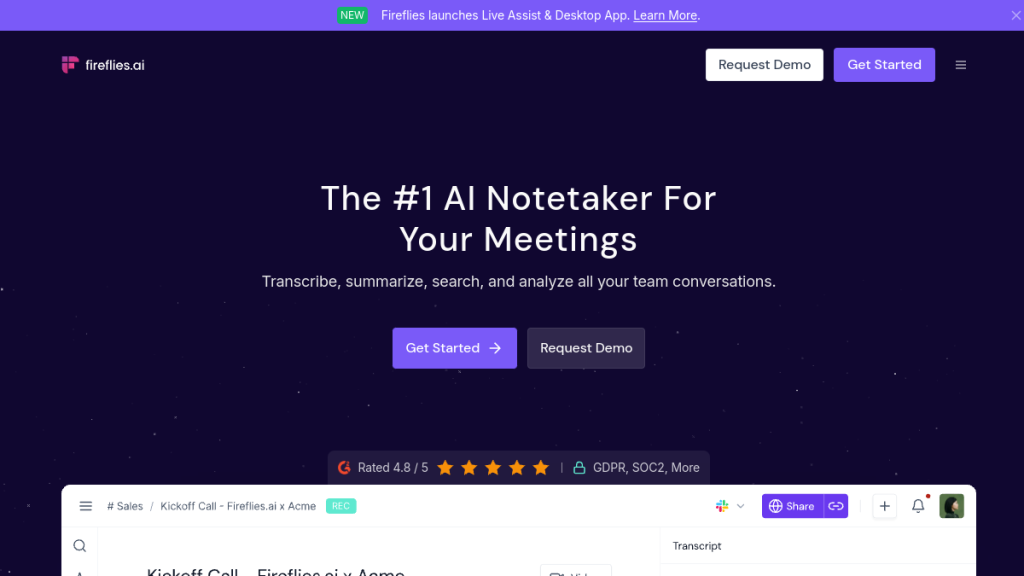
Fireflies.ai is an AI-powered meeting assistant that automatically joins your video calls, records the conversation, generates transcripts, and creates smart summaries. Think of it as having a dedicated note-taker in every meeting who never misses a word.
The platform launched in 2016 and has since grown to serve over 1 million companies, including 75% of Fortune 500 organizations. It integrates with all major video conferencing platforms—Zoom, Google Meet, Microsoft Teams, Webex, and more.
How It Works
- Connect your calendar — Fireflies syncs with Google Calendar or Outlook
- Bot auto-joins meetings — The “Fred” bot joins your scheduled calls
- Records & transcribes — Captures audio (and video on Business+) with real-time transcription
- AI generates summaries — Get meeting notes, action items, and key topics extracted automatically
- Search & share — Find any moment across all your meetings with AI-powered search
The magic happens after the meeting ends. Within minutes, you get a complete transcript with speaker identification, an AI-generated summary highlighting key points, and detected action items—all searchable and shareable with your team.
Key Features {#key-features}
1. Automatic Meeting Recording
Fireflies connects to your calendar and automatically joins scheduled meetings. No manual start/stop—it just works. The bot appears as “Fireflies.ai Notetaker” in your meeting, and participants are notified (which keeps things transparent and compliant).
Supported platforms:
- Zoom
- Google Meet
- Microsoft Teams
- Webex
- GoToMeeting
- RingCentral
- Dialpad
- 10+ more
2. AI Transcription (100+ Languages)
Transcription happens in real-time during the call, with the final polished version available within minutes after. Fireflies now supports 100+ languages and can auto-detect the spoken language—a major improvement over earlier versions.
Accuracy: In my testing, English transcription hit around 90-95% accuracy in clear audio conditions. Accuracy drops with heavy accents, crosstalk, or poor audio quality (as with any transcription tool).
3. Smart Summaries with AskFred AI
This is where Fireflies differentiates itself. The AI doesn’t just transcribe—it analyzes the conversation and generates:
- Meeting overview — 2-3 paragraph summary of what was discussed
- Key topics — Automatically extracted themes and subjects
- Action items — Tasks mentioned during the call with assignees
- Questions asked — Every question from the meeting, highlighted
- Decisions made — Critical decisions captured separately
The “AskFred” AI assistant lets you ask questions about your meetings in natural language. Example: “What did John say about the budget?” and it’ll pull the relevant segment.
4. Real-Time Notes (New in 2025)
Fireflies now generates bullet-point notes during the call, not just after. You can watch key points, action items, and questions being captured as they happen. Useful for keeping meetings on track.
5. Talk to Fireflies (Powered by Perplexity AI)
Launched in June 2025, this feature lets you ask questions and get web search results during meetings. It’s like having ChatGPT built into your meeting recorder—fact-check claims, look up company info, or research competitors without leaving the call.
Available even on the Free plan, which is surprisingly generous.
6. Conversation Intelligence
For sales and customer success teams, Fireflies offers analytics including:
- Speaker talk-time ratios — See who dominated the conversation
- Sentiment analysis — Gauge the emotional tone of discussions
- Topic trackers — Set up custom keywords to monitor across meetings
- Monologue detection — Identify when someone talked too long
- Question analysis — Track question frequency and types
This data helps managers coach teams and identify patterns across hundreds of calls.
7. Integrations (40+)
Fireflies connects with your existing tools:
| Category | Tools |
|---|---|
| CRM | Salesforce, HubSpot, Pipedrive, Zoho |
| Collaboration | Slack, Notion, Asana, Trello, Monday.com |
| Storage | Google Drive, Dropbox, OneDrive |
| Productivity | Zapier, Make (Integromat) |
| Communication | Microsoft Teams, Webex |
The Salesforce and HubSpot integrations are particularly strong—Fireflies can automatically update deal fields and log call notes to contact records.
8. Mobile App & Chrome Extension
Record meetings on the go with iOS and Android apps. The Chrome extension lets you capture browser-based calls without the Fireflies bot joining—useful for informal or sensitive conversations where you don’t want a visible notetaker.
Pricing Breakdown (2026) {#pricing}
Fireflies offers four tiers, with significant savings on annual billing:
| Plan | Monthly | Annual | Key Limits |
|---|---|---|---|
| Free | $0 | $0 | 800 min storage, limited AI summaries |
| Pro | $18/user | $10/user | 8,000 min storage, audio only |
| Business | $29/user | $19/user | Unlimited storage, video recording |
| Enterprise | Custom | $39/user | HIPAA, SSO, dedicated support |
Free Plan
The free tier is genuinely useful for testing:
- Unlimited transcription (with fair use)
- 800 minutes of storage
- Basic integrations (Zoom, Meet, Teams)
- Real-time notes
- AskFred AI assistant
- Mobile apps
- Chrome extension
Limitation: No downloads, limited AI summaries, 3 public channels only.
Pro Plan ($10/mo annual)
Best for individual professionals:
- Unlimited transcription
- 8,000 minutes storage (~133 hours)
- Download transcripts and recordings
- Full integrations
- Talk-time analytics
- 20 AI credits/month
- Action items and task manager
Limitation: Audio recording only—no video capture.
Business Plan ($19/mo annual) — Most Popular
Best for teams:
- Everything in Pro
- Unlimited storage
- Video recording (critical for screen shares)
- Conversation intelligence
- Team analytics for admins
- User groups
- 30 AI credits/month
- Multi-language mode
Enterprise Plan ($39/mo annual)
For regulated industries and large teams:
- Everything in Business
- HIPAA compliance
- SOC 2 Type II
- SSO and SCIM
- Custom data retention
- Private storage
- 50 AI credits/month
- Dedicated account manager
Hidden Costs You Need to Know {#hidden-costs}
Here’s where Fireflies gets tricky. Several “unlimited” features have asterisks:
1. AI Credit System
While Fireflies advertises “unlimited summaries,” advanced AI features consume credits:
- AskFred queries
- Advanced analytics
- Certain AI apps
Credit pricing:
| Credits | Price |
|---|---|
| 50 | $5/mo |
| 150 | $15/mo |
| 500 | $50/mo |
| 1,000 | $100/mo |
| 10,000 | $600/mo |
Heavy AI users report unexpected charges. Plan includes 20-50 credits depending on tier—power users will burn through these quickly.
2. Storage Caps (Pro Plan)
The Pro plan’s 8,000-minute storage sounds generous, but if you’re recording 5-10 meetings daily, you’ll hit the ceiling in 4-5 months. After that: delete old recordings or upgrade.
3. File Upload Limits
Live meeting recording follows fair use policies, but uploading pre-recorded files is capped on lower tiers. If you need to import historical recordings, budget for Business tier.
4. Video Recording Only on Business+
This is a big one. Pro plan users only get audio—no video capture. If your meetings include screen shares or presentations, you need Business ($19/mo) minimum.
My recommendation: If you’re serious about Fireflies, go straight to Business. The Pro plan’s limitations will frustrate you within months.
Pros and Cons {#pros-and-cons}
Pros ✅
| Pro | Details |
|---|---|
| Excellent transcription accuracy | 90-95% in good conditions, handles multiple speakers well |
| Powerful AI summaries | Action items, key topics, and decisions extracted automatically |
| 100+ language support | Best-in-class multilingual transcription |
| Deep CRM integrations | Salesforce/HubSpot auto-updates are genuinely useful |
| Real-time notes | See key points captured during the meeting |
| Perplexity AI integration | Web search during calls is unique |
| Generous free tier | Actually usable for testing (unlike many competitors) |
| Enterprise security | SOC 2, HIPAA, GDPR compliant |
| Chrome extension | Record without bot joining (discreet) |
| 44% annual discount | Significant savings on yearly billing |
Cons ❌
| Con | Details |
|---|---|
| Confusing credit system | “Unlimited” isn’t really unlimited for AI features |
| No video on Pro | Need Business tier for video recording |
| Storage caps on Pro | 8,000 minutes fills up faster than you’d think |
| Accuracy issues with accents | Non-native English speakers see lower accuracy |
| Cluttered UI | Dashboard could be more intuitive |
| Upload restrictions | Importing old recordings limited on lower tiers |
| Price creep | Hidden costs add up if you use AI features heavily |
| Bot visibility | “Fireflies Notetaker” appearing in meetings can be awkward |
Who Should Use Fireflies? {#who-should-use}
Perfect For:
🎯 Sales Teams
Fireflies shines here. The conversation intelligence features—talk ratios, sentiment analysis, objection tracking—are built for sales coaching. The Salesforce/HubSpot integrations auto-populate CRM fields, saving reps hours weekly.
🎯 Recruiters
Interview transcripts with searchable Q&A, candidate comparisons, and shareable notes. The sentiment analysis helps catch red flags you might miss in real-time.
🎯 Customer Success Managers
Track customer sentiment over time, ensure nothing falls through the cracks, and share meeting context with support teams seamlessly.
🎯 Agencies with Client Calls
Document everything. Never argue about what was said. Searchable archives of every client conversation.
🎯 Remote Teams
If your company runs on video calls, Fireflies becomes institutional memory. New team members can search past decisions, meeting participants can skip calls and catch up via summaries.
Think Twice If:
⚠️ Budget is tight — Hidden costs accumulate; Otter.ai or free alternatives might suffice
⚠️ You need video recording cheap — Business tier required; at $19/user, costs scale with team size
⚠️ Meetings are primarily non-English — Accuracy drops significantly outside English
⚠️ Privacy-conscious clients — Some people don’t like being recorded; the visible bot can create friction
⚠️ You hate subscriptions — One-time purchase alternatives exist (though with different tradeoffs)
Fireflies vs Alternatives {#alternatives}
Fireflies vs Otter.ai
| Feature | Fireflies | Otter.ai |
|---|---|---|
| Starting Price | $10/mo | $8.33/mo |
| Free Tier | 800 min storage | 300 min/mo |
| Languages | 100+ | English primarily |
| Video Recording | Business tier | Pro tier |
| CRM Integration | Excellent | Basic |
| Real-time Collab | Limited | Strong |
Verdict: Otter.ai is cheaper and better for live collaboration. Fireflies wins for sales teams and CRM workflows.
Fireflies vs Fathom
| Feature | Fireflies | Fathom |
|---|---|---|
| Free Tier | Limited | Generous |
| AI Quality | Good | Excellent |
| CRM Sync | Deep | Growing |
| Enterprise Features | Full suite | Limited |
Verdict: Fathom offers excellent free tier and AI quality. Fireflies wins for enterprise features and security compliance.
Fireflies vs Grain
| Feature | Fireflies | Grain |
|---|---|---|
| Best For | Full transcription | Highlights & clips |
| Video Clips | Basic | Excellent |
| Searchability | Full transcript | Key moments |
| Price | Higher | Lower |
Verdict: Grain is better for creating shareable video clips. Fireflies for comprehensive transcription and analysis.
Frequently Asked Questions {#faqs}
Is Fireflies.ai free?
Yes, there’s a genuine free tier with 800 minutes of storage, unlimited transcription, and basic features. It’s actually usable for light meeting loads—maybe 5-10 meetings per month. Power users will need to upgrade.
Is Fireflies.ai accurate?
In good audio conditions (clear speakers, minimal background noise, standard English), I saw 90-95% accuracy. Accuracy drops with heavy accents, crosstalk, poor microphone quality, or technical jargon. You’ll likely need to edit transcripts for important documents.
Does Fireflies.ai record video?
Only on Business tier ($19/user/month) and above. The Free and Pro plans capture audio only. If your meetings include screen shares or visual presentations, you need Business minimum.
Is Fireflies.ai HIPAA compliant?
Yes, but only on the Enterprise plan ($39/user/month). They’ll sign a BAA (Business Associate Agreement) for healthcare organizations.
Can meeting participants see the Fireflies bot?
Yes—the bot appears as “Fireflies.ai Notetaker” in the participant list. All attendees know they’re being recorded, which is good for compliance but can create awkwardness. The Chrome extension offers a more discreet option.
Does Fireflies work with my phone?
Yes. Mobile apps for iOS and Android let you record in-person conversations. Note: Always inform participants you’re recording (legal in most jurisdictions).
How do AI credits work?
Fireflies includes 20-50 monthly AI credits depending on your plan. These are consumed by advanced features like AskFred queries and certain analytics. Heavy users burn through credits quickly and need to purchase more ($5-$600/month depending on volume).
Can I cancel Fireflies anytime?
Monthly plans cancel anytime. Annual plans are paid upfront with no mid-term refunds—you keep access until the year ends.
Final Verdict {#verdict}
🏆 Our Verdict
Rating: 4.2/5 ⭐
Fireflies.ai is a genuinely powerful meeting assistant that can save hours weekly if you’re in back-to-back calls. The AI summaries, CRM integrations, and conversation intelligence features justify the price for sales teams and customer success professionals.
However, the pricing structure is frustrating. The “unlimited” marketing hides credit systems and storage caps that’ll bite you later. Budget for Business tier ($19/user/month) from the start—Pro’s limitations will push you there anyway.
The Bottom Line:
✅ Buy Fireflies if: You’re a sales team needing CRM automation, you’re in constant meetings, or you need enterprise security compliance.
❌ Skip Fireflies if: You’re cost-sensitive, work primarily in non-English languages, or just need basic transcription (cheaper alternatives exist).
Best Alternative: Otter.ai for budget-conscious users, Fathom for a generous free tier.
Try Fireflies.ai
Ready to automate your meeting notes? Start with the free tier to test it out:
Try Fireflies Free → (No credit card required)
Or jump straight to Business if you’re serious about conversation intelligence.
For more AI productivity tools, explore our Grammarly review and best AI writing tools roundup.
This review was independently written based on hands-on testing. We may earn a commission if you purchase through our links, at no extra cost to you. See our affiliate disclosure for details.


