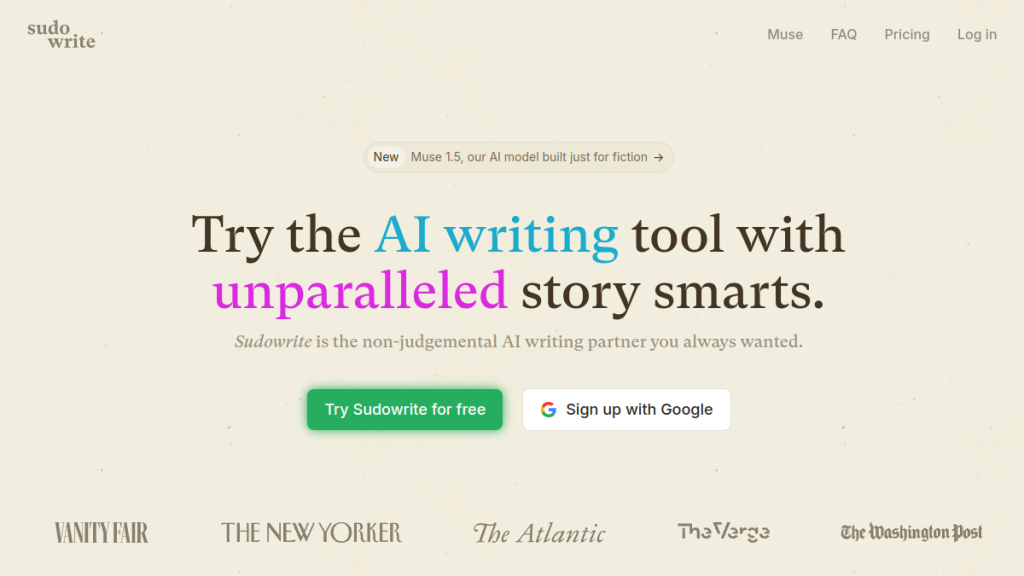
Quick Verdict: Sudowrite is the best AI tool specifically built for fiction writers. Its Muse model produces genuinely good creative prose, the Story Bible keeps novels consistent, and the toolset addresses real fiction-writing challenges. Worth every penny for novelists who want AI help without sacrificing their voice.
>
Rating: ★★★★★ 4.6/5
Best For: Novelists, screenwriters, fiction authors, creative writers who want to write faster
Price: From $10/month (annual) | $19/month (monthly) | Free trial available
The Blank Page Problem That Never Goes Away
Chapter 23. The cursor blinks. Your characters are stuck in a scene you’ve written yourself into. You know the ending — you’ve known it for months — but the words between here and there refuse to come.
Every fiction writer knows this feeling. The block. The paralysis. The voice in your head insisting that whatever you write next will be wrong. You could stare at that cursor for hours, or you could admit defeat and go “research” on social media instead.
This is the problem Sudowrite was built to solve — not by replacing your creativity, but by becoming the always-available brainstorming partner who never judges, never runs out of ideas, and actually understands how stories work.
After testing every AI writing tool that claims to help novelists, Sudowrite is the first one that genuinely does. Not because it writes novels for you (it doesn’t), but because it removes the friction that stops you from writing.
→ Try Sudowrite Free | → See alternatives
What is Sudowrite?
Sudowrite is an AI writing tool designed specifically for fiction writers. Unlike general-purpose AI assistants like ChatGPT or content tools like Jasper, Sudowrite is built from the ground up for creative storytelling.
The platform launched in 2020 and has earned endorsements from fiction heavyweights:
- Hugh Howey (Bestselling author of “Silo”): “It’s scary good”
- Bernie Su (3-time Emmy winner): Uses it for screenwriting
- Chris Anderson (NYT Bestselling author): “It’s amazing how smart it is”
- Mark Frauenfelder (Journalist, author): “It just kicks ass”
The core difference: Sudowrite’s flagship Muse model is a language model fine-tuned specifically for creative writing. Where ChatGPT and Claude produce competent but generic prose, Muse understands scene blocking, dialogue rhythm, witty humor, and the craft elements that make fiction engaging.
Key capabilities:
- Write with AI assistance that matches your voice
- Track characters, plots, and worldbuilding in Story Bible
- Brainstorm names, plot points, dialogue, and descriptions
- Expand rushed scenes and trim bloated ones
- Rewrite passages to show instead of tell
- Get feedback on drafts
Key Features (What Actually Helps Writers)
Muse Model: AI That Writes Like a Novelist
The star feature. Muse is Sudowrite’s proprietary language model, trained specifically on creative fiction. The difference from general LLMs is immediately noticeable:
- Scene awareness — Understands blocking, character positions, action flow
- Dialogue quality — Writes conversations that sound natural, not robotic
- Prose style — Produces varied, engaging sentences, not corporate bland
- Humor — Can actually land a joke when the scene calls for it
How it feels: Like co-writing with someone who’s read a million novels and absorbed how they work. Not every output is perfect, but the hit rate is dramatically higher than generic AI.
Story Bible: Your Novel’s Brain
The Story Bible is where Sudowrite becomes genuinely useful for novel-length projects. It stores and organizes:
- Characters — Names, descriptions, backstories, arcs
- Worldbuilding — Settings, rules, history, factions
- Plot elements — Story beats, chapter summaries, timelines
The key: The AI reads your Story Bible when generating content. When you ask it to write Chapter 12, it knows Sarah has brown hair, she’s angry at Marcus, and they’re in a city that banned magic three decades ago. Consistency at scale.
Writing Tools: From Outline to Draft
Chapter Generator (Draft)
Give Sudowrite 10-20 beats describing what happens in a chapter, and it writes a full draft. Hit rate varies, but it’s excellent for getting a rough version on the page to revise.
Guided Write
You describe what happens next in a sentence or two. Sudowrite generates the next 300-500 words in your established voice. This is the tool that keeps momentum going.
Auto Write
Press a button, see where the story goes. Useful when you’re genuinely stuck and need the AI to propose a direction — even if you reject it, you’ve broken the paralysis.
Revision Tools: Where AI Actually Helps
Rewrite
Select any text and transform it:
- Rephrase (different wording, same meaning)
- Make shorter/longer
- Show instead of tell (huge for AI-generated prose)
- Add inner conflict
- Increase intensity
Expand
Select a rushed paragraph, expand it into a fully-realized scene with descriptions, dialogue, and pacing. Essential for first drafts that summarize instead of dramatize.
Describe
Highlight something that needs more sensory detail. Sudowrite adds sight, sound, smell, touch, taste, plus metaphors. Perfect for writers (like me) who default to visual-only descriptions.
Brainstorming Tools: Infinite “Yes, And”
Need names? Plot points? Character secrets? Sudowrite’s brainstorm tools generate endless options you can thumbs-up/down. It learns your preferences and improves suggestions.
Categories include:
- Character names and attributes
- Plot points and twists
- Dialogue options
- Worldbuilding elements
- Places and objects
Canvas: Visual planning workspace for plotting, character arcs, and themes with AI collaboration.
Visualize: Generate AI art from your character/setting descriptions. Helpful for visualization while writing.
Feedback: Your Infinite Beta Reader
Paste your draft, get three actionable areas to improve. The AI won’t complain if you make it read 36 revisions. Useful for quick sanity checks between human beta readers.
Sudowrite Pricing 2026
Sudowrite uses a credit system — AI operations consume credits from your monthly allocation. Bigger models use more credits.
| Plan | Monthly | Annual | Credits/Month | Best For |
|---|---|---|---|---|
| Hobby & Student | $19/mo | $10/mo ($120/yr) | 225,000 | Occasional writers, students |
| Professional | $29/mo | $22/mo ($264/yr) | 1,000,000 | Regular novel writers |
| Max | $59/mo | $44/mo ($528/yr) | 2,000,000 | Power users, multiple projects |
Credit usage notes:
- Smaller models cost fewer credits
- Muse (best quality) uses more credits
- Max plan credits roll over (others don’t)
💡 Best value: Professional at $22/month (annual). Million credits handles serious novel work without overflow anxiety.
Free trial: 10,000 words free to test before committing.
Who Should Use Sudowrite?
✅ Ideal For:
- Novelists — Long-form fiction is what Sudowrite excels at
- Series writers — Story Bible keeps multi-book consistency
- Screenwriters — Dialogue and scene tools translate well
- Writers with blocks — AI as momentum recovery tool
- Prolific authors — Write more books per year
- Writers with disabilities — Reduces physical/mental writing burden
- Indie authors — Speed without hiring ghostwriters
❌ Not Ideal For:
- Non-fiction writers — Tools optimized for story, not content
- Short-form content — Overkill for blogs/social media
- Writers who hate AI — If the concept offends you, skip it
- Perfectionists — AI output needs editing; no “perfect first draft”
- Budget-constrained — Cheaper alternatives exist (with tradeoffs)
Sudowrite Pros and Cons
What Works Well
- Muse model is genuinely excellent — Best creative AI I’ve tested
- Story Bible maintains consistency — Essential for novels
- Guided Write keeps momentum — Breaks blocks instantly
- Show vs Tell rewrite — Fixes the #1 AI prose problem
- Fiction-specific tools — Not repurposed marketing AI
- Active development — Features improve regularly
- Writer-friendly interface — Doesn’t feel like enterprise software
- Multiple themes/modes — Distraction-free writing environment
What Could Be Better
- Credit consumption unclear — Hard to predict monthly usage
- Muse uses more credits — Best model is most expensive
- Chapter Generator hit rate varies — Sometimes needs 2-3 attempts
- Learning curve — Many features to understand
- No offline mode — Requires internet connection
- Export formatting — Minor issues with some export formats
- Rollover only on Max — Lower plans lose unused credits
Sudowrite vs Alternatives
Sudowrite vs ChatGPT Plus ($20/mo)
ChatGPT is more versatile but less specialized. Sudowrite’s Muse model produces noticeably better fiction prose than GPT-4, and the Story Bible integration makes novel writing practical. ChatGPT can help with fiction, but Sudowrite is purpose-built for it.
Winner: Sudowrite for fiction; ChatGPT for general AI assistance
Sudowrite vs Novelcrafter
Novelcrafter is cheaper and offers bring-your-own-model flexibility. Sudowrite’s Muse model is better out-of-box; Novelcrafter requires more prompt engineering. If you’re technical and want control, Novelcrafter. If you want it to “just work,” Sudowrite.
Winner: Sudowrite for ease; Novelcrafter for customization
Sudowrite vs Claude
Claude excels at long-form coherence and thoughtful dialogue. For raw prose quality, Claude and Sudowrite’s Muse are competitive. Sudowrite wins on workflow — Story Bible, revision tools, and fiction-specific features that Claude doesn’t have.
Winner: Sudowrite for workflow; Claude for raw capability (with manual management)
Sudowrite vs Jasper
Jasper is built for marketing content. While it has fiction templates, the outputs feel corporate. Sudowrite is built for storytelling. Not even close for fiction work.
Winner: Sudowrite for fiction (not a contest)
How Fiction Writers Actually Use Sudowrite
Based on author community feedback and my own testing, here’s how Sudowrite integrates into real writing workflows:
The “Beat Sheet to Draft” Workflow
- Outline your chapter as 10-20 beats in Story Bible
- Use Chapter Generator to create rough draft
- Read through, identify weak sections
- Use Expand on rushed parts
- Use Rewrite (Show vs Tell) on problematic passages
- Polish manually, move to next chapter
Time savings: A chapter that might take a week can have a workable draft in a day.
The “Writing Sprint” Workflow
- Write until you hit a block
- Write a sentence describing what happens next
- Use Guided Write to continue
- Accept, reject, or modify the output
- Continue writing, repeat when stuck
Mental benefit: Blocks become minor inconveniences, not productivity killers.
The “Revision Partner” Workflow
- Import your completed draft
- Use Feedback to identify problem areas
- Use Rewrite tools to address specific issues
- Use Describe to enhance sensory details
- Export revised manuscript
Who this helps: Writers who finish drafts but struggle with revision.
Frequently Asked Questions
Does Sudowrite write novels for you?
No. Sudowrite assists your writing — generating sections, suggesting options, helping with revision — but you’re making creative decisions. The AI doesn’t plot your story or develop your characters without your direction.
Is Sudowrite output detectable as AI?
Like all AI writing, Sudowrite content can potentially be flagged by AI detection tools. Most authors use Sudowrite for drafting and revise extensively, making detection irrelevant. If you’re submitting to venues that prohibit AI assistance, know the rules.
How much can I write with the credits?
Roughly: Hobby (225K credits) ≈ 75,000-150,000 words/month depending on model usage. Professional (1M credits) handles multiple novel-length projects comfortably. Max (2M credits) is for power users or those wanting rollover.
Does Sudowrite work for screenwriting?
Yes. Several Emmy-winning screenwriters use it. Dialogue tools and scene structure work well for scripts, though some screenwriting-specific formatting isn’t built in.
Can I import my existing manuscript?
Yes. You can import text to use Sudowrite’s revision and expansion tools on existing work. The Story Bible helps the AI understand your already-established characters and world.
Is there a mobile app?
Sudowrite is web-based and works on tablets/phones through browsers. There’s no dedicated mobile app, but the interface is reasonably mobile-friendly for writing on the go.
How does Sudowrite handle copyright?
You own everything you create with Sudowrite. The AI assists; you hold the copyright. This is standard for AI writing tools.
Final Verdict: Is Sudowrite Worth It for Fiction Writers?
🏆 Our Verdict
4.6 out of 5 stars
Sudowrite is the real deal for fiction writers. Not because it writes novels for you — that’s not how good AI tools work — but because it removes the friction that stops you from writing.
The Muse model produces creative prose that actually sounds like fiction, not corporate content. The Story Bible keeps novel-length projects consistent. The revision tools address exactly the problems AI writing tends to have. And the workflow keeps you moving forward instead of staring at blank pages.
At $22/month for the Professional plan (annual), it’s cheaper than hiring a developmental editor for each project, more available than a writing group, and more capable than general-purpose AI assistants for fiction work.
The writers who benefit most are those who:
- Already know what they want to write
- Struggle with blocks or slow output
- Want to write more books per year
- Are open to AI as a collaborative tool
If that’s you, Sudowrite is worth every credit.
Alternatives to Consider
- NovelCrafter — Cheaper, bring-your-own-model flexibility
- ChatGPT Plus — General AI with manual fiction prompting
- Claude Pro — Strong long-form coherence
- Jasper — For marketing content, not fiction
Last updated: February 2026
Affiliate disclosure: We may earn commission from purchases made through links on this page.
Related Reading
- Jasper AI Review 2026 — AI writing for marketers (different audience, same tech)
- Copy.ai Review 2026 — AI writing focused on business content
- ChatGPT Review 2026 — The general-purpose AI many writers use
Frequently Asked Questions
What makes Sudowrite different from other AI writing tools?
Sudowrite is specifically designed for fiction writers, unlike general-purpose AI tools like ChatGPT. Its Muse model is fine-tuned for creative storytelling, understanding elements like scene blocking and dialogue rhythm, which helps produce more engaging prose.
Is Sudowrite worth the price for aspiring novelists?
With a rating of 7.5 out of 10, many users find Sudowrite to be worth the investment, especially for novelists and creative writers. The tool helps overcome common writing challenges and enhances creativity without compromising the writer’s voice.
Can I try Sudowrite before committing to a subscription?
Yes, Sudowrite offers a free trial, allowing you to explore its features and see how it fits your writing process before deciding on a paid subscription. Monthly plans start at $19, with annual options available for $10 per month.
Who are some notable users of Sudowrite?
Sudowrite has received endorsements from several well-known authors and creators, including bestselling author Hugh Howey and Emmy-winning screenwriter Bernie Su. Their positive feedback highlights the tool’s effectiveness in enhancing creative writing.
How does Sudowrite help with writer’s block?
Sudowrite acts as a brainstorming partner, providing ideas and suggestions to help overcome writer’s block. It allows writers to focus on their creativity without the pressure of producing perfect prose right away.
What features does Sudowrite offer for fiction writers?
Sudowrite includes features like the Muse model for creative prose generation, a Story Bible for maintaining consistency in novels, and various tools that address specific challenges faced by fiction writers. These capabilities make it a comprehensive writing assistant.
Is Sudowrite suitable for screenwriters as well?
Yes, Sudowrite is not only beneficial for novelists but also for screenwriters and other creative writers. Its tools are designed to enhance storytelling across different formats, making it a versatile option for various writing projects.