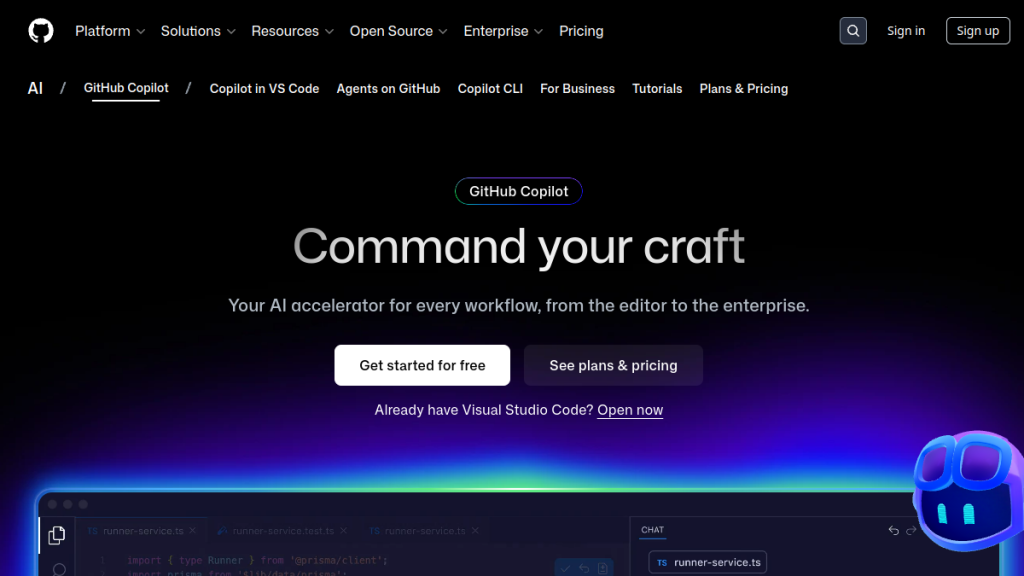
GitHub Copilot is the world’s most widely adopted AI coding assistant. Built by GitHub (owned by Microsoft) in partnership with OpenAI, it promises to make developers up to 55% more productive by autocompleting code, chatting about programming problems, and even autonomously writing pull requests.
But with Cursor, Windsurf, and a wave of AI-native code editors entering the market, is GitHub Copilot still the best choice in 2026? Or are you paying for brand recognition while competitors ship better features?
Based on our research into GitHub Copilot’s current features, pricing, real user feedback, and how it stacks up against competitors, here’s our honest assessment.
What Is GitHub Copilot?
GitHub Copilot is an AI-powered coding assistant that integrates directly into your development environment. Originally launched in October 2021 as a code completion tool powered by OpenAI’s Codex model, it has evolved dramatically into a multi-model, multi-modal AI platform that spans code completions, conversational chat, agent mode, and fully autonomous coding agents.
At its core, Copilot works by analyzing the context of your code — the file you’re editing, related files in your project, your comments, and your cursor position — then suggests completions, entire functions, or even complete implementations. But in 2026, it does far more than autocomplete.
Key capabilities include:
- Inline code completions — Real-time suggestions as you type, from single lines to entire functions
- Copilot Chat — Conversational AI assistant within your IDE for explaining code, debugging, generating tests, and more
- Agent mode — Autonomous coding within VS Code that iterates on its own output, catches errors, and self-corrects
- Coding agent — Assign GitHub Issues directly to Copilot and it will write code, create pull requests, and respond to review feedback autonomously
- Copilot CLI — Natural language commands in your terminal
- Code review — AI-powered review of pull requests
- Multi-model support — Choose from GPT-5, GPT-5 Mini, Claude, Gemini, Grok, and more
- MCP integration — Connect to external tools and data sources via Model Context Protocol
The platform is backed by GitHub’s massive infrastructure — 150+ million developers on GitHub, deep integration with repositories, issues, and pull requests — giving it a contextual advantage that standalone AI coding tools simply can’t match.
GitHub Copilot Features Breakdown
Code Completions
This is where Copilot started, and it remains the foundation. As you type, Copilot suggests completions ranging from a single line to entire function bodies. According to GitHub’s own data, Copilot correctly autocompletes Python function bodies about 43% of the time on the first attempt, rising to 57% within ten tries.
That might sound modest, but in practice the completions are contextually aware — they reference your project’s patterns, imported libraries, and coding style. For repetitive code (boilerplate, CRUD operations, test scaffolding), the accuracy is significantly higher. Developers commonly report that Copilot’s completions save the most time on the “boring” parts of coding.
On the Free plan, you get 2,000 completions per month. Pro and above offer unlimited completions.
Copilot Chat
Chat transforms Copilot from a suggestion engine into a conversational pair programmer. You can ask it to explain unfamiliar code, debug errors, suggest refactoring approaches, generate documentation, or write tests. The chat interface lives inside your IDE (VS Code, JetBrains, Visual Studio) and has full awareness of your workspace.
What makes Copilot Chat genuinely useful is the context injection. When you highlight code and ask a question, it understands not just the highlighted snippet but the broader file, imported dependencies, and workspace structure. This contextual awareness separates it from simply pasting code into ChatGPT.
The model picker lets you choose which LLM powers your chat session. Options currently include GPT-5, GPT-5 Mini, Claude models from Anthropic, Gemini from Google, and GitHub’s own Sonar model. Different models have different strengths — Claude tends to excel at nuanced code explanations, while GPT-5 is strong for complex generation tasks.
Agent Mode
Introduced in February 2025 and rapidly improved since, agent mode is a significant leap forward. Rather than just suggesting code, Copilot in agent mode will:
- Break your request into subtasks
- Generate code for each subtask
- Run terminal commands (with your approval)
- Check its own output for errors
- Automatically fix issues it finds
- Iterate until the task is complete
For example, you could ask Copilot to “add a dark mode toggle to this React app” and it would analyze your existing component structure, create the toggle component, update your CSS/Tailwind configuration, modify the layout, and test the result — iterating through errors along the way.
Agent mode currently runs inside VS Code and uses “premium requests” that are metered based on your plan (50/month on Free, 300/month on Pro, 1,500/month on Pro+).
Coding Agent (Autonomous)
The coding agent, announced in May 2025, takes autonomy further. You assign a GitHub Issue to Copilot, and it:
- Spins up a secure cloud sandbox (powered by GitHub Actions)
- Clones your repository
- Analyzes the codebase
- Writes the necessary code changes
- Builds, tests, and lints the code
- Creates a draft pull request
- Tags human reviewers
- Responds to review feedback
This is effectively an AI team member you can assign tickets to. It works asynchronously — you don’t need to watch it work. According to GitHub, it’s designed for “critical-yet-mundane tasks” like bug fixes, test creation, and maintenance work.
The coding agent is available on the Pro plan and above, and uses premium requests.
Copilot CLI
For terminal-native developers, Copilot CLI lets you describe what you want in plain English and translates it into shell commands. Want to “find all JavaScript files modified in the last week that contain async functions”? Copilot CLI will construct the find/grep command for you.
This is particularly valuable for developers who don’t have complex shell commands memorized, or when working with unfamiliar CLIs (Docker, Kubernetes, cloud provider tools). It also uses premium requests.
Copilot Spaces
A newer feature, Copilot Spaces lets teams create shared knowledge bases that combine documentation and repository context. This means Copilot’s answers can draw from your team’s internal docs, architectural decisions, and coding standards — not just public training data.
For organizations, this addresses one of the biggest complaints about AI coding assistants: they don’t understand your codebase’s specific patterns and conventions.
Code Review
Copilot can review pull requests, flagging potential bugs, security issues, and style inconsistencies. It integrates directly into GitHub’s PR review workflow, appearing alongside human reviewers. This is included for Pro users and above.
Supported Languages and IDEs
GitHub Copilot supports virtually every programming language that appears in public repositories. That said, suggestion quality varies by language popularity. According to GitHub’s documentation, the strongest support is for:
- Tier 1 (excellent): JavaScript, TypeScript, Python, Ruby, Go, C#, C++, Java
- Tier 2 (good): PHP, Rust, Swift, Kotlin, Scala, Shell/Bash
- Tier 3 (functional): R, Perl, Haskell, Lua, and most other languages
For IDE support, Copilot now works in:
- Visual Studio Code (primary experience, full feature set)
- JetBrains IDEs (IntelliJ, PyCharm, WebStorm, etc.)
- Visual Studio 2022
- Neovim
- Xcode
- Eclipse
- Zed
- SQL Server Management Studio
- Raycast
- GitHub.com (native web experience)
- GitHub Mobile
This IDE breadth is one of Copilot’s strongest advantages. Competitors like Cursor are VS Code forks (so you’re locked to one editor), while Copilot brings AI to whatever IDE you already use.
GitHub Copilot Pricing (February 2026)
According to GitHub’s pricing page, Copilot currently offers these individual plans:
| Plan | Price | Completions | Premium Requests | Key Features |
|---|---|---|---|---|
| Free | $0/month | 2,000/month | 50/month | GPT-5 Mini, Haiku 4.5, basic chat & completions |
| Pro | $10/month ($100/year) | Unlimited | 300/month | Coding agent, code review, multi-model access, unlimited completions |
| Pro+ | $39/month ($390/year) | Unlimited | 1,500/month | All models incl. Claude Opus 4.6, Codex, GitHub Spark, 5× premium requests |
Business plans are also available:
- Copilot Business: Priced per-seat for organizations, includes license management, policy controls, and IP indemnity
- Copilot Enterprise: Everything in Business plus codebase indexing, custom model fine-tuning, and full GitHub.com integration
Additional premium requests can be purchased at $0.04 per request on Pro and Pro+ plans.
Free for students and open source: Verified students, teachers, and maintainers of popular open-source projects get Copilot Pro for free — a genuinely generous policy that significantly lowers the barrier for new developers.
Is the Pricing Competitive?
At $10/month for Pro, Copilot is the most affordable premium AI coding assistant on the market:
- Cursor Pro costs $20/month
- Windsurf costs $15/month
- Augment Code offers a free tier but enterprise pricing is undisclosed
- Claude Pro (for Claude Code access) costs $20/month
The free tier with 2,000 completions and 50 chat/agent requests per month is also the most generous free offering in the space. Most competitors offer either no free tier or a very limited trial.
What Real Users Are Saying
GitHub Copilot has a massive user base, which means a wide spread of opinions. Here’s what the community feedback looks like across platforms:
What Users Love
- Speed on boilerplate code: The most consistent praise is for how Copilot handles repetitive, structural code. Writing API endpoints, database models, test scaffolding, and configuration files becomes dramatically faster.
- Learning new frameworks: Developers frequently mention that Copilot reduces the time spent reading documentation when working with unfamiliar libraries or languages.
- IDE integration: Unlike standalone AI coding tools, Copilot works inside the editors developers already use. No switching workflows.
- Multi-model choice: The ability to switch between GPT-5, Claude, and Gemini within the same tool is valued by developers who’ve found different models better for different tasks.
- Free tier generosity: Students and open-source maintainers particularly praise the free access program.
Common Complaints
- Premium request limits feel restrictive: 300 premium requests per month on the Pro plan has been a frequent complaint, especially for developers who rely heavily on agent mode. Power users report hitting the limit within the first two weeks of the month.
- Agent mode inconsistency: While impressive when it works, agent mode can sometimes enter loops, suggest incorrect fixes, or break working code. Developers report needing to intervene more often than expected.
- Suggestion quality varies by language: Copilot excels with JavaScript/TypeScript and Python but can produce mediocre or incorrect suggestions for less common languages like Rust, Elixir, or Haskell.
- Privacy and telemetry concerns: As a cloud-based service, all code context is sent to GitHub’s servers. Some developers and organizations are uncomfortable with this, particularly for proprietary codebases. Copilot does offer a “no retention” policy for Business/Enterprise, but individual users don’t have this option.
- Licensing controversy: A class-action lawsuit filed in November 2022 challenges whether training on public GitHub repositories constitutes fair use. The Software Freedom Conservancy ended all use of GitHub, and concerns persist about Copilot occasionally reproducing copyrighted code verbatim.
The Satisfaction Data
According to GitHub’s own research (which should be taken with appropriate skepticism as self-reported data from the product maker), developers using Copilot report up to 75% higher job satisfaction and are up to 55% more productive at writing code. Independent studies have generally confirmed productivity gains, though the exact numbers vary. A 2023 study by Microsoft Research found that developers completed tasks 55.8% faster with Copilot, though code quality was comparable with or without the tool.
GitHub Copilot vs. the Competition
The AI coding assistant market has exploded since Copilot pioneered it. Here’s how it stacks up against the leading alternatives:
GitHub Copilot vs. Cursor
Cursor is a VS Code fork rebuilt as an AI-native code editor. It offers a more integrated agentic experience — Composer mode for multi-file editing, strong codebase awareness, and tight model integration.
Copilot wins on: IDE breadth (Cursor only works as its own editor), pricing ($10 vs $20), GitHub integration (issues, PRs, code review), and the free tier.
Cursor wins on: Agent experience quality (Composer mode is generally considered smoother than Copilot’s agent mode), codebase indexing for individual developers, and a more focused, purpose-built editing experience.
Choose Copilot if: You use JetBrains, Visual Studio, or Neovim. You want GitHub ecosystem integration. You want the best value.
Choose Cursor if: You live in VS Code and want the deepest possible AI-editor integration.
GitHub Copilot vs. Windsurf
Windsurf (formerly Codeium) is another AI-native code editor competing directly with Cursor. It emphasizes speed — claiming to be significantly faster than alternatives at code generation.
Copilot wins on: IDE support, GitHub integration, model selection, business/enterprise features.
Windsurf wins on: Speed of generation, aggressive pricing, and its Cascade feature for multi-step agentic coding.
GitHub Copilot vs. Claude Code
Anthropic’s Claude Code is a terminal-native AI coding agent that works directly in your command line. It’s part of the Claude Pro subscription ($20/month) and takes a different approach entirely — no IDE plugin, just a powerful terminal agent.
Copilot wins on: IDE integration, visual experience, GitHub workflow integration, lower price point.
Claude Code wins on: Complex reasoning tasks, large codebase understanding, and autonomous multi-step coding without the “premium request” metering.
GitHub Copilot vs. OpenAI Codex
OpenAI Codex is an autonomous coding agent available through ChatGPT Pro. It spins up cloud sandboxes (similar to Copilot’s coding agent) and can work on entire features asynchronously.
Copilot wins on: IDE integration, real-time completions, GitHub-native workflow, pricing.
Codex wins on: Full autonomy for complex tasks, ChatGPT ecosystem integration, and working without IDE attachment.
Who Is GitHub Copilot Best For?
Based on the feature set, pricing, and user feedback, here’s who benefits most from GitHub Copilot:
Ideal Users
- Professional developers already on GitHub: If your workflow already revolves around GitHub (repositories, issues, PRs), Copilot’s integration is unmatched. The coding agent that works directly with GitHub Issues is a genuine differentiator.
- Developers who use non-VS Code editors: If you’re on JetBrains, Neovim, Visual Studio, Xcode, or Eclipse, Copilot is essentially your only premium AI coding assistant option with deep integration.
- Teams and enterprises: The Business and Enterprise plans with license management, policy controls, IP indemnity, and codebase indexing make Copilot the strongest choice for organizations.
- Budget-conscious developers: At $10/month (or free for students/OSS maintainers), Copilot offers the best value in the category.
- Beginners and students: Free access plus the ability to ask questions about code in natural language makes Copilot an excellent learning companion.
Who Might Look Elsewhere
- Power users who need unlimited agentic features: The 300 premium request limit on Pro ($10) can feel restrictive. You’d need Pro+ ($39) for 1,500 — but even that may not be enough for all-day agentic coding.
- Privacy-first developers: If sending code to cloud servers is a dealbreaker, Copilot isn’t for you. Look at local-model alternatives like Kilo Code or Ollama-based setups.
- Developers wanting the best agent experience: If autonomous coding quality is your top priority, Cursor’s Composer mode or Claude Code may deliver better results for complex tasks.
Pros and Cons Summary
Pros
- Widest IDE and language support of any AI coding tool
- Best-in-class GitHub integration (issues, PRs, code review, coding agent)
- Most affordable premium plan at $10/month
- Generous free tier (2,000 completions + 50 chat requests)
- Free for students, teachers, and OSS maintainers
- Multi-model choice (GPT-5, Claude, Gemini, and more)
- Strong enterprise features with Business and Enterprise plans
- Copilot Spaces for team knowledge sharing
- Rapid feature development pace
Cons
- Premium request limits can be frustrating for power users
- Agent mode quality is inconsistent — sometimes requires heavy human intervention
- Cloud-only architecture raises privacy and telemetry concerns
- Ongoing licensing controversy around training data
- Suggestion quality drops significantly for less popular languages
- Best features heavily weighted toward VS Code — other IDE support lags
- The “premium request” metering model adds cognitive overhead (constantly monitoring usage)
- No offline or local-model option
The Licensing Elephant in the Room
Any honest review of GitHub Copilot needs to address the copyright controversy. Copilot was trained on publicly available code from GitHub repositories, including code under copyleft licenses like GPL that require attribution and share-alike provisions.
A class-action lawsuit filed in November 2022 challenges whether this training constitutes fair use. The Software Freedom Conservancy publicly severed ties with GitHub over the issue. According to reporting from The Verge, GitHub CEO Nat Friedman stated that “training ML systems on public data is fair use,” but the lawsuit argues this is legally untested speculation.
GitHub has acknowledged that a small proportion of Copilot’s output may be verbatim reproductions of training data. For most developers working on commercial projects, the practical risk is low — but the ethical and legal questions remain unresolved as of early 2026.
For businesses concerned about IP liability, GitHub’s Business and Enterprise plans include IP indemnity, meaning Microsoft will cover legal costs if Copilot-generated code leads to copyright claims against you.
Our Verdict
GitHub Copilot in 2026 is no longer just a code autocomplete tool — it’s a comprehensive AI development platform that spans code generation, chat, agent mode, autonomous coding, code review, and terminal assistance. Its integration with the GitHub ecosystem is its strongest moat, and the pricing makes it accessible to virtually everyone.
That said, it’s not the best at everything. Cursor and Windsurf offer superior agentic coding experiences within their editors. Claude Code is better at complex reasoning tasks. And the premium request metering can feel stingy for developers who want to use AI for everything.
The honest assessment: GitHub Copilot is the best default choice for most developers — especially if you’re already on GitHub, use a non-VS Code editor, or need team/enterprise features. But if you’re willing to pay more and commit to a single editor, tools like Cursor may deliver a more polished AI coding experience.
At $10/month with a free tier and free student access, the barrier to trying it is essentially zero. Start there, and upgrade or switch based on your actual experience.
Frequently Asked Questions
Is GitHub Copilot free?
Yes, GitHub Copilot offers a Free plan that includes 2,000 code completions and 50 chat/agent requests per month at no cost. Additionally, verified students, teachers, and maintainers of popular open-source projects get full Copilot Pro access for free. The paid Pro plan costs $10/month, and Pro+ costs $39/month.
Is GitHub Copilot worth $10 a month?
For most active developers, yes. The Pro plan at $10/month provides unlimited code completions, 300 premium requests for agent mode and chat, access to multiple AI models, the coding agent for autonomous PR creation, and AI code review. According to GitHub’s research, developers report being up to 55% more productive with Copilot, which easily justifies the cost for professional work. However, power users who rely heavily on agent mode may find the 300 premium request limit restrictive.
What’s the difference between GitHub Copilot and Cursor?
GitHub Copilot is a plugin that works across multiple IDEs (VS Code, JetBrains, Neovim, Visual Studio, Xcode, and more) and integrates deeply with the GitHub ecosystem. Cursor is a standalone AI-native code editor built as a fork of VS Code. Copilot offers broader IDE support, better GitHub integration, and lower pricing ($10 vs $20/month). Cursor generally provides a more polished agentic coding experience within its editor. Choose Copilot for flexibility and GitHub integration; choose Cursor for the deepest AI-editor experience.
Does GitHub Copilot work with JetBrains IDEs?
Yes. GitHub Copilot is available as a plugin for all JetBrains IDEs, including IntelliJ IDEA, PyCharm, WebStorm, PhpStorm, GoLand, and others. It provides code completions and chat capabilities, though some newer features like agent mode may arrive on JetBrains later than on VS Code.
Is GitHub Copilot safe for commercial code?
GitHub acknowledges that a small percentage of Copilot’s output may match training data (public code from GitHub repositories). For organizations concerned about IP liability, the Business and Enterprise plans include IP indemnity — Microsoft will cover legal costs if Copilot-generated code leads to copyright claims. An ongoing class-action lawsuit is challenging whether training on public code constitutes fair use, but the practical risk for most commercial development is considered low.
What AI models does GitHub Copilot use?
GitHub Copilot supports multiple AI models that users can switch between. As of early 2026, available models include OpenAI’s GPT-5 and GPT-5 Mini, Anthropic’s Claude models (including Claude Opus 4.6 on Pro+), Google’s Gemini, and GitHub’s own Sonar model. The Free plan is limited to GPT-5 Mini and Haiku 4.5, while Pro and Pro+ unlock the full model roster.
Can GitHub Copilot write entire applications?
With agent mode and the coding agent, Copilot can handle multi-file, multi-step coding tasks — from building web applications to implementing features and fixing bugs. However, it works best as a collaborator rather than a fully autonomous developer. Complex applications still require human oversight, architectural decisions, and review. Agent mode is best for well-defined tasks with clear requirements, not for building entire applications from scratch without guidance.
What are premium requests in GitHub Copilot?
Premium requests are GitHub Copilot’s metering system for advanced features. Chat conversations, agent mode sessions, code review, coding agent tasks, and Copilot CLI usage all consume premium requests. The Free plan includes 50/month, Pro includes 300/month, and Pro+ includes 1,500/month. Additional requests can be purchased at $0.04 each. Standard code completions do not count as premium requests on paid plans.