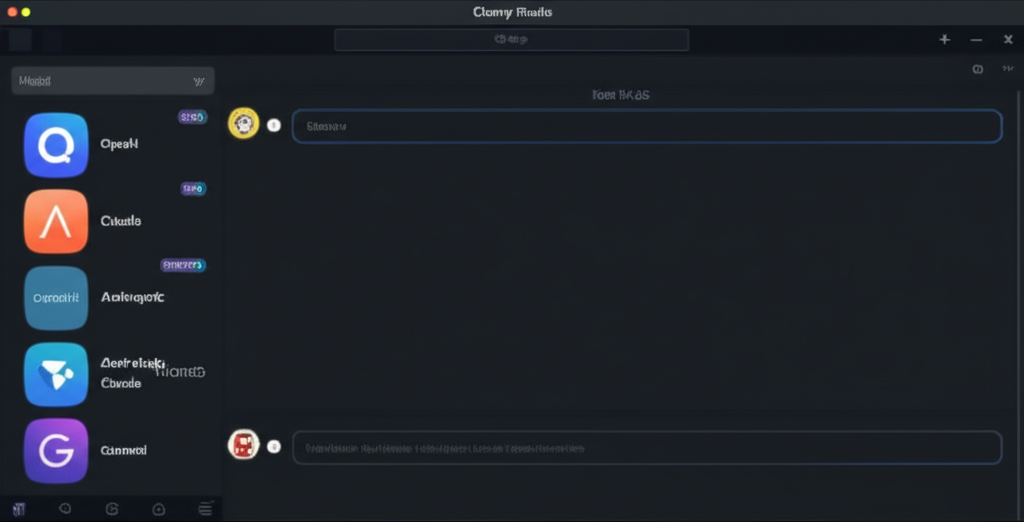
There’s a desktop AI app sitting at 40,000+ GitHub stars — gaining 63 new stars every single day — and almost nobody in the English-speaking tech press has reviewed it yet.
That app is Cherry Studio. And if you’re still juggling separate windows for ChatGPT, Claude, and Gemini while paying $20–$40/month per subscription, you’re going to want to hear about this.
We spent time digging into Cherry Studio v1.7.22 (released March 2, 2026) — the latest stable build — to give you the first real English-language review that goes beyond a GitHub star count.
Rating: 8.7/10
What Is Cherry Studio?
Cherry Studio is a free, open-source desktop AI application that acts as a universal front-end for virtually every major AI model provider on the planet. Built by the CherryHQ team in TypeScript on top of Electron, it runs natively on Windows, macOS, and Linux — no browser, no web app, no subscription required.
The core premise is simple but powerful: instead of switching between ChatGPT, Claude, Gemini, and a local Ollama install, you connect all of them once inside Cherry Studio and access them from a single, unified interface. The app ships with pre-configured support for OpenAI, Anthropic, Google Gemini, Perplexity, Azure, Mistral, DeepSeek, Qwen, MiniMax, and dozens more cloud providers, plus local model runners via Ollama and LM Studio.
It launched in late 2024 and hit its stride in early 2025. By March 2026, it’s at 40,000+ GitHub stars with daily growth that rivals tools from fully-funded startups. The codebase is AGPL-3.0 licensed — meaning it’s free for personal use, and the team earns on an Enterprise Edition for businesses that need private deployment.
Think of it as the multi-model AI power tool that ChatGPT desktop and Claude desktop don’t want you to know about.
Key Features
1. Multi-Model Simultaneous Conversations
This is the feature that separates Cherry Studio from almost everything else on the market. Ask a single question and get answers from GPT-4.1, Claude Sonnet, Gemini 2.5 Pro, and DeepSeek R2 side-by-side — in real time. You can compare model outputs without copying prompts across tabs. For researchers, developers, and power users who need to know which model handles a specific task best, this is worth the download alone.
2. 300+ Built-In AI Assistants + Custom Agent Creation
Cherry Studio ships with over 300 pre-configured AI assistants covering translation, coding, legal drafting, email writing, SEO, data analysis, and more. Each assistant has a custom system prompt baked in — you select one and it’s already configured for your use case. On top of that, you can create and save your own custom assistants with full system prompt control. There’s also an emerging autonomous agent mode where the app can break down tasks and execute multi-step workflows without you hand-holding every prompt.
3. Local Knowledge Base System
Cherry Studio has a built-in RAG (Retrieval-Augmented Generation) knowledge base. You can import PDFs, Word documents, PowerPoints, Excel spreadsheets, plain text, Markdown files, or URLs — and then chat directly with that content using any connected model. The knowledge base supports WebDAV backup, which means your documents survive app reinstalls. This puts it head-to-head with tools like Msty and Notion AI for document Q&A, and it’s entirely local — no third-party cloud storage required.
4. MCP (Model Context Protocol) Server Support
Cherry Studio supports Anthropic’s Model Context Protocol, which means you can connect external tools — web search, code interpreters, file systems, databases — directly to your AI conversations. This is a developer-facing feature, but it’s significant: it turns Cherry Studio from a chat client into an extensible AI automation platform. An MCP Marketplace is currently in development as of early 2026.
5. AI Painting (Image Generation)
A dedicated image generation panel is built into the app. You can connect compatible image generation APIs (including those supporting OpenAI-compatible endpoints) and generate images without leaving Cherry Studio. It’s not the app’s main identity — this is primarily a text/language tool — but having image gen in the same window as your LLM conversations is a legitimate quality-of-life upgrade.
6. Multiple API Key Rotation + Custom Providers
Cherry Studio supports adding multiple API keys for the same provider and rotating between them automatically — this solves rate limit headaches without requiring a paid API tier upgrade. It also supports any provider that follows OpenAI, Gemini, or Anthropic API specs, meaning you can connect unofficial model aggregators, private endpoints, or regional API gateways. This level of flexibility doesn’t exist in any competing desktop app.
How Cherry Studio Compares
To put Cherry Studio in context, we stacked it against the four closest alternatives: the official ChatGPT desktop app, Claude desktop, LM Studio, and Msty.
| Feature | Cherry Studio | ChatGPT Desktop | Claude Desktop | LM Studio | Msty |
|---|---|---|---|---|---|
| Price | Free (AGPL) | Free / $20+/mo (Plus) | Free / $20+/mo (Pro) | Free | Free / $9.99/mo |
| Multi-model support | ✅ 300+ providers | ❌ OpenAI only | ❌ Claude only | ⚠️ Local only | ✅ Multi-provider |
| Simultaneous model comparison | ✅ Yes | ❌ No | ❌ No | ❌ No | ✅ Yes |
| Local model support (Ollama) | ✅ Yes | ❌ No | ❌ No | ✅ Primary focus | ✅ Yes |
| Built-in knowledge base (RAG) | ✅ Yes | ❌ No | ❌ No | ❌ No | ⚠️ Limited |
| MCP support | ✅ Yes | ❌ No | ✅ Yes | ❌ No | ❌ No |
| Built-in AI assistants | ✅ 300+ | ⚠️ GPTs marketplace | ❌ No | ❌ No | ⚠️ Basic presets |
| Open source | ✅ Yes (AGPL-3.0) | ❌ No | ❌ No | ❌ No | ❌ No |
The pattern is clear: Cherry Studio wins on breadth. The official single-provider apps (ChatGPT desktop, Claude desktop) win on depth and seamless integration with their respective ecosystems. LM Studio dominates for pure local model management. Msty is the closest competitor in concept, but Cherry Studio’s feature set — especially the knowledge base, MCP support, and autonomous agents — pulls ahead.
Pricing
Cherry Studio Community Edition is completely free. No trial period. No feature limits. No credit card required. You download it, connect your existing API keys, and you’re running.
What you’ll actually spend money on are the AI API calls themselves — but that’s true of every tool in this category. OpenAI, Anthropic, and Google all charge per token on their APIs. The desktop app itself costs nothing.
For comparison:
- ChatGPT Plus: $20/month — locked to OpenAI models only
- Claude Pro: $20/month — locked to Anthropic models only
- Msty Pro: $9.99/month — unlocks some multi-model features
- Cherry Studio Community: $0 — full feature access, bring your own API keys
If you’re already paying for API access to multiple providers, Cherry Studio turns those API keys into a unified power tool at zero additional cost. For heavy users managing multiple AI subscriptions, switching to BYOK (bring your own key) through Cherry Studio can actually save money versus maintaining separate platform subscriptions.
There is a Cherry Studio Enterprise Edition available for teams, which adds a centralized admin backend, employee management, shared knowledge bases, and private server deployment. Pricing is via custom quote — contact bd@cherry-ai.com.
Who Is It For — And Who Should Look Elsewhere
Cherry Studio is built for:
- Power users managing multiple AI subscriptions who are tired of switching between apps
- Developers and researchers who need to compare model outputs side-by-side
- Privacy-conscious users who want local model support via Ollama alongside cloud models
- Content creators and knowledge workers who need a built-in document Q&A system
- Technical users building automated workflows via MCP and custom agents
- Budget-conscious AI users who want full multi-model access without paying per-platform subscriptions
Look elsewhere if:
- You use only ChatGPT and don’t need multi-model access — the official app has better GPT integration and plugin support
- You’re non-technical and want zero setup — Cherry Studio requires you to manage your own API keys, which intimidates some users
- You need voice input / voice mode as a primary feature — ChatGPT’s advanced voice mode is unmatched; Cherry Studio’s voice features are still in development as of v1.7.22
- You’re a pure local-model user who doesn’t use cloud APIs at all — LM Studio’s model management UX is more polished for offline-only workflows
- You need a mobile app right now — Cherry Studio’s Android and iOS apps are planned but not yet shipped
Pros and Cons
Pros
- ✅ Completely free — no subscription, no feature paywalls
- ✅ Supports 300+ AI models across every major provider
- ✅ Simultaneous multi-model comparison in one window
- ✅ Built-in knowledge base with real RAG (not just file upload)
- ✅ MCP support for extensible tool integrations
- ✅ Local model support via Ollama — air-gapped workflows possible
- ✅ 300+ pre-built AI assistants covering real professional use cases
- ✅ Active development — v1.7.22 dropped March 2, 2026 with daily commits
- ✅ Open source — no vendor lock-in, community-auditable code
- ✅ Multiple API key rotation solves rate limit headaches
- ✅ WebDAV backup keeps your data portable
- ✅ Custom CSS theming and UI customization
Cons
- ❌ Requires you to manage your own API keys — not plug-and-play for non-technical users
- ❌ No mobile app yet (Android/iOS planned but unreleased)
- ❌ Voice mode is limited compared to ChatGPT’s advanced voice
- ❌ Primary community is Chinese-speaking — English docs are improving but still sparse in places
- ❌ Electron-based — heavier memory footprint than native apps
- ❌ Autonomous agent mode is still early-stage; not as capable as dedicated agent platforms
- ❌ No built-in model credits — you need existing API subscriptions to unlock full value
Getting Started with Cherry Studio
Setup takes about 10 minutes if you have at least one API key ready. Here’s the fast path:
- Download the installer — Go to github.com/CherryHQ/cherry-studio/releases and grab the latest release for your OS (Windows .exe, macOS .dmg, Linux .AppImage or .deb). As of this review, that’s v1.7.22.
- Install and launch — Standard installer, no command line required. The app opens to a clean interface with a sidebar showing Assistants, Conversations, Knowledge Base, and Settings.
- Add your first provider — Go to Settings → Model Providers. Click the provider you want (e.g., OpenAI, Anthropic, Google). Paste your API key. Click “Check” to verify it connects. Done.
- Pick an assistant or start a blank chat — Browse the 300+ built-in assistants in the Assistants panel, or open a new conversation and select your model from the dropdown at the top.
- (Optional) Add Ollama for local models — If you have Ollama installed, Cherry Studio auto-detects it. Your locally-running models appear alongside cloud models in the same model picker.
- (Optional) Set up your knowledge base — Go to Knowledge Base → Create New. Drag in your PDFs or paste a URL. Wait for indexing. Start chatting with your documents using any connected model.
No environment setup, no Docker, no config files to edit. If you can install an app and paste an API key, you’re running.
Frequently Asked Questions
Is Cherry Studio completely free?
Yes. Cherry Studio Community Edition is free to download and use with no feature restrictions. You bring your own API keys for AI providers like OpenAI, Anthropic, and Google. The only costs you’ll incur are the API usage fees charged by those providers, which vary by model and usage volume.
What AI models does Cherry Studio support?
Cherry Studio supports 300+ models across all major providers including OpenAI (GPT-4.1, o3), Anthropic (Claude Sonnet, Claude Opus), Google (Gemini 2.5 Pro, Flash), DeepSeek, Qwen, MiniMax, Mistral, Azure OpenAI, Perplexity, and local models via Ollama and LM Studio. It supports any provider following OpenAI-compatible API specs.
How does Cherry Studio compare to the ChatGPT desktop app?
Cherry Studio supports all AI providers while ChatGPT desktop is locked to OpenAI models. Cherry Studio is free; ChatGPT Plus costs $20/month. Cherry Studio includes a built-in knowledge base, multi-model comparison, and local model support — none of which exist in the official ChatGPT desktop app. The ChatGPT app wins on voice mode and seamless GPT plugin integration.
Is Cherry Studio safe to use?
Cherry Studio is open-source (AGPL-3.0) on GitHub with 40,000+ stars and hundreds of contributors. The code is publicly auditable. Your API keys are stored locally on your machine, not on any Cherry Studio server. For fully local operation, you can use it exclusively with Ollama local models — no data ever leaves your machine in that configuration.
Does Cherry Studio work on Mac and Linux?
Yes. Cherry Studio is fully cross-platform with native builds for Windows, macOS, and Linux (AppImage and .deb formats). All features are available on all platforms. A HarmonyOS (PC) edition is also in development.
Can I use Cherry Studio with local AI models?
Yes. Cherry Studio integrates directly with Ollama and LM Studio for local model support. If you have Ollama installed and running, Cherry Studio auto-detects your locally available models and lets you use them alongside cloud models in the same interface. This enables completely offline, private AI workflows.
What is Cherry Studio’s knowledge base feature?
Cherry Studio’s knowledge base is a built-in RAG (Retrieval-Augmented Generation) system. You can import PDF, Word, PowerPoint, Excel, plain text, or Markdown files, or add web URLs, and then chat with that content using any connected AI model. It supports WebDAV backup for data portability and real-time retrieval testing to verify indexing quality.
What is Cherry Studio’s latest version in 2026?
As of March 2026, the latest stable release is Cherry Studio v1.7.22, released March 2, 2026. The project ships updates frequently — typically several releases per month — with active daily commits on GitHub.
Final Verdict
Cherry Studio is one of the most quietly impressive free tools in the AI space right now. The GitHub star count isn’t a fluke — it’s what happens when a well-executed product finds the right niche. And the niche here is real: the category of “unified desktop AI client for power users” has no strong winner yet, and Cherry Studio is the most capable free entrant we’ve tested.
The multi-model comparison feature alone justifies the download. Being able to run the same prompt against GPT-4.1, Claude Opus, and DeepSeek in parallel — without copying and pasting between tabs — changes how you evaluate model quality for specific tasks. Add the built-in knowledge base, MCP support, 300+ pre-built assistants, and local model integration, and you have a tool that legitimately outfeatures paid desktop apps.
The main friction is setup. You need API keys, and if you’ve never navigated OpenAI’s or Anthropic’s API billing dashboards, there’s a 20-minute onboarding curve. But once you’re past that, Cherry Studio is a daily-driver tool that earns its stars.
For anyone already paying for multiple AI platform subscriptions: download this, connect your existing keys, and cancel at least one subscription. You’ll get more from Cherry Studio’s unified interface than from siloed single-model apps.
Rating: 8.7/10
- Multi-model support: 10/10
- Feature depth: 9/10
- Ease of setup: 7/10
- UI/UX polish: 8/10
- Value for money: 10/10 (free)
- Community & development velocity: 9/10
Want to see how Cherry Studio stacks up against the broader AI landscape? Check out our best AI chatbots of 2026 roundup for the full competitive picture.


