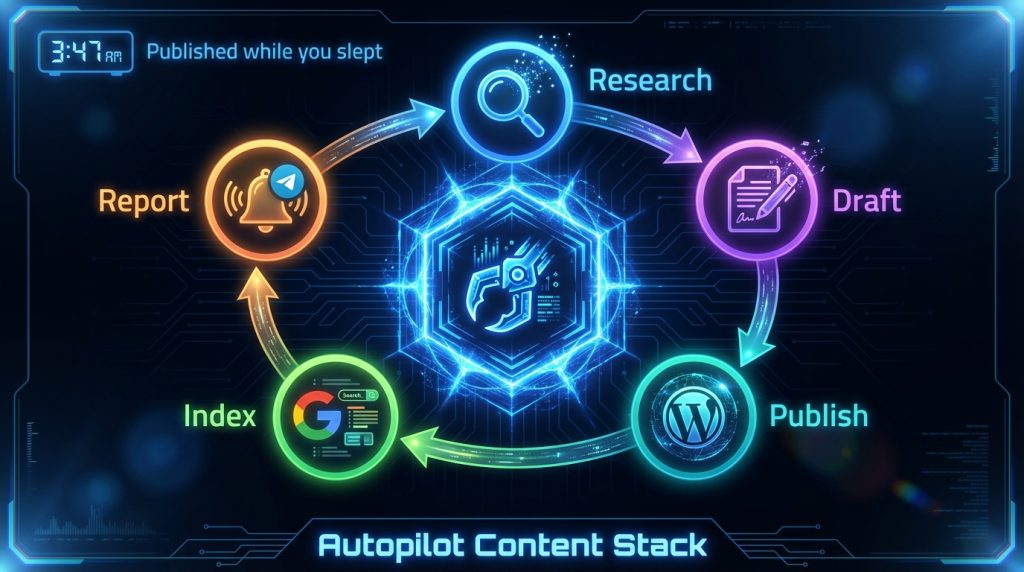
Last Tuesday at 3:47 AM, while I was asleep, my AI assistant published an article, submitted it to Google’s Indexing API, and sent me a Telegram notification with the live URL. No cron service. No Zapier. No server-side scripts running in a cron tab. Just OpenClaw doing what it’s configured to do.
That’s the part that still gets me. Not that it can draft content – lots of tools do that. But that it can own an entire workflow end-to-end: research, write, format, publish, index, report. And it does this using the same conversational interface I use to ask it questions during the day.
We’ve been running computertech.co on OpenClaw for several months now. This article breaks down the exact setup – cron configurations, skill stack, WordPress integration, and the specific workflows that generate SEO content while we’re not at the keyboard. If you run a content site, affiliate blog, or any kind of publishing operation, this is the most practical walkthrough we’ve written.
What OpenClaw Actually Is (Skip If You Know)
OpenClaw is an open-source AI assistant platform. Not an agent framework you code against – more like an operating system for AI workflows. You configure it with workspace files, connect it to channels like Telegram or Discord, and it runs as a persistent daemon on your server or desktop.
The core idea: your AI assistant should have memory, personality, skills, and the ability to act on schedules – not just respond when you talk to it. OpenClaw handles all of that. You can find the full project at github.com/openclaw/openclaw and the documentation at docs.openclaw.ai.
For a broader overview of what OpenClaw can do, our OpenClaw review covers the full platform. This article is specifically about using it for SEO content operations – the workflow side, not the feature overview.
The Problem With AI Content Tools (And Why We Stopped Using Most Of Them)
Here’s the honest version of how most AI content setups actually work in practice: you open a tool, paste a topic, get some text, copy it to WordPress, fix the formatting, add internal links, write a meta description, generate a featured image, publish, manually submit to Google Search Console. Then you do it again tomorrow.
The AI is saving you maybe 60% of the writing time. But the workflow friction – all the steps between “have an idea” and “article is live and indexed” – that’s still entirely manual. You’re still the connective tissue between every step.
What we wanted was something that could handle the entire pipeline. Not just drafting. The research, the formatting, the WordPress publish, the indexing, the reporting. And ideally do it on a schedule, not just when we remembered to kick it off.
That’s the gap OpenClaw fills. It’s not an AI writing tool – it’s the infrastructure that connects AI writing to your actual publishing workflow.
Our Stack: What We’re Running
Before getting into setup, here’s what our actual configuration looks like:
- Server: DigitalOcean droplet, Ubuntu 22.04
- WordPress: Running on the same server via LAMP stack
- OpenClaw: Installed globally, running as a background service
- Primary AI model: Claude Opus 4.6 for planning/orchestration, Sonnet for sub-agent tasks
- Channel: Telegram (all notifications delivered here)
- WP-CLI: Installed for direct WordPress interaction from the shell
- Rank Math SEO: For meta data management
We also use the ClawdHub skill marketplace to pull in pre-built skills rather than writing everything from scratch. The skills we rely on most for content operations: deep-research, pinch-to-post (WordPress automation), gsc (Google Search Console), and obsidian-daily for logging.
The Workspace Configuration Files
OpenClaw’s behavior is driven by a set of Markdown files in your workspace. Think of these as the persistent instructions your AI reads before every session. For content operations, three files matter most:
AGENTS.md – The Operational Rules
This is where we define what the AI can do autonomously vs. what needs approval. For a content business, you want to be explicit about publishing permissions. Our setup grants full autonomy for drafting, updating existing articles, fixing broken links, and submitting to the Google Indexing API. Publishing new articles is either cron-driven (fully autonomous) or requires confirmation in interactive sessions.
The key section in our AGENTS.md:
## Autonomous Permissions

**JUST DO IT:**
- Draft articles on major launches (save as drafts)
- Update published articles (stats, links, meta, SEO)
- Submit to Google Indexing API after publish/update
- Research sub-agents anytime (competitors, keywords, tool launches)

**ASK FIRST:**
- Publishing in interactive sessions (cron pipeline = autonomous)
This two-tier permission model is important. You don’t want your AI publishing mid-conversation without warning – but you absolutely want cron jobs to publish without waiting for your approval at 3 AM. These are different contexts, and OpenClaw handles them differently based on how the session is initiated.
For more on configuring workspace files, see our OpenClaw Workspace Files guide.
SOUL.md – The Persona
This is the personality layer. For content work, this matters more than you’d think. A generic AI writing tone – that corporate-casual mush that reads like it was filtered through three committee edits – is one of the fastest ways to get your content ignored by both readers and Google.
Our SOUL.md defines a specific voice: opinionated, specific, direct. No filler phrases. No hedging. We also embed content standards here – a reference to our article quality framework that gets read before every writing task.
USER.md – Context About the Business
The AI needs to know what the site is about, who the audience is, what monetization model we’re running, and what topics are in scope. USER.md carries this context into every session. When the AI is drafting a review, it knows automatically that we’re an affiliate site, that we link to specific tools, that we have a particular editorial stance on AI hype versus practical utility.
This contextual layer is what separates OpenClaw’s output from generic AI writing. The model isn’t starting from scratch every time – it’s starting with a full briefing.
The Cron Job Architecture
This is where the 24/7 operation actually happens. OpenClaw’s cron system lets you schedule AI tasks on any interval – hourly, daily, at specific times, on specific days. The jobs run in isolated sessions, so they don’t interfere with each other or with your interactive conversations.
Here’s our content-focused cron stack:
Morning Briefing Cron (6:00 AM Daily)
Every morning, OpenClaw sends a briefing to Telegram. For content operations, this includes: top keyword opportunities from Google Search Console, any new AI tool launches in the last 24 hours that need coverage, the publication queue status, and one suggested article topic for the day.
We wrote about this in detail in our OpenClaw Morning Briefing guide. The short version: the AI uses the gsc skill to pull GSC data, the web_search tool to scan for new launches, and formats everything into a clean Telegram message. Total time from cron fire to Telegram delivery: about 90 seconds.
Content Research Cron (Twice Weekly)
This cron runs Monday and Thursday mornings. It spawns a sub-agent using the deep-research skill with a prompt that varies based on our content calendar. The sub-agent researches the assigned topic – competitor content, search intent, related keywords, what existing articles are missing – and saves the output to a markdown file in the workspace.
The research output feeds the next cron in the pipeline.
Article Draft Cron (Monday, Wednesday, Friday – 9:00 AM)
This is the main publishing engine. The cron picks up the research notes from the previous run, drafts a full article using our quality standards framework, publishes it to WordPress via WP-CLI, sets Rank Math meta data, generates a featured image, and submits the URL to the Google Indexing API. Then it sends a Telegram notification with the live URL.
The configuration for this cron is an agentTurn payload – it runs in an isolated session so it has full context but doesn’t contaminate the main session. The prompt includes explicit instructions for each step, with error handling built in (if publishing fails, it saves as a draft and reports the error).
For the complete guide to setting this up, our OpenClaw Cron Jobs guide walks through every configuration option.
Link Maintenance Cron (Sundays)
This one runs every Sunday and checks for dead links across our published content. When it finds a 404, it updates the link with the best available alternative, logs what changed, and notifies us. Small task, but catching dead affiliate links before they cost you commissions pays for the cron’s existence every time it runs.
WordPress Integration: The WP-CLI Layer
OpenClaw doesn’t have a native WordPress integration – it talks to WordPress the same way you would from the command line: via WP-CLI. This is actually more powerful than a plugin-based integration, because WP-CLI gives you complete control over every aspect of a post with no API rate limits or authentication overhead.
The publish command we use looks like this:
wp post create \
  --post_title="ARTICLE TITLE HERE" \
  --post_content="$(cat /tmp/article_content.html)" \
  --post_status=publish \
  --post_author=1 \
  --post_category=5 \
  --path=/var/www/wordpress \
  --allow-root \
  --porcelain
The --porcelain flag returns just the post ID, which OpenClaw then uses for subsequent commands – setting meta data, attaching a featured image, submitting to the Indexing API.
Meta data is set immediately after publish:
wp post meta update POST_ID rank_math_title "SEO TITLE HERE" --path=/var/www/wordpress --allow-root
wp post meta update POST_ID rank_math_description "META DESCRIPTION HERE" --path=/var/www/wordpress --allow-root
wp post meta update POST_ID rank_math_focus_keyword "focus keyword" --path=/var/www/wordpress --allow-root
One thing other guides on AI content automation skip: the meta description matters more than most people treat it. We have a hard rule – 145-160 characters, specific numbers or claims, focus keyword present. The AI writes this to spec because it’s in the quality standards file that gets read before every writing task.
Featured Image Generation
Every published article needs a featured image. We generate these automatically using a Python script that calls Google’s Gemini image generation API. The script takes the post ID, fetches the post title from WordPress, generates an appropriate image, uploads it to WordPress media library, and sets it as the featured image.
python scripts/generate_featured_image.py --fix POST_ID
After image generation, we set alt text on the attachment directly:
wp post meta update THUMB_ID _wp_attachment_image_alt "TOOL NAME - brief description" \
  --path=/var/www/wordpress --allow-root
Alt text follows a consistent format: tool or topic name, em dash, brief descriptive phrase. Under 125 characters. Primary keyword present. This is a small SEO detail that compounds over hundreds of articles.
The Google Indexing API Integration
Publishing to WordPress doesn’t mean Google knows the article exists. Without active submission, you’re waiting for Googlebot to discover the URL organically – which could take days or weeks on a newer site.
We submit every new and updated URL to the Google Indexing API immediately after publish. The Python script handles this:
python scripts/google_indexing.py "https://computertech.co/SLUG/"
The script uses a service account with Search Console verification. If you haven’t set this up, the Google Search Console documentation has a walkthrough – it takes about 20 minutes to configure once and then runs silently forever.
Does immediate indexing submission guarantee faster ranking? No. But it guarantees faster discovery, which is the prerequisite for ranking. On competitive topics, getting crawled 48 hours before a competing article matters.
Sub-Agent Research: How We Cover AI Tool Launches Fast
Speed matters in this niche. When a new AI model drops or a major tool launches, the sites that publish within 24-48 hours capture most of the early search traffic. The sites that publish a week later are fighting for table scraps against ten articles that already have backlinks and click data.
Our workflow for fast coverage uses OpenClaw’s sub-agent spawning. When the morning briefing flags a new launch, we send OpenClaw a message:
Research [TOOL NAME] and draft a review. Use deep-research skill.
Save draft to WordPress. Don't publish yet.
OpenClaw spawns an isolated sub-agent that runs the research in parallel while we continue with other work. The sub-agent uses web search, web fetch for documentation, and often fetches the tool’s own changelog or release notes directly. When it’s done, it saves to WordPress as a draft and sends us a Telegram notification.
We review the draft, make any edits, and publish. Total time from “we heard about this launch” to “draft in WordPress”: typically 15-25 minutes. For AI tool reviews – our main content type – this workflow has been the single biggest operational improvement since we launched the site.
The OpenClaw Skills and Sub-Agents guide covers the sub-agent configuration in detail.
Content Quality: The Framework Layer
Here’s what other reviews of AI content operations don’t tell you: the quality of AI-generated content degrades fast if you’re not explicit about standards. Left to its own devices, the AI will default to whatever “good article” patterns it learned during training – which means hedged language, generic examples, formulaic structure, and the kind of toothless “it depends” opinions that make readers close tabs.
We solved this with two configuration files that get read before every writing task:
- ARTICLE-QUALITY-STANDARDS.md – Technical requirements: HTML only, minimum word count, FAQ schema, internal link count, meta description specs, forbidden phrases
- ELITE-STRATEGIST-FRAMEWORK.md – Voice requirements: have opinions, use analogies, vary sentence length, write like a knowledgeable friend not a product brochure
The forbidden phrases list is the most underrated part. We explicitly prohibit: “in today’s digital landscape,” “let’s dive in,” “comprehensive guide,” “it’s important to note that,” “whether you’re a beginner or pro.” These phrases are AI writing tells – they’re what the model reaches for when it’s not forced to be specific. Removing them from the output requires removing them from the instructions.
The result is content that reads like a real person wrote it, because the voice instructions are specific enough to actually change the output. Not performatively human – just not obviously robotic.
The SEO Monitoring Loop
Publishing content is only half the job. The monitoring side is where most content operations leave money on the table.
We run a weekly GSC analysis cron that looks for three things:
- Impressions with low CTR – Articles appearing in search but not getting clicked. These need title or meta description updates.
- Position 4-15 rankings – The “almost there” articles that need a content update or additional internal links to push into the top 3.
- Queries we rank for but don’t have dedicated articles on – These are the easiest keyword opportunities: you’re already ranking for the term on some other page, which means Google thinks you’re relevant. Build a dedicated article and you’ll likely rank faster than targeting a cold keyword.
OpenClaw’s gsc skill handles the API calls and data formatting. The output gets sent to our Obsidian vault via the obsidian-daily skill – which keeps a running log of SEO opportunities that feeds back into the content calendar.
For more on building automated SEO monitoring into OpenClaw, see our Website Monitoring with OpenClaw guide.
Multi-Model Routing: Using the Right Model for Each Task
Not every content task needs the same model. Research and planning benefit from a more capable model with strong reasoning. Sub-agent drafts that follow a clear template can use a faster, cheaper model. Image generation is a different API entirely.
OpenClaw’s multi-model routing lets you specify which model handles which type of request. Our configuration:
- Claude Opus 4.6 – Primary orchestration, planning, complex research synthesis
- Claude Sonnet 4.5 – Sub-agent article drafts (faster, still high quality)
- Gemini – Image generation (via Gemini’s image generation API)
- Gemini Flash – Web research tasks where speed matters more than depth
The cost difference matters at scale. Running everything through Opus would work – but it’s roughly 5x the cost of routing routine drafting tasks to Sonnet. Over a month of content production, that difference is significant.
Our multi-model routing guide has the exact configuration syntax.
What This Setup Costs
Honest answer, because every other guide on AI content automation gives you the dream without the bill:
- OpenClaw: Free and open source. The platform itself costs nothing.
- Claude API (Anthropic): Our main cost. With a mix of Opus and Sonnet, we typically spend $40-80/month on API calls for content operations. Heavy weeks pushing toward $100.
- DigitalOcean droplet: $12/month for the server running WordPress and OpenClaw.
- Google Gemini API (image gen): Under $5/month at our current image volume.
- Rank Math: Free tier handles everything we need.
Total: roughly $60-100/month. For a content site generating affiliate revenue, that math works at almost any traffic level. Compare it to a single freelance article at $150-300 and the economics are obvious.
What you’re really paying for isn’t the writing – it’s the infrastructure that means you never have to manually touch the publish-to-index pipeline again.
Honest Limitations
A few things this setup doesn’t do well, because you should know before you try to replicate it:
It won’t replace editorial judgment on nuanced topics. For straightforward AI tool reviews – which is most of our content – the output quality is high. For topics that require genuine synthesis of conflicting information, or where the right answer is genuinely ambiguous, you’ll still want human review before publishing. The AI doesn’t know what it doesn’t know.
Setup is not trivial. Getting the WP-CLI integration working, configuring the Google Indexing API service account, writing quality workspace files – this is a half-day project if you’re comfortable with command line. If you’re not, plan a full day. The ongoing operation is easy; the initial configuration requires patience.
The quality floor matters. Bad instructions produce bad content at scale. If your workspace files aren’t specific enough, you’ll publish a lot of mediocre articles quickly, which is worse for your site than publishing fewer better ones slowly. Spend time on the quality framework before you scale.
Context window management. Long cron jobs that generate 3,000+ word articles can run into context window issues if the AI is also being asked to do research in the same session. We solve this by splitting research and writing into separate cron runs. It’s an extra step, but the quality improvement is noticeable.
Who This Setup Is For
If you run a content site – affiliate, review-based, news-adjacent – and you’re currently doing any part of the publish pipeline manually, this setup is worth your time to configure. The operational leverage is real.
If you’re a one-person team covering a fast-moving niche (like AI tools), the speed advantage from automated research and drafting compounds quickly. You can cover more topics, publish more consistently, and spend your actual time on editorial judgment rather than production work.
If you’re an agency or freelancer managing multiple sites, OpenClaw’s multi-workspace support means you can run separate configurations for each client.
If you’re just getting started with content and haven’t built an audience yet, this setup will feel like overkill. Get your first 10 articles live manually, understand what good content looks like for your audience, then automate the pipeline. Automating before you have a quality baseline means scaling mediocrity.
Getting Started: The Minimal Viable Setup
If you want to start with something functional rather than the full stack, here’s the minimal version that actually moves the needle:
- Install OpenClaw – Follow the docs.openclaw.ai quickstart. Windows, Mac, and Linux are all supported. We have a detailed walkthrough in our Windows setup guide and Mac/Linux setup guide.
- Configure Telegram – Connect your Telegram account so you receive notifications. Our Telegram setup guide covers this in under 10 minutes.
- Write your AGENTS.md and SOUL.md – Even rough versions. Define what the AI can do autonomously and what voice it should use.
- Set up one cron – Start with a morning briefing that tells you about new AI launches or keyword opportunities. One cron that runs daily gives you immediate value and teaches you how the system works before you build more complex pipelines.
- Add WP-CLI to your server – Once you have one manual publish working via command line, automating it is trivial.
You don’t need the full stack on day one. The system compounds – each piece you add makes the others more useful.
Frequently Asked Questions
Does OpenClaw work with WordPress.com (hosted) or only self-hosted WordPress?
WP-CLI requires self-hosted WordPress with server access. If you’re on WordPress.com or a managed host without shell access, the WP-CLI integration won’t work. You’d need to use the WordPress REST API instead, which is more complex to configure but achievable. We run everything on self-hosted WordPress on DigitalOcean specifically because direct server access makes automation dramatically simpler.
How long does the full article cron take from start to live URL?
On our setup, a full cron run – research fetch, draft generation, WordPress publish, meta data, featured image, Indexing API submission – takes between 4 and 8 minutes depending on article complexity and API response times. We’ve seen it run as fast as 3 minutes on straightforward topics and as slow as 12 minutes when the AI is doing additional research mid-draft.
Can OpenClaw update existing articles, not just publish new ones?
Yes, and this is one of the most underused capabilities. We run a monthly cron that reviews published articles for outdated statistics, dead links, and missing internal links to newer articles. Updating existing content is often faster to rank improvements than publishing new content, and it’s fully automatable with WP-CLI’s wp post update command.
What happens if a cron job fails mid-execution?
OpenClaw cron jobs that fail send an error notification through your configured channel (Telegram in our case). The job logs the failure with context, so you can diagnose what went wrong. We’ve built fallback behavior into our article cron: if publishing fails for any reason, the content is saved as a draft with an error note, rather than silently lost. This has saved us a few times when the WordPress server was briefly unavailable.
Is the content quality actually good enough to rank, or does it still need heavy editing?
Honest answer: with well-configured workspace files and quality standards, the content is good enough to publish with light review – typically 5-10 minutes of reading and minor edits. Without good configuration, it’s generic and forgettable. The quality of your instructions determines the quality of the output more than anything else. We spent about two weeks refining our quality standards files before we were happy with the autonomous output.
How does OpenClaw handle E-E-A-T signals for SEO?
This is a real concern for AI-generated content. Our approach: the AI writes from first-person perspective (“we tested,” “in our experience”) because we actually do use the tools we review. We include real configuration examples and honest limitations. We avoid made-up statistics and cite specific, verifiable claims. The SOUL.md persona includes explicit anti-sycophancy instructions – the AI is instructed to push back on weak ideas and acknowledge genuine drawbacks. Whether Google can distinguish well-configured AI content from human-written content is an open question, but the E-E-A-T principles – specific experience, demonstrated expertise, honest assessment – apply either way.
Can this setup be used for niches other than AI tools?
Absolutely. The architecture – crons for research, sub-agents for drafting, WP-CLI for publishing – is niche-agnostic. You’d swap out the research prompts and quality standards for your topic, but the pipeline works the same way. We’d expect it to perform well in any information-heavy affiliate niche where content velocity and accuracy matter: software reviews, finance tools, health/fitness products, home improvement guides.
What’s the minimum technical skill level to set this up?
You need to be comfortable with the command line – navigating directories, running scripts, editing config files. You don’t need to write code, but you do need to not be afraid of a terminal window. If you’ve ever SSH’d into a server and installed software, you have enough. If the terminal is completely foreign to you, budget extra time and lean heavily on the OpenClaw documentation.


