Last Updated: February 3, 2026 | Reading Time: 18 min
The AI image generation landscape has exploded in 2026. From photorealistic product shots to anime characters to surreal concept art, these tools can create virtually anything you can describe. But with dozens of options ranging from free open-source models to premium subscription services, choosing the right one is overwhelming.
We’ve tested the top AI image generators extensively, evaluated them against objective benchmarks (including the LM Arena leaderboard), and broken down exactly which tools work best for different use cases and budgets.
Quick Verdict: Best AI Image Generators at a Glance
| Tool | Rating | Best For | Starting Price | Our Pick |
|---|---|---|---|---|
| Google Nano Banana Pro | ⭐ 4.8/5 | Overall quality & text rendering | $20/mo | 🏆 Best Overall |
| Midjourney v7 | ⭐ 4.7/5 | Creative & artistic work | $10/mo | 🎨 Best for Artists |
| GPT Image 1.5 | ⭐ 4.7/5 | Text in images & photorealism | $0.04/image | ✍️ Best Text Rendering |
| Adobe Firefly 3 | ⭐ 4.5/5 | Commercial/copyright-safe | Creative Cloud | 💼 Best for Business |
| Flux 2 Max | ⭐ 4.5/5 | Customization & control | Free | 🔧 Best Open-Source |
| DALL-E 3.5 | ⭐ 4.3/5 | ChatGPT users | $20/mo | 🤖 Best ChatGPT Integration |
| Canva Magic Media | ⭐ 4.2/5 | Beginners | Free tier | 👶 Best for Beginners |
| Stable Diffusion 3.5 | ⭐ 4.2/5 | Local deployment & privacy | Free | 🏠 Best for Privacy |
| Hunyuan Image 3.0 | ⭐ 4.4/5 | Anime & character art | $0.02/image | 🎌 Best for Anime |
| Leonardo.Ai | ⭐ 4.3/5 | Game assets & consistency | Free tier | 🎮 Best for Game Dev |
Table of Contents
How We Tested
Our evaluation methodology combines objective benchmarks with hands-on testing:
Objective Metrics:
- LM Arena Image Generation Leaderboard scores (Elo rating from blind human preference testing)
- Text rendering accuracy across 50 test prompts
- Generation speed measurements
- API reliability and uptime
Hands-On Testing:
- Photorealistic image quality (portraits, products, landscapes)
- Artistic style versatility (anime, oil painting, digital art, 3D render)
- Prompt adherence and consistency
- Editing and refinement capabilities
- User interface and learning curve
Business Factors:
- Pricing and value for money
- Commercial usage rights
- Privacy and data policies
- API access and integration options
1. Google Nano Banana Pro — Best Overall
LM Arena Score: 1235 | Rating: ⭐ 4.8/5
Google’s Nano Banana Pro (formerly Gemini 3 Image) has emerged as the gold standard for AI image generation in 2026. It combines exceptional photorealism, industry-leading text rendering, and deep integration with Google’s ecosystem.
Key Features
- Character Consistency: Maintains consistent characters across multiple generations — crucial for marketing campaigns and storytelling
- Text Rendering: Best-in-class ability to generate legible text in images, including infographics, signs, and logos
- Image Editing: Can edit existing images, not just generate new ones
- Multimodal Input: Understands complex conversational prompts with nuanced instructions
- Fast Generation: Typically 3-5 seconds per image
Pricing
| Plan | Price | Features |
|---|---|---|
| Free | $0 | Limited generations with “Thinking” model |
| Gemini Advanced | $20/mo | Full access to Nano Banana Pro |
| API | Pay-per-use | Tiered pricing, free tier available |
Pros ✅
- Exceptional photorealism and detail
- Best text rendering of any AI image generator
- Strong character consistency across generations
- Integrated with Google Workspace (Docs, Slides, etc.)
- Conversational editing (“make the sky more dramatic”)
Cons ❌
- Longer generation times than some competitors
- Generated facts/statistics in infographics may be inaccurate (always verify)
- Results can look “too perfect” — sometimes crosses into uncanny valley
- Regional availability limitations in some countries
Best For
Marketing teams, content creators, anyone needing text in images, Google Workspace users
Who Should Skip
Users who need complete creative control, those wanting a free unlimited option, artists seeking highly stylized outputs
2. Midjourney v7 — Best for Artists
LM Arena Score: ~1138 | Rating: ⭐ 4.7/5
Midjourney remains the go-to choice for artists, designers, and creatives who prioritize aesthetic quality over technical precision. Version 7 brings improved prompt adherence while maintaining the distinctive “Midjourney look” that’s become synonymous with beautiful AI art.
Key Features
- Unmatched Aesthetics: Images have a certain “soul” and artistic coherence that other generators struggle to replicate
- Style Versatility: From photorealism to fantasy to abstract — handles virtually any artistic style
- Community Gallery: Millions of shared creations for inspiration and prompt ideas
- Parameter Controls: Extensive tweaking options (–ar, –stylize, –chaos, etc.)
- Upscaling & Variations: Powerful tools for refining outputs
Pricing
| Plan | Price | Features |
|---|---|---|
| Basic | $10/mo | ~200 images/month |
| Standard | $30/mo | 15 hours fast generation |
| Pro | $60/mo | 30 hours fast, stealth mode |
| Mega | $120/mo | 60 hours fast generation |
Pros ✅
- Most aesthetically pleasing outputs of any generator
- Massive community for inspiration and learning
- Excellent at concept art, fantasy, and stylized imagery
- Regular updates and improvements
- Strong brand recognition and trust
Cons ❌
- Discord-only interface (no API, no standalone app)
- All images public unless on Pro+ plan (stealth mode)
- Text rendering capabilities lag behind competitors
- No pay-per-use option — subscription required
- Facing copyright lawsuits from major studios
Best For
Artists, concept designers, creative directors, anyone prioritizing beauty over precision
Who Should Skip
Developers needing API access, users requiring private generations on budget, those needing accurate text in images
3. GPT Image 1.5 — Best Text Rendering
LM Arena Score: 1264 | Rating: ⭐ 4.7/5
OpenAI’s GPT Image 1.5 tops the LM Arena leaderboard and sets the standard for text rendering in AI images. If your work involves logos, signage, typography, or any readable text, this is your tool.
Key Features
- Text Rendering Excellence: Can accurately generate complex typography, logos, and signage that’s actually readable
- Prompt Precision: Exceptional understanding of detailed technical instructions
- Photorealistic Detail: Proper lighting, textures, materials, and perspective
- ChatGPT Integration: Seamless multimodal workflows
- Robust API: Well-documented, enterprise-grade reliability
Pricing
| Method | Price | Notes |
|---|---|---|
| API | $0.04-$0.08/image | Varies by resolution |
| ChatGPT Plus | $20/mo | Access via DALL-E 3.5 |
Pros ✅
- Best text rendering capabilities — period
- Highest benchmark scores for photorealism
- Strong API with excellent documentation
- Nuanced understanding of complex prompts
- Outstanding for product mockups and marketing materials
Cons ❌
- Higher API costs than open-source alternatives
- Strict content policy may reject creative prompts
- Limited control over specific dimensions
- Requires API knowledge for best results
Best For
Marketing materials, product mockups, anything requiring readable text, developers, enterprise users
Who Should Skip
Hobbyists on a budget, artists seeking stylized outputs, users uncomfortable with API-based tools
4. Adobe Firefly 3 — Best for Business
LM Arena Score: ~1115 | Rating: ⭐ 4.5/5
Adobe Firefly is the only AI image generator trained exclusively on licensed content, making it the safest choice for commercial use. If copyright concerns keep you up at night, Firefly lets you sleep easy.
Key Features
- Commercially Safe: Trained only on Adobe Stock, licensed content, and public domain — no copyright concerns
- Creative Cloud Integration: Built directly into Photoshop, Illustrator, and Adobe Express
- Generative Fill: Powerful inpainting for editing existing images
- Style Reference: Upload reference images to maintain brand consistency
- Structure Reference: Control composition while changing content
Pricing
| Plan | Price | Features |
|---|---|---|
| Free | $0 | 25 monthly credits |
| Premium | $5.99/mo | 100 monthly credits |
| Creative Cloud | Included | Full access with CC subscription |
Pros ✅
- Zero copyright infringement concerns
- Deep integration with professional Adobe tools
- Strong editing capabilities (inpainting, outpainting)
- Style and structure reference features
- Professional-grade output quality
Cons ❌
- Lower overall image quality compared to frontier models
- More conservative outputs due to training data
- Requires Adobe subscription for full benefits
- Slower updates compared to AI-first companies
- Struggles with highly photorealistic human portraits
Best For
Agencies, professional designers, businesses with copyright concerns, Adobe Creative Cloud users
Who Should Skip
Hobbyists without Adobe subscriptions, users needing cutting-edge quality, those on tight budgets
5. Flux 2 Max — Best Open-Source
LM Arena Score: 1168 | Rating: ⭐ 4.5/5
From the creators of Stable Diffusion, Flux 2 Max represents the pinnacle of open-weight image generation. If you want complete control over your AI image pipeline, this is your tool.
Key Features
- Open-Weight Model: Download, modify, and deploy however you want
- Full Customization: LoRA support for fine-tuning on custom datasets
- Local Deployment: Run on your own hardware (RTX 4090 recommended)
- Massive Community: Thousands of custom models, extensions, and fine-tunes
- No Restrictions: Generate whatever you want with no content filtering
Pricing
| Method | Price | Notes |
|---|---|---|
| Open-Source | Free | Download and run locally |
| Cloud APIs | Varies | WaveSpeedAI, Replicate, etc. |
Pros ✅
- Completely free and open-source
- Unlimited customization potential
- No content restrictions or filtering
- Privacy — runs entirely on your hardware
- Active community with constant improvements
Cons ❌
- Requires technical expertise to deploy
- Needs powerful GPU (RTX 4090 recommended)
- Text rendering lags behind proprietary models
- Longer generation times
- No official support — community-driven
Best For
Developers, AI researchers, privacy-focused users, those needing custom fine-tuned models
Who Should Skip
Non-technical users, anyone without a powerful GPU, users who need plug-and-play simplicity
6. DALL-E 3.5 — Best ChatGPT Integration
LM Arena Score: ~1125 | Rating: ⭐ 4.3/5
DALL-E 3.5 isn’t the most powerful image generator anymore, but it’s the most accessible for ChatGPT users. If you’re already paying for ChatGPT Plus, you’ve got solid image generation built right in.
Key Features
- ChatGPT Native: Generate images directly in your ChatGPT conversations
- Conversational Editing: Refine images through natural dialogue
- Style Variety: Handles many artistic styles from photorealism to illustration
- Safety Measures: Strong content filtering (good or bad depending on your needs)
- Consistent Quality: Reliable, predictable outputs
Pricing
| Plan | Price | Features |
|---|---|---|
| ChatGPT Plus | $20/mo | Image generation included |
| API | Pay-per-use | Separate from subscription |
Pros ✅
- Seamlessly integrated into ChatGPT
- Very beginner-friendly
- Conversational refinement (“make it more blue”)
- Included with ChatGPT Plus — no extra cost
- Good balance of quality and simplicity
Cons ❌
- Outperformed by newer models (including OpenAI’s own GPT Image 1.5)
- Limited advanced controls
- Strict content filtering can be frustrating
- Lower resolution outputs
- No standalone image editing tools
Best For
ChatGPT Plus subscribers, beginners, casual users who need occasional images
Who Should Skip
Professional creators, users needing maximum quality, anyone not using ChatGPT
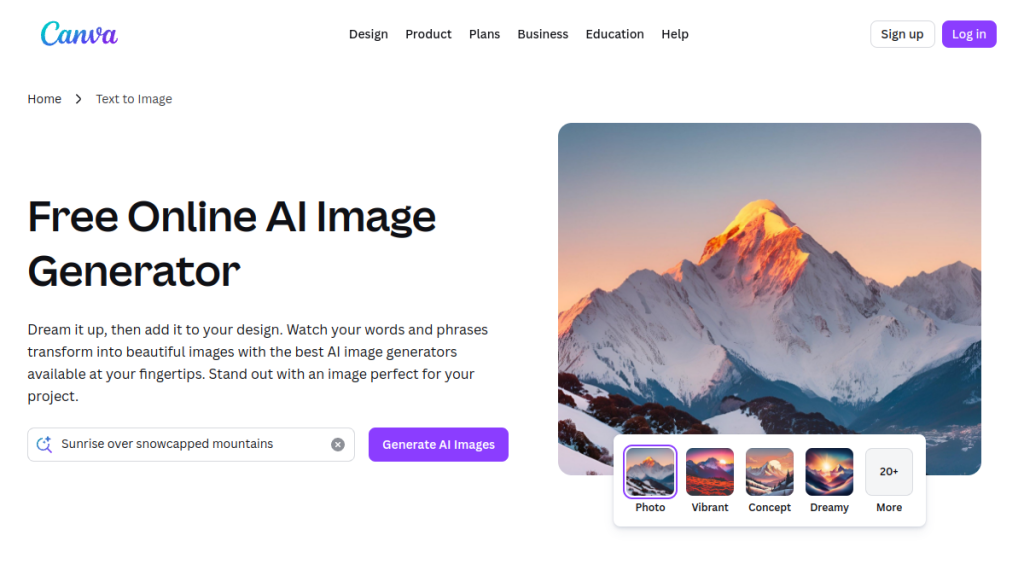
7. Canva Magic Media — Best for Beginners
Rating: ⭐ 4.2/5
Canva’s Magic Media is the ultimate no-frills AI image generator. If you’ve never touched AI tools before and want the gentlest learning curve possible, start here.
Key Features
- Dead Simple Interface: Type a prompt, get an image — that’s it
- Canva Integration: Use generated images directly in your designs
- Privacy-First: Canva doesn’t train on your content, images stay private
- Mobile App: Full functionality on iOS and Android
- Template Integration: Drop AI images right into marketing templates
Pricing
| Plan | Price | Features |
|---|---|---|
| Free | $0 | Limited monthly generations |
| Pro | $15/mo | More generations, premium features |
| Teams | $30/mo | Collaboration features |
Pros ✅
- Easiest AI image generator to use — period
- Strong privacy policy (no training on your data)
- Integrated with Canva’s design ecosystem
- Available on mobile
- Good for quick social media graphics
Cons ❌
- Limited editing tools
- Lower quality ceiling than frontier models
- Free plan has strict generation limits
- Less control over outputs
- Not suitable for professional creative work
Best For
Absolute beginners, small business owners, social media managers, Canva users
Who Should Skip
Professional designers, users needing high-quality outputs, anyone who wants fine control
8. Stable Diffusion 3.5 — Best for Privacy
LM Arena Score: ~1095 | Rating: ⭐ 4.2/5
Stable Diffusion remains the gold standard for privacy-conscious users. Run it locally, and your prompts and images never leave your machine.
Key Features
- Complete Privacy: Run entirely locally — nothing sent to servers
- Open-Source: Fully transparent model you can inspect and modify
- Massive Ecosystem: Thousands of extensions, LoRAs, and custom models
- No Restrictions: Generate whatever you want
- Moderate Hardware Requirements: RTX 3080+ works well
Pricing
Free (open-source). Cloud hosting available from various providers if you don’t have suitable hardware.
Pros ✅
- 100% free and open-source
- Complete privacy — local deployment
- Huge community and ecosystem
- No content restrictions
- Lower hardware requirements than Flux 2 Max
Cons ❌
- Requires technical setup
- Quality ceiling lower than cutting-edge models
- Text rendering is problematic
- Need to learn ComfyUI or similar interface
- No official support
Best For
Privacy-focused users, hobbyists, developers, AI enthusiasts learning the technology
Who Should Skip
Non-technical users, those needing professional-grade quality, users without suitable hardware
9. Hunyuan Image 3.0 — Best for Anime
LM Arena Score: 1152 | Rating: ⭐ 4.4/5
Tencent’s Hunyuan Image 3.0 is unmatched for anime, manga, and Asian artistic styles. If character art is your focus, nothing else comes close.
Key Features
- Anime Excellence: Best-in-class for anime, manga, and character art
- Character Consistency: Exceptional at maintaining character identity across generations
- Asian Cultural Content: Strong understanding of Asian aesthetics and cultural elements
- Expressive Faces: Excellent at detailed, emotive facial expressions
- Competitive Pricing: $0.02-$0.05 per image
Pricing
| Method | Price |
|---|---|
| API | $0.02-$0.05/image |
Pros ✅
- Unmatched anime and character art quality
- Exceptional character consistency
- Handles Asian language prompts natively
- Very competitive pricing
- Detailed facial expressions
Cons ❌
- Less versatile with Western artistic styles
- Documentation primarily in Chinese
- Limited brand recognition outside Asia
- Challenges with very long English prompts
Best For
Anime artists, game character designers, webtoon creators, Asian market content
Who Should Skip
Users focused on photorealism, Western audiences unfamiliar with API tools, those needing Western artistic styles
10. Leonardo.Ai — Best for Game Assets
Rating: ⭐ 4.3/5
Leonardo.Ai has carved out a niche in game development and asset creation with strong consistency features and a user-friendly interface.
Key Features
- Asset Consistency: Maintain consistent style across game assets
- Custom Models: Train models on your own art style
- Image-to-Image: Powerful img2img for iterating on designs
- Tile Generation: Create seamless textures for games
- Community Models: Access community-trained models
Pricing
| Plan | Price | Features |
|---|---|---|
| Free | $0 | 150 tokens/day |
| Apprentice | $12/mo | 8,500 tokens/mo |
| Artisan | $30/mo | 25,000 tokens/mo |
| Maestro | $60/mo | 60,000 tokens/mo |
Pros ✅
- Great for game asset creation
- Strong consistency tools
- User-friendly interface
- Generous free tier
- Active community
Cons ❌
- Not the highest quality for photorealism
- Token system can be confusing
- Less suitable for general-purpose use
Best For
Game developers, indie studios, concept artists, asset creators
Who Should Skip
Users needing photorealistic images, those who don’t need gaming-specific features
Pricing Comparison
| Tool | Free Tier | Paid Plans | Pay-Per-Use |
|---|---|---|---|
| Nano Banana Pro | Limited | $20/mo | API available |
| Midjourney v7 | ❌ | $10-$120/mo | ❌ |
| GPT Image 1.5 | ❌ | Via ChatGPT $20/mo | $0.04-$0.08/image |
| Adobe Firefly 3 | 25 credits | $5.99/mo | ❌ |
| Flux 2 Max | ✅ Unlimited | N/A | Cloud APIs vary |
| DALL-E 3.5 | ❌ | $20/mo (ChatGPT) | API available |
| Canva | Limited | $15/mo | ❌ |
| Stable Diffusion | ✅ Unlimited | N/A | Cloud APIs vary |
| Hunyuan 3.0 | ❌ | N/A | $0.02-$0.05/image |
| Leonardo.Ai | 150 tokens/day | $12-$60/mo | ❌ |
How to Choose the Right AI Image Generator
Decision Framework
What’s your primary use case?
- Marketing/Branding: Nano Banana Pro (text rendering) or Adobe Firefly (copyright safety)
- Art/Creative: Midjourney v7 (aesthetics) or Flux 2 Max (customization)
- Character/Anime: Hunyuan Image 3.0
- Game Development: Leonardo.Ai or Flux 2 Max
- Casual Use: DALL-E 3.5 (ChatGPT) or Canva
What’s your budget?
- Free: Stable Diffusion, Flux 2 Max (requires GPU)
- Low ($10-20/mo): Midjourney Basic, Canva Pro, ChatGPT Plus
- Medium ($20-60/mo): Nano Banana Pro, Leonardo Artisan
- Enterprise: GPT Image 1.5 API, Adobe Creative Cloud
What’s your technical level?
- Beginner: Canva, DALL-E 3.5 (ChatGPT)
- Intermediate: Midjourney, Leonardo.Ai, Adobe Firefly
- Advanced: Flux 2 Max, Stable Diffusion
Do you need commercial usage rights?
- Copyright-safe: Adobe Firefly (only option with full indemnification)
- Generally safe: Most paid tools with commercial licenses
- Proceed carefully: Open-source tools (you’re responsible for outputs)
FAQs
What is the best free AI image generator in 2026?
Stable Diffusion 3.5 and Flux 2 Max are the best free options, but they require technical setup and a capable GPU. For a web-based free option, Leonardo.Ai‘s free tier (150 tokens/day) is the most generous.
Which AI image generator has the best quality?
Based on the LM Arena leaderboard, GPT Image 1.5 (score: 1264) and Google Nano Banana Pro (score: 1235) are the highest-rated for overall quality. Midjourney v7 excels at aesthetic/artistic quality specifically.
Can I use AI-generated images commercially?
It depends on the tool. Adobe Firefly is the only generator that guarantees commercially safe outputs (trained exclusively on licensed content). Most other paid tools allow commercial use per their terms of service, but there’s ongoing legal uncertainty around AI-generated content and copyright.
Which AI image generator is best for text in images?
GPT Image 1.5 is the clear winner for generating readable text, followed by Nano Banana Pro. Most other generators struggle with accurate text rendering.
What AI image generator do professionals use?
Professional designers typically use Adobe Firefly (for copyright safety and Photoshop integration), Midjourney (for creative work), or Nano Banana Pro (for quality and speed). Many use multiple tools depending on the project.
Is Midjourney worth it in 2026?
Yes, Midjourney remains the best choice for artistic and creative work. Its aesthetic quality is unmatched. However, if you primarily need photorealistic images or text rendering, other tools may be better suited.
Can I run AI image generators locally?
Yes. Stable Diffusion 3.5 and Flux 2 Max can run locally on your own hardware. You’ll need a capable GPU (RTX 3080+ for SD, RTX 4090 recommended for Flux). This provides complete privacy and no usage limits.
Final Verdict
The “best” AI image generator depends entirely on your needs:
- Best Overall Quality: Google Nano Banana Pro
- Best for Artists: Midjourney v7
- Best for Text: GPT Image 1.5
- Best for Business: Adobe Firefly 3
- Best Free Option: Flux 2 Max (with capable GPU)
- Best for Beginners: Canva Magic Media or DALL-E 3.5
For most users, we recommend starting with Google Nano Banana Pro ($20/mo) — it offers the best combination of quality, features, and accessibility. If you’re an artist prioritizing aesthetics, Midjourney ($10/mo) is worth the Discord-only interface.
Budget-conscious users with technical skills should explore Flux 2 Max — it’s free, powerful, and constantly improving through community contributions.
Related Reviews
- Midjourney Review 2026
- DALL-E 3.5 Review 2026
- Adobe Firefly Review 2026
- Stable Diffusion Review 2026
- Midjourney vs DALL-E: Which is Better?
Schema Markup Notes
Add FAQ schema with all 7 FAQs above.
Affiliate Disclosure: Some links in this article may be affiliate links. We may earn a commission if you make a purchase through these links, at no extra cost to you. This helps support our independent reviews.
Related Reading
Interested in more AI creative tools? Explore these reviews:
- Topaz Labs Review 2026 — Professional AI image enhancement
- Runway ML Review 2026 — From images to AI video generation
- Best AI Tools for YouTubers 2026 — Complete visual creator toolkit
Once you’ve generated your AI images, Topaz Labs offers professional-grade AI enhancement to upscale, denoise, and sharpen them to print quality.