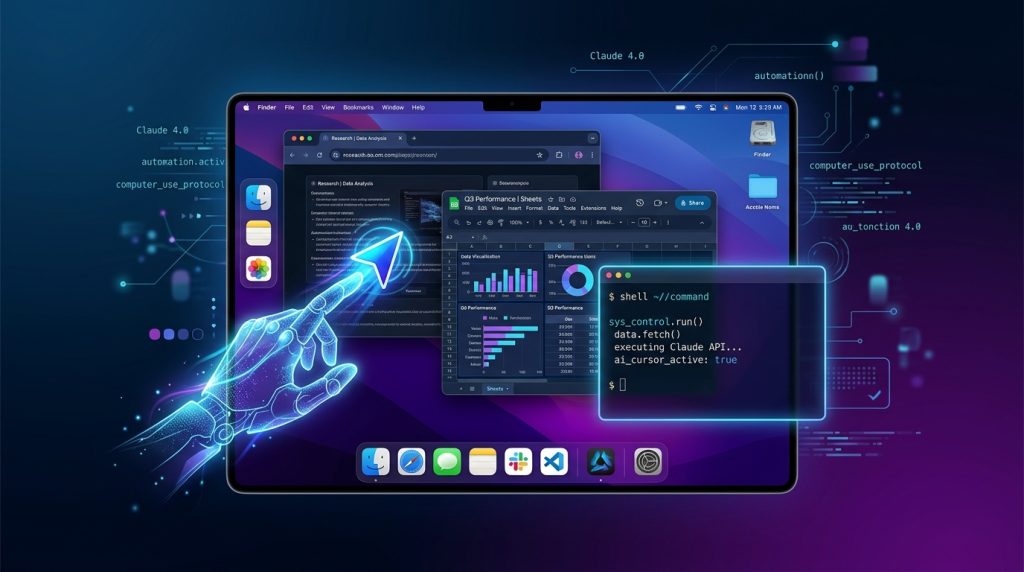
On March 23, 2026, the company that built its entire reputation on AI safety handed Claude the mouse, keyboard, and full access to your Mac. Anthropic’s Claude Computer Use — now live as a research preview inside Claude Cowork and Claude Code — lets an AI open your apps, navigate your browser, edit your spreadsheets, and run developer tools while you’re away from your desk. The announcement tweet hit 77,000 likes and 25 million views in 9 hours — making it the most viral AI launch of 2026 so far.
Rating: 8.5/10 ⭐⭐⭐⭐
What Is Claude Computer Use?
Claude Computer Use is Anthropic’s production-grade desktop automation feature, launched March 23, 2026, as a research preview for Claude Pro ($20/mo) and Claude Max ($100/mo) subscribers. It enables Claude to control your macOS computer exactly like a human would — pointing, clicking, scrolling, typing, opening applications, and navigating between windows.
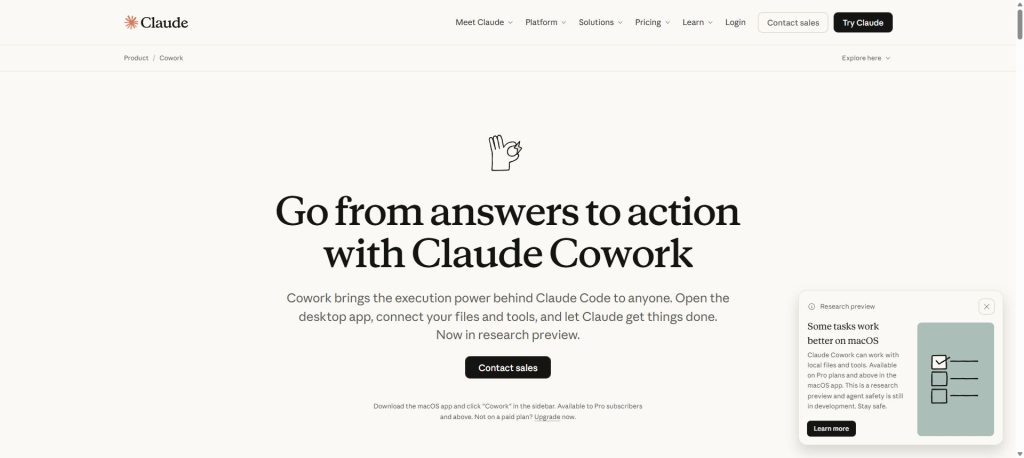
The feature lives inside two Anthropic products: Claude Cowork (for non-technical tasks like research, file management, and multi-step projects) and Claude Code (Anthropic’s agentic coding tool for terminal, IDE, and GitHub workflows). When Claude lacks a native integration with an app — say, a niche CRM or local accounting software — it falls back to screen-level control, using the GUI directly. Anthropic also launched Dispatch alongside it, letting you assign tasks from your iPhone that Claude executes on your Mac.
Official site: claude.ai
The Story: The Safety Lab That Just Gave AI the Keys
Here’s the tension that makes this launch fascinating: Anthropic is the company that sued the Pentagon over AI safety concerns, published extensive research on AI alignment, and built its entire brand around “responsible scaling.” Now they’re shipping a feature that lets an AI control your entire desktop — opening files, browsing the web, editing documents — potentially while you’re not even in the room.
This isn’t entirely new territory for Anthropic. They first introduced a basic computer use API in October 2024, but it was developer-only, clunky, and required significant technical setup. What’s different now is the integration: Computer Use is baked directly into Claude Cowork and Claude Code as a seamless, consumer-facing feature. No API wrangling. No custom scripting. You just tell Claude what to do, and it does it on your screen.
The viral reception tells the story. Within 9 hours of the announcement, the official Claude X post hit 77,000 likes and 25 million views — numbers that dwarf every other AI launch this year. For context, GPT-5.4’s launch announcement peaked at roughly 12 million views in its first 24 hours. People are either thrilled or terrified, and that’s exactly the response Anthropic probably expected from the safety-first lab shipping desktop autonomy.
Anthropic’s approach is “permission-first” — Claude asks before accessing new applications, and you can halt operations at any time. But the philosophical shift is unmistakable: the company that warns loudest about AI risks is now building the most intimate form of AI integration possible — an agent that sits inside your operating system.
Benchmark Performance
Direct benchmarks for computer use agents are still emerging, but here’s how Claude Computer Use stacks up against competitors on the metrics that matter:
| Metric | Claude Computer Use | OpenAI Operator | Google Project Mariner | Rabbit R1 |
|---|---|---|---|---|
| Task Scope | Full desktop + browser + apps | Web-based tasks only | Browser-based (Chrome extension) | Dedicated hardware device |
| Platform | macOS (research preview) | Web (US only initially) | Chrome (US, AI Ultra subscribers) | Custom hardware (R1 device) |
| App Control | Native apps + GUI fallback | Web apps only | Web apps via Chrome | Limited app partnerships |
| Recurring Tasks | Yes (via Dispatch) | Limited | Planned (Mariner Studio Q2 2026) | No |
| Underlying Model | Claude Opus 4.6 / Sonnet 4.6 | GPT-5.4 CUA | Gemini 2.5 | Rabbit OS (LAM) |
| Status | Research preview (Mar 2026) | Available (Pro subscribers) | Available (AI Ultra) | Shipping (mixed reviews) |
Sources: Anthropic, OpenAI, Google DeepMind, Rabbit Inc. announcements. Task success rates not yet standardized across platforms. For a deep dive on one competitor, see our Perplexity Computer review covering 19 AI models.
Pricing
Claude Computer Use requires a paid Anthropic subscription. Here’s the breakdown:
| Plan | Price | Computer Use Access | Key Limits |
|---|---|---|---|
| Free | $0 | ❌ No | Basic Claude web/mobile access |
| Pro | $20/mo ($17/mo annual) | ✅ Yes (research preview) | Standard usage limits, Claude Code terminal access |
| Max | $100/mo | ✅ Yes (research preview) | 5-20x Pro usage, persistent memory, priority access |
| Team Standard | $25/user/mo (annual) | ✅ Yes | 5+ members, SSO, admin controls |
| Team Premium | $125/user/mo ($100/mo annual) | ✅ Yes | Claude Code access, enterprise deployment, org search |
How It Compares to Competitors
| Service | Entry Price for Computer Use | Notes |
|---|---|---|
| Claude Computer Use | $20/mo (Pro) | macOS only, research preview |
| OpenAI Operator | $200/mo (ChatGPT Pro) / API token-based | Web-only, US-only initially. API: GPT-5.4 mini CUA at $0.75/M input |
| Google Project Mariner | AI Ultra subscription (pricing varies) | Chrome extension, browser-only |
| Rabbit R1 | $199 (hardware) + subscription | Dedicated device, limited app support |
At $20/month, Claude Computer Use is the cheapest entry point for desktop-level AI automation by a wide margin. OpenAI’s Operator launched at $200/month for the Pro tier, making Claude’s offering 10x cheaper for individual users.
Key Features
1. Full Desktop App Control
Claude can open and interact with any macOS application — not just web apps. This includes native software like Excel, Finder, Terminal, Slack, and even niche industry tools. When a direct API integration doesn’t exist, Claude uses the screen: it sees what you see and controls the mouse and keyboard to navigate. Limitation: Screen-based control is inherently slower and more error-prone than native integrations. Complex multi-step workflows in unfamiliar apps may require multiple attempts.
2. Browser Automation
Claude navigates web browsers to complete research, fill forms, extract data, and interact with web applications. It can handle multi-tab workflows and maintain context across pages. Limitation: CAPTCHAs, two-factor authentication prompts, and sites with aggressive bot detection will interrupt automated workflows. Claude cannot bypass security measures (by design).
3. Spreadsheet & Document Automation
Particularly powerful for non-technical users: Claude can open spreadsheets, clean data, apply formulas, generate charts, and format documents — all through natural language instructions. Combined with Claude’s existing Excel and PowerPoint beta integrations, this creates a genuine office automation stack. Limitation: Research preview. Anthropic explicitly warns Claude “may make mistakes” with data manipulation. Don’t point it at your production financials unsupervised.
4. Recurring Tasks via Dispatch
The companion Dispatch feature (iPhone app) lets you assign recurring tasks that Claude executes on your Mac — daily report generation, inbox triage, scheduled data pulls. This is the “set it and forget it” angle that separates Claude Computer Use from one-shot automation tools. Limitation: Your Mac must be on and logged in for Dispatch to work. No Windows or Linux support yet.
5. macOS-Native Integration
Unlike browser-only competitors, Claude Computer Use operates at the OS level on macOS. It leverages system accessibility features, meaning it can interact with menu bars, system preferences, notification centers, and file dialogs. Limitation: macOS only. No Windows, no Linux, no mobile (beyond Dispatch as a remote trigger). This locks out a significant portion of potential users.
Who Is It For / Who Should Look Elsewhere
Use Claude Computer Use if you:
- Run a Mac-based workflow and want to automate repetitive desktop tasks without learning scripting or Automator
- You’re a solo operator or small team drowning in admin — data entry, report formatting, research compilation — and need a digital assistant that actually uses your tools
- You’re a developer on Claude Code who wants terminal + app automation in a single agent (Git workflows, testing, deployment scripts + Slack updates + Jira tickets)
- You already pay for Claude Pro — Computer Use is included at no extra cost, making this a free upgrade to your existing subscription
- You travel and need remote task execution — Dispatch lets you trigger desktop workflows from your phone
Look elsewhere if you:
- You’re on Windows or Linux — this is macOS-only with no timeline for cross-platform support
- You need enterprise-grade reliability — “research preview” means expect rough edges, failed tasks, and occasional confusion in complex app navigation
- You handle sensitive financial or medical data — Anthropic themselves advise caution with sensitive information during the research preview
- You primarily need web automation only — OpenAI Operator or Google Mariner may be more mature for browser-specific workflows
Comparison Table: Claude Computer Use vs. Competitors
| Feature | Claude Computer Use | OpenAI Operator | Google Project Mariner | Rabbit R1 |
|---|---|---|---|---|
| Launch Date | March 23, 2026 | January 2025 (preview) | May 2025 (AI Ultra) | April 2024 |
| Entry Price | $20/mo | $200/mo (Pro) | AI Ultra sub | $199 device + sub |
| Desktop Apps | ✅ Full macOS | ❌ Web only | ❌ Browser only | ⚠️ Limited partners |
| Browser Control | ✅ | ✅ | ✅ | ⚠️ Limited |
| Mobile Trigger | ✅ Dispatch (iPhone) | ❌ | ⚠️ Cross-device Q3 2026 | ✅ Native device |
| Recurring Tasks | ✅ | ⚠️ Limited | ⚠️ Mariner Studio Q2 | ❌ |
| OS Support | macOS only | Web (any OS) | Chrome (any OS) | Rabbit OS |
| Coding Integration | ✅ Claude Code | ⚠️ Via ChatGPT | ❌ | ❌ |
| Permission Model | Per-app approval | Per-task confirmation | Per-action | Device-level |
| Status | Research preview | Generally available | Available (limited) | Shipping (mixed) |
Controversy: What They Don’t Advertise
The Safety Paradox
Anthropic’s entire brand is built on responsible AI development. Their Pentagon lawsuit, their Responsible Scaling Policy, their refusal to race — all of it positions them as the cautious lab. Now they’re shipping an agent that controls your operating system. The cognitive dissonance hasn’t gone unnoticed. Critics on X and Hacker News have pointed out that desktop-level computer use is precisely the kind of autonomous capability Anthropic’s own research papers have flagged as high-risk.
macOS Lock-In
Launching on macOS only isn’t just a technical limitation — it’s a strategic choice. macOS offers better accessibility APIs and a more predictable GUI environment than Windows. But it also means roughly 75% of desktop users are locked out with no announced timeline for Windows support.
Research Preview ≠ Production Ready
Anthropic is explicit: Claude Computer Use “may make mistakes.” In practice, this means failed clicks, misidentified UI elements, and occasional confusion when apps update their interfaces. For critical workflows — financial data, client communications, deployment pipelines — unsupervised use is a risk. The “research preview” label is doing a lot of heavy lifting here.
Screen Recording Privacy
For Claude to control your computer, it needs to see your screen. macOS will prompt for screen recording permissions, but once granted, Claude can see everything — notifications, passwords briefly visible, personal messages. Anthropic hasn’t published detailed data retention policies for screen capture data during computer use sessions.
The Dispatch Dependency
Recurring task automation via Dispatch requires your Mac to be on and logged in. There’s no cloud compute fallback. If your laptop sleeps, the task fails. This is a meaningful limitation for anyone expecting “always-on” automation.
Pros and Cons
Pros
- Full desktop control — not just browser, not just web apps. This is genuine OS-level automation that competitors can’t match
- Cheapest entry point — $20/mo vs $200/mo (Operator) makes this accessible to individuals and solopreneurs
- Integrated with Claude Code — developers get terminal + desktop automation in one agent, a unique combination
- Permission-first design — per-app approval and kill-switch align with Anthropic’s safety brand and give users real control
- Dispatch mobile trigger — assign tasks from your phone for execution on your Mac, a genuine workflow innovation
- Powered by frontier models — Opus 4.6 and Sonnet 4.6 reasoning behind the automation, not a stripped-down model
Cons
- macOS only — no Windows, no Linux. Roughly 75% of desktop users are excluded with no announced timeline
- Research preview quality — expect failures, misclicks, and confused navigation in complex or unfamiliar apps
- Screen recording required — Claude sees everything on your display, with limited transparency on data handling
- Mac must stay awake — Dispatch recurring tasks fail if your laptop sleeps or loses connection
- No offline mode — all processing requires internet connection to Anthropic’s servers
- Sensitive data risk — Anthropic explicitly warns against unsupervised use with sensitive information during preview
Getting Started with Claude Computer Use
- Subscribe to Claude Pro or Max — Visit claude.ai and sign up for Pro ($20/mo) or Max ($100/mo). Computer Use is included with both tiers at no additional cost.
- Download Claude Desktop for macOS — Install the Claude desktop app from Anthropic’s website. This is required for Computer Use — the web version alone won’t work. Grant the accessibility and screen recording permissions when prompted.
- Enable Computer Use in Claude Cowork or Claude Code — Open Claude Cowork (for general tasks) or Claude Code (for developer workflows). Computer Use appears as an available capability. Tell Claude what you want done: “Open Excel, format the Q1 sales data, and email the summary to my team.”
- Set up Dispatch (optional) — Download Dispatch on your iPhone to assign tasks remotely. Pair it with your Mac through the Claude desktop app. Your Mac must remain on and connected for Dispatch tasks to execute.
- Start small and supervise — Anthropic recommends starting with low-stakes tasks while you learn Claude’s capabilities. Watch the first few runs, correct mistakes, and gradually trust it with more complex workflows as you build confidence.
Frequently Asked Questions
What is Claude Computer Use?
Claude Computer Use is Anthropic’s desktop automation feature that lets Claude AI control your macOS computer — opening apps, clicking, typing, browsing, and managing files. It’s available as a research preview inside Claude Cowork and Claude Code for Pro and Max subscribers.
How much does Claude Computer Use cost?
Claude Computer Use is included with Claude Pro ($20/month or $17/month billed annually) and Claude Max ($100/month) subscriptions. There’s no additional charge beyond the subscription fee.
Does Claude Computer Use work on Windows?
No. As of March 2026, Claude Computer Use is macOS only. Anthropic has not announced a timeline for Windows or Linux support.
Is Claude Computer Use safe to use with sensitive data?
Anthropic explicitly advises caution when using Computer Use with sensitive data during the research preview. Claude requires screen recording access and can see everything on your display. Start with non-sensitive tasks and supervise operations.
How does Claude Computer Use compare to OpenAI Operator?
Claude Computer Use controls full desktop applications on macOS, while OpenAI Operator is limited to web-based tasks. Claude costs $20/month vs Operator’s $200/month ChatGPT Pro requirement. However, Operator works on any operating system through the browser, while Claude is macOS only.
What is Dispatch for Claude Computer Use?
Dispatch is Anthropic’s iPhone companion app that lets you assign tasks to Claude from your phone. Claude then executes those tasks on your Mac. Your Mac must be on and connected for Dispatch to work.
Can Claude Computer Use run tasks while I’m away?
Yes, Claude can execute tasks on your Mac while you’re away, including via Dispatch from your iPhone. However, your Mac must remain powered on and logged in. If it sleeps or loses internet, tasks will fail.
What apps does Claude Computer Use support?
Claude Computer Use can interact with any macOS application. It has native integrations with some apps (Slack, Google Workspace, Microsoft 365) and uses screen-level GUI control as a fallback for apps without direct integrations.
Is Claude Computer Use better than Google Project Mariner?
They serve different use cases. Claude Computer Use controls desktop apps and browsers on macOS. Google Project Mariner is a Chrome extension for browser-based tasks only but works on any operating system. Claude offers deeper automation; Mariner offers broader OS compatibility.
When will Claude Computer Use leave research preview?
Anthropic hasn’t announced a timeline for general availability. The research preview label indicates the feature is functional but may have rough edges, and Anthropic is gathering user feedback before a full launch.
See Also
- Claude Interactive Visuals Review 2026 — Anthropic’s clickable charts feature reviewed
- Claude Code Review 2026 — the coding tool that pairs with Computer Use
- Claude Cowork Review 2026 — the productivity app where Computer Use lives
- Claude Sonnet 4.6 Review 2026 — the model powering most Computer Use tasks
Final Verdict
Claude Computer Use is the most ambitious AI automation feature shipped in 2026 — and it’s only a research preview. At $20/month, Anthropic is undercutting every competitor by a factor of 10x while offering something none of them can: full desktop app control, not just browser automation. The Dispatch iPhone integration adds a genuine “assign work from anywhere” workflow that feels like a glimpse of where all AI agents are headed.
The macOS-only limitation is real and will frustrate the majority of desktop users. The research preview quality means you’ll babysit it more than you’d like in the first few weeks. And the irony of the safety-first lab shipping OS-level autonomy hasn’t been lost on anyone.
But here’s the bottom line: if you’re on a Mac and already paying for Claude Pro, this is a free upgrade that can genuinely eliminate hours of repetitive work. If you’re on Windows, put this on your watch list — it’s a matter of when, not if. For everyone building in the AI agent space, Claude Computer Use just redefined what “computer use” means. It’s not browsing. It’s everything.
Score: 8.5/10 — Docked for macOS-only lock-in and research preview limitations. If this hits Windows at GA quality, it’s a 9.5.