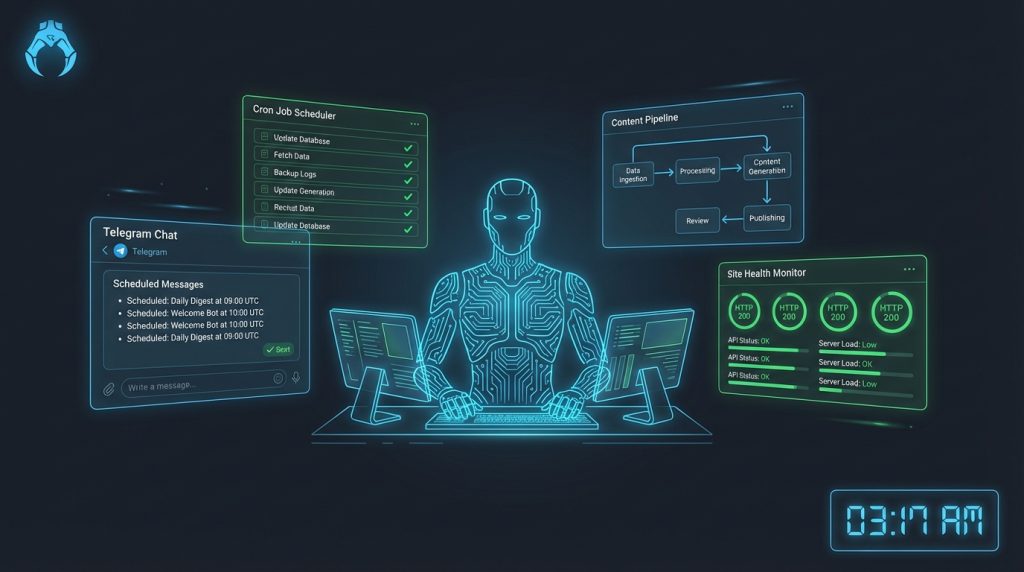
Three months ago, I was manually checking my website stats every morning, writing my own content briefs, and spending Sunday nights prepping the week ahead. Standard stuff. Then I stopped doing all of it — not because I hired someone, but because I built something that does it instead.
This is the story of how I turned OpenClaw into a functional AI employee: one that monitors my site, drafts content, watches competitors, fires off alerts, and runs an entire content pipeline — all without me asking it to. And because OpenClaw is genuinely open-source and self-hosted, this “employee” costs me about $20/month to run.
Not a thought experiment. Not a theory. This is what we actually built and how it runs today.
What “AI Employee” Actually Means (And What It Doesn’t)
Let’s kill the hype early. An AI employee isn’t some autonomous agent that replaces human judgment on complex decisions. It’s closer to a very competent, very consistent junior operator who handles the predictable, repetitive parts of your business without needing to be told twice.
Think of it like hiring a morning person who shows up at 6am, reads everything that happened overnight, writes a concise summary, flags problems, and leaves it on your desk before you’re awake. That’s achievable. That’s real. And that’s exactly what OpenClaw lets you build.
The key insight: most of the friction in running an online business isn’t hard decisions — it’s the 20-minute tasks that interrupt your focus 10 times a day. Checking stats. Monitoring mentions. Drafting the first version of something. Remembering to do the same thing every Tuesday. An AI employee handles all of that. You handle the judgment calls.
The Stack: What We’re Working With
Before getting into the build, here’s the actual setup running this operation:
- OpenClaw — the core platform, self-hosted on a $12/month DigitalOcean droplet
- Telegram — our delivery channel (morning briefings, alerts, and interactive commands all go here)
- Claude API — Sonnet 4 for most tasks, Opus 4 for complex reasoning and planning
- WordPress + WP-CLI — site content management via SSH
- Python scripts — for custom integrations that don’t have native connectors yet
- Mem0 — persistent memory so the agent actually learns over time
Total monthly cost: roughly $20-25 depending on API usage. For what it does, that’s embarrassing value.
If you haven’t set up OpenClaw yet, start with the Windows setup guide or Mac/Linux setup guide before continuing here. This article assumes you have a working OpenClaw installation.
The Foundation: AGENTS.md and SOUL.md
Every AI employee needs a job description and a personality. In OpenClaw, that lives in two files in your workspace root.
AGENTS.md is the operational manual — what the agent is responsible for, what it’s allowed to do autonomously, and what requires your approval. Getting this right is the difference between an agent that constantly asks for permission (useless) and one that actually operates (valuable).
Here’s the core philosophy we settled on after a lot of iteration:
## Autonomous Permissions

✅ JUST DO IT:
- Update published articles (stats, links, meta, SEO)
- Draft articles on major launches (save as drafts)
- Submit to Google Indexing API after publish
- Research sub-agents anytime (competitors, keywords)
- Create/modify crons, build small tools, fix bugs
- Clean up memory files, upgrade prompts

❌ ASK FIRST:
- Publishing in interactive sessions
- Spending money beyond free tiers
- Strategic pivots, destructive actions
The line: established direction → act, new direction → propose. That single rule eliminates 90% of the “should I ask or just do it?” hesitation that makes most AI setups slow and annoying.
SOUL.md defines personality and communication style. This sounds soft, but it’s actually functional — it determines whether your agent’s responses are terse and direct or verbose and hedge-y. An agent without a personality defaults to corporate-speak, which means every output needs editing before it’s usable.
We went with a direct, opinionated voice. The agent pushes back on weak ideas instead of validating them. It says “that’s a bad approach because X” instead of “great thinking, have you considered…”. After a few weeks, you stop feeling like you’re prompting an AI and start feeling like you’re working with a collaborator who has opinions.
Building the Morning Briefing: The First Automation
The morning briefing was the first automation we built and it’s still the most valuable. Every day at 6:15am, a Telegram message arrives with:
- Bitcoin price and any macro events worth knowing
- Top 3 site pages by traffic (previous day)
- Any 404 errors or major ranking drops flagged
- New AI tool launches from overnight
- One task suggestion based on current priorities
This takes about 4-5 minutes to read and replaces 30+ minutes of checking multiple dashboards. Here’s how it’s built in OpenClaw:
The cron job fires the briefing trigger. In OpenClaw’s cron system, you can schedule an agentTurn payload that runs in an isolated session with a specific prompt:
{
  "schedule": { "kind": "cron", "expr": "15 6 * * *", "tz": "America/Edmonton" },
  "payload": {
    "kind": "agentTurn",
    "message": "Run morning briefing: BTC price check, site stats, AI news scan, one priority suggestion. Deliver to Telegram.",
    "model": "anthropic/claude-sonnet-4-6"
  },
  "delivery": { "mode": "announce" }
}
The agent pulls BTC data, checks Google Search Console via a Python script, scans an AI news RSS feed, and synthesizes everything into a tight briefing. The whole thing runs in about 90 seconds. We’ve been running this daily for 11 weeks without a single missed delivery.
For a deeper look at how cron jobs work in OpenClaw, the OpenClaw Cron Jobs guide covers the full system.
The Content Intelligence Layer
This is where it gets interesting. The agent doesn’t just send briefings — it actively monitors the content landscape and surfaces opportunities.
Competitor Monitoring
We have a weekly job that checks the top 5 competitor sites for new content. The agent visits each site’s sitemap, compares against a stored list of known URLs, identifies new pages, and sends a summary of what they published. If a competitor drops a major review of a new AI tool, we know within a week.
This used to take 45 minutes of manual checking on Fridays. Now it’s a Telegram notification we glance at over coffee.
Keyword Gap Identification
Every two weeks, the content intelligence sub-agent runs a keyword gap analysis using our Search Console data combined with web research. It looks for queries where we’re ranking on page 2-3 (positions 11-30) with decent impression volume — the “quick win” opportunities that are most worth targeting.
The output is a prioritized list dropped into our active projects memory file. We don’t always act on every suggestion, but having them automatically surfaced means nothing gets missed.
Trend Alerts
New AI tool launches are our bread and butter for content. The agent monitors several sources and fires a Telegram alert whenever something significant drops. The alert includes a quick assessment: is this worth a full review, a comparison article, or just a mention in a roundup?
This is pure signal extraction from noise. The AI space moves fast enough that manual monitoring is genuinely unsustainable.
The Content Pipeline: From Idea to Published Article
This is the part that makes the system feel like an actual employee rather than a fancy alarm clock.
When a major tool launches or a keyword opportunity surfaces, here’s what happens — largely without our involvement:
Step 1: Research Sub-Agent Spawns
The agent spawns an isolated sub-agent to do deep research on the target topic. This sub-agent uses web search, fetches documentation, checks Reddit and forums for real user sentiment, and compiles a research brief. It works asynchronously — we don’t wait for it, it just announces when done.
Sub-agents in OpenClaw run in isolated sessions, meaning they have their own context window and don’t pollute the main session. For research tasks that need to browse 20+ pages, this is essential. The sub-agents guide explains the architecture if you want to go deeper.
Step 2: Article Draft Saved
Based on the research brief, the main agent drafts the article following our quality standards (defined in config/ARTICLE-QUALITY-STANDARDS.md) and saves it as a WordPress draft via WP-CLI over SSH. Not published — saved as draft, pending review.
The article includes proper HTML formatting, internal links to related articles, FAQ schema, and Rank Math meta fields. The agent doesn’t guess at these — they’re defined in config files that it reads before writing.
Step 3: We Review, Agent Publishes
We get a Telegram notification: “Draft ready for review: [title] — [WordPress draft URL]”. We read it, sometimes make edits, then reply “publish” in Telegram. The agent publishes, generates a featured image, submits to Google Indexing API, and confirms with a final notification including the live URL.
Our involvement in this process: maybe 15-20 minutes of review. The research, writing, formatting, and technical publishing steps are handled automatically.
Memory: The Part Most AI Setups Get Wrong
Here’s what other guides about AI automation don’t tell you: most AI setups are amnesiac by design. Every session starts fresh. The agent doesn’t know what it did yesterday, what decisions were made last week, or what you told it three conversations ago. That’s not an employee — that’s a very expensive notepad.
OpenClaw’s memory system changes this in two ways. The full memory system explanation goes deep on the architecture, but the practical upshot:
Mem0 for Long-Term Preferences
Decisions, preferences, and context that should persist indefinitely live in Mem0. When the agent learns that you prefer a certain writing style, that you never want articles over 4000 words without explicit approval, or that a specific competitor is no longer relevant — it stores that. Next session, next week, next month, it knows.
We have about 80 active memories in Mem0 right now, covering everything from voice preferences to technical quirks about our WordPress setup to hard rules about what never to publish.
LCM for Session History
Lossless Context Management handles the within-session and cross-session conversation history. Long sessions get summarized and compressed without losing key facts. The agent can reference what happened in a session from two weeks ago if relevant.
The practical impact: we stopped re-explaining context. We stopped saying “remember when we decided…” The agent either remembers or it asks a specific question — not a blank slate “tell me about your project” every time.
Workspace Files: The Real Config Layer
This is underrated in most OpenClaw coverage. The workspace files — AGENTS.md, SOUL.md, USER.md, TOOLS.md, and whatever config files you build — are loaded at the start of every session. They’re the persistent instructions that shape everything the agent does.
After 11 weeks of iteration, our workspace has grown to include:
config/ARTICLE-QUALITY-STANDARDS.md— every content rule in one place, referenced before every articleconfig/ELITE-STRATEGIST-FRAMEWORK.md— SEO and copywriting framework the agent appliesconfig/rotation-tracker.json— schedule context (day/night shift) that changes agent behaviormemory/handoff.md— decisions and context that need to carry between sessionsmemory/active-projects.md— current project status, priorities, progressmemory/lessons.md— what’s been tried and learned, so we don’t repeat mistakes
The advanced configuration guide covers workspace files in detail if you want the full breakdown. The short version: treat your workspace files like an employee onboarding doc. The more complete they are, the less hand-holding the agent needs.
The 24/7 Part: What Actually Runs Overnight
Here’s the current cron schedule running while we sleep:
- 6:15 AM daily — Morning briefing (BTC, stats, AI news, task suggestion)
- 9:00 AM daily — Content engine check (drafts for any major overnight tool launches)
- 6:00 PM Sunday — Weekly competitor content scan
- Every 6 hours — Site health check (404s, SSL, response times)
- Bi-weekly — Keyword gap analysis from Search Console data
- On major BTC moves (>5%) — Alert with price and macro context
None of these require our presence. All of them deliver via Telegram so we get the output wherever we are — on site in Fort McMurray, driving, doesn’t matter. The operation runs regardless.
Honestly? The site health check alone has been worth the setup time. We caught a PHP error that was serving blank pages for 3 hours — at 2am on a Wednesday — because the agent flagged it in a Telegram alert. Nobody was awake. Nobody needed to be. It just got flagged and fixed.
Skills: Extending What the Agent Can Do
Skills are pre-packaged capabilities you add to OpenClaw’s toolkit. Think of them like job training — you install a skill and the agent now knows how to do something new.
The ones running in our setup:
- obsidian-daily — Manages daily notes for logging decisions and ideas
- deep-research — Extended research with multi-step planning and source aggregation
- pinch-to-post — WordPress automation (WP-CLI over SSH, content management)
- gsc — Google Search Console queries for SEO data
- bird — X/Twitter for the UNIT-800 account automation
Skills are installed from ClawdHub or built custom. The custom skills guide walks through building your own from scratch — it’s more accessible than it sounds if you’re comfortable with Markdown and basic config files.
What Breaks (And How We Handle It)
Let’s be honest: this isn’t a “set it and forget it” thing that never needs attention. Here’s what actually breaks and what we do about it:
SSH Connection Issues
Windows’s native SSH has password auth issues with certain server configs. We use Python’s paramiko library for all SSH operations now. First time that broke us was painful. Second time, we already had the fix in a script. The agent knows to use paramiko — it’s in TOOLS.md.
Model Context Limits
Long research sessions can hit context windows. The fix is sub-agents for research tasks — they get their own isolated context. For tasks that genuinely need a lot of context, we use Opus 4 which has higher limits. This is mostly a non-issue once you architect tasks correctly.
WordPress WP-CLI Permissions
Occasionally WP-CLI commands need the --allow-root flag or specific path configs. We caught this early and it’s now in every WP command in the agent’s toolkit. Minor operational thing, but worth knowing upfront.
Overly Aggressive Autonomy
Early versions of AGENTS.md gave the agent too much permission on publishing. We’d wake up to articles published that needed editing. The fix was tightening the autonomy rules: draft always, publish only on explicit confirmation. Now the flow is draft → alert → we approve → publish. Takes 2 extra minutes and eliminates the problem entirely.
The Honest ROI Breakdown
Here’s what this setup actually saves per week, in honest estimates:
- Morning briefing prep: ~3 hours/week → 5 minutes
- Competitor monitoring: ~1.5 hours/week → 15 minutes (reading the alert)
- Keyword research/gap analysis: ~2 hours bi-weekly → 20 minutes
- Article research and first draft: ~4 hours/article → 45 minutes review
- Site health checking: ~1 hour/week → reactive (only when something breaks)
- Content calendar management: ~1 hour/week → 20 minutes
Conservative estimate: 10-12 hours per week returned. At any hourly rate you assign to your time, the $20-25/month cost is not the number you’re sweating over.
What’s harder to quantify: the volume. We publish more consistently because the friction is lower. When something launches in the AI space, we can have a draft ready within 24 hours instead of “I’ll get to that next week.” That speed compounds into rankings and traffic over time.
Who This Build Is For
This specific setup works well if you’re:
- Running a content site with consistent publishing needs
- Comfortable with basic CLI operations (you don’t need to code, but you can’t be scared of a terminal)
- Self-hosting or willing to — the magic of OpenClaw is that your data stays on your server
- Managing multiple projects that each need monitoring attention
- Working odd hours or traveling frequently — you want operations that don’t depend on you being at a desk
If you’re a pure no-code person who wants a plug-and-play solution, this isn’t it. OpenClaw has a learning curve. The workspace file system, the cron architecture, the skill installation — there’s genuine configuration work upfront. The payoff is a system that’s genuinely yours and genuinely controllable, not a black box you’re renting from a SaaS company.
For a comparison of OpenClaw against more plug-and-play alternatives, the OpenClaw vs n8n vs Zapier vs Make comparison breaks down the tradeoffs honestly.
Getting Started: The Minimum Viable AI Employee
Don’t try to build everything at once. Here’s the order we’d recommend if you’re starting fresh:
- Week 1: Get OpenClaw installed and connected to Telegram. Write your AGENTS.md and SOUL.md. Just get the basic interactive agent working well.
- Week 2: Build the morning briefing cron. One automated output delivered daily. This alone changes how you start your day.
- Week 3: Add your first research sub-agent. Pick one recurring research task and automate it.
- Week 4: Add site/project monitoring. Uptime checks, performance alerts, whatever your main operation needs.
- Month 2+: Extend from there. Add skills, refine the content pipeline, build custom automations for your specific use cases.
The mistake is trying to build the full system upfront. You’ll spend three weekends configuring stuff and then not have the operational intuition to debug it when something goes wrong. Build incrementally, understand each layer before adding the next.
Resources and Next Steps
Everything you need to start building:
- OpenClaw GitHub Repository — source code, issues, community
- OpenClaw Documentation — official docs for workspace files, crons, skills
- Our full OpenClaw review — detailed breakdown of features, limitations, and honest assessment
- Cron jobs deep dive — everything about scheduling and automation
- Skills and sub-agents guide — extending your agent’s capabilities
Frequently Asked Questions
Does OpenClaw require coding skills to set up an AI employee workflow?
Not deep coding skills, but some comfort with CLI and config files is needed. You’ll edit YAML/JSON files, run terminal commands, and occasionally write simple Python scripts for custom integrations. If you can follow a technical tutorial and aren’t scared of a terminal, you can build this. If “open a terminal” is a hurdle, start with something simpler first.
How much does it cost to run OpenClaw as a 24/7 AI employee?
Our full setup costs $20-25/month. That breaks down as roughly $12 for a DigitalOcean droplet (OpenClaw host), plus Claude API costs which average $8-12/month depending on the volume of automated tasks. Sub-agents use Sonnet 4 which is significantly cheaper than Opus. Research-heavy weeks cost more; light weeks less.
Can I use OpenClaw with models other than Claude?
Yes. OpenClaw supports multiple model providers through its routing config. We use Claude as the primary, but you can route specific tasks to Gemini, GPT-4o, or local models via Ollama. The multi-model routing guide covers how to set this up.
Is OpenClaw safe to self-host? What about data security?
Self-hosting is actually a security advantage over cloud AI services — your data, conversations, and workspace files stay on your server. The main security consideration is your server setup: use strong SSH keys (not password auth in production), keep your server patched, and don’t expose unnecessary ports. OpenClaw itself doesn’t have known critical vulnerabilities in its current releases.
How long does it take to build the full AI employee setup described in this article?
Realistically, 2-4 weekends if you’re new to OpenClaw. The installation and basic config is 2-3 hours. Writing good AGENTS.md and SOUL.md files takes iteration — expect to revise them several times over the first few weeks. The cron jobs and content pipeline can be built over 2-3 separate sessions. We took about 3 weeks to get to the version described here, running it in parallel with our normal operations.
What happens if a cron job fails? How do I know?
OpenClaw logs all cron job runs and surfaces errors in the delivery channel (Telegram, in our case). Failed runs show up as error notifications. You can also check cron run history via the cron tool. For critical automations, we recommend building in explicit success confirmations — the job should send a “done” message on completion so you notice quickly if one stops arriving.
Can I use OpenClaw on Windows or do I need Linux?
OpenClaw runs on Windows, Mac, and Linux. We developed most of this setup on a Windows laptop. There are a few quirks — Windows’s native SSH has some limitations with password auth, which is why we use Python paramiko for SSH operations — but nothing blocking. The Windows setup guide covers the platform-specific gotchas.


