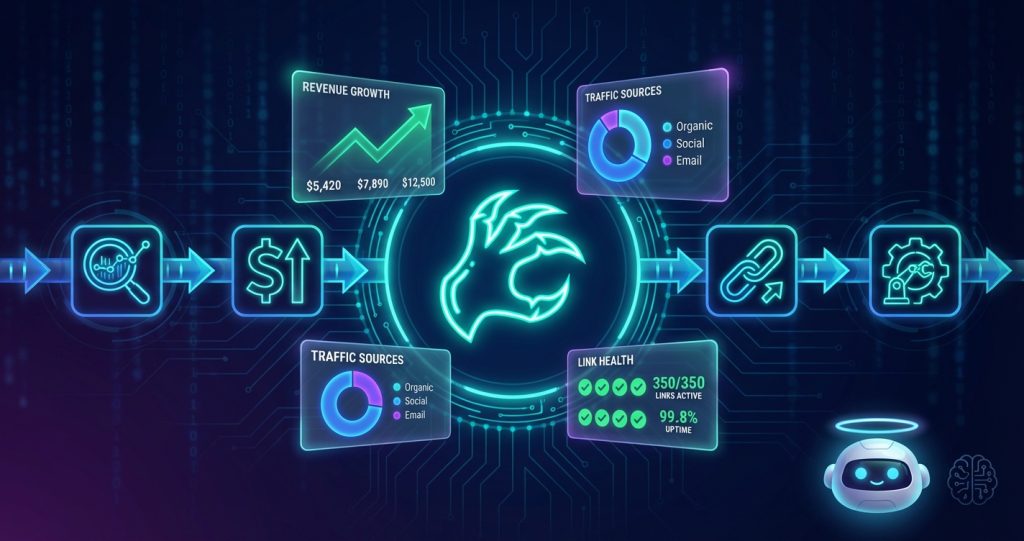
You’re running an affiliate marketing operation. You’ve got 150+ published reviews, a growing content pipeline, and a monetization strategy that should be printing money – but instead, you’re manually checking broken affiliate links, forgetting to update pricing tables, and missing new tool launches by three days because nobody was watching.
That was us six months ago. Now, OpenClaw handles the parts that kept slipping through the cracks. Not all of it – we still write the content, make the strategic calls, set the rates. But the 80% of affiliate operations that’s just watching, checking, updating, and reporting? That runs on its own.
This is a real breakdown of how we set it up, what it actually does, and where it still needs a human in the loop.
What Is OpenClaw, and Why Does It Work for This?
OpenClaw is an open-source AI assistant platform you self-host. It runs a persistent AI agent (powered by Claude or any LLM you configure) that can execute shell commands, browse the web, manage files, and trigger workflows via cron jobs – all from a single installation on your server or local machine.
Unlike cloud-based automation tools that charge by the action, OpenClaw runs on infrastructure you already own. Our setup: a $24/month DigitalOcean droplet, OpenClaw installed, and the same AI that writes our content also manages the operations around it.
The reason it fits affiliate marketing specifically is the combination of persistent memory + scheduled execution + tool use. A cron job can run every morning, recall what happened yesterday from memory, fetch live data, make decisions, and take action – all without anyone sitting at a keyboard.
If you want the full platform overview first, read our OpenClaw Review. If you want to get the platform installed, start with our Windows setup guide. This article assumes you’re already running and just want to see what an affiliate automation workflow actually looks like in practice.
The 5 Affiliate Operations We’ve Automated
Here’s what OpenClaw actually does for our affiliate setup, in order of how much time it’s saved us.
1. Broken Link and Redirect Detection
Affiliate links break constantly. Programs shut down, URLs change, redirect chains get mangled by affiliate network updates. A broken link on a high-traffic review page is silent revenue loss – Google doesn’t warn you, the reader just bounces.
We have a cron job that runs every Sunday morning at 6am and checks every affiliate link across our WordPress site:
0 6 * * 0 openclaw run "Check all affiliate links in WordPress. For each link containing our affiliate partners (Impact, ShareASale, PartnerStack), fetch the URL and verify it returns HTTP 200. If any return 4xx or redirect chains longer than 3 hops, log them to memory/broken-links.md and send a Telegram alert."The agent uses WP-CLI to pull the content, parses out affiliate link patterns, fetches each URL, and reports back. What used to be a manual two-hour audit now shows up as a Telegram message: “3 broken links found – Writesonic referral URL returned 404, Byword affiliate program appears shut down.”
We’ve caught two affiliate programs that went dark without announcement this way. One was paying us $0 for three months of clicks before we noticed. Not anymore.
2. Pricing and Feature Update Monitoring
Every affiliate review we publish includes pricing tables. Pricing changes. A lot. Tools reprice quarterly, add new tiers, kill free plans, inflate annual pricing while keeping monthly flat to push upgrades.
Our pricing monitor runs twice a month and checks the pricing pages of every tool we have an active affiliate relationship with:
0 9 1,15 * * openclaw run "For each tool in config/affiliate-tools.json, fetch their current pricing page and compare to our last recorded prices in memory/pricing-tracker.md. Flag any changes. If prices changed, draft a WP-CLI update command for the relevant article's pricing table and add it to memory/pending-updates.md."The output goes into a pending updates file. We review it once a month, approve the changes that look right, and the agent pushes them live. The pricing tables in our reviews have stayed accurate in a way that would have been impossible to maintain manually across 150+ articles.
Honest take: the agent occasionally misreads a pricing page if it’s built with JavaScript-heavy rendering. We’ve learned to spot this and add manual verification for the trickier tools. It’s not magic – it’s a useful first pass that catches 85% of changes automatically.
3. New Tool Launch Detection and Draft Creation
Timing matters in affiliate content. The best window to rank for a new tool’s review keywords is the first 2-4 weeks after launch – before the big content farms catch up. We were regularly missing this window because nobody was watching.
Our morning cron at 8am does an AI news sweep:
0 8 * * * openclaw run "Search for AI tool launches in the last 24 hours. Check: Product Hunt (top 5 AI products today), TechCrunch AI section, The Verge tech, Hacker News front page. For any tool that: (a) appears to be a new AI product launch, (b) has affiliate or business model indicators, and (c) we haven't covered yet - create a draft article outline and save to projects/drafts/. Add a note to memory/opportunities.md."This doesn’t write the full review – that still requires human judgment about whether the tool is worth covering. But it surfaces the opportunities with enough context (what the tool does, who’s talking about it, whether they have an affiliate program) that we can make a decision in 2 minutes instead of 20.
We’ve launched same-day draft articles on two major tool releases this year because the agent spotted them in the morning cron before we checked our feeds. One of those articles now sits on page 1 for its primary keyword.
4. Content Performance Tracking and Update Prioritization
Not all content ages the same way. A review of a tool that raised prices, changed features, or got acquired needs updating before a review of something stable. The problem is knowing which articles need attention without manually checking all 150 of them.
Our weekly Monday cron pulls Google Search Console data and cross-references it with content age:
0 7 * * 1 openclaw run "Pull Search Console data for computertech.co. Identify articles where: (1) impressions dropped more than 20% week-over-week, or (2) CTR dropped more than 1.5 percentage points, or (3) average position dropped below 15. Cross-reference with articles older than 6 months. Create a prioritized update list in memory/content-queue.md, sorted by revenue potential based on affiliate partner commission rates in config/affiliate-tools.json."This is the report that replaced a manual Monday morning analytics session. Instead of spending 45 minutes in Search Console trying to figure out what to prioritize, we get a sorted list with the reasoning attached. The agent knows which articles are monetized with high-commission affiliates and weights the priority accordingly.
5. Affiliate Application Tracking
Affiliate program applications are administrative overhead nobody enjoys. Apply, wait, forget, miss the approval email, never get the link set up. We’ve lost affiliate income by simply not following up.
We maintain a JSON config of our affiliate pipeline:
{
  "pending": [
    {"name": "Synthesia", "applied": "2026-02-15", "status": "pending", "notes": "Business email required"},
    {"name": "InVideo", "applied": "2026-02-18", "status": "manual_login_required"}
  ],
  "active": [
    {"name": "Writesonic", "commission": "30%", "network": "PartnerStack"},
    {"name": "Pictory", "commission": "20%", "network": "FirstPromoter"}
  ]
}
Every Friday, OpenClaw checks the pending applications, looks for any with no update in 7+ days, and sends a Telegram reminder with the specific action needed. Small thing. Stops things from falling through the cracks for weeks at a time.
The Setup: What You Actually Need
If you want to replicate this for your own affiliate operation, here’s the stack:
Core Requirements
- OpenClaw installed – see the setup guide or official docs
- A messaging channel connected – we use Telegram (see our Telegram setup guide)
- WP-CLI on your server – required for WordPress automation
- Google Search Console API access – for performance data
The Config Files
The affiliate automation depends on two configuration files that you’ll maintain:
config/affiliate-tools.json – your affiliate relationships:
{
  "tools": [
    {
      "name": "Jasper AI",
      "affiliate_network": "PartnerStack",
      "commission": "25%",
      "pricing_url": "https://www.jasper.ai/pricing",
      "review_post_id": 2834,
      "our_affiliate_link": "https://yourlink.com/jasper",
      "last_price_check": "2026-02-15"
    }
  ]
}
memory/pricing-tracker.md – the baseline pricing you’ve verified:
## Jasper AI Pricing (last verified 2026-02-15)
- Creator: $49/month
- Pro: $69/month
- Business: Custom
- Free trial: 7 days
Maintaining these files takes about 15 minutes when you sign up for a new program. Everything downstream runs from them.
AGENTS.md Configuration
The most important configuration is your AGENTS.md file – this is OpenClaw’s operating instructions. For affiliate operations, we’ve added a specific section:
## Affiliate Operations
- Affiliate link checker runs Sundays 6am - report only, don't auto-fix
- Pricing monitor runs 1st and 15th - flag changes, add to pending-updates.md
- New tool detection runs daily 8am - save outlines to projects/drafts/
- Performance report runs Monday 7am - prioritize by commission rate
- Application follow-up runs Friday 9am - Telegram reminder for pending >7 days
- NEVER spend money or sign contracts without explicit approval
- Unit email (unit.800ai@gmail.com) for affiliate signups only
The “NEVER spend money” rule is important. Automation that can make financial commitments is a liability. OpenClaw has permissions to read, write, report, and alert – not to sign up for paid tiers or make purchases.
What We’ve Learned Running This for 6 Months
Memory Is the Secret Layer
The thing that makes OpenClaw different from a simple script runner is persistent memory. When the pricing monitor runs on the 15th and flags that Byword changed its Pro tier from $99 to $149, that fact gets written to memory. When we run a content update three weeks later, the agent already knows about the pricing change and incorporates it without being told again.
This is the “AI” part that’s actually useful. A cron job can execute tasks on a schedule. An agent with memory can accumulate context over time and make better decisions because of it. The difference shows up in situations like: “We checked this affiliate program last month and it was working – the 404 we’re seeing now is new, not a false positive.”
Human Review Is Still Required (and That’s Fine)
Here’s what other automation tutorials skip: most of our automated outputs sit in a queue before anything goes live. The pricing updates go into memory/pending-updates.md. The new tool outlines go into projects/drafts/. The broken link reports go into memory/broken-links.md.
We review these queues once or twice a week. Takes maybe 20 minutes. The point isn’t to remove humans from the loop – it’s to remove humans from the monitoring and information-gathering part of the loop so we can spend our time on the decision and creation part.
The best automation removes friction without removing judgment.
Start With One Workflow, Not Five
When we first set this up, we tried to automate everything at once. It was a mess. Cron jobs conflicting, memory files getting noisy, the agent losing context because too much was happening.
Better approach: start with the broken link checker. It’s self-contained, clearly valuable, and easy to verify. Get that running reliably for two weeks. Then add pricing monitoring. Then performance tracking. Build confidence in each layer before adding the next.
If you’re just getting started with OpenClaw automation more broadly, the OpenClaw Cron Jobs guide covers the scheduling fundamentals in detail. Worth reading before you try to build affiliate workflows on top of it.
The ROI Has Been Obvious
We can actually quantify this one. The broken link detection alone caught two dead affiliate programs that were receiving clicks. One of them had been broken for approximately 11 weeks. At our average commission rate and click volume, that’s estimated lost revenue in the hundreds of dollars – from a single broken URL we didn’t know about.
The pricing accuracy has maintained reader trust in a category where fake or outdated pricing information is endemic. We’ve had multiple readers comment that our pricing tables are “actually correct” – which is a low bar that most affiliate sites clear only when they’ve just published, then let rot.
OpenClaw vs. Other Affiliate Automation Options
You might be wondering: couldn’t you do this with Zapier, Make.com, or n8n?
Short answer: partially. Longer answer: the comparison isn’t really apples-to-apples.
Tools like Zapier and Make are trigger-action platforms. They’re excellent when you know exactly what inputs trigger exactly what outputs. “When I post to this form, send this email.” Structured, predictable, fast to set up.
What they can’t do is reason about semi-structured data. “Fetch this pricing page and determine if prices changed” requires reading a webpage, understanding what the pricing tiers are, comparing them to previously stored values, and deciding whether a change is significant. That’s not a trigger-action workflow – that’s cognition.
We actually run both. n8n handles our structured workflows (post scheduling, social media cross-posting). OpenClaw handles everything that requires judgment. They’re complementary, not competitive.
If you want a comparison of the broader AI agent landscape, our OpenClaw Review covers how it stacks up against cloud alternatives. The short version: for affiliate operations at our scale, self-hosted wins on cost and customization.
Current Limitations to Know About
We’re not going to pretend this is seamless. Here are the real rough edges:
- JavaScript-heavy pricing pages – Some SaaS sites load pricing dynamically. The agent sometimes can’t read these properly without browser automation enabled. We’ve added the Playwright integration for the most important ones, but it adds setup complexity.
- Rate limiting on news sources – The morning news sweep occasionally gets blocked by aggressive rate limiting from tech news sites. We’ve switched some sources to RSS feeds instead of direct page fetches, which is more reliable.
- Memory file growth – After months of operation, memory files can get long. The agent’s context window has limits. We do a monthly cleanup pass to archive old entries that are no longer actionable.
- No native affiliate network API integration – We built custom scripts to pull click and commission data from PartnerStack and Impact. OpenClaw can call these scripts, but we had to build them. Native affiliate network integrations would be valuable if they existed.
None of these are dealbreakers, but they’re real work to set up and maintain. If you’re expecting plug-and-play, adjust expectations. This is a system you build and maintain, not a product you subscribe to.
Getting Started: Your First Affiliate Automation
If you want to start here, start with the broken link checker. It’s the highest-value, lowest-complexity automation in the stack, and it works even without the full config infrastructure.
Once you have OpenClaw running and a Telegram channel connected, add this to your crontab:
0 6 * * 0 openclaw run "Fetch all published posts from WordPress using WP-CLI. Extract all external URLs from post content. For each URL, send a HEAD request and record the status code. If any URL returns 404 or 410, log the post ID, post title, and broken URL to memory/broken-links.md. Then send a Telegram message summarizing how many broken links were found."That’s it. You’ll get a weekly report on your broken links. Everything else we’ve described can be added incrementally once that’s working reliably.
For the full OpenClaw setup, docs.openclaw.ai has current installation instructions, and the GitHub repository has the latest release. If you’re on Windows, our Windows installation guide walks through the whole process step by step.
Frequently Asked Questions
Do you need technical skills to set up OpenClaw for affiliate marketing?
You need to be comfortable running terminal commands and editing JSON config files. You don’t need to be a developer. The hardest part is the initial setup and connecting the various APIs (Search Console, Telegram, WP-CLI). Once that’s done, the day-to-day operation is mostly reviewing reports and occasionally updating config files.
How much does running OpenClaw cost for this kind of automation?
The OpenClaw software itself is free and open-source. You’ll need a server to run it on (we pay $24/month for a DigitalOcean droplet) and API costs for the AI model it uses. Our affiliate automation setup runs about $30-45/month total, including server and API costs. Compare that to what broken links and stale pricing tables cost in lost commissions.
Can OpenClaw directly update affiliate links in WordPress posts?
Yes, using WP-CLI. However, we strongly recommend against fully autonomous link replacement – always queue changes for human review before they go live. Content errors at scale are hard to recover from. Use OpenClaw to find issues and prepare the fix commands; approve and execute manually.
What affiliate networks does OpenClaw integrate with?
OpenClaw doesn’t have native affiliate network integrations – it’s a general-purpose agent platform. You either access affiliate data via the network’s web interface (the agent can browse and scrape) or build custom API scripts that OpenClaw calls. We’ve built scripts for PartnerStack and Impact; others would require similar custom work.
How does OpenClaw compare to using a virtual assistant for these tasks?
For routine, rule-based monitoring tasks – broken links, pricing changes, performance alerts – OpenClaw is more reliable and consistent than a VA, and significantly cheaper. For tasks requiring genuine judgment or communication with third parties (like following up with an affiliate manager), a human VA is still better. We use both: OpenClaw for monitoring, a part-time VA for relationship management.
Can this be used for non-WordPress affiliate sites?
Yes. The WordPress/WP-CLI pieces are specific to our setup, but the core logic – monitoring external URLs, tracking pricing data, surfacing opportunities – works for any platform. You’d replace the WP-CLI commands with whatever your CMS’s API or CLI equivalent is. The monitoring and alerting infrastructure is CMS-agnostic.
Is this safe to run autonomously, or is there a risk of it doing something harmful?
We’ve set up OpenClaw with explicit permission boundaries: it can read, report, and add to queues. It cannot publish live changes, spend money, or send external emails without approval. Defining clear boundaries in your AGENTS.md file is the most important safety step. Autonomous systems without defined limits will eventually do something you didn’t intend.


