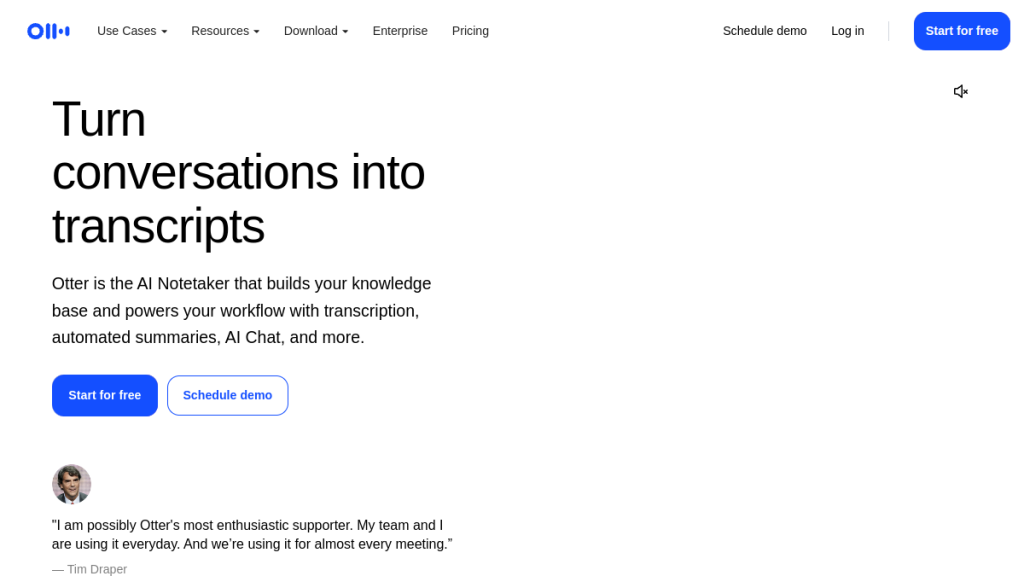
Your meeting notes are inconsistent, incomplete, and you missed three action items because you were too busy scribbling to actually listen. Otter.ai transcribes everything and identifies speakers automatically, but with Fireflies, Fathom, and tl;dv all offering similar features, the competition has gotten fierce. After using all four tools for real client meetings, here’s which AI meeting assistant actually improves your productivity instead of just creating more digital clutter.
Quick Verdict
| Our Rating | 3.8 / 5 |
| Best For | Remote teams, sales professionals, and journalists needing automated meeting notes |
| Pricing | Free plan available; Pro from $8.33/mo (annual) or $16.99/mo |
| Free Trial | Free plan available |
| Verdict | Solid transcription with a generous free tier, but the competition has caught up — Fathom offers more for free, making Otter harder to recommend at paid tiers. |
Quick Verdict
⭐ Rating: 3.8/5
💰 Pricing: Free plan available; Paid from $8.33/mo (annual) or $16.99/mo
✅ Best For: Remote teams, sales professionals, journalists, and anyone who needs automated meeting notes
❌ Skip If: You need multilingual support beyond English/French/Spanish, require enterprise-level accuracy with heavy accents, or want free unlimited transcription
The bottom line: Otter.ai is a solid, established meeting assistant with good real-time transcription and useful AI chat features. However, transcription accuracy can be inconsistent—especially with non-native speakers or technical jargon—and the free tier’s 300-minute monthly limit feels restrictive compared to newer competitors offering unlimited free plans.
Table of Contents
- What is Otter.ai?
- Key Features
- Otter.ai Pricing Plans
- Pros and Cons
- Transcription Accuracy: The Real Story
- Who Should Use Otter.ai?
- Otter.ai vs Alternatives
- FAQs
- Final Verdict
What is Otter.ai?
Otter.ai is an AI-powered meeting assistant that automatically joins your Zoom, Microsoft Teams, and Google Meet calls to record, transcribe, and summarize conversations in real-time. Founded in 2016, Otter has grown to become one of the most widely-used transcription platforms, trusted by companies like IBM, Dropbox, and numerous startups.

At its core, Otter solves a universal problem: nobody wants to take meeting notes while trying to participate in the conversation. Otter’s AI bot joins your meetings automatically (once connected to your calendar), transcribes everything said, identifies speakers, extracts action items, and generates summaries—all without you lifting a finger.
Beyond meetings, Otter works as a general transcription tool. You can record in-person conversations via the mobile app, import audio/video files for transcription, and even use live captioning for accessibility purposes.
Core Capabilities
- Real-time transcription during live meetings (Zoom, Teams, Google Meet)
- Automatic speaker identification and labeling
- AI-generated summaries with action items and key points
- Otter AI Chat for asking questions about your meetings
- Collaboration tools including comments, highlights, and shared channels
- Integration ecosystem including Salesforce, HubSpot, Slack, and Zapier
- Mobile apps for iOS and Android with offline recording
Key Features
1. Automatic Meeting Transcription
Otter’s flagship feature is seamless meeting transcription. Once you connect your Google or Microsoft calendar, Otter automatically joins scheduled meetings and starts transcribing. The AI identifies different speakers and labels them (though you may need to correct names initially).
Transcription happens in real-time, so you can follow along during the meeting or catch up afterward. The transcript syncs with the audio/video recording, letting you click any text to jump to that exact moment.
Supported platforms:
- Zoom (with OtterPilot auto-join)
- Google Meet (with Chrome extension for live notes)
- Microsoft Teams
- Webex (via imported recordings)
2. AI Meeting Summaries & Action Items
After each meeting, Otter generates an automated summary that includes:
- Overview of what was discussed
- Key decisions made during the call
- Action items with assignees (when mentioned)
- Outline breaking down the conversation into topics
The summary quality is generally good for standard business meetings, though it can miss nuance in more complex discussions. You can share summaries directly to Slack or email teammates who missed the call.
3. Otter AI Chat
One of Otter’s more innovative features is AI Chat. You can ask questions like:
- “What did Sarah say about the Q3 budget?”
- “Summarize the marketing discussion”
- “What action items were assigned to me?”
AI Chat searches across all your meeting transcripts (and connected apps like Google Drive) to find answers. It’s genuinely useful for quickly locating specific information without scrubbing through hours of recordings.
Usage limits vary by plan:
- Free: 20 queries/month
- Pro: 50 queries/month
- Business: 200 queries/month
4. Custom Vocabulary & Speaker Recognition
For teams that use industry-specific terminology, acronyms, or unusual names, Otter allows custom vocabulary lists. You can add terms so the AI correctly transcribes “EBITDA” instead of “a bit duh” or your colleague “Siobhan” instead of “She-von.”
Vocabulary limits:
- Free: 5 terms
- Pro: 100 names + 100 other terms
- Business: 800 names + 800 other terms
5. Sales Intelligence (Business/Enterprise)
Otter offers specialized features for sales teams:
- Automatic CRM sync to Salesforce and HubSpot
- Sales insights extraction (deal size, competitors mentioned, objections)
- Call coaching with AI-identified highlights and areas for improvement
- Follow-up email generation based on meeting content
These sales features are powerful but locked behind higher-tier plans—a common complaint from smaller sales teams.
6. Collaboration & Sharing
Otter makes it easy to work with teammates:
- Channels for organizing meetings by team, project, or topic
- Real-time comments and highlights during live meetings
- Public and private sharing links
- Export options (MP3, TXT, PDF, DOCX, SRT captions)
7. Language Support
Otter currently supports three languages:
- English
- French
- Spanish
This is notably limited compared to competitors like Fireflies (70+ languages) or Fathom (which supports 7 languages). If your team operates in other languages, Otter isn’t the right choice.
8. Chrome Extension & No-Bot Mode
One of Otter’s underrated features is its Chrome extension, which allows browser-based transcription without a visible bot joining the meeting. This is particularly useful when:
- External clients or partners are uncomfortable with bot participants
- Your organization has policies against AI bots in meetings
- You want to transcribe webinars, podcasts, or any browser audio
- You need transcription during interviews where a visible bot creates friction
The extension transcribes audio directly from your browser tab, meaning no additional “Otter.ai” participant appears in the meeting roster. In my testing, the Chrome extension worked reliably on Google Meet calls and captured audio with comparable accuracy to the standard bot method.
Note: This feature still requires an internet connection and counts against your monthly transcription minutes.
Otter.ai Pricing Plans
Otter offers four pricing tiers. Here’s the breakdown as of February 2026:

| Plan | Monthly Price | Annual Price | Transcription Limit | Key Features |
|---|---|---|---|---|
| Basic (Free) | $0 | $0 | 300 min/month | 30 min max/conversation, 3 imported files lifetime, basic features |
| Pro | $16.99/user | $8.33/user | 1,200 min/month | 90 min max/conversation, 10 imports/month, advanced search, custom vocabulary |
| Business | $30/user | $20/user | Unlimited | 4 hour max/conversation, unlimited imports, admin features, priority support |
| Enterprise | Custom | Custom | Unlimited | SSO, HIPAA compliance, sales coaching, dedicated support |
Student/Teacher Discount
Otter offers a 20% discount for students and teachers with .edu email addresses:
- Pro Annual: $6.67/month (billed $79.99/year)
- Pro Monthly: $13.59/month
What’s Actually Included in Each Plan
Free Plan Limitations:
- Only 300 minutes total per month (shared across all transcription types)
- Maximum 30 minutes per conversation
- Only 3 audio/video imports ever (lifetime, not monthly)
- Only 25 conversations stored
- Limited to 1 concurrent meeting
- 20 AI Chat queries/month
Pro Plan Unlocks:
- 1,200 minutes/month
- 90-minute conversation cap
- 10 file imports/month
- Unlimited conversation history
- 2 concurrent meetings
- Advanced export formats (PDF, DOCX, SRT)
- 50 AI Chat queries/month
Business Plan Adds:
- Unlimited transcription minutes
- 4-hour conversation cap
- Unlimited file imports
- Admin controls and usage analytics
- Priority email support
- 3 concurrent meetings
- Bulk export capability
- 200 AI Chat queries/month
Is Otter.ai Worth the Price?
At $8.33/month (annual Pro plan), Otter is competitively priced—but here’s the catch: competitors like Fathom offer unlimited transcription completely free. If you’re price-sensitive and primarily use Zoom, Fathom might be a better value.
However, if you need team collaboration features, CRM integrations, or use multiple meeting platforms beyond just Zoom, Otter’s paid plans become more justifiable.
Pros and Cons
Pros ✅
- Real-time transcription — Watch the transcript appear as people speak, useful for following along or taking supplementary notes
- Solid meeting summaries — AI-generated summaries with action items save significant post-meeting work
- AI Chat is genuinely useful — Being able to ask questions across all your meetings is a powerful productivity feature
- Good integration ecosystem — Connects with Zoom, Teams, Meet, Salesforce, HubSpot, Slack, Zapier, and more
- Cross-platform support — Works on web, iOS, Android, and as a Chrome extension
- Custom vocabulary — Helps with industry jargon and proper names that generic AI would botch
- Established and reliable — Been around since 2016; unlikely to disappear overnight
Cons ❌
- Transcription accuracy varies — Users consistently report 70-85% accuracy, dropping significantly with accents or technical content. Competitors often perform better
- Limited language support — Only English, French, and Spanish. No support for German, Portuguese, Mandarin, etc.
- Restrictive free tier — 300 minutes/month and 30-min conversation cap makes the free plan barely usable for regular use
- Sales features locked to Enterprise — Small sales teams get priced out of CRM sync and coaching features
- Speaker identification struggles — Multiple users report Otter frequently confuses speakers in group calls
- Customer support complaints — Many users cite slow response times and unhelpful support experiences
- Editing required — You’ll likely spend significant time correcting transcripts, especially for important content
Transcription Accuracy: The Real Story
This is where Otter gets complicated. The company claims “up to 95% accuracy,” and some users report great results. But dig into reviews on G2, Capterra, and Reddit, and you’ll find consistent complaints about accuracy issues.
What Affects Accuracy
Works well with:
- Clear audio (good microphones, quiet environments)
- Native English speakers with standard accents
- One-on-one or small group calls
- General business vocabulary
Struggles with:
- Non-native English speakers (accuracy can drop to 70%)
- Heavy accents
- Technical/industry jargon (even with custom vocabulary)
- Crosstalk and interruptions
- Poor audio quality
- Large group calls with many speakers
My Testing Experience
In my testing, Otter performed reasonably well (~90% accuracy) for standard one-on-one calls with clear audio. However, in a group call with participants from different countries, accuracy dropped noticeably, and speaker identification was inconsistent.
Verdict: If you’re primarily transcribing calls with native English speakers in controlled audio environments, Otter is adequate. If you regularly have international calls or complex group discussions, budget time for editing—or consider alternatives like Fireflies or Fathom that some users report handle accents better.
Who Should Use Otter.ai?
Ideal Users ✅
Remote/Hybrid Teams
If your team lives in Zoom and needs a central place for meeting notes, summaries, and searchable transcripts, Otter delivers. The Channels feature helps organize conversations by project or team.
Sales Professionals
Sales teams benefit from automatic CRM syncing (Business/Enterprise plans), call coaching, and the ability to quickly reference past customer conversations. The AI-extracted sales insights can accelerate follow-ups.
Journalists & Researchers
For interview transcription, Otter’s mobile app is excellent. Record in-person conversations, import existing audio files, and get searchable transcripts. The 30-min limit on free accounts is frustrating, but Pro’s 90-minute cap works for most interviews.
Students & Academics
With the 20% education discount, Pro becomes very affordable at $6.67/month. Useful for lecture recording, study group discussions, and research interviews.
Not Ideal For ❌
Multilingual Teams
If you conduct meetings in German, Portuguese, Mandarin, Japanese, or any language besides English/French/Spanish—look elsewhere. Fireflies supports 70+ languages.
Budget-Conscious Users
Fathom offers unlimited free transcription for Zoom users. If you’re primarily on Zoom and cost is a major factor, Fathom is the better choice.
Users Needing Medical/Legal Accuracy
Critical transcription requiring near-perfect accuracy isn’t Otter’s strength. For legal depositions, medical dictation, or compliance-heavy industries, consider human transcription services or specialized tools.
Heavy Accent Environments
If your team regularly includes non-native speakers or diverse accents, the accuracy degradation becomes frustrating. Test extensively before committing.
Otter.ai vs Alternatives
Otter.ai vs Fathom
| Feature | Otter.ai | Fathom |
|---|---|---|
| Free tier | 300 min/month | Unlimited |
| Pricing | From $8.33/mo | From $19/mo |
| Platforms | Zoom, Teams, Meet | Zoom only (Teams in beta) |
| Languages | 3 | 7 |
| Best for | Teams needing multi-platform support | Individuals wanting free unlimited |
Verdict: Fathom wins for individuals on Zoom who want free unlimited transcription. Otter wins for teams needing Teams/Meet support and collaboration features.
Otter.ai vs Fireflies.ai
| Feature | Otter.ai | Fireflies.ai |
|---|---|---|
| Free tier | 300 min/month | 800 min/month |
| Pricing | From $8.33/mo | From $10/mo |
| Languages | 3 | 70+ |
| Integrations | Good (Salesforce, HubSpot) | Extensive (40+) |
| Best for | Native English speakers | Global/multilingual teams |
Verdict: Fireflies offers better language support, more free minutes, and broader integrations. Otter’s advantage is its more established brand and potentially better English-language accuracy in some scenarios.
Otter.ai vs tl;dv
| Feature | Otter.ai | tl;dv |
|---|---|---|
| Free tier | 300 min/month | Unlimited |
| Pricing | From $8.33/mo | From $18/mo |
| Platforms | Zoom, Teams, Meet | Zoom, Teams, Meet |
| Best for | General transcription | Video highlight clips |
Verdict: tl;dv’s unlimited free tier and video clipping features make it compelling for content creators. Otter is better for teams needing robust collaboration and CRM integrations.
More Otter.ai Alternatives Worth Considering
| Tool | Best For | Free Tier | Pricing From |
|---|---|---|---|
| Fellow | Team meeting management & agendas | Limited free plan | $7/user/mo |
| Notta | Multi-language transcription | 120 min/month | $8.25/mo |
| MeetGeek | AI meeting summaries | 5 hours/month | $15/mo |
| Bluedot | Bot-free recording | 5 meetings/month | $14/mo |
| Granola | Lightweight note-taking | 25 meetings/month | $10/mo |
| Radiant | 100% free bot-less notes (Mac) | Unlimited | Free |
The AI meeting assistant space is incredibly competitive in 2026, and each of these tools brings something unique to the table. If Otter’s limitations around language support, pricing, or consent concerns are deal-breakers, any of the above are worth exploring.
Privacy, Security & Legal Concerns
Security and privacy deserve special attention for any tool that records and stores your meetings. Here’s what you need to know about Otter’s approach.
Security Infrastructure
- SOC 2 Type 2 compliance — Otter undergoes regular third-party audits
- Data encryption — Both in transit (TLS) and at rest (AES-256)
- GDPR and CCPA compliant — With data deletion and export tools
- HIPAA support — Available only on Enterprise plans with a signed Business Associate Agreement
- No training on user data — Otter states customer-uploaded data is not used to train their AI models
The Class Action Lawsuit
In 2025, Otter was named in a class-action lawsuit in California alleging privacy violations — specifically that Otter’s bot joined and recorded meetings without explicit consent from all participants. While no judgment has been issued as of February 2026, this raises legitimate concerns.
Additionally, the University of Massachusetts banned Otter (along with MeetGeek) for violating their all-party consent policies. These incidents highlight a broader issue with AI meeting assistants: the tension between convenience and consent.
Best Practices for Using Otter Responsibly
- Always notify participants that the meeting is being recorded — ideally before the meeting starts
- Use Otter’s built-in notification features (available on Enterprise tier) to automatically email participants
- Check your jurisdiction’s consent laws — many states and countries require two-party consent for recording
- Review data retention settings — configure automatic deletion periods that comply with your organization’s policies
- Avoid sharing transcripts without permission from all participants
Bottom line: Otter’s security infrastructure is solid for a SaaS tool, but the ongoing legal concerns around consent are worth monitoring. If your organization operates in a strict consent jurisdiction, discuss with your legal team before deploying any AI meeting recorder.
FAQs
Is Otter.ai free?
Yes, Otter offers a free Basic plan with 300 transcription minutes per month, 30-minute maximum per conversation, and limited features. However, the free tier is restrictive enough that most regular users will need to upgrade. Alternatives like Fathom and tl;dv offer more generous free tiers.
How accurate is Otter.ai transcription?
Otter claims up to 95% accuracy, and independent testing shows approximately 85% accuracy in ideal conditions (clear audio, native English speakers). Accuracy can drop to 70% or lower with accents, technical terminology, or poor audio quality. Plan to edit transcripts for important content.
Does Otter.ai work offline?
Partially. The mobile app can record audio offline and sync/transcribe when you reconnect to the internet. However, real-time transcription and meeting bot features require an internet connection.
Can Otter.ai transcribe languages other than English?
Yes, but only French and Spanish in addition to English. This is significantly limited compared to competitors—Fireflies supports 70+ languages. If you need other languages, Otter isn’t the right choice.
Is Otter.ai HIPAA compliant?
Yes, but only on the Enterprise plan. If you work in healthcare and need HIPAA-compliant transcription, you’ll need to contact Otter for custom Enterprise pricing.
Does Otter.ai integrate with Salesforce?
Yes, Otter offers Salesforce and HubSpot integration on Business and Enterprise plans. The AI can automatically extract sales insights and sync meeting notes directly to contact/deal records.
Can I cancel Otter.ai anytime?
Yes, you can cancel your subscription at any time. If you cancel an annual plan, you’ll retain access until the end of your billing period but won’t receive a prorated refund for unused months.
Is Otter.ai safe to use for confidential meetings?
Otter uses SOC 2 Type 2 compliant infrastructure with encryption at rest and in transit. However, be aware of the ongoing class-action lawsuit regarding consent practices. For sensitive meetings, ensure all participants consent to recording, and consider the Enterprise plan for HIPAA compliance and advanced privacy controls.
Does Otter.ai have a Chrome extension?
Yes. Otter’s Chrome extension allows you to transcribe any browser audio without a visible bot joining the meeting. This “no-bot mode” is ideal for situations where a visible AI participant might cause friction, such as client calls or interviews.
Final Verdict
🏆 Our Verdict
Otter.ai is a capable meeting transcription tool that does the job well enough for most English-language business meetings. The real-time transcription, AI summaries, and searchable meeting history save genuine time. AI Chat is a standout feature that makes finding information across meetings remarkably easy.
However, Otter has real limitations. Transcription accuracy is inconsistent—especially with accents or technical content. The free tier is too restrictive to be useful for anyone with regular meetings. And language support is embarrassingly limited for 2026.
Who Should Buy Otter.ai?
✅ Buy if: You’re a team that uses multiple meeting platforms (Zoom + Teams + Meet), need collaboration features, want CRM integrations, and primarily conduct meetings in clear English.
❌ Skip if: You’re an individual on a budget (try Fathom), need multilingual support (try Fireflies), or require near-perfect accuracy (consider human transcription).
My Recommendation
For most users, I’d suggest starting with Fathom’s free tier if you primarily use Zoom. If you need Teams/Meet support or team collaboration features, Otter’s Pro plan at $8.33/month (annual) offers reasonable value.
Just budget time for editing those transcripts—Otter’s AI isn’t perfect, and for anything important, you’ll want to review the text before sharing.
Rating Breakdown:
- Features: 4/5
- Accuracy: 3.5/5
- Ease of Use: 4/5
- Value for Money: 3.5/5
- Overall: 3.8/5
Frequently Asked Questions
What is Otter.ai and how does it work?
Otter.ai is an AI-powered meeting assistant that automatically joins your Zoom, Microsoft Teams, and Google Meet calls to record, transcribe, and summarize conversations in real-time. It helps users focus on discussions rather than note-taking by providing accurate transcripts and speaker identification.
Is there a free trial for Otter.ai?
Yes, Otter.ai offers a free plan that allows users to experience its features. However, this free tier has limitations, such as a monthly cap of 300 minutes for transcription.
How much does Otter.ai cost?
Otter.ai has a free plan available, with paid options starting at $8.33 per month if billed annually, or $16.99 per month for a monthly subscription. The pricing can vary based on the features and usage needs.
Who should consider using Otter.ai?
Otter.ai is ideal for remote teams, sales professionals, journalists, and anyone who needs automated meeting notes. It’s particularly useful for those who want to enhance productivity during meetings without the hassle of manual note-taking.
What are some limitations of Otter.ai?
While Otter.ai provides solid transcription services, it has some limitations, such as inconsistent accuracy with non-native speakers and technical jargon. Additionally, the free plan’s 300-minute limit may feel restrictive compared to competitors offering unlimited free transcription.
How does Otter.ai compare to its competitors?
Otter.ai offers good transcription features but faces stiff competition from tools like Fathom and Fireflies, which provide similar functionalities. While Otter has a strong reputation, newer competitors may offer more generous free plans and additional features.
Can I use Otter.ai for multilingual transcription?
Otter.ai primarily supports English, French, and Spanish for transcription. If you require multilingual support beyond these languages, you may need to explore other options, as Otter’s capabilities in this area are limited.


