Your ad campaigns need higher conversion rates, but you’re stuck choosing between AdCreative.ai’s performance-focused approach and Canva AI’s versatile design ecosystem. One promises data-driven ad optimization; the other offers creative freedom with decent AI features.
Two AI-powered design tools. Two very different approaches. AdCreative.ai is a performance-obsessed ad generation machine built for marketers who live and die by ROAS. Canva AI (Magic Studio) is the all-purpose creative platform that now has AI superpowers. Which one deserves your budget?
This comparison breaks down every angle: features, pricing, output quality, and the real-world scenarios where each tool dominates.
Quick Comparison
| Feature | AdCreative.ai | Canva AI (Magic Studio) |
|---|---|---|
| Starting Price | $39/month | Free (Pro: $12.99/month) |
| Best For | Performance marketers, agencies | General design, content creators |
| AI Focus | Ad creative generation + scoring | All-purpose design automation |
| Conversion Scoring | ✅ Yes (predictive) | ❌ No |
| Template Library | Ad-focused only | 1M+ templates (all types) |
| Video Creation | Motion ads | Full video editing |
| Learning Curve | Moderate | Very easy |
| Output Volume | High (batch generation) | Medium (one-at-a-time) |
| Our Rating | 4.0/5 | 4.5/5 |
Quick Verdict: Choose AdCreative.ai if you’re running paid advertising campaigns at scale and need conversion-optimized creatives with performance predictions. Choose Canva AI if you need a versatile design tool for everything from social posts to presentations, with AI features that enhance-not replace-the creative process.
Table of Contents
- AdCreative.ai Overview
- Canva AI Overview
- Feature-by-Feature Comparison
- Pricing Comparison
- Pros and Cons
- Which Should You Choose?
- FAQs
- Final Verdict
AdCreative.ai Overview
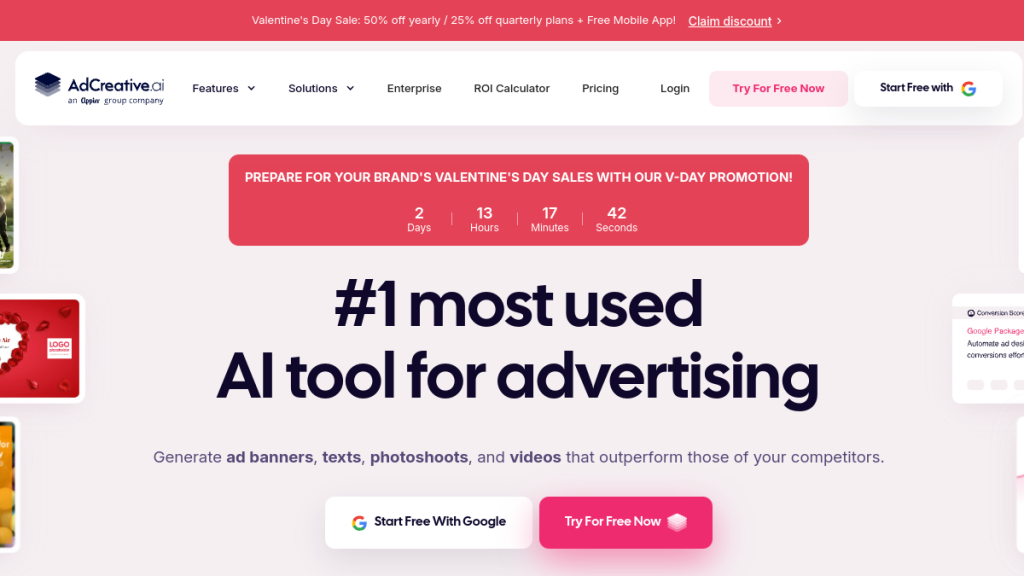
AdCreative.ai is a specialized AI platform designed for one purpose: generating high-converting advertising creatives at scale. Founded in 2021, it’s built for performance marketers who need to produce hundreds of ad variations quickly.
What it does:
- Generates banner ads, social ads, and video ads from brand assets
- Predicts creative performance with “Conversion Scores”
- Produces copy variations and headlines
- Creates AI product photography
- Integrates directly with ad platforms (Meta, Google, LinkedIn)
The core value: Volume and performance prediction. Instead of manually designing 50 ad variations, generate them in minutes and let AI score which ones to test first.
Who uses it:
- Marketing agencies managing multiple client campaigns
- E-commerce brands running high-volume paid ads
- Performance marketers obsessed with ROAS
- Startups needing professional ads without designers
The catch: It’s laser-focused on advertising. If you need a logo, presentation, or social content that isn’t an ad, AdCreative.ai won’t help.
Canva AI Overview
Canva AI (branded as “Magic Studio”) is a suite of AI features built into Canva’s massive design platform. Unlike AdCreative.ai’s singular focus, Canva AI enhances a tool that handles everything from Instagram posts to investor decks.
Key AI features (Magic Studio):
- Magic Write: AI-powered text generation and rewriting
- Magic Design: Generate complete designs from text prompts
- Magic Edit: AI image editing (add/remove/replace elements)
- Magic Eraser: Remove unwanted objects from photos
- Magic Expand: Extend images beyond original borders
- Text to Image: Generate images from text descriptions
- Magic Animate: Auto-animate any design
- Magic Morph: Transform text and elements with effects
- Background Remover: One-click background removal
- Beat Sync: Automatically sync video to music
- Magic Grab: AI-powered object selection
Who uses it:
- Small business owners creating their own marketing
- Content creators and social media managers
- Teachers, students, and nonprofits
- Marketing teams without dedicated designers
- Anyone who needs to create something visual
The catch: Magic Studio AI is supplementary-it enhances Canva’s core design tools rather than generating complete, conversion-optimized ads automatically.
Feature-by-Feature Comparison
Ad Creative Generation – Winner: AdCreative.ai
AdCreative.ai:
- Upload brand assets → describe campaign → generate 100+ variations
- Batch generation across multiple ad sizes simultaneously
- Platform-specific optimization (Facebook, Google, LinkedIn, etc.)
- AI-scored output prioritizing high performers
- 30-40% of outputs immediately usable (our testing)
Canva AI:
- Magic Design generates single designs from prompts
- Resize feature adapts to different platforms
- No batch generation-one design at a time
- No performance scoring
- Requires more manual refinement
The gap is significant here. If you’re running paid campaigns needing dozens of creative variations, AdCreative.ai is purpose-built for this workflow. Canva’s Magic Design can create ads, but you’ll work through them one at a time without conversion predictions.
Design Versatility – Winner: Canva AI
Canva AI:
- 1M+ templates across every category imaginable
- Presentations, social media, print materials, videos, websites
- Magic Design works across all content types
- Brand kits for consistency across everything
AdCreative.ai:
- Ad creatives only
- No presentations, documents, or general design
- Limited to advertising use cases
If your needs extend beyond advertising, Canva wins easily. It’s an all-purpose creative platform where AI features accelerate every type of design work. AdCreative.ai can’t touch this breadth.
Image Editing – Winner: Canva AI
Canva AI:
- Magic Edit: Add, replace, or modify image elements with AI
- Magic Eraser: Remove objects seamlessly
- Magic Expand: Extend images beyond borders (outpainting)
- Background Remover: One-click extraction
- Magic Grab: Intelligent object selection
AdCreative.ai:
- Basic image editing only
- AI product photoshoot feature (variable quality)
- No advanced image manipulation
Canva’s image editing tools are genuinely impressive. Magic Edit lets you describe changes (“add a coffee cup on the table”) and the AI implements them. Magic Expand is useful for creating different aspect ratios from a single photo. AdCreative.ai’s image capabilities are limited to what’s needed for ad generation.
Text and Copy – Winner: AdCreative.ai (for ads)
AdCreative.ai:
- Ad copy generation optimized for conversions
- Headlines, primary text, and CTA variations
- Platform-specific optimization (character limits, tone)
- Performance scoring on copy variations
Canva AI:
- Magic Write generates and rewrites text
- Works across any document type
- More general-purpose, less ad-specific
- No conversion optimization
For advertising copy specifically, AdCreative.ai is trained on high-performing ads and generates copy with conversion in mind. Canva’s Magic Write is a competent general writing assistant but doesn’t specialize in direct-response advertising.
Video Creation – Winner: Canva AI
Canva AI:
- Full video editor with timeline
- Magic Animate adds motion to any design
- Beat Sync matches video to music automatically
- Text to Video features
- Stock footage integration
- Export up to 4K
AdCreative.ai:
- Motion graphics from static assets
- Basic video ads (kinetic text, simple animations)
- Limited creative control
- Serviceable for social ads, not for brand content
Canva’s video capabilities are substantially more robust. You can create full video content, not just animated ads. AdCreative.ai’s video feature is functional for quick social ad variations but doesn’t compete with Canva’s editor for anything beyond basic motion graphics.
Performance Analytics – Winner: AdCreative.ai
AdCreative.ai:
- Conversion Score on every generated creative
- Predictive performance ratings (1-100 scale)
- Creative insights from connected ad accounts
- Competitor creative analysis
- Data-driven recommendations
Canva AI:
- Basic content planner analytics
- No conversion predictions
- No integration with ad platforms for performance data
This is AdCreative.ai’s key differentiator. The Conversion Score helps prioritize which creatives to test, potentially saving significant ad spend on losers. Canva has no equivalent-you’re flying blind on performance prediction.
Integrations – Tie (Different Strengths)
AdCreative.ai:
- Meta Business Suite (Facebook/Instagram)
- Google Ads
- LinkedIn Ads
- Pinterest Ads
- Zapier
- Direct publishing to ad platforms
Canva AI:
- Social media scheduling (native)
- Google Drive, Dropbox
- HubSpot, Mailchimp
- Slack, Microsoft Teams
- WordPress publishing
- 100+ app integrations
AdCreative.ai integrates with ad platforms for direct publishing and performance tracking. Canva integrates with the broader marketing stack for general content workflows. Different strengths depending on your use case.
Ease of Use – Winner: Canva AI
Canva AI:
- Famous for beginner-friendly interface
- Drag-and-drop editing
- AI features feel natural within existing workflow
- Massive tutorial library
- Mobile apps work well
AdCreative.ai:
- Steeper learning curve
- Interface is functional but complex
- Requires understanding of ad campaign structure
- Best results need brand asset preparation
Canva is one of the most intuitive design tools ever built. Anyone can produce decent designs within minutes. AdCreative.ai requires more setup and understanding of its workflow to get quality results.
Pricing Comparison
AdCreative.ai Pricing
| Plan | Monthly | Annual (per month) | Credits/Month |
|---|---|---|---|
| Starter | $39 | ~$19 | 10 downloads |
| Professional | $249 | ~$149 | 100 downloads |
| Agency | $374 | ~$224 | 250 downloads |
| Enterprise | $599+ | Custom | 500+ downloads |
Key notes:
- Annual billing saves ~40%
- “Credits” = creative downloads (generation is unlimited)
- Professional adds unlimited brand management
- Agency adds unlimited users and clients
Canva Pricing
| Plan | Monthly | Annual (per month) | Notes |
|---|---|---|---|
| Free | $0 | $0 | Limited AI credits, watermarks on premium |
| Pro | $14.99 | $10/month ($119.99/yr) | Full Magic Studio access |
| Teams | $29.99 | $25/month | 5 users, team features |
| Enterprise | Custom | Custom | SSO, advanced admin |
Key notes:
- Free tier includes limited Magic Studio features
- Pro unlocks full AI capabilities
- All plans include 1M+ templates, 100M+ stock assets
- Nonprofit and education discounts available
Cost Comparison
For a solo marketer:
- AdCreative.ai Starter: $39/month
- Canva Pro: $12.99/month
For a small team (5 users):
- AdCreative.ai Professional: $249/month
- Canva Teams: $75/month
For an agency:
- AdCreative.ai Agency: $374/month
- Canva Teams (10 users): ~$150/month
AdCreative.ai is 3-5x more expensive at every tier. The premium is for specialized ad generation and conversion scoring-worth it if you’re spending serious money on ads and need optimized creatives at scale.
Pros and Cons
AdCreative.ai
✅ Pros
- Conversion Score: Predictive performance ratings help prioritize testing
- Batch generation: Create 100+ ad variations in minutes
- Ad platform integration: Direct publishing to Meta, Google, LinkedIn
- Trained on performance data: AI optimized for actual conversion metrics
- Agency-friendly: Multi-brand, multi-client management
- Saves designer time: Reduces creative production costs significantly
❌ Cons
- Expensive: Starts at $39/month, scales to $600+
- Variable quality: 30-40% of outputs need revision (our testing)
- Limited scope: Only produces advertising content
- Learning curve: Requires setup and understanding of workflow
- Credit system: Downloads are metered, generation is free
- Generic at times: AI can miss brand-specific creative direction
Canva AI (Magic Studio)
✅ Pros
- Incredibly affordable: Full Pro at $12.99/month
- Versatile: Creates everything, not just ads
- Easy to use: Minimal learning curve
- Excellent free tier: Usable without paying
- Massive template library: 1M+ templates, 100M+ assets
- Strong AI editing: Magic Edit, Eraser, Expand are genuinely useful
- Video capabilities: Full video editor, not just motion graphics
❌ Cons
- No performance prediction: Can’t score creatives before testing
- One at a time: No batch generation for ad variations
- Not ad-specialized: Generates designs, not conversion-optimized ads
- AI credits limited: Power users may hit limits on free/low tiers
- Collaborative features: Lag behind Figma for team design work
- Stock assets: Some are overused, recognizable
Which Should You Choose?
Choose AdCreative.ai If:
✅ You’re running paid advertising campaigns at scale ($5,000+/month ad spend)
✅ You need dozens or hundreds of creative variations
✅ Conversion optimization is your priority
✅ You want predictive performance scoring before testing
✅ You’re an agency managing multiple client campaigns
✅ You don’t need general design capabilities
✅ Time saved generating creatives justifies the cost
Typical AdCreative.ai user: Performance marketer at an e-commerce brand spending $20K/month on Meta and Google ads, needing fresh creative constantly.
Choose Canva AI If:
✅ You need a versatile design tool for all content types
✅ Budget is a priority (Canva Pro is 1/3 the cost)
✅ You create social content, presentations, and print-not just ads
✅ Ease of use matters (non-designers on your team)
✅ You want AI to enhance your design work, not replace it
✅ Video creation is important to you
✅ You’re a solo creator or small business
Typical Canva user: Marketing manager at a startup who creates social posts, investor decks, blog graphics, and occasional ads-needs one tool that does everything.
Use Both If:
Some teams use both strategically:
- AdCreative.ai for high-volume paid advertising campaigns
- Canva for everything else (organic social, presentations, print, internal)
This makes sense for agencies or companies with substantial ad budgets where the conversion scoring and batch generation ROI covers AdCreative.ai’s cost, while Canva handles the rest.
FAQs
Can Canva AI generate ads like AdCreative.ai?
Canva can create ad designs using Magic Design, but it generates one design at a time without conversion predictions. It doesn’t have AdCreative.ai’s batch generation, performance scoring, or ad-platform integrations. For occasional ads, Canva works. For high-volume performance marketing, AdCreative.ai is purpose-built.
Is AdCreative.ai worth the price compared to Canva?
Depends on your ad spend. If you’re running $10K+/month in paid campaigns, the time saved on creative production and the conversion scoring can easily justify $39-249/month. If you’re spending less or need general design capabilities, Canva’s $12.99 Pro tier is the better value.
Which has better AI image generation?
Canva has more robust AI image features (Text to Image, Magic Edit, Magic Expand). AdCreative.ai’s AI product photoshoot feature is useful but more limited. For pure image manipulation and generation, Canva wins.
Do I need design experience for either tool?
Canva is famous for being beginner-friendly-you can create professional-looking designs with zero experience. AdCreative.ai has a moderate learning curve; you’ll get better results once you understand how to structure prompts and upload brand assets properly.
Can I try both before committing?
AdCreative.ai offers a 7-day free trial with limited credits. Canva’s free tier lets you use limited AI features indefinitely. We recommend trying both for your specific use case before deciding.
Which is better for video ads?
Neither is ideal for high-production video ads. AdCreative.ai creates motion graphics and kinetic text animations-serviceable for social feeds. Canva has a more complete video editor but isn’t specialized for advertising. For serious video ads, consider dedicated tools like Synthesia-alternatives/”>Synthesia or actual video editing software.
Can AdCreative.ai replace my design team?
For ad creative production, it can significantly reduce workload-generating variations that would take designers hours in minutes. But you’ll still need human judgment to filter outputs, maintain brand consistency, and handle non-advertising design work. It’s a force multiplier, not a replacement.
Final Verdict
🏆 Our Verdict
AdCreative.ai is a specialized weapon for performance marketers. If you’re spending serious money on paid advertising and need high-converting creatives at scale, the Conversion Score feature alone can justify the cost. It excels at one thing and does it well.
Canva AI is the Swiss Army knife. It won’t generate batch ad variations with conversion predictions, but it will handle every other design need your business has-at a fraction of the cost. The AI features genuinely enhance the creative process without requiring specialized knowledge.
Our recommendation:
| Situation | Tool |
|---|---|
| Running $10K+/month in ads | AdCreative.ai |
| General marketing design needs | Canva AI |
| Agency with multiple ad clients | AdCreative.ai |
| Solo creator or small business | Canva AI |
| Need both ads and general design | Start with Canva, add AdCreative.ai when ad volume justifies it |
Bottom line: Most businesses should start with Canva-it’s affordable, versatile, and the AI features are genuinely useful. Add AdCreative.ai when your paid advertising operation scales to the point where batch generation and conversion scoring deliver clear ROI.