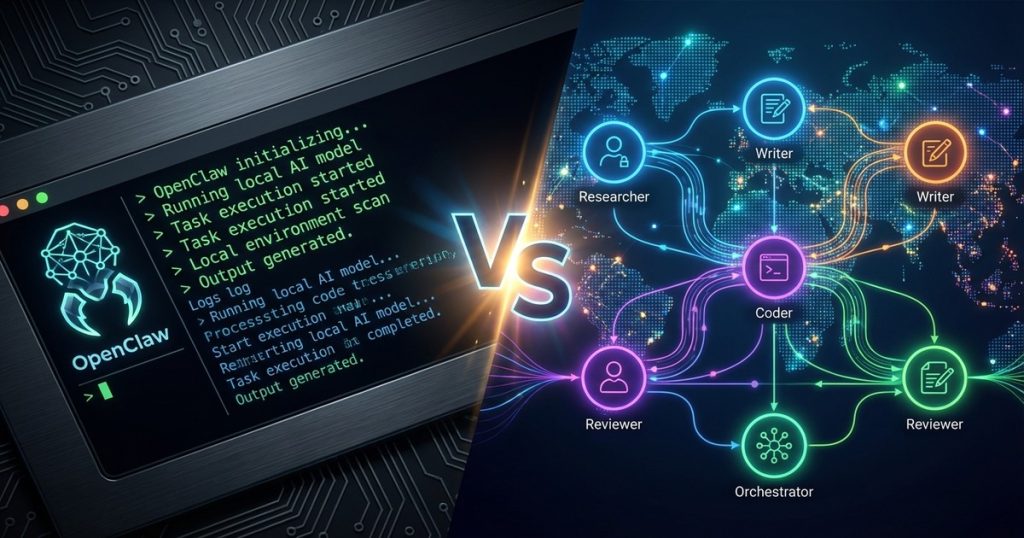
The AI Agent Battle: Personal Assistant vs Enterprise Platform
You’ve got repetitive tasks eating your day — monitoring servers, drafting reports, managing emails, handling research. AI agents are supposed to fix this. So you Google “best AI agent framework” and get a wall of options.
Two names keep coming up: OpenClaw and CrewAI. One is a self-hosted personal AI gateway built for individual power users. The other is an enterprise multi-agent orchestration platform aimed at business teams. They sound similar. They’re not.
This is the comparison most reviews skip — a real breakdown of what each platform actually does, who it’s for, what it costs, and which one makes sense for your situation in 2026.
What Is OpenClaw?
OpenClaw is a self-hosted gateway that transforms your favorite messaging apps into AI command centers. Send a message to WhatsApp, Telegram, or Discord, and get an intelligent agent response from anywhere — on your phone, while traveling, at 2am when something breaks on your server.
Think of it as a brilliant technical colleague who lives in your phone. One who can:
- Execute shell commands on your servers
- Browse the web and take screenshots
- Manage your files and run scripts
- Schedule automation with cron jobs
- Remember context across conversations
- Spawn specialized sub-agents for complex tasks
The core philosophy: One gateway, every platform. Your data stays on your hardware.
OpenClaw runs on your machine or a VPS and connects to multiple AI models simultaneously. It’s like having Claude, GPT, and Gemini working together through a single interface you control completely.
OpenClaw’s Unique Architecture
What makes OpenClaw genuinely different is its gateway approach. Instead of being locked into one chat platform or AI model, it acts as a universal translator between:
- Messaging platforms: WhatsApp, Telegram, Discord, iMessage, Slack, Signal, IRC, Matrix
- AI models: Anthropic Claude, OpenAI GPT, Google Gemini, local models
- System capabilities: File operations, web browsing, server management, automation
The agent workspace concept is the real differentiator. Each conversation gets its own sandboxed environment with persistent memory, file access, and tool permissions. You’re not just chatting with AI — you’re collaborating with a technical partner who remembers your projects, your preferences, and your context across every session.
For developers and technical operators, this is genuinely powerful. We use OpenClaw to run this site’s entire content pipeline — from cron-triggered article drafts to SEO audits to automated publishing. It’s not a demo; it’s infrastructure. For a full breakdown, read our OpenClaw Review 2026.
OpenClaw Pricing
OpenClaw is open-source and free to install. Your actual costs are:
- AI model API usage: Claude, GPT, Gemini — pay per token at provider rates
- Hosting: Local machine (free) or a VPS ($5-20/month on DigitalOcean)
- ClawdHub skills marketplace: Free and premium skills available
Realistically, a moderately active setup runs $30-100/month depending on how heavily you’re using AI model APIs. Heavy automation with frequent long-context calls can push higher. For the level of capability you get, it’s hard to argue with the economics.
What Is CrewAI?
CrewAI is an enterprise multi-agent framework designed for teams of AI agents working together on complex business processes. While OpenClaw focuses on personal productivity and developer control, CrewAI targets organizational automation — departments, pipelines, compliance-heavy workflows.
The platform lets you build “crews” where each AI agent has a specific role:
- Research Agent: Gathers market intelligence and data
- Writer Agent: Creates content based on that research
- Editor Agent: Reviews and refines output
- Quality Agent: Ensures compliance and accuracy
These agents hand off to each other automatically, with monitoring and tracing at each step. For organizations running high-volume, multi-step processes, this coordination layer is genuinely valuable.
CrewAI’s Enterprise Focus
CrewAI’s commercial platform (beyond the free open-source framework) provides:
- Visual workflow builder for non-technical business users
- Real-time agent tracing and monitoring via the AMP (Agent Management Platform)
- Built-in integrations with enterprise tools
- Compliance and security features for regulated industries
- Dedicated support and onboarding for paid tiers
The key thing to understand about CrewAI: the open-source Python framework is free and powerful, but the features that make it accessible to business teams (visual builder, monitoring dashboard, managed hosting) require a paid subscription.
CrewAI Pricing (Accurate as of 2026)
CrewAI’s pricing is execution-based, not per-seat — an important distinction most reviews miss. Here’s what the tiers actually look like:
| Plan | Price | Monthly Crew Executions | Live Crews |
|---|---|---|---|
| Open Source | Free (self-hosted) | Unlimited | Unlimited |
| Basic | $99/month | 100 | 2 |
| Standard | $6,000/year | 1,000 | 5 |
| Pro | $12,000/year | 2,000 | 10 |
| Enterprise | $60,000/year | 10,000 | 50 |
| Ultra | $120,000/year | 500,000 | 100 |
The pricing only becomes visible after creating an account — CrewAI doesn’t publish it publicly on their marketing site. The jump from $99/month Basic (just 100 executions, 2 crews) to $6,000/year Standard is steep. If you’re evaluating CrewAI for a business, budget carefully and model your expected execution volume before committing.
The honest take: At $99/month you’re limited to 100 crew executions. That sounds like a lot until you’re running daily automated workflows and burning through it in a week. The open-source framework is genuinely free and capable — the commercial platform is where the bill gets real fast.
Head-to-Head Comparison
Setup and Learning Curve
OpenClaw: Moderate technical barrier. Installation requires command-line comfort, but the openclaw onboard wizard guides you through API key setup, channel configuration, and basic agent policies. Once configured, daily usage is beautifully simple — just message your agent from any connected platform. Our OpenClaw Windows setup guide walks through the full process in under an hour.
CrewAI: Two paths. The visual Studio is accessible to business users with drag-and-drop workflow building. The Python framework requires developer skills and comfort with agent orchestration concepts. The enterprise platform handles deployment and scaling automatically once configured.
Winner: OpenClaw for individual developers who want control. CrewAI’s visual builder wins for business teams with non-technical stakeholders.
Use Case Fit
OpenClaw excels at:
- Personal productivity automation triggered by chat messages
- Server monitoring and management via natural language
- Research, content creation, and publishing pipelines
- Cross-platform communication from any device
- Privacy-sensitive workflows where data must stay local
- Developer tooling and code automation
CrewAI excels at:
- Business process automation at scale
- Multi-step content production pipelines
- Customer service and support automation
- Sales and marketing workflow automation
- Compliance-heavy industries requiring audit trails
- Team workflows with multiple non-technical operators
The clearest signal: if you’re asking “how do I automate my own workflow,” OpenClaw is the answer. If you’re asking “how do I automate my department’s workflow,” CrewAI is worth evaluating.
Technical Capabilities
Memory and Context
OpenClaw: Persistent memory across sessions with automatic context management. The agent remembers your preferences, past decisions, and project context indefinitely. Built-in semantic memory search lets you query conversation history and stored facts. For power users running complex projects, this continuity is invaluable.
CrewAI: Agent-specific memory with knowledge base integration. Crews can share context and build upon each other’s work within a workflow, but long-term persistent memory across separate workflow runs requires additional configuration. Better suited for structured, bounded tasks than open-ended ongoing assistance.
Tool Integration
OpenClaw: Direct system access through exec commands, file operations, web browsing, and API calls. The ClawdHub marketplace provides specialized skills for specific domains (SEO, social media, coding, etc.). You can extend it with any shell command or API call — the integration ceiling is basically your imagination. We’ve built automated content pipelines, server health monitors, and research agents all through OpenClaw. You can read how in our breakdown of how we built an AI content pipeline with OpenClaw.
CrewAI: Pre-built integrations with popular business tools (Salesforce, HubSpot, Slack, Microsoft Teams) plus custom tool development via Python. Better for connecting existing enterprise SaaS platforms; weaker for direct system administration and custom scripting.
Multi-Agent Coordination
OpenClaw: Sub-agent spawning for parallel processing. You can launch specialized agents for research, coding, or content creation, then combine their outputs in the main conversation. The coordination is conversational rather than structured — powerful for fluid, creative work, less rigid for compliance-critical processes.
CrewAI: Native multi-agent orchestration with role-based task delegation, hierarchical planning, and sophisticated workflow management. Purpose-built for structured pipelines where you need guaranteed handoffs, quality gates, and monitoring at each step. This is genuinely CrewAI’s strongest point.
Winner: OpenClaw for system-level automation and developer freedom. CrewAI for structured business process coordination.
Privacy and Data Control
This one isn’t close. OpenClaw runs on your infrastructure — your machine, your VPS, your data. Nothing leaves unless you explicitly make an API call. For anyone handling sensitive business data, personal information, or anything where “we don’t want our data on someone else’s server” matters, OpenClaw wins by default.
CrewAI’s cloud platform sends your workflow data through their servers. They have enterprise security features and likely good compliance certifications, but you’re trusting a third party with your process logic and outputs.
Who Is OpenClaw For?
Choose OpenClaw if you:
- Value privacy and data control — Everything runs on your infrastructure
- Need cross-platform access — Message from any app, get consistent responses
- Want technical depth — Direct system access, shell commands, file operations
- Prefer conversational interaction — Chat with your agent naturally via Telegram, WhatsApp, or Discord
- Have CLI comfort — Installation requires terminal work but pays dividends fast
- Work solo or with a small team — Individual productivity and developer automation focus
Perfect for: Developers, system administrators, technical consultants, privacy-focused professionals, indie entrepreneurs, content creators running automated pipelines.
Not ideal for: Non-technical business users who need a no-code visual builder, large enterprise deployments requiring compliance certifications, teams needing managed hosting without technical overhead.
Who Is CrewAI For?
Choose CrewAI if you:
- Need enterprise features — Compliance, audit trails, role-based access control
- Have non-technical users — Visual workflow builder with drag-and-drop
- Require business integrations — Salesforce, HubSpot, Microsoft Teams out of the box
- Want structured, monitored workflows — Multi-step processes with quality gates and tracing
- Have budget for premium plans — $99/month minimum for commercial features; enterprise at $60K+/year
- Need team collaboration — Shared agent crews and knowledge bases across departments
Perfect for: Marketing teams, customer service departments, sales organizations, content agencies, enterprises with regulatory requirements.
Not ideal for: Individual developers, privacy-sensitive use cases, budget-constrained teams who need more than 100 monthly executions at the $99/month tier.
Alternative Platforms to Consider
If neither OpenClaw nor CrewAI is a clean fit, here’s where to look next:
Lindy AI — Consumer-focused AI assistant that bridges personal and professional automation. No-code, polished interface, but limited technical depth compared to OpenClaw. Read our full Lindy AI review for the full breakdown.
Manus AI — A newer autonomous agent platform that’s generated significant buzz. Worth evaluating for specific use cases, though still maturing. See our Manus AI review for what it actually delivers vs. the hype.
OpenClaw (standalone review) — If you’re on the fence about OpenClaw specifically, our dedicated review covers setup, real-world use cases, and who gets the most out of it.
AutoGen (Microsoft): Open-source multi-agent conversation framework, excellent for research and analysis tasks. No commercial platform — pure developer tooling. Free, but requires Python setup and comfort with agent configuration.
LangGraph (LangChain): Graph-based agent framework with strong reasoning capabilities. Steeper learning curve, but powerful for complex stateful agent workflows. Also developer-only, no visual builder.
The Hybrid Approach
Here’s what most comparisons miss: you don’t have to pick one forever.
OpenClaw handles personal productivity — server monitoring, research, content ideation, quick automation tasks. When a project scales to require structured business processes or non-technical team collaboration, CrewAI becomes worth evaluating. They’re not competitors in most real-world scenarios — they serve different moments in the same workflow evolution.
Use OpenClaw to prototype and explore. Use CrewAI (or a competitor) when you need to hand a process off to a team. OpenClaw is the sketchpad; CrewAI is the production line.
Getting Started
OpenClaw Quick Start
- Install Node.js 18+ on your machine or VPS
- Run:
npm install -g openclaw - Run
openclaw onboardto configure API keys and channels - Connect Telegram first — it’s the easiest channel for beginners
- Test basic commands, explore the ClawdHub skills marketplace
- Gradually expand to more platforms and advanced automation
Full step-by-step instructions in our OpenClaw Windows setup guide, including Telegram and Discord channel configuration.
CrewAI Quick Start
- For developers: Install via
pip install crewaiand work with the open-source framework - For business users: Sign up at crewai.com for the visual Studio
- Complete the onboarding tutorial with sample workflows
- Connect one business tool to start (CRM or Slack integration work well)
- Build a simple 3-agent crew (research → write → review) before going complex
- Monitor execution counts carefully — the Basic plan’s 100/month cap fills up faster than expected
Our Verdict
After running OpenClaw as actual operating infrastructure for this site — not just testing it for a review — the verdict is clear for our use case: OpenClaw is the tool for technical operators who want maximum control, privacy, and capability at minimal cost.
CrewAI fills a genuinely different slot. If you’re automating a team’s workflow, need a visual builder your marketing manager can operate, or require enterprise compliance features, CrewAI is purpose-built for that.
Start with OpenClaw if: You’re a developer, technical operator, or indie entrepreneur who wants to own your AI infrastructure and automate your own workflow.
Start with CrewAI if: You’re building for a business team that needs structured workflows, non-technical access, and enterprise integrations — and you have budget for the commercial tiers.
The AI agent space is moving fast. Both platforms are actively developed. Choose the one that matches your situation today, and don’t over-engineer it — a working OpenClaw setup beats a perfectly planned CrewAI deployment that’s still in procurement.
Frequently Asked Questions
Can I use OpenClaw and CrewAI together?
Yes. Many technical operators use OpenClaw for personal and developer-focused automation while using CrewAI (or considering it) for business team workflows. They serve different use cases and can complement each other in a larger automation stack.
Which platform is more secure?
OpenClaw wins for privacy-sensitive use cases — everything runs on your infrastructure and nothing leaves unless you make explicit API calls. CrewAI’s commercial platform provides enterprise-grade security certifications and compliance features (important for regulated industries), but your workflow data passes through their servers.
What’s the real learning curve for each?
OpenClaw requires command-line comfort and basic technical skills. Most developers are productive within a few hours of setup; building advanced automation takes a day or two of experimentation. CrewAI’s visual builder can be learned in an afternoon for basic workflows. The open-source Python framework has a steeper curve — understanding agent orchestration and multi-agent coordination patterns takes time.
How does CrewAI pricing actually work?
CrewAI charges by crew execution volume, not per seat. The Basic plan at $99/month includes 100 monthly executions across 2 live crews. The Standard plan jumps to $6,000/year for 1,000 executions. Pricing isn’t public — you have to create an account to see the tiers. Model your expected execution volume carefully before committing to a commercial plan.
Is the OpenClaw open-source framework actually free?
Yes. OpenClaw is open-source and free to install. You pay for AI model API usage (Claude, GPT, Gemini at their standard rates) and your own hosting infrastructure. There’s no subscription. The ClawdHub skills marketplace has both free and premium skills, but core functionality costs nothing beyond API usage.
What’s the biggest hidden cost to watch for?
With OpenClaw: AI model API costs can creep up if you’re running frequent long-context requests or spawning many sub-agents. With CrewAI: the gap between the Basic plan (100 executions, $99/month) and Standard ($6,000/year) is massive. Many users hit the Basic ceiling quickly with real-world automation and face a substantial bill jump.
Can I migrate from one platform to the other?
Migration is possible but not seamless. OpenClaw workflows are implemented as shell scripts, cron jobs, and skill configurations — they require manual rebuilding in CrewAI’s visual environment. Going the other direction, CrewAI workflows need to be reimplemented as OpenClaw cron automations or sub-agent patterns. Plan for significant rebuild time either way.
Which has better multi-model AI support?
OpenClaw supports a wider range of AI providers including local models (Ollama, LM Studio) and emerging APIs. You can switch models per-conversation or run multiple providers simultaneously. CrewAI focuses on proven enterprise-grade models with better guaranteed reliability and SLAs — the right call for production business workflows that can’t tolerate model instability.


