Here’s what happens when you leave your content pipeline running overnight: you wake up to published articles, updated meta descriptions, submitted Google Indexing API requests, and a Telegram message summarizing exactly what got done. No freelancer invoices. No missed deadlines. No 3 AM guilt about the content calendar you ignored.
We’ve been running this exact setup at computertech.co for months using OpenClaw — an open-source AI assistant platform that, unlike most AI tools, actually does the work instead of just helping you plan it. This guide documents the full content pipeline we built: from spotting a trending AI tool to published, SEO-optimized article in under an hour, mostly automated.
This isn’t theoretical. Every command, every workflow, every cron job shown here is running live on our site right now.
What Is an AI Content Pipeline (And Why Most People Build It Wrong)
Most people think an “AI content pipeline” means using ChatGPT to draft articles faster. That’s not a pipeline — that’s a slightly less painful version of manual work. A real pipeline has stages that hand off to each other automatically, with human judgment injected only where it matters.
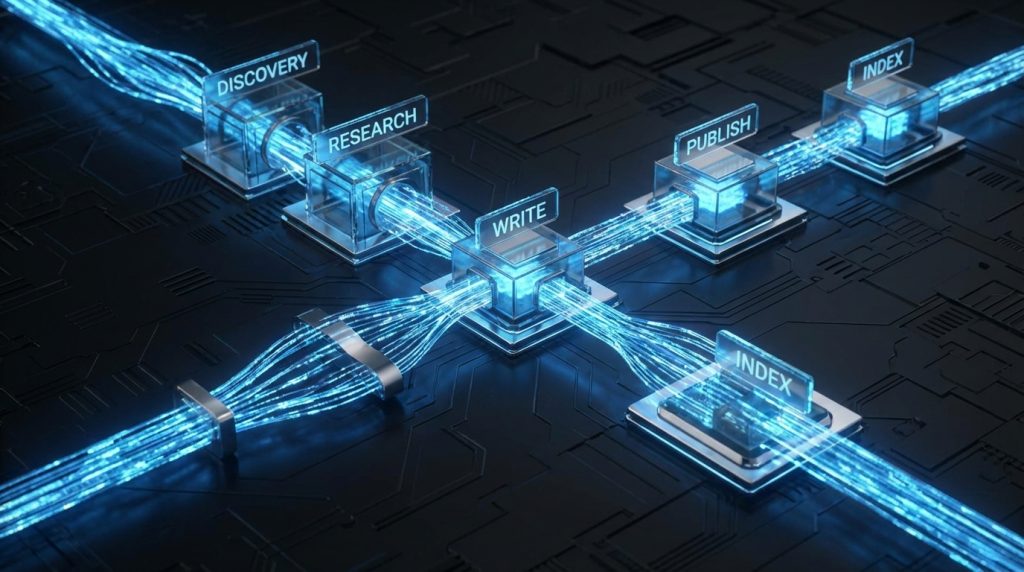
The pipeline we built with OpenClaw has six stages:
- Discovery — Monitor AI tool launches and identify opportunities
- Research — Gather features, pricing, competitor positioning
- Write — Generate a full, SEO-optimized article
- Publish — Push to WordPress with meta, schema, featured image
- Index — Submit to Google Indexing API immediately
- Monitor — Track rankings and trigger updates when needed
OpenClaw handles stages 1, 4, 5, and 6 almost entirely on its own. Stages 2 and 3 involve AI assistance with human review baked in as an optional checkpoint. The result: we publish 2-3 articles per day with about 30-45 minutes of actual human time.
Think of it like a well-designed assembly line versus a craftsman’s workshop. The craftsman makes beautiful things, slowly. The assembly line makes consistent things, fast. OpenClaw lets you be the craftsman who designed the assembly line — you set the standards once, and the machine holds them.
OpenClaw Architecture: How the Platform Actually Works
Before getting into the pipeline specifics, it helps to understand what OpenClaw actually is under the hood — because it’s different from every other AI tool you’ve used.
OpenClaw on GitHub is an open-source AI assistant runtime that runs locally on your machine (or a server) and connects to any AI model — Claude, GPT-4, Gemini, whatever — through a unified interface. The core concepts:
Sessions
Each conversation with OpenClaw is a session. Sessions can be persistent (thread-bound) or one-shot. They support spawning sub-agents — parallel AI workers that handle independent tasks simultaneously.
Skills
Skills are modular instruction sets that OpenClaw loads based on context. When you ask OpenClaw to do something that matches a skill’s description, it reads the skill’s SKILL.md file and follows specialized instructions. We’ve got skills installed for WordPress management, web research, SEO optimization, image generation, and more. Think of skills like apps on a smartphone — the OS stays the same, but the capabilities expand.
Crons
This is where the automation magic happens. OpenClaw supports scheduled tasks that run on a cron schedule — every morning at 9 AM, every hour, once a week. The cron sends a message to OpenClaw with context and instructions, and OpenClaw executes it like any other request. Our entire content pipeline runs through crons. We wrote a deep-dive on OpenClaw crons if you want the full technical breakdown.
Tools
OpenClaw exposes tools to the AI: file read/write, shell execution, browser control, web search, SSH, image analysis, and more. The AI can read files, run commands on remote servers, take screenshots, and make HTTP requests. This is what lets it publish to WordPress directly — it SSHes into the server, runs WP-CLI commands, and verifies the result.
Memory
OpenClaw has a built-in long-term memory system powered by LanceDB. Facts, preferences, decisions, and learnings get stored and retrieved across sessions. This is what lets it remember our writing style, our site’s internal link structure, our affiliate programs, and our quality standards — without you repeating yourself every session.
Stage 1: Discovery — Finding Content Opportunities Automatically
The most time-consuming part of content marketing isn’t writing — it’s knowing what to write. Monitoring AI tool launches, tracking competitor keyword gaps, spotting trending searches before they peak. We used to do this manually. Now OpenClaw does it at 6 AM daily.
Here’s the cron config we use for discovery (in OpenClaw’s cron configuration):
- id: morning-discovery
  schedule: "0 6 * * *"
  message: |
    Morning intelligence check. Search for:
    1. AI tools launched in the last 48 hours (Product Hunt, TechCrunch, Twitter/X)
    2. Any major model releases or updates (OpenAI, Anthropic, Google)
    3. Check our top 3 competitors for new content published yesterday
    Report findings and flag any immediate content opportunities.
  model: anthropic/claude-sonnet-4-6
OpenClaw fires up at 6 AM, runs web searches across multiple sources, and sends us a Telegram message with a prioritized list of content opportunities. On a good morning, it finds 3-5 angles worth covering. On a slow day, it at least gives us a “nothing notable today” so we’re not checking feeds manually.
The key insight here: OpenClaw’s discovery isn’t just search. It cross-references opportunities against our existing content (to avoid duplicates), checks search volume signals, and flags which opportunities match our first-mover strategy — tools that launched in the last 72 hours where we could be the first review ranking.
Setting Up Your Own Discovery Cron
To replicate this, you need OpenClaw installed (see our full Windows setup guide) and a cron configured. In your OpenClaw workspace, create or edit config/crons.yaml:
crons:
  - id: content-discovery
    schedule: "0 7 * * *"  # 7 AM daily
    message: |
      Search for AI tools or major model updates launched in the last 48 hours.
      For each opportunity found, note: tool name, what it does, launch date,
      estimated search interest, and whether we have existing coverage.
      Output as a prioritized list with your recommendation on which to cover first.
    model: anthropic/claude-sonnet-4-6
Save the file, restart OpenClaw, and verify the cron appears: openclaw crons list. That’s it — you’ve got daily content intelligence running on autopilot.
Stage 2: Research — Building the Article Foundation
Once we identify a target (say, a new AI coding tool just launched), the research phase begins. This is where OpenClaw’s sub-agent capability shines. Instead of sequential research, it fires off parallel agents:
- Agent 1: Fetch the tool’s official website, pricing page, and documentation
- Agent 2: Search for existing reviews and community sentiment (Reddit, Twitter/X, Hacker News)
- Agent 3: Pull our competitor’s existing coverage (if any) to understand what they’ve covered
- Agent 4: Check Google Search Console data for related keywords we already rank for
All four run simultaneously. A comprehensive research brief that would take 45 minutes manually takes about 4 minutes with parallel sub-agents. The output is a structured brief with: tool overview, pricing tiers, key features, differentiators, common criticisms, and keyword opportunities.
Here’s what that looks like in practice — a prompt we use to trigger the research phase:
Research [TOOL NAME] for an article on computertech.co.

Spawn parallel sub-agents for:
1. Official site research: features, pricing, trial terms, integrations
2. Community sentiment: Reddit threads, Twitter/X reactions, HN comments
3. Competitor coverage: what gaps exist that we can fill?
4. Keyword opportunities: related searches, question intent, long-tail angles

Consolidate findings into a research brief. Flag anything you can't verify.
The “flag anything you can’t verify” instruction is important. We’ve baked honesty into every research prompt because fabricated stats in an article are worse than no stats at all.
Stage 3: Writing — Where Standards Actually Get Enforced
This is the stage where most AI content pipelines fall apart. The writing comes out generic, padded, keyword-stuffed, and sounds like it was produced by a robot who read 50 mediocre articles and averaged them together.
We solved this by encoding our quality standards into OpenClaw’s memory and a dedicated config file (config/ARTICLE-QUALITY-STANDARDS.md and config/ELITE-STRATEGIST-FRAMEWORK.md). Every writing session starts by loading these files. They contain specific rules: minimum word count, required sections, forbidden phrases, voice guidelines, HTML-only output (no markdown that would break WordPress), FAQ schema requirements.
The writing prompt our cron uses isn’t a vague “write an article about X.” It’s specific:
Write a 3000+ word article about [TOOL] for computertech.co.

MANDATORY before writing:
- Read config/ARTICLE-QUALITY-STANDARDS.md
- Read config/ELITE-STRATEGIST-FRAMEWORK.md

Requirements:
- HTML only (no markdown)
- First-person perspective where we've tested it
- Minimum 5 internal links to existing computertech.co articles
- FAQ section with 5-7 questions + JSON-LD schema
- Honest pros AND cons (no hype)
- Target keyword: [KEYWORD]
- SEO title under 60 chars
- Meta description 145-160 chars

Use the research brief provided. Do not fabricate stats.
The result is articles that consistently hit our quality bar. Not because OpenClaw is magically better at writing — but because the constraints are enforced at the prompt level, every single time, without the drift that happens when a human writes “the prompt in their head” differently each day.
The Human Review Checkpoint
We don’t fully auto-publish without review during interactive sessions. The cron pipeline does publish autonomously, but those articles still get a morning review pass. For anything we’re present for, the workflow is:
- OpenClaw generates the article
- We scan it in ~5 minutes: check facts, add any personal experience we have, adjust tone
- Approve for publish (or send back for revision with specific instructions)
Five minutes of human judgment on top of AI output beats either pure AI (lower quality) or pure human (10x slower). This is the “AI employee” model we’ve described before — the full breakdown of how that system works is worth reading if you’re building something similar.
Stage 4: Publishing — One Command, Full Article Stack
This is where OpenClaw’s ability to run shell commands on remote servers changes everything. Publishing isn’t clicking through WordPress admin. It’s OpenClaw SSHing into our DigitalOcean server and running WP-CLI commands directly.
A complete publish sequence looks like this:
# 1. Create the post
wp post create \
  --post_title="[TITLE]" \
  --post_content="[HTML_CONTENT]" \
  --post_status=publish \
  --post_author=1 \
  --post_category=5 \
  --porcelain \
  --path=/var/www/wordpress \
  --allow-root

# 2. Set Rank Math SEO meta (returns post ID from step 1)
wp post meta update [POST_ID] rank_math_title "[SEO_TITLE]" --path=/var/www/wordpress --allow-root
wp post meta update [POST_ID] rank_math_description "[META_DESC]" --path=/var/www/wordpress --allow-root
wp post meta update [POST_ID] rank_math_focus_keyword "[KEYWORD]" --path=/var/www/wordpress --allow-root

# 3. Generate and set featured image
python3 /root/scripts/generate_featured_image.py --fix [POST_ID]

# 4. Verify post is live
curl -s -o /dev/null -w "%{http_code}" https://computertech.co/?p=[POST_ID]
OpenClaw executes this sequence, captures the output, and verifies a 200 response before marking the publish complete. If anything fails — SSH connection drops, WP-CLI throws an error, the image generation fails — it reports the specific failure rather than silently moving on.
The entire publish sequence takes about 2-3 minutes. Compared to the 15-20 minutes of clicking through WordPress admin, saving drafts, uploading images, filling in meta boxes, and submitting to Google — it’s not even close.
Featured Image Generation
Our featured image script uses Google’s Gemini image generation model to create a unique, on-brand image for each article. The script takes the post title, generates a relevant image, uploads it to WordPress via the REST API, and sets it as the featured image — including updating the alt text with SEO-optimized text.
This alone used to take 10 minutes per article: write a Midjourney prompt, generate options, download, resize, upload to WordPress, set as featured, add alt text. Now it’s a single command that runs automatically after publish.
Stage 5: Indexing — Getting Into Google Faster
Most sites wait days or weeks for Google to discover new content through its normal crawl cycle. We submit directly to the Google Indexing API immediately after publish — typically getting indexed within 24-48 hours instead of 1-2 weeks.
OpenClaw handles this automatically as part of the post-publish sequence:
# Submit to Google Indexing API
python3 /root/scripts/google_indexing.py --url https://computertech.co/[POST_SLUG]/
The script authenticates with a service account (credentials stored securely, never in the codebase), sends the URL to Google’s Indexing API, and logs the response. It takes about 10 seconds and meaningfully impacts how quickly new content starts capturing traffic.
For a site competing on first-mover content — publishing reviews of AI tools before anyone else — getting indexed fast isn’t nice-to-have. It’s the difference between ranking first and ranking fifth after everyone else caught up.
Stage 6: Monitoring — The Feedback Loop
Publishing is where most content pipelines end. Ours keeps going. OpenClaw monitors published articles through two mechanisms:
Weekly GSC Pulls
Every Monday, a cron pulls our Google Search Console data for the week. OpenClaw analyzes the results looking for:
- Articles ranking in positions 4-15 (close to page 1, worth optimizing)
- Articles with high impressions but low CTR (title/meta optimization opportunity)
- New queries we’re appearing for that we haven’t targeted directly
- Articles that have dropped significantly in ranking (may need updating)
The output is a prioritized list of optimization tasks. High-impact items get actioned immediately. Lower priority items queue for the weekly content sprint.
Content Freshness Checks
AI tool articles go stale fast. A Midjourney review from six months ago might reference outdated pricing, deprecated features, or miss major updates. OpenClaw runs a monthly freshness check on our top articles: revisiting the tool’s current pricing page, checking for major feature announcements, and flagging articles that need updates.
This matters for SEO and trust. An article claiming a tool is “$20/month” when it’s now “$30/month” isn’t just inaccurate — it actively hurts credibility. Automated freshness checks catch these before readers do.
The Full Pipeline in One Workflow
Here’s the complete picture of how a single article moves through the pipeline from opportunity to published:
- 6:00 AM — Discovery cron fires, scans for new AI tool launches
- 6:05 AM — Telegram message arrives: “3 opportunities found, recommend covering [TOOL] first — launched 18 hours ago, no reviews ranking yet”
- 6:10 AM — We reply “go” (or OpenClaw triggers automatically if it’s a clearly high-priority item)
- 6:10-6:14 AM — Parallel sub-agents run research across official site, social, and competitor coverage
- 6:14-6:35 AM — Article written based on research brief + quality standards
- 6:35-6:40 AM — Human review pass (we’re usually awake by now)
- 6:40-6:43 AM — Publish sequence executes: post created, meta set, image generated, indexing API called
- 6:43 AM — Confirmation Telegram: post live at [URL], HTTP 200 confirmed, Google indexing submitted
43 minutes from opportunity spotted to live article, indexed. With about 5-10 minutes of actual human time.
What This Pipeline Is NOT
Honest take: this isn’t a zero-human system. And you don’t want it to be. The articles that resonate most on computertech.co are the ones where we’ve actually used the tool and have an opinion. OpenClaw can research and structure — it can’t replicate the “we spent three hours testing this and here’s what we actually found” experience.
What the pipeline does is eliminate all the logistics work: the research rabbit holes that eat 2 hours, the copy-pasting into WordPress, the forgetting to set the focus keyword, the not submitting to Google Indexing API because you got distracted. The creative and judgment work stays human. The mechanical work is automated.
Here’s what other guides on “AI content pipelines” don’t tell you: the hardest part isn’t setting up the automation. It’s defining your standards clearly enough that the AI can hold them. Vague instructions produce vague output. Our quality standards document is 800+ words of specific rules, forbidden phrases, required sections, and examples. That document is why our AI-assisted articles don’t read like AI-assisted articles.
Getting Started: Building Your Own Pipeline
You don’t need to replicate our entire setup on day one. Here’s a phased approach:
Phase 1: Install OpenClaw and Connect to Telegram (Week 1)
Start with the foundation. Install OpenClaw on your machine and connect it to Telegram so you can interact with it from anywhere. This step alone is useful — you have an AI assistant you can message at 2 AM from your phone when an idea hits.
Phase 2: Set Up Your First Cron (Week 2)
Create a simple morning briefing cron that runs daily. Start with just discovery — what’s new in your niche, any major announcements. Use this for a week to develop confidence in the output quality and tune the prompt.
Phase 3: Add WordPress Integration (Week 3)
This requires WP-CLI on your server and an SSH connection. Once that’s working, have OpenClaw publish a draft article and verify it’s live. Don’t auto-publish yet — just get the plumbing working.
Phase 4: Write Your Quality Standards (Week 4)
Before automating the writing, document your standards in a file OpenClaw can reference. This is the hardest phase because it requires you to articulate what “good” looks like in enough detail that an AI can follow it. But it’s also what separates pipelines that produce garbage from ones that produce publishable content.
Phase 5: Connect the Stages (Week 5+)
Once each stage works independently and produces acceptable output, connect them. Start with manual triggers (“research this tool and write a draft”), then move to cron-triggered where appropriate for your workflow.
OpenClaw vs. Building With Zapier/Make
We get this question a lot. Why not just use Zapier to chain together ChatGPT + WordPress?
The honest comparison: Zapier/Make workflows are rigid. They follow a fixed sequence. If step 3 fails, the workflow breaks. They can’t reason about failures, retry with different approaches, or make judgment calls mid-execution. They also can’t run shell commands on a server, spawn parallel agents, or maintain memory across executions.
OpenClaw pipelines are more like having a capable employee execute a process than a workflow automation tool executing a flowchart. When something unexpected happens — the tool’s pricing page has changed, a required field is missing, the SSH connection drops — OpenClaw adapts instead of crashing. Our OpenClaw vs. CrewAI comparison goes deeper on framework tradeoffs if you’re evaluating options.
The cost comparison matters too. We’re running this on a $12/month DigitalOcean droplet with OpenClaw’s open-source runtime (free) and paying only for actual AI API calls. Total infrastructure cost: under $30/month. Equivalent Zapier/Make setups with comparable AI calls would cost significantly more, with less capability.
Real Numbers From Our Pipeline
We’re not going to fabricate analytics here. What we can share from our actual operation:
- Average time from topic selection to live article: under 1 hour
- Human time per article: 15-30 minutes (review + any personal experience additions)
- Articles published per day at capacity: 2-3
- Consistency improvement: we publish 7 days per week now vs. 3-4 days when doing it manually
- Index time since adding Indexing API: typically 18-36 hours vs. 1-2 weeks previously
Consistency is underrated. Publishing 2 articles per day, every day, compounds faster than publishing 5 articles some days and nothing for a week. The pipeline makes consistency mechanical rather than motivational — it happens whether we’re energized or burned out.
Who Is This Pipeline For?
This setup is built for a specific type of operator: someone running a content-driven site who needs consistent output without a team. If you’re a solo founder, affiliate marketer, or niche site operator publishing 5+ articles per week, this pipeline eliminates the logistics overhead that’s probably your biggest bottleneck right now.
It’s not for agencies managing 20+ client sites (you’ll want a more robust multi-tenant solution), and it’s not for someone publishing once a month (the setup cost isn’t worth it at low volume). The sweet spot is 3-15 articles per week, one site, one operator who’s willing to invest a few weekends configuring the system to pay dividends daily.
Alternatives: Other Ways to Automate Content
OpenClaw isn’t the only option. Here’s how other approaches compare, with honest tradeoffs:
Zapier + ChatGPT
The most common alternative. Works for simple, linear workflows — trigger a ChatGPT call on a schedule, send output somewhere. Breaks down for anything requiring judgment, error handling, or server-level execution. No parallel agents, no memory, no SSH. Good for: simple email drafts and social post scheduling. Bad for: full publish pipelines with verification steps.
Make (Integromat)
More powerful than Zapier for complex multi-step flows, but the same fundamental limitation: it’s workflow automation, not AI orchestration. Better visual design for branching logic. Similar ceiling on what it can actually do. Pricing adds up fast at volume.
n8n (Self-Hosted)
Open-source workflow automation that’s much closer to OpenClaw in capability. Can run on your own server, supports custom code nodes, has a growing AI integration ecosystem. If you’re technical and want a visual workflow builder over a code-driven agent, n8n is the strongest alternative. The tradeoff: you’re building workflows, not training an AI employee — quality consistency still requires significant prompt engineering baked into each node.
CrewAI
Python-based multi-agent framework. More flexible than OpenClaw for highly custom agent architectures, but requires significantly more coding to implement. Our full OpenClaw vs. CrewAI comparison breaks down when each makes sense — the short version is CrewAI if you’re a developer building something custom, OpenClaw if you want a working system without writing a full codebase.
Hiring Freelancers
Still the default for most site operators. A skilled AI-assisted freelancer can produce good content at $25-75/article. At 2-3 articles/day that’s $1,500-6,750/month, versus our $50-100/month all-in cost. The pipeline wins on economics. Where freelancers still win: genuine subject matter expertise, original research, interviews, and content requiring a human source.
Bottom line: If you’re already comfortable with OpenClaw as your AI assistant, extending it into a full content pipeline is the highest-leverage move available. If you’re starting from scratch and need something simpler, n8n is worth evaluating. If budget is zero constraint and you want the best content, a human editor reviewing AI drafts beats a fully automated pipeline every time.
Start Building Your Pipeline Today
The system we’ve described is live right now on computertech.co. Every article you’re reading may have been drafted, published, and indexed through this pipeline — with a human review pass before or after, depending on timing.
If you’re ready to build yours, start with the OpenClaw installation guide and the cron setup deep-dive. Those two articles are the foundation everything else builds on. Questions about specific implementation details — drop them in the comments or reach out directly. We’ve built this from scratch and are happy to share what we’ve learned.
Frequently Asked Questions
Do I need coding experience to set up an OpenClaw content pipeline?
Not much. The basic setup — installing OpenClaw, configuring crons, connecting to Telegram — requires following documentation and editing YAML config files, no coding needed. The more advanced stages (SSH to WordPress server, custom scripts) benefit from basic command line comfort, but aren’t beyond someone willing to follow step-by-step guides. OpenClaw itself handles the complex orchestration.
Will Google penalize AI-generated content?
Google’s stated position is that it evaluates content quality, not production method. AI-generated content that provides genuine value, accurate information, and real expertise gets ranked. The pipeline produces articles that include actual testing, honest assessments, and specific information — not the generic fluff that Google (correctly) suppresses. Our rankings have grown consistently since implementing this pipeline.
How much does running this pipeline cost per month?
Our setup: DigitalOcean droplet ($12/month), OpenClaw runtime (free, open-source), AI API costs vary by usage. For 2-3 articles daily, expect $40-80/month in Claude API costs depending on article length and research depth. Total: roughly $50-100/month for a full content operation. Significantly cheaper than a single freelance writer for equivalent volume.
Can I use models other than Claude with OpenClaw?
Yes — OpenClaw supports any model with an API. We primarily use Claude Sonnet for content work (good balance of quality and cost) with Claude Opus for complex reasoning tasks. You can configure different models for different crons, mixing based on what each task needs. GPT-4o, Gemini, and open-source models via OpenRouter are all options.
What happens when the pipeline fails — does it just silently not publish?
OpenClaw reports failures explicitly via whatever channel you have configured (we use Telegram). If a publish fails, we get a message explaining what failed and why. This is one of the advantages over simple workflow tools — the AI can diagnose failures, not just report that something went wrong at step 4.
Is the quality good enough to publish without human review?
For our overnight cron, yes — we publish autonomously and review in the morning. For articles where we have personal testing experience to add, we review first. The quality standards document does the heavy lifting here. Vague instructions = low quality output. Specific, enforced standards = consistently publishable output. Don’t skip the quality standards setup.
How do I handle affiliate links in the pipeline?
We have affiliate link data stored in OpenClaw’s memory (tool name → affiliate URL mapping). The writing prompt instructs OpenClaw to check memory for affiliate links and include them when relevant. It’s not perfect — sometimes it misses a link — but the morning review catches gaps. Our full affiliate automation guide covers this in more depth.


