You’re already paying for Notion to run your entire workflow—notes, docs, project management, databases. Then Notion AI launches promising to do everything from drafting emails to summarizing meeting notes without leaving the app. The question isn’t whether AI in Notion is cool—it’s whether the /month add-on actually saves enough time to justify the cost.
Notion AI has fundamentally changed how productivity software approaches AI integration. Unlike competitors who bolt on AI as a $10/month add-on, Notion baked their AI features directly into their Business and Enterprise plans. But is this integrated approach actually better? And is upgrading worth the price jump?
After extensive testing across document creation, meeting notes, research organization, and daily workflow automation, here’s my complete verdict on Notion AI in 2026.
Quick Verdict
⭐ Rating: 4.2/5
💰 Pricing: Free (limited AI) to $20/user/month (full AI on Business)
✅ Best For: Teams already using Notion who want AI without managing separate subscriptions
❌ Skip If: You need heavy AI generation or want standalone AI writing tools
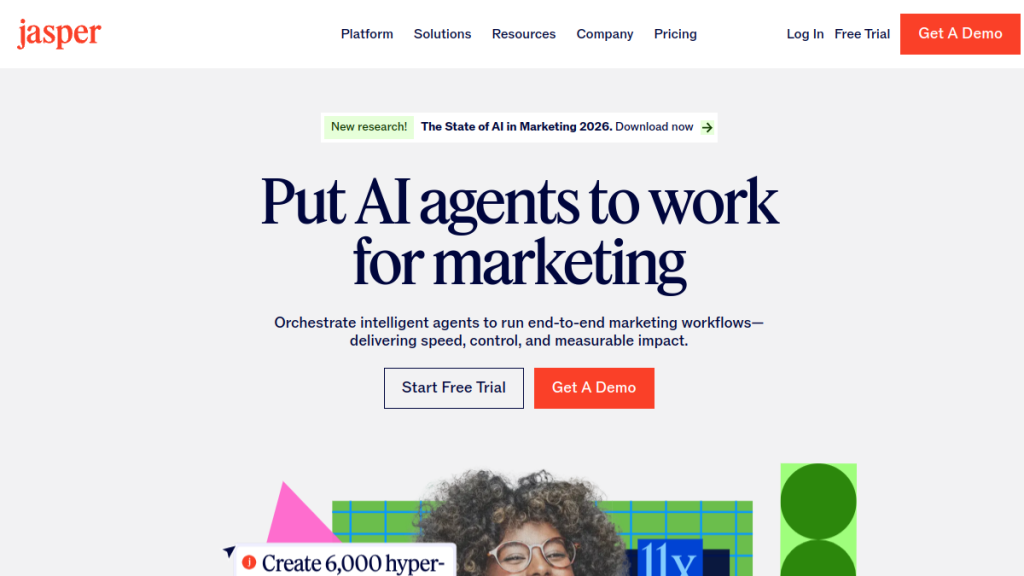
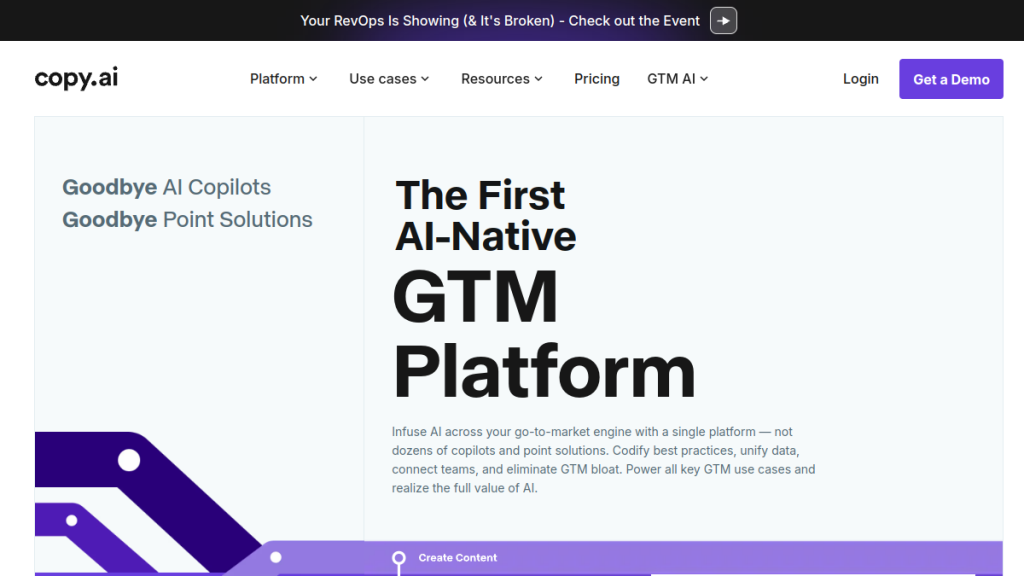
The bottom line: Notion AI delivers solid AI capabilities integrated seamlessly into your existing workflow, but the value proposition depends entirely on whether you’re already committed to Notion as your workspace. If you are, the Business plan’s AI inclusion is excellent value. If you’re not, standalone AI tools like Jasper or Copy.ai offer more powerful generation features.
Table of Contents
- What is Notion AI?
- Key Features
- Pricing Breakdown
- Pros and Cons
- Who Should Use Notion AI?
- Notion AI vs Alternatives
- FAQs
- Final Verdict
What is Notion AI?
Notion AI is an artificial intelligence layer built into Notion’s all-in-one workspace platform. Rather than being a standalone AI writing tool, it’s designed to enhance everything you already do in Notion—from drafting documents and summarizing meetings to organizing databases and answering questions about your workspace.
The key differentiator is integration depth. While tools like ChatGPT or Jasper work in isolation, Notion AI understands your workspace context. It can reference your existing documents, pull from connected databases, and generate content that fits naturally into your established workflows.
Notion positions this as “AI that knows your work.” In practice, this means:
- Contextual generation: Ask Notion AI to draft a project update, and it can pull relevant information from your project databases
- Workspace-aware search: Ask questions about your content across your entire Notion workspace
- Connected apps integration: AI features extend to Notion Calendar, Notion Mail, and other connected tools
- Meeting intelligence: Automatic meeting notes with AI-generated summaries and action items
- Improve writing: Polish grammar, clarity, and tone
- Make longer/shorter: Expand or condense content
- Simplify language: Make complex text more accessible
- Translate: Convert to 14+ languages
- Change tone: Professional, casual, friendly, direct
- Continue writing: Generate the next paragraph based on context
- “What did we decide about the Q3 marketing budget?”
- “Find all meeting notes mentioning the product launch”
- “What’s the status of the website redesign project?”
- Real-time transcription
- AI-generated summaries
- Automatic action item extraction
- Speaker attribution
- Searchable meeting archive
- Search the web for relevant sources
- Synthesize information into a coherent answer
- Cite sources with links
- Save research directly to your workspace
- Auto-generate summaries for wiki pages
- Extract key dates from meeting notes
- Categorize content based on topic
- Pull out action items from documents
- Email drafting and replies
- Inbox organization and prioritization
- Meeting scheduling assistance
- Email summaries
- Create and organize pages based on instructions
- Update databases based on triggers
- Automate routine documentation tasks
- A few dozen AI generations per week
- Extended AI search usage
- Repeated meeting transcriptions
- Notion Plus: $10/user/month
- ChatGPT Plus: $20/user/month
- Otter.ai (transcription): $10/user/month
- Total: $40/user/month
The underlying technology leverages multiple AI models, including GPT-4.1 and Claude 3.7 Sonnet, giving users access to frontier AI capabilities without managing separate subscriptions.
Key Features
AI Writing & Generation
Notion AI’s writing assistant works anywhere you can type in Notion. Highlight text and choose from options like:
The generation quality matches what you’d expect from GPT-4 class models—solid for drafts, blog outlines, and brainstorming, though you’ll still want to edit for your voice.
Enterprise Search
This is where Notion AI’s integration advantage shines. Instead of searching across scattered tools, you can ask natural language questions about your entire workspace:
The AI searches across all your pages, databases, and connected apps to surface relevant information. For large workspaces, this alone can save hours of manual searching.
Meeting Notes (Beta)
Notion AI can automatically capture and transcribe meetings when integrated with your calendar. Features include:
This competes directly with dedicated tools like Otter.ai.ai or Fireflies.ai, with the advantage of living inside your existing Notion workspace.
Research Mode (Beta)
A newer addition that brings Perplexity-style web research directly into Notion. Ask questions that require current information, and Notion AI will:
Still in beta, but promising for teams who need to research topics without leaving Notion.
AI Autofill for Databases
This feature automatically fills database properties based on page content. Examples:
Set it up once, and new database entries get AI-enhanced metadata automatically.
Notion Mail AI
For users of Notion Mail (their email client), AI features include:
Still limited to Business and Enterprise tiers.
Agent Features
Notion is beta-testing “Agent” capabilities—AI that can perform multi-step tasks autonomously:
Early days, but signals where Notion AI is heading.
Pricing Breakdown
Notion’s pricing structure fundamentally changed how AI is included. Here’s the current breakdown:
| Plan | Monthly Price | Annual Price | AI Access | Notable Limits |
|---|---|---|---|---|
| Free | $0 | $0 | Limited Trial | 5MB file uploads, 10 guests, 7-day history |
| Plus | $12/user | $10/user | Limited Trial | Unlimited uploads, 100 guests, 30-day history |
| Business | $24/user | $20/user | Full Access | 250 guests, 90-day history, SSO |
| Enterprise | Custom | Custom | Full Access | Unlimited history, SCIM, compliance |
What “Limited Trial” Actually Means
Notion doesn’t publish exact limits for Free and Plus tier AI usage. In practice, expect to hit caps after:
For occasional AI use, the trial is fine. For regular use, you’ll need Business.
The Real Cost Comparison
Here’s where Notion AI’s value proposition gets interesting:
Notion Business + AI: $20/user/month (annual)
Alternative Stack:
By bundling AI into Business, Notion effectively saves teams $20+/user/month compared to piecing together similar capabilities. The catch? You need to be on Business tier even if you don’t need other Business features.
Annual vs Monthly
Annual billing saves 20% (roughly 2.4 months free):
| Plan | Monthly Total (12 mo) | Annual Total | Savings |
|---|---|---|---|
| Plus (10 users) | $1,440 | $1,200 | $240 |
| Business (10 users) | $2,880 | $2,400 | $480 |
For committed teams, annual billing is the obvious choice.
Pros and Cons
Pros ✅
1. True Integration, Not a Bolt-On
Unlike AI features that feel tacked onto existing products, Notion AI works seamlessly within your workflow. Ask for help anywhere you can type. No context switching, no copy-pasting.
2. Multiple AI Models
Access to both GPT-4.1 and Claude 3.7 Sonnet means you get frontier AI capabilities. Notion chooses the best model for each task automatically.
3. Workspace Context Awareness
This is the killer feature. Notion AI can reference your existing content, making generations more relevant and useful than generic AI tools. Ask it to “write a project update for the website redesign” and it actually knows what that project is.
4. Generous Guest Policy
250 guests on Business (completely free) is genuinely generous. Collaborate with clients and contractors without paying for seats.
5. All-in-One Value
If you’re already using Notion for docs, wikis, and project management, adding AI doesn’t require another tool or subscription. One bill, one login, one system.
6. Meeting Notes Transcription
Built-in transcription that lives alongside your documents is more useful than transcripts stuck in another app.
Cons ❌
1. AI Requires Business Tier
The jump from Plus ($10/user) to Business ($20/user) just for AI is steep if you don’t need other Business features like SSO. That’s doubling your cost.
2. Fair Use Policy (Throttling)
Heavy AI users report getting temporarily throttled. Notion doesn’t publish exact limits, which creates uncertainty. If you’re planning bulk content generation, this is a problem.
3. Not a Dedicated Writing Tool
Notion AI is good at many things but doesn’t match specialized tools for specific use cases. Jasper’s marketing templates, Surfer’s SEO optimization, or Copy.ai’s long-form workflows offer more depth.
4. 5MB File Limit on Free
The free tier’s 5MB upload limit is punishing. One PDF or presentation and you’re stuck.
5. Performance at Scale
Large Notion workspaces (10,000+ database items) can become sluggish. Complex AI queries compound this.
6. No API Access to AI
You can’t programmatically access Notion AI features via API. The automation potential is limited compared to using OpenAI’s API directly.
Who Should Use Notion AI?
Ideal Users ✅
Teams Already on Notion Business/Enterprise
If you’re already paying for Business tier, AI inclusion is essentially free bonus value. Activate it and start using immediately.
Knowledge Workers Managing Documentation
Writers, researchers, and documentation teams get the most value. AI summarization, search, and generation directly serve these workflows.
Small-Medium Teams (5-50 people)
The sweet spot for Notion AI’s value proposition. Large enough to benefit from shared AI capabilities, small enough that per-seat pricing doesn’t become prohibitive.
Teams Who Want Fewer Tools
If “tool consolidation” is a priority, Notion AI reduces the stack. One platform for docs, projects, wikis, AND AI assistance.
Companies Needing Meeting Transcription
If you’d otherwise pay for Otter.ai or similar, Notion’s built-in transcription delivers comparable value within your workspace.
Who Should Skip ❌
Heavy Content Generators
If you need to produce high volumes of marketing copy, blog posts, or social content, dedicated tools like Jasper or Copy.ai are more capable and won’t throttle you.
Solo Users on Budget
The jump to Business tier just for AI is hard to justify for individuals. ChatGPT Plus at $20/month offers more AI capability than Notion AI at the same price.
SEO-Focused Content Teams
Notion AI lacks SEO optimization features. Tools like Surfer SEO or NeuronWriter integrate SERP analysis, keyword optimization, and content scoring that Notion doesn’t offer.
Teams Needing API Access
If you want to build AI workflows programmatically, Notion AI isn’t the answer. Use OpenAI, Claude, or other APIs directly.
Notion AI vs Alternatives
Notion AI vs ChatGPT Plus
| Feature | Notion AI (Business) | ChatGPT Plus |
|---|---|---|
| Price | $20/user/month | $20/month (single user) |
| Workspace Integration | ✅ Native | ❌ Separate tool |
| Context Awareness | ✅ Knows your docs | ❌ None |
| Web Browsing | ✅ Research Mode | ✅ Built-in |
| Code Generation | ⚠️ Basic | ✅ Advanced |
| Custom GPTs | ❌ No | ✅ Yes |
| Team Features | ✅ Full workspace | ⚠️ Limited |
Winner: Notion AI for teams already in Notion; ChatGPT Plus for individuals or developers.
Notion AI vs Jasper AI
| Feature | Notion AI | Jasper AI |
|---|---|---|
| Starting Price | $20/user/month | $49/month |
| Marketing Templates | ⚠️ Limited | ✅ Extensive |
| Brand Voice Training | ❌ No | ✅ Yes |
| Team Collaboration | ✅ Native | ✅ Yes |
| SEO Integration | ❌ No | ⚠️ Via SurferSEO |
| Workspace Management | ✅ Full platform | ❌ Writing only |
Winner: Jasper for marketing teams; Notion AI for broader workspace productivity.
Notion AI vs ClickUp AI
| Feature | Notion AI | ClickUp AI |
|---|---|---|
| Price (with AI) | $20/user/month | $10/user/month + $7/user AI |
| Project Management | ⚠️ Basic | ✅ Advanced |
| Document Generation | ✅ Strong | ✅ Strong |
| Task Automation | ⚠️ Limited | ✅ Extensive |
| Database Flexibility | ✅ Excellent | ⚠️ Limited |
Winner: ClickUp for project management heavy teams; Notion for documentation-first teams.
FAQs
Is Notion AI free?
Notion AI offers a limited trial on Free and Plus plans, but full AI access requires the Business plan ($20/user/month annual) or Enterprise. The trial works for occasional use but you’ll hit caps with regular AI usage.
What AI models does Notion AI use?
Notion AI uses multiple models including GPT-4.1 and Claude 3.7 Sonnet. The platform automatically selects the best model for each task, so you don’t need to choose manually.
Can I use Notion AI offline?
No. Notion AI requires an internet connection to function. While Notion itself has offline capabilities for certain pages, AI features are cloud-only.
Does Notion AI train on my data?
No. Notion states they do not use your data to train AI models unless you explicitly opt in. AI subprocessors are contractually prohibited from using customer data for training.
What’s the fair use policy for Notion AI?
Notion doesn’t publish specific limits, but heavy AI usage can trigger temporary access restrictions. Users report this primarily affects bulk generation tasks. For normal daily use, you’re unlikely to hit caps.
Can guests use Notion AI?
No. Guest users cannot access Notion AI features, even if the workspace owner has a Business or Enterprise plan. Only full workspace members get AI access.
Is Notion AI good for writing blog posts?
It’s capable but not specialized. Notion AI can draft, expand, and edit blog content, but it lacks SEO optimization, keyword tracking, or content scoring features that dedicated writing tools offer. It’s better suited for internal documentation than published content.
Final Verdict
🏆 Our Verdict
Notion AI earns a 4.2/5 for delivering genuinely useful AI capabilities integrated into an already excellent workspace platform.
The good: If you’re already using Notion for team documentation, wikis, and project coordination, Notion AI adds substantial value without adding complexity. The workspace-aware context makes AI generations more useful than generic tools, and the bundled pricing beats piecing together separate subscriptions.
The catch: You need Business tier ($20/user/month) for full AI access. If you’re on Plus and don’t need other Business features, that’s a 100% price increase just for AI. And if you need heavy AI generation for marketing or content production, dedicated tools like Jasper still outperform.
Recommendation Summary
| If you… | Then… |
|---|---|
| Already on Notion Business | ✅ Use Notion AI immediately—it’s included |
| On Notion Plus, need AI occasionally | ⚠️ Trial may suffice; evaluate if Business upgrade is worth it |
| Need heavy marketing copy generation | ❌ Use Jasper or Copy.ai instead |
| Prioritize tool consolidation | ✅ Notion AI reduces your stack |
| Solo user on budget | ❌ ChatGPT Plus offers more AI per dollar |
Try Notion AI
Notion offers a free tier with limited AI trial—enough to test the features before committing. Start with Free, explore the AI capabilities, and upgrade when you hit the limits.