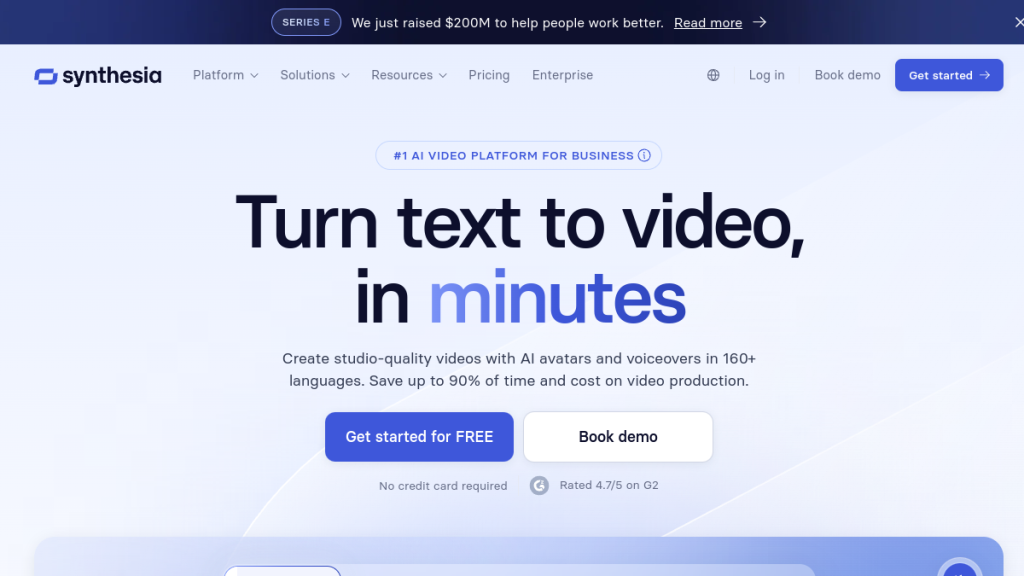
Creating professional training videos used to cost $5,000 per minute when hiring videographers, editors, and voice talent. Synthesia lets you generate polished AI avatar videos from $18/month (annual billing), but after two years of competition, is it still worth choosing over newer alternatives? I tested it against five competitors using real corporate training scenarios.
Quick Verdict
| Our Rating | 4.5 / 5 |
| Best For | Corporate training teams, L&D professionals, and global businesses needing multilingual content |
| Pricing | Starter from $18/mo (annual); Creator from $69/mo |
| Free Trial | Free plan available (limited) |
| Verdict | Still the top choice for corporate AI video — unmatched multilingual support and polished templates, but pricier than newer alternatives. |
Quick Verdict
⭐ Rating: 4.5/5
💰 Pricing: From $18/mo (Starter, annual) to $69/mo (Creator, annual) — Enterprise custom
✅ Best For: Corporate training teams, L&D professionals, marketing agencies, global businesses needing multilingual content
❌ Skip If: You need cheap, high-volume video output or want fully customizable avatars without premium pricing
The Bottom Line: Synthesia remains the gold standard for professional AI avatar videos, especially for enterprise use cases. The avatar quality and feature depth are unmatched. However, the minutes-based pricing and enterprise feature gating make it expensive for small creators or high-volume needs.
Table of Contents
- What is Synthesia?
- Key Features
- Pricing Breakdown
- Pros and Cons
- Who Should Use Synthesia?
- Synthesia vs Alternatives
- FAQs
- Final Verdict
What is Synthesia?
Synthesia is an AI-powered video generation platform that creates professional videos featuring realistic AI avatars. Instead of filming with cameras, actors, and studios, you simply type your script and select an avatar—Synthesia generates a polished video in minutes.
Founded in 2017 and launched publicly in 2020, Synthesia has raised over $150 million in funding and serves major enterprises worldwide. The platform is particularly popular for:
- Corporate training & onboarding — Create consistent training videos without scheduling shoots
- Product tutorials — Explain features with a professional presenter
- Sales enablement — Personalized video outreach at scale
- Internal communications — CEO updates without camera crews
- Marketing videos — Multilingual campaigns from a single script
What sets Synthesia apart from simpler text-to-video tools is the quality of the AI avatars. These aren’t robotic, uncanny valley creations—they feature natural gestures, varied expressions, and convincing lip sync across 160+ languages.
Key Features
Express-2 Avatars (New in 2026)
Synthesia’s latest avatar generation represents a significant leap forward. Express-2 avatars can:
- Gesture naturally — Wave, point, clap, and emphasize based on your script
- Show micro-expressions — Subtle facial movements that make them feel human
- Adapt to context — Different energy levels for different content types
The improvement over the original avatars is striking. They actually look like professional presenters, not AI puppets.
Massive Avatar Library
| Plan | Number of Avatars |
|---|---|
| Free | 9 avatars |
| Starter | 125+ avatars |
| Creator | 180+ avatars |
| Enterprise | 240+ avatars |
The library includes diverse ethnicities, ages, and styles—from corporate professionals to casual presenters. This matters for creating content that resonates with global audiences.
Personal Avatars (Your Digital Twin)
Want an avatar that looks and sounds like you? Synthesia’s Personal Avatar feature creates a digital clone from a short recording session. Your avatar can then speak any script in 30+ languages while maintaining your voice (via voice cloning).
- Starter/Creator: 3-5 personal avatars included (annual plans)
- Enterprise: Unlimited personal avatars
This is significant for executives, course creators, or anyone building a personal brand at scale.
160+ Languages & Voices
Synthesia supports over 160 languages and voice styles, making it the most linguistically comprehensive AI video platform. You can:
- Generate videos natively in target languages
- Use the AI dubbing feature to translate existing videos
- Enable the multilingual video player so viewers auto-see their language
For global companies, this alone justifies the price—traditional localization would cost 10-50x more.
AI Dubbing with Lip Sync
Upload any video (not just Synthesia-created ones) and dub it into 130+ languages while:
- Preserving the original speaker’s voice characteristics
- Generating accurate lip sync for the new language
This feature works on Starter and Creator plans (deducted from your minutes), with expanded options on Enterprise.
1-Click Translation
Created a video in English? Translate it to 80+ languages with one click. The avatar re-renders with the translated script and proper lip sync. For training teams managing global workforces, this is absurdly efficient.
AI Video Assistant
Synthesia’s AI can generate video scripts from:
- Text prompts (ChatGPT-style)
- PowerPoint uploads
- PDF documents
- Website URLs
You describe what you want, and it drafts a script you can refine. Useful for overcoming blank-page syndrome.
Veo 3.1 & Sora 2 Integration
Synthesia now integrates Google’s Veo 3.1 and OpenAI’s Sora 2 for generating 8-second video clips within your projects. Each clip costs 48 credits, but this allows dynamic B-roll and visual elements without external tools.
Interactive Elements
Make videos more engaging with:
- CTAs & branching — Viewers choose their path through content
- Quizzes — Test knowledge and show scores
- Clickable hotspots — Direct viewers to resources
Perfect for training content where you need to verify comprehension.
Enterprise Features
The Enterprise plan unlocks:
- SCORM export — Seamless LMS integration
- SSO/SAML — Secure authentication
- Brand kits — Consistent styling across all videos
- API access — Automate video creation at scale (360 min/year included, more available)
- Dedicated Customer Success — White-glove onboarding
Pricing Breakdown
Synthesia uses a minutes-based pricing model. Here’s how it breaks down:
| Plan | Monthly Price | Annual Price | Video Minutes | Avatars | Seats |
|---|---|---|---|---|---|
| Free | $0 | $0 | 10 min/month | 9 | 1 |
| Starter | $29/mo | $216/yr ($18/mo) | 120 min/year (10/mo) | 125+ | 1 editor, 3 guests |
| Creator | $89/mo | $828/yr ($69/mo) | 360 min/year (30/mo) | 180+ | 1 editor, 5 guests |
| Enterprise | Custom | Custom | Unlimited | 240+ | Custom |
Pricing Reality Check
Let’s do the math. On the Starter plan at $18/month (annual) or $29/month (monthly):
- You get 10 minutes of video per month
- That’s $2.90 per minute of generated video
- If you make 5-minute training videos, that’s 2 videos per month
On the Creator plan at $69/month (annual) or $89/month (monthly):
- You get 30 minutes per month
- That’s $2.97 per minute
- Still about 6 five-minute videos per month
For comparison, hiring a videographer + presenter for a 5-minute corporate video easily runs $2,000-5,000+. So Synthesia is dramatically cheaper than traditional video—but more expensive than competitors like HeyGen.
Hidden Costs to Consider
- Personal avatars (Starter/Creator): Included with annual plans
- Studio Express-1 avatars: $1,000/year add-on for premium custom avatars
- Additional API usage: Contact sales for pricing
- Minutes don’t roll over: Use them or lose them each billing period
Pros and Cons
Pros ✅
Cons ❌
Who Should Use Synthesia?
Ideal Users ✅
Corporate L&D Teams
Synthesia shines for training content. Create onboarding videos, compliance training, and product tutorials without scheduling shoots. The SCORM export and LMS integration make deployment seamless.
Global Enterprises
If you operate in multiple countries, the 160+ language support and 1-click translation are a massive advantage. Localize content at a fraction of traditional costs.
Marketing Agencies
Produce client videos quickly without coordinating talent and studios. Personal avatars let clients have their own “presenter” without filming.
Course Creators & Educators
Build professional video courses without appearing on camera yourself. Scale content production dramatically.
Internal Communications Teams
CEO updates, company announcements, and policy explanations—all without pulling executives into studios.
Who Should Look Elsewhere ⛔
Budget-Conscious Solo Creators
At $18-69/month (annual billing) or $29-89/month (monthly) with limited minutes, casual users or those testing the market may find cheaper alternatives like HeyGen or Loom’s AI more economical.
High-Volume Content Farms
If you need 100+ videos per month, the per-minute model doesn’t scale well. Look at unlimited alternatives or in-house solutions.
Users Needing Ultra-Realistic Results
While good, Synthesia avatars are recognizably AI. For content requiring “real human” production quality, you still need actual filming.
Synthesia vs Alternatives
| Feature | Synthesia | HeyGen | D-ID | Pictory |
|---|---|---|---|---|
| Starting Price | $18/mo (annual) | $29/mo | $5.90/mo | $19/mo |
| AI Avatars | 240+ | 300+ | 100+ | None (stock video) |
| Languages | 160+ | 140+ | 120+ | 60+ |
| Personal Avatar | ✅ | ✅ | ✅ | ❌ |
| Voice Cloning | ✅ | ✅ | Limited | ❌ |
| SCORM Export | ✅ | ❌ | ❌ | ❌ |
| Interactive Video | ✅ | Limited | ❌ | ❌ |
| API Access | ✅ | ✅ | ✅ | ✅ |
| Best For | Enterprise | Agencies | Budget users | Content repurposing |
Synthesia vs HeyGen: HeyGen offers more avatars and similar pricing, but Synthesia wins on enterprise features (SCORM, SSO, brand kits) and language support. For corporate use, Synthesia is safer. For agency work, HeyGen is competitive.
Synthesia vs D-ID: D-ID is cheaper for basic avatar videos, but lacks the depth of features, avatar quality, and enterprise tooling that Synthesia provides.
Synthesia vs Pictory: Different tools entirely. Pictory converts existing content into videos using stock footage—no AI avatars. Use Pictory for blog-to-video; Synthesia for presenter-style videos.
FAQs
Is Synthesia worth the money in 2026?
For enterprise and corporate use cases—absolutely yes. The time savings, localization capabilities, and professional output justify the cost. For individual creators on tight budgets, evaluate whether you’ll actually use 10+ minutes of video monthly.
Can Synthesia videos be detected as AI-generated?
By careful observers, yes. While impressive, the avatars have subtle tells—slight lip sync delays, limited eye movement, and repeating gesture patterns. For most training and marketing use cases, this doesn’t matter. For content that must appear 100% human, it’s not there yet.
How long does it take to generate a Synthesia video?
Simple videos render in 5-15 minutes. Complex videos with multiple scenes, translations, or interactive elements can take 30-60 minutes. Enterprise customers get priority processing. All videos go through content moderation, which can add time.
Does Synthesia own my videos?
No. You retain full ownership of all videos you create. Synthesia’s terms grant you commercial usage rights for your output.
Can I use Synthesia for YouTube creators content?
Yes, but with caveats. AI-generated content works fine for educational and informational channels. For entertainment or personality-driven content, the AI avatar may not resonate with audiences expecting authenticity.
Is there a Synthesia free trial?
Yes—the Free plan gives you 10 minutes of video per month with 9 avatars. No credit card required. It’s enough to test the platform before committing.
What happens if I exceed my video minutes?
Your account is capped until the next billing period. You can upgrade your plan mid-cycle to get more minutes immediately.
Final Verdict
🏆 Our Verdict
Synthesia earns its position as the #1 rated AI video platform for good reasons. The avatar quality, language support, and enterprise features are genuinely best-in-class. For corporate training, global marketing, and professional video production without filming, it’s the safe choice.
But “best” comes with a price tag. The minutes-based model and enterprise feature gating make Synthesia less appealing for budget users or high-volume creators. If you’re making 2-5 professional videos per month and need multilingual support, Synthesia delivers exceptional ROI. If you’re experimenting or need unlimited output, explore alternatives first.
My Recommendation
- Enterprise teams: Go with Synthesia. The features, support, and reliability justify the investment.
- Growing businesses: Start with Creator plan ($69/mo annual) and evaluate fit before committing to Enterprise.
- Budget users: Try the free plan first. If you need more, compare HeyGen and D-ID before deciding.
- High-volume creators: The per-minute model may hurt. Consider HeyGen’s unlimited plans or other solutions.
Rating: 4.5/5 — Industry leader with premium pricing to match.
Ready to Try Synthesia?
Try Synthesia Free → — Create your first AI video in minutes. No credit card required.
Disclosure: This review is based on independent testing. We may earn a commission if you sign up through our links, at no extra cost to you. This doesn’t influence our ratings or recommendations.
Related Reviews
Related Comparisons
Schema Markup Notes:
FAQ Schema to add:
- Is Synthesia worth the money in 2026?
- Can Synthesia videos be detected as AI-generated?
- How long does it take to generate a Synthesia video?
- Does Synthesia own my videos?
- Can I use Synthesia for YouTube content?
- Is there a Synthesia free trial?
- What happens if I exceed my video minutes?
Word count: ~2,800 words
Frequently Asked Questions
What makes Synthesia stand out among AI avatar video generators?
Synthesia stands out due to its high-quality AI avatars that exhibit natural gestures and expressions, making them feel more human-like. Additionally, it supports over 160 languages, making it ideal for global businesses needing multilingual content.
Is Synthesia worth the price compared to its competitors?
While Synthesia’s pricing starts at $18 per month, it is generally considered pricier than newer alternatives. However, its unmatched avatar quality and feature depth, especially for corporate training, justify the cost for many professional users.
Who should consider using Synthesia for their video projects?
Synthesia is best suited for corporate training teams, L&D professionals, marketing agencies, and global businesses that require polished, multilingual video content. It’s particularly effective for creating consistent training videos and personalized marketing outreach.
Can I try Synthesia before committing to a subscription?
Yes, Synthesia offers a free plan with limited features, allowing potential users to test the platform before committing to a paid subscription. This is a great way to evaluate whether it meets your video generation needs.
What are the main drawbacks of using Synthesia?
The main drawbacks of Synthesia include its minutes-based pricing, which can become expensive for small creators or high-volume video needs. Additionally, some users may find the customization options limited compared to other platforms that offer fully customizable avatars.
How does Synthesia’s avatar technology compare to simpler text-to-video tools?
Unlike simpler text-to-video tools, Synthesia’s avatars are designed to deliver a more engaging experience with realistic gestures, varied expressions, and convincing lip sync. This advanced technology makes Synthesia a top choice for professional video production.
What types of videos can I create with Synthesia?
With Synthesia, you can create a variety of video types, including corporate training and onboarding videos, product tutorials, sales enablement content, internal communications, and multilingual marketing campaigns. The platform is versatile and caters to multiple professional needs.