Creating engaging video content takes 8 hours of filming, editing, and post-production for every 2-minute final product. Pictory AI claims to eliminate 90% of that work by turning written content into polished videos automatically.
Pictory AI promises to transform the way marketers, content creators, and businesses produce video content. In a world where video dominates social media algorithms and 80% of marketers now use AI tools for content creation, Pictory positions itself as the go-to solution for turning written content into engaging videos—fast. You might also be interested in V0 by Vercel: Build Full-Stack Apps in Minutes Without Code.
But does it actually deliver? We put Pictory through rigorous testing to see if it lives up to the hype. Here’s our complete, honest assessment.
Quick Verdict
⭐ Rating: 4.2/5
💰 Pricing: From $19/month (annual) | $25/month (monthly)
✅ Best For: Content repurposing, faceless YouTube creators channels, podcast editing, marketing teams
❌ Skip If: You need cinematic quality or advanced creative control
| What We Loved | What Could Be Better |
|---|---|
| Lightning-fast video creation | Stock clips can look generic |
| One-click filler word removal | Limited aspect ratio options |
| Excellent transcription quality | AI sometimes misses context |
| ElevenLabs voice integration | No refund policy on subscriptions |
| Very beginner-friendly | Advanced editors may feel limited |
Table of Contents
- What is Pictory AI?
- Key Features
- Pictory Pricing 2026
- Pros and Cons
- Who Should Use Pictory?
- Pictory vs Alternatives
- FAQs
- Final Verdict
What is Pictory AI?
Pictory is an AI-powered video creation and editing platform that launched in 2020. Its core value proposition is simple: turn text into video without any technical skills.
The platform uses artificial intelligence to:
- Convert scripts and blog articles into videos automatically
- Pair your content with relevant stock footage
- Generate AI voiceovers (powered by ElevenLabs)
- Transcribe and edit videos using text
- Add captions, branding, and music
Think of it as a bridge between written content and video—perfect for repurposing existing blogs, podcasts, and scripts into shareable video assets.
Who Built Pictory?
Pictory was founded with a mission to democratize video creation. The platform has grown rapidly, now serving over 3 million users globally. It’s particularly popular among:
- YouTube creators running faceless channels
- Marketing teams needing quick video content
- Podcasters looking to create clips
- Bloggers repurposing written content
- Small businesses without video production budgets
Key Features
1. Script to Video
Pictory’s flagship feature. Paste your video script, and the AI automatically:
- Splits it into logical scenes
- Matches each scene with relevant stock footage
- Suggests music and pacing
How it works:
- Copy/paste your script (or type directly)
- Click “Proceed”
- Pictory generates a first-cut video in under 60 seconds
- Edit in the Storyboard tool
Our Take: The speed is genuinely impressive. We watched Pictory turn a 500-word script into a rough video cut in under a minute. The AI’s scene matching is decent—though occasionally you’ll get bizarre mismatches (Christmas animations for “welcome back” intros, for example).
2. Article to Video
Have a blog post performing well? Turn it into a video without rewriting anything.
Simply paste your URL, and Pictory:
- Extracts the content automatically
- Creates an AI-generated summary
- Highlights key sentences
- Builds scenes around them
You can customize which sentences make the cut by clicking to add/remove them from the summary.
Limitations: Only supports HTML articles (blogs, news). PDF, Word docs, and Google Docs aren’t currently supported.
3. Edit Video Using Text
This is where Pictory genuinely shines. Upload any video or audio file (or paste a YouTube link), and Pictory:
- Transcribes it automatically (usually in under 3 minutes, even for 45+ minute videos)
- Separates speakers (Speaker 1, Speaker 2, etc.)
- Lets you edit the video by editing the text
The killer feature: One-click removal of filler words (“um,” “uh,” “like”) and awkward silences. This alone can save hours of podcast editing.
Use cases:
- Repurposing webinars into clips
- Creating podcast highlight reels
- Editing interview footage
- Making YouTube Shorts from long-form content
4. Visuals to Video
A more traditional video editor where you upload your own images and video clips. Drag and drop into the Storyboard, add music, and export.
Less AI-dependent, but useful for creating slideshows or videos from your own media library.
5. AI Voiceover (ElevenLabs Integration)
Pictory partners with ElevenLabs—one of the best AI voice generators available—for natural-sounding voiceovers.
- Professional plan includes 2 hours of premium voice generation per month
- Filter voices by accent, age, purpose, or gender
- Apply voiceover with a click; generation takes ~2 minutes
Note: Free trial and Starter plan voices (“Standard” tier) sound noticeably more robotic than Premium options.
6. Auto-Captions & Subtitles
Pictory generates captions automatically with:
- Dozens of style presets
- Customizable fonts, colors, and positioning
- SRT, VTT, and TXT export options
Essential for social media (85% of Facebook videos are watched without sound).
7. Stock Library
Access to millions of:
- Stock video clips
- Images and illustrations
- Music tracks (15,000+, filtered by mood/genre/duration)
- Stickers, GIFs, and emojis
The library is extensive, though clips tend toward the “generic stock footage” aesthetic.
8. Branding Tools
Add your:
- Logo
- Brand colors
- Custom fonts
- Intros and outros with CTAs
Helpful for maintaining consistency across all video content.
9. Supported Languages
Pictory supports transcription and captions in:
- English (primary)
- French, German, Italian, Spanish, Dutch
- Japanese, Korean, Russian
- Hindi, Tamil, Telugu
AI voiceover currently supports English only; more languages coming soon.
Pictory Pricing 2026
Pictory offers three main plans, with a 14-day free trial (no credit card required) to test the platform.
| Plan | Monthly | Annual (per month) | Video Minutes | Stock Access |
|---|---|---|---|---|
| Starter | $25/mo | $19/mo | 200 min/month | 2M+ videos |
| Professional | $49/mo | $39/mo | 600 min/month | 12M+ videos |
| Teams | $119/mo | $99/mo | 1,200 min/month | 12M+ videos |
What “Video Minutes” Means
Video minutes = total exported video time per month. You can preview and edit unlimited—the limit only applies when you download/export.
Example: On Professional (600 min), you could export:
- 30 videos × 20 minutes each, OR
- 60 videos × 10 minutes each, OR
- 600 one-minute clips
Need more? Additional minutes can be purchased in-app.
Plan Differences
Starter ($19-$25/mo):
- 200 video minutes
- 2M+ stock assets
- 10-minute max video length
- 20 text-to-speech tracks/month
- YouTube Mastery course (annual only)
Professional ($39-$49/mo):
- 600 video minutes
- 12M+ stock assets (Getty Images partnership)
- No video length limit
- 2 hours premium AI voices (ElevenLabs)
- Video Marketing course included
- Priority support
Teams ($99-$119/mo):
- 1,200 video minutes (shared)
- 2+ team members
- Collaboration features
- Everything in Professional
Free Trial Details
- 3 video projects
- Up to 10 minutes each
- No credit card required
- Access to core features
Refund Policy
Important: Pictory does not offer refunds on paid subscriptions. You can cancel anytime and won’t be charged on renewal—but no money back. Use the 14-day trial thoroughly before committing.
Pros and Cons
Pros ✅
1. Blazing Fast Video Creation
Script to first-cut video in under 60 seconds. Article import, AI matching, and scene generation all happen almost instantly.
2. Dead Simple to Use
No video editing experience needed. The scene-based Storyboard editor is intuitive—if you can use a word processor, you can use Pictory.
3. One-Click Filler Word Removal
Podcasters and interview editors: this feature alone might justify the subscription. Automatically strips “ums,” “uhs,” and silence gaps.
4. Excellent Transcription Quality
Speaker separation works well. Transcripts are about 95% accurate—minor manual corrections needed, but far faster than transcribing from scratch.
5. ElevenLabs Voice Integration
Premium-tier voices sound genuinely natural. Professional plan includes 2 hours/month of high-quality AI voiceover.
6. Generous Free Trial
14 days, 3 projects, no credit card. Enough to properly evaluate if it fits your workflow.
7. Regular Updates
Pictory has evolved significantly since 2020, continuously adding features and improving AI capabilities.
Cons ❌
1. Generic Stock Footage Aesthetic
Pictory’s AI pulls from stock libraries. While extensive, videos can end up looking… stock. That overly polished, corporate, “obviously royalty-free” vibe is hard to avoid.
2. AI Context Matching Isn’t Perfect
Sometimes the AI’s visual choices are bizarre. A “welcome back” intro matched with Christmas animations? It happens. Plan for manual adjustments.
3. Limited Aspect Ratios
Only 16:9 (landscape), 9:16 (portrait), and 1:1 (square). Covers most use cases, but niche aspect ratios require external editing.
4. No Refund Policy
Once you subscribe, you’re locked in for that billing cycle. Use the free trial extensively.
5. Storyboard Editor is Basic
The scene-based approach prioritizes simplicity over precision. No traditional timeline. Advanced creators may feel constrained.
6. Premium Voices Cost Extra (Sort Of)
Starter plan voices sound robotic. You need Professional (4+/mo) for the good ElevenLabs voices.
7. Limited File Format Support
For Article to Video, only HTML pages work—no PDF, Word, or Google Docs support yet.
Who Should Use Pictory?
Perfect For:
Faceless YouTube Channel Creators
Pictory’s blog-to-video and script-to-video features are built for this. Create consistent content without appearing on camera.
Podcast Editors
The text-based editing with filler word removal is a genuine time-saver. Turn 45-minute episodes into clips in minutes.
Content Repurposers
Bloggers wanting video versions of their posts, marketers turning whitepapers into social clips, educators converting materials.
Marketing Teams
Quickly produce promotional videos, product explainers, or social content at scale without a dedicated video team.
Beginners
Never edited video before? Pictory’s learning curve is gentle. Most users can create their first video within 30 minutes.
Budget-Conscious Creators
At $19-$25/month, it’s far cheaper than hiring a video editor or buying complex software.
Not Ideal For:
Cinema-Quality Producers
Stock footage has limits. If you need custom visuals, original footage, or Hollywood polish—Pictory isn’t it.
Advanced Video Editors
Premiere Pro and DaVinci Resolve users may find Pictory’s Storyboard editor limiting. No keyframing, complex effects, or timeline control.
Long-Form Documentary Work
Better suited for short-form (under 10 minutes) and marketing content than feature-length projects.
Teams Needing Extensive Collaboration
Collaboration features exist but aren’t Pictory’s strength. Enterprise users may need more robust team management.
Pictory vs Alternatives
| Feature | Pictory | Synthesia | InVideo | Descript | Lumen5 |
|---|---|---|---|---|---|
| Starting Price | $25/mo | $29/mo | $28/mo | $24/mo | $25/mo |
| Script to Video | ✅ | ✅ | ✅ | ❌ | ✅ |
| AI Avatars | ❌ | ✅ | ❌ | ❌ | ❌ |
| Text-Based Editing | ✅ | ❌ | ❌ | ✅ | ❌ |
| Filler Word Removal | ✅ | ❌ | ❌ | ✅ | ❌ |
| Free Trial | 14 days | Demo only | Free plan | Free plan | Free plan |
| Best For | Content repurposing | Avatar videos | Marketing videos | Podcast editing | Social content |
Pictory vs Synthesia
Choose Pictory if: You want to repurpose existing content (blogs, scripts, podcasts) into video quickly and affordably.
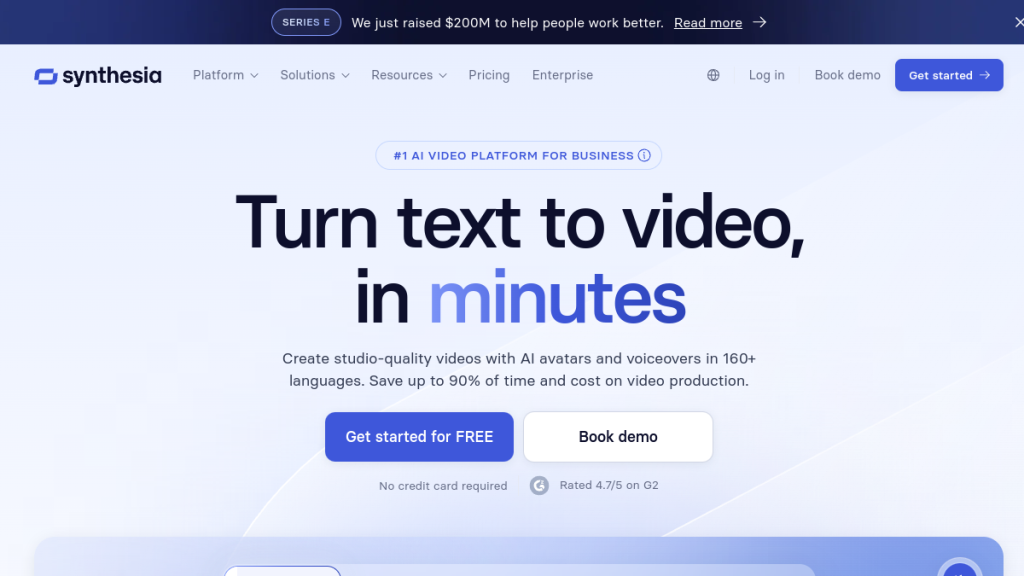
Choose Synthesia if: You need AI avatars—realistic human presenters that don’t require you to be on camera. Synthesia’s avatar tech is more advanced, but costs more and serves a different use case.
Pictory vs Descript
Both excel at text-based video editing. Pictory is better for content-to-video transformation (scripts, articles). Descript is better for podcast/video post-production, with more advanced audio editing, screen recording, and transcription features.
Pictory vs InVideo
Similar price points and use cases. Pictory has superior transcription and filler word removal. InVideo offers more templates and a more powerful timeline editor. Choose based on whether you prioritize content transformation (Pictory) or template-based editing (InVideo).
FAQs
Is Pictory AI worth it?
For content creators and marketers producing video regularly—yes. At $19-$25/month, Pictory pays for itself if you create even 2-3 videos monthly that would otherwise require hours of editing or external help. The free trial lets you evaluate before committing.
Can Pictory create YouTube videos?
Absolutely. Pictory is particularly popular for faceless YouTube channels. It supports 16:9 landscape export, can create videos up to Professional plan’s unlimited length, and even includes a YouTube Mastery course for annual subscribers.
Is Pictory better than Canva for video?
Different tools for different purposes. Canva excels at design-first video (templates, graphics, motion design). Pictory excels at content transformation (script/blog to video, podcast editing). For text-heavy content repurposing, Pictory wins. For design-forward brand videos, consider Canva.
Does Pictory have a free plan?
Not a permanent free plan—but a generous 14-day free trial with 3 video projects (up to 10 min each), no credit card required. That’s enough to properly test the platform.
What video formats does Pictory export?
MP4 video, MP3 audio, plus SRT/VTT/TXT transcription files. Standard 720p and 1080p export. 4K is not currently available.
Can I use Pictory videos commercially?
Yes. All stock assets (video, music, images) are pre-licensed for commercial use in your Pictory videos.
Does Pictory work on mobile?
Pictory is primarily web-based, designed for desktop browsers. There’s no dedicated mobile app, though the website functions on tablet browsers with limited usability.
How long does it take to make a video with Pictory?
Initial learning curve: ~1 hour for your first video. Once familiar: under 15 minutes for a standard video. AI processing (transcription, scene matching) typically completes in under 3 minutes even for longer content.
Final Verdict
🏆 Our Verdict
Rating: 4.2/5 ⭐
Pictory delivers exactly what it promises: fast, simple video creation from text content. It’s not trying to replace professional video production—it’s filling the gap for marketers and creators who need “good enough” videos quickly and affordably.
The Wins:
- Genuinely saves hours on content repurposing
- Transcription and filler word removal are excellent
- ElevenLabs voice integration sounds natural
- Low barrier to entry for video beginners
- Generous free trial
The Trade-offs:
- Stock footage aesthetic limits polish
- AI scene matching requires babysitting
- Simple editor restricts creative freedom
- No refunds—commit carefully
Our Recommendation:
Try Pictory if:
- You have written content (blogs, scripts, podcasts) ready to repurpose
- You run or want to start a faceless YouTube channel
- You need to produce marketing videos at scale without a video team
- You’re a podcast editor looking to save hours on clip creation
Skip Pictory if:
- You need custom, high-production-value video
- You’re an experienced editor who needs timeline precision
- Stock footage doesn’t fit your brand aesthetic
The Bottom Line:
Pictory sits in a sweet spot: powerful enough to be genuinely useful, simple enough for anyone to use, and affordable enough to justify for regular content creators. It won’t replace your video production agency—but it might eliminate your need for one.
Try Pictory Free for 14 Days →
Related Reviews
- Synthesia Review 2026: AI Avatars for Video
- Descript Review 2026: Edit Video by Editing Text
- Best AI Video Generators 2026
- ElevenLabs Review 2026: AI Voice Generation
Disclosure: This review contains affiliate links. If you purchase through our links, we may earn a commission at no extra cost to you. We only recommend products we’ve personally evaluated.