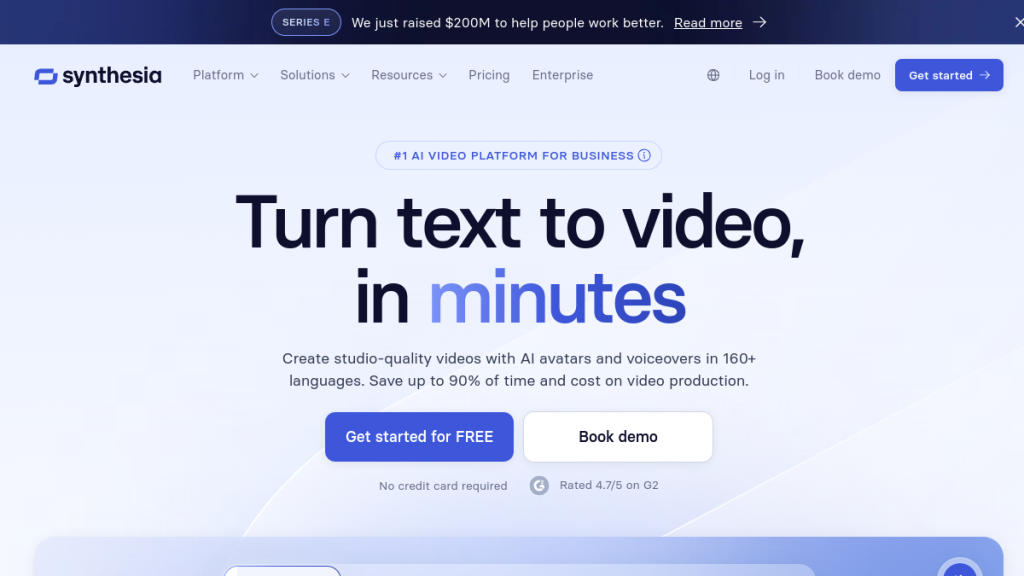
Synthesia costs $30/month but limits you to 10 minutes of video, while HeyGen offers 15 minutes for $24 and D-ID promises unlimited generation for $56. With dozens of AI video platforms launching each month, choosing the wrong one could waste months of content creation time. I tested the top 10 alternatives head-to-head on the same script to find the real winners.
Synthesia costs /month but limits you to 10 minutes of video, while HeyGen offers 15 minutes for and D-ID promises unlimited generation for . With dozens of AI video platforms launching each month, choosing the wrong one could waste months of content creation time. I tested the top 10 alternatives head-to-head on the same script to find the real winners.
Quick Comparison: Best Synthesia Alternatives at a Glance
| Tool | Best For | Starting Price | Avatar Quality | Key Strength |
|---|---|---|---|---|
| HeyGen | All-around replacement | $29/mo | ⭐⭐⭐⭐⭐ | Most realistic avatars |
| Colossyan | E-learning & training | $27/mo | ⭐⭐⭐⭐ | LMS integrations |
| D-ID | Quick social videos | $5.90/mo | ⭐⭐⭐⭐ | Fastest generation |
| Elai.io | Custom avatar creation | $23/mo | ⭐⭐⭐⭐ | Ownership focus |
| DeepBrain AI | Enterprise broadcasting | Custom | ⭐⭐⭐⭐⭐ | News-style production |
| Hour One | Internal communications | $25/mo | ⭐⭐⭐⭐ | Corporate templates |
| Pictory | Blog-to-video conversion | $19/mo | ⭐⭐⭐ | Content repurposing |
| InVideo AI | Social media content | $25/mo | ⭐⭐⭐ | AI script generation |
| Lumen5 | Marketing teams | $29/mo | ⭐⭐⭐ | Brand consistency |
| Runway | Creative professionals | $15/mo | ⭐⭐⭐⭐⭐ | Generative video |
Why Look for Synthesia Alternatives?
Synthesia pioneered AI avatar videos and remains a solid platform. But after extensive testing, here are the legitimate reasons teams switch:
1. Avatar Fatigue
Synthesia’s avatar library—while decent—starts feeling repetitive after creating 20+ videos. The same faces keep appearing across your content, reducing brand differentiation.
2. Robotic Delivery
Avatars lack natural micro-expressions and body language. The delivery often feels mechanical, which reduces viewer engagement—especially problematic for training videos where attention matters.
3. Limited Language Realism
While Synthesia supports 160+ languages, lip-sync quality drops significantly in non-English languages. For multinational companies, this creates inconsistent experiences.
4. Pricing Structure
Synthesia’s pricing jumps sharply:
- Starter: $22/mo (120 minutes/year = 10 min/month)
- Creator: $67/mo (360 minutes/year = 30 min/month)
- Enterprise: Custom pricing
For high-volume users, costs escalate quickly while core limitations remain.
5. Narrow Use Cases
Synthesia excels at e-learning but struggles with:
- Personalized sales outreach
- Fast social content
- Creative marketing videos
- Real-time interactive experiences
Now let’s look at the alternatives that address these gaps.
1. HeyGen — Best Overall Synthesia Alternative
Best For: Teams needing studio-quality AI videos for marketing, onboarding, and corporate communications.
Quick Verdict
⭐ Rating: 4.8/5
💰 Pricing: From $29/mo (Creator) | $99/mo (Pro) | $149/mo (Business)
✅ Best For: Marketing teams, L&D departments, agencies
❌ Skip If: You only need basic text-to-video
HeyGen has emerged as the most complete Synthesia replacement. After testing both extensively, HeyGen delivers noticeably more realistic avatars with better micro-expressions and natural movement.
Key Features
Avatar IV Technology: HeyGen’s latest avatar engine syncs facial movements to audio with 0.02-second accuracy. The result? Avatars that actually look like they’re talking, not lip-syncing poorly.
Massive Avatar Library: 1,100+ stock avatars vs. Synthesia’s 240. More importantly, you can create an “Instant Avatar” from a 15-second selfie in about 5 minutes.
175+ Languages: Broader language support than Synthesia (160+), with more natural-sounding accents and better lip-sync across languages.
Voice Cloning: Upload a 30-minute sample, and HeyGen creates a voice clone that captures your natural rhythm and tone. You can also choose from 8 emotional tones.
Enterprise Integrations: Native connections to HubSpot, Notion, Slack, Moodle, and Zapier. The API supports automated video creation from external data.
Pricing Breakdown
| Plan | Monthly | Annual (per mo) | Videos | Resolution |
|---|---|---|---|---|
| Free | $0 | $0 | 3/month | 720p |
| Creator | $29 | $24 | Unlimited | 1080p |
| Pro | $99 | N/A | Unlimited | 4K |
| Business | $149 | N/A | Unlimited | 4K |
HeyGen vs Synthesia: Key Differences
| Feature | HeyGen | Synthesia |
|---|---|---|
| Stock Avatars | 1,100+ | 240 |
| Avatar Realism | 9.8/10 | 7/10 |
| Custom Avatar Speed | 5 minutes | 2-3 weeks |
| Languages | 175+ | 160+ |
| Unlimited Videos | $29/mo | Enterprise only |
| Voice Emotions | 8 tones | Limited |
✅ Pros
- Most lifelike avatars in the market
- Fast rendering (3-min video in ~5 minutes)
- Transparent pricing with unlimited videos
- Superior lip-sync across languages
- Instant avatar creation
❌ Cons
- Requires constant internet connection
- Custom premium avatars require footage submission
- Learning curve for advanced features
Who Should Use HeyGen?
HeyGen is the clear choice if you’re leaving Synthesia due to avatar quality issues or pricing frustration. It’s especially strong for:
- Marketing teams creating promotional content
- HR/L&D departments building training libraries
- Agencies producing client videos at scale
2. Colossyan — Best for E-Learning & Corporate Training
Best For: Instructional designers building multilingual training Content at Scale.
Quick Verdict
⭐ Rating: 4.5/5
💰 Pricing: From $27/mo (Starter) | $87/mo (Pro)
✅ Best For: HR teams, L&D departments, compliance training
❌ Skip If: You need cinematic marketing videos
Colossyan is purpose-built for e-learning. While avatars aren’t as realistic as HeyGen’s, the platform’s workflow is optimized for course creation.
Key Features
Scenario Builder: Create branching dialogue paths for soft-skills or compliance training. Perfect for simulating customer conversations or decision-based learning.
Auto-Subtitling: Covers 70 languages with 98% timing accuracy. Human-review interface lets you correct translations across all scenes at once.
LMS Integration: Exports SCORM-compliant modules directly to Docebo, TalentLMS, Cornerstone, and other platforms. Learner progress reporting works immediately.
Brand Library: Central repository enforces consistent fonts, colors, and logos across entire course catalogs.
Pricing
| Plan | Monthly | Annual (per mo) | Credits |
|---|---|---|---|
| Starter | $27 | $23 | 20 min/mo |
| Pro | $87 | $71 | 45 min/mo |
| Enterprise | Custom | Custom | Unlimited |
✅ Pros
- Purpose-built for instructional design
- Excellent LMS export workflow
- Strong translation/subtitle accuracy
- Minimal learning curve
- Consistent branding tools
❌ Cons
- Avatars less realistic than premium competitors
- Limited cinematic/creative options
- Smaller voice library for expressive content
Who Should Use Colossyan?
Colossyan beats Synthesia for structured training programs, especially if you’re creating multilingual content for global teams.
3. D-ID — Best for Quick Social Videos
Best For: Social media marketers and creators who need fast turnaround.
Quick Verdict
⭐ Rating: 4.3/5
💰 Pricing: From $5.90/mo (Lite) | $29.90/mo (Pro)
✅ Best For: Social content, quick experiments, developers
❌ Skip If: You need long-form or formal content
D-ID’s superpower is speed. Upload a photo, write 40 words, and you’ll have a talking-head video in 40 seconds. That’s not a typo.
Key Features
Talking-Photo Generator: Converts any portrait into a speaking video. Great for creating character-based content or bringing historical figures to “life.”
Text-to-Video Prompts: Input text prompts that control voice, accent, and style. Supports playful, conversational, or formal tones.
Voice Engine Integration: Works with ElevenLabs and PlayHT for higher-quality voices.
Live Portrait Mode: Avatars can respond in real-time via chatbot connection—useful for interactive experiences.
Developer API: REST API with under 3-second latency per request. Great for embedding in apps.
Pricing
| Plan | Monthly | Credits/mo | Per Extra Min |
|---|---|---|---|
| Lite | $5.90 | 15 min | $0.50/min |
| Pro | $29.90 | 75 min | $0.40/min |
| Advanced | $107 | 300 min | $0.36/min |
| Enterprise | Custom | Custom | Custom |
✅ Pros
- Fastest generation speed (40 seconds)
- Very affordable entry point
- Developer-friendly API
- Great for creative experimentation
- Photo-to-video capability
❌ Cons
- Limited to portrait framing
- Quality drops on scripts over 60 seconds
- Not suitable for formal/corporate content
Who Should Use D-ID?
D-ID is perfect for social media managers who need volume over polish. It’s also excellent for developers building AI video into applications.
4. Elai.io — Best for Custom Avatar Ownership
Best For: Brands wanting unique digital avatars they fully control.
Quick Verdict
⭐ Rating: 4.4/5
💰 Pricing: From $23/mo (Basic) | $100/mo (Advanced)
✅ Best For: Agencies, brands with spokesperson needs
❌ Skip If: Stock avatars are sufficient
Elai.io focuses on avatar ownership. You can create a digital twin that looks and sounds like you (or your client), then use it across unlimited content.
Key Features
Custom Avatar Studio: Upload 2 minutes of footage, and within 48 hours, Elai delivers a fully animated avatar matching your facial structure and speech rhythm.
Voice Cloning: Pair your custom avatar with your actual voice for maximum authenticity.
Team Collaboration: Real-time editing, commenting, and version control.
70+ Languages: Automatic translation with lip-sync.
Pricing
| Plan | Monthly | Video Credits | Custom Avatars |
|---|---|---|---|
| Basic | $23 | 15 min | 0 |
| Advanced | $100 | 50 min | 1 |
| Enterprise | Custom | Unlimited | Unlimited |
✅ Pros
- Excellent custom avatar quality
- Strong ownership/authenticity focus
- Reasonable pricing for features
- Good collaboration tools
- Solid language support
❌ Cons
- Slower rendering than competitors
- Basic plan lacks custom avatars
- Smaller stock avatar library
Who Should Use Elai.io?
Elai.io is ideal if you want a consistent digital spokesperson across all content—think company founders, training presenters, or brand ambassadors.
5. DeepBrain AI — Best for Enterprise Broadcasting
Best For: Large organizations needing news-style, broadcast-quality AI video.
Quick Verdict
⭐ Rating: 4.5/5
💰 Pricing: From $30/mo (Starter) | Custom Enterprise
✅ Best For: Media companies, enterprise communications, news-style content
❌ Skip If: You need quick social content
DeepBrain AI (AI Studios) focuses on broadcast-quality production. Think AI news anchors, not training presenters.
Key Features
Hyper-Realistic Avatars: DeepBrain’s avatars are among the most realistic in the market—designed to pass as real humans in news-style contexts.
Multi-Avatar Scenes: Add multiple presenters to a single video, enabling panel discussions or interview formats.
Newsroom Templates: Pre-built layouts for news, weather, sports, and corporate announcements.
API for Automation: Integrate with news feeds for automated video generation.
Pricing
| Plan | Monthly | Credits |
|---|---|---|
| Starter | $30 | 10 min |
| Pro | $225 | 90 min |
| Enterprise | Custom | Unlimited |
✅ Pros
- Broadcast-quality realism
- News/media-focused features
- Multi-avatar support
- Strong API capabilities
- Professional templates
❌ Cons
- Expensive for individual users
- Overkill for simple training videos
- Complex for basic use cases
Who Should Use DeepBrain AI?
DeepBrain is perfect for media companies, corporate communications teams at large enterprises, or anyone needing broadcast-style AI presenters.
6. Hour One — Best for Internal Communications
Best For: Companies creating internal videos at scale.
Quick Verdict
⭐ Rating: 4.2/5
💰 Pricing: From $25/mo (Lite) | $95/mo (Business)
✅ Best For: Internal comms, HR announcements, company updates
❌ Skip If: You need external marketing content
Hour One specializes in internal communications—think CEO announcements, policy updates, and company-wide messaging.
Key Features
Reals: Hour One’s avatars (called “Reals”) are based on real actors who’ve licensed their likeness.
Template Library: Pre-built templates for common internal video types.
Multi-Language: 100+ languages with automatic translation.
Collaboration: Team workflows with approval chains.
Pricing
| Plan | Monthly | Videos |
|---|---|---|
| Lite | $25 | 3/month |
| Business | $95 | 10/month |
| Enterprise | Custom | Unlimited |
✅ Pros
- Clean, professional aesthetic
- Good internal comms templates
- Actor-based avatars
- Solid translation features
❌ Cons
- Limited video quantities on lower tiers
- Less suitable for marketing
- Smaller feature set than HeyGen
Who Should Use Hour One?
Hour One is ideal for HR and internal communications teams who need professional-looking internal videos without a production crew.
→ Try Hour One
7. Pictory — Best for Blog-to-Video Conversion
Best For: Content marketers repurposing written content into video.
Quick Verdict
⭐ Rating: 4.0/5
💰 Pricing: From $19/mo (Starter) | $39/mo (Professional)
✅ Best For: Bloggers, content teams, social media managers
❌ Skip If: You need avatar-focused videos
Pictory takes a different approach—it’s designed for converting existing content (blogs, scripts, long-form videos) into short clips.
Key Features
Article-to-Video: Paste a blog URL, and Pictory automatically creates a video with relevant stock footage, captions, and voiceover.
Long Video to Shorts: Extract highlight clips from webinars, podcasts, or long-form content.
Auto-Captions: Accurate transcription with branded caption styles.
Stock Library: Built-in access to 3M+ stock assets.
Pricing
| Plan | Monthly | Videos/mo | Video Length |
|---|---|---|---|
| Starter | $19 | 30 | 10 min |
| Professional | $39 | 60 | 20 min |
| Teams | $99 | 90 | 30 min |
✅ Pros
- Excellent for content repurposing
- Very affordable
- Easy learning curve
- Great for social clips
- Built-in stock library
❌ Cons
- No AI avatars (stock footage only)
- Less suitable for training content
- Basic customization options
Who Should Use Pictory?
Pictory is perfect for content marketers who want to turn existing blogs and long-form content into social videos without creating from scratch.
8. InVideo AI — Best for AI-Generated Scripts
Best For: Marketers who want AI to handle scripting AND video creation.
Quick Verdict
⭐ Rating: 4.1/5
💰 Pricing: From $25/mo | $60/mo (Unlimited)
✅ Best For: Social media teams, small businesses
❌ Skip If: You need custom avatars
InVideo AI generates complete videos from simple text prompts—including the script, visuals, voiceover, and music.
Key Features
Prompt-to-Video: Describe what you want, and InVideo generates a complete video draft.
AI Script Writer: Generates scripts based on your topic and tone preferences.
50+ Templates: Pre-built workflows for ads, explainers, social posts.
Stock Library: 16M+ premium assets included.
Pricing
| Plan | Monthly | Exports |
|---|---|---|
| Plus | $25 | 60/mo |
| Unlimited | $60 | Unlimited |
✅ Pros
- Truly hands-off video creation
- Great for ideation/drafts
- Massive stock library
- Affordable pricing
❌ Cons
- No custom AI avatars
- Less control than competitors
- AI scripts need editing
Who Should Use InVideo AI?
InVideo AI is ideal for small businesses and solo marketers who want quick video content without deep customization needs.
9. Lumen5 — Best for Brand-Consistent Marketing
Best For: Marketing teams maintaining strict brand guidelines.
Quick Verdict
⭐ Rating: 4.0/5
💰 Pricing: From $29/mo | $79/mo (Professional)
✅ Best For: Brand managers, marketing teams
❌ Skip If: You need AI avatars
Lumen5 focuses on brand consistency—ensuring every video matches your visual identity.
Key Features
Brand Kit: Upload fonts, colors, logos, and templates. Every video stays on-brand.
AI Storyboard: Automatically generates scene-by-scene layouts from text.
Stock Library: Integrated Getty and Shutterstock access.
Social Formatting: Auto-resize for Instagram, LinkedIn, TikTok, YouTube.
Pricing
| Plan | Monthly | Annual |
|---|---|---|
| Basic | $29 | $19/mo |
| Professional | $79 | $59/mo |
| Enterprise | Custom | Custom |
✅ Pros
- Excellent brand controls
- Easy workflow
- Multi-platform formatting
- Professional stock library
❌ Cons
- No AI avatars
- Limited advanced features
- Pricey for basic needs
Who Should Use Lumen5?
Lumen5 is perfect for marketing teams at companies with strict brand guidelines who need consistent social video output.
10. Runway — Best for Creative Professionals
Best For: Filmmakers and creatives exploring generative video.
Quick Verdict
⭐ Rating: 4.6/5
💰 Pricing: From $15/mo | $35/mo (Standard)
✅ Best For: Creatives, filmmakers, VFX artists
❌ Skip If: You need talking-head corporate videos
Runway is different—it’s a generative AI video platform for creative work, not corporate communications.
Key Features
Gen-3 Alpha: Text-to-video generation creating cinematic clips from prompts.
Video-to-Video: Transform existing footage with AI-powered style transfer.
Motion Brush: Add motion to specific elements in images.
Green Screen Removal: AI-powered background removal.
Collaborative Editing: Real-time team editing capabilities.
Pricing
| Plan | Monthly | Generation Credits |
|---|---|---|
| Basic | $15 | 125/mo |
| Standard | $35 | 625/mo |
| Pro | $95 | 2,250/mo |
| Enterprise | Custom | Custom |
✅ Pros
- advanced generative AI
- Cinematic quality output
- Strong creative tools
- Active development
- Collaborative features
❌ Cons
- Not designed for corporate video
- No avatar/presenter functionality
- Learning curve for advanced features
Who Should Use Runway?
Runway is for creatives who want to push boundaries—filmmakers, VFX artists, and marketers creating experimental content.
Synthesia Alternatives Comparison: Feature Matrix
| Feature | Synthesia | HeyGen | Colossyan | D-ID | Elai.io |
|---|---|---|---|---|---|
| Stock Avatars | 240 | 1,100+ | 50+ | Photo-based | 100+ |
| Custom Avatars | Yes ($) | Yes (5 min) | Yes | Photo only | Yes |
| Languages | 160+ | 175+ | 70 | 120+ | 70+ |
| Voice Cloning | Yes | Yes | Yes | Via integrations | Yes |
| Lip-Sync Quality | Good | Excellent | Good | Good (short) | Good |
| LMS Export | SCORM | SCORM | SCORM | No | SCORM |
| API Access | Yes | Yes | Limited | Yes | Yes |
| Free Tier | Limited | Yes (3 videos) | No | Yes | No |
| Starting Price | $22/mo | $29/mo | $27/mo | $5.90/mo | $23/mo |
How to Choose the Right Synthesia Alternative
Choose HeyGen if:
- Avatar realism is your top priority
- You need unlimited videos without enterprise pricing
- You want fast custom avatar creation
- You’re doing marketing + training
Choose Colossyan if:
- You’re building structured training courses
- LMS integration is essential
- You need strong translation workflows
- E-learning is your primary use case
Choose D-ID if:
- Speed matters more than polish
- You’re creating social content at volume
- Budget is tight
- You’re a developer building video features
Choose Elai.io if:
- Custom avatar ownership matters
- You want a consistent digital spokesperson
- You value authenticity over variety
- You’re an agency serving clients
Choose DeepBrain AI if:
- You need broadcast-quality production
- You’re a media company or large enterprise
- News-style content is your focus
- Budget isn’t the primary constraint
FAQs: Synthesia Alternatives
What is the best free Synthesia alternative?
HeyGen offers the most useful free tier—3 videos/month at 720p with 500+ stock avatars. D-ID also has a free option but with more limitations.
Which Synthesia alternative has the most realistic avatars?
HeyGen leads in avatar realism with its Avatar IV technology. DeepBrain AI is a close second for broadcast-quality presenters.
What’s the cheapest Synthesia alternative?
D-ID starts at $5.90/month. For full-featured alternatives, Pictory at $19/month offers the best value (though without AI avatars).
Can I create a custom avatar with Synthesia alternatives?
Yes. HeyGen offers instant avatars from a 15-second selfie. Elai.io specializes in custom avatar creation. D-ID lets you animate any photo.
Which alternative is best for e-learning?
Colossyan is purpose-built for e-learning with SCORM export, branching scenarios, and LMS integrations.
Are Synthesia alternatives better for marketing videos?
HeyGen is significantly better for marketing videos due to superior avatar quality, faster turnaround, and more creative flexibility.
Do Synthesia alternatives support multiple languages?
Yes. HeyGen (175+ languages) and Synthesia (160+) have the broadest support. Most alternatives support 50-100+ languages.
Final Verdict: Best Synthesia Alternative in 2026
🏆 Our Verdict
After testing every major option, here’s my recommendation:
🥇 HeyGen — Best overall Synthesia alternative. Superior avatars, transparent pricing, and genuine all-around capability. If you’re leaving Synthesia and want a complete replacement, start here.
🥈 Colossyan — Best for pure e-learning. If your primary use case is corporate training with LMS integration, Colossyan’s workflow is more optimized than HeyGen’s.
🥉 D-ID — Best for speed and budget. When you need quick social content or developer API access without breaking the bank, D-ID delivers.
The AI video market is evolving rapidly. What matters most is matching the tool to your specific use case—not just picking the “best” overall option.
Related Articles:
- HeyGen Review 2026: Is It Worth $29/Month?
- Synthesia Review 2026: Complete Guide
- Best AI Video Generators 2026
- HeyGen vs Synthesia: Which Should You Choose?
Disclosure: This article contains affiliate links. We may earn a commission if you purchase through our links, at no additional cost to you. We only recommend tools we’ve actually tested.