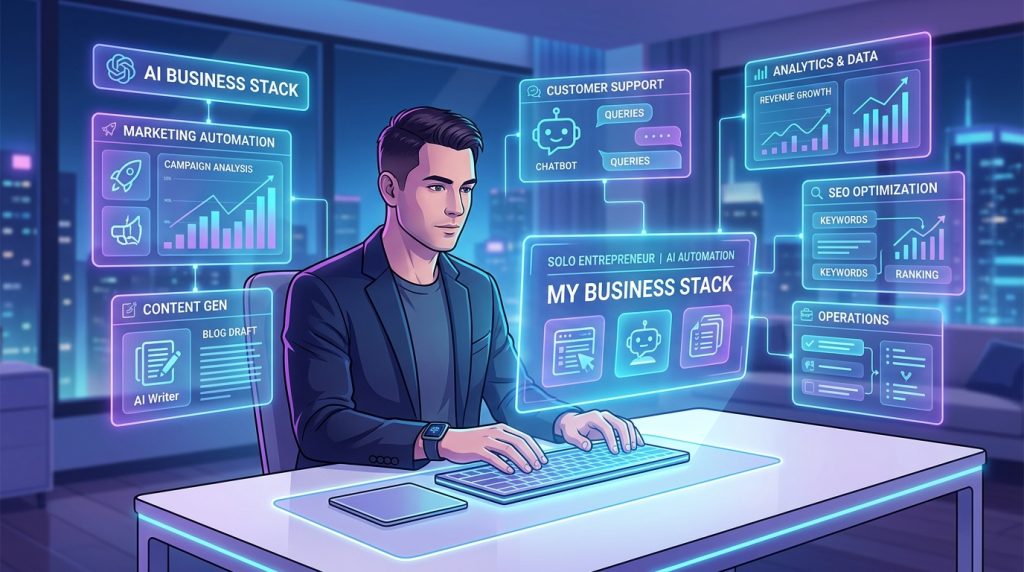
You’re running a business by yourself. There’s nobody to hand things off to, nobody to cover when you’re unavailable, and nobody to remind you that you forgot to post on LinkedIn this week — again. That’s the solopreneur reality, and it’s why most solo operators spend more time on operational busywork than on the actual work that makes them money.
We’ve been running computertech.co as a lean one-person operation for over a year, and the single biggest lever we’ve pulled is setting up OpenClaw as a persistent AI layer that handles the repetitive, schedulable, and automatable parts of the business while we focus on what actually requires a human brain.
This isn’t a hype piece. We’re going to show you exactly what OpenClaw does in our stack, what it can’t do, and how to set it up if you’re a solopreneur, freelancer, or small creator trying to punch above your weight class.
What OpenClaw Actually Is (And Why It’s Different)
Most AI tools are glorified chat boxes. You type, they respond, you close the tab. OpenClaw is something fundamentally different — it’s a persistent, self-hosted AI agent platform that runs 24/7, connects to your tools, remembers things across sessions, and executes tasks on a schedule without you being anywhere near a keyboard.
Think of the difference between hiring a freelancer for a single job versus having a full-time staff member with keys to the building. The freelancer is more capable in a vacuum, but the staff member is there at 3 AM when the server goes down, runs the weekly report without being asked, and actually knows the context of what you’ve been building.
OpenClaw is the staff member. Claude, ChatGPT, and Gemini are the freelancers.
It’s open-source, self-hosted, and built around a few core concepts that make it uniquely powerful for solopreneurs:
- Persistent memory — It remembers decisions, preferences, and context across every conversation via Mem0 and LCM (Long Context Memory)
- Cron-scheduled tasks — It runs automated jobs on whatever schedule you set, no manual triggering required
- Skills system — Modular capability add-ons that extend what it can do (WordPress, GitHub, Telegram, research, image generation, and dozens more)
- Multi-channel messaging — Connects to Telegram, Discord, Slack, and WhatsApp so you can interact with it from anywhere
- Sub-agents — It can spawn parallel AI workers to handle complex, multi-step tasks simultaneously
For a solopreneur, this combination is genuinely game-changing. Here’s what it looks like in practice.
The Solopreneur Use Case: What We Actually Automate
Before getting into setup, it’s worth being specific about what “AI automation” means in a real solo business. Vague promises don’t help. Here’s what OpenClaw handles for us on a recurring basis:
Morning Intelligence Brief (Daily, 8 AM)
Every morning at 8 AM, a cron job fires and OpenClaw sends us a Telegram message with: the current Bitcoin price and a 24-hour change summary, any major AI tool launches from the past 24 hours, the current publish count on our site, and one suggested action for the day based on what’s been sitting idle the longest.
That brief takes roughly 90 seconds to read. Without automation, assembling that information manually would take 15–20 minutes of browser tab-hopping every single morning. Over a year, that’s almost 90 hours back.
Content Publishing Pipeline (Scheduled)
We write articles or queue topics, and OpenClaw handles the downstream publishing workflow: generate featured images, set Rank Math SEO meta, submit new URLs to the Google Indexing API, and send a confirmation to Telegram. The full stack is documented in our AI content pipeline guide if you want the technical details.
The key point for solopreneurs: you don’t need a full-time VA to handle the repetitive post-production steps. A well-configured OpenClaw cron handles it reliably every time.
Site Health Monitoring (Every 6 Hours)
OpenClaw runs automated checks on our WordPress site every 6 hours: HTTP response codes, SSL certificate status, page load performance, and 404 error detection. If something breaks, it messages us immediately. We sleep better knowing this is running. Full setup is in our website monitoring guide.
Research on Demand (Via Sub-Agents)
When we need competitive intelligence — a new AI tool launched, a keyword gap to investigate, a product to review — we send a Telegram message and OpenClaw spawns a research sub-agent that goes deep while we focus on something else. Thirty minutes later, a structured research brief lands in Telegram. No rabbit holes, no tab management, no forgetting what you were researching.
Affiliate Program Monitoring
OpenClaw tracks affiliate link health, flags broken links in published content, and has standing instructions to sign up for new affiliate programs in our niche when they emerge. This one took about 2 hours to configure and has saved us from dead links probably a dozen times. Our affiliate automation guide covers this in detail.
Setting Up OpenClaw as a Solopreneur: The Practical Path
If you’re starting from zero, here’s the realistic path to getting OpenClaw running as a useful solopreneur tool — not just a cool experiment you abandon in a week.
Step 1: Get It Installed
OpenClaw runs on Windows, Mac, and Linux. Installation is via npm:
npm install -g openclawAfter install, initialize your workspace:
openclaw initThis creates your workspace directory, generates your config, and walks you through connecting your first AI provider (Anthropic Claude is what we use — it’s what the platform is optimized for). Full platform-specific guides: Windows setup | Mac/Linux setup.
Step 2: Connect Your Messaging Channel
This is the step most people skip and then wonder why they don’t use OpenClaw consistently. If it lives only on your desktop, you’ll use it when you’re at your desk. If it’s in your Telegram, you’ll use it everywhere — walking the dog, waiting for coffee, sitting in the car.
Telegram setup takes about 10 minutes: create a bot via @BotFather, add the token to your OpenClaw config, and every subsequent interaction happens natively in Telegram. Our Telegram connection guide covers it step-by-step. Discord and Slack are also supported if you prefer those — see the Discord/Slack guide.
Don’t skip this step. The channel connection is what turns OpenClaw from a desktop tool into an always-available business partner.
Step 3: Configure Your Workspace Files
OpenClaw uses a set of plain Markdown files in your workspace directory to give the AI persistent context about who you are and what you’re building. The core files:
- USER.md — Your background, business context, preferences, communication style. Write this like you’re briefing a new hire on their first day.
- AGENTS.md — Operating instructions: what it should do proactively, what requires your approval, what tools it has access to, how it should prioritize.
- SOUL.md — The personality and communication style you want. This is optional but transforms the interaction quality.
- SYSTEMS.md — Your active projects, current priorities, and what context it needs before starting any task.
Take 2–3 hours to write these files properly. This is the highest-leverage setup time you’ll spend. A well-configured workspace means every interaction starts from a foundation of context — you never have to re-explain your business, your preferences, or your goals.
Here’s what a minimal USER.md looks like for a freelance copywriter:
# USER.md
## About
Freelance copywriter, 4 years experience. Specializes in SaaS landing pages and
email sequences. Solo operation — no team. Primary income from retainer clients
(3 active), supplemented by project work.

## Current Focus
- Finish Q2 content calendar for RetainerClient_A (due March 28)
- Pitch deck for prospective client meeting April 4
- Build personal site to capture inbound leads

## Communication
Direct, no fluff. Preferred channel: Telegram. Flag only urgent items during
client hours (9am-5pm). After hours, batch non-urgent updates.

## Tools
WordPress, Notion, ConvertKit, Stripe. No GitHub.
The more specific you are, the more useful OpenClaw becomes. Treat it like onboarding an employee who has perfect recall but zero prior context.
Step 4: Install Your First Skills
Skills are the modular extensions that let OpenClaw interact with external tools and services. For a solopreneur stack, start with the ones that match your actual workflow:
- obsidian-daily — If you use Obsidian, this integrates your notes, journal, and task tracking directly into the conversation
- pinch-to-post — Full WordPress integration: post creation, updating, SEO meta, media management
- github — If you have any code projects, this gives full GitHub management via
ghCLI - research — Background deep research via Gemini, so complex research tasks don’t burn your Claude tokens
- deep-research — Multi-step research with planning and long-context reasoning across tools
- gsc — Google Search Console integration for SEO data, top queries, CTR opportunities
Browse the full skill library and learn how to install or build custom ones in our custom skills guide. You can also check the official OpenClaw documentation for the current skill catalog.
Step 5: Set Up Your First Cron Jobs
This is where OpenClaw stops being “a smarter chatbot” and starts being an actual business operator. Cron jobs are scheduled tasks that run automatically — no keyboard, no triggering, no remembering.
The morning brief we mentioned earlier looks like this in practice. From inside OpenClaw:
Set up a daily cron at 8 AM that sends me a Telegram message with:
1. Current BTC price and 24hr change
2. Any major AI tool launches in the past 24 hours
3. Today's site publish count
4. One suggested priority action based on active projects
OpenClaw translates that into a configured cron job — no JSON editing required. You can also set up crons for:
- Weekly keyword ranking checks via Google Search Console
- Monthly affiliate revenue summaries
- Recurring client report generation
- Automatic draft publishing from a content queue
- Social media content suggestions based on what you’ve published recently
The full power of the cron system is documented in our dedicated OpenClaw cron jobs guide. Start with 2–3 simple ones before building complexity.
The Memory System: Why This Actually Sticks
Here’s what other AI assistant reviews don’t tell you: most “AI productivity” setups fail within 3 weeks because the AI doesn’t remember anything. Every session starts cold. You re-explain your business, re-establish preferences, re-describe what you were working on. Eventually you stop bothering.
OpenClaw’s memory system is what makes it actually sticky for solopreneurs. It has two memory layers working simultaneously:
Mem0 (long-term): Persistent facts, preferences, and decisions that survive across sessions. When you tell it “I prefer British English spelling” or “always check client X’s retainer status before drafting their content,” that’s stored and applied to every future interaction automatically.
LCM (Lossless Context Management): Conversation context that gets intelligently compressed and indexed. When you’re deep in a project and the conversation gets long, LCM summarizes and indexes it — so the AI maintains context about what you’ve been working on without hitting token limits.
Combined, these mean OpenClaw behaves like a business partner who’s been with you for months, not a temp starting their first day. Our detailed breakdown is in the memory system explainer.
Realistic Time Savings: What to Actually Expect
Let’s be honest about the math here. Not every solopreneur will get the same results, and overselling this doesn’t help anyone. Here’s what we’ve found realistic after consistent use:
| Task Category | Manual Time (Weekly) | With OpenClaw | Weekly Savings |
|---|---|---|---|
| Morning intel gathering | ~90 min | ~10 min (reading brief) | 80 min |
| Content post-production (SEO, images, indexing) | ~3 hrs | ~30 min (review + approve) | 2.5 hrs |
| Research tasks | ~4 hrs | ~1 hr (reviewing results) | 3 hrs |
| Site monitoring / broken links | ~1 hr | ~0 (automated alerts only) | 1 hr |
| Affiliate link management | ~1 hr | ~15 min | 45 min |
That’s roughly 8 hours a week recovered. At a $100/hr freelance rate, that’s $800/week in recaptured capacity — more than the cost of any AI tooling in your stack. At a $50/hr rate it’s still $400/week. The numbers work even conservatively.
The setup time is real though. Getting OpenClaw properly configured for your specific workflow takes a solid weekend. Don’t expect to install it Thursday night and have a fully automated operation by Friday morning.
Where OpenClaw Falls Short (Honest Takes)
It’s not perfect. A few things to know before you commit:
Self-hosted means you own the ops. There’s no “OpenClaw support team” to call when something breaks. You’re running this on your own infrastructure, and you need to be comfortable enough with a command line to troubleshoot basic issues. If the idea of debugging a Node.js process makes you sweat, factor that into your decision.
The initial configuration curve is real. The workspace files, the skills, the cron setup, the channel connections — all of it requires intentional setup time. OpenClaw does not “just work” out of the box in a meaningful way. It works out of the box in a basic way. The power comes from configuration, and configuration requires your time and thought upfront.
Context windows still have limits. Even with LCM compressing conversation history, extremely long active projects occasionally require you to start a fresh session. This is rare but happens during deep multi-day builds.
Not a replacement for real expertise. OpenClaw is a force multiplier on work you understand. If you don’t know anything about SEO, it won’t fix that — it’ll execute your bad SEO strategy faster. Use it to amplify competence, not substitute for it.
For context on how it compares to alternatives: our OpenClaw vs. Auto-GPT vs. AgentGPT comparison and OpenClaw vs. CrewAI breakdown are worth reading if you’re still evaluating platforms.
Who Is OpenClaw For (And Who Should Skip It)
After running it daily for over a year, here’s our honest assessment of who gets the most value:
Strong fit:
- Solopreneurs and freelancers running content, affiliate, or SaaS businesses who have repeating workflows they haven’t automated yet
- Technical-ish operators comfortable with a command line — you don’t need to code, but you need to not panic at a terminal
- People who are already paying for multiple disconnected AI tools and want a unified layer instead
- Anyone who has tried “using AI more” but found chat-based tools don’t stick because they require constant re-prompting
Probably not a fit:
- Pure service businesses where most value is delivered in real-time client interaction — OpenClaw’s async automation model doesn’t help much here
- Anyone who wants a fully managed, zero-maintenance setup — self-hosted means you own the maintenance
- Non-technical users who need a GUI for everything — OpenClaw is command-line and config-file driven
Getting Started This Weekend: A Concrete Plan
If you’ve decided to try it, here’s a realistic weekend plan that gets you to a useful setup (not just installed):
Saturday morning (2–3 hours): Installation and workspace setup
- Install via npm, connect your AI provider (Anthropic Claude recommended)
- Write your USER.md, AGENTS.md, and SOUL.md files properly — don’t rush this
- Connect Telegram or your preferred messaging channel
Saturday afternoon (2 hours): Skills and integrations
- Install 3–5 skills relevant to your actual workflow
- Test each one with a real task, not a toy prompt
- Add credentials and API keys to your memory/credentials.md file
Sunday (2–3 hours): Cron automation and testing
- Set up your morning brief cron
- Configure one “operational” cron relevant to your business (site monitoring, weekly report, etc.)
- Run everything manually first to verify output quality before scheduling
- Test via Telegram to confirm the channel flow works end-to-end
By Sunday evening, you should have a working setup that runs autonomously and messages you via Telegram. That’s the baseline. Everything else is iteration from there.
The Bigger Picture: What This Actually Buys You
The productivity math is real, but honestly that’s not the most important thing OpenClaw does for solopreneurs. The more important thing is cognitive load reduction.
Running a solo business is mentally exhausting not because any single task is hard, but because you’re carrying the entire operational context in your head all the time. What needs to happen today. What you forgot last week. What the site is doing. Whether the affiliate links are alive. Whether you published this week.
OpenClaw handles a chunk of that cognitive overhead permanently. Once a monitoring cron is running, you stop worrying about whether the site is up. Once the morning brief fires, you stop spending 20 minutes assembling context before you can make a decision. Once the publishing pipeline is automated, you stop holding a mental checklist of post-production steps.
That mental relief compounds over months. It’s the difference between running a business that runs on you versus a business that has its own operating system.
OpenClaw is that operating system. Configure it once, use it for years.
Frequently Asked Questions
Does OpenClaw require a monthly subscription?
OpenClaw itself is free and open-source — no subscription. You pay for the AI provider you connect to it (typically Anthropic Claude or OpenAI). Anthropic’s API is usage-based; for a solo operator running daily crons and moderate conversation volume, expect $20–$60/month in API costs depending on which models you use. Claude Sonnet is the sweet spot for most automated tasks.
Can I run OpenClaw on a cheap VPS instead of my local machine?
Yes, and for solopreneurs this is actually the recommended setup for cron reliability. A $6–$12/month DigitalOcean or Hetzner VPS gives you a server that stays on 24/7. Your local machine would need to stay on for scheduled crons to fire, which isn’t practical. We run ours on a DigitalOcean Droplet alongside WordPress.
How is OpenClaw different from just using the Claude or ChatGPT API directly?
OpenClaw adds the persistent memory, scheduling, multi-channel messaging, skills system, and workspace context layer on top of the underlying AI. Using the API directly gives you raw completions — OpenClaw gives you a configured, context-aware agent that remembers your business and operates autonomously. It’s the difference between a raw engine and a vehicle.
What AI models does OpenClaw support?
OpenClaw supports Anthropic Claude (Claude Opus, Sonnet, Haiku), OpenAI models, and Google Gemini. You can configure different models for different tasks — we use Claude Opus for complex reasoning and orchestration, Sonnet for most automated tasks, and Gemini for research and image generation. See the OpenClaw documentation for the current supported model list.
How long does the initial setup actually take?
Honestly — a full weekend if you want it properly configured. Installation takes under an hour. Writing effective workspace files (USER.md, AGENTS.md) takes 2–3 hours if you’re thoughtful about it. Installing and testing skills takes another few hours. If you rush it in 2 hours and it doesn’t work well, the workspace files are usually why — they’re the foundation everything else runs on.
Can OpenClaw post to social media automatically?
Yes, via skills and MCP integrations. The OpenClaw MCP integration guide covers connecting external tools. Twitter/X, LinkedIn, and other platforms can be connected via their APIs. We don’t fully automate social posting (we review before posting) but the drafting and scheduling infrastructure is there.
Is OpenClaw secure for handling business credentials?
You control the infrastructure, which means you control the security posture. Credentials are stored in local files on your server, not in a third-party cloud. Standard security practices apply: use strong SSH keys, don’t expose your workspace directory publicly, and keep OpenClaw’s dependencies updated. It’s significantly more private than most SaaS AI tools where your prompts and data flow through someone else’s servers.


