Freelancing success means juggling client work, proposal writing, project management, and business development—but you only get paid for billable hours. The math is brutal: spend 60% of your time on unpaid admin work or watch your income plateau. These AI tools helped me automate the busywork and focus on what pays, boosting my effective hourly rate from $50 to $120.
Freelancing success means juggling client work, proposal writing, project management, and business development—but you only get paid for billable hours. The math is brutal: spend 60% of your time on unpaid admin work or watch your income plateau. These AI tools helped me automate the busywork and focus on what pays, boosting my effective hourly rate from to 0.
Quick Summary: Top AI Tools for Freelancers
| Category | Top Pick | Best Free Option | Starting Price |
|---|---|---|---|
| AI Writing | Jasper AI | ChatGPT Free | 9/mo |
| Grammar & Editing | Grammarly | QuillBot Free | 2/mo |
| Graphic Design | Canva Pro | Canva Free | 2.99/mo |
| Video Editing | Descript | CapCut | 2/mo |
| AI Voice | ElevenLabs | Murf Free | /mo |
| SEO Content | Surfer SEO | NeuronWriter | 9/mo |
| Productivity | Notion AI | ClickUp Free | 0/mo |
| Coding | GitHub Copilot | Codeium Free | 0/mo |
Why Freelancers Need AI Tools in 2026
The freelance economy has exploded, but so has competition. Clients expect faster turnaround, higher quality, and lower prices. AI tools help you deliver on all three without burning out.
Key benefits for freelancers:
- Faster first drafts — Write blog posts, proposals, and emails in minutes instead of hours
- Professional polish — Grammar checking, design assistance, and code review catch mistakes
- Scale without hiring — One freelancer with AI can outproduce a small team
- 24/7 availability — AI doesn’t sleep, so you can work on client projects anytime
- Cost efficiency — Most AI tools cost less than an hour of your billable rate
The freelancers thriving in 2026 aren’t those who ignore AI—they’re the ones using it strategically to deliver better work, faster.
Best AI Writing Tools for Freelancers
1. Jasper AI — Best for Marketing & Business Writing
Rating: ⭐ 4.5/5 | Pricing: From 9/mo (Creator plan)
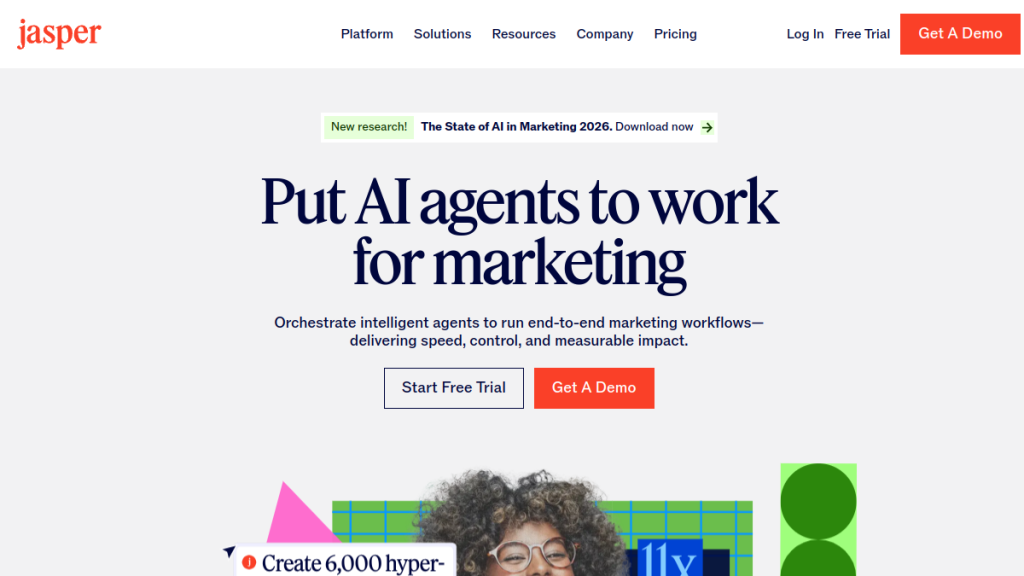
Jasper is the go-to AI writing tool for freelance marketers, copywriters, and content creators. It excels at generating marketing copy, blog posts, social media content, and email sequences with a professional, persuasive tone.
Why freelancers love it:
- Brand voice customization (train it on your client’s style)
- 50+ content templates (ads, landing pages, product descriptions)
- SEO mode with Surfer integration
- Chrome extension for writing anywhere
- Team features for agency freelancers
Pricing breakdown:
| Plan | Price | Best For |
|---|---|---|
| Creator | 9/mo | Solo freelancers |
| Pro | 9/mo | High-volume writers |
| Business | Custom | Agencies |
Limitations: Expensive for beginners. Requires editing—outputs aren’t publish-ready.
Verdict: If you write marketing content for clients, Jasper pays for itself in one project. The brand voice feature alone is worth it for maintaining consistency across client accounts.
2. ChatGPT (Plus) — Best All-Purpose Assistant
Rating: ⭐ 4.7/5 | Pricing: Free / 0/mo (Plus)
ChatGPT is the Swiss Army knife of freelancing. It handles writing, research, brainstorming, coding, analysis, and client communication. The Plus version (0/mo) gives you GPT-4o access with faster responses and priority during peak times.
Freelancer use cases:
- Draft proposals and pitches
- Research client industries quickly
- Generate content outlines and first drafts
- Debug code and explain errors
- Summarize long documents
- Translate content for international clients
Free vs Plus comparison:
| Feature | Free | Plus (0/mo) |
|---|---|---|
| Model access | GPT-4o mini | GPT-4o, GPT-4 |
| Speed | Slower, queued | Priority access |
| Usage limits | Lower | Higher |
| Image generation | Limited | DALL·E 3 included |
| Custom GPTs | Limited | Full access |
Limitations: Generic outputs need heavy editing for client work. No specialized templates.
Verdict: Every freelancer should have ChatGPT Plus. At 0/mo, it’s the highest-ROI tool on this list. Use it alongside specialized tools for best results.
3. Claude — Best for Long-Form Content & Research
Rating: ⭐ 4.6/5 | Pricing: Free / 0/mo (Pro)
Claude by Anthropic handles long documents better than any competitor. If you’re a freelancer dealing with research reports, whitepapers, or complex briefs, Claude is your best friend.
Standout features:
- 200K context window (read entire books/reports)
- Excellent at summarizing complex documents
- More natural, human-like writing tone
- Strong reasoning for analytical work
- Safer, more thoughtful responses
Best for:
- Freelance researchers and analysts
- Technical writers
- Anyone working with long client documents
- Content that requires nuance and depth
Verdict: Claude complements ChatGPT perfectly. Use ChatGPT for quick tasks, Claude for deep work requiring long context.
4. Rytr — Best Budget AI Writer
Rating: ⭐ 4.0/5 | Pricing: Free / /mo (Saver) / 9/mo (Unlimited)
Rytr delivers solid AI writing at a fraction of Jasper’s price. For freelancers just starting out or those with tight margins, it’s an excellent entry point.
What you get:
- 40+ content templates
- 30+ languages
- Built-in plagiarism checker
- Browser extension
- Affordable unlimited plan
Pricing:
| Plan | Price | Words/Month |
|---|---|---|
| Free | bash | 10,000 characters |
| Saver | /mo | 100,000 characters |
| Unlimited | 9/mo | Unlimited |
Limitations: Struggles with long-form content. Less sophisticated than Jasper.
Verdict: Best value for new freelancers or those doing high-volume short-form content. Graduate to Jasper when revenue justifies it.
Best Grammar & Editing Tools for Freelancers
5. Grammarly — Industry Standard for Polish
Rating: ⭐ 4.6/5 | Pricing: Free / 2/mo (Premium)
Grammarly is non-negotiable for freelancers. Even if you’re a skilled writer, it catches typos, awkward phrasing, and inconsistencies that embarrass you in front of clients.
Features:
- Real-time grammar and spelling correction
- Tone detection and adjustment
- Clarity and conciseness suggestions
- Plagiarism detection (Premium)
- Works everywhere (browser, desktop, mobile)
Free vs Premium:
| Feature | Free | Premium (2/mo) |
|---|---|---|
| Grammar/spelling | ✅ | ✅ |
| Clarity suggestions | Basic | Advanced |
| Tone adjustments | ❌ | ✅ |
| Plagiarism check | ❌ | ✅ |
| Word choice | ❌ | ✅ |
Verdict: Get Premium. 2/mo prevents embarrassing errors that could cost you clients worth thousands.
6. QuillBot — Best for Paraphrasing & Rewrites
Rating: ⭐ 4.2/5 | Pricing: Free / .33/mo (Premium, billed annually)
QuillBot excels at paraphrasing, summarizing, and rewriting content. It’s invaluable for freelancers who need to repurpose content or adjust tone without starting from scratch.
Tools included:
- Paraphraser (7 modes: Standard, Fluency, Formal, Creative, etc.)
- Grammar checker
- Summarizer
- Citation generator
- Translator
Best for:
- Repurposing content across platforms
- Adjusting formality levels
- Creating variations for A/B testing
- Academic and research writing
Verdict: Excellent complement to Grammarly. Use QuillBot for rewrites, Grammarly for polish.
Best AI Design Tools for Freelancers
7. Canva Pro — Best All-in-One Design Platform
Rating: ⭐ 4.7/5 | Pricing: Free / 2.99/mo (Pro)
Canva has become the default design tool for non-designers. With AI features like Magic Write, Magic Design, and background removal, freelancers can create professional graphics without Photoshop skills.
AI features (Pro):
- Magic Design — Generate designs from text prompts
- Magic Write — AI copywriting within designs
- Background Remover — One-click background removal
- Magic Resize — Instantly resize for different platforms
- Magic Eraser — Remove unwanted objects
- Text to Image — Generate custom images from prompts
What you can create:
- Social media graphics
- Presentations
- Logos and brand kits
- Video thumbnails
- Marketing materials
- Print designs
Verdict: Essential for any freelancer who needs visuals. Pro is worth it for the AI features and premium assets alone.
8. Midjourney — Best for Custom Illustrations
Rating: ⭐ 4.5/5 | Pricing: From 0/mo (Basic)
Midjourney creates stunning, artistic images from text prompts. For freelancers who need custom illustrations, concept art, or unique visuals, it’s unmatched in quality.
Use cases:
- Blog post hero images
- Social media visuals
- Presentation graphics
- Concept art for clients
- Brand mood boards
Pricing:
| Plan | Price | Fast Hours | Relaxed Mode |
|---|---|---|---|
| Basic | 0/mo | 3.3 hrs | ❌ |
| Standard | 0/mo | 15 hrs | ✅ |
| Pro | 0/mo | 30 hrs | ✅ |
Limitations: Requires Discord. Learning curve for prompts. Can’t do exact text in images reliably.
Verdict: significant for freelancers who need unique visuals. Pair with Canva for layouts.
9. Adobe Firefly — Best for Professional Design Workflows
Rating: ⭐ 4.3/5 | Pricing: Included with Creative Cloud / .99/mo standalone
Adobe Firefly integrates AI image generation directly into Photoshop, Illustrator, and other Adobe tools. For freelance designers already in the Adobe ecosystem, it’s seamless.
Features:
- Text-to-image generation
- Generative fill (extend images)
- Text effects
- Vector recoloring
- Trained on licensed content (commercially safe)
Best for: Professional designers who need AI-generated elements within larger design projects.
Verdict: If you use Adobe tools, Firefly is a no-brainer addition. The commercial licensing makes it safer for client work than some alternatives.
Best AI Video Tools for Freelancers
10. Descript — Best for Video Editing & Podcasts
Rating: ⭐ 4.6/5 | Pricing: Free / 2/mo (Creator) / 4/mo (Pro)
Descript transform video editing by making it text-based. Edit video by editing the transcript. For freelancers creating video content, courses, or podcasts, it’s a massive time-saver.
Standout features:
- Overdub — Clone your voice for corrections
- Studio Sound — Remove background noise with one click
- Eye Contact — AI adjusts eye contact to camera
- Green Screen — AI background removal
- Filler Word Removal — Automatically remove “um,” “uh,” etc.
- Transcription — Accurate auto-transcripts
Pricing:
| Plan | Price | Transcription | Overdub |
|---|---|---|---|
| Free | bash | 1 hour | ❌ |
| Creator | 2/mo | 10 hours | ✅ |
| Pro | 4/mo | 30 hours | ✅ |
Verdict: If you do any video or podcast work, Descript is essential. The text-based editing alone saves hours per project.
11. Pictory — Best for Repurposing Content to Video
Rating: ⭐ 4.2/5 | Pricing: From 9/mo (Starter)
Pictory turns blog posts, scripts, and long-form content into short videos automatically. Perfect for freelancers offering content repurposing services.
What it does:
- Script-to-video conversion
- Blog-to-video automation
- Auto-captioning
- AI voice narration
- Stock footage matching
Best for: Social media managers, content marketers, agencies offering video repurposing.
Verdict: Great for scaling video content production without manual editing.
Best AI Voice Tools for Freelancers
12. ElevenLabs — Best Text-to-Speech Quality
Rating: ⭐ 4.7/5 | Pricing: Free / /mo (Starter) / 2/mo (Creator)
ElevenLabs produces the most realistic AI voices available. For freelancers creating voiceovers, audiobooks, courses, or video narration, it’s the quality leader.
Features:
- 30+ ultra-realistic voices
- Voice cloning (create custom voices)
- Multiple languages and accents
- Emotion and style control
- API for automation
Pricing:
| Plan | Price | Characters/Month |
|---|---|---|
| Free | bash | 10,000 |
| Starter | /mo | 30,000 |
| Creator | 2/mo | 100,000 |
| Pro | 9/mo | 500,000 |
Verdict: Industry-leading voice quality. Worth the investment for any freelancer doing audio content.
13. Murf AI — Best Budget Voice Generator
Rating: ⭐ 4.1/5 | Pricing: Free / 9/mo (Basic)
Murf offers solid AI voices at a lower price point than ElevenLabs. Good for freelancers who need voiceovers but don’t require the absolute best quality.
Features:
- 120+ voices in 20+ languages
- Voice changer (transform recordings)
- Video editor integration
- Team collaboration
- Commercial licensing
Verdict: Good budget alternative to ElevenLabs. Sufficient for most corporate and marketing voiceover work.
Best AI SEO Tools for Freelancers
14. Surfer SEO — Best for Content Optimization
Rating: ⭐ 4.6/5 | Pricing: From 9/mo (Essential)
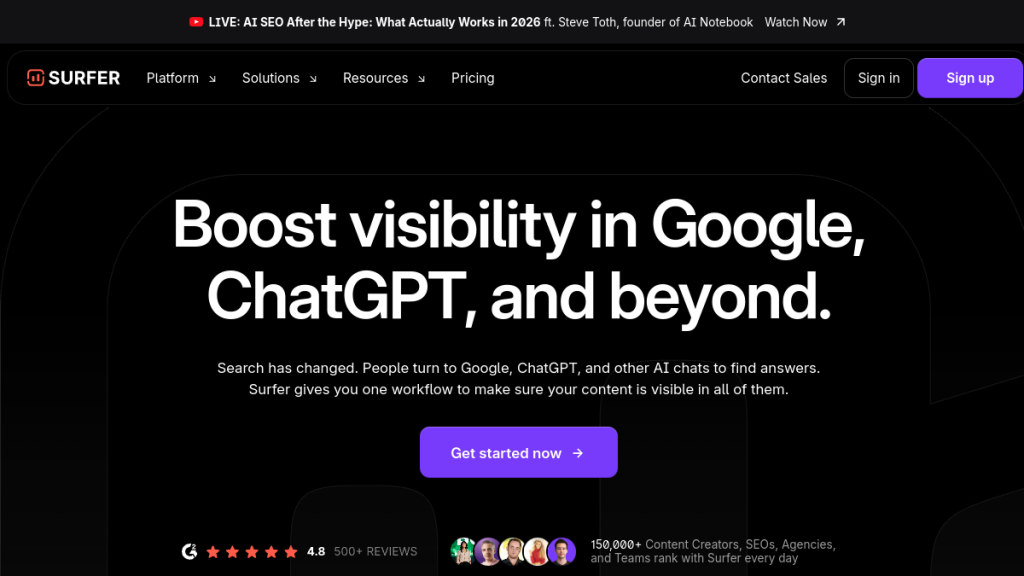
Surfer SEO helps freelancers create content that ranks. It analyzes top-ranking pages and gives you specific recommendations for word count, keywords, headings, and structure.
Features:
- Real-time content editor with SEO score
- SERP analyzer
- Keyword research
- Content planner
- AI writing with Surfer AI
- Jasper integration
Pricing:
| Plan | Price | Articles/Month |
|---|---|---|
| Essential | 9/mo | 30 |
| Scale | 29/mo | 100 |
| Enterprise | Custom | Unlimited |
Verdict: Essential for freelance SEO writers. The content editor alone justifies the cost in ranking improvements.
15. NeuronWriter — Best Budget SEO Alternative
Rating: ⭐ 4.3/5 | Pricing: From 9/mo
NeuronWriter offers similar functionality to Surfer at a fraction of the price. For freelancers watching their budget, it’s an excellent alternative.
Features:
- Content optimization with NLP analysis
- SERP analysis
- AI writing assistance
- Internal linking suggestions
- Chrome extension
Verdict: Best value in SEO content tools. Perfect for freelancers who can’t justify Surfer’s pricing yet.
Best AI Productivity Tools for Freelancers
16. Notion AI — Best for Knowledge Management
Rating: ⭐ 4.5/5 | Pricing: Free / 0/mo (Plus with AI)
Notion AI turns your Notion workspace into an intelligent assistant. It helps with writing, summarizing, brainstorming, and organizing information—all within your existing workflow.
AI features:
- Summarize meeting notes
- Generate action items from notes
- Draft content from outlines
- Answer questions about your workspace
- Translate content
- Fix grammar and improve writing
Best for: Freelancers who already use Notion for project management and documentation.
Verdict: If Notion is your second brain, Notion AI makes it think faster.
17. ClickUp AI — Best for Project Management
Rating: ⭐ 4.3/5 | Pricing: Free / /mo (Unlimited) + /mo for AI
ClickUp combines project management with AI assistance. For freelancers juggling multiple clients and projects, it streamlines task management, time tracking, and documentation.
AI features:
- Generate task descriptions and subtasks
- Summarize project status
- Write project briefs
- Create meeting agendas
- Draft emails and updates
Best for: Freelancers managing complex projects with multiple deliverables.
Verdict: Excellent for freelancers who need robust project management with AI assistance built in.
Best AI Coding Tools for Freelancers
18. GitHub Copilot — Best AI Pair Programmer
Rating: ⭐ 4.6/5 | Pricing: 0/mo (Individual) / 9/mo (Business)
GitHub Copilot is essential for freelance developers. It suggests code completions, writes functions, and helps debug—like having a knowledgeable colleague available 24/7.
Features:
- Context-aware code suggestions
- Whole function generation
- Natural language to code
- Multi-language support
- IDE integration (VS Code, JetBrains, etc.)
Verdict: Pays for itself in time saved on the first project. Every freelance developer should use it.
19. Cursor — Best AI-First Code Editor
Rating: ⭐ 4.5/5 | Pricing: Free / 0/mo (Pro)
Cursor is a code editor built around AI from the ground up. It understands your entire codebase and can make intelligent edits across multiple files.
Features:
- Chat with your codebase
- Multi-file AI edits
- Natural language commands
- Codebase-aware suggestions
- Built-in terminal AI
Verdict: More powerful than Copilot for complex refactoring and codebase-wide changes. Worth trying for serious dev work.
20. Codeium — Best Free Coding Assistant
Rating: ⭐ 4.2/5 | Pricing: Free / 5/mo (Pro)
Codeium offers a generous free tier with AI code completion. For freelance developers who want AI assistance without the monthly cost, it’s the best option.
Features:
- AI autocomplete
- In-editor chat
- Code search
- Support for 70+ languages
- IDE integrations
Verdict: Best free alternative to GitHub Copilot. Excellent for developers watching expenses.
Building Your Freelance AI Stack
The best approach isn’t using every tool—it’s combining the right tools for your specific freelance niche. Here are recommended stacks by profession:
Freelance Writer Stack
| Tool | Purpose | Monthly Cost |
|---|---|---|
| ChatGPT Plus | Research & drafts | 0 |
| Jasper AI | Marketing content | 9 |
| Grammarly Premium | Editing | 2 |
| Surfer SEO | SEO optimization | 9 |
| Total | 70/mo |
Freelance Designer Stack
| Tool | Purpose | Monthly Cost |
|---|---|---|
| Canva Pro | General design | 3 |
| Midjourney | Custom images | 0 |
| ChatGPT Plus | Copy assistance | 0 |
| Total | 3/mo |
Freelance Developer Stack
| Tool | Purpose | Monthly Cost |
|---|---|---|
| GitHub Copilot | Code assistance | 0 |
| ChatGPT Plus | Problem solving | 0 |
| Notion AI | Documentation | 0 |
| Total | 0/mo |
Freelance Video Creator Stack
| Tool | Purpose | Monthly Cost |
|---|---|---|
| Descript | Editing & transcription | 4 |
| ElevenLabs | Voiceovers | 2 |
| Canva Pro | Thumbnails | 3 |
| ChatGPT Plus | Scripts | 0 |
| Total | 9/mo |
ROI Calculation: Do AI Tools Pay Off?
Let’s do the math for a freelance writer:
Without AI:
- Blog post (2,000 words): 4 hours
- At 0/hr: 00 earned
- Posts per week: 5
- Weekly earnings: ,000
With AI (70/mo stack):
- Blog post (2,000 words): 1.5 hours (research + AI draft + editing)
- At 0/hr: Same 00 per post
- Posts per week: 12 (same hours, faster output)
- Weekly earnings: ,400
Monthly difference: ,600 more revenue vs 70 tool cost = 33x ROI
Even at half this efficiency gain, AI tools pay for themselves many times over.
Frequently Asked Questions
What AI tools do most freelancers use?
The most common AI tools among freelancers in 2026 are ChatGPT (general assistance), Grammarly (editing), Canva (design), and Notion (organization). Specialized freelancers add tools specific to their niche—writers use Jasper, developers use Copilot, and video creators use Descript.
Are AI tools worth the cost for freelancers?
Yes, for most freelancers. The typical AI tool stack costs 0-200/month but saves 10-20+ hours. At any reasonable hourly rate, the ROI is significant. Start with free tiers to test, then upgrade tools that prove valuable.
Can clients tell if I use AI?
Not if you use AI correctly. AI is a starting point, not the final product. Edit outputs thoroughly, add your expertise, and ensure the final deliverable reflects your professional standards. Most clients care about quality and results, not your process.
Which AI tool should I start with?
ChatGPT Plus (0/mo) is the best starting point for any freelancer. It handles writing, research, brainstorming, and problem-solving across every niche. Add specialized tools as your needs become clear.
Are there free AI tools good enough for freelancing?
Yes. ChatGPT Free, Canva Free, Grammarly Free, and Codeium Free are all capable enough for starting out. Upgrade when free tier limits constrain your work or you need premium features.
How do I learn to use AI tools effectively?
Practice and experimentation. Start with simple tasks, learn to write better prompts, and gradually tackle complex projects. Most tools have tutorials and communities. The best learning happens by using tools on real client work.
Will AI replace freelancers?
AI is more likely to replace freelancers who don’t use AI. The freelancers thriving in 2026 use AI to deliver more value, faster. Focus on skills AI can’t replicate: strategy, client relationships, creative direction, and specialized expertise.
Final Verdict: The Essential Freelancer AI Toolkit
🏆 Our Verdict
If you’re just starting with AI tools, here’s the minimum viable stack for most freelancers:
- ChatGPT Plus (0/mo) — Your general assistant
- Grammarly Premium (2/mo) — Error prevention
- Canva Pro (3/mo) — Design needs
Total: 5/month for a complete AI-assisted workflow.
Add specialized tools as your niche demands:
- Writers → Jasper + Surfer SEO
- Developers → GitHub Copilot
- Video creators → Descript + ElevenLabs
- Designers → Midjourney + Adobe Firefly
The freelancers winning in 2026 aren’t those avoiding AI—they’re the ones using it strategically to deliver better work, faster, at higher rates. Start small, measure the ROI, and scale your AI stack as it proves its value.
Ready to transform your freelance business with AI? Start with the free tiers, upgrade what works, and watch your productivity multiply.