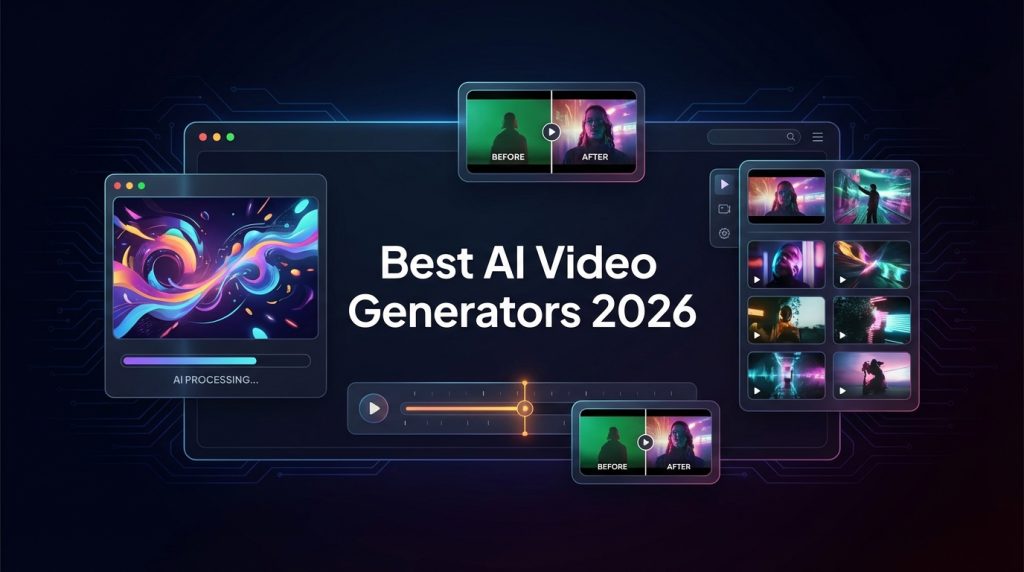
Your client wants a 60-second product video by Friday, but your production budget is zero and your video editing skills peaked at adding text to iPhone clips. AI video generators now create broadcast-quality footage from a single sentence—but with 15+ tools flooding the market, picking the wrong one means wasted hours learning a platform that produces unusable output.
TL;DR: After testing 15+ AI video generators, our top picks are Sora 2 (best free option with native audio), Google Veo 3 (best for cinematic quality), Runway Gen 4.5 (best for filmmakers), and Synthesia (best for AI avatars). Skip to the comparison table or full reviews below.
Why Trust This Guide?
We’ve spent 150+ hours testing AI video generators—not just watching demos, but creating real content: promotional videos, social media clips, explainer videos, and creative projects. We track pricing changes weekly and update this guide when tools ship major updates.
No tool paid for placement here. Our affiliate links don’t affect rankings—only our hands-on testing does.
Quick Comparison Table
| Tool | Best For | Starting Price | Free Tier? | Our Rating |
|---|---|---|---|---|
| Sora 2 | Free AI video with audio | $20/mo | ✅ Yes (generous) | ⭐⭐⭐⭐⭐ |
| Google Veo 3 | Cinematic, story-driven | $20/mo (Gemini) | 1-month trial | ⭐⭐⭐⭐⭐ |
| Runway Gen 4.5 | Filmmakers & VFX | $12/mo | ✅ Limited | ⭐⭐⭐⭐½ |
| Kling | Long-form (2 min+) | $6.60/mo | ✅ Yes | ⭐⭐⭐⭐½ |
| Adobe Firefly | Commercial use | $10/mo | ✅ Limited | ⭐⭐⭐⭐ |
| Luma Dream Machine | Cinematic aesthetics | $9.99/mo | ✅ Yes | ⭐⭐⭐⭐ |
| Synthesia | AI avatar videos | $18/mo | ✅ Demo | ⭐⭐⭐⭐½ |
| HeyGen | Video translation | $24/mo | ✅ Limited | ⭐⭐⭐⭐ |
| Pika | Social media clips | $8/mo | ✅ Yes | ⭐⭐⭐⭐ |
| Midjourney V1 | Creative/artistic | $10/mo | ❌ No | ⭐⭐⭐½ |
How We Tested
Every AI video generator was evaluated on:
- Output Quality — Realism, motion smoothness, visual fidelity
- Audio Integration — Native audio, lip-sync, sound effects
- Generation Speed — Time from prompt to finished video
- Prompt Adherence — Does it follow instructions accurately?
- Ease of Use — Interface, learning curve, accessibility
- Value — Price relative to output quality and volume
- Commercial Rights — Can you legally use outputs for business?
We ran each tool through identical test prompts: a product showcase, cinematic landscape, talking head, and abstract creative scene.
The State of AI Video in 2026
2026 marks a turning point for AI video. The big breakthroughs this year:
- Native Audio Generation — Sora 2 and Veo 3 now generate synchronized audio automatically, including dialogue, sound effects, and ambient noise
- Longer Outputs — Models like Kling can generate 2+ minute videos at 1080p
- Improved Physics — Object permanence and realistic motion are dramatically better
- Cinematic Controls — Directors can now specify camera movements, transitions, and styles
The technology has matured from “impressive demos” to “actually usable for production.”
Detailed Reviews
Sora 2
Best for: Anyone who wants high-quality AI video for free
The Verdict: OpenAI’s Sora 2 is the most accessible way to create stunning AI videos. The free tier is genuinely useful, and the quality rivals paid competitors. Native audio generation sets it apart—your videos include realistic sound effects, ambient noise, and even dialogue.
What We Love:
- Free Tier — Generous free usage that actually lets you create real content
- Native Audio — First major generator with automatic audio sync (not bolted-on)
- Realistic Motion — Best-in-class physics simulation and object persistence
- Sora Social App — Built-in platform to share and discover AI videos
- 1080p Output — High-resolution even on free tier
- Cameo Feature — Upload reference images to include specific subjects
What Could Be Better:
- Deepfake Concerns — Cameo feature has raised ethical flags; OpenAI actively moderating
- Wait Times — Free tier can have longer generation queues during peak times
- Content Guidelines — Stricter than some competitors on what you can generate
Pricing:
| Plan | Price | Features |
|---|---|---|
| Free | $0 | Generous monthly credits, 1080p, audio |
| Plus | $20/mo | Priority queue, higher limits, API access |
| Pro | $200/mo | Unlimited, commercial rights, advanced features |
Best For: Social media creators, hobbyists, anyone starting with AI video.
Our Rating: ⭐⭐⭐⭐⭐ (5/5)
Google Veo 3
Best for: Professional creators needing cinematic quality
The Verdict: Google Veo 3 (and the newer Veo 3.1) sets the standard for cinematic AI video. It understands filmmaking terminology—ask for a “timelapse” or “aerial shot” and you’ll get exactly that. The native audio sync launched with Veo 3 was a breakthrough that competitors scrambled to match.
What We Love:
- Cinematic Quality — Smooth motion, professional-grade lighting and composition
- Audio Sync — First major tech company to ship native audio generation
- Long Duration — Can generate 60+ second coherent videos
- Director Control — Specify camera movements, styles, transitions
- Multi-Platform — Use in Gemini, Canva, Adobe, Google AI Studio, and Flow
- Character Consistency — Maintains subjects across long sequences
What Could Be Better:
- No Free Tier — Only available through paid Gemini or per-second pricing
- Per-Second Pricing — $0.15/second can add up for heavy users
- Less Creative — Struggles more with abstract/surreal prompts vs. realistic
Pricing:
| Access Method | Price | Notes |
|---|---|---|
| Gemini Advanced | $20/mo | Includes Veo 3 access |
| Google AI Studio | $0.15/second | Pay-per-use |
| Vertex AI | Enterprise pricing | For production workloads |
Best For: Filmmakers, agencies, professional content creators.
Our Rating: ⭐⭐⭐⭐⭐ (5/5)
Runway Gen 4.5
Best for: Filmmakers and visual artists who need editing control
The Verdict: Runway isn’t just a generator—it’s a complete AI filmmaking suite. Gen 4.5 delivers exceptional video quality, but the real value is the “AI Magic Tools” for post-production: inpainting, motion tracking, background removal, style transfer. For professionals who need to composite and refine their AI content, Runway is unmatched.
What We Love:
- AI Magic Tools — Inpainting, motion tracking, background removal, style transfer
- Gen 4.5 Quality — Detailed, creative outputs that handle diverse styles
- Workflow Integration — Built for the filmmaking process, not just generation
- Video-to-Video — Transform existing footage with AI styles
- Free Tier — Limited but functional for testing
- Multi-Modal — Text, image, and video inputs
What Could Be Better:
- No Native Audio — Must add sound separately (though audio tools are available)
- Learning Curve — More complex interface than simpler generators
- Credits Burn Fast — Higher-quality settings consume credits quickly
Pricing:
| Plan | Price | Features |
|---|---|---|
| Free | $0 | 125 credits, watermarked |
| Standard | $12/mo | 625 credits, no watermark |
| Pro | $28/mo | 2,250 credits, priority queue |
| Unlimited | $76/mo | Unlimited, all features |
Best For: Video editors, VFX artists, filmmakers, creative agencies.
Our Rating: ⭐⭐⭐⭐½ (4.5/5)
Kling
Best for: Long-form AI video (up to 2 minutes)
The Verdict: Kling emerged as a top-tier option with one killer feature: 2-minute videos at 1080p. While most generators cap at 10-20 seconds, Kling can sustain coherent scenes dramatically longer. Its grasp of physics and expressive character animation is remarkably sophisticated.
What We Love:
- Long Duration — Up to 2 minutes at 1080p (industry-leading)
- Complex Physics — Handles intricate motion like eating, pouring, detailed actions
- Expressive Characters — Rich facial expressions and dynamic body language
- Affordable — $6.60/mo starting price is budget-friendly
- Free Tier — Generous enough to actually evaluate the tool
- Animation Focus — Excellent for stylized and animated content
What Could Be Better:
- Queue Times — Popular tool means longer waits during peak hours
- Consistency — Quality can vary between generations
- Interface — Less polished than Western competitors
Pricing:
| Plan | Price | Features |
|---|---|---|
| Free | $0 | Limited credits, lower priority |
| Standard | $6.60/mo | 1080p, faster generation |
| Pro | $13.30/mo | Higher limits, priority |
| Enterprise | Custom | API, commercial use |
Best For: Animators, storytellers, creators needing longer content.
Our Rating: ⭐⭐⭐⭐½ (4.5/5)
Adobe Firefly Video
Best for: Commercial and professional use with legal safety
The Verdict: Adobe Firefly is the only major AI video tool that guarantees your content is commercially safe. Every output is legally cleared for business use—no copyright concerns, no model release issues. For agencies and brands, that peace of mind is worth the Adobe ecosystem buy-in.
What We Love:
- Commercial Safety — Legally cleared for business use (unique guarantee)
- Adobe Integration — Works within Premiere, After Effects, Photoshop
- Detailed Controls — Resolution (540p-1080p), styles, camera motions
- Reference Videos — Upload references for composition and motion matching
- Non-Adobe Models — Access to third-party AI models through Firefly
- Vibrant Output — Consistently polished, detailed results
What Could Be Better:
- No Native Audio — Must add sound effects/dialogue separately
- Adobe Ecosystem — Best value requires existing Adobe subscription
- Less Creative — Optimized for professional, not experimental, output
Pricing:
| Plan | Price | Features |
|---|---|---|
| Firefly Free | $0 | 25 credits/mo, watermarked |
| Firefly Premium | $10/mo | 2,000 credits/mo, no watermark |
| Creative Cloud | $55+/mo | Bundled with Adobe apps |
Best For: Marketing teams, agencies, brands needing legal protection.
Our Rating: ⭐⭐⭐⭐ (4/5)
Luma Dream Machine
Best for: Cinematic aesthetics and visual storytelling
The Verdict: Luma Dream Machine consistently produces the most visually stunning outputs in our testing. The cinematic quality—lighting, composition, camera movement—rivals professional footage. It transforms prompts into sequences with remarkable artistry.
What We Love:
- Visual Quality — Best-in-class aesthetic beauty
- Camera Motion — Smooth, professional perspective shifts
- Lighting — Natural, cinematic illumination
- Image-to-Video — Excellent at animating still images
- Free Tier — Generous enough to create real content
- Ray 3 Modify — Latest model with enhanced controls
What Could Be Better:
- Short Duration — Outputs are generally brief
- Limited Control — Less fine-grained direction than Runway
- No Audio — Must add sound separately
Pricing:
| Plan | Price | Features |
|---|---|---|
| Free | $0 | 30 generations/mo |
| Lite | $9.99/mo | 120 generations/mo |
| Standard | $29.99/mo | 400 generations/mo |
| Pro | $99.99/mo | 2,000 generations/mo |
Best For: Artists, designers, creators prioritizing visual beauty.
Our Rating: ⭐⭐⭐⭐ (4/5)
Synthesia
Best for: AI avatar videos for business communication
The Verdict: Synthesia solves a different problem than creative generators: it creates professional, talking-head videos without cameras, microphones, or actors. Type your script, choose an avatar, and get a polished presenter video. For corporate training, onboarding, and internal comms, it’s transformative.
What We Love:
- Avatar Quality — 150+ realistic stock avatars, or create your digital twin
- 120+ Languages — Instant localization with one click
- Studio Quality — Professional lighting, gestures, intonation
- Script-to-Video — Type text, get video—no technical skills needed
- Brand Consistency — Same avatar, same quality, every video
- Lip-Sync — Natural mouth movements match any language
What Could Be Better:
- Avatar-Only — Not for general video generation
- Enterprise Pricing — Gets expensive at scale
- Limited Creativity — Designed for professional, not artistic, content
Pricing:
| Plan | Price | Features |
|---|---|---|
| Free | $0 | Demo videos, watermarked |
| Starter | $18/mo | 10 min/mo, 60+ avatars |
| Creator | $64/mo | 30 min/mo, all avatars |
| Enterprise | Custom | Unlimited, custom avatars, API |
Best For: HR teams, trainers, educators, corporate communications.
Our Rating: ⭐⭐⭐⭐½ (4.5/5)
HeyGen
Best for: Video translation with voice cloning and lip-sync
The Verdict: HeyGen’s killer feature is dubbing existing videos into other languages with AI voice cloning AND lip-sync. Upload a video of yourself speaking English, and HeyGen outputs you speaking Spanish—with your cloned voice and matching lip movements. For global content, it’s revolutionary.
What We Love:
- Translation + Lip-Sync — Dub videos into 40+ languages with matching lips
- Voice Cloning — AI clones your voice for the translated version
- Avatar Creation — Create digital presenters from photos
- High Quality — Lip movements look natural, not uncanny
- Scales Content — One video becomes global without reshoots
What Could Be Better:
- Pricing — $24/mo entry is higher than some competitors
- Processing Time — Complex translations take time
- Avatar Less Natural — Synthesia still has slightly better avatars
Pricing:
| Plan | Price | Features |
|---|---|---|
| Free | $0 | 1 min free, watermarked |
| Creator | $24/mo | 15 credits/mo |
| Business | $72/mo | 60 credits/mo |
| Enterprise | Custom | Unlimited, API |
Best For: Global marketing teams, content localization, multilingual creators.
Our Rating: ⭐⭐⭐⭐ (4/5)
Pika
Best for: Quick, social-media-ready short clips
The Verdict: Pika excels at turning prompts or images into punchy, shareable clips fast. The interface is dead simple, and unique features like AI lip-sync and auto sound effects make it ideal for TikTok, Reels, and Shorts creators.
What We Love:
- Speed — Fast generation, minimal wait
- AI Lip-Sync — Add speech to any character
- Sound Effects — Auto-generate matching audio
- Video-to-Video — Transform existing clips with new styles
- Canvas Expansion — Extend the frame of existing videos
- Simple Interface — Zero learning curve
What Could Be Better:
- Short Duration — Optimized for clips, not long-form
- Quality Variance — Sometimes misses on complex prompts
- Limited Control — Fewer advanced settings than Runway
Pricing:
| Plan | Price | Features |
|---|---|---|
| Free | $0 | 250 credits/mo |
| Standard | $8/mo | 750 credits/mo |
| Pro | $28/mo | 2,000 credits/mo |
| Enterprise | Custom | Unlimited |
Best For: Social media managers, TikTokers, short-form creators.
Our Rating: ⭐⭐⭐⭐ (4/5)
Midjourney V1 Video
Best for: Creative and artistic video exploration
The Verdict: Midjourney’s video model (V1) extends their legendary image generator into motion. It’s extremely creative and simple to use—if you’re already a Midjourney fan, video is a natural extension. However, it struggles with realistic prompts and doesn’t include audio.
What We Love:
- Creative Output — Excels at artistic, stylized content
- Simple Interface — Discord-based, familiar to Midjourney users
- Image Animation — Bring existing MJ images to life
- Community — Open gallery for inspiration
- Consistent Style — Maintains the Midjourney aesthetic
What Could Be Better:
- No Free Tier — Requires paid subscription
- No Audio — Silent outputs only
- Realism Struggles — Not ideal for photorealistic content
- Prompt Adherence — Sometimes ignores instructions
Pricing:
| Plan | Price | Features |
|---|---|---|
| Basic | $10/mo | ~200 images, limited video |
| Standard | $30/mo | ~900 images, more video |
| Pro | $60/mo | Unlimited, stealth mode |
| Mega | $120/mo | Everything, faster |
Best For: Artists, designers, Midjourney enthusiasts.
Our Rating: ⭐⭐⭐½ (3.5/5)
Specialized Tools Worth Mentioning
Kapwing — Best for Collaborative Editing
Cloud-based video editor with AI features (auto-subtitles, smart trim, background removal). Perfect for teams who need to repurpose content quickly. $16/mo Pro plan.
inVideo — Best for Marketing Teams
Template-driven video creation with 7,000+ templates and stock assets. AI can turn scripts into videos automatically. $28/mo Plus plan.
Veed.io — Best for Beginners
Ultra-simple online editor with one-click subtitles and audio cleanup. “Magic Cut” removes silences automatically. $9/mo Lite plan.
MyEdit — Best for Image-to-Video
Excellent at animating photos with natural expressions and movements. Product video creation is a standout feature. $7/mo Premium plan.
How to Choose the Right AI Video Generator
Choose Sora 2 if:
- You want the best free option
- Native audio is important
- You’re creating social content
Choose Veo 3 if:
- Cinematic quality is priority
- You need long-form (60+ seconds)
- You’re already in the Google ecosystem
Choose Runway if:
- You need editing tools, not just generation
- You’re a professional filmmaker
- Workflow integration matters
Choose Kling if:
- You need long videos (2+ minutes)
- Budget is a concern ($6.60/mo)
- Complex animation/physics required
Choose Synthesia if:
- You need talking-head videos
- Multilingual content is a priority
- Corporate/training use case
Choose Adobe Firefly if:
- Commercial legal safety is required
- You’re in the Adobe ecosystem
- Professional, not experimental, output
AI Video Generator Pricing Compared (2026)
| Tool | Free Tier | Cheapest Paid | Best Value |
|---|---|---|---|
| Sora 2 | ✅ Generous | $20/mo | Free tier |
| Veo 3 | ❌ Trial only | $20/mo (Gemini) | Gemini bundle |
| Runway | ✅ 125 credits | $12/mo | Standard $12 |
| Kling | ✅ Yes | $6.60/mo | Standard $6.60 |
| Adobe Firefly | ✅ 25 credits | $10/mo | Premium $10 |
| Luma | ✅ 30 gens/mo | $9.99/mo | Lite $9.99 |
| Synthesia | ✅ Demo | $18/mo | Starter $18 |
| HeyGen | ✅ 1 min | $24/mo | Creator $24 |
| Pika | ✅ 250 credits | $8/mo | Standard $8 |
| Midjourney | ❌ No | $10/mo | Standard $30 |
Risks and Considerations
Deepfakes and Ethics
AI video generators can create realistic fake content. Most platforms have safeguards, but misuse is possible. Always:
- Disclose AI-generated content
- Don’t impersonate real people without permission
- Review platform terms of service
Copyright Concerns
The legal landscape is evolving. Adobe Firefly is currently the only major platform explicitly guaranteeing commercial safety. For business use, check the commercial terms carefully.
Quality Variance
Even the best generators can produce inconsistent results. Budget extra time for regeneration and expect some prompt engineering.
Video generators are just one part of the equation. For a complete creator toolkit that goes beyond video generation, check out our guide to the best AI tools for YouTubers — covering editing, SEO, thumbnails, and more.
Frequently Asked Questions
What is the best free AI video generator?
Sora 2 offers the best free tier with generous limits, 1080p output, and native audio. Kling and Pika also have functional free tiers.
Which AI video generator has the best quality?
Google Veo 3 and Sora 2 consistently produce the highest-quality realistic videos. Luma Dream Machine excels at cinematic aesthetics.
Can I use AI-generated videos commercially?
It depends on the platform. Adobe Firefly explicitly guarantees commercial rights. Most others grant rights in their terms but with less certainty. Check each platform’s commercial use policy.
Which AI video generator is best for beginners?
Pika has the simplest interface. Sora 2 offers great quality with minimal learning curve. Veed.io is ideal for editing-focused beginners.
What’s the best AI video generator for YouTube creators?
For longer content, Kling (2+ minute videos) or Veo 3 (60+ seconds). For shorts, Pika or Sora 2. For talking-head videos, Synthesia.
How much does AI video generation cost?
Ranges from free (Sora 2, Kling, Pika) to $10-30/month for most tools. Heavy users may need $50-100/month plans. Enterprise pricing varies.
Do AI video generators include audio?
Sora 2 and Veo 3 generate native audio. Most others (Runway, Luma, Midjourney) require separate audio. Avatar tools (Synthesia, HeyGen) include speech.
The Bottom Line
🏆 Our Verdict
The best AI video generator depends on your use case:
- Free + Quality: Sora 2
- Cinematic Production: Google Veo 3
- Filmmaking Workflow: Runway Gen 4.5
- Long-Form Content: Kling
- Commercial Safety: Adobe Firefly
- Business Avatars: Synthesia
- Quick Social Clips: Pika
Start with a free tier to test, then upgrade based on your production needs. The technology is advancing rapidly—what’s best today may shift in 6 months as these tools continue to evolve.
Have questions? Contact us or leave a comment below. We update this guide monthly as pricing and features change.
You can check current pricing here.
Frequently Asked Questions
What is the best AI video generator for beginners in 2026?
For beginners, Sora 2 is highly recommended as it offers high-quality AI video generation for free. It has a generous free tier and is user-friendly, making it ideal for those with limited video editing experience.
Can I create cinematic-quality videos using AI video generators?
Yes, Google Veo 3 is noted for producing cinematic, story-driven videos. It’s designed for users looking for high production quality and offers a one-month trial to test its capabilities.
How do AI video generators handle audio?
Many AI video generators now include native audio generation. Tools like Sora 2 and Google Veo 3 can automatically generate synchronized audio, including dialogue and sound effects, enhancing the overall video quality.
Are there any free AI video generators available?
Yes, Sora 2 is one of the best free options available, providing high-quality video output without any cost. It also includes a generous free tier that allows users to explore its features without financial commitment.
What should I consider when choosing an AI video generator?
When selecting an AI video generator, consider factors like output quality, ease of use, audio integration, and pricing. It’s also important to check if the tool allows commercial rights for the videos you create.
Is it possible to create long videos with AI video generators?
Yes, tools like Kling can generate longer videos, exceeding 2 minutes at 1080p resolution. This makes it suitable for projects that require more extensive content.
How often is the information about AI video generators updated?
The guide is updated weekly to reflect pricing changes and major updates from the tools. This ensures that users have access to the most current information when selecting an AI video generator.