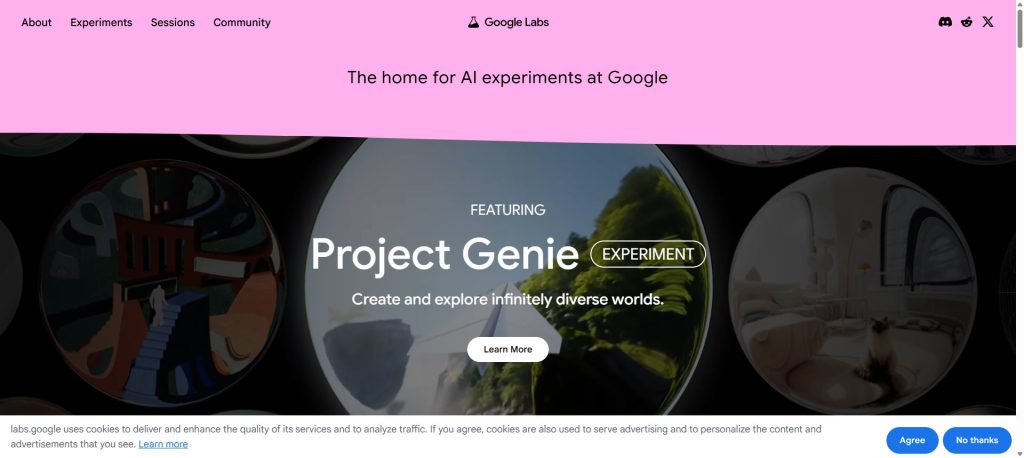
Your AI assistant just got experimental features, but half of them feel like broken beta tests that might compromise your privacy. Google’s new Gemini Labs separates the stable features from the risky experiments – but which ones are actually worth enabling? After testing every feature in the Labs section, here’s what you need to know about Gemini’s experimental capabilities and their privacy implications.
What Is Google Gemini Labs?
Gemini Labs is a new organizational layer inside the Gemini app (web version, as of February 2026) that clearly separates stable tools from experimental features.
Previously, Google’s Gemini interface lumped everything together in a single Tools dropdown – Deep Research sat next to half-baked experiments with no indication of maturity level. The new layout fixes this:
Stable Tools (Production-Ready)
- Deep Research – Multi-step research agent that synthesizes sources into comprehensive reports
- Create Videos (AI Plus and above) – Video generation powered by Veo 3.1 Fast
- Create Images – Imagen 3 (Nano Banana Pro) image generation
- Canvas – Collaborative document and code editing space
- Guided Learning – Interactive tutoring and study tools
- Deep Think (AI Ultra) – Advanced reasoning model for complex problems
Experimental Labs Features (Beaker Badge)
- Agent (AI Ultra) – Autonomous task-completion agent (US only, English only)
- Dynamic View / Visual Layout – AI-generated visual presentations of responses (all users)
- Personal Intelligence (all paid tiers) – Personalized responses using your Google data
The beaker badge is a smart UX decision. It sets expectations appropriately – you know these features might break, change, or disappear entirely. Google has historically struggled with this (remember the graveyard of killed Google products?), so explicit labeling is a welcome change.
Related: Leonardo AI Review
Personal Intelligence: The Feature Everyone’s Talking About
Personal Intelligence is the headline feature, and it’s generating both excitement and serious privacy concerns. Here’s what it actually does.
How It Works
When enabled, Gemini can access data across your entire Google ecosystem to personalize responses:
- Google Workspace: Gmail, Calendar, Drive, Docs, and more
- Google Photos: Your entire photo and video library
- YouTube: Your watch history
- Search Services: Search history, Shopping, News, Maps, Flights, and Hotels
This isn’t just surface-level personalization. Google demonstrated a scenario where a user asked Gemini about tire sizes for their minivan. Instead of just providing generic specs, Gemini:
- Identified the specific vehicle model from connected data
- Suggested tire options based on driving patterns – including noting family road trips found in Google Photos
- Pulled ratings and live pricing for each recommendation
- When asked for the license plate number, retrieved it from a photo stored in Google Photos
- Identified the vehicle’s trim level by searching Gmail for purchase records
That’s an impressive – and frankly unsettling – level of data synthesis.
What Personal Intelligence Is Actually Good At
After extensive testing, here’s where Personal Intelligence genuinely shines:
Travel Planning: By analyzing your past trips (photos, flight confirmations in Gmail, hotel bookings), Gemini can suggest destinations and activities that match your actual preferences rather than generic tourism recommendations. It skipped tourist traps in our testing and suggested experiences aligned with documented interests.
Product Recommendations: Rather than relying on generic “best of” lists, Gemini cross-references your purchase history, search patterns, and YouTube watch history to suggest products you’d actually want.
Schedule Management: Combining Calendar data with email context means Gemini can proactively identify scheduling conflicts, suggest optimal meeting times, and even draft prep notes based on relevant email threads.
Personal Search: Need a document you can’t find? A photo from a specific trip? A recipe your friend emailed you three years ago? Personal Intelligence turns Gemini into a powerful search engine for your own digital life.
The Privacy Controversy
Let’s address the elephant in the room. Personal Intelligence requires giving an AI system access to your Gmail, Photos, and essentially your entire Google footprint.
Google’s privacy position includes several key claims:
- Off by default: You must explicitly enable Personal Intelligence and choose which apps to connect
- No direct training on personal data: Google states that “Gemini doesn’t train directly on your Gmail inbox or Google Photos library”
- Limited training scope: The model trains on “limited info, like specific prompts in Gemini and the model’s responses” with steps to “filter or obfuscate personal data”
- Data stays at Google: Google positions this as a security advantage – your data “already lives at Google securely” so it doesn’t need to be sent “elsewhere”
Our take: The privacy argument is nuanced. On one hand, Google already has all this data and uses it for advertising. Personal Intelligence at least gives you something directly useful in return. On the other hand, connecting an AI system to your email, photos, and search history creates a single point of query that could reveal intimate details about your life – relationship changes, health concerns, financial situations – through seemingly innocent prompts.
The “we don’t train on your license plate, we train the model to know where to find it” distinction is technically meaningful but practically cold comfort for privacy-conscious users.
Key limitation: Google acknowledges struggles with “timing and nuance, particularly regarding relationship changes, like divorces, or your various interests.” The system can also over-personalize – seeing hundreds of golf course photos and assuming you love golf, when really you’re there because your kid plays.
How to Enable Personal Intelligence
Personal Intelligence is available to Google AI Pro and AI Ultra subscribers with personal accounts (not Workspace) in the US, rolling out globally:
- Open Gemini and tap your profile photo then go to Settings
- Navigate to Personal Intelligence
- Select which apps to connect (Gmail, Photos, Calendar, etc.)
You can also toggle the “Personalize chat when helpful” switch per-conversation in the prompt box, which is a thoughtful touch – you might want personalization for trip planning but not for work research.
Other Labs Features Worth Knowing About
Gemini Agent (AI Ultra Only)
The Agent feature is Google’s answer to autonomous AI assistants. Still experimental and limited to US/English, it can handle multi-step tasks independently – think booking reservations, managing complex workflows, or navigating web interfaces on your behalf.
In practice, it’s early. The Agent works well for straightforward sequential tasks but struggles with anything requiring judgment calls or recovery from errors. Give it 6-12 months.
Dynamic View / Visual Layout
Available to all users (including free tier), this feature automatically generates visual presentations of Gemini’s responses – charts, diagrams, formatted layouts – rather than plain text walls.
This is genuinely useful and we’d argue should have been a default feature rather than a Labs experiment. When asking about data comparisons, historical timelines, or process workflows, Dynamic View consistently produced clearer output than the standard text format.
Agentic Vision (Gemini 3 Flash)
While not strictly a “Labs” feature, Agentic Vision is a significant new capability rolling out alongside the Labs reorganization. It transforms how Gemini handles images:
Instead of processing images in a single glance (and guessing at fine details), Gemini 3 Flash now uses a Think, Act, Observe loop:
- Think: Analyzes the image and creates a multi-step plan
- Act: Executes Python code to crop, zoom, rotate, or annotate the image
- Observe: Inspects the transformed image before generating a final response
This results in a 5-10% accuracy improvement across vision benchmarks. In practice, it means Gemini can now reliably read small text in photos, count objects accurately (using bounding boxes as a “visual scratchpad”), and parse complex tables – tasks where previous models frequently hallucinated.
Google AI Pricing Breakdown: Which Tier Gets What?
Google restructured its AI pricing in January 2026, adding the new AI Plus tier as a more affordable entry point. Here’s the complete breakdown:
| Feature | Free | AI Plus ($7.99/mo) | AI Pro ($19.99/mo) | AI Ultra ($249.99/mo) |
|---|---|---|---|---|
| Storage | 15 GB | 200 GB | 2 TB | 30 TB |
| Gemini 3 Pro | Limited | 30 prompts/day | Higher access | Highest access |
| Thinking (3 Flash) | Limited | 90 prompts/day | Higher access | Highest access |
| Context Window | 32K tokens (~50 pages) | 128K tokens | 1M tokens (~1,500 pages) | 1M tokens (~1,500 pages) |
| Deep Research | – | Limited (Pro model) | Higher access | Highest access |
| Image Generation | Limited | 50 images/day | Higher limits | Highest limits (1,000/day) |
| Video Generation (Veo 3.1) | – | More access | Higher limits | Highest limits + Veo 3 |
| Personal Intelligence | Coming soon | Yes | Yes | Yes |
| Labs Features | Dynamic View only | Dynamic View + PI | All except Agent | All features |
| Deep Think (Reasoning) | – | – | – | Yes |
| Gemini Agent | – | – | – | Yes (US only) |
| Jules (Coding Agent) | – | – | Higher limits | Highest limits |
| Gmail AI Features | Basic | Basic | AI Overviews, AI Inbox, Proofread | Full access |
| Chrome Auto Browse | – | – | Yes | Yes |
| Google Cloud Credits | – | – | $10/month | $100/month |
| YouTube Premium | – | – | Discount | Included |
Our recommendation: For most users, AI Plus at $7.99/month is the sweet spot. You get Personal Intelligence, decent prompt limits, image generation, and 200 GB of storage. AI Pro makes sense for power users who need the 1M token context window, Gmail AI features, and coding tools. AI Ultra is genuinely only for developers and AI enthusiasts who want bleeding-edge access.
Gemini Labs vs. ChatGPT Plus vs. Claude Pro: Head-to-Head
How does the Gemini Labs experience stack up against the competition? Here’s our comparison across key categories:
| Category | Gemini (AI Pro, $19.99/mo) | ChatGPT Plus ($20/mo) | Claude Pro ($20/mo) |
|---|---|---|---|
| Personal Data Integration | Excellent – Gmail, Photos, Calendar, YouTube, Search | Good – Memory feature + file uploads | Basic – Project-based context only |
| Experimental Features | Excellent – Dedicated Labs section with clear labeling | Very Good – Alpha features, Canvas, Operator | Good – Analysis tool, Artifacts, Projects |
| Image Generation | Excellent – Nano Banana Pro, best-in-class | Very Good – DALL-E 3 + GPT-4o native | Basic – No native image generation |
| Video Generation | Excellent – Veo 3.1 built-in | Good – Sora integration | None |
| Reasoning | Very Good – Deep Think (Ultra only) | Excellent – o3 and o4-mini included | Excellent – Extended thinking |
| Research | Excellent – Deep Research is best-in-class | Very Good – Deep Research available | Good – Web search, no dedicated mode |
| Coding | Very Good – Jules, Gemini CLI, Code Assist | Very Good – Canvas code editor | Excellent – Best code quality, Claude Code |
| Privacy | Good – Per-app toggles, but it’s Google | Very Good – Memory clearable, temp chats | Excellent – Minimal retention, no training |
| Ecosystem Integration | Excellent – Gmail, Drive, Photos, Maps, YouTube, Chrome | Good – Plugins/GPTs, third-party | Basic – MCP integrations, API-focused |
| Value for Money | Excellent – $7.99 AI Plus is unbeatable | Very Good – $20 strong all-rounder | Very Good – $20 best writing/coding |
Bottom line: Gemini’s advantage is ecosystem depth – if you live in Google’s world, nothing else comes close to the Personal Intelligence integration. ChatGPT Plus remains the most balanced all-rounder with the best reasoning models at the $20 tier. Claude Pro wins on writing quality, coding accuracy, and privacy.
What’s Still Missing from Gemini Labs
For all its promise, Gemini Labs has notable gaps:
- Mobile parity: As of February 2026, the Labs section and tools reorganization is only on the web app. Mobile users still see the old flat list.
- Workspace account support: Personal Intelligence is limited to personal Google accounts. If you use Google Workspace for work (where arguably the most valuable data lives), you’re out of luck for now.
- Transparency in “experimental” timelines: The Labs beaker badge tells you something is experimental, but Google provides no roadmap for when features might graduate to stable – or get killed.
- The pricing confusion: Four tiers (Free, Plus, Pro, Ultra) with vague “more/higher/highest access” language instead of concrete numbers makes it genuinely difficult to understand what you’re paying for.
- Over-personalization controls: While you can toggle Personal Intelligence on and off, there’s no granular control over how much personalization to apply. It’s either full ecosystem access or nothing.
Who Should Use Gemini Labs Features?
Enable Personal Intelligence if you:
- Already live in Google’s ecosystem (Gmail, Drive, Photos, Calendar)
- Want AI assistance that understands your personal context
- Are comfortable with Google having AI-queryable access to your data
- Travel frequently and want personalized trip planning
- Struggle to find documents, photos, or information across Google services
Skip Personal Intelligence if you:
- Use Google minimally or primarily use competitors (Outlook, iCloud, etc.)
- Are privacy-sensitive about AI systems accessing personal emails and photos
- Use a Workspace account (not supported yet)
- Prefer to provide context manually rather than grant blanket access
Consider AI Plus ($7.99/mo) if you:
- Want Personal Intelligence without the full AI Pro price tag
- Generate images regularly (50 Nano Banana Pro images/day)
- Need more storage beyond the free 15 GB
- Don’t need coding tools or Gmail AI features
Consider AI Pro ($19.99/mo) if you:
- Need the 1M token context window for long documents
- Want Gmail AI Overviews, AI Inbox, and Chrome Auto Browse
- Use coding tools (Jules, Gemini CLI, Code Assist)
- Want 2 TB of storage and YouTube Premium discount
Frequently Asked Questions
Is Gemini Personal Intelligence safe to use?
Personal Intelligence uses data already stored in your Google account. Google states it doesn’t train directly on your Gmail inbox or Photos library – it trains on prompts and responses with personal data filtered out. The data is “referenced” to deliver responses, not used for model training. However, you are granting an AI system query access to your most personal information. The safety ultimately depends on your trust in Google’s data handling and security practices.
Can I use Gemini Labs features on mobile?
As of February 2026, the Labs section with the beaker badge organization is only available on the Gemini web app (gemini.google.com). The underlying features like Personal Intelligence work on Android, iOS, and web, but the organized Labs/Stable split in the Tools menu is web-only. Google hasn’t announced when mobile will get the updated layout.
What’s the difference between Google AI Plus and AI Pro?
AI Plus ($7.99/month) gives you 200 GB storage, 30 Gemini 3 Pro prompts/day, 90 Thinking prompts/day, 128K context window, 50 images/day, and Personal Intelligence. AI Pro ($19.99/month) adds 2 TB storage, 1M token context window, Gmail AI features (Overviews, AI Inbox, Proofread), Chrome Auto Browse, coding tools (Jules, Gemini CLI), Deep Search in AI Mode, $10/month Google Cloud credits, and a YouTube Premium discount. The biggest practical differences are the context window jump (128K to 1M) and Gmail/Chrome integrations.
Does Personal Intelligence work with Google Workspace accounts?
No. As of February 2026, Personal Intelligence is only available for personal Google accounts. Workspace (business/education) accounts are not supported. Google has not announced a timeline for Workspace support, though it’s widely expected given the enterprise value proposition.
How does Gemini Labs compare to ChatGPT’s memory feature?
ChatGPT’s memory feature stores facts you tell it across conversations – it’s user-directed and relatively transparent. Gemini’s Personal Intelligence is fundamentally different: it actively queries your entire Google ecosystem (email, photos, calendar, search history, YouTube) to synthesize personalized responses. It’s far more powerful in terms of data access, but also far more invasive. ChatGPT remembers what you tell it; Gemini knows what you’ve done.
Our Verdict: 7.5/10
🏆 Our Verdict
Google Gemini Labs represents a genuinely smart reorganization of what was becoming an unwieldy feature set. The clear separation between stable tools and experimental features is overdue and well-executed. Personal Intelligence is the most ambitious personalization play in consumer AI – and it works impressively well when you lean into it.
But the privacy tradeoffs are real and significant. The tiered pricing is confusing with its vague “more/higher/highest” language. Mobile parity is missing. And the lack of Workspace support limits the feature’s utility for the users who would benefit most.
What we love:
- Labs beaker badge clearly signals experimental vs. stable
- Personal Intelligence is genuinely useful for Google ecosystem users
- AI Plus at $7.99/month offers exceptional value
- Agentic Vision meaningfully improves image understanding
- Deep Research remains best-in-class
What needs work:
- Mobile app lacks Labs reorganization
- No Workspace account support for Personal Intelligence
- Pricing tiers use vague language instead of concrete limits
- Over-personalization can produce awkward results
- Privacy controls are all-or-nothing per app
If you already live in Google’s ecosystem and want an AI assistant that truly knows you, Gemini with Personal Intelligence is the closest any company has come to delivering on that promise. Just go in with your eyes open about what you’re trading for that convenience.
Score: 7.5/10
Related reading:
- Best AI Marketing Tools 2026
- Perplexity AI Review 2026: The AI Search Engine That Replaces Google?
- OpenAI Deep Research Review 2026
- Best AI Video Generators 2026
- ChatGPT Alternatives 2026
- Best AI Writing Tools 2026
Frequently Asked Questions
What exactly is Google Gemini Labs?
Google Gemini Labs is a new section within the Gemini app that distinguishes between stable tools and experimental features. This organization helps users identify which tools are production-ready and which are still in testing phases, aiming to enhance user experience and transparency.
Are the experimental features in Google Gemini Labs safe to use?
While the experimental features in Google Gemini Labs are labeled with a beaker badge to indicate their testing status, they may come with risks. Users should be aware that these features might not function as intended and could potentially compromise privacy.
What is the Personal Intelligence feature in Google Gemini Labs?
Personal Intelligence is a standout feature that provides personalized responses based on your Google data. It has generated excitement for its capabilities but also raised significant privacy concerns, as it utilizes personal information to tailor interactions.
How does Google Gemini Labs improve the user experience compared to the previous version?
The new layout of Google Gemini Labs improves user experience by clearly separating stable tools from experimental ones, which were previously mixed together. This helps users navigate the app more effectively and understand the maturity level of each feature.
What are some of the stable tools available in Google Gemini Labs?
Some stable tools in Google Gemini Labs include Deep Research for comprehensive report generation, video creation powered by AI, and collaborative document editing. These tools are designed to be reliable and ready for everyday use.
Can I trust Google with my data when using Gemini Labs?
Trusting Google with your data while using Gemini Labs depends on your comfort level with their privacy practices. While Google implements measures for data security, the use of features like Personal Intelligence raises valid concerns about how personal data is utilized.
What should I keep in mind when using the experimental features?
When using the experimental features in Google Gemini Labs, it’s important to remember that they may be unstable and subject to change. Always be cautious with your personal data and consider the potential risks before enabling these features.


