You just sent that important email to your boss—and immediately spotted the typo. Or worse, the sentence that makes zero sense because you rewrote it halfway through. With dozens of AI writing tools launching every month, each claiming to be the “ultimate writing assistant,” is Grammarly still worth your $12-30/month subscription?
Quick Verdict
| Our Rating | 4.6 / 5 |
| Best For | Professionals, content creators, students, and non-native English writers |
| Pricing | Free plan available; Pro from $12/mo (annual) |
| Free Trial | Free plan available |
| Verdict | Still the gold standard for grammar and writing assistance — the free tier alone beats most paid competitors, and Pro is worth it for daily writers. |
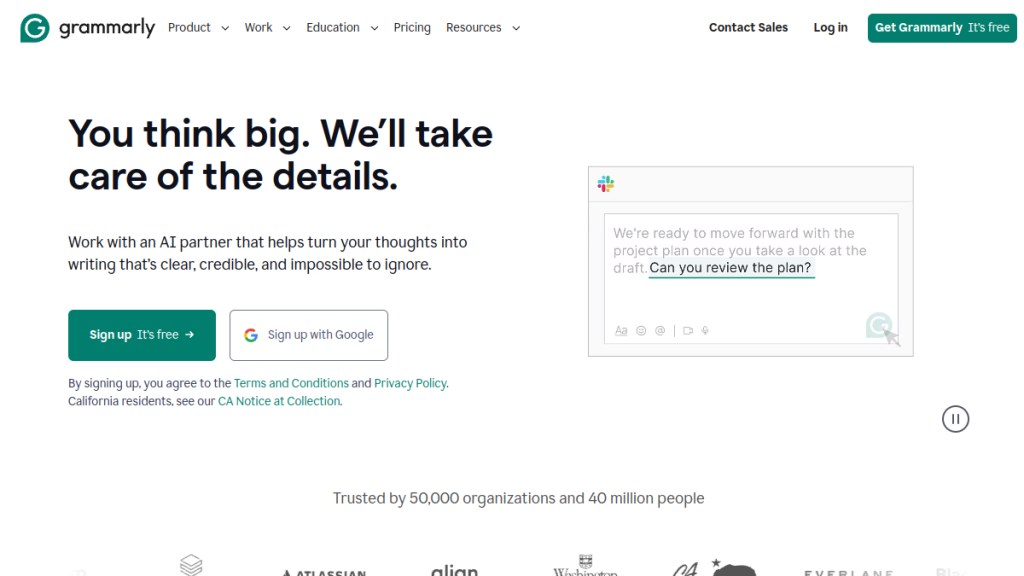
Grammarly has been the go-to writing assistant for over a decade, trusted by 40+ million users and 50,000+ organizations worldwide. But in 2026, with AI writing tools exploding everywhere, is Grammarly still worth your money?
I’ve used Grammarly Pro for 3+ years across hundreds of articles, emails, and documents. I’ll break down everything you need to know — features, pricing, pros, cons, and whether it’s right for your writing needs.
Quick Verdict
⭐ Rating: 4.6/5
💰 Pricing: Free | Pro from $12/mo (annual)
✅ Best For: Professionals, content creators, students, non-native English writers
❌ Skip If: You only write casually, or you need a full AI content generator
Bottom line: Grammarly remains the gold standard for grammar checking and writing improvement. The 2026 Pro plan adds powerful AI features (2,000 prompts/month) at the same $12/mo price. For anyone who writes professionally, it’s a no-brainer investment.
Table of Contents
- What is Grammarly?
- Key Features
- Grammarly Free vs Pro vs Enterprise
- Pricing Breakdown
- Pros and Cons
- Who Should Use Grammarly?
- Grammarly vs Competitors
- FAQs
- Final Verdict
- Install the browser extension (or desktop app)
- Grammarly automatically scans everything you type
- Underlined suggestions appear in real-time
- Click to accept changes or see explanations
- Use AI prompts to generate or rewrite text
- Spelling errors
- Grammar mistakes
- Punctuation issues
- Subject-verb agreement
- Misused words
- Double negatives
- Run-on sentences
- Confident or uncertain?
- Friendly or formal?
- Optimistic or concerned?
- Direct or diplomatic?
- Original: “The report was completed by me yesterday.”
- Rewrite: “I completed the report yesterday.”
- Making sales emails sound less pushy
- Making professional communications warmer
- Making casual notes more formal
- Generate email drafts
- Write social media posts
- Create outlines
- Brainstorm ideas
- Expand bullet points into paragraphs
- Students submitting papers
- Content marketers ensuring originality
- Writers working with research
- Educators checking student work
- Editors reviewing submissions
- Anyone concerned about AI-generated content
- Preferred terminology
- Banned words
- Tone guidelines
- Writing standards
- Browser: Chrome, Firefox, Safari, Edge
- Desktop: Windows, Mac apps
- Mobile: iOS, Android keyboards
- Office: Microsoft Word, Outlook
- Google: Google Docs
- Messaging: Slack, Discord, WhatsApp Web
- Casual users: Free is genuinely useful
- Professionals: Pro is worth every penny
- Teams 10+: Get quotes for Enterprise
- Cost: $0 forever
- What you get: Basic grammar, spelling, punctuation, tone detection, 100 AI prompts/month
- Verdict: Surprisingly capable — better than most free grammar tools
- Monthly: $30/month
- Quarterly: $20/month ($60 billed quarterly)
- Annual: $12/month ($144 billed annually)
- What you get: Everything in Free + rewrites, tone adjustment, plagiarism checker, AI detection, 2,000 AI prompts/month
- Cost: Custom quote (typically $15-25/user/month for large teams)
- What you get: Everything in Pro + unlimited AI prompts, SSO, SCIM, custom roles, DLP, dedicated support
- Write emails 10% faster (saves ~30 min/week)
- Catch 1 embarrassing typo in a client email (priceless)
- Improve your writing clarity (better responses, fewer back-and-forth)
- Best-in-class grammar checking — After testing dozens of alternatives, Grammarly still catches the most errors with the fewest false positives.
- Works everywhere — Browser extension, desktop apps, mobile keyboards. Grammarly follows you wherever you write.
- Explains corrections — You actually learn why something is wrong, not just blindly accept changes.
- Generous free tier — 100 AI prompts and full grammar checking for $0 is genuinely useful.
- Tone detection is excellent — Prevents accidentally sending passive-aggressive emails.
- 2,000 AI prompts included with Pro — Competitive with dedicated AI writing tools.
- Non-intrusive UX — Suggestions appear contextually, not in a separate window.
- Privacy-focused — Enterprise-grade security, SOC 2 certified.
- Team features — Style guides and brand tones keep organizational writing consistent.
- Not a content generator — Grammarly excels at editing, not writing from scratch. For full AI content generation, you’ll want Jasper or Copy.ai.
- Occasional false positives — Sometimes flags intentional stylistic choices (though you can dismiss or add to dictionary).
- Annual pricing required for best value — $30/month is steep; $12/month annual is great but requires commitment.
- Limited languages — Only supports English (though it helps non-native speakers write fluently in English).
- Can be distracting — Constant underlining might bother some writers who prefer to edit after drafting.
- Word/Google Docs extensions can lag — On very long documents, the plugin can slow down.
- Rock-solid grammar checking
- Universal availability (works everywhere)
- Intuitive, non-intrusive UX
- Tone detection and adjustment
- Generous AI features in Pro
- Anyone who writes professionally
- Content creators and marketers
- Students (check for .edu discounts)
- Non-native English speakers
- Teams needing consistent standards
What is Grammarly?
Grammarly is an AI-powered writing assistant that checks your spelling, grammar, punctuation, clarity, tone, and style in real-time. It works across virtually every platform where you write — Google Docs, Microsoft Word, email clients, social media, and more.
Founded in 2009, Grammarly has evolved from a simple grammar checker into a comprehensive writing coach. The 2026 version includes generative AI capabilities, allowing you to not just fix your writing but generate and rewrite content directly within the tool.
How it works:
It’s dead simple — and that simplicity is a big reason Grammarly has stayed on top while flashier tools come and go.
Key Features
1. Grammar, Spelling & Punctuation Checking
The core feature that made Grammarly famous. It catches:
What sets it apart: Grammarly explains why something is wrong, not just what’s wrong. Over time, you actually learn and improve your writing — not just rely on autocorrect.
2. Tone Detection
Grammarly analyzes your writing and shows the tone it conveys:
This is incredibly useful for professional communication. Before you hit send on that email to your boss, Grammarly tells you if it sounds passive-aggressive (even if you didn’t intend it).
3. Full-Sentence Rewrites (Pro)
Don’t like how a sentence sounds? Click the rewrite button and Grammarly suggests alternative phrasings. This goes beyond grammar — it’s about making your writing better, not just correct.
Example:
Simple change, but it makes your writing more direct and professional.
4. Tone Adjustment (Pro)
Want to sound more confident? More friendly? More formal? Grammarly can rewrite your text to match a specific tone you select. Perfect for:
5. Generative AI (2,000 Prompts/Month with Pro)
The 2026 Pro plan includes 2,000 AI prompts per month — a massive upgrade from the Free plan’s 100 prompts. Use these to:
This puts Grammarly in competition with tools like Jasper and Copy.ai rather than creating from scratch.
6. Plagiarism Detection (Pro)
Grammarly scans your text against billions of web pages to check for unintentional plagiarism. Essential for:
7. AI Content Detection (Pro)
New in 2025-2026: Grammarly can detect if text was generated by AI. Useful for:
8. Citation Consistency (Pro)
Writing academic papers? Grammarly checks that your citations follow a consistent format (APA, MLA, Chicago, etc.). Saves hours of manual formatting.
9. Style Guide & Brand Tones (Pro/Enterprise)
Teams can create custom style guides so Grammarly enforces company-specific rules:
Pro users get 1 style guide; Enterprise gets unlimited.
10. Works Everywhere
Grammarly integrates with:
This universal availability is Grammarly’s secret weapon. Unlike AI writing tools that live in their own interface, Grammarly meets you wherever you write.
Grammarly Free vs Pro vs Enterprise
| Feature | Free | Pro | Enterprise |
|---|---|---|---|
| Price | $0 | $12/mo (annual) | Custom quote |
| Grammar & Spelling | ✅ | ✅ | ✅ |
| Tone Detection | ✅ | ✅ | ✅ |
| Full-Sentence Rewrites | ❌ | ✅ | ✅ |
| Tone Adjustment | ❌ | ✅ | ✅ |
| AI Prompts | 100/month | 2,000/month | Unlimited |
| Plagiarism Detection | ❌ | ✅ | ✅ |
| AI Content Detection | ❌ | ✅ | ✅ |
| Fluency (ESL) | ❌ | ✅ | ✅ |
| Style Guide | ❌ | 1 | Unlimited |
| Brand Tones | ❌ | 1 | Unlimited |
| SSO & SCIM | ❌ | ❌ | ✅ |
| Analytics | ❌ | Team | Team + Individual |
| Priority Support | ❌ | ✅ | Dedicated |
My recommendation:
Pricing Breakdown
Grammarly Free
Grammarly Pro
Savings tip: Annual billing saves 60% compared to monthly. If you’re committed, go annual.
Grammarly Enterprise
Is Grammarly Pro Worth $12/Month?
Let’s do the math:
If Grammarly helps you:
$12/month = $0.40/day. If it saves you one cringe-worthy mistake per month or 30 minutes per week, it’s already paid for itself.
For professionals who write daily, Pro is a no-brainer ROI.
Pros and Cons
✅ Pros
❌ Cons
Who Should Use Grammarly?
Perfect For:
✅ Professionals who write emails daily
Grammarly’s tone detection and quick suggestions save time and prevent communication mishaps. Essential for anyone in client-facing roles.
✅ Content creators and bloggers
Catches errors before publishing. The plagiarism checker ensures originality. AI prompts help overcome writer’s block.
✅ Students
Plagiarism detection, citation consistency, and grammar improvement. Some universities even provide Grammarly access — check with your school.
✅ Non-native English speakers
Grammarly’s “Fluency” feature (Pro) specifically helps ESL writers sound more natural. Arguably the best tool for learning to write fluent English.
✅ Teams needing writing consistency
Style guides ensure everyone follows the same standards. Analytics show team writing trends.
Skip If:
❌ You only write casually
If you’re just texting friends or posting memes, the free tier is overkill and Pro is unnecessary.
❌ You need long-form AI content generation
Grammarly’s AI prompts are useful but limited. For writing full articles or sales pages, dedicated tools like Jasper or Writesonic are better.
❌ You write in non-English languages
Grammarly only supports English. For other languages, look at LanguageTool or DeepL.
Grammarly vs Competitors
Grammarly vs QuillBot
| Feature | Grammarly | QuillBot |
|---|---|---|
| Grammar checking | ✅ Excellent | ✅ Good |
| Paraphrasing | ✅ Good | ✅ Excellent |
| Price (Pro) | $12/mo annual | $8.33/mo annual |
| Browser extension | ✅ | ✅ |
| Plagiarism check | ✅ | ✅ |
Verdict: QuillBot is cheaper and better for paraphrasing. Grammarly is better for comprehensive grammar checking and tone analysis. Many users run both.
Read our full QuillBot review →
Grammarly vs Hemingway Editor
| Feature | Grammarly | Hemingway |
|---|---|---|
| Grammar checking | ✅ Excellent | ⚠️ Basic |
| Readability focus | ⚠️ Good | ✅ Excellent |
| Price | $12/mo | $19.99 one-time |
| Browser extension | ✅ | ❌ |
Verdict: Hemingway is great for simplifying complex writing but lacks Grammarly’s depth. Use Grammarly for day-to-day; Hemingway for focused editing sessions.
Grammarly vs ProWritingAid
| Feature | Grammarly | ProWritingAid |
|---|---|---|
| Grammar checking | ✅ Excellent | ✅ Excellent |
| In-depth reports | ⚠️ Basic | ✅ Comprehensive |
| Fiction features | ⚠️ Limited | ✅ Strong |
| Price | $12/mo annual | $10/mo annual |
Verdict: ProWritingAid offers deeper analysis and is favored by fiction writers. Grammarly is faster, more polished, and better for business writing.
FAQs
Is Grammarly Free actually free?
Yes, Grammarly Free is 100% free with no time limit. You get grammar/spelling checking, tone detection, and 100 AI prompts per month. No credit card required.
Is Grammarly safe to use?
Yes. Grammarly is SOC 2 (Type 2) certified with enterprise-grade security. Your text is encrypted in transit and at rest. Enterprise plans include additional controls like BYOK encryption and DLP.
Does Grammarly work offline?
No, Grammarly requires an internet connection to analyze your writing. The AI processing happens on their servers.
Can Grammarly detect ChatGPT content?
Yes, Grammarly Pro includes AI content detection that can identify text generated by ChatGPT, Claude, and other AI models. It’s not 100% accurate (no detection tool is), but it’s useful for initial screening.
Is Grammarly better than Microsoft Word’s grammar check?
Yes. Grammarly catches significantly more errors and offers explanations, tone detection, and rewrites that Word’s built-in checker doesn’t have.
Does Grammarly work with Google Docs?
Yes, Grammarly has a native Google Docs integration. Install the browser extension and it automatically works in Docs.
Can I use Grammarly for academic papers?
Absolutely. Grammarly’s citation consistency checker and plagiarism detection make it excellent for academic writing. The Pro plan is particularly useful for students.
Final Verdict
🏆 Our Verdict
Grammarly remains the best overall writing assistant in 2026. While competitors have emerged with niche strengths (QuillBot for paraphrasing, ProWritingAid for fiction, Jasper for content generation), no tool matches Grammarly’s combination of:
The 2026 Pro plan is the sweet spot: $12/month gets you 2,000 AI prompts, plagiarism detection, rewrites, and all the advanced features. For professionals, it’s one of the highest-ROI subscriptions you can buy.
Who should buy Grammarly Pro:
Who should stick with Free: