Your 45-minute podcast episodes get 300 views while 30-second clips from the same content rack up 15,000 views on social media, but manually editing those viral moments takes 6+ hours per long-form video. You’re watching competitors turn every piece of long-form content into dozens of short clips that dominate your shared audience. Opus Clip promises to identify and edit your best moments automatically – but can AI really understand what makes content viral?
Looking to repurpose your long-form videos into engaging short clips for TikTok, YouTube Shorts, and Instagram Reels? Opus Clip has become the go-to AI video clipping tool for creators and businesses—now used by over 12 million users worldwide. But is it worth adding to your content workflow?
in this Opus Clip review, I’ll break down everything you need to know: features, pricing, pros and cons, and whether it actually delivers on its promise of turning hours of video editing into minutes. Let’s see if this AI tool can help you go viral.
Quick Verdict
⭐ Rating: 4.6/5
💰 Pricing: Free plan available | Paid from $15/month
✅ Best For: YouTubers, podcasters, content agencies, social media managers
❌ Skip If: You need advanced manual editing control or work exclusively with non-talking-head content without the Pro plan
| Feature | Rating |
|---|---|
| AI Clipping Quality | ⭐⭐⭐⭐⭐ |
| Ease of Use | ⭐⭐⭐⭐⭐ |
| Caption Accuracy | ⭐⭐⭐⭐⭐ |
| Value for Money | ⭐⭐⭐⭐ |
| Export Options | ⭐⭐⭐⭐ |
| Customer Support | ⭐⭐⭐⭐ |
Bottom Line: Opus Clip is the best AI video clipping tool I’ve tested in 2026. The ClipAnything model works across virtually any video genre, the automated captions are remarkably accurate, and the virality scoring helps you prioritize clips that are most likely to perform. At $29/month for the Pro plan, it’s a no-brainer for anyone creating short-form content at scale.
Table of Contents
- What is Opus Clip?
- Key Features
- Pricing Plans
- Pros and Cons
- Who Should Use Opus Clip?
- Opus Clip vs Alternatives
- FAQs
- Final Verdict
What is Opus Clip?
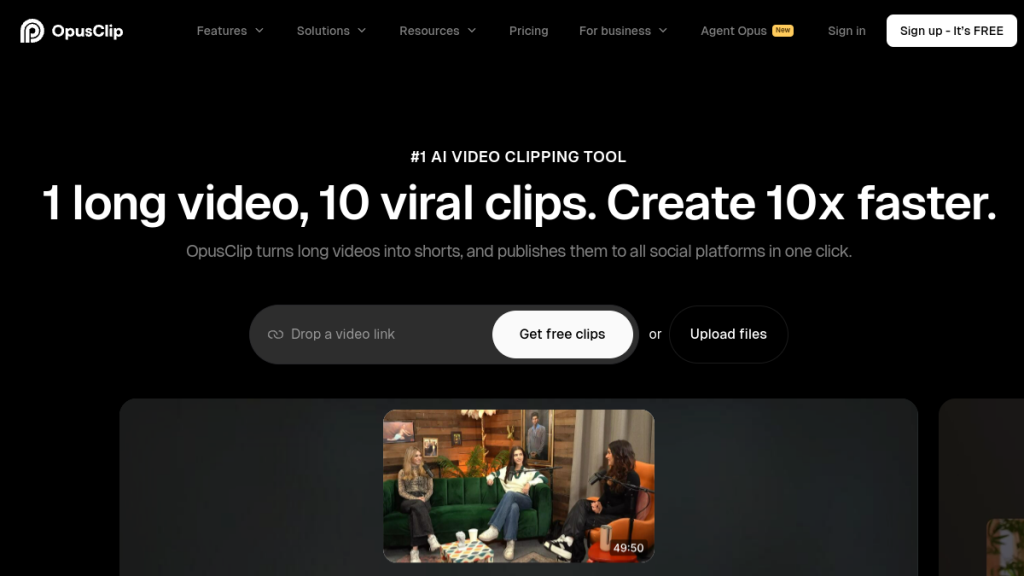
Opus Clip is an AI-powered video repurposing platform that automatically transforms long-form videos into short, viral-ready clips optimized for social media platforms like TikTok, YouTube Shorts, Instagram Reels, and LinkedIn.
Founded by former tech industry veterans, Opus Clip now serves over 12 million creators and businesses, including major names like Grant Cardone (4.7M followers), Logan Paul (23.6M subscribers), Mark Rober (65.9M subscribers), and Jacksfilms (5.08M subscribers).
How Opus Clip Works
The platform uses advanced AI models to:
- Analyze your video content against social media trend data
- Identify highlight moments that have viral potential
- Extract and rearrange clips into coherent, standalone shorts
- Add dynamic captions with 97%+ accuracy
- Reframe video for vertical formats (9:16) with AI object tracking
- Score clips based on predicted virality
What used to take hours of manual scrubbing, cutting, and captioning now happens in minutes. You upload a video, and Opus Clip returns a batch of ready-to-post clips.
What Types of Videos Work?
The ClipAnything model (their newest AI) supports virtually any video type:
- Talking-head content: Podcasts, interviews, vlogs, educational videos
- Non-dialogue content: Gaming, sports, music videos, b-roll heavy content
- Entertainment: TV show clips, movie reactions, comedy
- Business content: Webinars, presentations, sales videos
This is a significant advantage over competitors that only work well with podcast-style content.
Key Features
1. ClipAnything AI Model
The flagship feature that sets Opus Clip apart. ClipAnything analyzes visual, audio, and sentiment cues to identify the best moments in ANY video type—not just talking-head formats.
What makes it special:
- Works on vlogs, gaming, sports, interviews, explainers
- Uses natural language prompts to find specific moments
- Identifies emotional peaks, punchlines, and key insights
- Understands context, not just speech patterns
Example use case: Upload a 1-hour gaming stream, and ClipAnything extracts the epic kills, funny moments, and rage clips automatically.
2. ReframeAnything (AI Object Tracking)
Automatically resizes horizontal (16:9) videos to vertical (9:16) format while keeping the most important subjects centered.
Key capabilities:
- AI-powered moving object tracking
- Automatic speaker focus in multi-person videos
- Manual tracking override for custom focus points
- Supports multiple aspect ratios: 9:16, 1:1, 16:9
This eliminates the tedious work of manually keyframing reframes throughout a clip.
3. Virality Score
Each generated clip receives a Virality Score (powered by machine learning) that predicts its potential to perform well on social media.
How it works:
- Analyzes hook strength, pacing, and emotional impact
- Compares against trending patterns on major platforms
- Helps prioritize which clips to post first
- Updates based on real performance data
Pro tip: Focus on clips scoring 70+ for your best results.
4. AI Captions (97%+ Accuracy)
Automatic captions with multiple animated styles—essential for social media where 85% of videos are watched on mute.
Caption features:
- 25+ language support (English, Spanish, German, French, Japanese, Korean, and more)
- Multiple animated templates (TikTok-style, minimal, bold)
- Auto-highlight keywords and emojis
- Auto-censor curse words (customizable on Business plan)
- Custom font upload (Pro and above)
- Speaker-based color coding (Business plan)
5. B-Roll Generator
Add visual interest to talking-head clips with AI-generated or stock B-roll.
Options:
- AI B-Roll Generator: Creates relevant visuals based on what’s being discussed
- Stock B-Roll: Access to library of stock footage
- Pro plan: 50 AI B-roll clips/day, unlimited stock
6. AI Voice-Over
Generate voice-overs to replace or supplement original audio—useful for fixing audio issues or creating multi-language versions.
- 20 voice-overs per day on paid plans
- Multiple voice styles and languages
7. Filler Word & Pause Removal
Automatically detect and remove “um,” “uh,” and awkward pauses to create tighter, more engaging clips.
8. Social Media Publishing
Post directly to social platforms or schedule content in advance.
Publishing features:
- Direct posting to TikTok, YouTube, Instagram, LinkedIn
- Social media scheduler (Pro plan)
- Post to multiple profiles per platform
- Auto-generated titles, descriptions, and hashtags
9. Team Collaboration
For agencies and teams, Opus Clip offers workspace features:
- Team workspace with role management
- Up to 4 users on Pro plan, unlimited on Business
- Folder management
- 100GB storage on Pro, unlimited on Business
- Shareable project links
10. Workflow Automation
Integrate Opus Clip into your content pipeline:
- Zapier integration (up to 300 credits/month on Pro)
- API access (Business plan)
- CMS integration (Business plan)
- Auto-import from verified YouTube accounts
Pricing
Opus Clip offers four pricing tiers. Here’s the breakdown:
Pricing Comparison Table
| Feature | Free | Starter ($15/mo) | Pro ($29/mo) | Business (Custom) |
|---|---|---|---|---|
| Monthly Credits | 60 min | Varies by plan | Varies by plan | Custom |
| Watermark-Free Export | ❌ | ✅ | ✅ | ✅ |
| Virality Score | ❌ | ✅ | ✅ | ✅ |
| Storage | 3 days | 29 days | 100GB | Unlimited |
| Max File Size | 10GB | 10GB | 30GB | 30GB |
| Aspect Ratios | 9:16 only | 9:16 only | 9:16, 1:1, 16:9 | All |
| B-Roll Generator | ❌ | 3/month | 50/day | 50/day |
| Social Scheduler | ❌ | ❌ | ✅ | ✅ |
| Zapier | ❌ | ❌ | 300 credits/mo | Unlimited |
| API Access | ❌ | ❌ | ❌ | ✅ |
| Team Members | 1 | 1 | Up to 4 | Unlimited |
| Support | Discord | Discord + AI Chat | Live Chat | Dedicated Slack |
Free Plan
The free tier gives you:
- 60 minutes of video processing per month (~20 clips)
- Watermarked exports
- Clips expire after 3 days
- Basic AI clipping with 9:16 format only
- Discord community support
Verdict: Good for testing the platform, but the watermark and 3-day expiration make it impractical for serious use.
Starter Plan – $15/month
A solid entry point with:
- More processing credits
- Watermark-free exports
- Virality scoring
- 29-day clip storage
- Reprompting to finetune results
- Direct social media posting
Best for: Individual creators posting a few clips per week.
Pro Plan – $29/month (Most Popular)
The sweet spot for most creators:
- Faster processing speeds
- 30GB file uploads
- All aspect ratios (9:16, 1:1, 16:9)
- 100GB fixed storage
- 50 AI B-roll clips/day
- Speech enhancement (10/day)
- Social media scheduler
- Bulk export
- Export to Premiere Pro & DaVinci Resolve
- Zapier integration (300 credits)
- Up to 4 team members
Best for: Active creators, podcasters, and small content teams.
Business Plan – Custom Pricing
Enterprise features including:
- Dedicated processing queue (fastest)
- API access
- CMS integration
- Unlimited team members and storage
- Custom vocabulary and branding
- SSO and SLM security
- Dedicated Slack support
- Invoice and ACH payment options
- SOC II Type 2 compliant
Best for: Agencies, media companies, enterprise teams.
Is Opus Clip Worth the Price?
At $29/month for Pro, Opus Clip pays for itself if it saves you even 2-3 hours of editing per month. For context:
- Manual clipping: 30-60 minutes per short clip (finding moment, cutting, adding captions, reframing)
- With Opus Clip: 5-10 minutes per batch of clips
If you’re creating 10+ short clips per month, the ROI is obvious. The time savings alone justify the cost—even before factoring in the virality scoring and quality improvements.
Pros and Cons
Pros ✅
- Exceptional AI accuracy — ClipAnything genuinely works across video genres, not just podcasts
- Massive time savings — What took hours now takes minutes
- High caption accuracy — 97%+ accuracy reduces manual corrections
- Virality scoring — Data-driven prioritization of clips
- Multiple aspect ratios — One upload, multiple platform formats
- Clean interface — Intuitive even for non-technical users
- Generous free tier — 60 minutes/month to test
- Strong integrations — Zapier, API, direct social posting
- Proven results — Used by creators with 50M+ combined subscribers
- Multi-language support — 25+ languages for global reach
Cons ❌
- Free plan watermarks — Unusable for professional content
- 3-day clip expiration on free — Must download immediately
- API only on Business — Automation requires expensive tier
- No mobile app — Web-only interface
- Credit system can be confusing — Processing time vs. output clips
- Custom fonts limited — Only 2 fonts on Pro plan
- Some manual polish needed — AI isn’t perfect; expect minor edits
Who Should Use Opus Clip?
Perfect For:
YouTubers & Podcasters
If you create long-form content and want to maximize reach with shorts, Opus Clip is essential. Upload your 1-hour podcast, get 10-20 clips ready to post.
Content Agencies
Scale your short-form output without scaling your team. The team workspace and Zapier integration support high-volume workflows.
Social Media Managers
Manage multiple clients’ content with team workspaces, scheduled posting, and consistent branding templates.
Course Creators & Educators
Repurpose educational content into bite-sized social clips to drive traffic to courses and memberships.
Coaches & Consultants
Turn coaching calls and webinars into thought leadership clips for LinkedIn and Instagram.
Gaming Creators
The ClipAnything model now handles gaming content—extract highlights, fails, and funny moments automatically.
Skip If:
- You need frame-perfect manual editing control
- You exclusively create polished, scripted shorts from scratch (not repurposing)
- Your budget is under $15/month and you need watermark-free exports
- You require API access but can’t afford Business tier
Opus Clip vs Alternatives
How does Opus Clip stack up against competitors?
| Feature | Opus Clip | Descript | Kapwing | Veed.io |
|---|---|---|---|---|
| AI Auto-Clipping | ⭐⭐⭐⭐⭐ | ⭐⭐⭐ | ⭐⭐ | ⭐⭐ |
| Virality Score | ✅ | ❌ | ❌ | ❌ |
| Caption Accuracy | 97%+ | 95% | 90% | 92% |
| Video Types Supported | All | Talking-head | All | All |
| Starting Price | $15/mo | $12/mo | $24/mo | $18/mo |
| Best For | Repurposing | Podcast editing | General editing | Quick edits |
Opus Clip vs Descript
Descript is excellent for podcast editing with its text-based timeline, but its AI clipping is less sophisticated than Opus Clip’s. Choose Descript if you need deep podcast editing; choose Opus Clip if you want the best auto-clipping AI.
Opus Clip vs Kapwing
Kapwing is a general-purpose video editor with AI features bolted on. Opus Clip is purpose-built for repurposing. If clipping is your primary need, Opus Clip wins decisively.
Opus Clip vs Veed.io
Veed.io offers similar caption features but lacks Opus Clip’s virality scoring and ClipAnything model. Opus Clip extracts better moments more consistently.
Winner: For AI-powered video repurposing specifically, Opus Clip is the clear market leader in 2026.
FAQs
Is Opus Clip free to use?
Yes, Opus Clip offers a free forever plan with 60 minutes of video processing per month. However, exports include a watermark and clips expire after 3 days. New users also get a 7-day free trial of the Pro plan with 90 minutes of processing.
How accurate are Opus Clip’s captions?
Opus Clip claims 97%+ caption accuracy, which aligns with my testing. For clean audio, accuracy is excellent. Background noise or multiple overlapping speakers can reduce accuracy, but it’s still among the best in the industry.
What video formats does Opus Clip support?
Opus Clip accepts most common video formats including MP4, MOV, and more. Maximum file size is 10GB on free/Starter and 30GB on Pro/Business plans.
Can I use Opus Clip for gaming videos?
Yes! The ClipAnything model specifically supports gaming content, sports, vlogs, and other non-talking-head formats. This is a major differentiator from competitors.
Does Opus Clip work with YouTube?
Absolutely. You can import videos directly from a verified YouTube account (Starter and above), and Opus Clip formats clips perfectly for YouTube Shorts with the 9:16 aspect ratio.
How many clips can I create per month?
This depends on your plan and video length. The free plan offers 60 minutes of processing, which typically yields 20-30 clips. Paid plans offer more processing time with the Pro plan being the most popular for active creators.
Can I customize the captions?
Yes. You can edit caption text, choose from multiple animated styles, upload custom fonts (Pro+), enable emoji/keyword highlights, and set speaker-based colors (Business).
Final Verdict
🏆 Our Verdict
Opus Clip is the best AI video clipping tool available in 2026. The combination of ClipAnything (works on any video type), ReframeAnything (smart vertical reformatting), virality scoring, and 97%+ accurate captions creates a platform that genuinely delivers on its promises.
Is it perfect? No. The free tier’s watermarks make it impractical for serious use, and power users might want API access without paying enterprise prices. But for the core use case—turning long videos into viral shorts—nothing else comes close.
Who should get Opus Clip?
- Free tier: Test the platform, see if it fits your workflow
- Starter ($15/mo): Casual creators posting a few clips weekly
- Pro ($29/mo): Active creators, podcasters, small teams (best value)
- Business (Custom): Agencies and enterprises needing API/SSO
My recommendation:
Start with the 7-day Pro trial to experience the full feature set. If you’re creating any kind of long-form video content and want to expand to short-form platforms, Opus Clip will pay for itself in time savings within the first week.
Rating: 4.6/5 — The leading AI video clipping tool, held back only by some pricing limitations on advanced features.
Ready to Try Opus Clip?
Related Reviews:
- Descript Review 2026
- HeyGen Review 2026
- Pictory Review 2026
- InVideo AI Review 2026
- Best AI Video Generators 2026
This review was independently researched. We may earn a commission if you purchase through our links, at no extra cost to you.
Frequently Asked Questions
What exactly is Opus Clip and how does it work?
Opus Clip is an AI-powered video repurposing tool that automatically converts long-form videos into short, engaging clips suitable for platforms like TikTok and YouTube Shorts. It analyzes your content to identify the most viral moments, streamlining the editing process significantly.
Is Opus Clip easy to use for someone who isn’t tech-savvy?
Yes, Opus Clip is designed with user-friendliness in mind, making it accessible even for those without technical expertise. The intuitive interface allows users to quickly upload their videos and receive edited clips in just a few minutes.
What are the pricing options for Opus Clip?
Opus Clip offers a free plan with basic features, while the paid plans start at $15 per month for more advanced options. The Pro plan, priced at $29 per month, provides additional features like enhanced editing controls and better export options.
Can Opus Clip really help my content go viral?
Opus Clip utilizes AI to score your clips based on their potential virality, helping you prioritize which moments to share. While it can’t guarantee virality, its automated features can significantly enhance your chances of reaching a larger audience.
Who should consider using Opus Clip?
Opus Clip is ideal for YouTubers, podcasters, content agencies, and social media managers who frequently create long-form content. If you’re looking to efficiently produce short clips for social media, this tool can save you time and effort.
What are some pros and cons of using Opus Clip?
Pros of Opus Clip include its high-quality AI clipping, ease of use, and accurate captioning. However, it may not be suitable for those needing advanced manual editing controls or for content types that don’t feature talking heads unless you opt for the Pro plan.
How does Opus Clip compare to other video editing tools?
Opus Clip stands out due to its AI-driven automation, making it faster and more efficient for creating short clips compared to traditional editing software. While other tools may offer more manual control, Opus Clip excels in repurposing content quickly for social media.