You finished your chapter. You read it back. Something feels off — the sentences are clunky, the dialogue drags, and you’ve used the word “suddenly” eleven times. You open Grammarly, and it catches a typo. Great. Now what?
That’s the gap ProWritingAid was built to fill. Not just catching errors, but showing you why your prose isn’t landing — and how to fix it at the craft level. After testing this tool extensively and digging through what over 4 million writers have said about it, here’s the honest verdict.
What Is ProWritingAid?
ProWritingAid is a grammar checker, style editor, and writing analysis platform that goes several layers deeper than most tools in its category. Founded in 2012 in London, it started as one person’s solution to their own writing struggles — and has grown into one of the most comprehensive writing feedback tools available.
The core difference between ProWritingAid and basic grammar checkers: it doesn’t just flag what’s wrong, it explains the underlying writing principle you’re violating. Passive voice? It tells you why that weakens your sentence. Overused words? It shows you patterns across your entire document. Slow pacing in chapter three? It maps exactly where your paragraph lengths balloon and your story stalls.
Think of it as the difference between a spell-checker and a developmental editor — one finds mistakes, the other makes you a better writer.
Who Is ProWritingAid For?
Be honest with yourself before buying any writing tool. ProWritingAid has a clear sweet spot — and a clear “not for you” list.
It’s built for:
- Fiction and non-fiction authors — especially anyone using Scrivener. The direct Scrivener integration alone is worth the price of admission for novel writers. No other major writing tool offers this.
- Long-form bloggers and content marketers — if you’re regularly publishing 1,500+ word articles and care about readability scores, ProWritingAid gives you data other tools don’t.
- Academics and students — the plagiarism checker, citation checking, and formal style guidance are genuinely useful here.
- Writers who want to improve — not just fix errors, but understand why their writing works or doesn’t. The in-tool explanations are actually educational.
- Anyone with a one-time budget — the Lifetime plan makes ProWritingAid a different category of purchase than a monthly subscription.
Not the right fit if:
- You need a quick grammar check for emails, Slack messages, or social posts — Grammarly’s browser integration is faster and more seamless for this use case.
- You’re a complete beginner who wants simple, low-friction feedback. ProWritingAid’s 25+ reports can feel like drinking from a fire hose at first.
- You work exclusively in Google Docs and don’t want to leave the browser — the browser extension works, but the experience is richer in the desktop app.
For more context on how ProWritingAid fits into the broader landscape, see our roundup of the best AI writing tools in 2026.
Key Features (Verified from ProWritingAid.com)
25+ In-Depth Writing Reports
This is ProWritingAid’s signature feature — and where it genuinely has no equal. Run a Grammar report, get your typos. But the real value is in the reports nobody else offers:
- Style Report: Catches passive voice, hidden verbs, “weasel words,” and weak sentence constructions that make writing feel vague.
- Pacing Report: Shows you a visual map of paragraph length across your document. Fiction writers: this is how you find where your story drags.
- Overused Words Report: Highlights words you’ve leaned on too heavily. Every writer has their verbal tics — ProWritingAid names yours specifically.
- Sentence Length Report: Monitors variety. Monotone sentence structure kills reader engagement, and this catches it before your readers notice.
- Echoes Report: Identifies when you’ve used the same word or phrase too close together — a subtle polish step most editors charge extra for.
- Transitions Report: Flags where your logic gaps exist between ideas.
- Sensory Report: Analyzes your use of the five senses — particularly valuable for fiction writers trying to master “show, don’t tell.”
- Readability Report: Uses multiple scoring systems (including Flesch-Kincaid) to grade how accessible your writing is for different audiences.
- Dialogue Report: Evaluates your dialogue tags, speaker attribution, and formatting — a feature most tools ignore entirely.
Here’s what other reviews skip: you don’t need to run all 25 reports on every document. Start with three — Style, Overused Words, and Sentence Length. That combination alone will have a bigger impact on your writing than most people expect.
Chapter Critique and Manuscript Analysis
These are ProWritingAid’s newer AI-powered features, and they’re genuinely impressive for authors working on long-form projects.
Chapter Critique gives you beta-reader-style feedback on a single chapter — what’s working, what isn’t, where your characterization feels thin, and where your pacing drags. The Premium plan includes 1 Chapter Critique per day; Premium Pro gives you 3.
Manuscript Analysis takes your full book and provides expert-level feedback on structure, plot, pacing, and characterization. This used to require hiring a developmental editor for $500-$2,000 per manuscript. ProWritingAid does it in minutes — though it’s not a perfect replacement, it’s a serious first pass.
Virtual Beta Reader delivers emotional, first-person feedback simulating a reader’s experience — identifying where the story hooks them, where it loses them, and which characters resonate. This is honestly one of the more creative AI applications in any writing tool on the market.
Rephrase Tool and Sparks
The Rephrase tool lets you rewrite sentences to be more formal, more informal, shorter, longer, or more fluent. Free users get 10 rephrases per day; Premium unlocks unlimited.
Sparks is ProWritingAid’s AI generation feature — it can expand, summarize, continue, or enhance your writing. Free users get 3 Sparks per day; Premium gives 5; Premium Pro gives 50. It’s not designed to replace dedicated AI content generators like Jasper — it’s positioned as a focused writing aid rather than a content creation engine.
Author Comparison
This one’s fun: ProWritingAid lets you compare your writing style against 90+ fiction authors, including Stephen King, J.K. Rowling, and Cormac McCarthy. It measures things like average sentence length, dialogue percentage, and adverb usage. Genuinely useful for writers trying to match a genre’s conventions, or just interesting to see how your natural style lands on the spectrum.
Integrations
ProWritingAid’s integration list is broader than most tools in this category:
- Scrivener — Direct integration. This is the one that matters for serious novelists.
- Microsoft Word — Add-in available for both Windows and Mac.
- Google Docs — Via browser extension.
- Browser extensions — Chrome, Firefox, Safari, Edge. Works across web-based writing environments.
- Final Draft — For screenwriters.
- OpenOffice — Via desktop app.
The desktop app also allows offline work — a notable advantage if you write in locations without reliable internet.
Plagiarism Checker
Premium and Premium Pro plans include plagiarism checking against web pages and published works. The number of checks varies by plan. This is useful for academics and bloggers who want confidence their content is original before publishing.
Custom Style Guide and Terminology Management
Premium users can create custom style rules — tell ProWritingAid to always flag a specific word, ignore a particular cliché in dialogue, or flag industry-specific terminology. The terminology management feature lets you upload a term base for preferred terms — useful for corporate communications or technical writing with specific vocabulary requirements.
Pricing Plans (Verified February 2026)
ProWritingAid’s pricing structure is genuinely unusual in this market — and the Lifetime plan deserves special attention.
| Plan | Monthly Price | Annual Price | Key Limits |
|---|---|---|---|
| Free | $0 | $0 | 500-word limit, 2 report runs/day, 10 rephrases/day, 3 Sparks/day |
| Premium | $30/month | $10/month ($120/year) | Unlimited word count, unlimited reports, 5 Sparks/day, 1 Chapter Critique/day |
| Premium Pro | $36/month | Yearly pricing available | 50 Sparks/day, 3 Chapter Critiques/day, live workshops, 200+ on-demand sessions |
Lifetime Plan: ProWritingAid periodically offers a one-time payment lifetime license. Historically priced around $399-$499, this gives you all Premium features forever with no recurring subscription. If you plan to use a writing tool for more than 3-4 years — and most serious writers do — the math makes this the obvious choice.
Honest take: the free plan gives you enough to understand what the tool does, but the 500-word limit means you can’t actually use it on a full article or chapter. It’s more of a demo than a functional free tier. If you’re serious about writing, the annual Premium plan at $10/month is where the real value starts — and the Lifetime deal, when available, is genuinely hard to argue against.
ProWritingAid vs. Grammarly: The Real Comparison
This is the question every potential ProWritingAid user asks. Both tools check grammar. The similarity ends there.
You can read our full Grammarly Review 2026 and the detailed Grammarly vs. QuillBot comparison for more context, but here’s the ProWritingAid-specific breakdown:
| Feature | ProWritingAid | Grammarly |
|---|---|---|
| Target User | Long-form writers, authors, academics | General use — business, students, everyday writing |
| Depth of Feedback | 25+ reports covering style, pacing, structure, dialogue | Grammar, clarity, conciseness, tone, delivery |
| Scrivener Integration | Yes — direct integration | No |
| Pricing | $10/month annual + Lifetime option | $12-$15/month annual, no Lifetime deal |
| Free Plan | 500-word limit, limited daily uses | Unlimited text, basic corrections |
| Speed/UX | Feature-rich, steeper learning curve | Clean, fast, minimal friction |
| Business Writing | Functional but not primary focus | Tone detector, email suggestions, real-time everywhere |
| Offline Access | Desktop app works offline | Requires internet connection |
The honest answer: Grammarly wins on convenience. If you need quick real-time corrections as you type in Gmail, Slack, or Twitter, Grammarly’s browser extension is frictionless. ProWritingAid wins on depth. If you’re editing a 70,000-word novel or want to actually improve as a writer, ProWritingAid’s analysis goes deeper than anything Grammarly offers.
They’re not really competing for the same user. One is a spell-checker on steroids; the other is a writing coach.
Pros and Cons
What ProWritingAid Does Well
- Depth that changes writing habits: After using ProWritingAid regularly, writers genuinely start catching their own overused words and passive constructions before the software does. That’s rare for any editing tool.
- Scrivener integration is genuinely unique: No other major grammar/style tool integrates directly with Scrivener. For novelists, this alone justifies the subscription.
- Lifetime pricing model: In a market where every tool charges monthly forever, the Lifetime deal stands out as a real financial win for committed writers.
- Manuscript-level analysis: Chapter Critique and Manuscript Analysis give novel writers feedback that previously required paying a human editor. Not a full replacement, but a serious first-pass tool.
- Offline capability: The desktop app works without an internet connection — genuinely useful for writers who work while traveling.
- Data privacy commitment: ProWritingAid explicitly states it doesn’t use your writing to train AI models. In a world where every tool seems to vacuum up your data, this matters.
- Sensory and Dialogue reports: These are craft-level features that don’t exist in other tools. The Sensory Report teaching “show don’t tell” through actual data is clever.
Where It Falls Short
- The free plan is barely functional: 500 words is not enough to test the tool on a real document. You’ll need to upgrade to genuinely evaluate it.
- Report overload for new users: 25+ reports sounds impressive; in practice it can feel paralyzing. Which report do you run first? The tool doesn’t guide you well on this.
- Sparks is limited on lower tiers: 3-5 Sparks per day on Free and Premium is nearly useless if you want meaningful AI-assisted rewriting. Premium Pro’s 50/day is where it becomes practical.
- Interface feels dated compared to competitors: Grammarly and Wordtune have cleaner, more modern UIs. ProWritingAid’s interface is functional but not beautiful.
- Real-time corrections are slower: The browser extension doesn’t match Grammarly’s near-instant inline suggestions. If speed matters, this is noticeable.
- Story Credits add-on cost: Manuscript Analysis and Virtual Beta Reader require “Story Credits” — an additional purchase layer on top of your subscription. The cost isn’t hidden, but it’s an extra step that can surprise new users.
ProWritingAid Alternatives
No tool is perfect for everyone. Here’s how ProWritingAid stacks up against the closest alternatives we’ve covered on computertech.co:
Grammarly
The most popular writing assistant in the world, and for good reason. Where ProWritingAid wins on depth and long-form analysis, Grammarly wins on real-time convenience, interface polish, and universal browser integration. If most of your writing happens in emails, docs, and web forms — Grammarly is probably the right choice. For novel writers and long-form content creators, ProWritingAid offers more.
QuillBot
QuillBot’s strength is paraphrasing — it’s the tool you use when you need to rewrite a sentence multiple ways quickly. QuillBot Review 2026 covers this in depth, but the short version is: QuillBot is a rephrasing specialist, ProWritingAid is a writing analyst. They solve different problems, and many writers use both.
Wordtune
Wordtune focuses on real-time sentence rewrites — suggesting alternative phrasings as you type. It’s faster and more focused than ProWritingAid, but doesn’t offer the deep style and pacing analysis. See our Wordtune Review 2026 for the full breakdown.
Hemingway Editor
The Hemingway App is the minimalist option — it grades your writing’s readability and flags complex sentences and adverb overuse. It’s free (in the browser) and brutally simple. No integrations, no AI suggestions, no reports — just a readability score and color-coded problem areas. Good for a quick pass; ProWritingAid does everything Hemingway does plus an enormous amount more.
Jasper AI
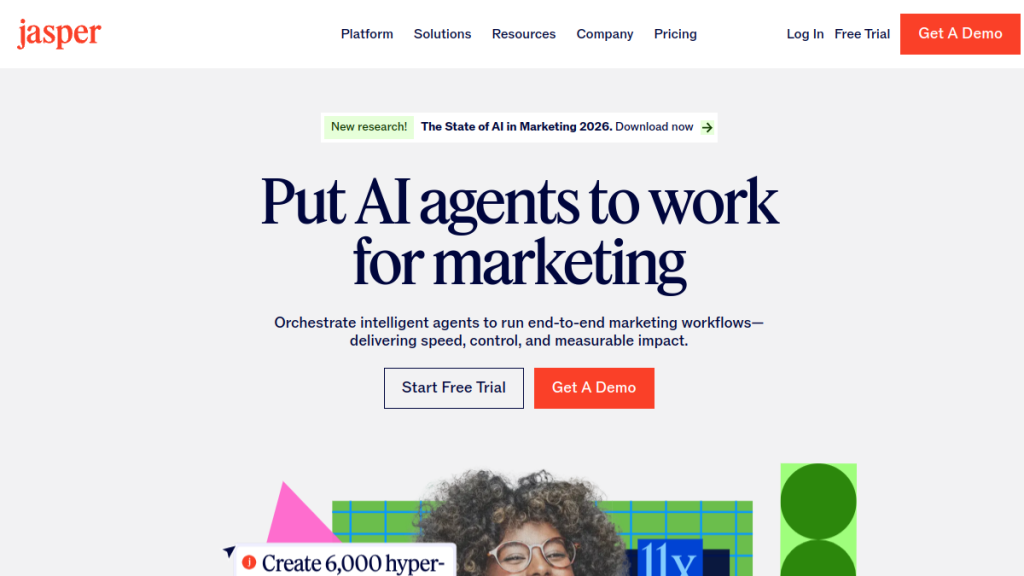
Jasper isn’t really a writing editor — it’s an AI content generator. But writers often compare these categories, so it’s worth clarifying: Jasper creates content from scratch; ProWritingAid edits and improves content you’ve already written. They’re complementary, not competing. Many content marketers use both — Jasper to generate drafts, ProWritingAid to refine them.
Scalenut
For SEO content writers specifically, Scalenut combines content generation with SEO optimization. It’s built for ranking in Google, where ProWritingAid is built for craft. If your writing goal is search traffic rather than storytelling, Scalenut might serve you better.
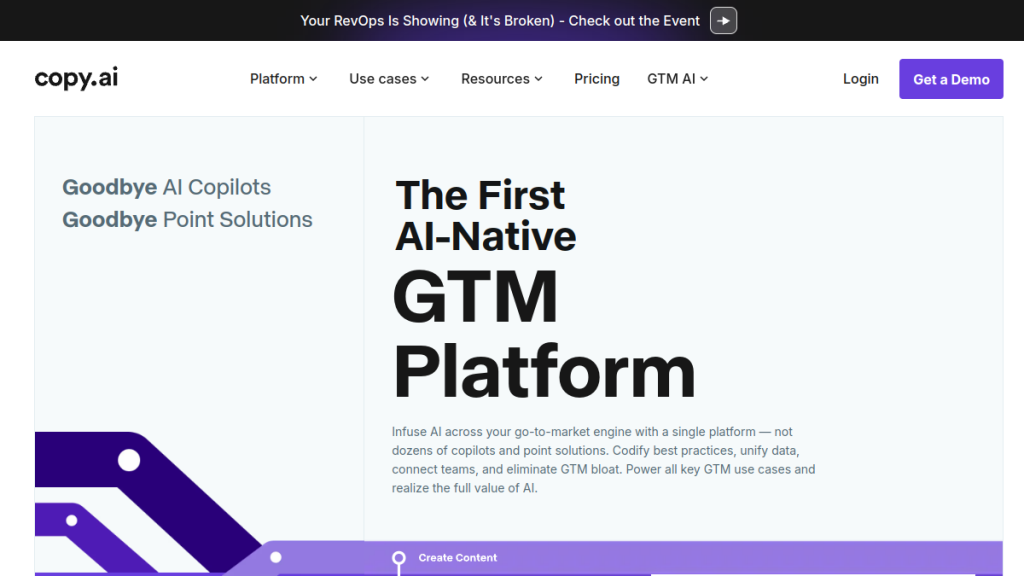
For a broader comparison of AI writing tools, our Best AI Writing Tools 2026 roundup covers 15+ options side by side. And if you’re specifically comparing AI writing generators, the Jasper vs. Copy.ai vs. Writesonic comparison breaks down the generation side of the market.
What Real Users Are Saying
ProWritingAid has been around since 2012, so the user feedback pool is deep. Here’s what holds up across multiple review sources:
Consistently praised: The depth of analysis, the Lifetime deal value, the Scrivener integration, and the educational aspect — users repeatedly mention that they’ve become better writers because of ProWritingAid, not just written cleaner sentences.
Consistently criticized: The learning curve, the interface complexity, and the fact that the free plan is too limited to meaningfully evaluate. Some users find the sheer number of reports overwhelming and end up using only three or four regularly.
Long-time users (some report using it for 10+ years) tend to be its strongest advocates — which suggests the value compounds over time rather than wearing thin. Writers who try it for a month and don’t see results often later admit they were running the wrong reports or not engaging with the explanations.
Final Verdict: Is ProWritingAid Worth It?
Yes — with a specific caveat.
ProWritingAid is worth it if you’re serious about writing as a craft or profession. If you’re writing novels, long-form content, academic papers, or anything where the quality of your prose actually matters beyond just being grammatically correct — this tool has no real competitor at its price point. The depth of analysis, the Scrivener integration, and the Lifetime plan value make it a straightforward recommendation.
It’s not worth it if you need a quick grammar check for casual writing. Grammarly or even free tools serve that use case better, with less friction.
One more thing other reviews won’t tell you: the writers who get the most out of ProWritingAid are the ones who use it to learn, not just to fix. Every flagged suggestion comes with an explanation. Read those explanations, especially when you’re starting out. That’s the part that makes you a better writer — not just the corrections themselves.
Start with the annual Premium plan at $10/month. If the Lifetime deal is available when you check, and you plan to write for the next several years, buy it. The math works out quickly.
Frequently Asked Questions
Does ProWritingAid work offline?
The desktop app supports offline access, which is a genuine advantage for writers who work while traveling or in areas with limited connectivity. Browser extensions and the web editor require an internet connection. If offline access matters to you, ProWritingAid is one of the few tools in this category that supports it.
Is ProWritingAid better than Grammarly for novelists?
Yes, for most novel writers. The Scrivener integration alone is a significant advantage — no other major grammar tool offers this. Beyond that, the pacing report, dialogue analysis, sensory report, and manuscript-level analysis features are specifically built for long-form fiction in ways that Grammarly simply doesn’t match. For quick email and social media corrections, Grammarly is more convenient.
Can I use ProWritingAid for free?
Yes, but the free plan is very limited. You’re capped at 500 words per document, 2 report runs per day, 10 rephrases per day, and 3 Sparks per day. This is enough to get a feel for the interface but not enough to use on real projects. Think of the free plan as a demo, not a functional working tool.
Is the ProWritingAid Lifetime deal worth it?
If you plan to write for more than 3-4 years (and most serious writers do), the Lifetime deal pays for itself compared to ongoing subscriptions. At roughly $399-$499 historically, you’re paying for about 3 years of Premium pricing — and then getting all future updates for free. It’s one of the better software value propositions in this market. Check their pricing page to see if it’s currently available.
Does ProWritingAid use my writing to train its AI?
No. ProWritingAid explicitly states they use bank-level security and do not use your text to train their algorithms. This is a meaningful differentiator for writers who are protective of their work — particularly those writing unpublished novels or proprietary content.
What’s the difference between ProWritingAid Premium and Premium Pro?
The main differences are in daily usage limits and community features. Premium Pro gives you 50 Sparks per day (vs. 5), 3 Chapter Critiques per day (vs. 1), and access to live workshops with authors and editors, a 200+ session on-demand library, and community features like co-writing sprints and group critique sessions. If you’re serious about developing your craft and want the educational community access, Premium Pro makes sense. If you primarily want the analysis tools, Premium covers you.
Does ProWritingAid work with Google Docs?
Yes, via browser extension (available for Chrome, Firefox, Safari, and Edge). The experience isn’t quite as seamless as the desktop app, but it works functionally within Google Docs. For heavy Google Docs users, the browser extension is the recommended integration path.
{“@context”:”https://schema.org”,”@type”:”FAQPage”,”mainEntity”:[
{“@type”:”Question”,”name”:”Does ProWritingAid work offline?”,”acceptedAnswer”:{“@type”:”Answer”,”text”:”The desktop app supports offline access, which is a genuine advantage for writers who work while traveling or in areas with limited connectivity. Browser extensions and the web editor require an internet connection.”}},
{“@type”:”Question”,”name”:”Is ProWritingAid better than Grammarly for novelists?”,”acceptedAnswer”:{“@type”:”Answer”,”text”:”Yes, for most novel writers. The Scrivener integration alone is a significant advantage — no other major grammar tool offers this. Beyond that, the pacing report, dialogue analysis, sensory report, and manuscript-level analysis features are specifically built for long-form fiction in ways that Grammarly simply doesn’t match.”}},
{“@type”:”Question”,”name”:”Can I use ProWritingAid for free?”,”acceptedAnswer”:{“@type”:”Answer”,”text”:”Yes, but the free plan is very limited. You’re capped at 500 words per document, 2 report runs per day, 10 rephrases per day, and 3 Sparks per day. This is enough to get a feel for the interface but not enough to use on real projects.”}},
{“@type”:”Question”,”name”:”Is the ProWritingAid Lifetime deal worth it?”,”acceptedAnswer”:{“@type”:”Answer”,”text”:”If you plan to write for more than 3-4 years, the Lifetime deal pays for itself compared to ongoing subscriptions. At roughly $399-$499 historically, you pay for about 3 years of Premium pricing and then get all future updates for free.”}},
{“@type”:”Question”,”name”:”Does ProWritingAid use my writing to train its AI?”,”acceptedAnswer”:{“@type”:”Answer”,”text”:”No. ProWritingAid explicitly states they use bank-level security and do not use your text to train their algorithms. This is a meaningful differentiator for writers who are protective of their work.”}},
{“@type”:”Question”,”name”:”What is the difference between ProWritingAid Premium and Premium Pro?”,”acceptedAnswer”:{“@type”:”Answer”,”text”:”Premium Pro gives you 50 Sparks per day (vs. 5), 3 Chapter Critiques per day (vs. 1), and access to live workshops with authors and editors, a 200+ session on-demand library, and community features like co-writing sprints and group critique sessions.”}},
{“@type”:”Question”,”name”:”Does ProWritingAid work with Google Docs?”,”acceptedAnswer”:{“@type”:”Answer”,”text”:”Yes, via browser extension available for Chrome, Firefox, Safari, and Edge. The experience is functional within Google Docs, though the desktop app offers a richer experience.”}}
]}