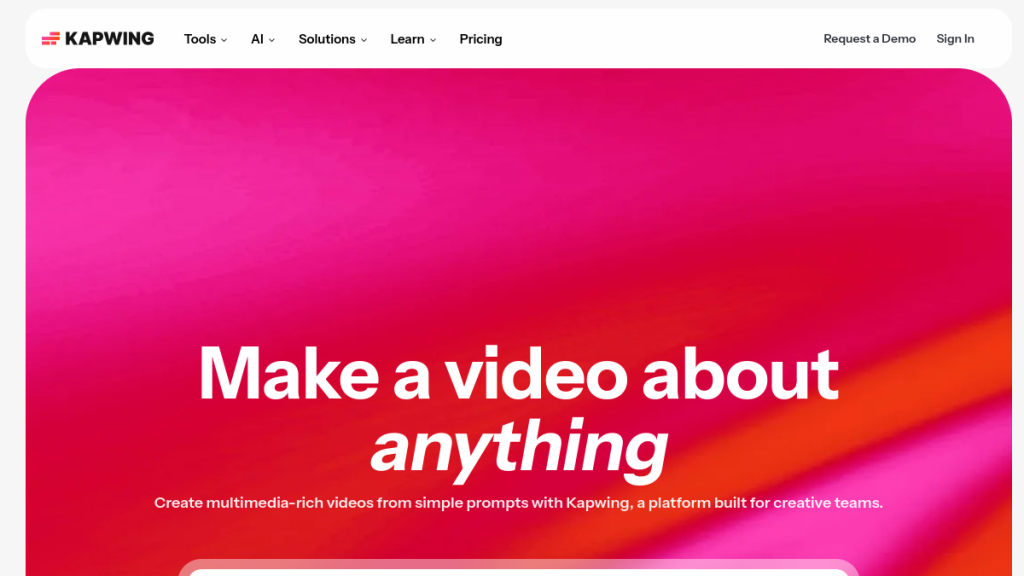
Adobe Premiere Pro costs .99/month and requires 60+ hours to master, while Final Cut Pro demands a 9 upfront investment plus a steep learning curve that kills your productivity for weeks. You need professional video editing capabilities without the time investment or monthly subscriptions that drain your tool budget. Kapwing promises browser-based editing that matches desktop software power – but can a web tool really handle your professional video needs?
Kapwing has quietly become one of the most popular browser-based video editors on the market, powering over 30 million creators globally. But is it worth using in 2026 when competition from tools like Canva, Veed.io, and CapCut is fiercer than ever?
I’ve spent considerable time testing Kapwing’s features—from its AI-powered subtitle generator to its collaborative editing tools—to give you an honest assessment of whether it deserves a spot in your content creation toolkit.
Spoiler: Kapwing excels at making video editing accessible without sacrificing professional features. But it’s not perfect for everyone.
Quick Verdict
| Attribute | Details |
|---|---|
| ⭐ Rating | 4.3/5 |
| 💰 Pricing | Free / $16/mo (Pro) / $50/mo (Business) |
| ✅ Best For | Social media marketers, content creators, small teams, educators |
| ❌ Skip If | You need advanced VFX, color grading, or offline editing |
| 🎯 Standout Feature | AI Auto-Subtitling (up to 4,000 mins/month) |
Bottom Line: Kapwing is the Swiss Army knife of browser-based video editing. It won’t replace Premiere Pro or DaVinci Resolve for serious productions, but for 90% of social media content needs, it’s faster, easier, and more accessible than desktop software.
Table of Contents
- What is Kapwing?
- Key Features
- Pricing Breakdown
- Pros and Cons
- Who Should Use Kapwing?
- Kapwing vs Alternatives
- FAQs
- Final Verdict
What is Kapwing?
Kapwing is a browser-based video creation and editing platform that lets you create, edit, and collaborate on video content without downloading any software. Founded in 2017 by Julia Enthoven and Eric Lu (former Google employees), Kapwing has grown from a simple meme-making tool into a comprehensive video editing suite.
The platform runs entirely in your browser, meaning you can access your projects from any device with an internet connection. This makes it especially popular among:
- Social media managers who need to quickly edit clips for multiple platforms
- Marketing teams who collaborate on video content
- Educators creating instructional videos
- Content creators who want a lightweight alternative to desktop software
What sets Kapwing apart from basic tools like Canva’s video editor is its depth of features—timeline-based editing, multi-track audio, AI-powered automation, and real-time collaboration are all built in.
How Kapwing Works
- Upload or Start Fresh — Drag and drop your media files or start from a template
- Edit in the Studio — Use the timeline-based editor to trim, cut, add effects, and more
- Leverage AI Tools — Auto-generate subtitles, remove backgrounds, clean audio
- Collaborate — Invite team members to edit together in real-time
- Export — Download in various formats (MP4, GIF, MP3) up to 4K resolution
The learning curve is gentle. If you’ve used any modern editing tool, you’ll feel at home within minutes.
Key Features
1. Video Editing Suite
Kapwing provides a full timeline-based video editor with:
- Multi-track editing — Layer video, audio, text, and images
- Trim, split, and merge — Basic editing functions work smoothly
- Transitions — Hundreds of transition effects available
- Speed control — Slow-mo and speed-up functionality
- Aspect ratio presets — One-click resize for Instagram, TikTok, YouTube, LinkedIn
- 4K and 60 FPS export — Professional-grade output quality
The editor handles 4K footage without major lag (though performance depends on your internet speed and browser). For most social media content at 1080p, it’s buttery smooth.
2. AI Auto-Subtitling
This is Kapwing’s killer feature. The AI subtitle generator:
- Transcribes audio with impressive accuracy (90%+ in my testing)
- Supports 70+ languages for transcription and translation
- Allows you to edit transcript text directly
- Offers multiple subtitle style templates
- Exports SRT/VTT files for use on other platforms
Monthly limits by plan:
- Free: 10 minutes
- Pro: 1,000 minutes
- Business: 4,000 minutes
For content creators who need subtitles on every video (you should—85% of Facebook videos are watched on mute), this alone justifies the subscription.
3. AI-Powered Tools
Beyond subtitling, Kapwing packs several AI features:
| Feature | What It Does | Availability |
|---|---|---|
| Smart Cut | Removes silences from videos automatically | All plans |
| Clean Audio | Removes background noise, normalizes levels | Pro+ |
| Background Remover | One-click removal for video and images | Pro+ |
| Text to Speech | Generate voiceovers from text | Limited on Free |
| Voice Cloning | Clone up to 4 voices for custom TTS | Business only |
| Lip Sync | Sync video with dubbed audio | Business only |
| Auto-Translation | Translate subtitles to 60+ languages | Pro+ |
The Smart Cut feature is genuinely useful for podcast clips and talking-head videos—it identifies and removes silences faster than doing it manually.
4. Screen Recording
Built-in screen and camera recording lets you create tutorials without leaving the platform:
- Record screen only, camera only, or both simultaneously
- No additional software needed
- Recordings go directly into the editor
- Works on Chrome, Firefox, and Edge
5. Brand Kit (Pro+)
For teams maintaining brand consistency:
- Save your brand colors, logos, and fonts
- Upload custom fonts
- Apply brand elements across projects quickly
- Share brand assets with team members
6. Real-Time Collaboration
Kapwing’s collaboration features rival dedicated tools:
- Multiple editors can work on the same project simultaneously
- Commenting system allows frame-specific feedback
- Version history tracks changes (forever on paid plans)
- Shared workspace keeps team projects organized
For agencies and marketing teams, this eliminates the “download, edit, re-upload, send for review” cycle.
7. Template Library
Kapwing offers hundreds of templates for:
- Social media posts (Stories, Reels, TikToks)
- YouTube intros and outros
- Meme formats
- Presentation videos
- Promotional content
Templates are a solid starting point, though the selection isn’t as extensive as Canva’s.
8. Media Library
Access royalty-free:
- Stock videos
- Stock photos
- Music tracks
- Sound effects
- GIFs
The library is decent but not comprehensive. For professional projects, you may still want a dedicated stock service.
Pricing Breakdown
Kapwing offers four tiers. Here’s what you get at each level:
Free Plan — $0/month
| Feature | Limit |
|---|---|
| Video exports | Unlimited (with watermark) |
| Video length | Up to 1 minute |
| Resolution | 720p |
| Auto-subtitling | 10 minutes |
| Storage | 3 projects, 3 days |
| File upload | 2 GB |
Verdict: Good for testing the platform, but the 1-minute limit and watermark make it impractical for real use.
Pro Plan — $16/month (annual) or $24/month (monthly)
| Feature | Limit |
|---|---|
| Video exports | Unlimited, no watermark |
| Video length | Up to 2 hours |
| Resolution | 4K |
| Auto-subtitling | 1,000 minutes/month |
| Auto-translation | 500 minutes/month |
| Text to Speech | 50 minutes/month |
| Storage | Unlimited projects, forever |
| File upload | 6 GB |
| Brand Kit | ✅ |
| Custom fonts | ✅ |
Verdict: Best value for individual creators and small teams. The 1,000-minute subtitle limit is generous.
Business Plan — $50/month (annual) or $64/month (monthly)
Everything in Pro, plus:
| Feature | Limit |
|---|---|
| Auto-subtitling | 4,000 minutes/month |
| Auto-translation | 2,000 minutes/month |
| Text to Speech | 200 minutes/month |
| Voice cloning | Up to 4 voices |
| Lip sync | 130 minutes/month |
Verdict: Worth it for teams producing high volumes of video content, especially those needing voice cloning or dubbing.
Enterprise — Custom Pricing
- Custom billing and invoicing
- Dedicated account manager
- SAML SSO
- Priority support
- Custom credit limits
Verdict: For large organizations with specific compliance or volume needs.
Pricing Comparison with Competitors
| Tool | Free Tier | Starting Paid Price | 4K Export |
|---|---|---|---|
| Kapwing | Yes (limited) | $16/mo | Yes |
| Veed.io | Yes (watermark) | $18/mo | Yes |
| Canva Pro | Yes (basic video) | $13/mo | No |
| CapCut | Yes (full features) | Free | Yes |
| InVideo | Yes (watermark) | $25/mo | Yes |
Kapwing sits in the middle—more capable than Canva’s video tools, more affordable than InVideo, but less “free” than CapCut.
Pros and Cons
Pros ✅
- No Download Required — Works entirely in browser; access from any device
- Intuitive Interface — Clean, modern UI with minimal learning curve
- Powerful AI Features — Subtitles, background removal, Smart Cut actually work well
- Real-Time Collaboration — Google Docs-style editing for video
- Good Free Tier for Testing — Can fully evaluate before committing
- Excellent Subtitle Generator — One of the best AI transcription tools I’ve tested
- Regular Updates — Team ships new features frequently
- 4K/60fps Export — Professional output quality on paid plans
Cons ❌
- No Refunds — Once you pay, you can’t get money back (use free tier first!)
- Monthly Credit Limits — AI features are metered; heavy users may hit caps
- Performance with Large Files — Can lag with 4K footage on slower connections
- Limited Offline Capability — Requires internet; can’t edit on a plane
- Stock Library Is Basic — Not as comprehensive as dedicated stock services
- Advanced Features Missing — No keyframe animation, limited color grading, no VFX
- Export Times — Processing can be slow for longer videos
Who Should Use Kapwing?
✅ Kapwing Is Perfect For:
Social Media Managers
If you’re creating content for Instagram, TikTok, LinkedIn, and YouTube, Kapwing’s preset aspect ratios and quick editing tools will save you hours weekly. The subtitle generator alone is worth the subscription if you’re posting video regularly.
Marketing Teams
The collaboration features make Kapwing ideal for teams. No more emailing video files back and forth. Everyone can edit, comment, and approve in one place.
Content Creators & YouTubers
For podcasters creating clips, YouTubers making Shorts, or anyone repurposing long-form content into social snippets, Kapwing streamlines the workflow.
Educators
Teachers creating instructional videos will appreciate the screen recording, subtitle generation, and simple interface. Many schools use Kapwing because it requires no software installation.
Small Businesses
If you don’t have a dedicated video editor but need professional-looking content, Kapwing delivers without the Adobe price tag or learning curve.
❌ Skip Kapwing If:
You’re a Professional Video Editor
Kapwing won’t replace Premiere Pro, Final Cut, or DaVinci Resolve. No keyframe animation, limited effects, basic color correction.
You Need Offline Editing
Everything happens in the cloud. No internet = no editing.
You’re on a Tight Budget
CapCut offers similar features for free. If cost is the primary concern, start there.
You Need Advanced VFX
Motion graphics, compositing, and visual effects aren’t Kapwing’s strength.
Kapwing vs Alternatives
Kapwing vs Veed.io
| Aspect | Kapwing | Veed.io |
|---|---|---|
| Price | From $16/mo | From $18/mo |
| Subtitles | 1,000 min/mo (Pro) | 720 min/mo (Pro) |
| Collaboration | Real-time | Basic sharing |
| Interface | Timeline-based | Timeline-based |
| AI Features | More extensive | Good, but fewer |
Winner: Kapwing edges out Veed.io on subtitle limits and collaboration. Veed.io has slightly more polished templates.
Kapwing vs CapCut
| Aspect | Kapwing | CapCut |
|---|---|---|
| Price | From $16/mo | Free |
| Platform | Browser | Desktop + Mobile + Web |
| Subtitles | AI-generated | AI-generated |
| Effects | Basic | Extensive |
| Collaboration | Yes | Limited |
Winner: CapCut wins on price and effects variety. Kapwing wins on collaboration and professional workflow.
Kapwing vs Canva Video
| Aspect | Kapwing | Canva |
|---|---|---|
| Price | From $16/mo | From $13/mo |
| Video Focus | Primary | Secondary to graphics |
| Timeline | Full timeline editor | Simplified |
| Export Quality | 4K | 1080p max |
| AI Features | Extensive | Basic |
Winner: Kapwing for serious video editing. Canva for quick social graphics that happen to include video.
FAQs
Is Kapwing free to use?
Yes, Kapwing offers a free tier with unlimited exports, but videos are limited to 1 minute, 720p resolution, and include a watermark. The free tier is best for testing the platform before upgrading.
Is Kapwing safe and legitimate?
Absolutely. Kapwing is a well-established company founded by former Google employees, used by millions of creators and major brands. They use encryption for data protection and offer SSO for enterprise customers.
Does Kapwing have a watermark?
The free plan adds a small Kapwing watermark to exports. All paid plans (Pro, Business, Enterprise) remove the watermark completely.
Can I cancel my Kapwing subscription anytime?
Yes, you can cancel anytime from your account settings. However, Kapwing does not offer refunds for any paid subscriptions, so test thoroughly on the free plan first.
Does Kapwing work on mobile?
Kapwing works on mobile browsers but is optimized for desktop use. The mobile experience is functional but not ideal for complex editing. For mobile-first editing, consider CapCut.
How accurate is Kapwing’s AI subtitle generator?
In my testing, Kapwing’s transcription accuracy is around 90-95% for clear English audio. Accuracy drops with heavy accents, background noise, or technical jargon. Always review and edit auto-generated subtitles.
Can multiple people edit a video at the same time?
Yes, Kapwing supports real-time collaboration. Multiple team members can work on the same project simultaneously, similar to Google Docs. This is available on all plans.
Final Verdict
🏆 Our Verdict
Kapwing earns a solid 4.3/5 as a browser-based video editor in 2026.
It’s not trying to compete with professional editing suites—and that’s its strength. Kapwing knows exactly what it is: a fast, accessible, collaboration-friendly video editor for the social media age.
Who wins with Kapwing:
- Social media teams will love the speed and collaboration
- Solo creators get professional results without professional software
- Educators get an accessible tool that works on any computer
- Marketing agencies can standardize their workflow
Who should look elsewhere:
- Pro editors need more power and flexibility
- Budget-conscious creators can get similar features free with CapCut
- Offline workers need desktop software
My Recommendation
Start with the free plan. Test the interface, try the AI subtitle generator, see if it fits your workflow. If you’re producing more than a few videos per month, the Pro plan at $16/month is excellent value—the subtitle generation and team features alone justify the cost.
If you’re running an agency or producing high volumes of content, the Business plan’s 4,000 subtitle minutes and voice cloning open up serious productivity gains.
👉 Try Kapwing Free — No credit card required to start.
Related Reviews
- Veed.io Review 2026
- CapCut Review 2026
- Descript Review 2026
- InVideo AI Review 2026
- Best AI Video Editors 2026
Exploring other options? Check out our reviews of Pictory AI, Synthesia, or browse our full best AI video generators roundup.
ComputerTech independently reviews AI tools. We may earn affiliate commissions from links on this page, which helps support our testing and research at no extra cost to you.