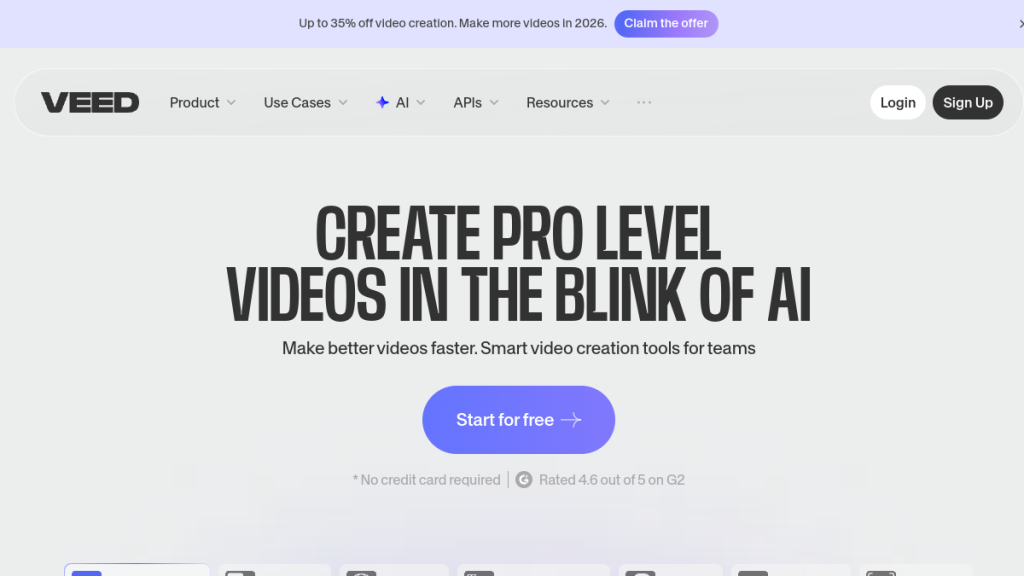
You need to edit videos but don’t want to learn Premiere Pro or pay Adobe’s monthly ransom. VEED.IO runs entirely in your browser and powers video content for Netflix, Google, and Meta, but browser-based tools often mean compromised features and frustrating crashes. After testing it against desktop video editors, here’s whether VEED delivers professional results or just convenient mediocrity.
Quick Verdict
⭐ Rating: 4.3/5
💰 Pricing: Free plan available; paid plans from $19/month
✅ Best For: Social media creators, marketers, educators who need quick, browser-based video editing with excellent auto-subtitles
❌ Skip If: You work with long-form 4K content, need advanced editing features, or require offline editing capabilities
Bottom Line: VEED.IO excels at making video editing accessible to non-technical users. Its browser-based approach, excellent auto-subtitle feature, and AI-powered tools make it ideal for creating social media content quickly. However, performance issues with longer videos and limited advanced features mean power users should look elsewhere.
Table of Contents
- What is VEED.IO?
- Key Features
- Pricing Plans
- Pros and Cons
- Who Should Use VEED.IO?
- VEED.IO vs Alternatives
-
Related: VEED.IO pairs well with other creator tools. Check out our best AI tools for YouTubers guide for a complete creator toolkit.
- Final Verdict
What is VEED.IO?
VEED.IO is an online video editing platform that runs entirely in your web browser. Unlike traditional video editing software like Adobe Premiere Pro or Final Cut Pro, you don’t need to download or install anything—simply upload your video, make your edits, and export the finished product without leaving your browser.
The platform was designed with accessibility in mind, making professional video creation possible for anyone regardless of technical expertise. Whether you need to add subtitles, create content from text prompts, record your screen, or edit footage, VEED.IO handles it all through an intuitive drag-and-drop interface.
Since its launch, VEED.IO has grown to serve millions of users worldwide. The platform has become particularly popular among:
- Content creators producing videos for TikTok, Instagram, and YouTube
- Marketing teams creating promotional content and ads
- Educators developing training videos and tutorials
- Small business owners who need professional videos without expensive software
The company continues to add AI-powered features, positioning VEED.IO not just as a video editor but as a comprehensive AI video creation suite.
Key Features
AI Text-to-Video Generator
One of VEED.IO’s standout features is its text-to-video generator. Simply describe your video idea using text prompts, and the AI creates video content automatically. This is perfect for quickly producing social media content, product demos, or explainer videos without filming anything yourself.
The platform integrates multiple AI video models including VEED Fabric 1 and Google Veo 3, each with different strengths for various content types. You can generate talking-head videos, animated content, or stock-footage-based videos—all from a text description.
Use cases:
- Creating social media ads from product descriptions
- Generating explainer videos from blog posts
- Producing marketing content at scale
Auto Subtitle Generator
VEED.IO’s automatic subtitle generator is widely regarded as one of the best in the industry. Upload your video, and the AI automatically transcribes spoken words into subtitles within minutes. The platform supports over 125 languages, making your content accessible to global audiences.
Key subtitle features include:
- High accuracy for clear audio (minor corrections may be needed for accents or technical terms)
- Full customization of font, size, color, and background
- Multiple export formats including SRT, VTT, and TXT
- Burned-in subtitles option for social media
- Auto-translation to 50+ languages (Pro plan)
For content creators focused on accessibility and reaching non-native speakers, this feature alone justifies the subscription for many users.
AI Avatars & Voice Cloning
Create professional talking-head videos without appearing on camera. VEED.IO’s AI avatar feature lets you:
- Type your script
- Choose from a library of AI avatars (or create custom ones on Enterprise)
- Generate a video with synchronized lip movements
Voice cloning takes this further—record a sample of your voice, and the AI can generate speech in your voice from any text. This saves enormous time when creating multiple videos that require your personal voice.
Eye Contact Correction
A genuinely innovative feature: VEED.IO’s AI can adjust your eye direction to make it appear you’re looking directly at the camera, even when you’re reading from a script or teleprompter. This eliminates the need for multiple takes and helps create more engaging, professional-looking videos.
Screen & Webcam Recording
The built-in screen recorder captures your screen, webcam, or both simultaneously—all within your browser. No need for separate recording software like OBS or Loom.
Recording options include:
- Screen only
- Webcam only
- Screen + webcam picture-in-picture
- Multiple aspect ratios for different platforms
Once you finish recording, the footage automatically loads into the editor for immediate editing.
Video Editor
The core video editor provides intuitive tools for:
- Cutting, trimming, and splitting clips
- Merging multiple videos
- Adding text overlays and titles
- Applying transitions and effects
- Adjusting colors and filters
- Adding background music from the stock library
The editor supports multiple aspect ratios:
- 16:9 for YouTube
- 1:1 for Instagram feed
- 9:16 for TikTok and Instagram Reels/Stories
- 4:5 for Instagram/Facebook ads
Additional AI Tools (Pro Plan)
Pro subscribers get access to 15+ AI tools including:
- Clean Audio: Remove background noise automatically
- Background Removal: Remove or replace video backgrounds
- AI Clips: Automatically create short clips from long videos
- Text-to-Speech: Convert written scripts to natural-sounding voiceovers (12 hours/month)
- Translation: Auto-translate videos to 50+ languages (20 minutes/month)
Stock Media Library & Brand Kits
Access royalty-free videos, images, and audio tracks to enhance your projects. Pro and Enterprise users get premium stock assets.
Brand Kits let you save your brand colors, fonts, logos, and templates for consistent content across all videos. The Lite plan includes a limited brand kit, while Pro and Enterprise offer full customization.
Collaboration Tools
For teams, VEED.IO offers:
- Shared workspaces
- Comment and feedback on videos
- Review and approval workflows
- Centralized team management (Enterprise)
Pricing
VEED.IO offers a freemium model with three main paid tiers. Prices shown are per editor, with savings available on annual billing.
| Feature | Free | Lite | Pro | Enterprise |
|---|---|---|---|---|
| Monthly Price | $0 | $19/mo | $49/mo | Custom |
| Annual Price | $0 | ~$12/mo | ~$30/mo | Custom |
| Export Quality | 720p | 1080p HD | 4K | 4K |
| Watermark | Yes | No | No | No |
| Video Length | 10 min | 25 min | 2 hours | Unlimited |
| Storage | 2GB | 20GB | 100GB | Custom |
| Subtitles/mo | Limited | 12 hours | 24 hours | Unlimited |
| Gen-AI Videos | 3/day | 5/day | Unlimited | Unlimited |
| AI Tools | Basic | Basic | All 15+ | All + Custom |
| Translation | ❌ | ❌ | 20 min/mo | Custom |
| Brand Kit | ❌ | Limited | Full | Multiple |
| Custom Avatars | ❌ | ❌ | ❌ | ✅ |
| SSO/Security | ❌ | ❌ | ❌ | ✅ |
Which Plan Should You Choose?
Free Plan: Good for testing the platform or very occasional, short video edits. The watermark and 720p quality make it unsuitable for professional content.
Lite Plan ($19/mo): Best for individual creators who need watermark-free 1080p exports and regular subtitle generation. The 5 Gen-AI videos per day is sufficient for most social media workflows.
Pro Plan ($49/mo): Recommended for professionals and businesses. Unlimited Gen-AI videos, all AI tools (including eye contact correction and clean audio), translation capabilities, and 4K export make this the sweet spot for serious creators.
Enterprise: For teams needing custom avatars, centralized management, SSO, and priority support. Contact sales for pricing.
Hidden Costs to Consider
- Gen-AI videos beyond daily limits may require upgrades
- Translation minutes are limited (20 min/mo on Pro)
- Premium stock assets only available on Pro+
- Additional team members = additional per-seat cost
Pros and Cons
Pros ✅
- No Downloads Required: Everything runs in your browser, making it accessible from any computer without installation headaches.
- Excellent Auto-Subtitles: The subtitle generator is genuinely impressive—accurate, fast, and supporting 125+ languages. This alone is worth the price for many users.
- Beginner-Friendly Interface: The drag-and-drop editor requires zero video editing experience. If you can use PowerPoint, you can use VEED.IO.
- All-in-One Platform: Recording, editing, subtitles, AI generation, and export all happen in one place. No juggling multiple tools.
- AI Avatar & Voice Cloning: Create professional talking-head videos without being on camera—perfect for training content, documentation, and scalable video production.
- Eye Contact Correction: A unique AI feature that makes your videos look more professional without multiple takes.
- Fast Turnaround: Create and publish social media videos in minutes, not hours. The workflow is optimized for speed.
- Regular Updates: VEED.IO continuously adds new features and AI models, staying current with the latest technology.
Cons ❌
- Performance Issues with Long Videos: Users consistently report buffering, lag, and slow rendering when editing longer or higher-resolution videos. If you work with 30+ minute content, expect frustration.
- No Offline Editing: Being entirely browser-based means you need a stable internet connection. No editing on planes or in areas with poor connectivity.
- Limited Advanced Features: Professional editors will miss features like multi-track audio, keyframe animation, color grading tools, and advanced effects. This is simplified editing, not a Premiere Pro replacement.
- Pricing Can Add Up: At $49/month for Pro, VEED.IO costs more than some desktop alternatives. Per-seat pricing for teams becomes expensive quickly.
- Subscription Model Only: No perpetual license option. Stop paying, lose access to everything including past projects.
- AI Limitations: Translation minutes (20/mo on Pro) and Gen-AI video limits can bottleneck power users. You’ll hit caps faster than expected.
- Billing Complaints: User reviews mention issues with automatic renewals, difficult cancellation processes, and slow refund responses.
- 4K Only on Pro: If you need 4K exports, you’re locked into the $49/month tier—there’s no middle ground.
Who Should Use VEED.IO?
Ideal Users ✅
Social Media Content Creators: If you’re producing short-form content for TikTok, Instagram Reels, YouTube Shorts, or LinkedIn, VEED.IO’s speed and ease of use are hard to beat. The aspect ratio presets and quick subtitle generation fit the social media workflow perfectly.
Marketing Teams & Agencies: Create promotional videos, ads, and branded content efficiently. The collaboration features support team workflows, and brand kits keep everything consistent.
Educators & Corporate Trainers: Build training videos, tutorials, and course content without technical expertise. Screen recording, AI avatars, and subtitles make educational content creation straightforward.
Small Business Owners: Get professional-looking videos without hiring an editor or learning complex software. Product demos, social ads, and company announcements become manageable DIY projects.
Non-Native English Speakers: The translation and multi-language subtitle features make VEED.IO particularly valuable for reaching international audiences.
Who Should Look Elsewhere ❌
Professional Video Editors: If you need advanced color grading, multi-track audio mixing, keyframe animation, or professional effects, VEED.IO will feel limiting. Stick with Premiere Pro, DaVinci Resolve, or Final Cut Pro.
Long-Form Content Creators: Documentary makers, podcast video editors, and anyone regularly working with 30+ minute files will find the performance issues frustrating.
Offline Workers: If you travel frequently or work in areas with unreliable internet, a browser-based tool isn’t practical.
Budget-Conscious Users: At $49/month for full features, desktop alternatives like DaVinci Resolve (free) or Filmora (one-time purchase) offer better value for basic editing needs.
VEED.IO vs Alternatives
VEED.IO vs Kapwing
Both are browser-based editors, but Kapwing offers a more generous free tier and stronger collaboration features. VEED.IO has better AI tools and subtitle accuracy. Choose Kapwing for team projects; choose VEED.IO for AI-powered workflows.
VEED.IO vs Descript
Descript excels at audio editing and podcast production with its innovative text-based editing (edit audio by editing the transcript). VEED.IO is better for visual-first content and social media. If podcasting is your focus, Descript wins; for video-first workflows, VEED.IO is stronger.
VEED.IO vs InVideo
InVideo offers more templates and is stronger for creating videos from templates/stock footage. VEED.IO has better original footage editing and superior subtitle generation. Choose InVideo for template-based creation; VEED.IO for editing your own content.
VEED.IO vs Canva Video
Canva Video is part of the broader Canva ecosystem—great if you already use Canva for graphics. VEED.IO has more advanced video-specific features and better AI tools. Canva for simple edits within an existing Canva workflow; VEED.IO for dedicated video editing.
FAQs
Is VEED.IO really free to use?
Yes, VEED.IO offers a permanent free plan that includes basic editing, subtitles, and AI tools. However, free plan videos have a VEED.IO watermark, export at 720p only, have a 10-minute length limit, and include just 2GB of storage. For professional content, you’ll need a paid plan.
Can I remove the VEED.IO watermark?
Yes, upgrading to any paid plan (Lite, Pro, or Enterprise) removes the watermark from your exported videos. The Lite plan at $19/month is the most affordable watermark-free option.
How accurate are VEED.IO’s automatic subtitles?
VEED.IO’s subtitle accuracy is excellent for clear audio in common languages—many users consider it best-in-class. You may need minor manual corrections for technical terms, heavy accents, or background noise. The platform supports 125+ languages for subtitle generation.
Does VEED.IO work offline?
No. VEED.IO is entirely browser-based and requires a stable internet connection for all functions. There’s no offline mode or downloadable desktop app. If you need offline editing, consider desktop alternatives like DaVinci Resolve or Filmora.
Can I use VEED.IO on mobile?
VEED.IO is primarily designed for desktop browsers, though mobile browser access works for basic functions. There’s also a dedicated iOS app called VEED Captions App for mobile recording and caption editing. For full features, use a desktop browser.
Does VEED.IO support 4K video?
4K export is available only on the Pro plan ($49/month) and above. Free and Lite plans max out at 720p and 1080p respectively. If 4K is essential, factor this into your plan choice.
Can I cancel my VEED.IO subscription anytime?
Yes, you can cancel at any time. However, some users report difficulties with the cancellation process and slow refund responses. Check the current cancellation policy before subscribing, and consider starting with monthly billing before committing to annual.
Final Verdict
🏆 Our Verdict
VEED.IO earns a 4.3/5 for delivering an accessible, feature-rich video editing experience that makes professional-looking content achievable for non-technical users.
The platform shines when used for its intended purpose: quick creation of social media content with excellent subtitles and AI-powered enhancements. The browser-based approach, combined with genuinely useful features like auto-subtitles, AI avatars, and eye contact correction, creates a workflow optimized for modern content creators.
The platform struggles when pushed beyond these limits. Long-form content, advanced editing, and power users will encounter friction with performance issues, feature limitations, and capped AI usage. The subscription cost also adds up—at $588/year for Pro, you’re paying a premium for convenience.
Our Recommendation
Get VEED.IO Pro if:
- You create regular social media content (10+ videos/month)
- Subtitles are essential to your workflow
- You value speed and convenience over advanced features
- You work with short-form content (under 30 minutes)
- Your team needs simple collaboration tools
Look elsewhere if:
- You edit long-form content or need advanced features
- Budget is your primary concern
- You need offline editing capability
- You’re already proficient with professional editing software
For the target audience of social media creators, marketers, and educators, VEED.IO delivers genuine value that justifies its price. Start with the free plan to test the interface, then upgrade to Pro if the workflow fits your needs.
Ready to try VEED.IO? Visit VEED.IO to start with their free plan.
Looking for alternatives? Check out our reviews of Kapwing, Descript, and InVideo AI.
Schema Markup Notes
Review Schema:
- itemReviewed: VEED.IO (SoftwareApplication)
- applicationCategory: Video Editing Software
- ratingValue: 4.3
- bestRating: 5
- price: 0 (free plan), 19 (Lite), 49 (Pro)
FAQ Schema: Include all 7 FAQs above.
Internal Linking Notes
Link to:
- /reviews/kapwing/ (mentioned in comparisons)
- /reviews/descript/ (mentioned in comparisons)
- /reviews/invideo-ai/ (mentioned in comparisons)
- /comparisons/veed-vs-kapwing/ (create if doesn’t exist)
- /best/ai-video-editors/ (category page)
- /for/youtubers/ (persona page)
- /for/marketers/ (persona page)
This review is based on publicly available information as of February 2026. Features and pricing may change—always verify on the official VEED.IO website before purchasing.
{
“@context”: “https://schema.org”,
“@type”: “Review”,
“name”: “VEED.IO Review 2026: Is This Browser-Based Video Editor Worth It?”,
“url”: “https://computertech.co/veed-io-review/”,
“author”: {
“@type”: “Organization”,
“name”: “ComputerTech Editorial Team”,
“url”: “https://computertech.co”
},
“publisher”: {
“@type”: “Organization”,
“name”: “ComputerTech”,
“url”: “https://computertech.co”
},
“datePublished”: “2026-02-06”,
“reviewRating”: {
“@type”: “Rating”,
“ratingValue”: “4.5”,
“bestRating”: “5”,
“worstRating”: “1”
},
“itemReviewed”: {
“@type”: “SoftwareApplication”,
“name”: “VEED.IO”,
“applicationCategory”: “AI Tool”,
“operatingSystem”: “Web”,
“offers”: {
“@type”: “Offer”,
“price”: “0”,
“priceCurrency”: “USD”,
“availability”: “https://schema.org/InStock”
}
},
“reviewBody”: “Comprehensive review of VEED.IO covering features, pricing, pros, cons, and real-world performance testing.”
}
“reviewRating”: {
“ratingValue”: “4.5”,
“bestRating”: “5”
},
},
Frequently Asked Questions
What makes VEED.IO different from traditional video editing software?
VEED.IO is a browser-based video editing platform, meaning you don’t need to download or install any software. This makes it more accessible for non-technical users, allowing for quick edits and exports directly from your web browser.
Is there a free version of VEED.IO available?
Yes, VEED.IO offers a free plan that allows users to try out its basic features. However, for more advanced functionalities and higher export quality, paid plans start at $19 per month.
Who should consider using VEED.IO for video editing?
VEED.IO is ideal for social media creators, marketers, and educators who need a quick and user-friendly video editing solution. It’s particularly useful for those creating short-form content for platforms like TikTok and Instagram.
Can I edit long videos or 4K content with VEED.IO?
While VEED.IO is great for quick edits, it may not be the best choice for long-form 4K content. Users working with extensive video projects might experience performance issues and should consider more robust desktop editing software.
What are some key features of VEED.IO?
VEED.IO offers a range of features including auto-subtitles, screen recording, and a drag-and-drop interface. Its AI-powered tools help streamline the editing process, making it easier to create professional-looking videos without advanced technical skills.
Are there any limitations to using VEED.IO?
Yes, while VEED.IO excels in accessibility and ease of use, it has limitations in advanced editing features and offline capabilities. Users requiring extensive editing tools or working without internet access may find it lacking.
How does VEED.IO compare to other video editing tools?
VEED.IO stands out for its browser-based convenience and user-friendly interface, making it accessible for beginners. However, for power users needing advanced features, traditional desktop software like Adobe Premiere Pro may be more suitable.