Creating professional videos with AI avatars sounds amazing in theory, but choosing between Synthesia‘s polished corporate approach and HeyGen‘s creative flexibility feels impossible without spending serious money on both. Each platform excels in different areas that could define your entire video strategy.
Choosing between Synthesia and HeyGen for AI avatar videos? Both platforms let you create professional videos with AI presenters—no cameras, studios, or actors required. But they serve different audiences and excel in different areas.
After testing both platforms extensively, here’s the In short: Synthesia wins for enterprise teams who need governance, speed at scale, and corporate polish. HeyGen wins for creators and small teams who want accessible pricing, a free tier to experiment, and 4K output for social content.
Let’s break down exactly why—and help you pick the right tool for your needs.
Quick Comparison
| Feature | Synthesia | HeyGen | Winner |
|---|---|---|---|
| Starting Price | $18/mo (Starter, annual) | $0 (Free tier) | HeyGen |
| Stock Avatars | 230+ | 700+ | HeyGen |
| Custom Avatars | Yes (paid add-on) | Yes (included on Creator+) | Tie |
| Max Resolution | 1080p (4K on Enterprise) | 4K (on Pro+) | HeyGen |
| Languages | 160+ | 175+ | HeyGen |
| Render Speed | ~2 min per 1-min video | ~3 min per 1-min video | Synthesia |
| Enterprise Features | Excellent | Good | Synthesia |
| Free Trial | Limited free tier | Full free tier | HeyGen |
| Best For | Enterprise, L&D, Training | Creators, Social, Marketing | Depends |
| G2 Rating | 4.7/5 (2,000+ reviews) | 4.8/5 (1,500+ reviews) | Tie |
What is Synthesia?
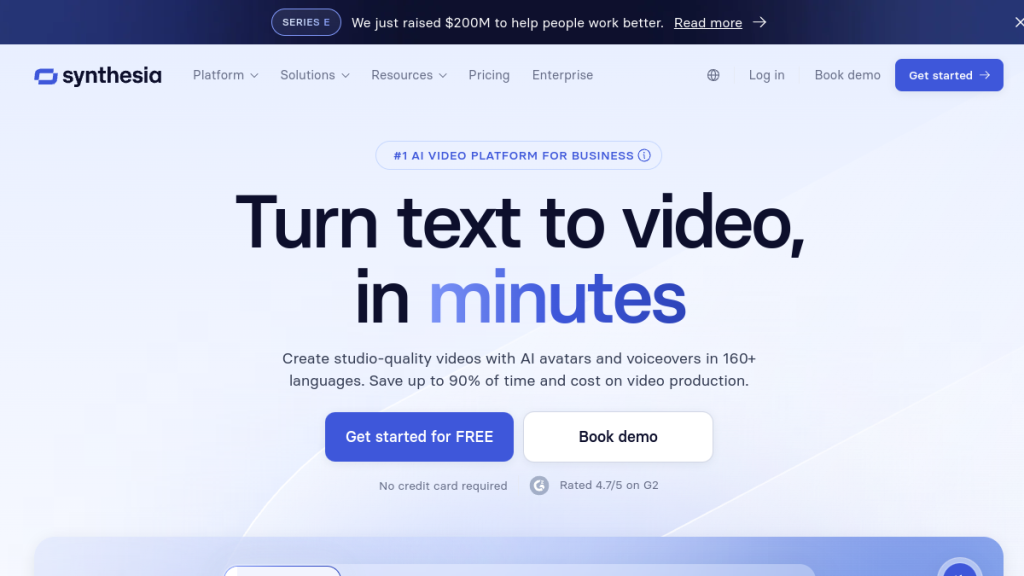
Synthesia is an AI video generation platform founded in 2017, headquartered in London. It’s the original leader in AI avatar video creation and is used by over 50,000 companies including Amazon, Accenture, and the BBC.
Core offering: Create professional videos with AI avatars that lip-sync to your script. Upload a script, choose an avatar, and get a polished video without cameras or actors.
Target audience: Enterprise teams, L&D departments, training and compliance teams, global corporations needing multi-language content.
Key differentiator: Enterprise-grade features including SSO, admin controls, priority content moderation, and dedicated customer success managers.
What is HeyGen?
HeyGen is an AI video platform founded in 2020, based in Los Angeles. It rose quickly to become G2’s #1 Fastest Growing Product of 2025 and serves over 100,000 businesses.
Core offering: Create avatar videos with AI, with a focus on accessibility and creator-friendly features. Notable for its free tier that actually lets you test the product meaningfully.
Target audience: Solo creators, marketing teams, small-to-medium businesses, social media managers, agencies producing promotional content.
Key differentiator: Generous free tier, 4K export capability, and more expressive avatars suited for social and marketing content.
Pricing Comparison
Synthesia Pricing (February 2026)
| Plan | Monthly Price | Annual Price | Video Minutes | Avatars |
|---|---|---|---|---|
| Free | $0 | $0 | 10 min/mo | 9 avatars |
| Starter | $29/mo | $18/mo | 10 min/mo (120 min/year) | 125+ avatars |
| Creator | $89/mo | $69/mo | 30 min/mo (360 min/year) | 180+ avatars |
| Enterprise | Custom | Custom | Unlimited | 240+ avatars |
Key Synthesia pricing notes:
- Free tier is limited but lets you test basic features
- Personal avatars (your digital twin) available on Creator+ plans
- Studio-quality custom avatars are a $1,000/year add-on
- API access starts at 360 min/year on Creator, more on Enterprise
- Annual billing saves up to 38% (Starter annual: $18/mo)
HeyGen Pricing (February 2026)
| Plan | Monthly Price | Annual Price | Videos | Resolution |
|---|---|---|---|---|
| Free | $0 | $0 | 3 videos/mo (up to 3 min each) | 720p |
| Creator | $29/mo | ~$24/mo | Unlimited (up to 30 min each) | 1080p |
| Pro | $99/mo | ~$79/mo | Unlimited | 4K |
| Business | $149/mo | ~$120/mo | Unlimited (up to 60 min each) | 4K |
| Enterprise | Custom | Custom | Unlimited (no duration limit) | 4K |
Key HeyGen pricing notes:
- Free tier includes 500+ stock avatars and 1 custom avatar
- Creator plan includes voice cloning and watermark removal
- 4K export only available on Pro and above
- Business adds team collaboration, SCORM, and LMS integrations
- Additional team seats are $20/seat/month on Business
Pricing Verdict
HeyGen wins on accessibility. Its free tier lets you create 3 real videos per month—enough to genuinely evaluate the platform. Synthesia’s free tier is more limited.
For serious production: HeyGen Creator is $29/mo with unlimited videos, while Synthesia Starter is also $29/mo monthly (or $18/mo annual) but limits you to 10 minutes monthly (120 min/year).
For enterprises: Synthesia’s Enterprise tier offers stronger governance, priority support, and unlimited production—worth the premium for large organizations.
Feature-by-Feature Comparison
Avatar Library — Winner: HeyGen
| Aspect | Synthesia | HeyGen |
|---|---|---|
| Stock Avatars | 230+ | 700+ |
| Avatar Styles | Corporate, professional, educational | Diverse, creator-friendly, expressive |
| Custom Avatar | Yes (Creator+, $1000/year for studio) | Yes (1 included free, more on paid) |
| Voice Cloning | Yes (with personal avatar) | Yes (unlimited on Creator+) |
The breakdown:
Synthesia’s 230+ avatars skew corporate—think professional attire, diverse age ranges, and regional looks suited for training, onboarding, and internal communications. If you’re producing compliance videos or global training content, you’ll find avatars that match your use cases.
HeyGen’s 700+ avatars lean into creator-friendly aesthetics—casual styles, expressive faces, and personalities that work on social feeds and marketing content. The larger library means more variety without repeating faces.
Lip-sync quality: Both have improved dramatically. Synthesia’s lip-sync handles technical jargon slightly better. HeyGen’s avatars are more expressive and warm—better for upbeat, personality-driven content.
Bottom line: HeyGen’s larger, more expressive library wins for most use cases. Synthesia wins specifically for corporate/enterprise scenarios where professional polish matters more than personality.
Video Quality — Winner: HeyGen
| Aspect | Synthesia | HeyGen |
|---|---|---|
| Max Resolution | 1080p (4K on Enterprise) | 4K (on Pro+) |
| Render Speed | ~2 min per 1-min video | ~3 min per 1-min video |
| Processing | Faster | Standard to Fast |
| Output Quality | Clean, professional | Clean, expressive |
Resolution breakdown:
HeyGen offers 4K export on Pro ($99/mo) and above. Synthesia caps at 1080p unless you’re on Enterprise. For YouTube creators, social media, and LMS content, 1080p is usually sufficient. But if you’re producing content for large displays, trade shows, or cinematic presentations, HeyGen’s 4K gives you more headroom.
Render speed:
In head-to-head testing, Synthesia renders roughly 30-40% faster. A 1-minute video takes about 2 minutes on Synthesia vs 3 minutes on HeyGen. This matters when you’re producing dozens of videos weekly—those extra minutes add up.
Quality verdict: HeyGen wins on resolution ceiling. Synthesia wins on production speed. For most users, the quality difference is negligible at 1080p. Choose based on your workflow needs.
Languages & Localization — Winner: Tie
| Aspect | Synthesia | HeyGen |
|---|---|---|
| Languages | 160+ | 175+ |
| AI Dubbing | Yes (with lip-sync) | Yes (with lip-sync) |
| 1-Click Translation | Yes | Yes |
| Brand Voice/Glossary | Enterprise only | Yes (Creator+) |
Both platforms excel at multilingual content:
- Synthesia supports 160+ languages with AI dubbing that maintains lip-sync. Their 1-click translation feature makes global rollouts efficient.
- HeyGen offers 175+ languages and dialects, with brand glossary features to maintain consistent terminology across translations.
For global enterprises: Both handle localization well. Synthesia’s enterprise features (translation proofreading, centralized controls) give it an edge for large-scale deployments.
Enterprise & Security — Winner: Synthesia
| Feature | Synthesia | HeyGen |
|---|---|---|
| SSO/SAML | Yes (Enterprise) | Yes (Business+) |
| Admin Controls | Comprehensive | Good |
| Content Moderation | Priority on Enterprise | Standard |
| Dedicated CSM | Yes (Enterprise) | Yes (Enterprise) |
| SCORM Export | Yes | Yes (Business+) |
| SOC 2 Compliance | Yes | Yes |
Synthesia’s enterprise advantage:
For organizations with strict governance requirements, Synthesia leads:
- More granular permission controls
- Priority content moderation (faster approval)
- Dedicated customer success managers at lower tiers
- Stronger audit and compliance features
- White-glove custom avatar creation
HeyGen’s enterprise offering:
HeyGen’s Business ($149/mo) and Enterprise tiers include solid team features—SCORM export, LMS integrations, SSO, and workspace collaboration. It’s sufficient for mid-sized teams but less mature than Synthesia’s enterprise stack.
Bottom line: If compliance, governance, and enterprise-grade security are priorities, Synthesia is the safer choice.
Ease of Use — Winner: Tie
Both platforms are beginner-friendly with similar workflows:
- Write or paste your script
- Choose an avatar and voice
- Customize backgrounds, music, and branding
- Export
Synthesia’s UX: Clean, professional interface. Slightly steeper learning curve for advanced features. Better templates for corporate use cases.
HeyGen’s UX: More intuitive for first-time users. The free tier lets you learn without commitment. Templates lean toward marketing and social content.
Editor features both offer:
- PowerPoint/PDF import
- Screen recording
- Brand kits (colors, fonts, logos)
- Auto-captions
- Media library (stock footage, music)
- Template saving
Neither has a significant UX advantage. Both are far easier than traditional video production.
Integrations & API — Winner: Synthesia
| Integration | Synthesia | HeyGen |
|---|---|---|
| API Access | Yes (Creator+) | Yes (Enterprise) |
| LMS (SCORM) | Yes | Yes (Business+) |
| Zapier/Make | Limited | Yes (Business+) |
| Hubspot | No native | Yes (Business+) |
| n8n | Via API | Yes (Business+) |
Synthesia’s API is available starting at Creator tier (360 min/year) with more volume on Enterprise. It’s well-documented and production-ready for automation workflows.
HeyGen’s integrations with Zapier, Make, n8n, and Hubspot are native on Business tier—easier to set up without custom development. API access requires Enterprise.
For developers: Synthesia’s API is more accessible at lower price points.
For no-code automation: HeyGen’s native integrations win on Business tier.
Pros and Cons
Synthesia
✅ Pros
- Faster rendering — 30-40% quicker than HeyGen in testing
- Enterprise-grade security — SSO, admin controls, compliance features
- Corporate avatar library — Professional looks for training and L&D
- Reliable lip-sync — Handles technical jargon accurately
- API at lower tiers — Available on Creator ($89/mo)
- Trusted by 50,000+ companies — Proven at enterprise scale
- Priority support — Dedicated CSMs for enterprise customers
❌ Cons
- No meaningful free tier — Limited testing before purchase
- 1080p cap on most plans — Need Enterprise for 4K
- Custom avatars cost extra — Studio avatars are $1,000/year
- Less expressive avatars — Corporate polish over personality
- Steeper learning curve — More features = more complexity
HeyGen
✅ Pros
- Generous free tier — 3 real videos/month, no credit card required
- 4K export — Available on Pro ($99/mo)
- Larger avatar library — 700+ expressive options
- Unlimited videos — No minute caps on Creator+
- Native integrations — Zapier, Make, n8n, Hubspot built-in
- Voice cloning included — Unlimited on Creator+
- Creator-friendly pricing — Accessible entry points
❌ Cons
- Slower rendering — Takes ~50% longer than Synthesia
- Weaker enterprise features — Less mature governance tools
- Free tier is 720p — Low resolution for testing
- API locked to Enterprise — Higher barrier for automation
- Smaller corporate avatar selection — Less variety for formal content
Who Should Use Synthesia?
Choose Synthesia if you:
- Work in a mid-to-large enterprise with compliance requirements
- Need to produce training, onboarding, or L&D content at scale
- Require SSO, admin controls, and enterprise security
- Produce content in multiple languages for global teams
- Value faster rendering for high-volume production
- Need API access without enterprise pricing
- Prefer corporate, professional-looking avatars
Ideal use cases:
- Employee training and onboarding videos
- Compliance and policy documentation
- Product tutorials and knowledge base content
- Internal communications at scale
- Multi-language customer support videos
Who Should Use HeyGen?
Choose HeyGen if you:
- Are a solo creator or small team on a budget
- Want to test AI video creation before committing
- Need 4K output for high-end content
- Create marketing, social, or promotional videos
- Prefer expressive, personality-driven avatars
- Want native integrations without custom development
- Produce unlimited short-form content monthly
Ideal use cases:
- Social media video content (TikTok, Instagram, LinkedIn)
- Marketing and promotional videos
- Product demos and explainers
- Sales outreach videos
- YouTube content creation
- Personalized video campaigns
Real User Feedback
What Synthesia Users Say
From G2 reviews (4.7/5, 2,000+ reviews):
“The ease of creating professional videos for our global L&D team has been transformative. We went from 2 weeks per video to 2 hours.” — Enterprise L&D Manager
“Lip-sync quality is impressive, especially for technical content. Our compliance videos look like we hired real presenters.” — Training Director
“Wish the free tier let us test more before buying. Had to commit to evaluate properly.” — Small Business Owner
What HeyGen Users Say
From G2 reviews (4.8/5, 1,500+ reviews):
“The free tier sold me. I made 3 real videos, understood the platform, then upgraded confidently.” — Content Creator
“4K output is significant for our YouTube channel. Avatars look incredibly lifelike.” — Marketing Agency
“Enterprise features aren’t as mature as Synthesia, but for our 10-person team, HeyGen does everything we need.” — Startup CMO
FAQs
Is Synthesia or HeyGen better for beginners?
HeyGen is better for beginners because of its free tier. You can create 3 full videos (up to 3 minutes each) without a credit card. This lets you learn the platform, test avatar quality, and understand workflows before paying. Synthesia’s limited free tier makes genuine evaluation harder.
Which has better avatar quality—Synthesia or HeyGen?
Both have excellent avatar quality, but they differ in style. Synthesia avatars are more corporate and professional—ideal for training and enterprise content. HeyGen avatars are more expressive and personality-driven—better for social and marketing content. Lip-sync quality is comparable, with Synthesia slightly better on technical jargon and HeyGen slightly better on emotional delivery.
Can I create my own custom avatar?
Yes, both platforms support custom avatars (digital twins). HeyGen includes 1 custom avatar in the free tier and more on paid plans. Synthesia offers custom avatars on Creator+ plans, with studio-quality avatars as a $1,000/year add-on. Both require you to record a short video for training.
Which is cheaper—Synthesia or HeyGen?
HeyGen is cheaper for most users. Its Creator plan ($29/mo) offers unlimited videos, while Synthesia’s Starter plan ($29/mo) limits you to 10 minutes monthly. For enterprise usage, pricing is custom for both—contact sales for quotes.
Which has better video quality?
HeyGen offers better resolution with 4K export available on Pro ($99/mo). Synthesia caps at 1080p unless you’re on Enterprise. However, Synthesia renders faster—about 30-40% quicker in testing. For most use cases (social, LMS, YouTube), 1080p is sufficient.
Can I use these tools for YouTube content?
Yes, both work great for YouTube. HeyGen’s 4K output and expressive avatars suit YouTube better for most creators. Synthesia works well for educational and how-to content where professional polish matters more than personality.
Do Synthesia or HeyGen videos look fake?
Modern AI avatar videos are highly realistic. Both platforms have improved dramatically—lip-sync is natural, movements are fluid, and avatars pass casual inspection. Viewers may notice it’s AI on close scrutiny, but for training, marketing, and social content, quality is professional enough that “fake” isn’t the concern.
Final Verdict
Choose Synthesia If:
- You’re an enterprise or large team (100+ employees)
- You need governance, SSO, and compliance features
- You produce training, L&D, or internal communications
- You want faster rendering for high-volume production
- Professional, corporate avatar aesthetics matter more than expressiveness
Synthesia Rating: 4.6/5
Choose HeyGen If:
- You’re a creator, marketer, or small team
- You want to test before buying (free tier)
- You need 4K output for premium content
- You produce social, marketing, or promotional videos
- Expressive, personality-driven avatars suit your brand
HeyGen Rating: 4.7/5
Try Both and Decide
The best way to choose? Test both with your actual use case.
- Sign up for HeyGen’s free tier (no credit card needed)
- Request a Synthesia trial or use their limited free tier
- Create the same 1-minute video in both
- Compare avatar quality, rendering speed, and output
- Evaluate which interface feels more intuitive
Ten minutes of hands-on testing will tell you more than hours of reading comparisons. For a broader look at what’s available, check our roundup of the best AI video generators. If you need video editing rather than avatar generation, Descript and Pictory AI are worth considering too.
Ready to try?
This comparison is based on hands-on testing and publicly available pricing. Plans and features may change—verify current details on official websites.