You need writing help, but Grammarly feels like overkill for $12/month when you mostly just want to rephrase sentences and check basic grammar. QuillBot costs less and focuses on paraphrasing, but can it handle serious writing projects?
Choosing between Grammarly and QuillBot? You’re not alone. These two writing assistants dominate the market, but they serve different purposes. Grammarly excels at grammar correction and professional writing polish, while QuillBot shines at paraphrasing and content rewriting.
After testing both tools extensively, here’s the In short: Grammarly is better for writers who need comprehensive grammar and style correction. QuillBot is better for students, academics, and content creators who primarily need paraphrasing capabilities.
But the real answer depends on what you actually need. Let’s break it down.
Quick Comparison
| Feature | Grammarly | QuillBot |
|---|---|---|
| Best For | Professional writing, grammar perfection | Paraphrasing, academic writing |
| Starting Price | $12/month (Pro) | $8.33/month (Premium, annual) |
| Free Plan | Yes (limited) | Yes (limited) |
| Grammar Check | ⭐⭐⭐⭐⭐ Excellent | ⭐⭐⭐ Good |
| Paraphrasing | ⭐⭐⭐ Basic | ⭐⭐⭐⭐⭐ Excellent |
| Plagiarism Checker | ✅ Included | ✅ Included (25K words/mo) |
| AI Detection | ✅ Included | ✅ Included |
| AI Humanizer | ❌ No | ✅ Yes |
| Browser Extension | ✅ Yes | ✅ Yes |
| Trusted By | 40+ million users | 35+ million users |
Winner: It’s a tie—different tools for different needs. Keep reading to find your match.
Table of Contents
- What is Grammarly?
- What is QuillBot?
- Feature-by-Feature Comparison
- Pricing Comparison
- Pros and Cons
- Which Should You Choose?
- FAQs
- Final Verdict
What is Grammarly?
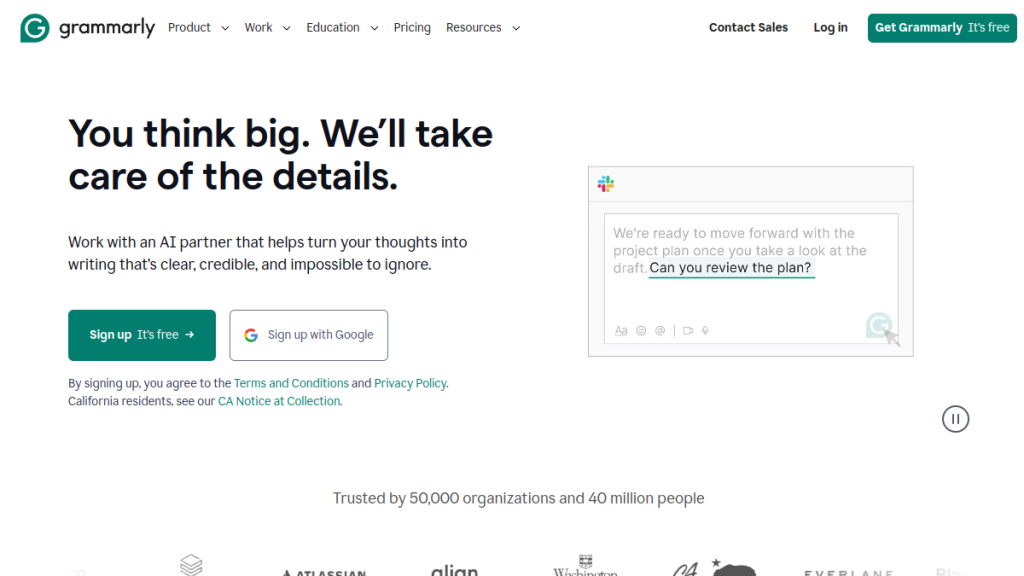
Grammarly is an AI-powered writing assistant that goes far beyond basic spell-check. Founded in 2009, it’s become the gold standard for grammar correction, clarity improvements, and professional writing polish.
With over 40 million daily active users and 50,000 organizations using it, Grammarly has established itself as the most trusted name in writing assistance. It works across virtually every platform—browser extensions, desktop apps, mobile keyboards, and direct integrations with Microsoft Office, Google Docs, and more.
Core strengths:
- Industry-leading grammar and spelling correction
- Tone detection and adjustment
- Clarity and conciseness suggestions
- Full-sentence rewrites
- Plagiarism detection
- AI content detection
- Style guide enforcement (Pro/Enterprise)
Grammarly’s approach is comprehensive: it doesn’t just fix errors, it helps you become a better writer by explaining why changes are suggested.
What is QuillBot?
QuillBot started as a paraphrasing tool in 2017 and has evolved into a full writing suite. Its core strength remains paraphrasing—taking existing text and rewriting it in different styles while preserving meaning.
Trusted by over 35 million writers, QuillBot is particularly popular among students, academics, and content creators who need to rework text frequently. It’s also gained attention for its AI Humanizer feature, which can make AI-generated content sound more natural.
Core strengths:
- Best-in-class paraphrasing with 9 modes
- Multiple rewriting styles (Fluency, Formal, Creative, etc.)
- AI content detection
- AI Humanizer (making AI text sound human)
- Summarization tools
- Grammar checking
- Translation (40+ languages)
QuillBot’s philosophy is different from Grammarly’s—it’s built for transformation, not just correction.
Feature-by-Feature Comparison
Grammar and Spelling — Winner: Grammarly
This is Grammarly’s home turf, and it shows.
Grammarly:
- Catches virtually every grammar mistake
- Context-aware suggestions (understanding what you meant to say)
- Explains the grammar rule behind each correction
- Handles complex sentences and professional jargon well
- Detects tone inconsistencies
- Offers clarity and conciseness improvements
- Works in 6+ languages for grammar
QuillBot:
- Solid basic grammar correction
- Catches common errors reliably
- Less nuanced with complex sentences
- Grammar available in 6 languages
- Fewer explanatory insights
Verdict: Grammarly’s grammar engine is significantly more sophisticated. If grammar perfection is your priority, Grammarly wins decisively.
Paraphrasing — Winner: QuillBot
This is QuillBot’s specialty, and no competitor comes close.
QuillBot:
- 9 paraphrasing modes: Standard, Fluency, Formal, Academic, Creative, Expand, Shorten, Simple, Custom
- Unlimited paraphrasing (Premium)
- Synonym slider to control word changes
- Side-by-side mode comparison
- Maintains meaning while completely restructuring sentences
- Custom modes let you define your own rewriting style
Grammarly:
- Full-sentence rewrite feature (Pro)
- Limited to improving existing text, not true paraphrasing
- No dedicated paraphrasing modes
- Works well but isn’t designed for bulk rewriting
Verdict: QuillBot dominates paraphrasing. If you regularly need to rewrite content—for academic work, avoiding plagiarism, or content repurposing—QuillBot is the clear choice.
AI Detection — Tie
Both tools now offer AI detection, responding to the rise of ChatGPT and other AI writing tools.
Grammarly:
- Integrated AI detection (Pro plan)
- Identifies AI-generated passages
- Works within the existing Grammarly interface
QuillBot:
- Dedicated AI Detector tool
- Limited uses on free plan, unlimited on Premium
- Clear percentage-based scoring
Verdict: Both offer functional AI detection. Neither is as advanced as dedicated tools like Originality.ai, but they’re solid for basic needs.
AI Humanizer — Winner: QuillBot
This is a feature Grammarly doesn’t offer at all.
QuillBot:
- AI Humanizer tool rewrites AI-generated text to sound more human
- Advanced mode available on Premium
- Useful for making ChatGPT outputs less detectable
- Works on existing text you paste in
Grammarly:
- No equivalent feature
- Can improve AI text through general editing, but not specifically designed to humanize it
Verdict: If you use AI to generate drafts and need to humanize them, QuillBot is your only option between these two.
Plagiarism Checking — Slight Edge: Grammarly
Grammarly:
- Scans against billions of web pages
- Compares against ProQuest academic databases
- No monthly word limits (Pro)
- Shows exact sources of matched content
- Integrated into the main editing experience
QuillBot:
- Plagiarism checker included in Premium
- Limited to 25,000 words per month
- Checks against web sources
- Clear match percentage display
Verdict: Grammarly’s plagiarism checker is more robust, with academic database access and no word limits. For serious academic or professional use, Grammarly has the edge.
Integrations and Accessibility — Winner: Grammarly
Grammarly:
- Browser extensions (Chrome, Firefox, Safari, Edge)
- Desktop apps (Windows, macOS)
- Mobile keyboards (iOS, Android)
- Microsoft Office integration
- Google Docs integration
- Slack, Discord, and more
- Works in virtually any text field
QuillBot:
- Browser extensions (Chrome, Edge)
- macOS app
- Microsoft Word add-in
- Mobile apps and keyboards (iOS, Android)
- Google Docs integration
- Works in most text fields
Verdict: Grammarly has broader integration coverage and works more seamlessly across platforms. If you write in many different apps, Grammarly adapts better.
Summarization — Winner: QuillBot
QuillBot:
- Dedicated Summarizer tool
- Choose between Key Sentences or Paragraph mode
- Up to 6,000 words per input (Premium)
- Create custom-length summaries
- Works well for research and studying
Grammarly:
- No dedicated summarization feature
- Can use AI prompts for summarization (limited)
Verdict: QuillBot’s Summarizer is a fully-featured tool. Grammarly doesn’t compete in this area.
Translation — Winner: QuillBot
QuillBot:
- Translate text into 40+ languages
- Integrated with paraphrasing workflow
- Useful for multilingual content creation
Grammarly:
- No translation feature
- Grammar checking in multiple languages, but no translation
Verdict: Need translation? QuillBot includes it. Grammarly doesn’t.
Pricing Comparison
Grammarly Pricing (2026)
| Plan | Price | Key Features |
|---|---|---|
| Free | $0 | Basic grammar, tone detection, 100 AI prompts/mo |
| Pro | $12/month | Full features, 2,000 AI prompts/mo, plagiarism, AI detection |
| Enterprise | Custom | Unlimited AI prompts, SSO, admin controls, dedicated support |
Note: Grammarly recently transitioned from “Premium” to “Pro” plans, combining the best of Premium and Business features.
QuillBot Pricing (2026)
| Plan | Price | Key Features |
|---|---|---|
| Free | $0 | 125 words paraphrasing, 2 modes, basic grammar |
| Premium | $8.33/month (annual) | Unlimited paraphrasing, 9 modes, plagiarism (25K words/mo), AI Humanizer |
| Team | Custom | Premium features + team management, usage metrics |
QuillBot offers monthly billing at a higher rate—annual billing provides the best value.
Price Comparison
- QuillBot Premium is 31% cheaper than Grammarly Pro ($8.33 vs $12/month on annual plans)
- Both have functional free tiers, though quite limited
- QuillBot’s free tier is more restrictive (125-word paraphrasing limit)
- Grammarly’s free tier is more useful for basic grammar checking
Budget pick: QuillBot Premium
Value for money: Depends on your primary need
Pros and Cons
Grammarly
✅ Pros
- Industry-leading grammar correction — The most accurate and nuanced grammar engine available
- Comprehensive writing improvement — Goes beyond fixing errors to improve clarity, tone, and style
- Excellent integrations — Works seamlessly across virtually every platform and app
- Educational explanations — Learn why something is wrong, not just that it’s wrong
- Professional polish — Makes your writing sound more professional and polished
- Robust plagiarism checker — Academic database access, no word limits
❌ Cons
- More expensive — $12/month vs QuillBot’s $8.33/month
- No paraphrasing tool — Sentence rewrites exist, but nothing like QuillBot’s paraphrasing
- No AI Humanizer — Can’t specifically make AI text sound more human
- No summarization — Missing a key feature for researchers and students
- Can be aggressive — Sometimes suggests changes that alter intended meaning
QuillBot
✅ Pros
- Best paraphrasing in the market — 9 modes, unlimited usage, exceptional quality
- More affordable — $8.33/month is budget-friendly for students
- AI Humanizer included — Unique feature for making AI text undetectable
- Strong summarization — Useful tool for research and studying
- Translation built-in — 40+ languages without leaving the app
- Custom paraphrasing modes — Create your own rewriting style
❌ Cons
- Grammar is secondary — Good, but not as sophisticated as Grammarly
- Plagiarism limits — 25,000 words/month cap on Premium
- Fewer integrations — Not as universal as Grammarly
- Can over-paraphrase — Sometimes changes meaning when aggressively rewriting
- Less professional polish — Doesn’t offer the same level of style improvement
Which Should You Choose?
Choose Grammarly If:
- ✅ Grammar perfection is your priority — You want every sentence polished
- ✅ You’re a professional writer — Business emails, reports, client communications
- ✅ You need extensive integrations — Writing across many apps and platforms
- ✅ You want to improve your writing skills — Learning from explanations
- ✅ Unlimited plagiarism checking matters — Academic or content professionals
- ✅ Team/enterprise features needed — Style guides, admin controls, SSO
Choose QuillBot If:
- ✅ Paraphrasing is your primary need — Academic writing, content repurposing
- ✅ You’re a student on a budget — $8.33/month is easier to justify
- ✅ You use AI writing tools — Need to humanize AI-generated content
- ✅ You need summarization — Research, studying, quick comprehension
- ✅ Translation is useful — Multilingual content creation
- ✅ You rewrite content frequently — Blogs, social media, marketing
Use Both If:
Some power users actually use both tools together:
- QuillBot for initial paraphrasing and content generation
- Grammarly for final grammar polish and professional review
The $20/month combined cost is worth it if you produce high volumes of content that needs both transformation and perfection.
FAQs
Is QuillBot better than Grammarly for students?
For most students, yes. QuillBot’s paraphrasing helps with research papers, its lower price fits student budgets, and the summarizer aids studying. However, if grammar improvement is your main goal, Grammarly’s educational explanations are more valuable for learning.
Can Grammarly detect QuillBot-paraphrased text?
Grammarly’s AI detector may flag heavily paraphrased content, but it’s designed to detect AI-generated text, not human paraphrasing. QuillBot’s output generally reads as human-written because it’s based on human input.
Does QuillBot work as well as Grammarly for grammar?
No. QuillBot’s grammar checker is functional but not as sophisticated. It catches obvious errors but misses nuanced issues that Grammarly flags. For serious grammar work, Grammarly is superior.
Is the QuillBot AI Humanizer worth it?
If you regularly use ChatGPT, Claude, or other AI tools to draft content, yes. The AI Humanizer makes AI-generated text less detectable and more natural-sounding. It’s one of QuillBot’s unique selling points.
Can I use Grammarly and QuillBot together?
Absolutely. Many writers use QuillBot to paraphrase or rewrite content, then run it through Grammarly for grammar polish. The browser extensions can coexist without conflict.
Which has better plagiarism detection?
Grammarly. It checks against academic databases (ProQuest) in addition to web sources, and has no monthly word limits. QuillBot’s plagiarism checker is decent but limited to 25,000 words/month and web sources only.
Are there free alternatives to both tools?
Yes, but with significant limitations:
- Hemingway Editor — Free, focuses on readability
- LanguageTool — Free grammar checking, open source
- Google Docs grammar — Basic built-in checking
- Paraphrasing.io — Free paraphrasing with limits
None match the quality of paid Grammarly or QuillBot plans.
Final Verdict
🏆 Our Verdict
Grammarly and QuillBot aren’t really competitors—they’re complementary tools that excel at different things.
Grammarly (⭐ 4.7/5)
The undisputed champion of grammar and writing improvement. If your goal is professional, polished writing with perfect grammar, Grammarly is worth the $12/month. Its comprehensive approach helps you write better while actually learning to write better.
Best for: Professionals, business writers, anyone prioritizing grammar perfection.
QuillBot (⭐ 4.5/5)
The paraphrasing king with a valuable set of additional tools. At $8.33/month, it’s a no-brainer for students, researchers, and content creators who need to rewrite text frequently. The AI Humanizer is a unique feature that justifies the subscription on its own.
Best for: Students, academics, content creators, anyone who rewrites text regularly.
The Bottom Line
| Your Priority | Get This |
|---|---|
| Grammar perfection | Grammarly |
| Paraphrasing | QuillBot |
| Professional writing | Grammarly |
| Academic writing | QuillBot |
| Budget-friendly | QuillBot |
| AI humanization | QuillBot |
| Comprehensive polish | Grammarly |
| Both needs? | Get both ($20/mo total) |
Both tools offer free tiers—try them both and see which fits your workflow.
Looking for more options? Check out our Jasper AI review or explore the Best AI Writing Tools.