You’re uploading 3 videos weekly but your channel growth has flatlined at 847 subscribers while competitors with worse content hit 100K because they’re leveraging AI to create thumbnails, edit faster, and optimize titles you’d never think of manually. After testing 40+ AI tools across video creation, editing, and optimization, here’s the exact stack that transforms bedroom creators into full-time income earners.
n
Growing a YouTube channel in 2026 without AI tools is like editing video on a flip phone — technically possible, but why would you? The smartest creators are leveraging artificial intelligence across every stage of content production, from ideation to analytics. This guide covers the essential AI tools that’ll help you create more content, rank higher, and grow faster.
n
Quick Verdict
n
| Tool | Best For | Starting Price | Our Rating |
|---|---|---|---|
| vidIQ | YouTube optimization & strategy | Free / $39/mo | ⭐ 4.8/5 |
| Descript | Video editing & transcription | Free / $15/mo | ⭐ 4.7/5 |
| InVideo AI | AI-generated videos | Free / $25/mo | ⭐ 4.5/5 |
| OpusClip | AI short-form clips | Free / $19/mo | ⭐ 4.6/5 |
| Canva | Thumbnails & graphics | Free / $13/mo | ⭐ 4.7/5 |
| ElevenLabs | Voiceovers & dubbing | Free / $5/mo | ⭐ 4.8/5 |
| ChatGPT | Scripts & content planning | Free / $20/mo | ⭐ 4.6/5 |
| TubeBuddy | SEO & A/B testing | Free / $9/mo | ⭐ 4.4/5 |
n
Best Overall Pick: vidIQ — the most comprehensive YouTube-specific AI suite for creators serious about growth.
n
Table of Contents
n
- n
- Why YouTubers Need AI Tools
- Best for YouTube Optimization: vidIQ
- Best for Video Editing: Descript
- Best for AI Video Generation: InVideo AI
- Best for Shorts & Clips: OpusClip
- Best for Thumbnails: Canva
- Best for Voiceovers: ElevenLabs
- Best for Scriptwriting: ChatGPT
- Best for SEO & A/B Testing: TubeBuddy
- Honorable Mentions
- How to Build Your YouTube AI Stack
- FAQs
- Final Verdict
n
n
n
n
n
n
n
n
n
n
n
n
n
n
Why YouTubers Need AI Tools
n
YouTube’s algorithm favors creators who publish consistently with high engagement. The math is brutal: the average successful channel uploads 2-3 times per week, each video requiring scripting, filming, editing, thumbnail creation, and optimization.
n

n

n

n
n
AI tools solve the bottleneck problem by:
n
- n
- Reducing production time — Edit a 20-minute video in 10 minutes with AI-powered tools
- Improving discoverability — Data-driven titles, tags, and descriptions that actually rank
- Scaling content output — Repurpose one long-form video into dozens of shorts automatically
- Enhancing quality — Studio-grade audio, professional thumbnails, and polished scripts without the skills
- Providing strategic insights — Know what to create before you invest production time
n
n
n
n
n
n
The creators ignoring AI are working 10x harder for the same results. Let’s fix that.
n
How We Tested & Ranked These Tools
n
With dozens of AI tools claiming to help YouTubers, we needed a systematic approach to find the ones that actually deliver. Here’s our evaluation criteria:
n
- n
- Hands-on testing: Every tool on this list was personally tested — no recycled press releases
- Real creator feedback: We interviewed active YouTubers (10K-500K subscribers) about their actual AI tool stacks
- Value assessment: We evaluated whether the free tier is actually useful, and whether paid plans justify their cost
- Integration capability: Does it work with YouTube’s ecosystem? Can it connect with other tools in your workflow?
- Output quality: We tested generated scripts, thumbnails, voiceovers, and videos against manual alternatives
- Scalability: Can the tool handle 1 video a week and 1 video a day?
n
n
n
n
n
n
n
We prioritized tools that save genuine time without sacrificing quality — because YouTube’s algorithm rewards quality content, not just quantity.
n
1. Best for YouTube Optimization: vidIQ
n
Overview
n
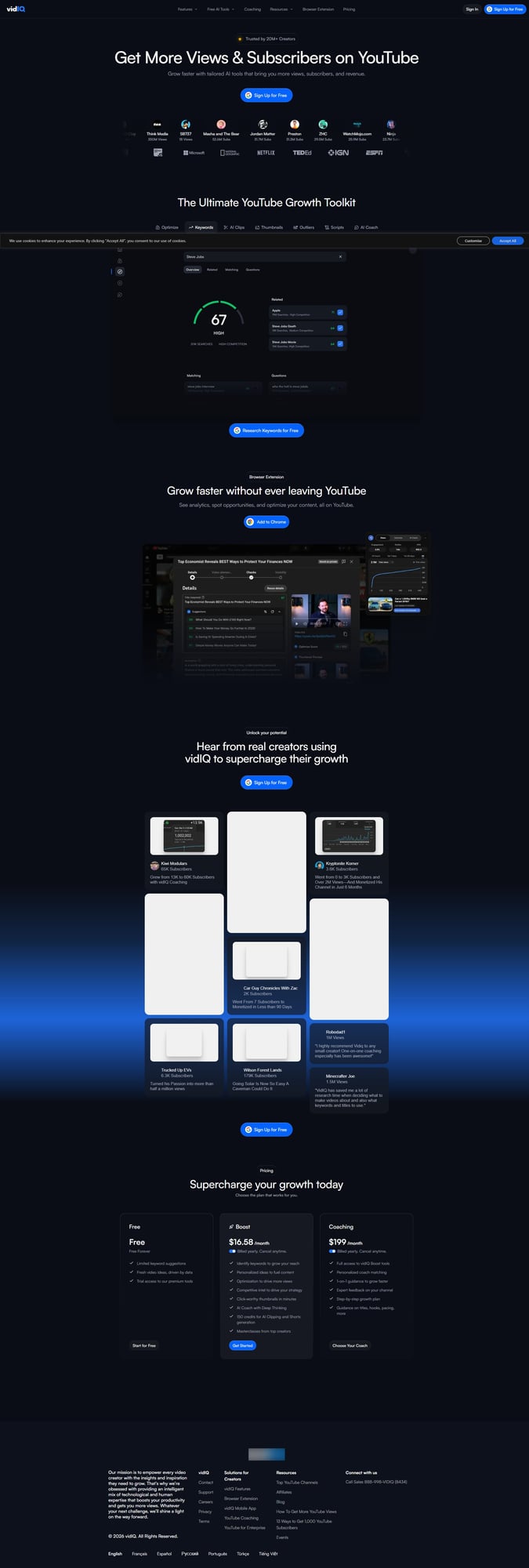
vidIQ is the gold standard for YouTube channel optimization. Built specifically for creators, it combines keyword research, competitor analysis, thumbnail generation, and an AI Coach that provides personalized growth strategies.
n
n
Key Features
n
AI Coach with Deep Thinking
n
vidIQ’s standout feature is its AI Coach — a 24/7 assistant trained on billions of YouTube videos. Ask it anything: “What should I make next?” “Why isn’t this video performing?” “How do I beat this competitor?” It responds with data-backed strategies, not generic advice.
n
Keyword Research & Optimization
n
Find high-traffic, low-competition keywords in your niche. vidIQ shows search volume, competition scores, and related terms — essential for ranking in search and suggested videos.
n
Thumbnail Generator
n
Create click-worthy thumbnails in minutes using AI. Input your video topic, and vidIQ generates multiple options optimized for CTR based on what’s working in your niche.
n
Competitor Intelligence
n
Track rival channels in real-time. See when they change titles, update thumbnails, and monitor their view velocity. Learn from what’s working without guesswork.
n
AI Clipping for Shorts
n
Automatically extract the most engaging moments from long-form videos and convert them to vertical shorts — with 150-600 credits per month depending on your plan.
n
Pricing
n
| Plan | Monthly | Annual (per month) | Key Features |
|---|---|---|---|
| Free | $0 | $0 | Limited keywords, basic analytics, trial features |
| Boost | ~$17 | ~$13 | Full keyword research, AI Coach, 150 clipping credits |
| Max | $39 | $29 | Unlimited AI Coach, Max Mode AI, 600 clipping credits |
| Enterprise | Custom | Custom | Multi-channel management, team features |
n
Who Should Use vidIQ
n
✅ Best for: Creators focused on growth strategy, SEO, and data-driven decisions
n
✅ Ideal if: You want to know what to create before investing production time
n
❌ Skip if: You only need video editing tools (vidIQ focuses on strategy, not production)
n
Our Rating: ⭐ 4.8/5
n
vidIQ earns its place as the top YouTube optimization tool. The AI Coach alone is worth the subscription — it’s like having a YouTube strategist on call 24/7.
n
2. Best for Video Editing: Descript
n
Overview
n
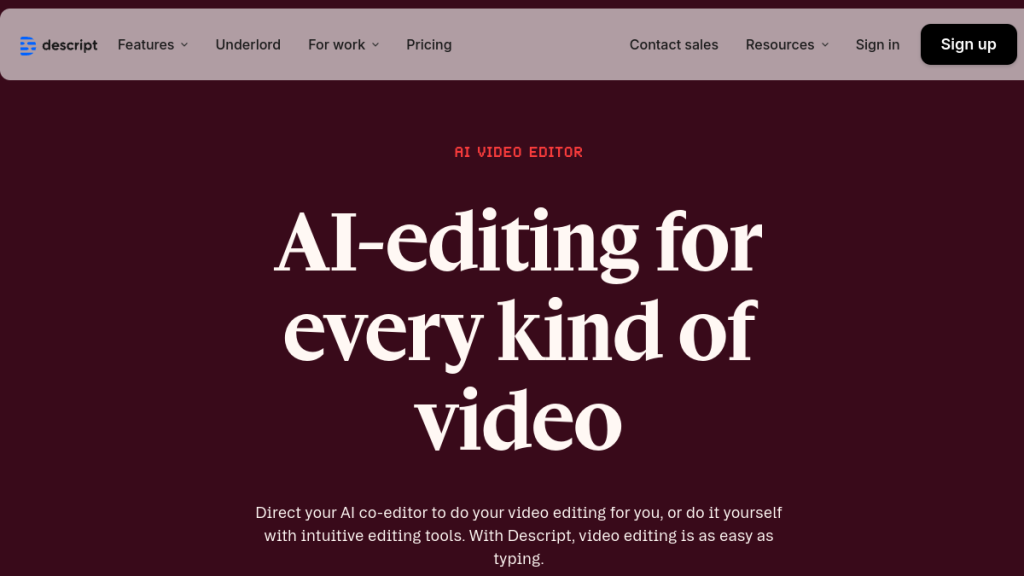
Descript revolutionized video editing with text-based editing. Edit your video by editing the transcript — delete a sentence, delete the footage. It’s that intuitive. Add AI-powered transcription, filler word removal, and studio-quality audio enhancement, and you’ve got the most creator-friendly editor on the market.
n
Key Features
n
Text-Based Editing
n
Edit video like a Google Doc. Highlight text and delete it — the corresponding video/audio vanishes. Rearrange sentences, add transitions, fix mistakes. Revolutionary for anyone who hates timeline editing.
n
Underlord AI Co-Editor
n
Descript’s AI assistant that makes intelligent editing decisions. Tell it to “remove all filler words” or “create a highlight reel” and watch it work. It understands context, not just commands.
n
Studio Sound
n
One-click audio enhancement that removes background noise, boosts speech clarity, and delivers studio-quality sound — even from phone recordings or bad mics.
n
AI Eye Contact
n
Recorded while reading a script or notes? Eye Contact AI adjusts your gaze so you appear to look directly into the camera. No more “shifty eyes” from teleprompter readings.
n
Green Screen Without a Green Screen
n
Remove backgrounds from any footage using AI. No physical setup required — works on existing recordings.
n
Multi-Language Transcription & Dubbing
n
Transcribe in 25 languages. Dub in 30 languages with native-sounding AI voices. Expand your audience globally without hiring translators or voice actors.
n
Pricing
n
| Plan | Monthly | Annual (per month) | Media Minutes | AI Credits |
|---|---|---|---|---|
| Free | $0 | $0 | 60 min/mo | 100 (one-time) |
| Hobbyist | $15 | $12 | 600 min/mo | 400/mo |
| Creator | $30 | $24 | 1800 min/mo | 800/mo |
| Pro | $50 | $40 | 2400 min/mo | 1500/mo |
n
Who Should Use Descript
n
✅ Best for: Creators who want fast, intuitive editing without learning complex software
n
✅ Ideal if: You create talking-head content, podcasts, or interview-style videos
n
❌ Skip if: You need advanced motion graphics or cinematic effects (use Premiere/After Effects)
n
Our Rating: ⭐ 4.7/5
n
Descript’s text-based editing is genuinely game-changing. The learning curve is nearly zero, and AI features like Studio Sound and Eye Contact save hours per video.
n
3. Best for AI Video Generation: InVideo AI
n
Overview
n
InVideo AI takes a text prompt and generates a complete video — script, visuals, voiceover, music, and subtitles. It’s not quite “type and forget” (you’ll want to edit), but it gets you 80% of the way there in minutes.
n
Key Features
n
Text-to-Video Generation
n
Describe your video (“Make a 5-minute explainer about Bitcoin’s history”) and InVideo generates a draft with AI-selected stock footage, voiceover, background music, and captions. Edit from there.
n
AI Voice Cloning
n
Clone your voice from samples, then generate narration without recording. Maintain your brand voice even when you can’t (or don’t want to) record.
n
5,000+ Templates
n
Pre-built templates for every YouTube niche — listicles, tutorials, reviews, vlogs, shorts. Customize with your branding.
n
Stock Media Library
n
Access to 8M+ stock videos, images, and audio tracks. iStock and Shutterstock integrations included on premium plans.
n
Faceless Channel Support
n
Perfect for running automation/faceless channels. Generate complete videos from scripts without appearing on camera.
n
Pricing
n
| Plan | Monthly | Annual (per month) | Video Exports |
|---|---|---|---|
| Free | $0 | $0 | Watermarked videos |
| Plus | $25 | $20 | 60 videos/mo |
| Max | $60 | $48 | Unlimited videos |
n
Who Should Use InVideo AI
n
✅ Best for: Creators running faceless channels or needing fast Content at Scale
n
✅ Ideal if: You want to test video ideas before committing to full production
n
❌ Skip if: Your brand relies on your personal presence (AI video can feel generic)
n
Our Rating: ⭐ 4.5/5
n
InVideo AI is impressively capable for AI-generated content. Don’t expect masterpieces, but for informational/educational content, it’s a massive time-saver.
n
4. Best for Shorts & Clips: OpusClip
n
Overview
n
OpusClip takes your long-form videos and automatically extracts the most engaging moments as vertical clips for YouTube Shorts, TikTok, and Reels. Our dedicated Opus Clip review goes deeper on how it compares to manual clipping workflows. It uses AI to identify “hook” moments, add captions, and format for mobile — turning one video into 10+ shorts with minimal effort.
n
Key Features
n
AI Virality Score
n
OpusClip rates each generated clip with a predicted virality score based on engagement patterns. Focus your posting on clips most likely to perform.
n
Automatic Caption Styling
n
Animated, styled captions added automatically — the kind that keep viewers watching on muted autoplay. Multiple templates and customization options.
n
Smart Cropping
n
AI tracks speakers and important visual elements, automatically reframing horizontal footage for vertical aspect ratios.
n
B-Roll & Hooks
n
Automatically adds relevant B-roll footage and optimizes the opening “hook” to maximize retention.
n
Direct Publishing
n
Schedule and post directly to YouTube, TikTok, Instagram, and LinkedIn from the dashboard.
n
Pricing
n
| Plan | Monthly | Annual (per month) | Upload Minutes |
|---|---|---|---|
| Free | $0 | $0 | 90 min/mo, watermarked |
| Starter | $19 | $15 | 200 min/mo |
| Pro | $49 | $39 | 500 min/mo |
| Business | $149 | $119 | 2000 min/mo |
n
Who Should Use OpusClip
n
✅ Best for: Creators who already make long-form content and want to maximize reach
n
✅ Ideal if: You’re not posting shorts because clipping is too time-consuming
n
❌ Skip if: You primarily make short-form content already (less value in auto-clipping)
n
Our Rating: ⭐ 4.6/5
n
OpusClip turns the repurposing grind into a one-click process. The AI genuinely understands what makes clips engaging — not perfect, but 80% of the work done automatically.
n
5. Best for Thumbnails: Canva
n
Overview
n
Canva isn’t YouTube-specific, but it’s become the default tool for creator thumbnails. With AI-powered features like Magic Write, Magic Eraser, and text-to-image generation, plus thousands of YouTube thumbnail templates, it’s the complete graphics solution.
n
Key Features
n
YouTube Thumbnail Templates
n
Thousands of professionally designed templates sized correctly (1280×720). Drag, drop, customize, export.
n
Magic Studio AI
n
- n
- Magic Write: Generate text (titles, descriptions) with AI
- Magic Eraser: Remove unwanted objects from images instantly
- Magic Design: Describe what you want, get a design generated
- Background Remover: One-click background removal for cutouts
n
n
n
n
n
Brand Kit
n
Save your colors, fonts, and logos. Every new design auto-applies your branding for consistency.
n
Collaboration
n
Real-time collaboration if you work with editors or designers. Comment, share, and approve thumbnails without file transfers.
n
Pricing
n
| Plan | Monthly | Annual (per month) | Key Features |
|---|---|---|---|
| Free | $0 | $0 | 250K templates, 5GB storage |
| Pro | $15 | $13 | Magic AI tools, 100GB storage, Brand Kit |
| Teams | $30 | $25 | Collaboration features, admin controls |
n
Who Should Use Canva
n
✅ Best for: Creators who want professional thumbnails without Photoshop skills
n
✅ Ideal if: You need a quick, reliable design tool for all social graphics
n
❌ Skip if: You already use Photoshop/Figma proficiently (Canva is simpler, not more powerful)
n
Our Rating: ⭐ 4.7/5
n
Canva is the obvious choice for most creators. The free tier is generous, Pro unlocks genuinely useful AI features, and the learning curve is near zero.
n
6. Best for Voiceovers: ElevenLabs
n
Overview
n
ElevenLabs produces the most realistic AI voices in the industry. Clone your voice, generate narration in 29 languages, or use one of their professional voice actors’ AI versions. For creators needing voiceovers without recording, it’s unmatched. If you want a more straightforward voice generator with a simpler interface, our Murf AI review covers a strong alternative.
n
Key Features
n
Voice Cloning
n
Upload a few minutes of your voice, and ElevenLabs creates an AI clone. Generate unlimited narration in your voice without recording — maintain brand consistency even when you can’t speak.
n
29+ Languages
n
Generate speech in multiple languages from the same text. Localize content for global audiences without hiring voice actors.
n
Professional Voice Library
n
Access to AI versions of professional voice actors — various ages, accents, and styles. No licensing headaches.
n
Speech-to-Speech
n
Record a rough narration, then apply a different voice while preserving your emotion and delivery. Act it out, let AI clean it up.
n
Dubbing
n
Upload a video, get it dubbed in another language with lip-sync and voice matching. Automatic global expansion.
n
Pricing
n
| Plan | Monthly | Credits | Key Features |
|---|---|---|---|
| Free | $0 | 10K chars/mo | 3 custom voices |
| Starter | $5 | 30K chars/mo | 10 custom voices |
| Creator | $22 | 100K chars/mo | 30 custom voices, commercial license |
| Pro | $99 | 500K chars/mo | Unlimited voices, high priority |
n
Who Should Use ElevenLabs
n
✅ Best for: Creators needing consistent, professional voiceovers at scale
n
✅ Ideal if: You run faceless channels, create in multiple languages, or hate recording
n
❌ Skip if: Your personal voice IS your brand and audiences expect you (authenticity matters)
n
Our Rating: ⭐ 4.8/5
n
ElevenLabs’ voice quality is genuinely indistinguishable from human recordings. The ethical considerations exist (be transparent about AI use), but the technology is remarkable.
n
7. Best for Scriptwriting: ChatGPT
n
Overview
n
ChatGPT (with GPT-4.5) remains the most versatile AI writing tool for YouTube scripts. Brainstorm video ideas, write full scripts, generate titles and descriptions, create hooks — it handles every text-based task in your workflow.
n
Key Features
n
Script Generation
n
Provide a topic, target length, and tone — get a complete script with intro hooks, talking points, and calls to action. Iterate and refine through conversation.
n
Title & Description Optimization
n
Generate 20 title options in seconds, then refine based on your feedback. Same for descriptions optimized for YouTube search.
n
Research Assistant
n
Ask ChatGPT to research topics, summarize sources, and identify angles. Faster than manual research, though verify critical facts.
n
Content Calendar Planning
n
Brainstorm video ideas for months ahead. “Give me 30 video ideas for a tech review channel focused on AI tools” — done.
n
Custom GPTs
n
Create custom GPTs trained on your style, previous scripts, and brand guidelines. Consistent voice across all content.
n
Pricing
n
| Plan | Monthly | Key Features |
|---|---|---|
| Free | $0 | GPT-4o-mini, limited usage |
| Plus | $20 | GPT-4.5, priority access, custom GPTs |
| Pro | $200 | Unlimited access, highest capability models |
n
Who Should Use ChatGPT
n
✅ Best for: Creators who need versatile AI assistance across all text tasks
n
✅ Ideal if: You want one tool for scripts, titles, descriptions, research, and planning
n
❌ Skip if: You need YouTube-specific features like keyword research (combine with vidIQ)
n
Our Rating: ⭐ 4.6/5
n
ChatGPT is the Swiss Army knife of creator AI tools. Not specialized for YouTube, but incredibly capable for the text-based parts of the workflow.
n
8. Best for SEO & A/B Testing: TubeBuddy
n
Overview
n
TubeBuddy is a browser extension and mobile app for YouTube channel management. Strong on SEO tools, bulk processing, and thumbnail A/B testing — features that help established channels optimize at scale.
n
n
Key Features
n
Thumbnail A/B Testing
n
Test multiple thumbnail versions on the same video. TubeBuddy rotates them, measures CTR, and declares a statistical winner. Data-driven thumbnail optimization.
n
Keyword Explorer
n
Find keywords with search volume, competition, and optimization strength scores. See how your videos rank for target keywords over time.
n
Bulk Processing
n
Update end screens, cards, descriptions, or tags across multiple videos at once. Essential for channels with large back catalogs.
n
Best Time to Publish
n
Analyzes your audience’s viewing patterns and recommends optimal upload times for maximum initial engagement.
n
Comment Management
n
Filter, sort, and respond to comments efficiently. Identify top fans, detect spam, and manage community engagement at scale.
n
Pricing
n
| Plan | Monthly | Annual (per month) | Key Features |
|---|---|---|---|
| Free | $0 | $0 | Basic SEO, limited features |
| Pro | $9 | $7.50 | Full keyword explorer, bulk processing |
| Legend | $29 | $24 | A/B testing, advanced analytics |
n
Who Should Use TubeBuddy
n
✅ Best for: Established channels needing SEO tools and A/B testing
n
✅ Ideal if: You have 50+ videos and need bulk management features
n
❌ Skip if: You’re just starting (vidIQ’s AI Coach provides more strategic value early on)
n
Our Rating: ⭐ 4.4/5
n
TubeBuddy is solid for SEO and A/B testing, but vidIQ has pulled ahead with AI features. Best for channels that specifically need thumbnail testing or bulk tools.
n
Honorable Mentions
n
Pictory ($25/mo)
n
Turns scripts and blog posts into videos automatically. Good for repurposing written content. Read our full Pictory AI review for a detailed breakdown of its repurposing capabilities.
n
Riverside ($15/mo)
n
High-quality remote recording for interviews and podcasts. Separate audio/video tracks for clean editing.
n
HeyGen-review/”>HeyGen ($29/mo)
n
AI avatar videos — your digital twin reads scripts without you recording. Useful for training/educational content.
n
Synthesia-review/”>Synthesia ($29/mo)
n
Similar to HeyGen — AI avatars from text. Strong on corporate/professional styles.
n

n
Adobe Podcast (Free)
n
Studio-quality audio enhancement. Free tier is genuinely useful for cleaning up recordings.
n
Quick Comparison: All Tools at a Glance
n
| Tool | Category | Best For | Free Plan? | Price From | Our Rating |
|---|---|---|---|---|---|
| vidIQ | SEO/Optimization | Keyword research & analytics | ✅ Yes | $9.50/mo | ⭐ 4.8/5 |
| Descript | Video Editing | Text-based editing | ✅ Yes | $24/mo | ⭐ 4.7/5 |
| InVideo AI | Video Generation | Faceless channels | ✅ Yes | $25/mo | ⭐ 4.5/5 |
| OpusClip | Shorts/Clips | Auto-clipping for Shorts | ✅ Yes | $15/mo | ⭐ 4.6/5 |
| Canva | Thumbnails | Thumbnail & graphic design | ✅ Yes | $13/mo | ⭐ 4.7/5 |
| ElevenLabs | Voiceovers | AI voice & cloning | ✅ Yes | $5/mo | ⭐ 4.8/5 |
| ChatGPT | Scriptwriting | Scripts & ideas | ✅ Yes | $20/mo | ⭐ 4.6/5 |
| TubeBuddy | SEO/A&B Testing | Channel management | ✅ Yes | $4.50/mo | ⭐ 4.4/5 |
n
The YouTube AI Automation Pipeline
n
The most successful creators in 2026 don’t use AI tools in isolation — they build automated pipelines. Here’s how the tools above fit together:
n
Stage 1: Research & Ideation
n
vidIQ + ChatGPT → Find trending topics with low competition, then generate structured video outlines with hooks, key points, and CTAs.
n
Stage 2: Script & Voice
n
ChatGPT + ElevenLabs → Write a complete script, then generate a professional voiceover. Pro tip: Record yourself reading the script first, then use ElevenLabs’ Speech-to-Speech to clean it up while keeping your natural pacing.
n
Stage 3: Visual Production
n
Canva + Descript + InVideo AI → Create eye-catching thumbnails, edit your footage with AI assistance, or generate entire videos from scripts for faceless channels. Browser-based editors like Kapwing are also worth considering for quick collaborative edits without software installs.
n
Stage 4: Optimization & Distribution
n
TubeBuddy + OpusClip → A/B test thumbnails and titles, then automatically clip long-form content into Shorts for multi-platform distribution.
n
The Full Automation Stack Cost
n
| Stage | Tool | Monthly Cost | Role |
|---|---|---|---|
| Research | vidIQ | $16.58 | Topic discovery & SEO |
| Scripting | ChatGPT Plus | $20 | Scripts, outlines, hooks |
| Voice | ElevenLabs | $5-22 | AI narration & voice cloning |
| Visuals | Canva Pro | $13 | Thumbnails & graphics |
| Editing | Descript | $24 | Text-based video editing |
| Shorts | OpusClip | $15 | Auto-clip for Shorts |
| Optimization | TubeBuddy | $4.50 | A/B testing & SEO |
| Total | $98-115/mo | Full creator pipeline |
n
For less than $120/month, you can build an AI-powered content machine that would have cost thousands in freelancer fees just two years ago.
n
Bonus: AI Tools for Advanced YouTube Automation
n
Suno AI — AI Music Generation ($10/mo)
n
Need copyright-free background music tailored to your video’s exact mood and length? Suno generates full, original tracks from text descriptions. Ask for “lo-fi hip hop mixed with 80s synthwave, uptempo, 3 minutes” and get a unique track you own the rights to (on Pro plans). This eliminates the YouTube copyright strike risk that comes with stock music libraries.
n
Why it matters: YouTube’s ContentID system is aggressive. Original AI-generated music means zero copyright claims on your revenue.
n
Runway (Gen-3) — AI Video Generation ($15/mo)
n
Runway generates custom video clips from text prompts. Type “drone shot of a futuristic city at sunset” and get a unique, copyright-free clip in seconds. Combined with Midjourney for static images, this gives faceless channels an infinite library of original B-roll without stock footage subscriptions.
n
Midjourney — AI Thumbnail Creation ($10/mo)
n
While Canva is great for template-based thumbnails, Midjourney creates hyper-creative, impossible images that stop the scroll. Generate concepts like “a giant robot sitting in a tiny office cubicle, cinematic lighting” — visuals that can’t exist in reality but grab attention in the YouTube sidebar. Many top creators now use Midjourney for their most important thumbnail art.
n
How to Build Your YouTube AI Stack
n
Not every creator needs every tool. Here’s how to build your stack based on your situation:
n
The Beginner Stack (Free – $20/mo)
n
Just starting? Focus on fundamentals:
n
- n
- vidIQ Free — Learn what performs in your niche
- ChatGPT Free — Script writing and ideation
- Canva Free — Professional thumbnails
- Total: $0
n
n
n
n
n
The Growing Creator Stack ($50-100/mo)
n
Gaining traction? Add efficiency tools:
n
- n
- vidIQ Boost — Full optimization suite (~$17/mo)
- ChatGPT Plus — Better scripts, faster ($20/mo)
- Canva Pro — AI design features ($13/mo)
- Descript Hobbyist — Fast editing ($15/mo)
- Total: ~$65/mo
n
n
n
n
n
n
The Full-Time Creator Stack ($150-250/mo)
n
YouTube is your job? Go all-in:
n
- n
- vidIQ Max — Unlimited AI Coach ($39/mo)
- Descript Creator — Full editing suite ($30/mo)
- OpusClip Pro — Automated shorts ($49/mo)
- ElevenLabs Creator — Voiceovers ($22/mo)
- Canva Pro — Graphics ($13/mo)
- ChatGPT Plus — Writing ($20/mo)
- Total: ~$173/mo
n
n
n
n
n
n
n
n
The Faceless Channel Stack
n
Running automation channels:
n
- n
- InVideo AI Max — Video generation ($60/mo)
- ElevenLabs Pro — Voice at scale ($99/mo)
- ChatGPT Plus — Scripts ($20/mo)
- vidIQ Boost — Optimization ($17/mo)
- Total: ~$196/mo
n
n
n
n
n
n
FAQs
n
Can AI tools actually help grow a YouTube channel?
n
Yes — when used strategically. AI tools won’t magically create viral content, but they remove bottlenecks. Creators using AI for optimization (vidIQ), editing (Descript), and repurposing (OpusClip) can produce more high-quality content in less time. The channels winning in 2026 combine AI efficiency with genuine human creativity and personality.
n
Will YouTube penalize AI-generated content?
n
YouTube’s policy targets low-quality spam, not AI-assisted content. Using AI to write scripts, generate thumbnails, or edit videos is standard practice. The key is adding value — don’t publish pure AI output without editing. YouTube cares about viewer satisfaction, not whether you used tools to create content.
n
Is vidIQ or TubeBuddy better in 2026?
n
vidIQ has pulled ahead with its AI Coach and deeper data analysis. TubeBuddy remains strong for thumbnail A/B testing and bulk processing. If choosing one, vidIQ offers more strategic value for growth-focused creators. Some creators use both — vidIQ for strategy, TubeBuddy for A/B testing.
n
Do I need to disclose AI voiceovers?
n
YouTube requires disclosure of “synthetic media” depicting real people in realistic ways. For standard voiceovers using AI voices, disclosure isn’t legally required but is ethically recommended. Many creators add a brief note in descriptions. For AI versions of your own voice, no disclosure is necessary.
n
What’s the cheapest way to start using AI tools?
n
Start free: vidIQ Free + ChatGPT Free + Canva Free gives you optimization, scriptwriting, and thumbnails at zero cost. Upgrade selectively as you identify specific bottlenecks in your workflow. Don’t buy tools hoping they’ll magically grow your channel — add them to solve real problems.
n
Can AI replace hiring an editor?
n
For many creators, yes. Descript’s text-based editing and AI features handle 80% of editing tasks that previously required skilled editors. For advanced motion graphics, color grading, or cinematic production, you still need human expertise. But for talking-head content, tutorials, and vlogs? AI editing tools are now sufficient.
n
How much time do AI tools actually save?
n
Based on creator reports:
n
- n
- Editing: 50-70% time reduction (Descript vs traditional editing)
- Shorts creation: 90% time reduction (OpusClip vs manual clipping)
- Thumbnails: 75% time reduction (Canva vs Photoshop from scratch)
- Research/scripts: 60% time reduction (ChatGPT vs manual research)
n
n
n
n
n
The compound effect is significant — creators report producing 2-3x more content in the same hours.
n
Final Verdict
n
🏆 Our Verdict
n
The YouTube creator landscape in 2026 is divided: those leveraging AI tools and those falling behind.
n
If you only choose one tool: vidIQ. Its AI Coach alone justifies the subscription, providing YouTube-specific strategic guidance that generic AI tools can’t match.
n
The essential stack for most creators:
n
Our top 5 picks for 2026:
- vidIQ — Best for YouTube-specific growth strategy and keyword research
- Descript — Best for cutting editing time by 50-70%
- OpusClip — Best for auto-generating Shorts from long-form videos
- ChatGPT Plus — Best for scripts, descriptions, and ideation
- Canva Pro — Best for professional thumbnails without design skills
Combined cost: under $120/month. Combined value: replacing a freelancer, an editor, a graphic designer, and a YouTube strategist. For research-heavy content (finance, health, tech), pair your stack with Perplexity AI for instant cited statistics without the tab-switching hell. Explore more options in our best AI writing tools guide if scriptwriting is your primary bottleneck.
n
- n
- vidIQ — Know what to create
- Descript — Edit faster
- Canva — Thumbnails that click
- ChatGPT — Scripts that convert
n
n
n
n
n
These four tools, combined, cost less than one hour of a freelance editor’s time while saving dozens of hours monthly.
n
The creators winning in 2026 aren’t working harder — they’re working smarter with AI as their force multiplier. The tools are here. The question is whether you’ll use them.
n
Ready to upgrade your YouTube workflow?
n
👉 Try vidIQ free — Start optimizing today
n
👉 Get Descript — Edit video like a doc
n
👉 Explore Canva Pro — Professional thumbnails in minutes
n
Found this guide helpful? Check out our Best AI Video Generators 2026 for more production tools. For scripting and content research, YouTubers are also using Perplexity AI to quickly find sourced statistics for video scripts. See our full best AI writing tools guide for the complete writing toolkit.
n