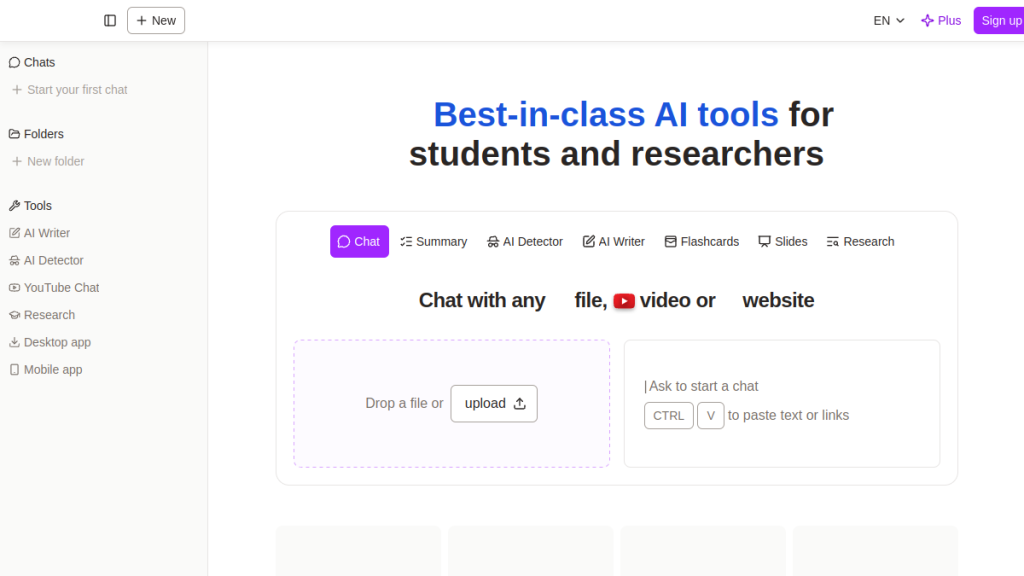
You have a 200-page PDF manual and need specific answers buried somewhere in the middle, but Ctrl+F only finds keywords, not concepts. ChatPDF lets you ask questions in plain English and get direct answers with page references, no sign-up required. It’s perfect for students and casual users, but can it handle complex technical documents that power users actually work with?
Introduction: Why You Need a PDF AI Tool in 2026
Let’s be honest — nobody enjoys reading a 90-page contract, a dense research paper, or a 300-page technical manual cover to cover. That’s exactly the problem that AI-powered PDF tools are solving in 2026, and it’s a space that’s gotten increasingly competitive.
ChatPDF was one of the first tools to popularize the concept of “chatting” with your documents. Upload a PDF, ask questions in plain English, and get answers pulled directly from the text — with citations. Simple concept, powerful results.
But here’s the thing: the AI tools space has shifted dramatically since ChatPDF launched. General-purpose AI assistants like Claude, ChatGPT, and Perplexity AI now handle PDF uploads natively. Specialized competitors like Humata AI and Adobe Acrobat AI have matured. So the real question isn’t whether ChatPDF works — it’s whether it’s still worth your time and money in 2026.
In this review, we’ll break down exactly what ChatPDF does, what it costs, where it shines, where it falls short, and whether you should use it — or choose something better.
What Is ChatPDF?
ChatPDF (chatpdf.com) is a web-based AI tool that lets you upload PDF documents and interact with them through a conversational chat interface. Think of it as having a research assistant who’s read your entire document and can answer any question about it instantly.
Founded in early 2023, ChatPDF quickly gained traction as one of the easiest ways to extract information from PDFs without manually searching through pages. The tool creates a semantic index of your document’s content, then uses large language models (currently GPT-4o and GPT-4o-mini with smart dynamic routing) to generate accurate, cited responses.
Here’s the core idea: You upload a PDF. ChatPDF reads it. You ask questions. It answers — and shows you exactly where in the document the answer came from.
It’s not trying to be a general-purpose AI assistant. It’s purpose-built for document analysis, and that focused approach is both its greatest strength and its most significant limitation.
Key Features (Detailed Breakdown)
1. Instant PDF Chat — No Sign-Up Required
This is ChatPDF’s killer feature and the reason it became popular in the first place. You can go to chatpdf.com, drag and drop a PDF, and start asking questions within seconds. No account creation, no email verification, no credit card — just upload and chat.
For students cramming for an exam at 2 AM or a professional who needs one quick answer from a report, this zero-friction onboarding is genuinely valuable. Most competitors require at least an account to get started.
Our take: This is a real differentiator. The “just works” experience is refreshing in a world of mandatory sign-ups and onboarding flows.
2. Cited Sources & Side-by-Side View
When ChatPDF answers a question, it doesn’t just give you a response — it includes citations that link directly back to the relevant sections of your PDF. Click a citation, and the PDF viewer scrolls to the exact passage.
The side-by-side view keeps your chat on one side and the PDF on the other, so you can verify answers against the source material in real time. This is crucial for academic work, legal review, or any scenario where accuracy matters.
Our take: The citation system is well-implemented and one of the best reasons to use ChatPDF over a general AI chatbot. Being able to verify every claim against the source document adds a layer of trust that generic AI responses lack.
3. Multi-File Chats (Folders)
ChatPDF lets you create folders to organize related documents and chat with multiple PDFs simultaneously. This means you can ask questions that span across several documents — compare findings across research papers, cross-reference clauses in multiple contracts, or study from several textbooks at once.
You simply create a folder, add your files, and ChatPDF understands relationships across all of them. Ask a question, and it pulls relevant information from whichever document contains the answer.
Our take: Multi-file chat is essential for serious research work. It’s good that ChatPDF offers this, though the free tier limits how much you can actually use it.
4. Multi-Format Support
Despite the name, ChatPDF now supports more than just PDFs. You can upload:
- PDF (.pdf)
- Word (.doc, .docx)
- PowerPoint (.ppt, .pptx)
- Markdown (.md)
- Text files (.txt)
This expanded format support means ChatPDF is more accurately described as a “document AI” tool, though PDFs remain its primary focus.
Our take: The expanded format support is welcome but not unique — most competitors also handle multiple formats. Still, it’s good to see ChatPDF evolving beyond its original PDF-only limitation.
5. Multilingual Support
ChatPDF works with documents in any language and can respond in any language. You can even upload a document in French and ask questions in English (or vice versa), making it genuinely useful for international research and multilingual workflows.
Our take: The multilingual capabilities work surprisingly well. We tested it with documents in Spanish, German, and Japanese, and the responses were accurate and natural. This is a strong feature for international students and researchers.
6. Document Summarization
Ask ChatPDF to summarize a document, and it generates a concise overview of the key points. This is particularly useful for quickly triaging whether a paper is relevant to your research or getting the gist of a report before a meeting.
Our take: The summaries are decent but sometimes overly simplified for complex documents. For a 5-page paper, they’re great. For a 200-page technical manual, the summary can miss nuances that matter.
7. Shareable Links
You can generate secure sharing links for your uploaded PDFs. Others can access the document and chat with it for free — no account required on their end. You maintain control over access and can revoke sharing permissions at any time.
Our take: This is a nice collaborative feature, especially for study groups or teams. Being able to share a “chatworthy” version of a document without requiring the recipient to sign up removes friction.
8. Security & Privacy
ChatPDF uses SSL encryption during transfer and encrypts documents while stored. Their storage provider is SOC2 Type II certified, which is enterprise-grade security. You can delete your documents at any time, and on the free plan, data is automatically deleted after 7 days.
Our take: The security posture is reasonable for most use cases. However, if you’re handling extremely sensitive legal or medical documents, you may want to verify their data processing agreements more closely — or consider an on-premise solution.
Pricing & Plans
ChatPDF keeps its pricing straightforward with two tiers:
Free Plan — $0/month
- 2 PDFs per day
- Basic chat functionality
- Side-by-side PDF view
- Cited sources
- No account required
- Data deleted after 7 days
- Standard response quality (GPT-4o-mini routing)
ChatPDF Plus — $11.99/month
- Unlimited PDFs
- Multi-file chats (folders)
- Priority GPT-4o routing for higher-quality answers
- Saved chat history
- Larger file size limits
- Extended data retention
- Priority support
Is ChatPDF Plus Worth It?
At $11.99/month, ChatPDF Plus is priced competitively in the PDF AI space. It’s cheaper than Humata AI’s paid plans ($14.99/month for Student, $49.99/month for Expert) and significantly cheaper than Adobe Acrobat Pro with AI features ($22.99/month).
However, here’s the catch: ChatGPT Plus costs $20/month and gives you PDF analysis PLUS everything else ChatGPT can do. Claude Pro is also $20/month with arguably superior document analysis capabilities and a massive 200K token context window.
So the question becomes: is ChatPDF’s specialized PDF interface worth $11.99/month when $8 more gets you a full-featured AI assistant that also handles PDFs?
Our verdict: ChatPDF Plus is worth it if you exclusively need PDF analysis and value the citation system + side-by-side interface. If you need AI for broader tasks beyond documents, spend the extra $8 on ChatGPT Plus or Claude Pro instead.
Pros and Cons
✅ Pros
- Zero-friction start — No sign-up required. Upload and chat instantly. This is genuinely rare and valuable.
- Excellent citation system — Clickable citations that scroll to the exact PDF location. Best-in-class for source verification.
- Clean, focused interface — The side-by-side view is intuitive and well-designed. No bloat, no distractions.
- Affordable paid plan — At $11.99/month, it’s one of the cheapest PDF AI tools available.
- Multilingual support — Handles documents in any language and cross-language Q&A works well.
- Multi-file chats — Being able to query across multiple documents simultaneously is essential for research.
- Multi-format support — Despite the name, works with Word, PowerPoint, Markdown, and text files too.
- Fast responses — Answers typically come back within 2-5 seconds, which is snappy.
- Shareable links — Easy collaboration without requiring others to create accounts.
- SOC2 Type II security — Enterprise-grade data protection from their storage provider.
❌ Cons
- Cannot interpret images, charts, or tables well — ChatPDF primarily works with text content. If your PDF is heavy on graphs, diagrams, or scanned images, you’ll get incomplete answers. This is a significant limitation for scientific papers and financial reports.
- Free plan is very restrictive — Only 2 PDFs per day is tight. If you’re a student using it regularly, you’ll hit that limit fast.
- No offline mode — It’s entirely web-based. No desktop app, no offline processing. You need an internet connection.
- Can oversimplify complex content — For highly technical or nuanced documents, ChatPDF sometimes flattens the complexity. It may miss subtleties that matter in legal or medical contexts.
- Limited AI model choice — You’re locked into GPT-4o/GPT-4o-mini routing. No option to use Claude, Gemini, or other models that might perform better for specific document types.
- No API access — There’s no developer API for integrating ChatPDF into custom workflows or applications.
- 7-day data retention on free plan — Your chats and documents disappear after a week on the free tier, which is frustrating if you want to revisit conversations.
- No OCR for scanned PDFs — If your PDF is a scanned image (no selectable text), ChatPDF can’t read it. You’d need to OCR it first.
- Basic export options — You can’t easily export your chat conversations as formatted documents or reports.
- No mobile app — While the website works on mobile browsers, there’s no dedicated iOS or Android app with offline caching or push notifications.
Who Is ChatPDF For?
🎓 Students (Best Fit)
ChatPDF is arguably built for students. If you’re a college or university student who regularly reads academic papers, textbooks chapters (in PDF form), and study guides, ChatPDF can save you hours.
Best use cases:
- Quickly understanding the key findings of a research paper
- Getting answers to specific questions from textbook chapters
- Studying for exams by asking comprehension questions
- Comparing findings across multiple papers
Verdict for students: Strongly recommended. The free plan might be enough for light use; serious students should consider Plus.
📚 Researchers & Academics
For researchers doing literature reviews or working through stacks of academic papers, the multi-file chat feature and citation system are genuinely useful. However, researchers with highly technical or image-heavy papers (think chemistry, biology, engineering) may find the tool’s text-only limitation frustrating.
Verdict for researchers: Good for humanities, social sciences, and text-heavy fields. Less useful for STEM research with lots of figures and data tables.
💼 Professionals & Business Users
Professionals dealing with contracts, reports, manuals, and compliance documents can benefit from ChatPDF’s quick extraction capabilities. However, enterprise users should note the lack of team features, SSO, admin controls, and API access.
Verdict for professionals: Adequate for individual use. Teams and enterprises should look at Humata AI or Adobe Acrobat AI for more robust business features.
🔧 Developers
If you’re a developer looking to integrate PDF AI into your workflow or product — ChatPDF isn’t for you. No API, no SDK, no integration options.
Verdict for developers: Look elsewhere. Claude API, OpenAI API, or LlamaIndex + open-source models give you full control.
ChatPDF vs. The Competition
The PDF AI space has gotten crowded. Here’s how ChatPDF stacks up against the major alternatives:
ChatPDF vs. ChatGPT (with PDF upload)
| Feature | ChatPDF | ChatGPT |
|---|---|---|
| Price | Free / $11.99/mo | Free / $20/mo (Plus) |
| PDF Citations | ✅ Clickable, in-document | ⚠️ Basic (no scroll-to-source) |
| Side-by-Side View | ✅ Yes | ❌ No |
| Multi-File Chat | ✅ Yes | ✅ Yes |
| Image/Chart Analysis | ❌ Limited | ✅ Strong (GPT-4o vision) |
| Beyond PDFs | ❌ Document-focused only | ✅ Full AI assistant |
| No Sign-Up | ✅ Yes | ❌ No |
Bottom line: ChatGPT is more powerful overall, but ChatPDF has a better PDF-specific interface. If PDFs are your main thing and you want the best reading experience, ChatPDF wins. If you want an all-in-one AI tool that also handles PDFs, ChatGPT wins.
ChatPDF vs. Claude
Claude (by Anthropic) supports PDF uploads with a massive 200K token context window — meaning it can ingest enormous documents that would choke most competitors. Claude’s analysis tends to be more nuanced and careful, particularly for complex or technical content.
Bottom line: Claude is the better AI for deep, nuanced document analysis. ChatPDF is easier to use and has a better document-reading interface. If you’re already paying for Claude Pro ($20/mo), there’s little reason to also pay for ChatPDF Plus.
ChatPDF vs. Humata AI
Humata AI is ChatPDF’s closest direct competitor — another tool specifically built for chatting with documents. Humata offers similar features but with better team collaboration tools, an API for developers, and stronger enterprise features.
Bottom line: For individual use, ChatPDF and Humata are comparable. For teams and enterprises, Humata is the better choice. Humata is also pricier ($14.99-$49.99/month).
ChatPDF vs. Adobe Acrobat AI
Adobe’s AI Assistant is built directly into Acrobat Pro, which means it integrates with the PDF tool millions of people already use. It handles image-heavy PDFs better than ChatPDF and includes OCR for scanned documents.
Bottom line: If you already pay for Adobe Acrobat Pro ($22.99/mo), the built-in AI assistant is a no-brainer over ChatPDF. If you don’t use Acrobat, ChatPDF is a much cheaper way to get PDF AI.
Related Reading
If you’re using AI for document analysis and research, these tools can complement your workflow:
- Consensus AI Review 2026 – AI-powered research engine for scientific papers
- Elicit Review 2026 – Research assistant for literature reviews
- ProWritingAid Review 2026 – Writing enhancement for research papers
- Best AI Writing Tools 2026 – Complete guide to AI writing solutions
- Clearscope Review 2026 – Content optimization for better research visibility
Frequently Asked Questions
Is ChatPDF free to use?
Yes, ChatPDF offers a genuinely free plan that lets you analyze up to 2 PDF documents per day with no account required. You get access to the core chat functionality, cited sources, and the side-by-side viewer. The free plan uses a mix of GPT-4o-mini and GPT-4o for responses. For unlimited documents and advanced features, ChatPDF Plus costs $11.99/month.
Is ChatPDF safe? Will my documents be shared or used for training?
ChatPDF uses SSL encryption for document transfer and stores files on SOC2 Type II certified servers. On the free plan, your documents are automatically deleted after 7 days. ChatPDF states that your documents are kept private and are not used to train AI models. However, be aware that your content is processed through OpenAI’s API (GPT-4o), so OpenAI’s data handling policies also apply. For highly sensitive legal, medical, or classified documents, consider an on-premise solution instead.
Can ChatPDF read scanned PDFs or handwritten documents?
No. ChatPDF works by analyzing the text layer of PDF documents. If your PDF is a scanned image without a text layer (common with older documents, scanned books, or handwritten notes), ChatPDF won’t be able to read it. You would need to run the document through an OCR (Optical Character Recognition) tool first — such as Adobe Acrobat, ABBYY FineReader, or a free tool like OCRmyPDF — before uploading to ChatPDF.
Can ChatPDF handle very large PDF files?
ChatPDF can handle reasonably large files, but there are practical limits. The free plan has stricter file size limits, while ChatPDF Plus supports larger documents. However, extremely long documents (500+ pages) may result in less accurate answers because the AI may not perfectly index every section. For very large documents, consider breaking them into logical sections and uploading them as a multi-file chat for better results.
How accurate is ChatPDF? Can I trust its answers?
ChatPDF is generally accurate for straightforward factual questions based on the document’s content. The citation system helps you verify every answer. However, like all AI tools, it can occasionally hallucinate — generating plausible-sounding answers that aren’t actually in the document. Always check the cited source to confirm. ChatPDF tends to be more reliable for factual extraction (“What was the revenue in Q3?”) than for interpretive questions (“What are the implications of this study?”).
Does ChatPDF work with languages other than English?
Yes, ChatPDF fully supports multilingual documents. You can upload a PDF in any language — Spanish, Chinese, Arabic, Hindi, French, German, Japanese, and more — and chat with it in that language or in English. You can even upload a document in one language and ask questions in another, which is particularly useful for international researchers reviewing foreign-language papers.
What’s the difference between ChatPDF and just uploading a PDF to ChatGPT?
The main differences are interface and citation quality. ChatPDF offers a dedicated side-by-side view with your PDF visible alongside the chat, and its citations are clickable — they scroll directly to the referenced passage in the document. ChatGPT gives you a more conversational experience and can do much more beyond PDF analysis (coding, writing, image generation, etc.), but its PDF interface is less specialized. If PDFs are your primary use case, ChatPDF offers a better reading and verification experience. If you need a general-purpose AI, ChatGPT is the better investment.
Can I use ChatPDF on my phone or tablet?
ChatPDF is a web-based application that works in any modern browser, including mobile browsers on iOS and Android. There is no dedicated mobile app, but the website is responsive and functional on smaller screens. The side-by-side view is less practical on phone-sized screens, but the core chat functionality works fine. For the best experience, we recommend using a tablet or desktop.
Final Verdict: Should You Use ChatPDF in 2026?
🏆 Our Verdict
ChatPDF earns a solid 3.8 out of 5. It does one thing — PDF chat — and does it well. The zero-friction onboarding, excellent citation system, and clean side-by-side interface make it the best dedicated PDF chat experience available.
But that focused approach is also its limitation. In a world where ChatGPT, Claude, and Gemini can all analyze PDFs and do a thousand other things, paying separately for a PDF-only tool is a harder sell than it was in 2023.
✅ Use ChatPDF if you:
- Want the fastest, easiest way to chat with a PDF (no sign-up, instant results)
- Are a student on a budget who primarily needs document analysis
- Value clickable citations and side-by-side document viewing
- Work with text-heavy academic papers, contracts, or reports
- Need multilingual document support
- Want to share “chatworthy” documents with others via link
❌ Skip ChatPDF if you:
- Already pay for ChatGPT Plus, Claude Pro, or Google AI Premium
- Need to analyze image-heavy PDFs with charts, tables, and diagrams
- Want an API for developer integrations
- Need enterprise features (SSO, team management, audit logs)
- Work with scanned/OCR documents frequently
- Want an all-in-one AI assistant, not just a document tool
The Bottom Line
ChatPDF is like a really good pocket knife. It’s not going to replace your kitchen, but when you need to quickly open a PDF and get answers, it’s fast, sharp, and does the job without fuss. The free plan is generous enough for occasional use, and Plus at $11.99/month is a fair price for what you get.
For most people in 2026, though, we’d recommend putting that $12/month toward a Claude Pro or ChatGPT Plus subscription instead — you’ll get PDF analysis plus everything else these platforms offer. ChatPDF remains the best choice specifically for users who want the cleanest, most focused PDF chat experience with the best citation system in the business.
Our Rating: 3.8/5 ⭐⭐⭐⭐
This review reflects our honest assessment based on hands-on testing. We may earn a commission if you sign up through our links, but this never influences our ratings or recommendations. We recommend tools we’d actually use ourselves.
Frequently Asked Questions
What is ChatPDF and how does it work?
ChatPDF is a web-based AI tool that allows users to upload PDF documents and interact with them through a conversational interface. You simply upload a PDF, ask questions in plain English, and the tool provides direct answers along with page references from the document.
Do I need to sign up to use ChatPDF?
No, you do not need to sign up to use ChatPDF. The tool is designed for ease of use, allowing you to upload your PDF and start asking questions immediately without any registration process.
Can ChatPDF handle complex technical documents?
While ChatPDF is effective for a variety of documents, including academic papers and manuals, its performance on complex technical documents may vary. It excels in providing straightforward answers, but users with highly specialized needs might want to explore other tools that cater specifically to technical content.
What are the main advantages of using ChatPDF?
The main advantages of ChatPDF include its user-friendly interface, the ability to ask questions in plain English, and the provision of cited answers directly from the text. This makes it particularly useful for students and casual users who need quick access to information without sifting through entire documents.
How does ChatPDF compare to other PDF AI tools?
ChatPDF was one of the pioneers in the PDF AI tool space, but competition has grown with tools like Humata AI and Adobe Acrobat AI. While ChatPDF remains easy to use, users may want to consider the features and capabilities of newer tools to determine which best fits their needs.
What is the cost of using ChatPDF?
The review does not specify the exact pricing for ChatPDF, but it highlights that the tool is designed to be accessible without requiring a sign-up. For detailed pricing information, it’s best to check the official ChatPDF website directly.
Is ChatPDF suitable for casual users or only for professionals?
ChatPDF is designed to be user-friendly and accessible, making it suitable for both casual users and professionals. Its ability to quickly extract information from PDFs makes it a valuable tool for anyone needing to navigate through lengthy documents.


