Your team of 12 is evaluating ClickUp AI at – per user monthly, which means you’re looking at 8-6 in additional costs each month just for AI features. That’s ,296-,032 annually on top of your existing project management tools, and you need to know if the productivity gains justify the expense. Here’s what ClickUp AI actually delivers for teams that need to prove ROI on every software investment.
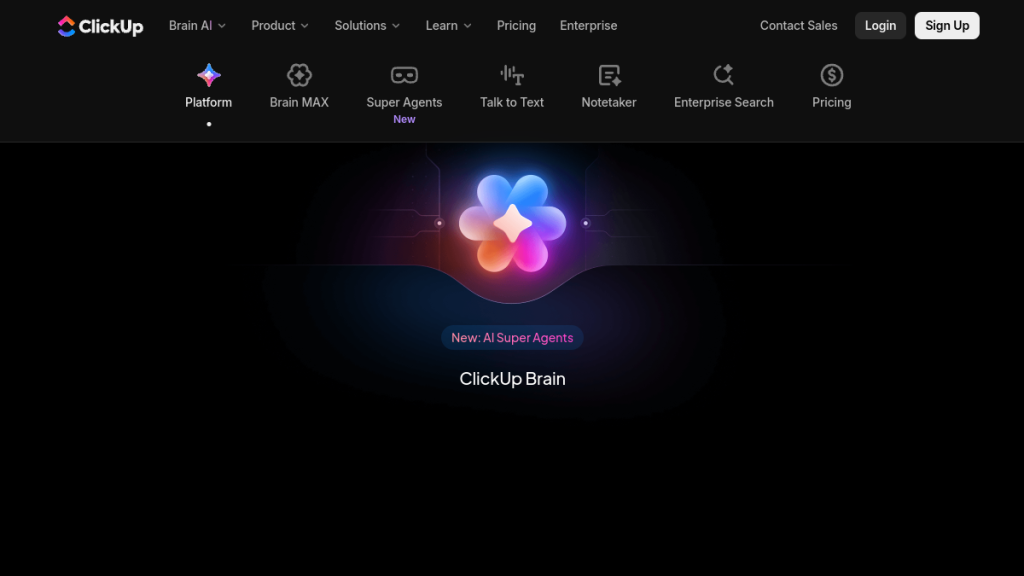
ClickUp has evolved from a project management tool into what they call an “everything app for work” — and their AI offering, ClickUp Brain, is the centerpiece of that vision. But with AI add-ons costing $9-$28 per user per month on top of your base ClickUp subscription, is it actually worth it?
I’ve tested ClickUp Brain extensively against standalone AI tools and competing project management platforms. Here’s the honest breakdown.
Quick Verdict
⭐ Rating: 4.3/5
💰 Pricing: $9-$28/user/month (AI add-on) + base ClickUp plan ($0-$12/user/month)
✅ Best For: Teams already using ClickUp who want AI deeply integrated into their workflow
❌ Skip If: You need a simple AI writing tool or aren’t invested in ClickUp’s ecosystem
The Bottom Line: ClickUp Brain isn’t just another AI chatbot bolted onto productivity software. It’s a genuine intelligence layer that understands your workspace context, automates project management busywork, and surfaces information from across your organization. The value proposition is strongest for teams already committed to ClickUp — for everyone else, the learning curve and cost may outweigh the benefits.
Table of Contents
- What is ClickUp AI (Brain)?
- Key Features
- Pricing Breakdown
- Pros and Cons
- Who Should Use ClickUp AI?
- ClickUp AI vs Alternatives
- FAQs
- Final Verdict
What is ClickUp AI (Brain)?
ClickUp Brain is a neural network layer that sits on top of the ClickUp work platform. Unlike standalone AI tools like ChatGPT or Claude that have no context about your work, ClickUp Brain indexes everything in your workspace:
- Tasks and subtasks
- Documents and wikis
- Comments and discussions
- Chat threads
- Calendar events
- Meeting recordings and transcripts
- Connected third-party apps (Slack, Google Drive, etc.)
This means when you ask ClickUp Brain a question like “What was decided in last month’s sprint planning meeting?” or “Who’s working on the mobile redesign project?” — it can actually answer with specifics, citing the exact document, task, or conversation.
The Core Value Proposition
The pitch is simple: stop context-switching between AI tools and work tools.
Instead of copying context from ClickUp into ChatGPT, getting an answer, then copying it back — you stay in your workflow. The AI understands your projects, your team’s work patterns, and your organization’s knowledge without any manual setup.
ClickUp claims Brain saves users 1.1 days per week on average. That’s ambitious, but the concept is sound: the more your AI knows about your actual work, the more useful it becomes.
Key Features
1. AI Knowledge Manager
This is the flagship feature and the main reason to consider ClickUp Brain.
What it does:
- Natural language search across your entire workspace
- Pulls answers from tasks, docs, comments, chat messages, and connected apps
- Cites sources so you can verify information
- Works in plain English — no exact keyword matching required
Example queries:
- “Where’s the deployment checklist we approved last quarter?”
- “What were the key decisions from the Q3 planning meeting?”
- “What’s the status of the Anderson project?”
- “Who handles customer onboarding documentation?”
Why it matters: Most project management tools become information graveyards. Stuff goes in but never comes out because nobody remembers where anything lives. Knowledge Manager solves this by making your organizational memory searchable.
2. AI Project Manager (Autopilot)
Autopilot handles the tedious administrative work that consumes project managers’ time.
Automated workflows include:
- Auto-assigning tasks based on type, expertise, and workload
- Auto-prioritizing tasks when deadlines shift
- Creating subtasks for standard processes
- Progress tracking and status updates
- Posting summaries to relevant channels
- Updating custom fields automatically
How it works: You configure rules once (“When a task is tagged ‘urgent’, assign to available team lead and notify the Slack channel”), and Autopilot handles execution indefinitely.
This is the feature that justifies the premium $28/user tier for teams doing serious project management.
3. AI Writer for Work
Content creation is embedded throughout work — sprint recaps, client emails, specs, meeting summaries, status updates. ClickUp Brain drafts all of it.
Writing capabilities:
- Draft emails and messages
- Create project briefs and specs
- Generate meeting agendas
- Write status reports
- Summarize documents
- Create task descriptions
Tone adaptation: Choose from different voices (marketer, engineer, executive, casual) and the AI adapts accordingly.
This isn’t going to replace dedicated writing tools like Jasper for marketing copy, but for internal work communication, it’s convenient having it right where you work.
4. AI Agents & Assistants
No-code agents extend Brain’s capabilities from reactive (answer questions) to proactive (execute work).
Answers Agent: Fields questions from teammates 24/7, pulling responses from workspace knowledge. Useful for onboarding or distributed teams across time zones.
Autopilot Agents: Watch for triggers and execute actions automatically:
- Create tasks when certain conditions are met
- Update statuses based on activity
- Notify stakeholders of changes
- Generate reports on schedule
Custom Agents: Build your own agents for domain-specific tasks without code.
5. AI Notetaker & Meeting Intelligence
Connect your video conferencing tools (Zoom, Google Meet, etc.) and ClickUp Brain automatically:
- Records meetings
- Transcribes conversations
- Summarizes key points
- Identifies decisions made
- Extracts action items and tasks
- Links everything back to relevant ClickUp projects
This alone can replace a $20-50/month meeting transcription tool.
6. Multi-Model Support
ClickUp Brain isn’t locked to a single AI provider. You can toggle between:
- GPT-4o (OpenAI)
- Claude variants (Anthropic)
- Other models as they’re added
This flexibility means you’re not dependent on one vendor’s capabilities or pricing changes. The downside: you cannot bring self-hosted models if that’s a requirement for your organization.
7. AI Image Generator
Generate visuals directly within ClickUp for:
- Presentations
- Project documentation
- Marketing concepts
- Wireframes and mockups
It’s not Midjourney-level, but for quick internal assets, it’s handy.
8. Enterprise Search
For larger organizations, Enterprise Search connects data across:
- All ClickUp workspaces
- Connected third-party apps
- External data sources
One search query can surface information from Salesforce, Google Drive, Slack, GitHub, Figma, and more — without leaving ClickUp.
Pricing Breakdown
ClickUp’s pricing is layered: you pay for the base platform, then add AI on top.
Base ClickUp Plans (2026)
| Plan | Price | Best For |
|---|---|---|
| Free Forever | $0 | Individuals, evaluation |
| Unlimited | $7/user/month | Small teams |
| Business | $12/user/month | Mid-sized teams |
| Enterprise | Custom | Large organizations |
Prices shown are annual billing. Monthly is ~40% more expensive.
ClickUp Brain AI Add-Ons
| AI Tier | Price | What You Get |
|---|---|---|
| Free Trial | $0 | Limited AI access with usage caps |
| AI Standard | $9/user/month | Unlimited AI essentials, standard automations, Brain MAX desktop app, premium model access |
| AI Autopilot | $28/user/month | Everything in Standard + unlimited automations, unlimited agents, Enterprise Search, unlimited AI Notetaker |
Additional Add-Ons
- Talk to Text: $9/user/month
- AI Notetaker Expansion: $12 for 60 hours
- Live Training: $400 one-time
Total Cost Examples
Small team (5 users) on Unlimited + AI Standard:
- Base: $7 × 5 = $35/month
- AI: $9 × 5 = $45/month
- Total: $80/month ($960/year)
Mid-sized team (20 users) on Business + AI Autopilot:
- Base: $12 × 20 = $240/month
- AI: $28 × 20 = $560/month
- Total: $800/month ($9,600/year)
Is the Pricing Competitive?
ClickUp argues that Brain replaces multiple tools:
- AI assistant ($20/month)
- Meeting transcription ($30/month)
- Automation tool ($50/month)
- Knowledge management ($40/month)
If you’d otherwise pay for these separately, Brain can be cheaper. But if you just want ChatGPT-style assistance, $9-28/user is expensive compared to a $20/month ChatGPT Team subscription shared across users.
Pros and Cons
Pros ✅
1. Deep Workspace Integration
Unlike ChatGPT or Claude, ClickUp Brain actually understands your work. It knows your projects, team members, deadlines, and decisions. This contextual awareness makes responses dramatically more useful.
2. Multi-Model Flexibility
Switching between GPT-4o and Claude means you’re not locked to one vendor. As new models emerge, ClickUp adds them.
3. Replaces Multiple Tools
Meeting transcription, automation, knowledge management, AI writing — it’s all in one place. For teams that would pay for these separately, consolidation makes sense.
4. Autopilot Reduces Busywork
The project management automations are legitimately time-saving. Auto-assigning tasks, updating priorities, generating status reports — this is grunt work that eats project managers alive.
5. Enterprise-Grade Security
Third-party AI providers never train on or store your data. GDPR, ISO, HIPAA, and SOC 2 compliant. For enterprise buyers, this matters.
6. Free Tier to Evaluate
You can test Brain capabilities before committing, which is rare for AI add-ons.
Cons ❌
1. Full Features Require $28/User Tier
The really powerful stuff (unlimited automations, agents, Enterprise Search, Notetaker) lives in AI Autopilot. At $28/user/month on top of base pricing, costs add up fast for larger teams.
2. Steep Learning Curve
ClickUp itself is notoriously complex. Adding AI features on top means even more to learn. Teams report weeks of configuration before getting full value.
3. Can’t Bring Self-Hosted Models
If your organization requires on-premise AI or has strict data residency requirements, ClickUp’s managed models may not work.
4. Platform Lock-In
Brain’s value comes from indexing your ClickUp data. Move to another PM tool and you lose all that contextual intelligence. The deeper you integrate, the harder it is to leave.
5. Value Depends on Data Quality
Knowledge Manager is only as good as your workspace organization. Messy, inconsistent naming and structure means worse AI results.
6. Not a Writing Tool Replacement
For serious marketing copy, long-form content, or creative writing, dedicated tools like Jasper or Copy.ai are still better. ClickUp Brain is for work writing, not marketing writing.
Who Should Use ClickUp AI?
ClickUp AI is Perfect For:
✅ Teams Already Using ClickUp
If you’re invested in ClickUp for project management, Brain is a natural add-on. The AI’s value comes from understanding your existing workspace — switching PM tools just to get AI doesn’t make sense.
✅ Project Managers Drowning in Admin
Autopilot’s automation features directly target PM busywork: task assignment, status updates, progress tracking, reporting. If you spend hours weekly on this, Brain pays for itself.
✅ Organizations with Knowledge Management Problems
If your team constantly asks “where did we put that?” or “what did we decide about X?”, Knowledge Manager solves this by making everything searchable.
✅ Distributed/Async Teams
Answers Agent fielding questions 24/7 and Meeting Intelligence capturing everything from calls helps teams operating across time zones.
✅ Teams Paying for Multiple AI/Automation Tools
If you’re subscribing to separate tools for AI assistance, meeting transcription, and workflow automation, consolidating into Brain might be cheaper.
Skip ClickUp AI If:
❌ You Don’t Use ClickUp
Brain requires the ClickUp platform. If you’re on Asana, Monday, or Notion, this isn’t for you.
❌ You Just Want ChatGPT-Style AI
For general AI assistance without project management integration, ChatGPT Team at $20/month is simpler and cheaper than ClickUp + Brain.
❌ You Need Dedicated Writing Tools
For marketing copy, SEO content, or long-form writing, use Jasper, Copy.ai, or Writesonic. Brain is for work documentation, not marketing.
❌ You Have a Small Budget
At $16-40/user/month (base + AI), ClickUp with Brain isn’t cheap. Solopreneurs and tiny teams may not see enough value.
❌ You Need Self-Hosted AI
Strict data residency requirements or self-hosted model mandates disqualify ClickUp Brain.
ClickUp AI vs Alternatives
ClickUp AI vs Notion AI
| Feature | ClickUp AI | Notion AI |
|---|---|---|
| Focus | Project management + AI | Documents + AI |
| Pricing | $9-28/user/month add-on | $10/user/month |
| Task Management | Full-featured | Basic |
| Automation | Advanced (Autopilot) | Limited |
| Meeting Transcription | Included | No |
| Best For | Project-heavy teams | Document-heavy teams |
Verdict: ClickUp AI is more powerful for project management and automation. Notion AI is better for teams centered on documentation and wikis. Choose based on your primary workflow.
ClickUp AI vs Monday.com AI
| Feature | ClickUp AI | Monday AI |
|---|---|---|
| AI Maturity | Advanced | Emerging |
| Model Options | GPT-4o, Claude | Limited |
| Automation Depth | Deep | Moderate |
| Ease of Use | Complex | Simpler |
| Price | $9-28/user add-on | Included in higher tiers |
Verdict: ClickUp Brain is more capable but harder to learn. Monday.com is easier to use but has less sophisticated AI. For pure usability, Monday wins; for power users, ClickUp.
ClickUp AI vs Standalone ChatGPT/Claude
| Feature | ClickUp AI | ChatGPT Team |
|---|---|---|
| Workspace Context | Full integration | None (manual context) |
| Project Management | Yes | No |
| Automation | Yes | No |
| Price | $9-28/user/month | $25-30/user/month |
| Learning Curve | Steep | Easy |
Verdict: ChatGPT is easier and requires no PM tool commitment. ClickUp Brain is more useful for actual work if you’re in the ClickUp ecosystem. Different tools for different needs.
ClickUp AI vs Asana Intelligence
| Feature | ClickUp AI | Asana Intelligence |
|---|---|---|
| AI Features | Comprehensive | Growing |
| Pricing Transparency | Clear tiers | Less transparent |
| Automation | More flexible | More structured |
| Enterprise Features | Strong | Strong |
Verdict: Both are evolving rapidly. ClickUp currently offers more AI flexibility; Asana may catch up. Stick with whichever platform you’re already using.
FAQs
Does ClickUp Brain work on the free ClickUp plan?
Yes. Free Forever workspaces can enable limited Brain trial access. After reaching usage caps, you’ll need to upgrade to a paid AI tier for unlimited use. The trial lets you evaluate capabilities before committing.
Is my data secure with ClickUp Brain?
Yes. Third-party language models (OpenAI, Anthropic) never train on or store your workspace data. All transmissions are encrypted. Enterprise customers get granular admin controls and compliance certifications (GDPR, ISO, HIPAA, SOC 2).
Can I choose which AI model ClickUp Brain uses?
Yes. Within Brain Assistant, you can toggle between GPT-4o and Claude variants. However, you cannot currently bring self-hosted or custom models.
Does ClickUp Brain replace the need for ChatGPT?
Partially. For work-related queries where workspace context matters, ClickUp Brain is more useful. For general knowledge, coding help, or tasks unrelated to your projects, ChatGPT/Claude remain valuable. Many teams use both.
How does ClickUp Brain compare to hiring a VA?
Brain handles specific task automation and information retrieval, but can’t exercise judgment, handle exceptions, or manage relationships. It’s a supplement to human assistance, not a replacement. The $9-28/user/month is cheaper than any VA, but the capabilities are narrower.
What’s the difference between AI Standard and AI Autopilot?
AI Standard ($9/user/month) includes unlimited basic AI features, standard automations, and premium model access. AI Autopilot ($28/user/month) adds unlimited automations, unlimited agents, Enterprise Search, and unlimited AI Notetaker. Most teams start with Standard and upgrade when they hit limits.
How long does it take to set up ClickUp Brain effectively?
Expect 1-2 weeks for basic setup and several weeks to months for full optimization. The AI’s effectiveness depends on workspace organization, so teams with messy data may need cleanup first. ClickUp offers $400 live training for faster onboarding.
Final Verdict
🏆 Our Verdict
Rating: 4.3/5
ClickUp Brain represents the future of AI-assisted work: intelligence embedded directly where work happens, not in a separate chat window. The Knowledge Manager alone justifies consideration for teams struggling with information retrieval, and Autopilot’s automation features genuinely reduce project management overhead.
The catch: This value only materializes if you’re already committed to ClickUp as your project management platform. For teams evaluating PM tools, Brain is a compelling differentiator. For teams using something else, switching platforms just for AI features doesn’t make sense.
Pricing reality check: At $9-28/user/month on top of base ClickUp pricing, costs add up. A 20-person team on Business + AI Autopilot is paying nearly $10K/year. That’s justifiable if it truly saves 1+ days per week per person and replaces multiple other tools. It’s expensive if you just want a fancier ChatGPT.
Who Should Buy
- ✅ Teams already on ClickUp wanting deeper AI integration
- ✅ Project managers spending hours on administrative tasks
- ✅ Organizations with serious knowledge management needs
- ✅ Teams paying for multiple AI/automation/meeting tools separately
Who Should Look Elsewhere
- ❌ Teams not on ClickUp (try Notion AI or standalone tools)
- ❌ Users wanting simple AI writing (try Jasper, Copy.ai)
- ❌ Budget-constrained individuals (try ChatGPT Plus)
- ❌ Organizations requiring self-hosted AI models
Try the free tier first. ClickUp Brain has genuine depth that a review can’t fully convey — actually using Knowledge Manager with your own data reveals whether the value proposition holds for your specific situation.
Ready to Try ClickUp AI?
Start with ClickUp Brain’s Free Trial →
Or compare alternatives:
This review is independently researched. We may earn a commission if you purchase through our links, at no extra cost to you. See our affiliate disclosure.