Creating a single 5-minute explainer video costs you ,200+ through agencies or 40+ hours of DIY editing with tools you barely understand. Your competitors are somehow publishing video content weekly while you’re still planning your quarterly video strategy due to time and budget constraints. Fliki claims it can transform your blog posts into professional videos in under 30 minutes – but do the results compete with human-produced content?
Fliki has positioned itself as a leading text-to-video platform, promising to transform ideas, scripts, and blog posts into professional videos within minutes. With over 10 million users and a 4.8/5 rating across major review platforms, it’s clearly doing something right.
But does Fliki live up to the hype? I’ve spent weeks testing every feature to give you the full picture—including the parts Fliki’s marketing doesn’t mention.
Quick Verdict
⭐ Rating: 4.4/5
💰 Pricing: Free tier available; Paid from $21/month
✅ Best For: Content creators, marketers, and educators who need quick text-to-video conversion
❌ Skip If: You need advanced video editing, custom animations, or AI-generated video clips from scratch
Table of Contents
- What is Fliki?
- Key Features
- Pricing Plans
- Pros and Cons
- Who Should Use Fliki?
- Fliki vs Alternatives
-
Related: Building a YouTube channel? Our best AI tools for YouTubers guide covers 40+ tools for every part of your content creation workflow.
- Final Verdict
What is Fliki?
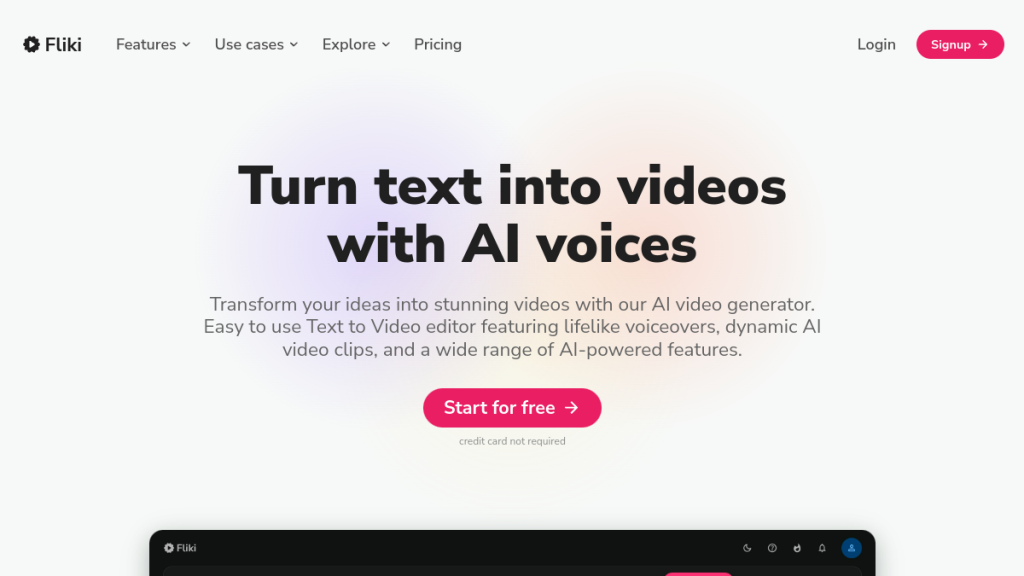
Fliki is an AI-powered video creation platform that transforms text into professional videos with lifelike voiceovers. Founded in 2021 and trusted by over 50,000 companies (including 73% of Fortune 500 companies according to their claims), Fliki combines text-to-speech and text-to-video capabilities into one unified platform.
The core promise is simple: give Fliki your script, blog post, or even just an idea, and it generates a complete video with voiceover, stock footage, and music. No video editing experience required.
What makes Fliki stand out in the crowded AI video space is its focus on voice quality. While competitors often feel robotic, Fliki’s library of 2,500+ AI voices across 80+ languages delivers surprisingly natural results—especially with their ultra-realistic and studio-quality voice tiers.
How Fliki Works
The workflow is straightforward:
- Input your content — Start with text, an idea, a blog URL, a PowerPoint presentation, or even a product page
- Choose your voice — Select from 2,500+ voices in 80+ languages and 100+ dialects
- Select media — Let AI pick stock footage or choose your own from 10 million+ assets
- Export — Preview and export your finished video
This simplicity is both Fliki’s greatest strength and limitation. It’s incredibly fast for basic videos, but power users may feel constrained by the template-based approach.
Key Features
1. Text-to-Video AI
The bread and butter of Fliki. Paste your script, and the platform:
- Breaks it into scenes automatically
- Assigns relevant stock footage to each scene
- Generates voiceover for the entire script
- Adds background music
My take: This works remarkably well for explainer videos, educational content, and social media clips. The AI’s scene selection is about 70% accurate—good enough that you’ll only need minor adjustments.
2. Idea to Video
Don’t have a script? No problem. Just describe your video concept, and Fliki’s AI writes the script AND creates the video.
Example: I typed “Create a 60-second video about the benefits of remote work for companies” and got a complete video with relevant statistics, b-roll footage, and professional narration in under 3 minutes.
Limitation: The generated scripts are generic. For anything beyond basic content, you’ll want to write your own script or heavily edit the AI output.
3. Blog to Video
Enter a blog URL, and Fliki transforms the article into a video summary. This is perfect for:
- Repurposing existing content
- Creating video versions of text posts for YouTube/TikTok
- Reaching audiences who prefer video over reading
The AI extracts key points, finds relevant visuals, and generates voiceover automatically.
4. PPT to Video
Upload a PowerPoint presentation and convert it into a narrated video. Fliki preserves your slides and adds AI voiceover to each one.
Best use case: Training videos, course content, and internal presentations. The original slide design stays intact, so your branding remains consistent.
5. AI Avatars
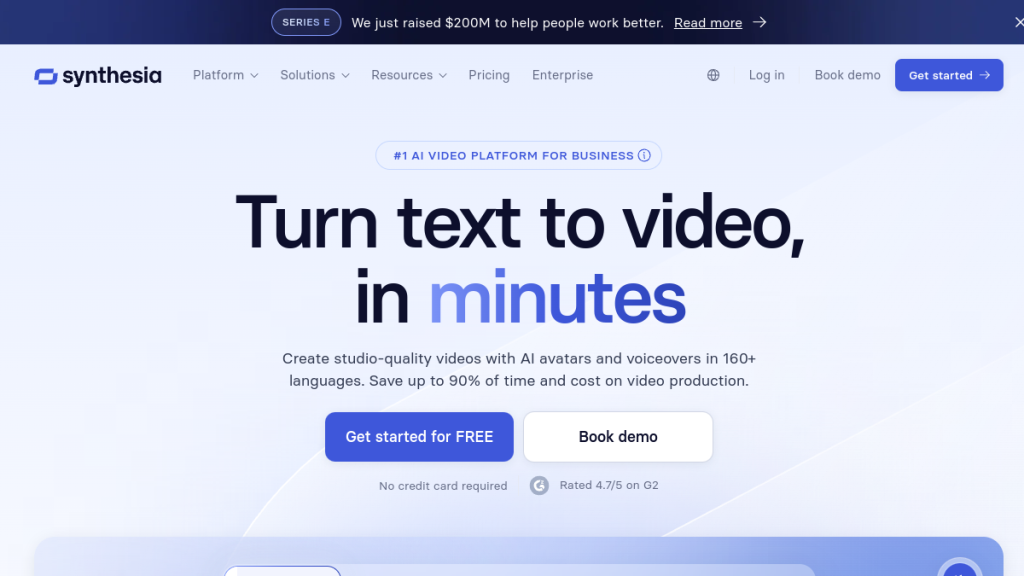
Fliki offers AI-generated presenters who can “speak” your script. While not as advanced as dedicated avatar platforms like Synthesia or HeyGen, they’re useful for adding a human touch without appearing on camera yourself.
Availability: Limited avatars on Standard plan; Full access on Premium. Enterprise users get personalized avatars created from their own likeness.
6. Voice Cloning
Clone your own voice (or any voice you have rights to use) and generate unlimited voiceovers in that voice. This is huge for:
- Maintaining brand consistency
- Scaling content without recording every piece manually
- Creating videos in your voice while you sleep
Quality: Voice cloning requires about 2 minutes of clean audio. The results are impressive—about 85-90% accurate to the original voice in my testing.
7. Ultra-Realistic Voices
Fliki categorizes voices into tiers:
- Standard voices (300 on free, 1,000-2,000+ on paid) — Decent quality, sometimes robotic
- Ultra-realistic voices (150 on Standard, 1,000+ on Premium) — Nearly indistinguishable from humans
- Studio-quality voices (50 on Standard, 350+ on Premium) — Professional broadcast quality
The ultra-realistic voices are legitimately impressive. Side-by-side with ElevenLabs (the voice cloning king), Fliki’s top-tier voices hold their own.
8. Multi-Language Support
With 80+ languages and 100+ dialects, Fliki is one of the most internationally accessible video tools available. The one-click translation feature lets you:
- Create a video in English
- Translate voiceover and subtitles to any supported language
- Reach global audiences without re-creating content
9. Brand Kits
Premium users can create brand kits that store:
- Logos and brand colors
- Preferred fonts (custom fonts on Premium)
- Intro/outro templates
- Default voice selections
This is essential for agencies and businesses producing high-volume content with consistent branding.
10. Make & Zapier Integration
Automate your video creation workflow:
- New blog post → Automatically generate video version
- New product listing → Create product video
- RSS feed update → Video summary
Enterprise users also get API access for custom integrations.
Pricing Plans
Fliki uses a credit-based system where credits equal minutes of generated audio/video. Here’s the breakdown:
| Plan | Monthly Price | Credits/Year | Resolution | Max Length | Key Features |
|---|---|---|---|---|---|
| Free | $0 | 60 min/year | 720p | 10 min | 300 voices, watermark |
| Standard | $21/mo | 2,160 min/year | 1080p | 15 min | Voice cloning, 1,000 voices, commercial rights |
| Premium | $66/mo | 7,200 min/year | 1080p | 40 min | All avatars, 2,000+ voices, AI video clips, priority support |
| Enterprise | Custom | Custom | 1080p+ | 40+ min | API access, team collaboration, dedicated manager |
Prices shown are for annual billing. Monthly billing costs ~33% more.
Credit System Explained
Credits are deducted based on the duration of generated audio/video. Here’s what most users can expect:
Standard Plan (180 credits/month):
- ~60 one-minute videos, OR
- ~12 five-minute videos, OR
- ~6 ten-minute videos
Important note: Editing your script regenerates audio and uses more credits. Heavy editors may burn through credits faster than expected.
Which Plan Should You Choose?
Free tier: Good for testing, but the 720p resolution and watermark make it unsuitable for professional use.
Standard ($21/mo): Best for individual creators producing 5-15 videos per month. Voice cloning is the killer feature here.
Premium ($66/mo): Essential for agencies, teams, or high-volume creators. The 600 credits/month (7,200/year) and access to all AI avatars justify the price.
Enterprise: Only worth it if you need API access, team collaboration, or 10+ users.
Is Fliki Worth the Price?
At $21/month, Fliki undercuts most competitors:
- Pictory: Starts at $23/month
- InVideo: Starts at $25/month
- Synthesia: Starts at $29/month (avatar focus)
- Descript: Starts at $15/month (editing focus)
For pure text-to-video with excellent voices, Fliki delivers strong value—especially if voice quality matters to you.
Pros and Cons
Pros ✅
- Best-in-class AI voices — The ultra-realistic and studio-quality voices rival dedicated TTS platforms
- Fast video creation — Go from script to final video in under 10 minutes
- Generous language support — 80+ languages with natural-sounding localization
- Voice cloning included — Replicate your voice without expensive add-ons
- No editing skills needed — The scene-based editor is genuinely beginner-friendly
- Solid free tier — 5 minutes/month lets you test before committing
- Commercial rights — Use your videos commercially on all paid plans
- Make/Zapier integration — Automate content pipelines
Cons ❌
- Limited editing flexibility — You can’t do custom animations or advanced timeline editing
- AI-generated scripts are generic — The “idea to video” feature needs human polish
- Credits deplete faster than expected — Editing and revisions consume credits quickly
- Stock footage limitations — While the library is huge, truly unique footage requires premium assets
- AI avatars aren’t top-tier — If avatars are your priority, Synthesia or HeyGen are better
- No AI video generation — Despite the name, Fliki doesn’t generate original video footage (only Standard and Premium plans get AI video clips)
- Learning curve for optimization — Getting consistently good results requires understanding the credit system
Who Should Use Fliki?
✅ Fliki is Perfect For:
Content Creators & YouTubers
- Repurpose blog posts into YouTube videos
- Create short-form content for TikTok, Reels, Shorts
- Produce multiple videos weekly without burnout
Marketers & Agencies
- Scale video production for clients
- Create product videos, explainers, ads
- Maintain brand consistency with brand kits
Educators & Course Creators
- Transform lesson plans into video lectures
- Create engaging educational content
- Reach students who prefer video learning
Businesses Scaling Content
- Internal training videos
- Product demos and tutorials
- Multi-language content for global markets
Podcasters & Bloggers
- Convert audio/text content to video
- Expand to video platforms without filming
- Repurpose existing content libraries
❌ Fliki is NOT For:
Professional Video Editors
- If you need frame-by-frame control, use Premiere Pro or DaVinci Resolve
- Fliki is for speed, not precision
AI Avatar-First Projects
- If realistic avatars are your primary need, use Synthesia or HeyGen
- Fliki’s avatars are a feature, not the focus
Original Video Content Creators
- Fliki uses stock footage, not AI-generated original content
- For generated footage, look at Runway or Pika Labs
Extremely High-Volume Users
- If you need 50+ hours of content monthly, the credit costs add up
- Consider enterprise pricing or alternatives
Fliki vs Alternatives
Fliki vs Pictory
| Feature | Fliki | Pictory |
|---|---|---|
| Starting Price | $21/mo | $23/mo |
| Voice Quality | ⭐⭐⭐⭐⭐ (2,500+ voices) | ⭐⭐⭐⭐ (Good but fewer) |
| Blog to Video | ✅ | ✅ |
| AI Avatars | ✅ (Limited) | ❌ |
| Voice Cloning | ✅ | ❌ |
| Auto-captions | ✅ | ✅ |
| Best For | Voice-first video creation | Article repurposing |
Verdict: Choose Fliki for superior voices and voice cloning. Choose Pictory if you primarily repurpose articles and don’t need avatars.
Fliki vs InVideo
| Feature | Fliki | InVideo |
|---|---|---|
| Starting Price | $21/mo | $25/mo |
| Template Library | Moderate | 5,000+ templates |
| Voice Quality | ⭐⭐⭐⭐⭐ | ⭐⭐⭐ |
| Editing Control | Basic | More advanced |
| AI Features | ✅ Voice focus | ✅ Template focus |
Verdict: Fliki for voice-driven content. InVideo for template-heavy video editing.
Fliki vs Synthesia
| Feature | Fliki | Synthesia |
|---|---|---|
| Starting Price | $21/mo | $29/mo |
| AI Avatars | Limited | 200+ premium avatars |
| Voice Quality | ⭐⭐⭐⭐⭐ | ⭐⭐⭐⭐ |
| Custom Avatars | Enterprise only | Premium plan |
| Best For | Text-to-video | Avatar-based videos |
Verdict: Synthesia wins if AI avatars are your primary use case. Fliki wins on voice quality and price.
FAQs
Is Fliki free to use?
Yes, Fliki offers a free tier with 5 minutes of credits per month, 300 voices, and 720p video resolution. However, free videos include a Fliki watermark and lack commercial rights. For professional use, you’ll need a paid plan starting at $21/month.
Can I use Fliki videos commercially?
Yes, all paid plans (Standard, Premium, Enterprise) include commercial rights. You can publish monetized videos on YouTube, use them in marketing campaigns, and include them in client deliverables. The free tier does NOT include commercial rights.
How does Fliki’s credit system work?
Credits equal minutes of generated audio/video content. When you create a video, credits are deducted based on audio duration—not total video length. Editing your script regenerates audio and uses additional credits. Most users on Standard (~180 min/month) can create 60-90 minutes of final video monthly, depending on editing habits.
Is Fliki better than ElevenLabs for voiceovers?
For standalone voiceovers, ElevenLabs remains the gold standard with more voice customization options. However, Fliki’s ultra-realistic voices are comparable in quality, and Fliki adds video creation capabilities. If you need text-to-speech + video in one tool, Fliki is more efficient. For voice-only projects, ElevenLabs offers more control.
Can I clone my voice with Fliki?
Yes, voice cloning is available on all paid plans. You’ll need approximately 2 minutes of clean audio to train the voice model. Standard plans get 1 voice clone; Premium gets 3; Enterprise gets custom amounts. Voice cloning quality is roughly 85-90% accurate to the original voice.
Does Fliki create AI-generated video footage?
Limited. The “AI Video Clips” feature on Premium generates short clips, but Fliki primarily uses stock footage, not AI-generated original video like Runway or Pika Labs. If you need fully AI-generated footage, Fliki isn’t the right tool.
How long does it take to create a video with Fliki?
A basic 2-minute video can be created in 5-10 minutes. Complex projects with custom media selection and extensive editing may take 30-60 minutes. The main time savings come from automated voiceover generation and AI-assisted scene selection.
Final Verdict
🏆 Our Verdict
Fliki earns a solid 4.4/5 for text-to-video creation.
The Bottom Line
Fliki excels at one thing: turning text into professional videos with excellent voiceovers, fast. If that’s your primary need—repurposing blogs, creating social content, or producing educational videos—Fliki delivers remarkable value at $21/month.
The voice quality genuinely stands out. In a market flooded with robotic AI voices, Fliki’s ultra-realistic tier competes with dedicated TTS platforms. Combined with voice cloning and 80+ languages, it’s a content creator’s dream for global reach.
Where Fliki Falls Short
It’s not a full video editor. If you need custom animations, advanced timeline control, or original AI-generated footage, look elsewhere. Fliki is optimized for speed and simplicity, which means sacrificing flexibility.
The credit system can also catch users off guard. Heavy editors may burn through credits faster than expected, making budget planning trickier.
Who Should Buy Fliki?
Buy Fliki Standard ($21/mo) if you:
- Create 5-15 videos monthly
- Value voice quality over editing control
- Want voice cloning without paying extra
- Need quick blog-to-video conversion
Buy Fliki Premium ($66/mo) if you:
- Create 20+ videos monthly
- Need full AI avatar access
- Manage multiple brands
- Want priority support and faster exports
Try Before You Buy
Fliki’s free tier lets you test drive the platform with 5 minutes of credits monthly. It’s enough to produce a couple of short videos and evaluate voice quality before committing.
→ Try Fliki Free | → View Pricing