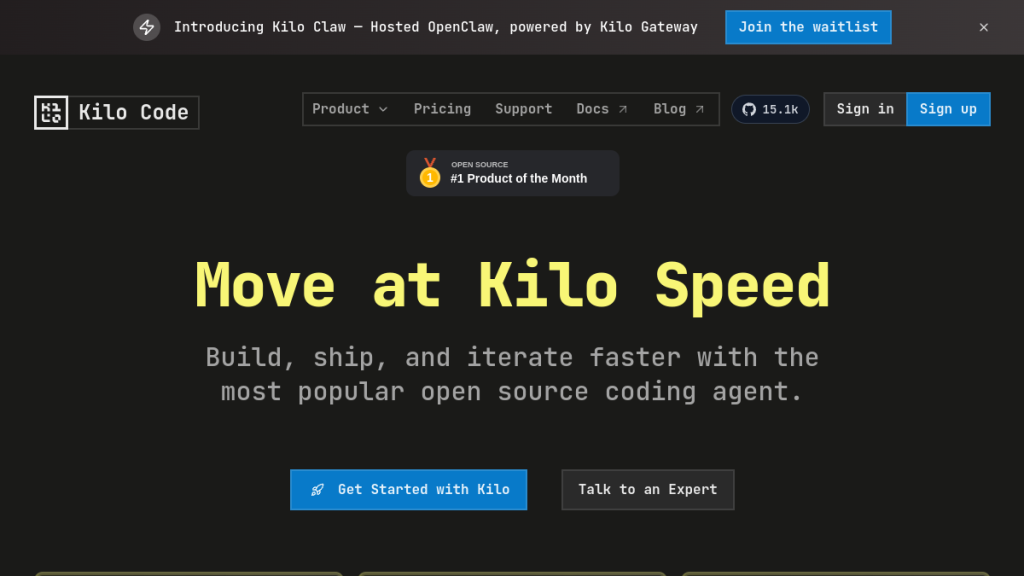
Quick Verdict: Kilo Code is a powerful open-source AI coding agent that works across VS Code, JetBrains, CLI, mobile, and Slack. With 500+ model options, zero markup pricing, and full transparency into every prompt, it’s become the go-to choice for developers who want agentic coding without the lock-in — and with 1.5M+ users, it’s not a niche experiment anymore.
Rating: ★★★★☆ 4.3/5
Best For: Developers who want model flexibility, open-source transparency, and multi-platform support
Price: Pay-per-use (no subscription) | Free models available | $20 bonus credits on first top-up
Your AI Coding Assistant Shouldn’t Be a Black Box
You’re paying $20/month for Cursor, and you have no idea what’s happening under the hood. Which model is it actually using? Is it compressing your context? Is it silently dropping important files from your prompt?
These aren’t hypothetical complaints — they’re the exact frustrations that drove over 1.5 million developers to Kilo Code.
Kilo Code is an open-source (Apache-2.0) AI coding agent that gives you full visibility into every request, lets you choose from 500+ models, and charges you the exact API price with zero markup. No subscriptions. No hidden fees. No mysterious “slow pool” degradation.
→ Try Kilo Code free | → See alternatives
What is Kilo Code?
Kilo Code started as a fork of Cline — itself a popular VS Code extension for AI-assisted coding — but has rapidly evolved into what its team calls a full agentic engineering platform. According to Kilo’s official GitHub repository, the project is now #1 on OpenRouter (the model aggregation marketplace), with over 1.5 million users and 25 trillion tokens processed.
Unlike subscription-based competitors like Cursor or GitHub Copilot, Kilo uses a pay-as-you-go model where you pay the exact API price from providers like Anthropic, OpenAI, and Google. There’s no monthly fee — you only pay for what you use. You can also bring your own API keys (BYOK) and pay providers directly.
The platform is fully open-source under Apache-2.0, meaning you can inspect every prompt, see exactly what context is being sent, and verify there’s no silent compression or model switching happening behind the scenes. The complete plugin source code is available on GitHub.
Think of Kilo Code as the Swiss Army knife of AI coding tools: it works where you already work (VS Code, JetBrains, terminal, even mobile), connects to virtually any AI model, and keeps you in the driver’s seat on cost and transparency. That’s a fundamentally different philosophy from tools that hide what model they’re using or quietly throttle your usage when you hit invisible limits.
From Cline Fork to Agentic Platform: How Kilo Code Evolved
Understanding where Kilo Code came from helps explain why it feels different from most AI coding tools.
Cline (formerly Claude Dev) pioneered the idea of an agentic VS Code extension that could read files, run terminal commands, and work autonomously on multi-step coding tasks. It built a loyal following among developers who wanted more than autocomplete. Kilo Code began as a fork of that project but didn’t just add features — it rethought the architecture entirely.
The Kilo team replatformed the extension on a new Kilo CLI, added multi-IDE support (JetBrains, mobile, Slack), built an enterprise layer with an AI Management Dashboard, and created a unified model gateway called Kilo Gateway that abstracts away provider complexity. The result is a platform that can serve a solo developer using a local Llama model just as well as an enterprise team tracking AI adoption metrics.
That breadth is unusual. Most AI coding tools pick a lane: Cursor is the polished IDE experience, GitHub Copilot is the mass-market autocomplete, Aider is the terminal power user tool. Kilo Code is trying to be the platform underneath all of those use cases — and based on the growth numbers, the approach is resonating.
Key Features
Multi-Platform Support: Code Anywhere, Continue Everywhere
Kilo Code doesn’t force you into a single editor or environment. According to the official documentation, it supports:
- VS Code — the most popular IDE integration, installable via
code --install-extension kilocode.kilo-code - JetBrains — IntelliJ, PyCharm, WebStorm, and the full JetBrains family
- CLI — terminal-based AI coding via
npm install -g @kilocode/cli, useful for scripts and automation - Cloud Agent — run Kilo in the cloud for headless or CI/CD workflows
- Mobile Apps — iOS and Android support for reviewing and directing work on the go
- Slack — chat with Kilo directly in your team workspace
Crucially, session state, active agents, and variables persist automatically across all these environments. Start a task on your phone, continue in VS Code, finish in the terminal — without losing context. This is a genuine differentiator: Cursor locks you into their modified VS Code fork. GitHub Copilot works across editors but lacks true agentic persistence.
500+ Models, Zero Markup
Kilo Code connects to over 500 models across 60+ providers. According to their official documentation, you can access:
- Frontier models: Claude 4.5 Sonnet & Opus, GPT-5, Gemini 3 Pro
- Other gateways: OpenRouter, Vercel, Requesty
- Managed services: AWS Bedrock, Azure OpenAI, Google AI Studio
- Free and budget models: Llama, Mistral, and other open-weight models
- Local models: Ollama and LM Studio
The pricing philosophy is straightforward: Kilo charges the exact list price of Anthropic, OpenAI, and Google — no commission, no hidden fees. According to their official pricing page, they make money on Teams and Enterprise plans, not by marking up API calls. New users also get $20 in bonus credits when they top up for the first time.
Four Built-In Modes for Every Step of Development
Kilo Code’s multi-mode system is one of its most practically useful features. Rather than using one AI approach for everything, it provides specialized agents for different kinds of work. According to the official documentation:
- Ask Mode — a knowledgeable technical assistant focused on answering questions without changing your codebase. Use this when you want to understand something, not modify it.
- Architect Mode — for planning and system design. Maps out how you’ll approach a problem before writing any code, preventing the “just start coding and regret it later” pattern.
- Code Mode — the main implementation agent. Writes, edits, and refactors code based on your specifications and the Architect’s plan.
- Debug Mode — specialized for diagnosis. Analyzes errors, traces issues through the codebase, and proposes targeted fixes.
You can also build custom modes — essentially teaching Kilo how your best developers think, then making that available to the whole team. This is more powerful than it sounds: you can encode your team’s style guide, preferred patterns, and domain knowledge into a mode that every developer (and every AI agent) uses consistently.
Orchestrator Mode: Run Parallel Agent Workflows
Orchestrator Mode is Kilo’s answer to the “I need to plan, build, and review simultaneously” problem. It lets you coordinate multiple agents working in parallel on complex, multi-step tasks.
Think of it as having a senior engineer, a code reviewer, and a planner all working on your codebase at once. Combined with built-in AI code review, you can go from commit to live without leaving your IDE. According to Kilo’s documentation, this is part of their broader goal of “1000x-ing every developer” by multiplying their output.
Memory Bank: Your Codebase’s Living Documentation
The Memory Bank solves a real problem: every time you start a new AI session, you have to re-explain your project architecture, coding conventions, and context. Kilo’s Memory Bank stores architectural decisions, coding patterns, and project context persistently.
According to the official platform documentation, this is particularly valuable for teams: capture what your best developers know and make it accessible to everyone. New team members — human or AI — onboard faster because the Memory Bank answers “why does the code work this way?” automatically.
MCP Server Marketplace
The Model Context Protocol (MCP) is an emerging standard for extending AI agents with external tools. Kilo Code includes a built-in MCP Server Marketplace where you can discover and install MCP servers that extend what Kilo’s agents can do — connecting them to databases, APIs, documentation systems, and more.
This is a forward-looking feature. As the MCP ecosystem grows, Kilo Code becomes more capable automatically. You’re not waiting for the Kilo team to build every integration — you can add them yourself from the marketplace.
Inline Autocomplete, Fast Edits, and More
Beyond the agentic capabilities, Kilo Code includes a full suite of productivity features confirmed in the official documentation:
- Inline Autocomplete — intelligent code completions as you type, powered by AI
- Fast Edits — quick file modifications without full agent invocation
- Code Actions — AI-powered refactoring and fixes triggered from the editor
- Task & Todo Lists — break down complex tasks into trackable steps
- Checkpoints — save and restore working states, so you can experiment without fear
- Browser Use — automate web interactions directly from the coding agent
- Git Commit Generation — AI-powered commit messages based on your changes
- Enhance Prompt — improve your prompts automatically before sending
App Builder
Kilo Code’s documentation lists an App Builder mode specifically for creating full-stack applications with AI. This positions Kilo in the same territory as tools like Lovable — but with the depth and transparency that professional developers expect, rather than a no-code abstraction layer on top.
Full Transparency: The Open Box
Per the official documentation: “Kilo does not have an auto model, so you always know exactly what model is being used. No silent context compression or cut-off. You can see the context window size on each request, along with the full prompts.”
For developers who’ve been burned by opaque AI tools, this level of visibility is non-negotiable. Every request shows you exactly what model is being used, the full prompt being sent, and the context window size. No auto-model switching, no silent compression, no surprises.
Kilo Gateway: One API for Every Model
The Kilo Gateway is a separate but related product: a unified API that gives you access to hundreds of AI models through a single endpoint, with streaming, BYOK, and usage tracking. Think of it as OpenRouter but built by the Kilo team with the specific needs of development workflows in mind.
For teams, this is practically significant. Instead of managing API keys for Anthropic, OpenAI, Google, and a dozen other providers, everything routes through Kilo Gateway. You get centralized billing, usage tracking, and quota management — without giving up the ability to use whichever model is best for each task.
How to Install and Set Up Kilo Code
Getting started with Kilo Code takes a few minutes. Here’s the verified installation process from the official documentation:
VS Code (Recommended for Most Developers)
- Open VS Code and navigate to the Extensions panel
- Search for “Kilo Code” and install the kilocode.Kilo-Code extension, or run:
code --install-extension kilocode.kilo-code - Create a Kilo account to access 500+ models, or set up BYOK with your existing API keys
- Start your first task — Kilo’s quick-start guide walks through a sample project in minutes
CLI (For Terminal-Heavy Workflows)
- Install globally via npm:
npm install -g @kilocode/cli - Authenticate with your Kilo account or configure BYOK
- Run
kilo helpto see available commands
Using Local Models (Zero API Cost)
If you want to run models locally with no API cost and full data privacy, Kilo Code supports Ollama and LM Studio. After installing Ollama and pulling a model (e.g., ollama pull llama3.2), configure Kilo to use http://localhost:11434 as the provider endpoint. Your code never leaves your machine.
Pricing
Based on information from Kilo Code’s official website (kilo.ai), the pricing structure works as follows:
| Plan | Price | What You Get |
|---|---|---|
| Free (BYOK) | $0 | Open-source plugin, bring your own API keys, free/budget models via Ollama |
| Pay-as-you-go | Exact API cost | 500+ models at exact provider pricing, $20 bonus credits on first top-up |
| Kilo Pass | Varies | Usage subscription with up to 50% bonus free credits (optional) |
| Teams | Custom | Admin dashboard, pooled credits, unified billing, AI Management Dashboard |
| Enterprise | Custom | SSO, data privacy controls, usage analytics, custom modes for your org |
The honest math vs Cursor: Cursor costs $20/month for Pro. Light Kilo users (a few hundred thousand tokens/month) will likely spend $5–10/month. Heavy users running large Claude or GPT-5 jobs could spend more than $20/month. The advantage isn’t necessarily lower cost — it’s that you pay for what you actually use, with no rate limits and no “slow pool” when you hit usage thresholds.
vs GitHub Copilot: Copilot is $10–19/month and is cheaper for basic autocomplete. But it lacks Kilo’s agentic capabilities, model selection, full transparency, and Memory Bank. If you’re doing more than autocomplete, the comparison shifts significantly.
Kilo Code vs Cursor vs GitHub Copilot vs Windsurf
| Feature | Kilo Code | Cursor | GitHub Copilot | Windsurf |
|---|---|---|---|---|
| Pricing | Pay-per-use (no sub) | $20–40/mo | $10–19/mo | $15/mo Pro |
| Models | 500+ (any provider) | Claude, GPT (curated) | GPT-4o, Claude | Claude, GPT (curated) |
| Open Source | ✓ Apache-2.0 | ✗ Proprietary | ✗ Proprietary | ✗ Proprietary |
| IDEs | VS Code, JetBrains, CLI, Mobile, Slack | Cursor IDE only | VS Code, JetBrains, Neovim | Windsurf IDE only |
| Agentic Mode | ✓ Orchestrator | ✓ Agent Mode | ✓ Copilot Agent | ✓ Cascade |
| Transparency | Full prompt visibility | Limited | Limited | Limited |
| Rate Limits | None | Slow pool on Pro | Usage limits | Daily limits on Pro |
| Memory/Context | Memory Bank | Codebase indexing | Workspace indexing | Cascade memory |
| BYOK | ✓ Full BYOK support | ✗ Limited | ✗ No | ✗ No |
| Local Models | ✓ Ollama, LM Studio | ✗ No | ✗ No | ✗ No |
If you want a deeper look at the alternatives, our Windsurf review and Cursor review cover those tools in detail. For a broader comparison, the best AI coding assistants roundup is the place to start.
Real-World Use Cases
Based on Kilo Code’s documented capabilities, here are the scenarios where it provides the most value:
Solo Developer Keeping Costs Low
A freelancer working on a mix of projects — some complex, some routine — benefits from the ability to use cheap or free models for boilerplate work (Llama via Ollama) and switch to Claude or GPT-5 for complex architecture decisions. Pay only when you need power. Kilo’s BYOK support means you can use whatever API credits you already have.
Team Onboarding and Knowledge Capture
An engineering team uses the Memory Bank to encode their senior engineers’ domain knowledge: how the authentication system works, why certain architectural decisions were made, which patterns are preferred for database access. New developers (and new AI agents) get up to speed faster because the context is already captured. Custom modes encode the team’s style guide automatically.
Privacy-Sensitive Development
For developers working with sensitive codebases — fintech, healthcare, government — Kilo Code’s full transparency and local model support is a significant advantage. You can verify exactly what data is leaving your machine (with cloud models) or ensure nothing leaves at all (with Ollama). The open-source codebase means you can audit it yourself.
Full-Stack App Building
Kilo Code’s App Builder and Orchestrator Mode work together for larger build projects. Architect mode plans the structure, Code mode implements it, Debug mode handles errors, and Orchestrator Mode coordinates all three simultaneously. The result is less context-switching and faster shipping.
Community and Ecosystem
Kilo Code’s community is notably active for a tool of its age. Based on publicly available information:
- GitHub: Active repository at github.com/Kilo-Org/kilocode with multiple contributors and regular releases
- Discord: Community server at kilo.love/discord (linked from official documentation)
- Substack Blog: Over 30,000 subscribers at blog.kilo.ai — the team publishes regular updates on new models, features, and development
- Reddit: r/kilocode community for user discussions
- OpenRouter #1: According to Kilo’s official GitHub, they’re the #1 consumer of models on OpenRouter by volume
The 25 trillion tokens processed figure (per GitHub) gives a sense of actual production usage — this is a tool that developers are using for real work, not just experimenting with.
Here’s what other reviews don’t always mention: Kilo Code’s growth from a Cline fork to a 1.5M-user platform happened extraordinarily fast. That pace of adoption in a crowded category suggests it’s genuinely solving problems that other tools aren’t.
Pros and Cons
✓ Pros
- 500+ models with zero markup pricing — genuine model freedom
- Open-source (Apache-2.0) — inspect every prompt, no black boxes
- Multi-platform: VS Code, JetBrains, CLI, mobile apps, Slack, cloud agent
- No subscription required — pay only for what you use, with BYOK option
- Four specialized modes (Ask, Architect, Code, Debug) + custom modes
- Orchestrator Mode for parallel agent workflows
- Memory Bank for persistent context and team knowledge capture
- MCP Server Marketplace for extensibility
- Local model support via Ollama and LM Studio — zero cost and full privacy
- No rate limits — no “slow pool,” no daily resets
- 1.5M+ users, active community and rapid development
✗ Cons
- Pay-per-use can exceed $20/month for heavy users of frontier models
- More configuration options means more upfront setup decisions
- Enterprise features (Teams/Enterprise plans) are relatively newer than core features
- CLI is newer and may have rough edges compared to dedicated CLI tools like Claude Code
- The breadth of platform support (everything from mobile to Slack) is impressive but may spread some features thinner than single-platform tools
Who Should Use Kilo Code?
Best for:
- Developers who want model flexibility without lock-in to a single provider
- Teams that need usage tracking, centralized management, and knowledge capture
- Privacy-conscious developers who need to verify what data is leaving their machine
- Budget-conscious developers who prefer pay-per-use over flat subscriptions
- Multi-platform developers who switch between VS Code, JetBrains, and terminal workflows
- Developers who want to use local models (Ollama) for sensitive or offline work
- Anyone who’s been frustrated by opaque “slow pool” rate limiting in other tools
Not ideal for:
- Complete beginners who want the simplest possible “just install and it works” experience
- Developers who need a fixed monthly budget and prefer subscription predictability
- Users who only need basic autocomplete (GitHub Copilot is cheaper for that specific use case)
Frequently Asked Questions
Is Kilo Code really free?
The open-source VS Code/JetBrains extension is free to install. You pay for AI model usage at the exact provider price (no Kilo markup). Free models are also available through Ollama, LM Studio, and other providers — you can use Kilo Code with zero API cost by pointing it at a local model. New users get $20 in bonus credits on their first top-up.
How does Kilo Code compare to Cline?
Kilo Code began as a fork of Cline and has since diverged significantly. It adds multi-IDE support (JetBrains, CLI, mobile, Slack), Memory Bank, Orchestrator Mode, built-in code review, MCP Server Marketplace, Kilo Gateway, and enterprise features. According to Kilo’s documentation, they have replatformed the extension on a new Kilo CLI architecture. If Cline is the proof-of-concept, Kilo Code is the productized platform version.
Can I use my own API keys (BYOK)?
Yes. Kilo Code supports BYOK for any provider. You can use your existing Anthropic, OpenAI, Google, or other API keys directly. With BYOK, your code goes directly to the AI provider — not through Kilo’s servers — which is important for organizations with strict data handling requirements.
Does it work with local models?
Yes. According to the official documentation, Kilo Code supports Ollama and LM Studio for running models locally. This means zero API cost and full data privacy. After installing Ollama and pulling a model, you configure Kilo to use your local endpoint.
Is my code sent to Kilo’s servers?
With BYOK, your code goes directly to the AI provider (Anthropic, OpenAI, etc.) — not through Kilo’s servers. With Kilo’s pay-as-you-go routing, requests go through their infrastructure. Because the plugin is fully open-source (Apache-2.0), you can inspect exactly how data is handled. Enterprise plans include additional data privacy controls and the ability to keep data within your own infrastructure.
How many developers use Kilo Code?
According to Kilo Code’s official GitHub repository, the platform has 1.5M+ Kilo Coders and has processed 25 trillion tokens. The project is also listed as #1 on OpenRouter by volume. The Substack blog has over 30,000 subscribers.
Can I use Kilo Code for commercial projects?
Yes. The Apache-2.0 license allows commercial use without restrictions, as long as you include proper attribution and license notices. This applies to the plugin code itself — the AI-generated code you produce is governed by your agreement with the AI provider you choose.
What are the different modes in Kilo Code?
According to the official documentation, Kilo Code includes four built-in modes: Ask (question-answering without code changes), Architect (planning and system design), Code (implementation), and Debug (error diagnosis and fixing). You can also create custom modes that encode your team’s specific knowledge and preferences.
If you’re exploring AI coding tools, also check out our Qodo 2.1 review — it takes a unique approach to AI-powered code review and quality assurance.
The Bottom Line
🏆 Our Verdict
Kilo Code represents a genuinely different approach to AI-assisted development: open-source, multi-platform, model-agnostic, and transparent by default. While Cursor offers a polished opinionated experience and GitHub Copilot dominates on simplicity, Kilo wins on transparency, model flexibility, breadth of platform support, and cost structure.
The numbers are hard to ignore: 1.5 million users, 25 trillion tokens processed, and #1 on OpenRouter. That’s not niche adoption — that’s mainstream traction in a category full of well-funded competitors. The ability to choose from 500+ models, see every prompt, pay only for what you use, and work across VS Code, JetBrains, CLI, mobile, and Slack in a single persistent session is a proposition that’s hard to match.
The honest caveat: Kilo Code requires more configuration than tools designed for simplicity. If you want to install something and have it work with zero decisions, Cursor or Copilot may be less friction. But if you’re the kind of developer who values knowing what your tools are actually doing — and being able to verify it — Kilo Code deserves a serious look.
Alternatives to Kilo Code
- Cursor — Best for developers who want an all-in-one AI IDE with a polished, opinionated experience
- Windsurf — Codeium’s AI IDE with Cascade agent mode; strong alternative to Cursor
- GitHub Copilot — Best for simple autocomplete at a predictable monthly price across any IDE
- Claude Code — Anthropic’s CLI-first agentic coding tool; best if you live in the terminal
- Codex CLI — OpenAI’s terminal coding agent built around GPT-5
- Aider — Open-source pair programming in the terminal; good for developers who prefer minimal setup
Related reading: If you’re comparing AI coding tools, check out our Windsurf review, our roundup of the best AI coding assistants, and our Lovable review for no-code app building.


