You need an image for a blog post. Or a product mockup. Or a character concept for a game you’re building. You open Photoshop, stare at a blank canvas, and realize you’ll spend the next three hours on something that should take three minutes. This is the exact frustration that drove 18 million people to Leonardo AI — and it’s worth understanding whether they’re onto something or just chasing the latest shiny object.
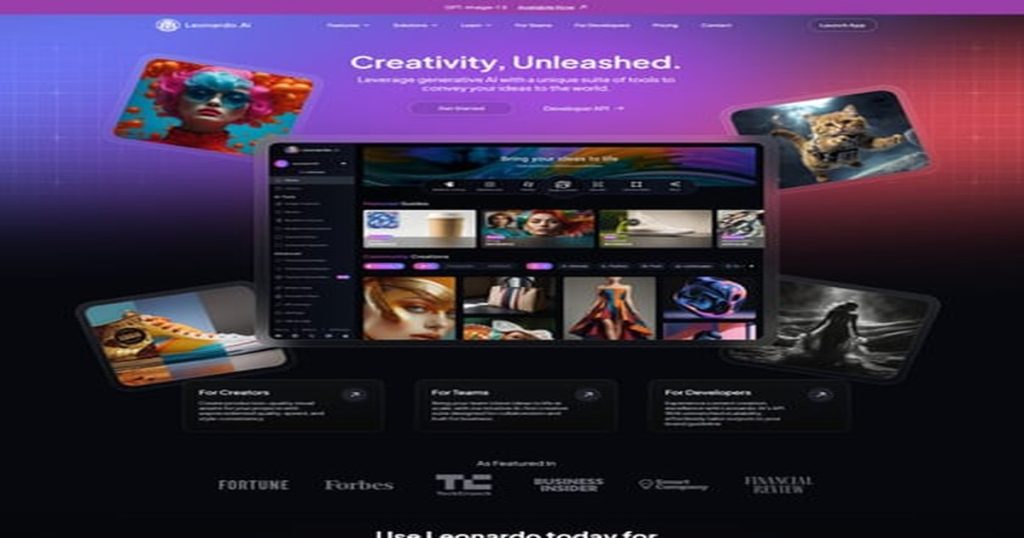
Leonardo AI has quietly become one of the most popular AI image generators on the planet, sitting behind only Midjourney and DALL-E in mindshare. But unlike Midjourney’s Discord-only setup or DALL-E’s tight OpenAI integration, Leonardo built something different: a full creative suite with image generation, video creation, model training, and a real-time canvas — all in a web browser.
We spent weeks researching Leonardo AI, analyzing user reviews across Trustpilot, Reddit, and community forums, and comparing it against every major competitor. Here’s what we found.
What Is Leonardo AI?
Leonardo AI is an AI-powered creative platform developed by Leonardo Interactive Pty Ltd, an Australian company. It launched in late 2022, originally focused on game asset generation, and has since expanded into a comprehensive visual creation suite.
Think of it as the Swiss Army knife of AI image generation. Where Midjourney gives you one thing (incredible images via Discord), Leonardo gives you a full workshop: image generation, video creation, an AI-powered editing canvas, 3D texture generation, model training, and real-time generation — all from a single browser-based dashboard.
The platform has grown to over 18 million registered users and operates one of the largest Discord servers in the world with over 1.6 million members. According to their website, they’re SOC 2 Type I and Type II accredited, which matters if you’re using this for business — it means their security practices have been independently audited.
Major companies like Nvidia (for multilingual marketing content), Duolingo, and the Springbok Group use Leonardo’s technology, according to case studies published on their site.
Key Features: What Can Leonardo AI Actually Do?
This is where Leonardo separates itself from the one-trick-pony image generators. The feature list is genuinely impressive — almost suspiciously so for the price point.
Image Generation
The core product. You type a text prompt, Leonardo generates images. Simple enough on paper, but the depth here is significant. Leonardo offers multiple generation models, each optimized for different styles:
- Lucid Origin and Lucid Realism — Leonardo’s flagship models for general-purpose and photorealistic generation
- Phoenix 1.0 — Their versatile all-rounder that handles most styles well
- Leonardo Anime XL — Dedicated anime and illustration model
- Leonardo Kino XL — Optimized for cinematic, film-like outputs (excels at wider aspect ratios)
- Leonardo Lightning XL — High-speed generalist that’s fast without sacrificing too much quality
- Leonardo Diffusion XL — Produces stunning outputs even from short, simple prompts
On top of Leonardo’s own models, the platform also offers third-party models including GPT-Image-1, Flux.1 Kontext, Ideogram 3.0, Nano Banana, and even video models like Sora 2 and Veo 3. This is unusual — most platforms lock you into their own models. Leonardo essentially becomes a hub where you can access competing AI models from a single interface.
There are also 29+ fine-tuned models and a library of community-trained models you can experiment with.
AI Video Generation
Leonardo isn’t just images anymore. Their Motion models (1.0 and 2.0) let you generate short videos from text prompts or convert still images into animated clips. The Maestro Unlimited plan even includes unlimited relaxed video generation for Leonardo-hosted models.
For context on how this compares to dedicated video tools, check our best AI video generators roundup and our Seedance 2.0 review.
Realtime Canvas and Realtime Generation
This is one of Leonardo’s more underrated features. The Realtime Canvas lets you sketch rough shapes and watch AI transform them into polished images as you draw. It’s like having an AI co-pilot that interprets your terrible stick figures into actual art.
The Realtime Generation feature works similarly — you adjust your prompt or settings and see results update instantly without waiting for a full generation cycle.
Image Guidance
Upload reference images (up to 6 on paid plans) to guide the AI’s output. This is crucial for maintaining consistency across a series of images — think character sheets for a game, product photography that matches your brand aesthetic, or architectural renders that follow a specific style.
Model Training (Elements)
Here’s where Leonardo gets genuinely powerful for serious creators. You can train custom AI models on your own image datasets. Upload images of your art style, your product line, or your brand aesthetic, and Leonardo creates a model that generates new images matching those characteristics.
The number of models you can train depends on your plan: 10 on Apprentice, 20 on Artisan, and 50 on Maestro. One caveat worth noting from Trustpilot reviews: some users expected full model training but found only the “Elements” feature available, which has more limited capabilities than true fine-tuning. Check Leonardo’s documentation for current capabilities before committing to a plan specifically for this feature.
Blueprints
Blueprints are predefined workflows that combine multiple AI operations into a single click. Think of them as recipes — instead of manually running an image generation, then an upscale, then a style transfer, a Blueprint chains those steps together automatically. Useful for production workflows where you need consistent, repeatable results.
3D Texture Generation
A niche but genuinely valuable feature for game developers and 3D artists. Upload a 3D model and Leonardo generates textures for it. This alone can save hours of manual texture work.
Additional Tools
- Ultra Quality Upscaling — Enhance resolution on generated images (paid plans)
- Flow State — Create different image styles from text prompts with a different generation approach
- Presets and Elements — Pre-built styles and creative modifiers for quick experimentation
- Private Generations — Keep your images out of the public feed (paid plans only)
- Collections — Organize images into folders (unlimited on paid plans, 1 on free)
- API Access — Full developer API with Python and TypeScript SDKs for integration into custom workflows
- Mobile Apps — Available on both iOS and Android
Leonardo AI Pricing: What Does It Actually Cost?
Leonardo uses a token-based system. Every generation consumes “Fast Tokens,” with different operations costing different amounts. When your fast tokens run out, paid plans let you continue generating at a slower “relaxed” pace — essentially unlimited for Leonardo’s own models.
Here’s the current pricing breakdown according to Leonardo’s pricing page (prices exclude tax):
| Plan | Monthly Price | Annual Price (per month) | Fast Tokens | Token Bank (Rollover) | Key Perks |
|---|---|---|---|---|---|
| Free | $0 | $0 | 150/day | None | Public images only, basic quality, 1 collection |
| Apprentice | $12 | $10 | 8,500/mo | 25,500 | Private images, instant voice cloning, train 10 models, enhanced quality |
| Artisan Unlimited | $30 | $24 | 25,000/mo | 75,000 | Unlimited relaxed images*, train 20 models, 2,500+ images/mo estimate |
| Maestro Unlimited | $60 | $48 | 60,000/mo | 180,000 | Unlimited relaxed images + video*, train 50 models, Ultra generations, 6,000+ images/mo |
| Teams | Custom | Custom | Shared pool | Shared | Priority support, enterprise security, shared workspaces |
*Unlimited relaxed generation applies only to Leonardo-hosted models, not third-party models like GPT-Image-1, Flux, Sora, Veo, Ideogram, or Kling.
Value Analysis
Here’s what most reviews don’t tell you about Leonardo’s pricing: the “unlimited” asterisk matters a lot.
Third-party models (which include some of the most exciting options like GPT-Image-1, Sora 2, and Veo 3) are explicitly excluded from unlimited generation. They always consume fast tokens. So if the cutting-edge third-party models are why you’re here, “unlimited” doesn’t mean what you think it means.
That said, Leonardo’s own models (Lucid Origin, Lucid Realism, Phoenix) are genuinely good, and unlimited relaxed generation on those models starting at $30/month is a strong value proposition. The Artisan plan’s estimated 2,500+ images per month for $24/year ($30/month) is competitive — compare that against other AI tools where similar output volumes would cost significantly more.
The free tier at 150 tokens per day is enough to experiment and decide if the platform suits your workflow before committing money. That’s roughly 5-15 images daily depending on settings and model — more generous than most competitors’ free tiers.
For comparison, Midjourney starts at $10/month for 200 images with no free tier at all. DALL-E 3 via ChatGPT Plus costs $20/month and doesn’t offer unlimited generation at any price.
Pros: What Leonardo AI Gets Right
- Exceptional model variety. Access to both Leonardo’s own models AND third-party models (Flux, Ideogram, GPT-Image, Sora, Veo) from one platform is genuinely unique. No other image generator offers this breadth.
- Generous free tier. 150 fast tokens daily lets you actually test the platform meaningfully before paying. Many competitors offer nothing or severely limited trials.
- Unlimited relaxed generation. For Leonardo-hosted models, Artisan and Maestro plans offer truly unlimited image generation. You’ll wait longer in a queue, but you’ll never hit a hard wall. This is a massive deal for high-volume creators.
- Custom model training. The ability to train models on your own images enables consistency that prompt engineering alone can’t achieve. Essential for brand work and game development.
- Realtime features. The Realtime Canvas and Generation features provide instant feedback that dramatically speeds up the creative iteration process.
- Strong community. With 1.6+ million Discord members, finding help, inspiration, and community-trained models is easy. Multiple Trustpilot reviews specifically praise the community as welcoming and supportive.
- Customer service. Trustpilot rates Leonardo at 4.6/5, with numerous reviews praising fast, human support (specific agents like Mark G., Fin, and Alyanna R. are mentioned repeatedly). In the AI tool space, this is rare.
- SOC 2 compliance. For business users, the Type I and Type II accreditation provides real assurance about data handling.
- Cross-platform availability. Web, iOS, Android, and API — use it however you work.
Cons: Where Leonardo AI Falls Short
No honest review glosses over the rough edges. Leonardo has several.
- The “unlimited” asterisk is misleading. Marketing says “unlimited,” but third-party models (often the ones you actually want to use) are excluded. This catches users off guard.
- Token system is confusing. Different models consume different amounts of tokens, making it hard to predict how many images you’ll actually get. According to community feedback, the math doesn’t always feel transparent.
- Image quality inconsistency. While the best outputs rival Midjourney, average outputs can be hit-or-miss. Getting consistently great results requires learning prompt engineering and model selection — which takes time.
- Free tier images are public. Every image you generate on the free plan appears in Leonardo’s public feed. If you’re creating anything proprietary or sensitive, you must pay for privacy.
- Model training expectations. Several Trustpilot reviewers reported that the “Elements” model training feature was more limited than they expected from the marketing. Set realistic expectations before subscribing specifically for this feature.
- Feature overload. The sheer number of models, settings, and options can overwhelm new users. The learning curve is steeper than simpler tools like Canva’s AI features — check our Canva AI alternatives comparison for simpler options.
- Relaxed generation speed varies. Leonardo’s terms note that “concurrency and queuing of relaxed generations may be throttled based on demand.” Translation: during peak times, your unlimited images might come very slowly.
Who Is Leonardo AI Best For?
Leonardo isn’t for everyone. Here’s where it shines and where you should look elsewhere:
Ideal Users
- Game developers and concept artists — Custom model training, 3D textures, and character consistency tools make this arguably the best AI image generator for game development
- High-volume content creators — Bloggers, social media managers, and marketing teams who need dozens of images weekly will love the unlimited relaxed generation
- Freelance designers and agencies — The variety of models and styles means you can serve diverse client aesthetics from one platform
- Hobbyists who want to experiment — The generous free tier and massive model library make it a playground for creative exploration
- Developers building AI-powered products — The API with Python and TypeScript SDKs enables custom integrations
Look Elsewhere If…
- You want the absolute highest image quality, period — Midjourney still edges out Leonardo on raw photorealistic quality for most use cases (though the gap is narrowing)
- You want dead-simple UI with no learning curve — Tools like Canva AI or DALL-E via ChatGPT are much simpler, just at the cost of flexibility
- You only need image editing, not generation — Remove.bg or Topaz Labs are better for specific editing tasks like background removal or AI upscaling
- You need guaranteed fast generation times — Token limits and relaxed-mode throttling mean Leonardo can’t guarantee speed
Leonardo AI vs The Competition
How does Leonardo stack up against the other heavyweights in AI image generation?
| Feature | Leonardo AI | Midjourney | DALL-E 3 (ChatGPT) | Stable Diffusion |
|---|---|---|---|---|
| Starting Price | Free (paid from $10/mo) | $10/mo (no free tier) | $20/mo (via ChatGPT Plus) | Free (open-source, self-hosted) |
| Interface | Web app, mobile, API | Discord bot (web app beta) | Chat interface | Local install or third-party UIs |
| Model Variety | 29+ own models + third-party | Single model (versioned) | DALL-E 3 only | Thousands of community models |
| Video Generation | Yes (Motion models + third-party) | No | No (separate Sora product) | Limited community tools |
| Custom Model Training | Yes (10-50 models) | No | No | Yes (technical setup required) |
| Unlimited Generation | Yes (relaxed mode, paid plans) | No (hard limits) | No (rate limited) | Yes (if self-hosted) |
| Best For | Versatility, game dev, high volume | Raw image quality | Simplicity, text integration | Technical users, full control |
The honest take: Leonardo offers the best breadth of any AI image platform. If you want one tool that does images, video, canvas editing, model training, and gives you access to models from OpenAI, Google, and others — nothing else matches it. But if you only care about generating the single most photorealistic image possible, Midjourney probably still wins that specific race.
For a deeper dive into image generation alternatives, check our Midjourney alternatives roundup and our best AI image generators comparison.
What Real Users Are Saying
Leonardo AI currently holds a 4.6 out of 5 on Trustpilot (rated “Excellent”), which is notably higher than many AI tools in this space.
The positive reviews consistently highlight two themes: the creative capabilities and the customer support. One reviewer wrote: “This AI has saved my life! Easy illustrations, now starting to create videos. I love you! The customer care is excellent!” Another praised: “Outstanding customer support experience. My concern was handled professionally, respectfully, and with genuine understanding.”
The negative reviews tend to cluster around a few issues. Account access problems surface occasionally — one frustrated user wrote: “Can not enter Leonardo. System instructs me link was emailed. Nothing in my emails, including spam.” Others report that feature expectations don’t always match reality, particularly around model training capabilities. And a few users describe the token system as confusing when trying to predict costs.
The Discord community (1.6+ million members) is frequently cited as a major positive. Community members share prompts, trained models, and techniques — creating a collaborative ecosystem that adds value beyond the tool itself. As one user put it: “Leonardo gave me a way of expressing myself in a completely new and different way. Without AI I was only a consumer. Now I can create.”
The Bottom Line: Is Leonardo AI Worth It in 2026?
Leonardo AI sits in a unique position in the AI image generation market. It’s not the simplest tool (that’s DALL-E via ChatGPT). It’s not always the highest raw quality (Midjourney holds that crown for photorealism). But it offers the most complete creative toolkit of any AI image platform available today.
The free tier is genuinely useful — 150 daily tokens gives you enough to make a real evaluation. The Artisan plan at $24/month (annual) with unlimited relaxed generation is the sweet spot for most creators who need volume. And the Maestro plan at $48/month (annual) with unlimited video generation is compelling for studios and agencies.
Our recommendation: start with the free plan. Spend a week testing different models, trying the Realtime Canvas, and seeing how Leonardo fits your workflow. If you find yourself hitting the daily token limit regularly, the Apprentice plan at $10/month (annual) is a low-risk entry point. If you need volume, jump to Artisan — the unlimited relaxed generation alone justifies it.
Just go in with clear eyes about the “unlimited” limitations. Third-party models always cost tokens. Relaxed speeds can slow during peak demand. And model training is “Elements,” not full fine-tuning. With those expectations set correctly, Leonardo AI delivers exceptional value for the price.
For more AI tool reviews and comparisons, explore our guides to the best AI image generators, best AI tools for freelancers, and our comprehensive AI tools pricing comparison.
Frequently Asked Questions
Is Leonardo AI free to use?
Yes, Leonardo AI offers a free plan with 150 Fast Tokens per day, which is enough to generate approximately 5-15 images depending on the model and settings you choose. The free plan includes access to image generation, presets, and community models. However, all images generated on the free plan are public — you need a paid plan (starting at $10/month billed annually) for private generations.
Is Leonardo AI better than Midjourney?
It depends on what you need. Leonardo AI offers more features (video generation, model training, realtime canvas, API access) and a free tier, which Midjourney doesn’t have. However, Midjourney generally produces higher-quality photorealistic images with less prompt engineering. Leonardo is better for versatility and volume; Midjourney is better for raw image quality.
Can I use Leonardo AI images commercially?
Yes, all paid plans include a commercial license for images generated with Leonardo AI. According to their terms of service, you own the images you create on paid plans and can use them for business purposes. The free plan does not include commercial usage rights.
What is the difference between Fast Tokens and relaxed generation?
Fast Tokens give you priority access to Leonardo’s GPU servers, producing images quickly (usually seconds). When your Fast Tokens run out, paid plans on Artisan and above switch to “relaxed” generation — your images still generate but join a lower-priority queue, which can take longer depending on server demand. Relaxed generation is unlimited for Leonardo-hosted models but excluded for third-party models.
Does Leonardo AI offer video generation?
Yes, Leonardo AI includes video generation through their Motion 1.0 and Motion 2.0 models, plus access to third-party video models like Sora 2, Veo 3, and Kling 2.5 Turbo. The Maestro Unlimited plan ($60/month or $48/month annually) includes unlimited relaxed video generation for Leonardo-hosted video models.
Can I train my own AI model on Leonardo?
Yes, paid plans allow you to train custom models (called “Elements”) using your own image datasets. The Apprentice plan allows 10 models, Artisan allows 20, and Maestro allows 50. Note that this is an “Elements” training feature rather than full model fine-tuning — review Leonardo’s documentation to ensure it meets your specific needs before subscribing for this feature.
How does Leonardo AI compare to free alternatives like Stable Diffusion?
Stable Diffusion is free and open-source but requires technical setup (local GPU, Python environment, or third-party hosting). Leonardo AI provides a polished web interface, managed infrastructure, and additional features like video generation and realtime canvas. If you’re technical and want full control, Stable Diffusion may suit you. If you want a ready-to-use platform with no setup, Leonardo AI is the easier path.
Does Leonardo AI have an API?
Yes, Leonardo AI offers a full developer API with official Python and TypeScript SDKs. The API provides access to image generation, video generation, and other platform features. API pricing uses a separate token system — check Leonardo’s developer documentation at leonardo.ai/api/ for current rates and capabilities.