That embarrassing typo made it into your client presentation, despite running it through spell check three times. Or maybe you’re tired of Grammarly‘s $144 annual subscription for features you use maybe twice a month. Either way, you’re ready to explore what else is out there for catching those sneaky grammar mistakes.
I’ve tested every major grammar checker on the market to find the best Grammarly alternatives for different needs and budgets. Whether you want something free, cheaper, or with better features for your specific use case, this guide has you covered.
Quick verdict: For most users, QuillBot ($8.33/mo) offers the best value as a cheaper Grammarly alternative with excellent paraphrasing. For serious writers who need deep editing reports, ProWritingAid ($10/mo annual) is worth the investment.
Quick Comparison: Best Grammarly Alternatives
| Alternative | Best For | Starting Price | Free Version? | Rating |
|---|---|---|---|---|
| QuillBot | Paraphrasing + grammar | $8.33/mo | ✅ Yes | ⭐ 4.7/5 |
| ProWritingAid | In-depth editing reports | $10/mo (annual) | ✅ Yes | ⭐ 4.6/5 |
| LanguageTool | Multilingual writers | $4.99/mo | ✅ Yes | ⭐ 4.5/5 |
| Hemingway Editor | Readability focus | $8.33/mo | ✅ Yes (web) | ⭐ 4.4/5 |
| Ginger | Non-native speakers | $4.99/mo (annual) | ✅ Yes | ⭐ 4.3/5 |
| Wordtune | Sentence rewriting | $13.99/mo | ✅ Yes | ⭐ 4.3/5 |
| WhiteSmoke | Budget option | $5/mo | ❌ No | ⭐ 4.0/5 |
| Sapling | Customer support teams | $25/mo | ✅ Yes | ⭐ 4.2/5 |
| Linguix | Browser extension users | $15/mo | ✅ Yes | ⭐ 4.1/5 |
| Writer.com | Enterprise teams | $39/mo | ❌ No | ⭐ 4.4/5 |
| Slick Write | 100% free option | Free | ✅ Yes | ⭐ 3.8/5 |
Why Look for Grammarly Alternatives?
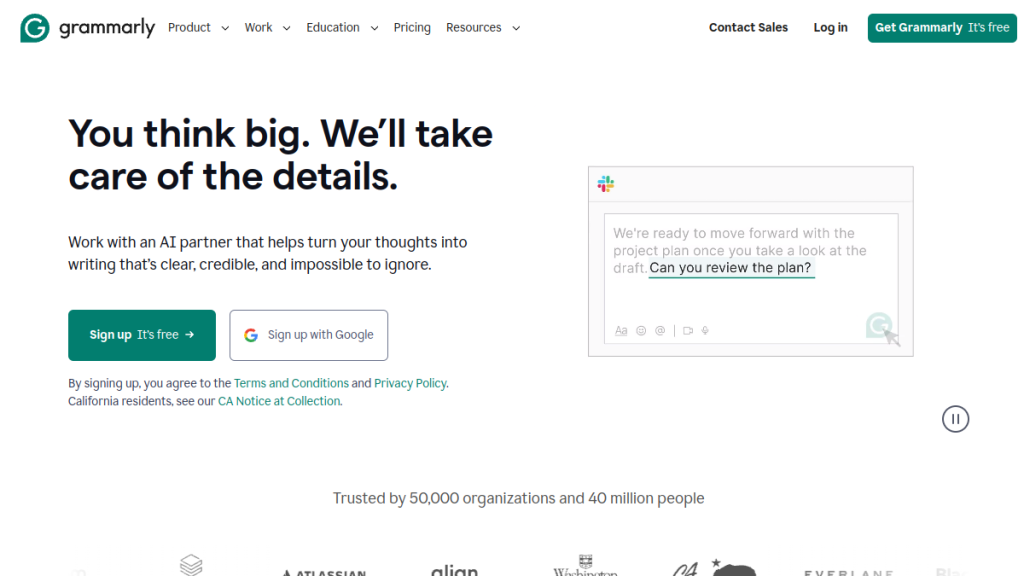
Grammarly is the industry leader in grammar checking, used by over 40 million people. But it’s not perfect for everyone:
Common reasons to switch:
- Price – Grammarly Pro costs $12/month ($144/year), which adds up
- Feature gaps – No lifetime plan, limited offline support, weak multilingual support
- Paraphrasing – Grammarly’s rewriting suggestions are basic compared to dedicated tools
- Deep editing – Writers wanting detailed style reports may need more
- Privacy concerns – Some users prefer tools with stronger data privacy
What Grammarly costs in 2026:
- Free: $0/month (basic grammar, 100 AI prompts)
- Pro: $12/month (full features, plagiarism checker, 2,000 AI prompts)
- Enterprise: Custom pricing (SSO, advanced security)
Now let’s look at the alternatives.
1. QuillBot – Best Overall Grammarly Alternative
⭐ Rating: 4.7/5 | 💰 Price: $8.33/month (annual) | ✅ Free tier available
QuillBot started as a paraphrasing tool but has evolved into a full writing assistant with an excellent grammar checker built-in. It’s my top pick for most users looking to save money without sacrificing quality.
What Makes QuillBot Stand Out
QuillBot’s grammar checker catches the same errors as Grammarly-spelling, punctuation, grammar, and style issues. But where it really shines is the paraphrasing engine.
You get 7 paraphrasing modes: Standard, Fluency, Formal, Simple, Creative, Expand, and Shorten. This is miles ahead of Grammarly’s basic rewriting suggestions.
Key Features:
- Grammar and spell checker (comparable to Grammarly)
- Advanced paraphrasing with 7 writing modes
- Summarizer tool for condensing long content
- Citation generator (MLA, APA, Chicago)
- Synonym customization slider
- Chrome extension, Google Docs, Microsoft Word integration
QuillBot Pricing
| Plan | Price | Features |
|---|---|---|
| Free | $0 | Basic grammar check, limited paraphrasing (125 words) |
| Premium Annual | $8.33/mo ($99.99/year) | Unlimited paraphrasing, all modes, no ads |
| Premium Monthly | $19.99/mo | Same as annual, higher price |
| Team | Custom | Collaboration features |
Who Should Use QuillBot?
✅ Choose QuillBot if:
- You need paraphrasing alongside grammar checking
- You’re on a budget but want premium features
- You write academic content and need citations
- You want to rephrase content in different tones
❌ Skip QuillBot if:
- You need in-depth style analysis reports
- You want plagiarism checking (not included)
- You need team collaboration features
Bottom line: QuillBot offers 90% of what Grammarly does at 30% less cost, plus superior paraphrasing. Best value alternative.
2. ProWritingAid – Best for Serious Writers
⭐ Rating: 4.6/5 | 💰 Price: $10/month (annual) | ✅ Free tier available
ProWritingAid is the writer’s choice-especially for novelists, content creators, and anyone who wants detailed analysis of their writing patterns. It goes deeper than Grammarly in many ways.
What Makes ProWritingAid Stand Out
Where Grammarly fixes errors, ProWritingAid educates you about why your writing could improve. You get 20+ detailed reports covering:
- Overused words
- Sentence length variation
- Sticky sentences (too many glue words)
- Readability grades
- Clichés and redundancies
- Pacing analysis
- Dialogue tags
Key Features:
- 20+ in-depth writing reports
- Thesaurus integration (better than Grammarly’s)
- Plagiarism checker (similar to Grammarly)
- Word explorer for context examples
- Scrivener, Google Docs, MS Word integration
- Lifetime license available ($399 one-time)
ProWritingAid Pricing
| Plan | Price | Features |
|---|---|---|
| Free | $0 | 500 words per check, limited reports |
| Premium Monthly | $30/mo | All features, unlimited |
| Premium Annual | $10/mo ($120/year) | All features, unlimited |
| Lifetime | $399 one-time | Never pay again |
| Premium Pro Lifetime | $699 one-time | Includes plagiarism checks |
Who Should Use ProWritingAid?
✅ Choose ProWritingAid if:
- You’re a novelist or long-form writer
- You want to learn from detailed writing reports
- You want a lifetime license (no subscription)
- You use Scrivener
❌ Skip ProWritingAid if:
- You need a mobile app (none available)
- You want a cleaner, simpler interface
- You mainly write short-form content
Bottom line: ProWritingAid is the power user’s grammar checker. The lifetime license makes it cheaper long-term than any competitor.
3. LanguageTool – Best for Multilingual Writers
⭐ Rating: 4.5/5 | 💰 Price: $4.99/month (annual) | ✅ Free tier available
If you write in multiple languages, LanguageTool is the clear winner. It supports 30+ languages compared to Grammarly’s English-only approach.
What Makes LanguageTool Stand Out
LanguageTool is open-source at its core, which means a passionate community constantly improves it. The premium version adds advanced checks that rival Grammarly.
Supported languages include: English, German, Spanish, French, Portuguese, Dutch, Polish, Russian, Italian, and 20+ more.
Key Features:
- 30+ language support
- Style and grammar checking
- Personal dictionary
- Browser extension, Google Docs, MS Word
- Team version available
- Open-source transparency
- Privacy-focused (text processed locally option)
LanguageTool Pricing
| Plan | Price | Features |
|---|---|---|
| Free | $0 | 10,000 characters/check, basic rules |
| Premium Monthly | $24.90/mo | Unlimited, advanced checks |
| Premium Annual | $4.99/mo ($59.88/year) | Same as monthly |
| Team | Custom | Collaboration, admin controls |
Who Should Use LanguageTool?
✅ Choose LanguageTool if:
- You write in multiple languages
- Privacy is a priority
- You want the cheapest premium option
- You support open-source software
❌ Skip LanguageTool if:
- You need advanced AI rewriting
- You want plagiarism detection
- You need detailed style reports
Bottom line: At $4.99/month, LanguageTool is the most affordable premium alternative with excellent multilingual support.
4. Hemingway Editor – Best for Readability
⭐ Rating: 4.4/5 | 💰 Price: Free (web) or $8.33/month | ✅ Free web version
Hemingway Editor takes a different approach-it doesn’t just fix grammar, it makes your writing clear. Named after Ernest Hemingway’s punchy style, it highlights complex sentences, passive voice, and wordy phrases.
What Makes Hemingway Stand Out
While Grammarly catches errors, Hemingway catches bad habits. It’s brutally honest about:
- Hard-to-read sentences (highlighted in red)
- Very hard sentences (highlighted in yellow)
- Passive voice (blue highlights)
- Adverbs (green highlights)
- Simpler alternatives for complex words
Key Features:
- Readability grade (aims for Grade 9 or lower)
- Color-coded highlights for different issues
- Word count and reading time
- Distraction-free writing mode
- Export to WordPress, Medium
- Works offline (desktop app)
Hemingway Pricing
| Plan | Price | Features |
|---|---|---|
| Free (Web) | $0 | Basic readability analysis |
| Plus Monthly | $25/mo | AI assistant, 5K words |
| Plus Annual | $8.33/mo | Same, cheaper rate |
| Team | $12.50/mo per seat | Collaboration |
Who Should Use Hemingway?
✅ Choose Hemingway if:
- You want clearer, more readable writing
- You overuse passive voice or adverbs
- You write for the web (blogs, landing pages)
- You want a distraction-free editor
❌ Skip Hemingway if:
- You need detailed grammar checking
- You want browser extension support
- You need plagiarism checking
Bottom line: Hemingway + another grammar checker (like the free version of Grammarly) is a powerful combo. Use Hemingway to polish style, another tool for grammar.
5. Ginger – Best for Non-Native Speakers
⭐ Rating: 4.3/5 | 💰 Price: $4.99/month (annual) | ✅ Free tier available
Ginger is specifically designed to help non-native English speakers improve their writing. It includes unique features like a translator (40+ languages) and an English learning center.
What Makes Ginger Stand Out
Ginger analyzes context, not just words. This makes it better at catching errors that sound wrong to native speakers but might not be “grammatically” incorrect.
Key Features:
- Context-based grammar checking
- Translation (40+ languages)
- Personal trainer (improves your English over time)
- Text reader (hear your text read aloud)
- Sentence rephraser
- Dictionary and synonyms
- Browser extension, MS Word integration
Ginger Pricing
| Plan | Price | Features |
|---|---|---|
| Free | $0 | Limited corrections per day |
| Monthly | $9.99/mo | All features |
| Quarterly | $6.99/mo | Better rate |
| Annual | $4.99/mo | Best value |
| 2-Year | $3.99/mo | Cheapest per month |
Who Should Use Ginger?
✅ Choose Ginger if:
- English is your second language
- You need translation alongside grammar checking
- You want to improve your English skills
- You’re on a tight budget
❌ Skip Ginger if:
- You’re already fluent in English
- You need plagiarism detection
- You want writing style reports
Bottom line: Ginger is the best tool for ESL writers who want to learn while they write.
6. Wordtune – Best for Sentence Rewriting
⭐ Rating: 4.3/5 | 💰 Price: $13.99/month | ✅ Free tier available
Wordtune focuses on one thing: making your sentences better. It’s an AI-powered rewriting tool that suggests multiple ways to express the same idea.
What Makes Wordtune Stand Out
Instead of just flagging errors, Wordtune shows you how to write your sentence in casual, formal, shorter, longer, or completely different ways. Great for breaking through writer’s block.
Key Features:
- AI-powered sentence rewriting
- Multiple tone options (casual, formal)
- Shorten or expand text
- Summarize articles and documents
- Chrome extension
- Integrates with most text fields online
Wordtune Pricing
| Plan | Price | Features |
|---|---|---|
| Free | $0 | 10 rewrites/day |
| Plus Monthly | $24.99/mo | Unlimited rewrites |
| Plus Annual | $13.99/mo | Best value |
| Business | Custom | Team features |
Who Should Use Wordtune?
✅ Choose Wordtune if:
- You struggle with sentence variety
- You need to adjust tone frequently
- You want AI rewriting, not just corrections
- You get stuck on phrasing
❌ Skip Wordtune if:
- You need comprehensive grammar checking
- You want offline access
- You need plagiarism detection
Bottom line: Wordtune is a great companion to a grammar checker, not a full replacement.
7. WhiteSmoke – Best Budget Option
⭐ Rating: 4.0/5 | 💰 Price: $5/month | ❌ No free version
WhiteSmoke has been around since 2002 and remains a solid budget alternative. The interface feels dated, but the grammar checking is reliable.
What Makes WhiteSmoke Stand Out
WhiteSmoke offers one-time payment options, which can save money long-term. It includes grammar, style, punctuation, plagiarism checking, and translation (55 languages).
Key Features:
- Grammar and style checker
- Plagiarism detection
- Translator (55 languages)
- 100+ writing templates
- Video tutorials
- Browser extension, MS Word
WhiteSmoke Pricing
| Plan | Price | Features |
|---|---|---|
| Web | $5/mo or $59.95 one-time | Basic grammar, web only |
| Premium | $6.66/mo or $79.95 one-time | Desktop apps |
| Business | $11.50/mo or $137.95 one-time | Priority support |
Who Should Use WhiteSmoke?
✅ Choose WhiteSmoke if:
- You want a one-time payment option
- You’re on a tight budget
- You need translation features
❌ Skip WhiteSmoke if:
- You want a modern interface
- You need mobile apps
- You want AI-powered features
Bottom line: WhiteSmoke is functional and cheap, but feels like software from 2015.
8. Sapling – Best for Customer Support Teams
⭐ Rating: 4.2/5 | 💰 Price: $25/month | ✅ Free tier available
Sapling is purpose-built for customer-facing teams-support agents, sales reps, and anyone who writes a lot of similar messages. It catches 60% more language errors than competitors, according to their testing.
Key Features:
- Grammar and spell check
- Autocomplete suggestions (like Gmail)
- Snippets for common responses
- CRM and helpdesk integrations (Zendesk, Salesforce)
- Team analytics
Who Should Use Sapling?
✅ Choose Sapling if: You manage a customer support or sales team
❌ Skip if: You’re an individual writer
9. Linguix – Best Browser Extension Experience
⭐ Rating: 4.1/5 | 💰 Price: $15/month | ✅ Free tier available
Linguix focuses on delivering a seamless browser extension experience. It checks grammar across all websites and apps without switching tabs.
Key Features:
- Real-time grammar checking
- Personal dictionary
- Writing statistics
- Content templates (emails, social posts)
- Team features
Pricing: Free (limited) or $15/month premium.
10. Writer.com – Best for Enterprise Teams
⭐ Rating: 4.4/5 | 💰 Price: $39/month | ❌ No free version
Writer (formerly Qordoba) is built for companies that need brand consistency. It enforces style guides, terminology, and tone across an entire organization.
Key Features:
- Style guide enforcement
- Terminology management
- Tone detection
- Integrations with Figma, Contentful, Chrome
- SOC 2 compliance
Best for: Marketing teams, enterprise companies needing brand consistency.
11. Slick Write – Best 100% Free Option
⭐ Rating: 3.8/5 | 💰 Price: Free | ✅ Completely free
If you need a grammar checker and have literally zero budget, Slick Write works. It’s web-based, free, and checks grammar, style, and structure.
Features: Grammar check, structure analysis, word associations, customizable feedback.
Limitations: No browser extension, no integrations, no AI features, ad-supported.
Frequently Asked Questions
What is the best free alternative to Grammarly?
QuillBot offers the best free tier with grammar checking and paraphrasing. LanguageTool is another excellent free option, especially for multilingual writers. For 100% free with no limits, Slick Write works but has fewer features.
Is ProWritingAid better than Grammarly?
For in-depth style analysis and long-form writing (novels, articles), ProWritingAid is better. For everyday grammar checking and ease of use, Grammarly has the edge. ProWritingAid’s lifetime license also makes it cheaper long-term.
What is the cheapest Grammarly alternative?
LanguageTool at $4.99/month (annual) is the cheapest premium option. Ginger at $3.99/month on a 2-year plan is even cheaper. Slick Write is completely free.
Can I use multiple grammar checkers together?
Yes! Many writers use Grammarly or QuillBot for grammar, plus Hemingway Editor for readability. Different tools catch different issues.
Does Grammarly sell your data?
Grammarly’s privacy policy states they don’t sell user data, but text is processed on their servers. For maximum privacy, LanguageTool offers a local processing option.
Which grammar checker is best for students?
QuillBot is ideal for students-it includes citation generation, paraphrasing (helpful for avoiding plagiarism), and an affordable price. Many schools also offer Grammarly Premium free through educational licenses.
Is there a grammar checker with a one-time payment?
Yes! ProWritingAid ($399 lifetime) and WhiteSmoke ($59.95-$137.95 one-time) offer pay-once options.
Final Verdict: Which Grammarly Alternative Should You Choose?
🏆 Our Verdict
Here’s my recommendation based on your needs:
| Your Situation | Best Choice |
|---|---|
| Best overall value | QuillBot ($8.33/mo) |
| Serious writers, novelists | ProWritingAid (lifetime $399) |
| Multilingual writers | LanguageTool ($4.99/mo) |
| Improve readability | Hemingway Editor (free/paid) |
| Non-native English speakers | Ginger ($4.99/mo) |
| Zero budget | Slick Write or QuillBot Free |
| Customer support teams | Sapling ($25/mo) |
| Enterprise brand consistency | Writer.com ($39/mo) |
My top pick: If you’re leaving Grammarly to save money, QuillBot gives you 90% of the functionality at 30% lower cost, plus better paraphrasing.
If you’re a serious writer who wants to own their tool forever, ProWritingAid’s lifetime license pays for itself in under 3 years.
Related Reviews
This article contains affiliate links. We may earn a commission if you purchase through our links, at no extra cost to you.